

Dermis Shader for Blender
Dermis Shader v1.2 for Blender – The Ultimate Hyper-Realistic Skin & Biological Tissue Suite
Version: V1.2
File Size: 10 MB
Download Dermis Shader v1.2 for Blender on Windows and Mac, a specialized, physically-based shader node group designed to replicate the complex optical properties of human skin, animal hide, and biological tissues with unprecedented accuracy. By simulating multi-layer subsurface scattering (SSS), epidermal oil variation, and micro-surface details like pores and vellus hair, Dermis Shader transforms how you render characters and creatures, eliminating the “waxy” or “plastic” look common in standard materials.
Key Features of Dermis Shader v1.2:
- Multi-Layer Subsurface Scattering: Simulates the distinct light penetration depths of the epidermis (red/yellow scatter) and dermis (deep red scatter) separately, creating the authentic warm glow seen in real skin when backlit or near ears/noses.
- Procedural Micro-Detail: Generates realistic pore patterns, fine wrinkles, and skin unevenness procedurally, ensuring infinite resolution without relying on heavy 8K texture maps.
- Dynamic Oil & Moisture Control: Dedicated sliders to adjust surface sebum levels, allowing you to create anything from dry, matte skin to sweaty, oily, or wet conditions that react realistically to lighting.
- Vellus Hair Integration: Includes a built-in system to generate fine “peach fuzz” hairs directly within the shader or via geometry nodes, adding a crucial layer of realism often missing in CG characters.
- Vein & Blush Mapping: Easy inputs to paint or project underlying vein structures and subsurface blush (blood flow) that appear naturally beneath the skin surface rather than sitting on top.
- Anisotropic Specular Highlights: Mimics the directional sheen of skin oils and stretched tissue, providing accurate specular reflections that change based on viewing angle and surface tension.
- Wound & Scar Support: Specialized parameters to simulate scar tissue (less oily, different scattering) and open wounds with fresh blood layers, perfect for VFX and horror genres.
- Optimized for Cycles & Eevee: Tailored specifically for Blender’s render engines, with pre-tuned SSS radii and roughness values that work out-of-the-box for both path-tracing and real-time preview.
Perfect For:
- Character Artists creating hyper-realistic humans, aliens, or creatures for film and high-end cinematics.
- VFX Studios needing accurate digital doubles for close-up shots where skin texture is critical.
- Medical Illustrators visualizing biological tissues, injuries, or dermatological conditions with scientific accuracy.
- Game Developers (via baking) looking to create high-fidelity normal and SSS maps for next-gen character assets.
- Anyone struggling to make their 3D characters look alive rather than like mannequins.
System Requirements:
- Blender: 3.6, 4.0, 4.1, 4.2, 4.3+ (Latest LTS recommended).
- OS: Windows 10/11 (64-bit) or macOS 10.15+.
- Render Engine: Cycles recommended for full SSS accuracy (Eevee supported with Screen Space Refraction/SSS enabled).
- Hardware: GPU with sufficient VRAM for high-resolution displacement and SSS calculations.
Installation:
- Download the
.zipfile for Dermis Shader v1.2. - Open Blender and go to Edit > Preferences > Add-ons.
- Click Install…, select the downloaded file, and enable the checkbox next to Shader: Dermis Shader.
- Access via the Shader Editor Add Menu > Shader > Dermis Shader or the Asset Browser.
Note:
Version 1.2 introduces a new “Ageing Slider” that automatically adjusts pore size, skin sagging (via displacement), and oil distribution to transition a character from youthful to elderly instantly, along with improved performance for rendering large crowds with varied skin types.
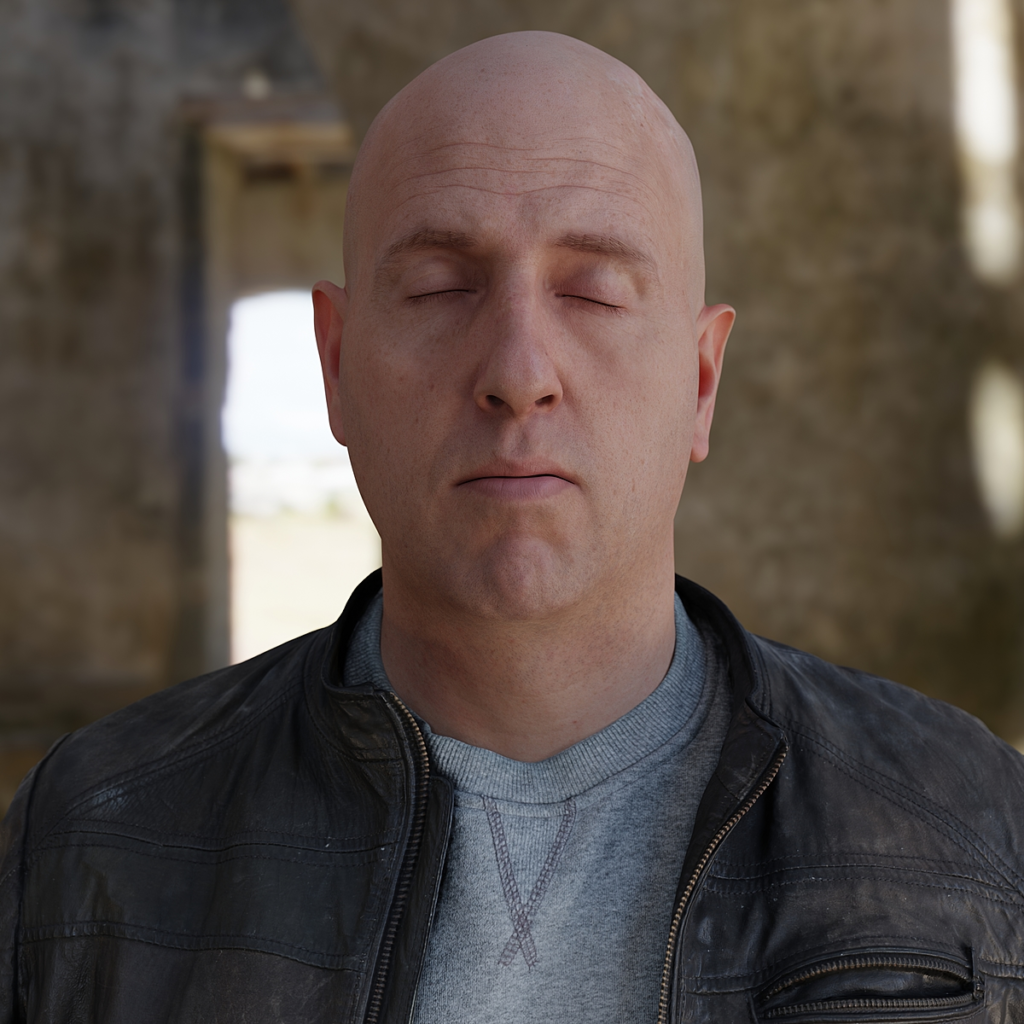
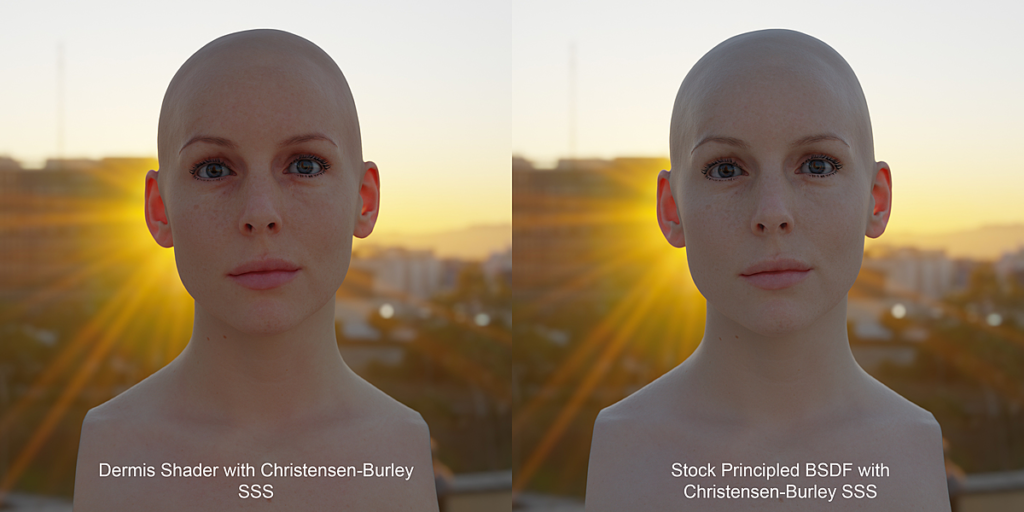
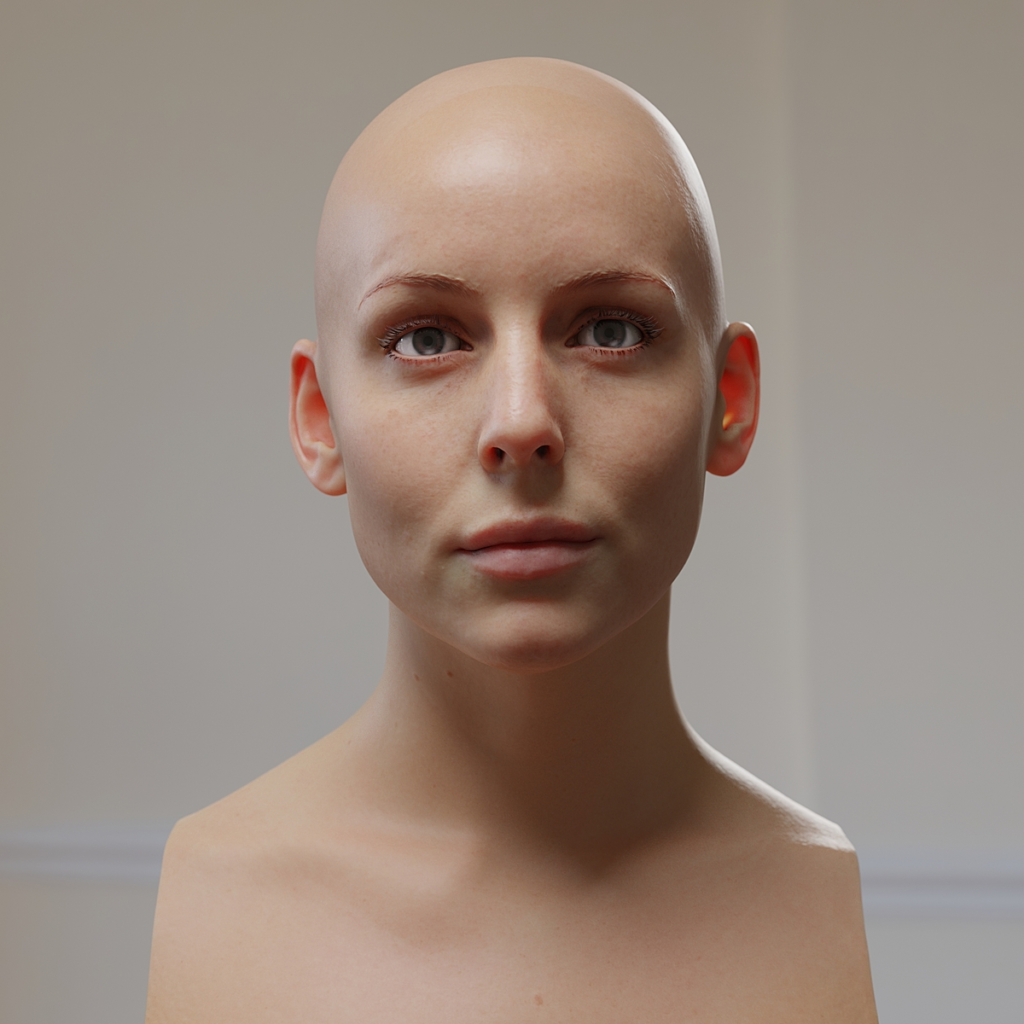

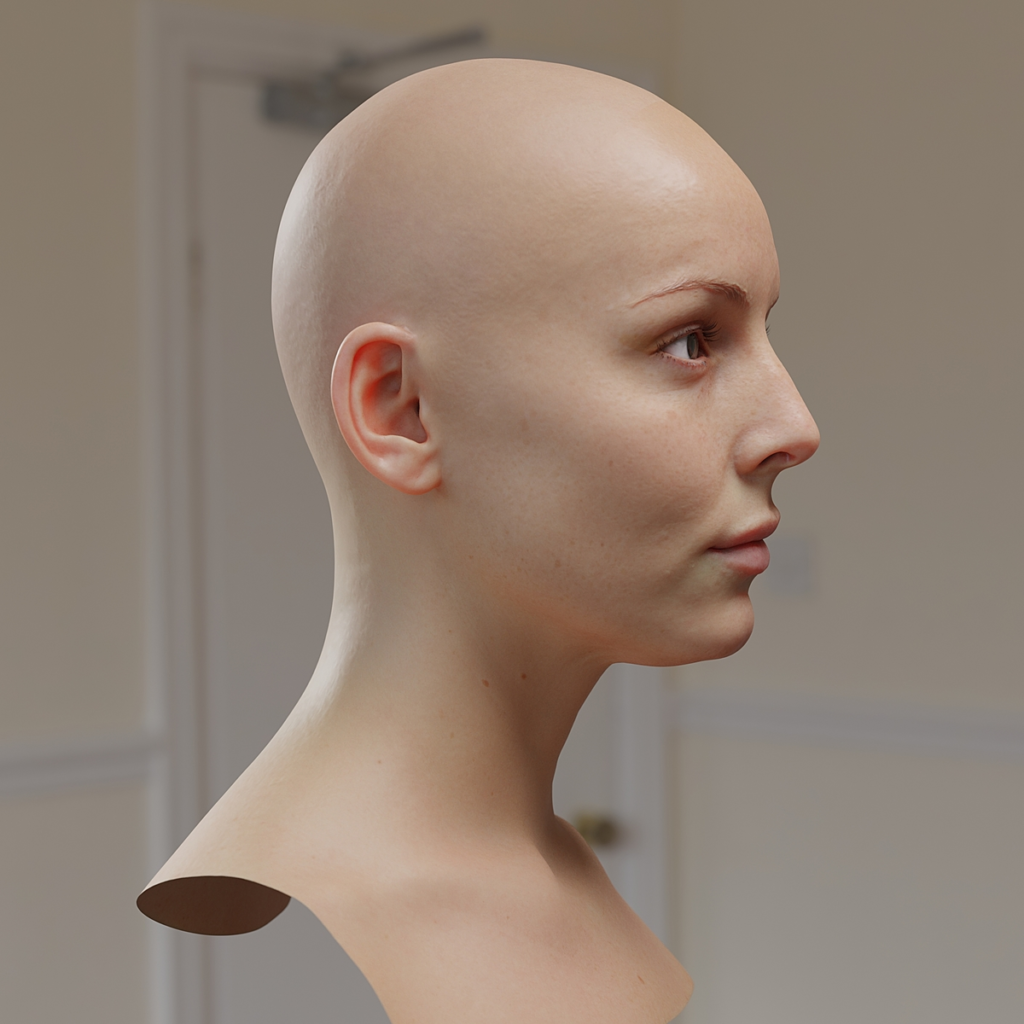

Dermis is a skin-focused multi-level SSS shader for Blender, inspired by Anders Langland’s multi-level SSS shader for Arnold 4. It affords the user more nuanced and intuitive control over skin tones and a more overall natural look to scattering colour and depth, as well as being more physically realistic (real skin can also be broken down into 3 “layers” that contribute differently to SSS).
The shader is built with Cycles in mind, but works for Eevee too – although it might be overkill! (Eevee can only use one SSS lobe at once, so all Dermis really gives you for Eevee is better skin tone control). It’s also built with scans in mind, both whole models and textures from sites like texturing.xyz. Please keep in mind that it’s just a material, and nothing procedural, it’s built to work with scanned skin textures.
All scans used in the images showcased on this product are from the 3D Scan Store
The different product tiers represent the possibility for a move of good faith on your part – you have no legal obligation to pay extra if you’re using Dermis as a business, but if you feel my work deserves it, I ask you to pay a higher fee, as a business may distribute the product to many people, or use it considerably more than a single person. In return, you’ll receive preferential product support from me, should you need it. Again, you have no legal obligation to pay more than the base $15, it is simply a gesture of good faith. All three price levels deliver the same product.
If you pay the higher fee, and need support, please quote your BlenderMarket sale ID and mention that you paid for one of the business tiers when you email me or send me a message here.
10% of all profits from this product go to the Blender Development Fund.
Changelog:
23/11/2023:
Version 1.3 release:
- Added Blender 4.0 version, based on Principled v2.0
- Added input panels to node group, re-organised inputs
- Refreshed input configuration for better quality of life and GUI feedback
- Added English input tooltips
25/11/2021:
Version 1.2 release:
- Added Cycles X version, with support for new SSS IOR and Anisotropy inputs
- Added “Dermis Lobe” material to original Cycles and Cycles X, which is a version of Dermis that is just SSS shaders, and just the SSS lobe, so that Dermis SSS can be added to custom materials/node groups
- Updated the manual, with more in-depth info on how to use version 1.1 and the new Cycles X inputs
- Updated Dermis to use Principled BSDF’s Emission inputs and Alpha input
05/06/2020:
Version 1.1 release:
- Integrated the colour management nodes for the skin tone inputs into the shader itself, making things a lot neater.
- Added colour outputs from the shader for lookdev of the skin tone layers.
Supercharge your 3D creation workflow with premium selection of Blender Add-ons. Whether you are modeling intricate characters, sculpting realistic environments, or animating cinematic sequences, the right add-on can transform how you work inside Blender. Our curated collection includes powerful tools for UV unwrapping, procedural texture generation, rigging automation, rendering optimization, and more—each rigorously tested for compatibility with the latest Blender versions. Eliminate tedious manual processes and unlock advanced functionality that lets you focus on what matters most: bringing your creative vision to life. Explore our full range of professional Blender plugins today and take your 3D projects to the next level.
➡️ ➡️ For more Blender Plugins 😀 😀
Reviews
There are no reviews yet.