
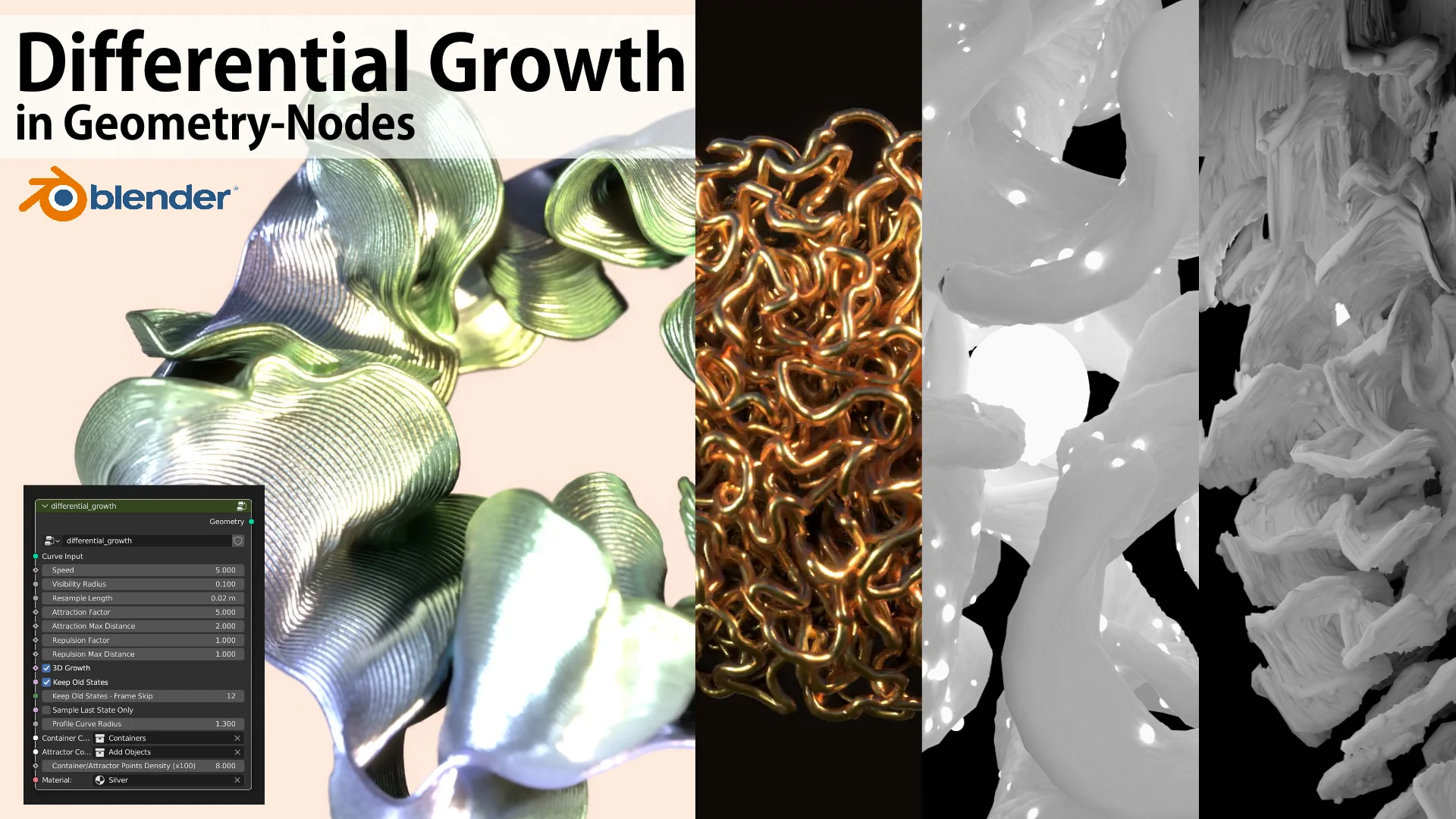
Differential Growth for Blender
Differential Growth for Blender – The Ultimate Organic Surface Expansion Simulator
Download Differential Growth for Blender on Windows and Mac, a powerful Geometry Nodes-based tool (and legacy Python script) that simulates the biological process of tissue expansion to create complex, wrinkled, organic forms like brains, coral, intestines, and abstract alien structures. By expanding surface area faster than the underlying volume can accommodate, Differential Growth transforms simple spheres or meshes into intricate, self-colliding organic shapes, eliminating the need for hours of manual sculpting to achieve naturalistic folds and creases.
Key Features of Differential Growth:
- Biological Simulation Logic: Mimics real-world morphogenesis where the outer layer grows faster than the inner core, naturally generating realistic gyri and sulci (folds) found in brains and biological tissues.
- Self-Collision Handling: Advanced algorithms prevent the expanding mesh from intersecting with itself, pushing geometry outward to form clean, non-overlapping wrinkles and channels automatically.
- Procedural Control: Fully adjustable parameters for growth rate, stiffness, smoothing iterations, and pressure, allowing you to steer the simulation from tight, compact folds to loose, flowing drapery.
- Topology Adaptation: Dynamically subdivides the mesh during the growth process to maintain detail without stretching polygons, ensuring high-resolution results even from low-poly starting shapes.
- Vertex Group Masking: Use vertex groups to control where growth occurs, enabling you to create specific patterns, localized tumors, or directional expansion on complex models.
- Animation Ready: The growth process can be animated over time, creating mesmerizing sequences of evolving organisms, blooming flowers, or spreading infections for VFX shots.
- Geometry Nodes Implementation (Modern): The latest versions leverage Blender’s Geometry Nodes for non-destructive, GPU-accelerated simulation, offering faster feedback and easier integration into modern workflows compared to older Python scripts.
- Versatile Applications: Beyond biology, perfect for creating abstract art, eroded terrain, crumpled paper effects, and complex architectural lattices.
Perfect For:
- Character Artists modeling realistic brains, internal organs, or alien creatures with complex skin folds.
- VFX Studios creating biological horror effects, spreading molds, or organic transformations.
- Motion Designers generating abstract, evolving backgrounds and surreal visualizations.
- Scientific Illustrators visualizing cellular growth, tissue expansion, or geological folding processes.
- Anyone looking to generate high-complexity organic geometry that would be impossible or tedious to sculpt by hand.
System Requirements:
- Blender: 3.6, 4.0, 4.1, 4.2, 4.3+ (Geometry Nodes version); Older Python versions support 2.8–3.5.
- OS: Windows 10/11 (64-bit) or macOS 10.15+.
- RAM: 8GB minimum (16GB+ recommended for high-resolution simulations with millions of faces).
- GPU: Recommended for accelerated Geometry Nodes evaluation.
Installation:
- Geometry Nodes Version: Download the
.blendasset file or addon.zip.- If an addon: Go to Edit > Preferences > Add-ons, click Install, select the file, and enable Node: Differential Growth.
- If a node group: Open the file, append or link the “Differential Growth” node group into your project, and connect it to a Mesh primitive.
- Legacy Python Version: Install via Edit > Preferences > Add-ons > Install, then find it under the Object or Mesh menu depending on the script version.
Note:
The Geometry Nodes version is highly recommended for new projects as it offers non-destructive editing, meaning you can go back and change the seed, growth rate, or base mesh at any time without re-simulating from scratch. The effect is computationally intensive; for very high-detail results (like a full human brain), consider using a lower resolution for the simulation and then applying a Subdivision Surface modifier afterward.
Summary of parameters
- Speed: strength of the shift applied to points at each frame. Higher values will result in a “faster” simulation, but less accurate results and more chances of collisions/overlap.
- Visibility Radius: max distance for points to affect each others.
- Resample Length: resample length for the curve.
- Attraction: attraction parameters work only when a non-empty attractor collection is provided. The points will be attracted to surfaces closer than the given max distance, based on the factor value.
- Repulsion: repulsion works against other points of the curve and any other object in the container collection (if provided). The curve will be pushed away from points closer than the given max distance, based on the factor value.
- 3D Growth: whether to run growth on all three axes.
- Keep Old States: keep results from previous iterations.
- Keep Old States – Frame Skip: how many frames to skip. 0 means keep all frames.
- Sample Last State Only: if true repulsion works only on the last frame (relevant only if Keep Old States is True).
- Profile Curve Radius: If 0 just output a curve, otherwise applies curve to mesh with this radius.
- Container Collection: If provided, objects that will act as barrier/boundary (relevant for repulsion parameters).
- Attractor Collection: If provided, objects that will act as attractors (relevant for attraction parameters).
- Container/Attractor Points Density (x100): higher values make for more accurate interactions.
Lower Visibility Radius causes more detailed growth, as it consider a smaller portion of neighbors points to adjust the growth, reducing in fact the overall smoothness of the curve. Detailed growth also required a Resample Length fit for the scale of the simulation you are running. Visibility Radius should be greater than the Resample Length, otherwise the curve won’t be affected much or collapse.
If the simulation gets too heavy, try reducing the Resample Length.
Technical Considerations
For the point-position-optimization step of the algorithm, currently the simulation doesn’t include attraction updates based on connected neighbors. This because geometry-nodes doesn’t yet provide an easy way to get neighbors. Similarly, repulsion is achieved by first using “Merge by Distance” based on the Visibility Radius, and then applying the repulsion force. We also apply a blur pass of the offset.
For the adaptive-subdivision step of the algorithm, we simply rely on the “Resample Curve” node. More sophisticated methods could take into account space crowdness or angle between points.
Supercharge your 3D creation workflow with premium selection of Blender Add-ons. Whether you are modeling intricate characters, sculpting realistic environments, or animating cinematic sequences, the right add-on can transform how you work inside Blender. Our curated collection includes powerful tools for UV unwrapping, procedural texture generation, rigging automation, rendering optimization, and more—each rigorously tested for compatibility with the latest Blender versions. Eliminate tedious manual processes and unlock advanced functionality that lets you focus on what matters most: bringing your creative vision to life. Explore our full range of professional Blender plugins today and take your 3D projects to the next level.
➡️ ➡️ For more Blender Plugins 😀 😀
Reviews
There are no reviews yet.