
Dimensions Ruler for Blender
dimensions ruler addon
Dimensions Ruler v1.0.1 for Blender – Precision Measurement & Dimensioning Tool
Versions: v1.0.1
File Size: 22 KB
Download Dimensions Ruler v1.0.1 for Blender on Windows, Mac, and Linux, a precise measurement add-on that adds dimension lines, distance indicators, and angle measurements directly in the 3D viewport. Perfect for architects, product designers, and 3D artists who need accurate measurements for modeling and scene layout.
Key Features of Dimensions Ruler v1.0.1:
- Distance Measurement: Measure distances between vertices, edges, faces, or objects with real-time display
- Angle Measurement: Measure angles between edges or faces with degree precision
- Dimension Lines: Add editable dimension lines to models for documentation
- Multiple Units: Display measurements in Blender units, meters, centimeters, millimeters, inches, or feet
- Live Updates: Measurements update automatically as you edit geometry
- Snap Support: Snap measurement endpoints to vertices, edges, and grid points
- Non-Rendering: Measurement overlays do not appear in final renders
- Export Option: Export measurement data as CSV for documentation
- v1.0.1 Updates: Enhanced precision, new unit options, and Blender 4.0+ compatibility
Perfect For:
- Architectural modelers verifying building dimensions
- Product designers checking part measurements
- 3D printing professionals preparing models
- Engineers documenting design specifications
- Anyone needing precise measurements in Blender
System Requirements:
- Blender 3.6, 4.0, 4.1, 4.2, 4.3
- Windows 10/11 (64-bit), macOS, or Linux
- 4GB RAM minimum (8GB+ recommended)
- 10MB available disk space
Installation:
- Download the add-on zip file
- In Blender, go to Edit > Preferences > Add-ons
- Click “Install” and select the downloaded zip file
- Enable the add-on by checking the box next to “Dimensions Ruler”
Note: Dimensions Ruler v1.0.1 provides professional measurement tools for Blender, adding dimension lines, distance indicators, and angle measurements directly in the viewport. The multiple unit options and live updates make it essential for architects, product designers, and 3D artists who need accurate measurements. Designed for Blender 3.6 and above. Good. Finish. End.
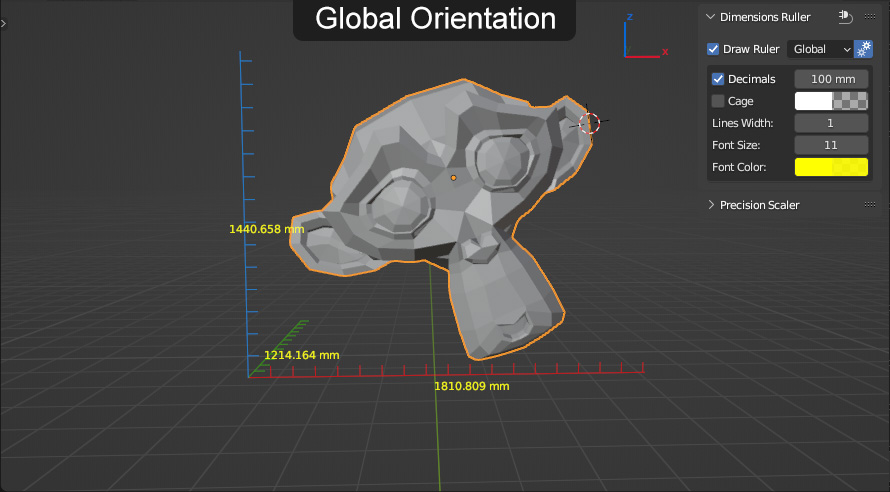
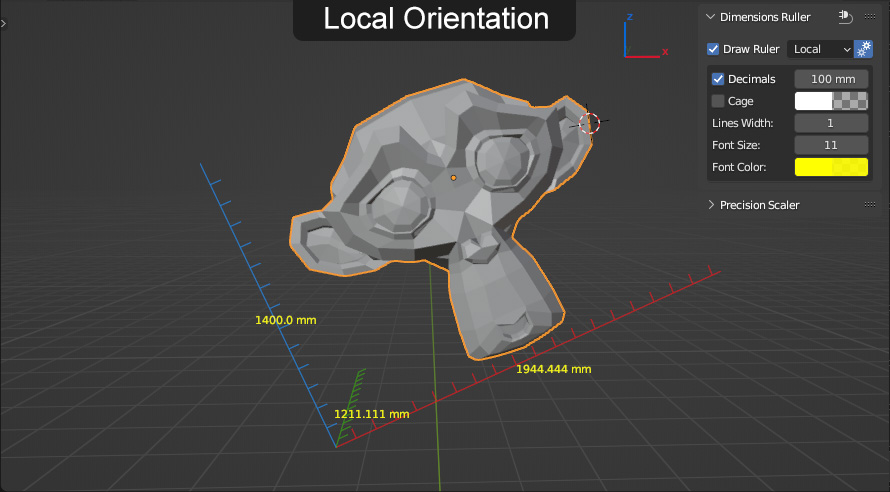
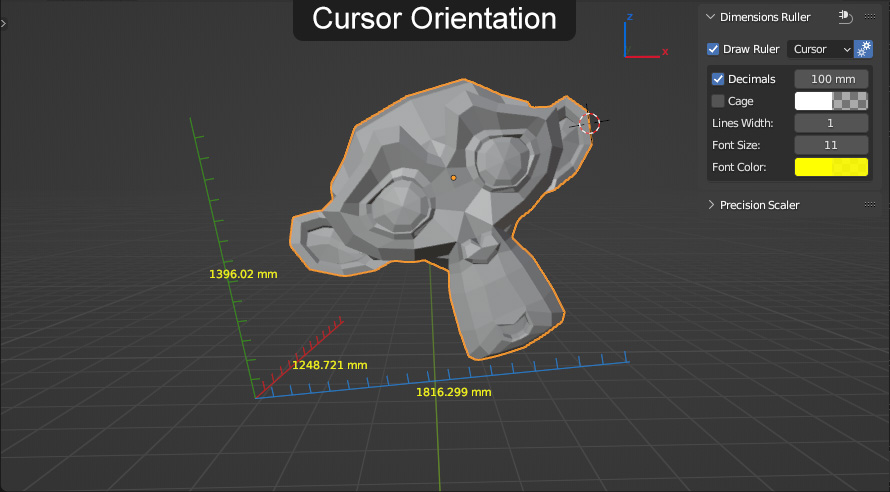
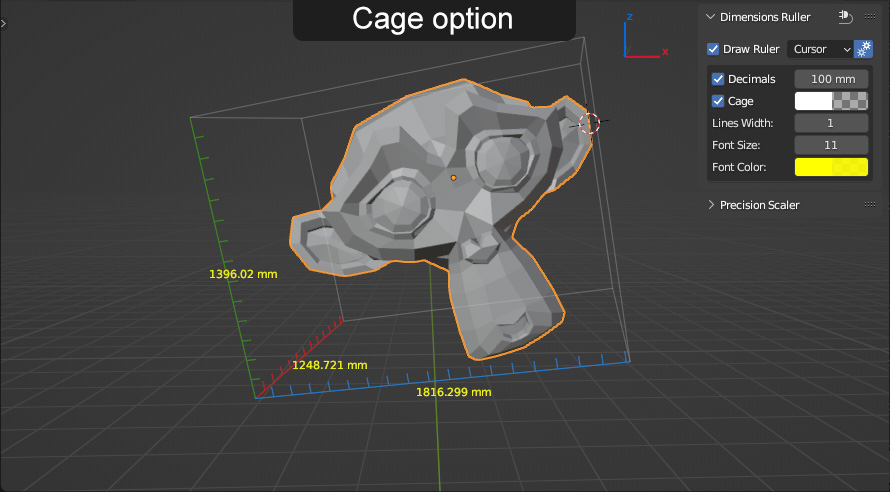
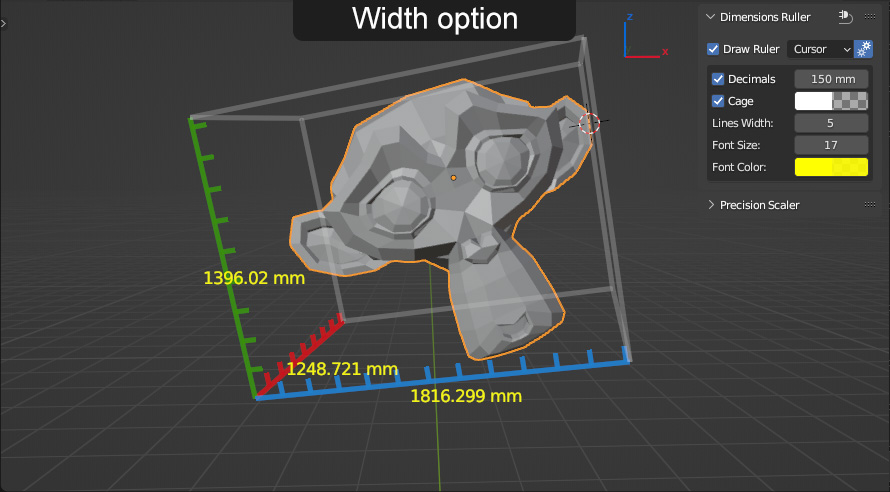
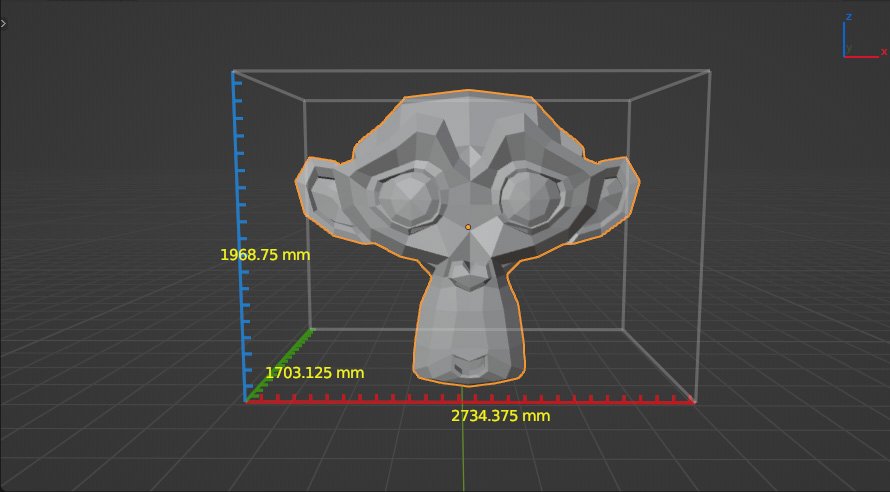
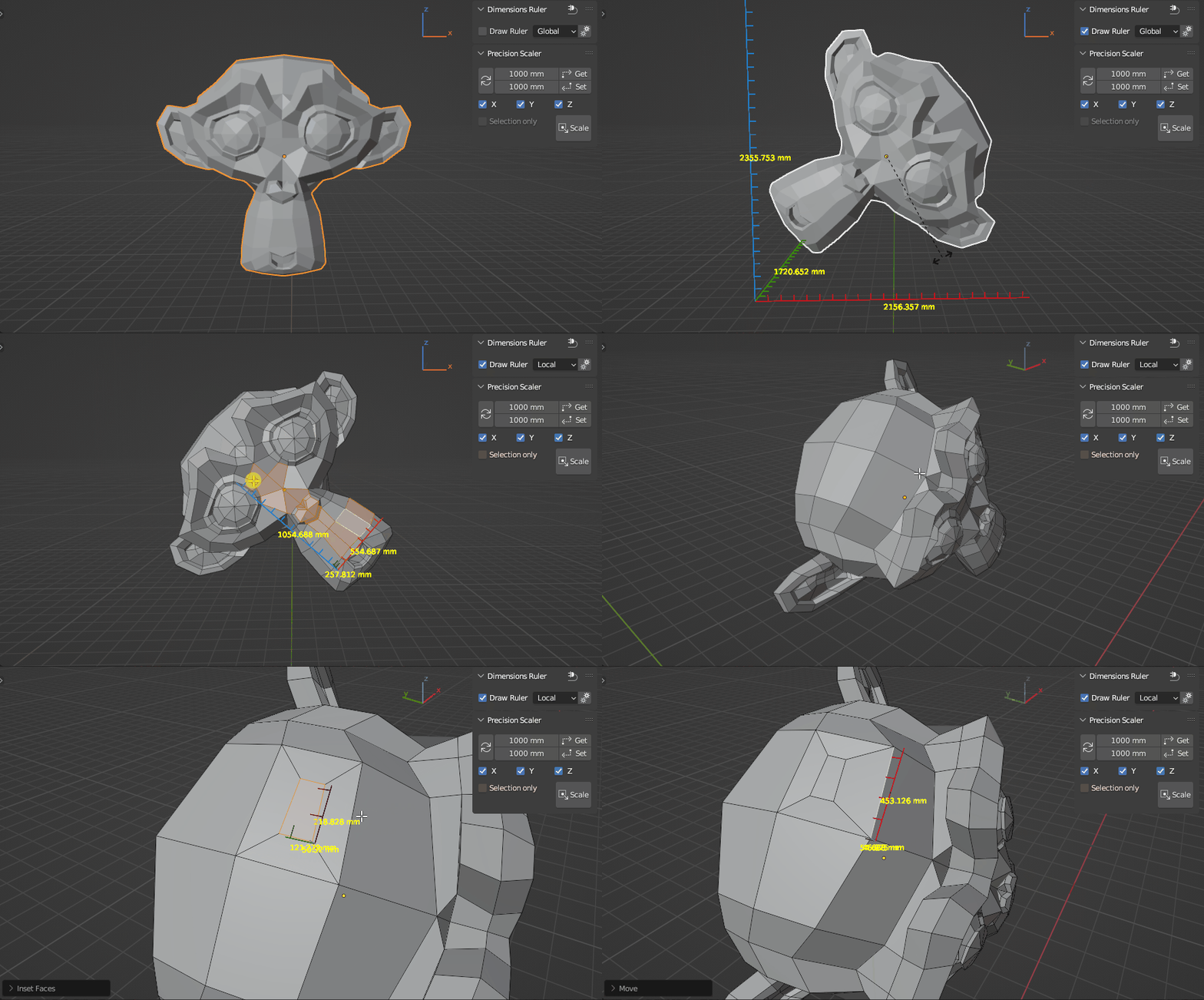
Simple ruler and precise scaling tool.
Ruler draws lines interactively (background calculation process).
With this tool enabled, you can perform any modeling operation.
Location:
Tab Panel – DR (tab)
(can be renamed as you like in the add-on preferences)
Usage:
Dimensions Ruler – just enable checkbox and select orientation (other settings as desired).
Supports multiple selected MESH objects
(added support CURVE, SURFACE, FONT object types: see update 1.0.4).
Cons:
- tool can’t be enabled by default at startup file (in the specifics of how blender modal operators work)
- tool enable/disable can’t be assigned as a shortcut (now it is possible: see update 1.0.4)
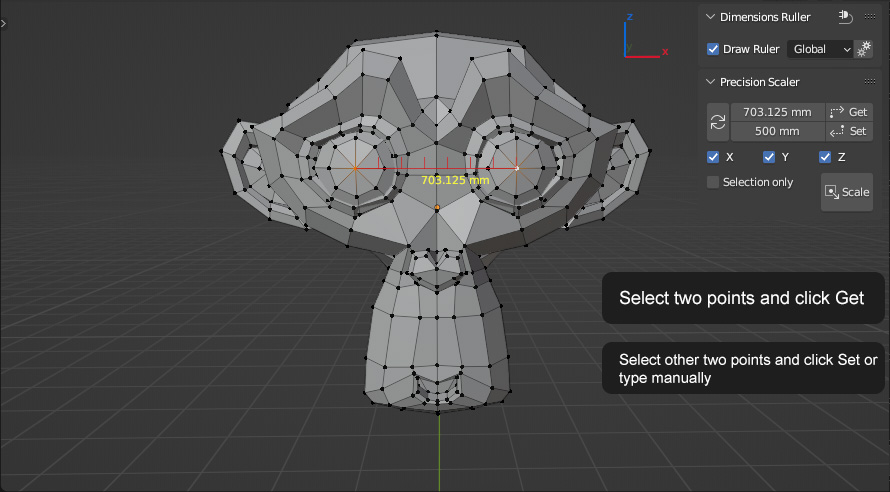
Precision Scaler:
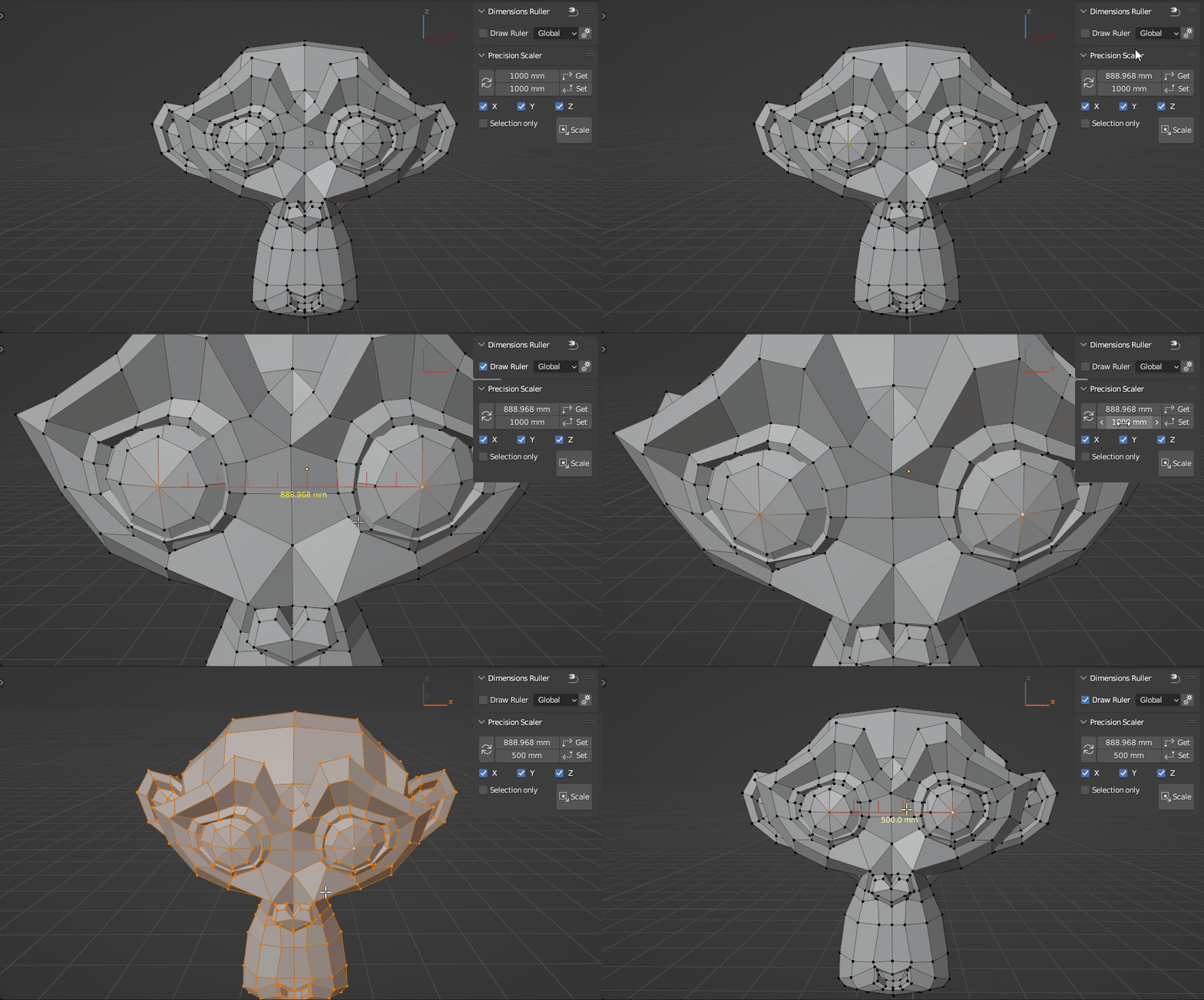
1. Select two vertices or one edge.
2. Get distance between points (manually or by clicking the button).
3. Set the desired value (distance between points, manually or by clicking the button).
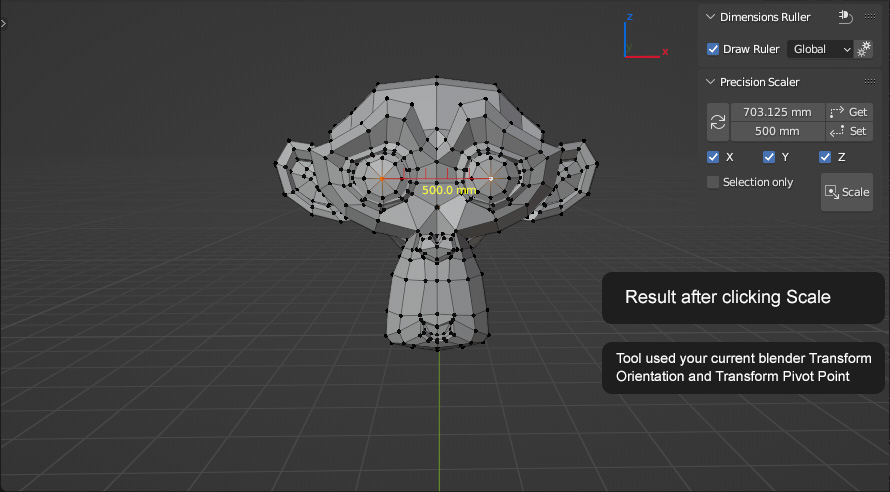
4. Scale.
Tool used your current blender Transform Orientation and Transform Pivot Point
Also you can use two objects origins as two points to Get/Set distance.
Updates:
1.0.1:
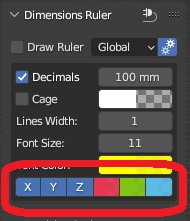
- added options to disable ruler X, Y, Z line
- added options to auto get/set length bypassing the GET/SET button
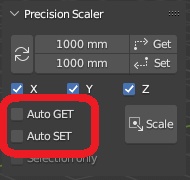
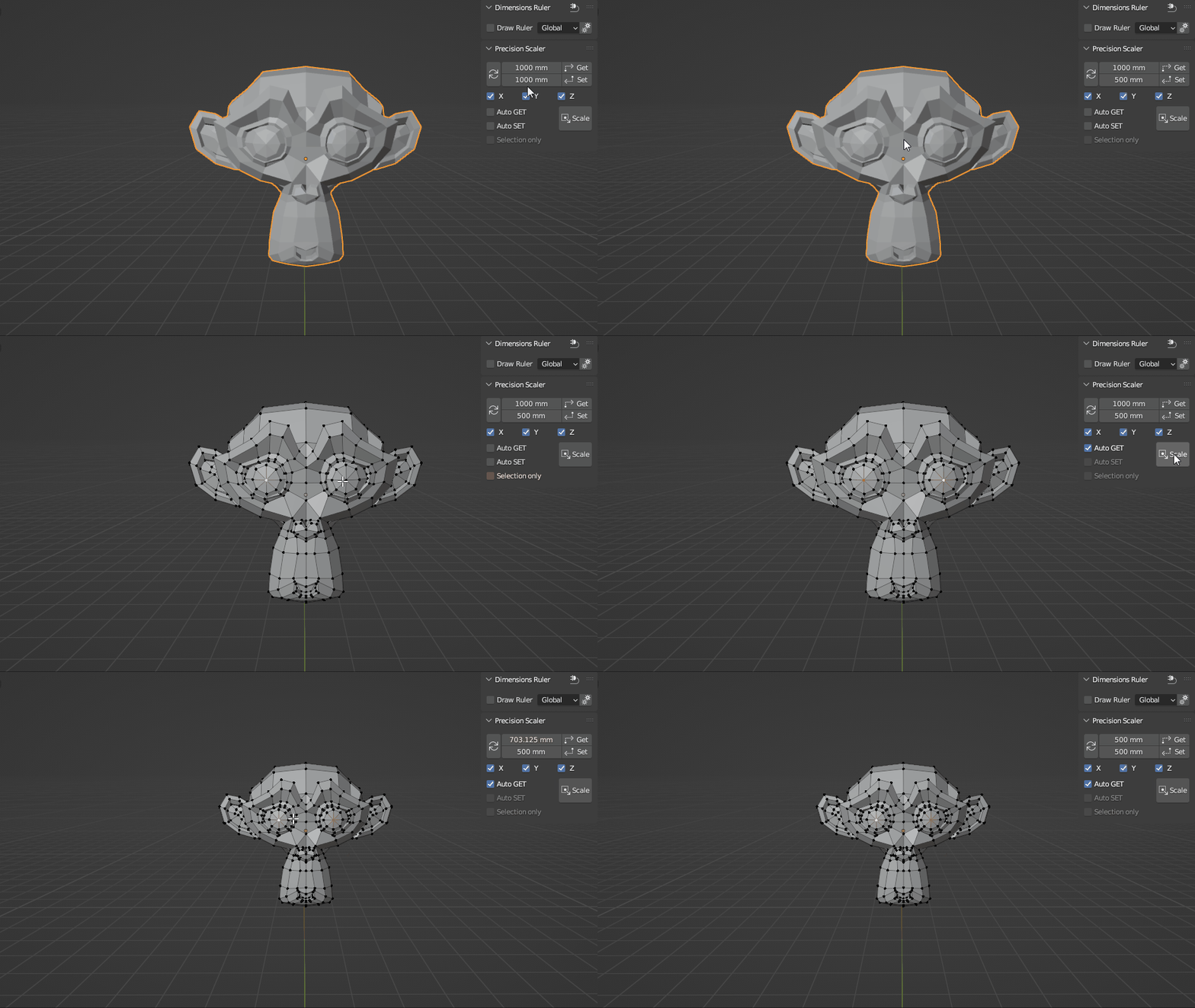
- some cleanups/fixes
1.0.2:
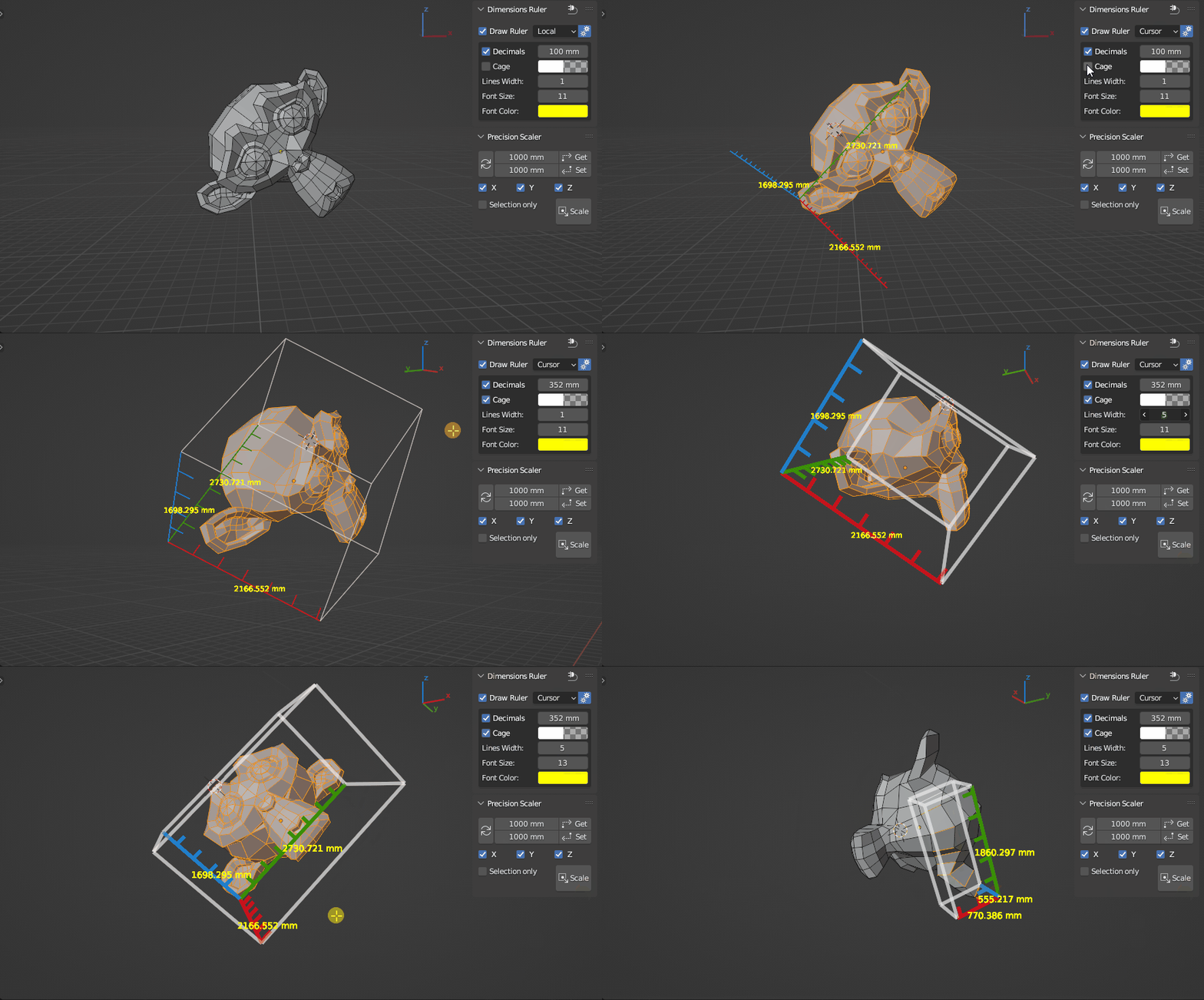
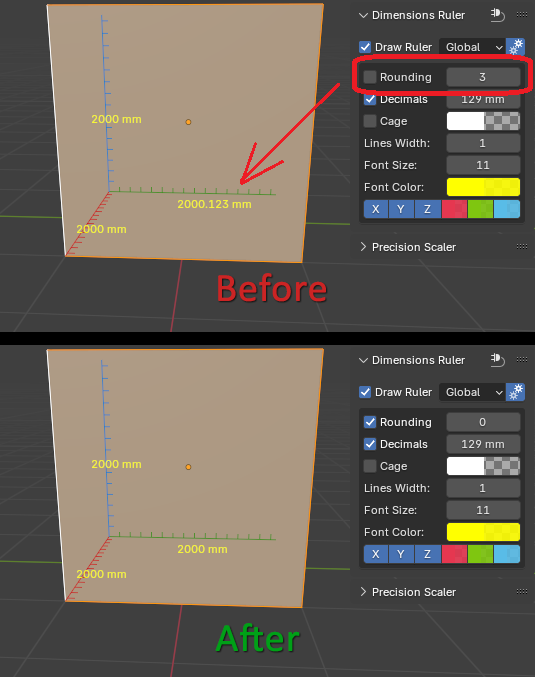
- added option to round how many digits after the decimal point in millimeters
- removed .0 in integer values
1.0.3:
- added the ability to draw background behind numbers for better display
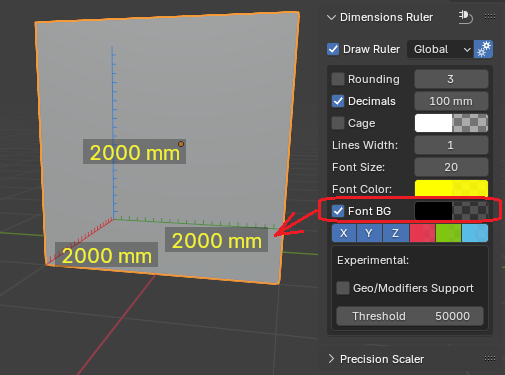
- added experimental feature for calculating sizes of objects with modifiers (with prevention of blender freezing/fps loss if final mesh exceeds threshold vertex count)
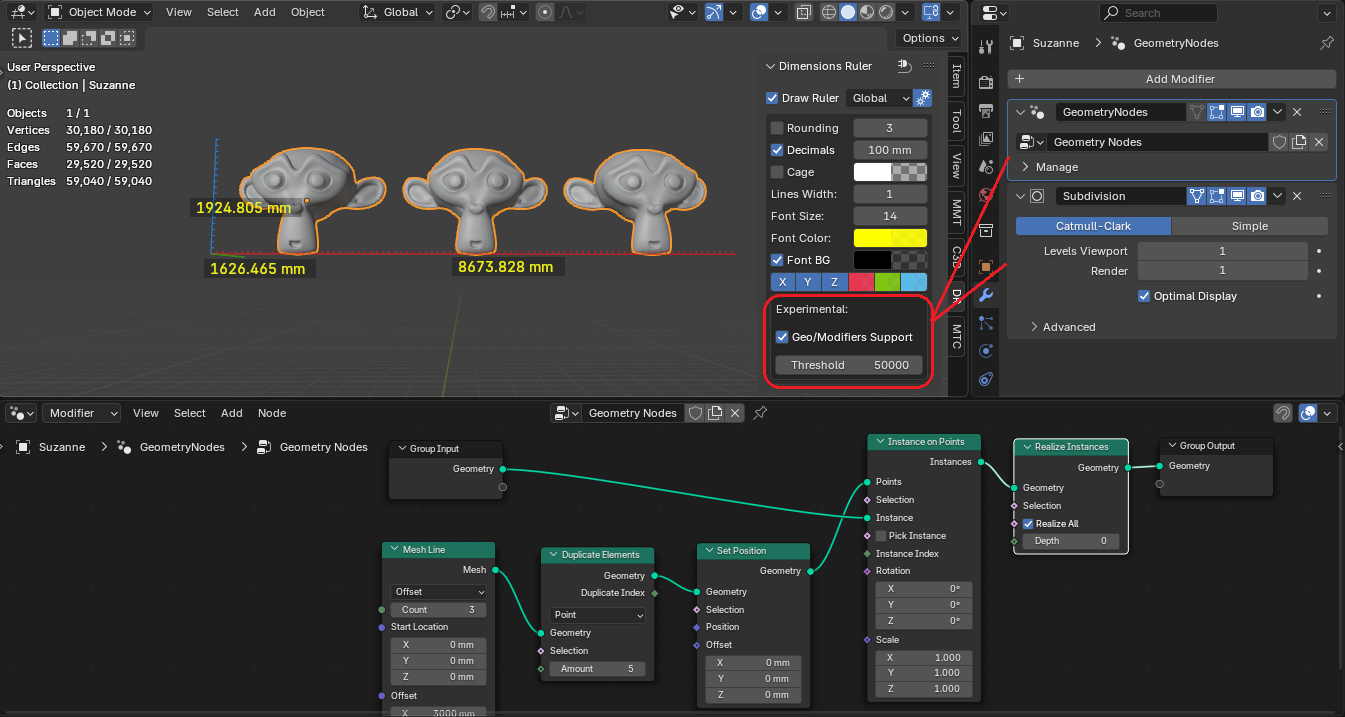
1.0.4:
- added support for CURVE, SURFACE, FONT object types
- added the ability to draw dimensions for each selected object (in the experimental section)

- added the ability to assign a shortcut to enable/disable ruler.
In add-on preferences: RMB – Assign Shortcut.
(to prevent FPS loss when starting or loading scene it will always in disabled state).

Supercharge your 3D creation workflow with premium selection of Blender Add-ons. Whether you are modeling intricate characters, sculpting realistic environments, or animating cinematic sequences, the right add-on can transform how you work inside Blender. Our curated collection includes powerful tools for UV unwrapping, procedural texture generation, rigging automation, rendering optimization, and more—each rigorously tested for compatibility with the latest Blender versions. Eliminate tedious manual processes and unlock advanced functionality that lets you focus on what matters most: bringing your creative vision to life. Explore our full range of professional Blender plugins today and take your 3D projects to the next level.
➡️ ➡️ For more Blender Plugins 😀 😀
Reviews
There are no reviews yet.