
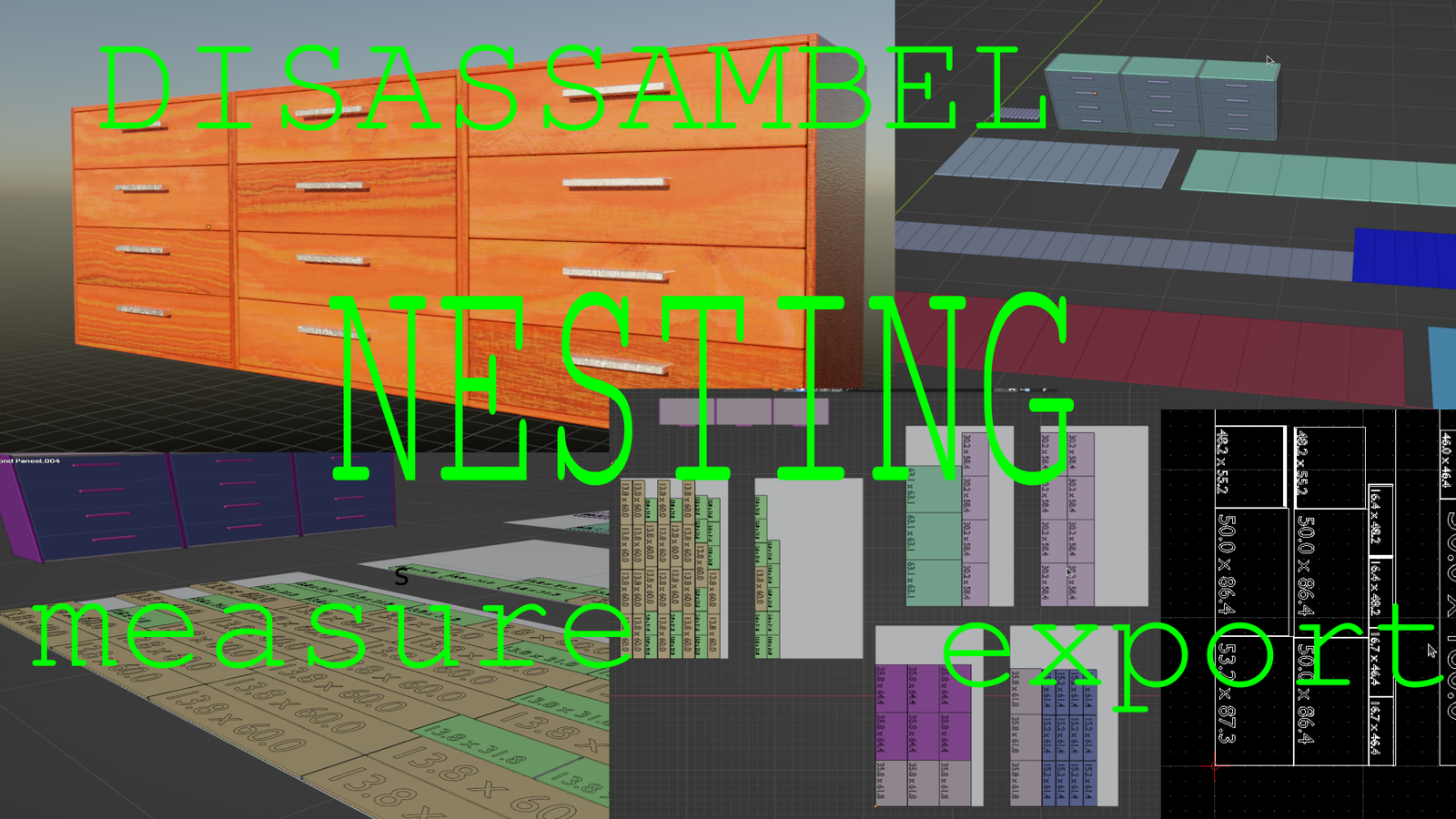
Disassamble 2 for Blender
Disassemble 2 for Blender – The Ultimate Advanced Explosion & Deconstruction Suite
Versions: v2
File Size: 375 KB
Download Disassemble 2 for Blender on Windows and Mac, the next-generation successor to the classic destruction tool, designed to shatter, explode, and deconstruct any 3D model with unprecedented control and realism. Leveraging modern Geometry Nodes and an optimized rigid-body engine, Disassemble 2 transforms how artists create destruction VFX, allowing for complex multi-stage explosions, precise fracture patterns, and automated debris scattering without the instability of older boolean-based methods.
Key Features of Disassemble 2:
- Hybrid Fracture Engine: Combines Voronoi cell decomposition with custom crack-line projection, allowing you to choose between organic shattered glass looks or clean architectural breaks instantly.
- Multi-Stage Explosions: Program complex sequences where an object first cracks, then shatters, and finally explodes outward with varying velocities, perfect for cinematic bomb blasts or structural collapses.
- Smart Debris Scattering: Automatically generates secondary debris (dust, small shards, sparks) based on the intensity of the impact, adding crucial atmospheric detail to destruction scenes.
- Interior Material Automation: Instantly assigns a distinct “inner core” material to newly exposed faces (e.g., concrete inside a wall, flesh inside a prop), eliminating manual UV unwrapping for fractured surfaces.
- Animated Pre-Fracture: Visualize the crack propagation over time before the actual break occurs, giving directors and artists precise control over the timing of the failure.
- Rigid Body Optimization: Includes a built-in “Bake & Optimize” tool that converts dynamic simulations into lightweight animated meshes, reducing scene weight by up to 70% for smoother playback and rendering.
- Directional Control: Paint vertex groups to dictate explosion direction, forcing debris to fly outward from specific points or along custom vector paths.
- Glue & Cohesion Settings: Simulate materials that hold together under low impact but shatter under high force, realistic for tempered glass, ceramics, or brittle plastics.
- Non-Destructive Workflow: All parameters remain editable until the final bake, allowing you to tweak explosion strength, fragment size, and gravity effects iteratively.
Perfect For:
- VFX Artists creating blockbuster-style building collapses, vehicle crashes, and weapon impacts.
- Game Developers generating pre-baked destruction animations for real-time engines.
- Motion Designers crafting abstract shattering transitions for logos and product reveals.
- Architectural Visualizers demonstrating demolition sequences or structural failure analysis.
- Anyone who found the original Disassemble addon limited in terms of animation control or mesh quality.
System Requirements:
- Blender: 3.6, 4.0, 4.1, 4.2, 4.3+ (Requires modern Geometry Nodes and Rigid Body World).
- OS: Windows 10/11 (64-bit) or macOS 10.15+.
- RAM: 8GB minimum (16GB+ recommended for high-fragment count simulations).
- GPU: Recommended for fast viewport preview of geometry nodes.
Installation:
- Download the Disassemble 2
.zipfile. - Open Blender and go to Edit > Preferences > Add-ons.
- Click Install…, select the downloaded file, and enable the checkbox next to Mesh: Disassemble 2.
- Access via the Object Context Menu > Disassemble 2 or the dedicated panel in the 3D Viewport Sidebar (N-panel) > Disassemble Tab.
Note:
Disassemble 2 introduces a revolutionary “Cache Manager” that allows you to save simulation states to disk and reload them instantly, solving the common issue of long recalculation times when tweaking late-stage explosion parameters. It also features improved compatibility with Blender 4.0’s updated physics engine, ensuring stable simulations even with tens of thousands of fragments.
DISASSEMBLE ADDON
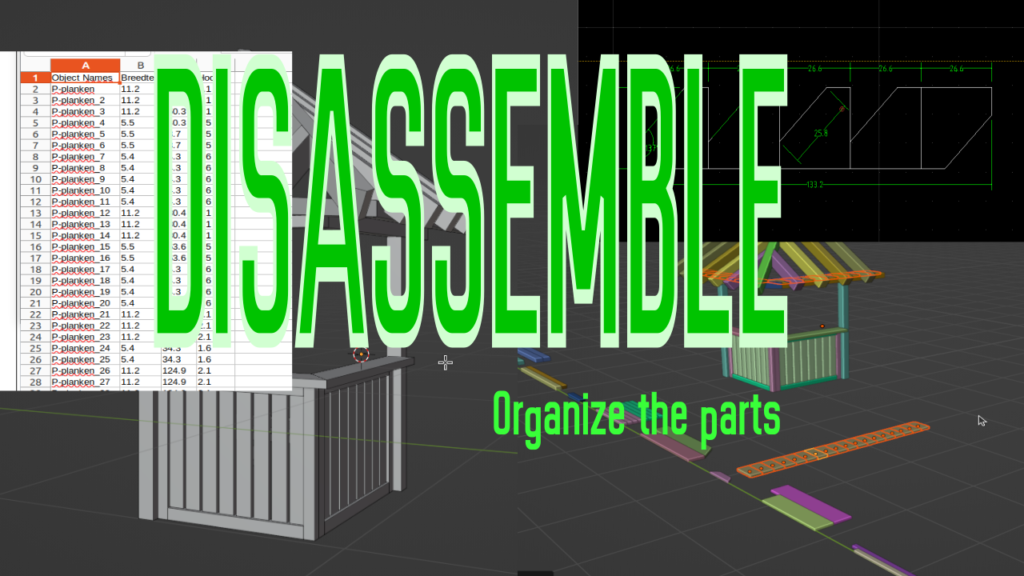
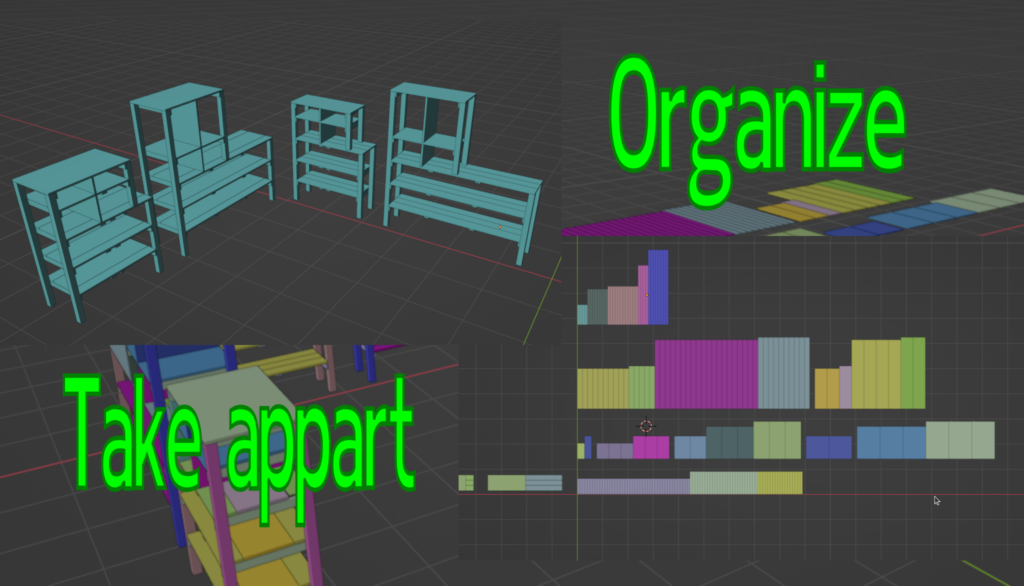
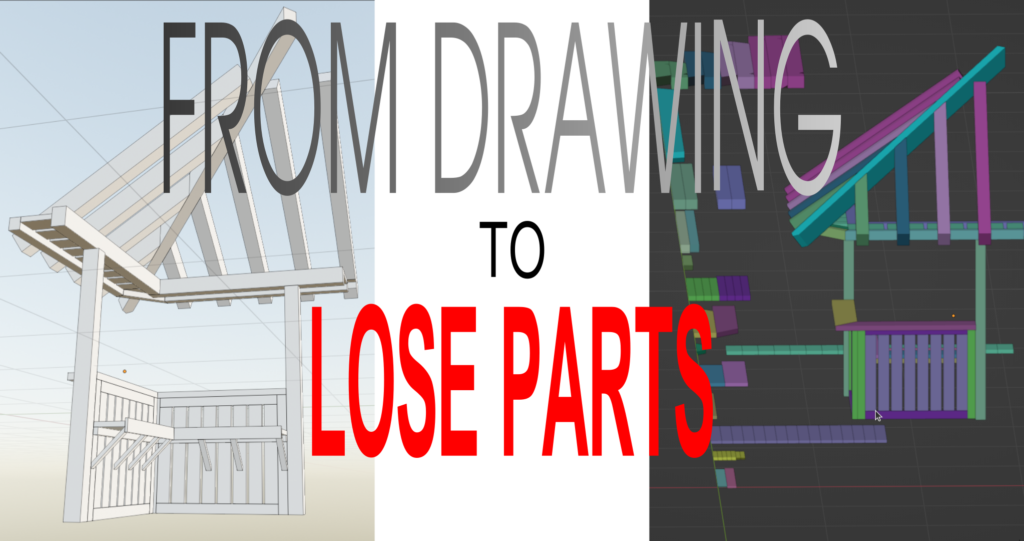
I have created an addon that allows you to flatten and sort the components of, for example, a cabinet or anything else. The purpose of this addon is to make it easier to turn something designed in Blender into a physical object. Up until now, I would draw something (like a cabinet) in Blender and then manually flatten everything to fit it onto a sheet of wood. This process is time-consuming and prone to errors. The addon cannot ‘nest’ but can assist in the process.
Often, to estimate the cost of a product, it’s helpful to know how much wood is required and the total surface area of everything combined. This addon can calculate that for you. Additionally, it can generate DXF files for the components that can be exported to a CAD program.
Installation
After downloading the zip file, you can install the addon in the menu: Edit -> Preferences -> Add-ons. Do not extract the zip file. After installation, you will find ‘Disassemble’ in the list. Activate the addon after installation. Access the addon from the N-panel under the menu: Edit.
Main Menu
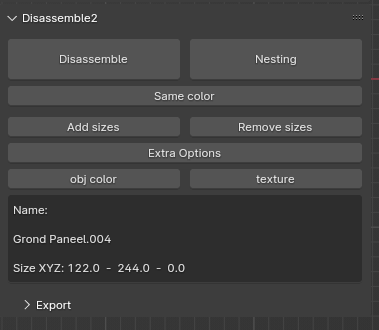
How it works:
In the black box, the size and name of each selected object are displayed.
To flatten something, all parts must be separate objects. Ensure that the scale and rotation of the objects have been applied. Now, select the desired objects and press ‘Disassemble’.
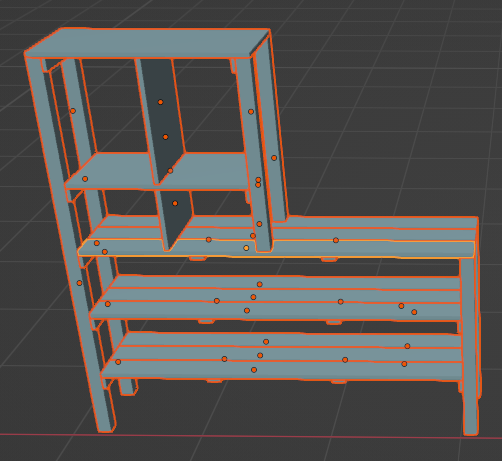
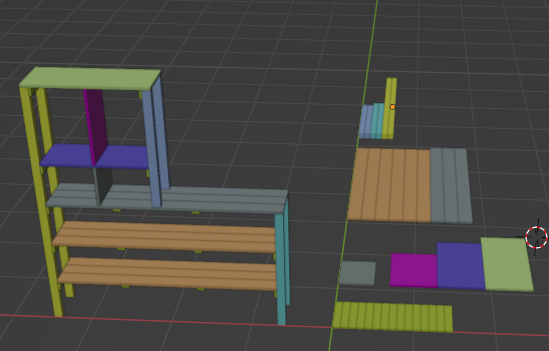
The objects will be duplicated and flattened in the XY plane. Objects of the same size have the same color. Each row has the same thickness. Objects that touch each other have the same width. If there is space between them, they have different widths. The objects are sorted by width and length.
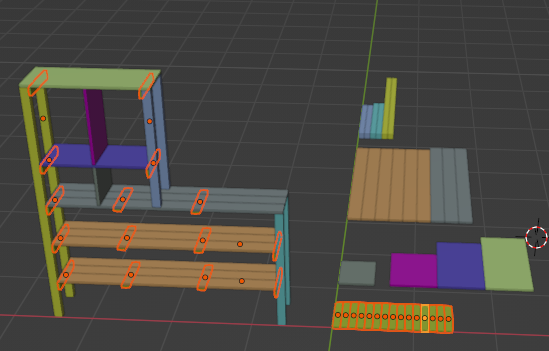
When ‘Same color’ is pressed, all objects with the same size are selected.
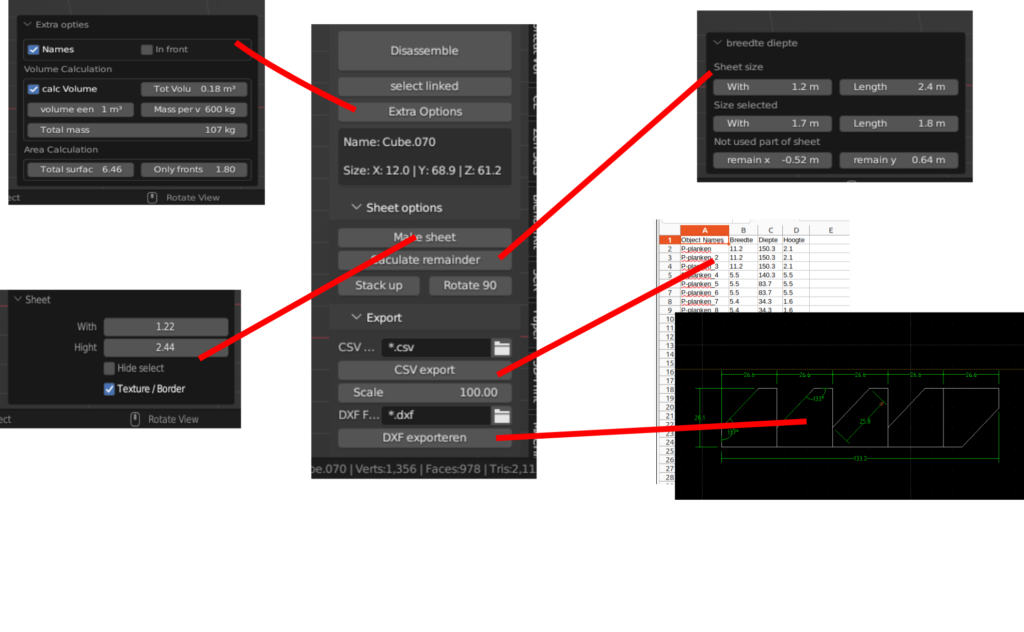
Extra Options
When this is pressed, the following menu appears:
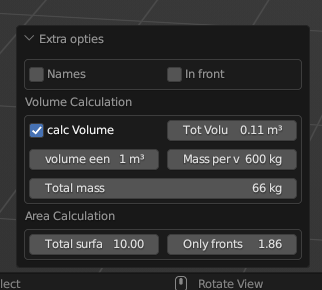
Here, the volume of the selected objects is calculated. In the example, the volume is 0.11m³. The specific weight of wood is approximately 600 kg/m³, and the mass is calculated next.
First, the area is the combined area of all rectangles, and then the area of only the tops of the selected objects.
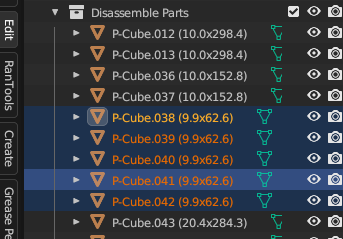
A new collection is created in the collections:
Nesting
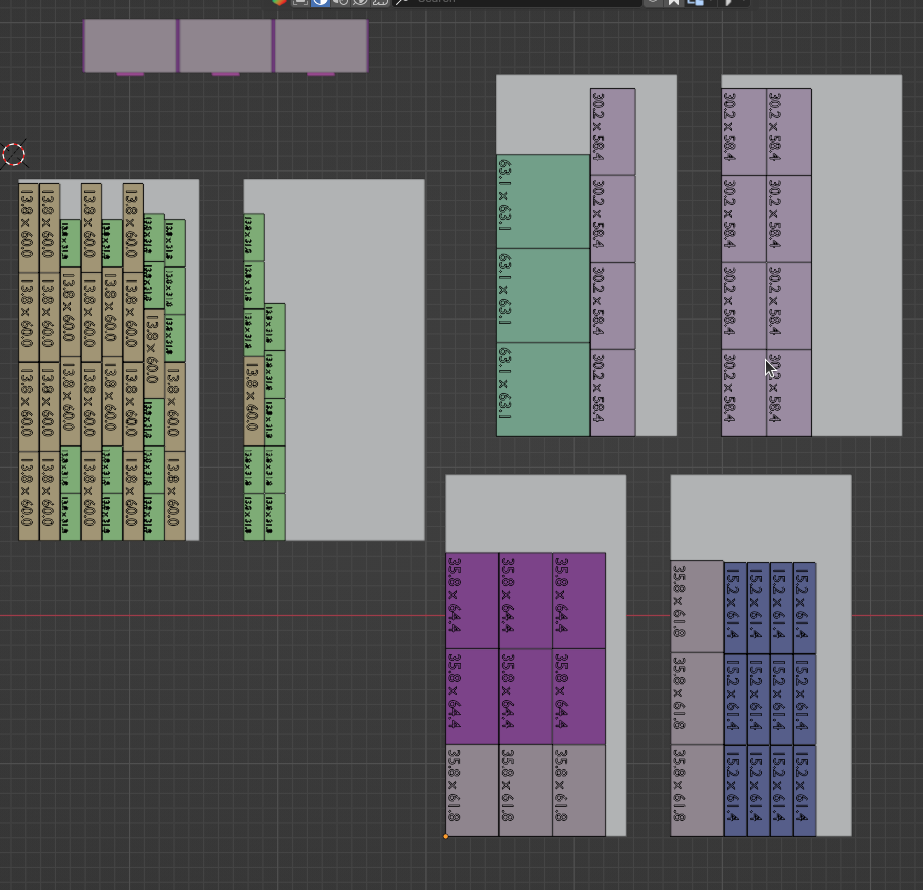
With ‘Nesting’, you can nest the panels laid out by the ‘Disassembler’ into a sheet. The size of the sheet can be adjusted in the popup menu after nesting. When nesting, the saw thickness is taken into account, which can also be set.
The parts are nested in the direction in which they lie after disassembling. If the parts need to be nested in a different direction, they must first be rotated.
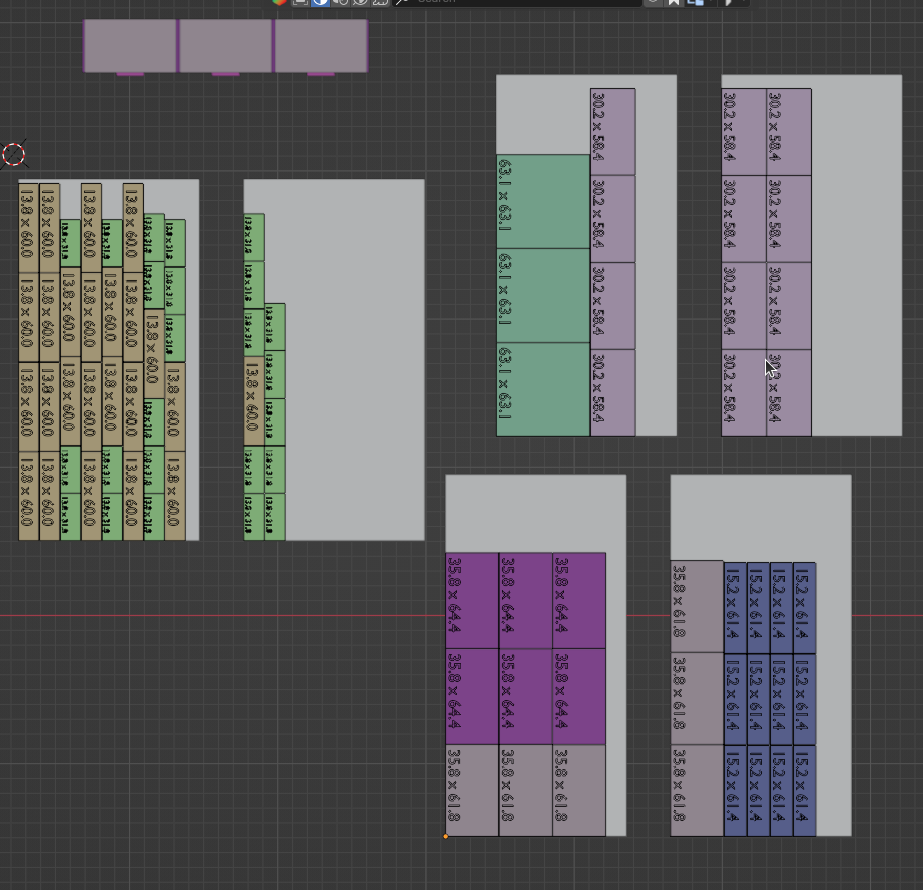
Add sizes
When you have selected planks and press ‘Add sizes’, the size of a plank is written in the plank. The can also be removed.
Object color / texture
Here you can choose between the color that is given to the object by the dissasambler and the original texture of the object.
Export
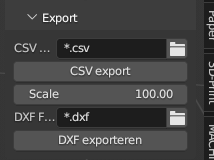
Here, you can export the selected objects as CSV to open in a spreadsheet. With DXF, the objects can be exported for further editing in CAD software, such as Qcad or Librecad. This makes it easier to add dimensions. The scale can be adjusted to determine how much everything is enlarged or reduced for DXF export.
Supercharge your 3D creation workflow with premium selection of Blender Add-ons. Whether you are modeling intricate characters, sculpting realistic environments, or animating cinematic sequences, the right add-on can transform how you work inside Blender. Our curated collection includes powerful tools for UV unwrapping, procedural texture generation, rigging automation, rendering optimization, and more—each rigorously tested for compatibility with the latest Blender versions. Eliminate tedious manual processes and unlock advanced functionality that lets you focus on what matters most: bringing your creative vision to life. Explore our full range of professional Blender plugins today and take your 3D projects to the next level.
➡️ ➡️ For more Blender Plugins 😀 😀
Reviews
There are no reviews yet.