
DivineCut for Blender
DivineCut v2.3.0 for Blender – The Ultimate Precision Boolean & Hard-Surface Cutter
Versions: v3.4.3
File Size: 6.9 MB
Download DivineCut v2.3.0 for Blender on Windows and Mac, a professional-grade hard-surface modeling addon designed to perform complex boolean operations, panel cuts, and intricate detailing with surgical precision. By streamlining the workflow for cutting holes, adding vents, and creating mechanical seams, DivineCut transforms how artists build sci-fi props, weapons, and machinery, eliminating the topology nightmares and manual cleanup usually associated with standard boolean modifiers.
Key Features of DivineCut v2.3.0:
- Smart Boolean Engine: Executes Union, Difference, and Intersect operations with an advanced solver that minimizes ngons and triangulation artifacts, resulting in cleaner geometry ready for subdivision.
- Non-Destructive Cutting Stack: Maintains a live history of all cuts, allowing you to adjust the position, scale, or shape of cutter objects at any time before committing to the final mesh.
- Automated Bevel & Chamfer: Automatically applies perfect bevels to cut edges immediately after the boolean operation, preventing sharp, unrealistic corners and preparing the mesh for smooth shading.
- Panel & Seam Generator: One-click tools to create recessed panel lines, screw holes, and mechanical seams that follow the curvature of the base mesh without manual vertex manipulation.
- Topology Cleanup Suite: Built-in algorithms to dissolve unnecessary vertices, merge close points, and fix normal issues instantly after a cut, saving hours of manual retopology.
- Curve-Based Cutting: Draw custom curves directly on the surface of an object to generate complex organic cutouts, logos, or ventilation grilles that conform perfectly to the underlying topology.
- Batch Cutting Mode: Select multiple cutter objects and apply them to a target mesh simultaneously, ideal for creating repetitive patterns like honeycomb structures or arrayed vents.
- Material ID Preservation: Intelligently assigns new material slots to cut faces (e.g., inner walls vs. outer shell), streamlining the texturing process for multi-material assets.
- Optimized Performance v2.3.0: Rewritten calculation core for 40% faster boolean processing on high-poly meshes, improved stability with non-manifold geometry, and full compatibility with Blender 4.x modifier stacks.
Perfect For:
- Hard-Surface Modelers creating sci-fi weapons, vehicles, robots, and industrial equipment.
- Product Designers prototyping casings, vents, and mechanical assemblies with precise tolerances.
- Game Artists needing clean, low-poly boolean results that bake well to normal maps.
- Architectural Visualizers adding detailed grilles, louvers, and decorative cutouts to building facades.
- Anyone frustrated by the “boolean hell” of broken normals and messy topology in native Blender workflows.
System Requirements:
- Blender: 3.6, 4.0, 4.1, 4.2, 4.3+ (Latest LTS recommended).
- OS: Windows 10/11 (64-bit) or macOS 10.15+.
- RAM: 8GB minimum (16GB+ recommended for complex multi-stage cuts).
- No external dependencies required.
Installation:
- Download the DivineCut v2.3.0
.zipfile. - Open Blender and go to Edit > Preferences > Add-ons.
- Click Install…, select the downloaded file, and enable the checkbox next to Mesh: DivineCut.
- Access via the Object Context Menu > DivineCut or the dedicated panel in the 3D Viewport Sidebar (N-panel) > DivineCut Tab.
Note:
Version 2.3.0 introduces a revolutionary “Soft Cut” mode that creates subtle indentations and embossed details without fully piercing the mesh, perfect for adding engraved serial numbers or raised logos. It also includes a new “Auto-Retopo” feature that attempts to reconstruct quad-based flow around complex boolean intersections, significantly reducing the need for manual cleanup.
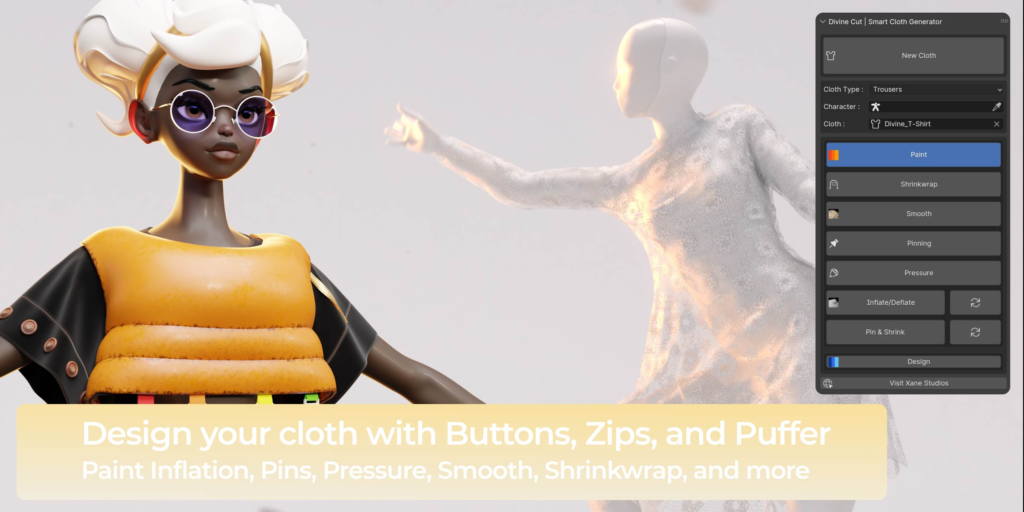

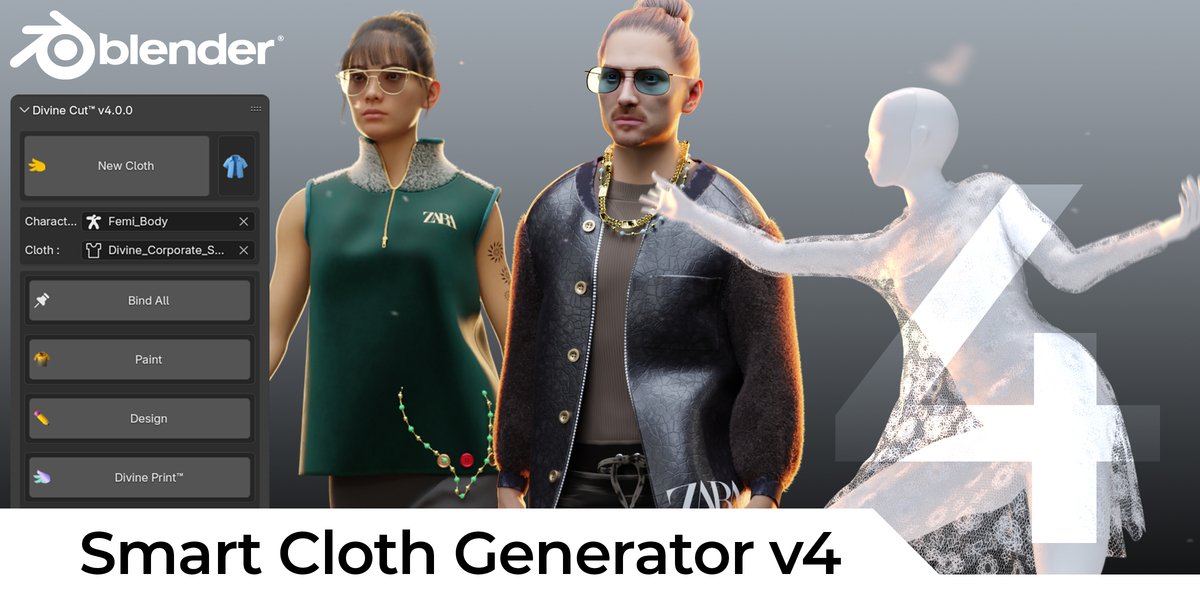
DivineCut™ is a Blender tool that helps you create clothes for your character(s) with a few simple clicks. It comes with a simple cloth generation feature, along with a number of user-friendly yet powerful tools to quickly get you from a simple cloth to complex in minutes.
[Jumpsuit Operator, Kimono Operator, New Packs, Playlist on Youtube, Much better Shirt & T-Shirt algorithms, and much more]

New : DivineCut v3.2
[Fur, Chains&Necklaces, DivinePrint Improvement, Cloth to Keys]
New : Elastify & Frills
New : DivinePrint (See Documentation for Limitations)
Divine Features
Cloth Generation
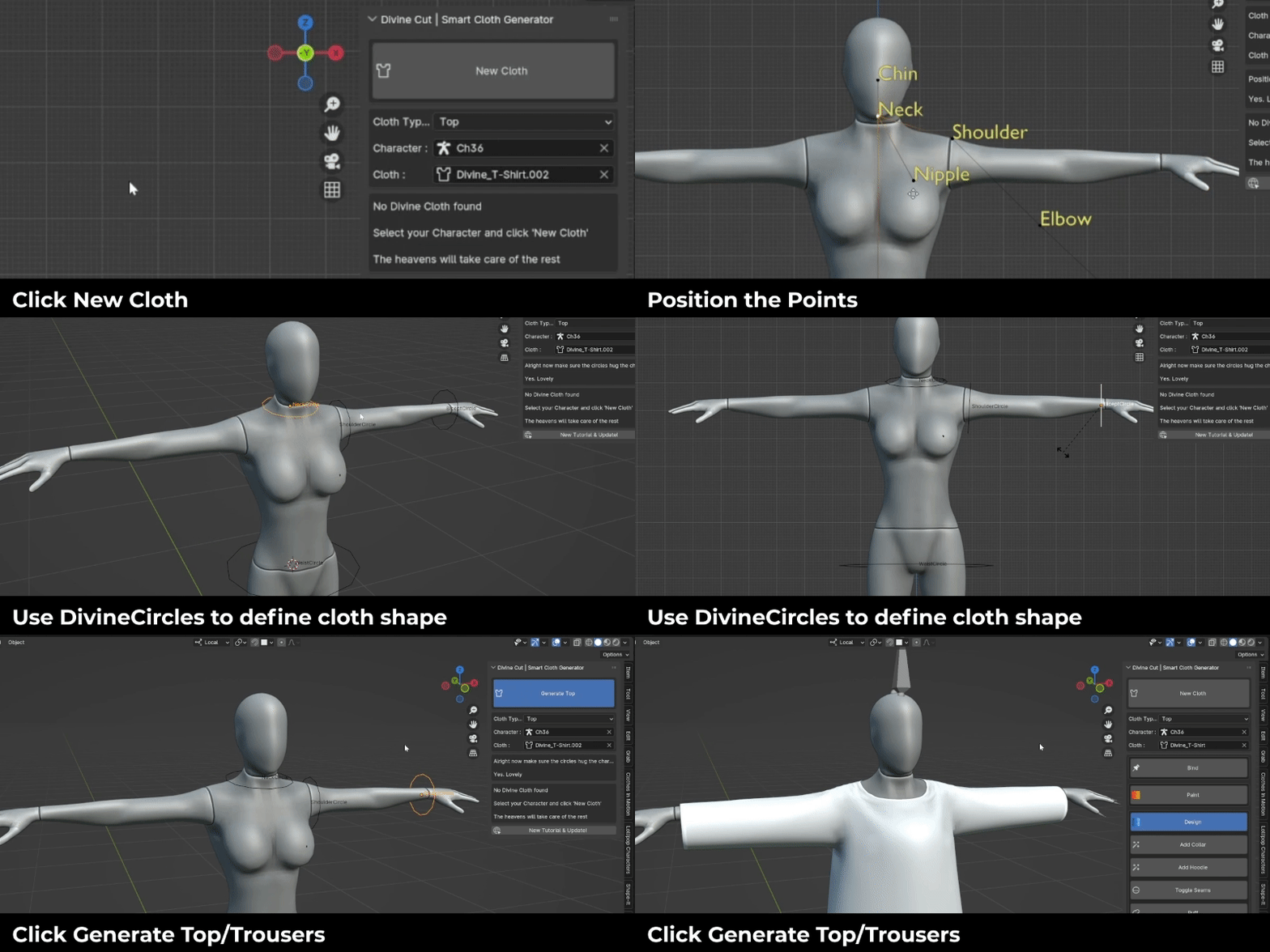
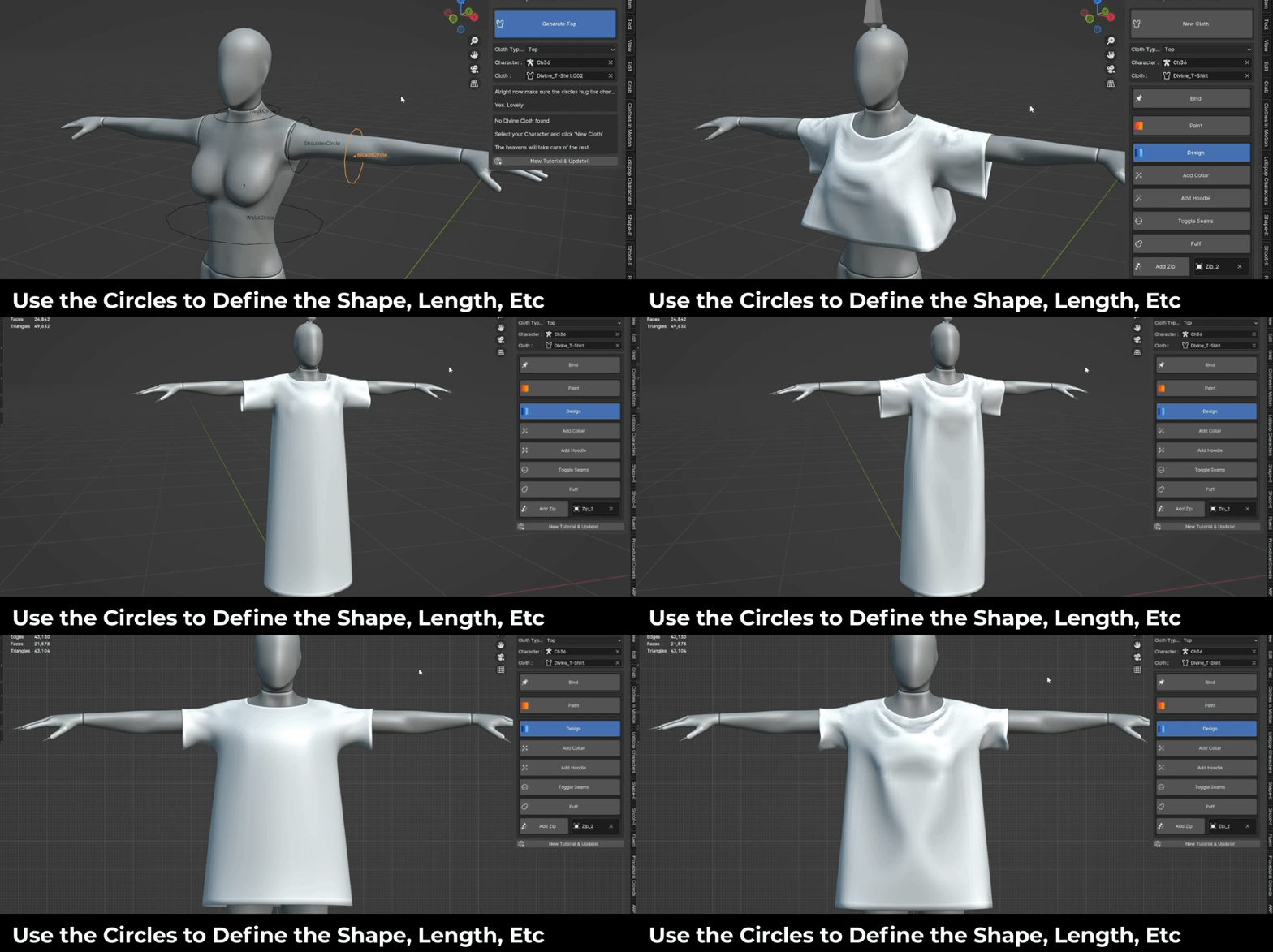
Use the DivineCircles to customise the shape of your cloth. Make each section as long or short as you want.
Divine Presets
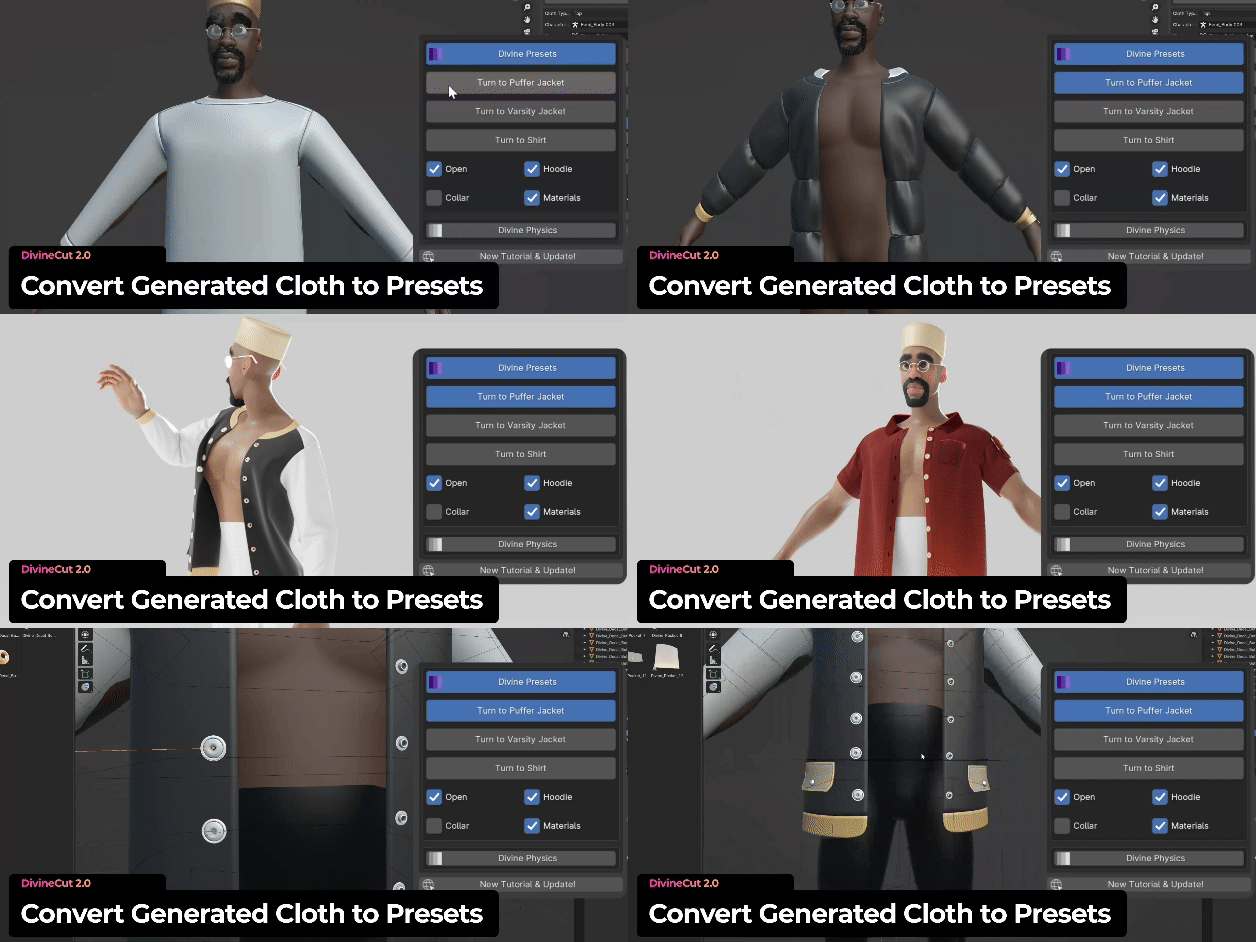
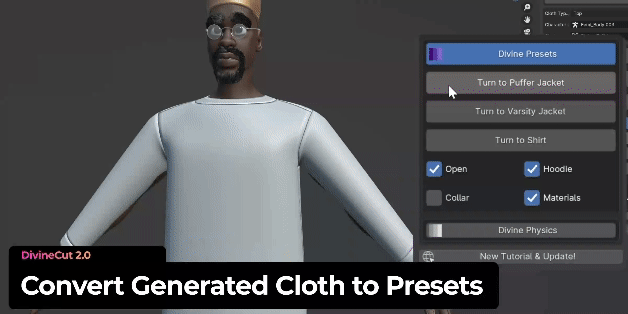
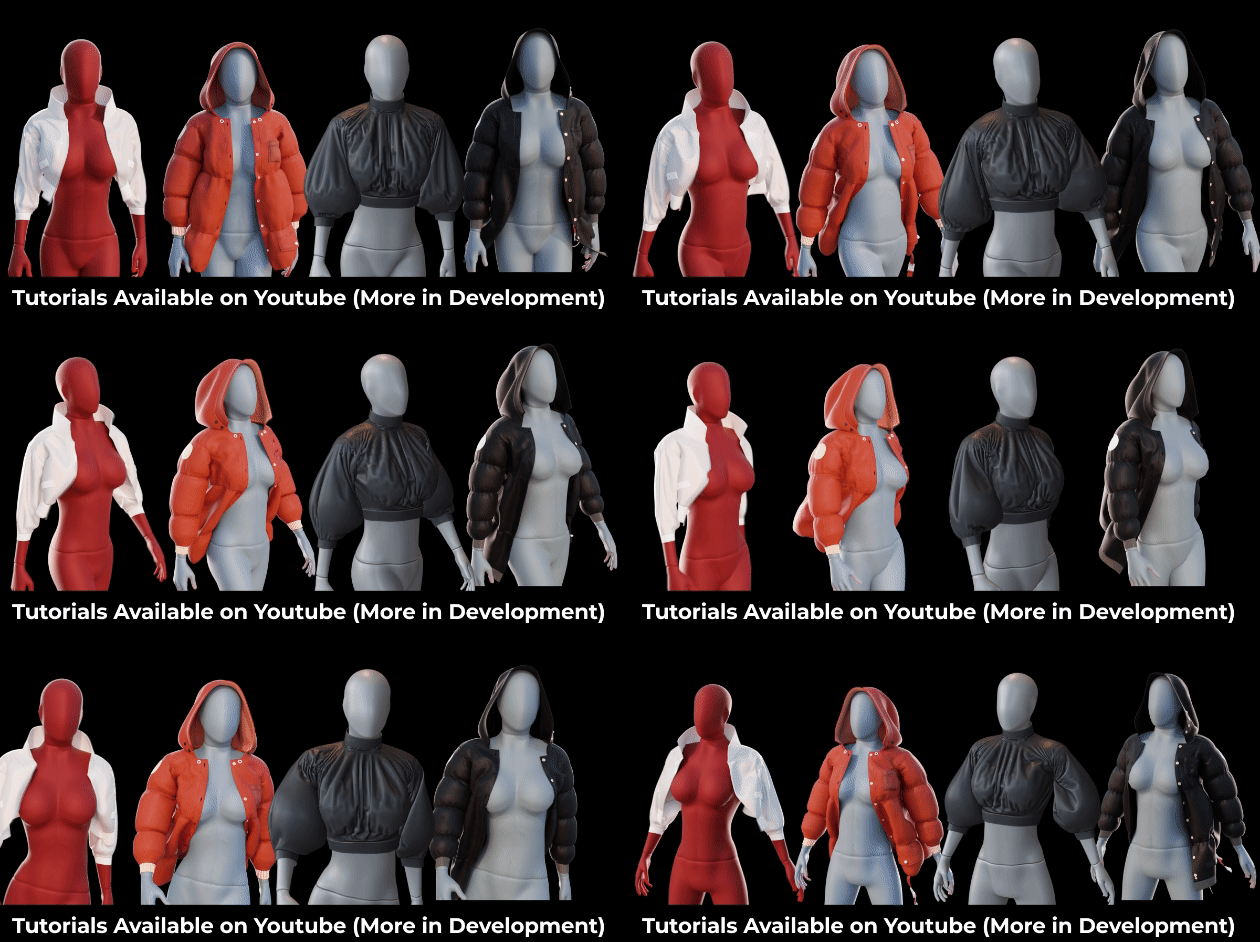
Right after the cloth is Generated, you can select a preset and it will turn it into a finished cloth, ready for simulation. Current presets include a [Puffer Jacket, Varisty Jacket, and Shirt]
You have options to generate with collar, hoodie, materials, open/closed
Paint Controls
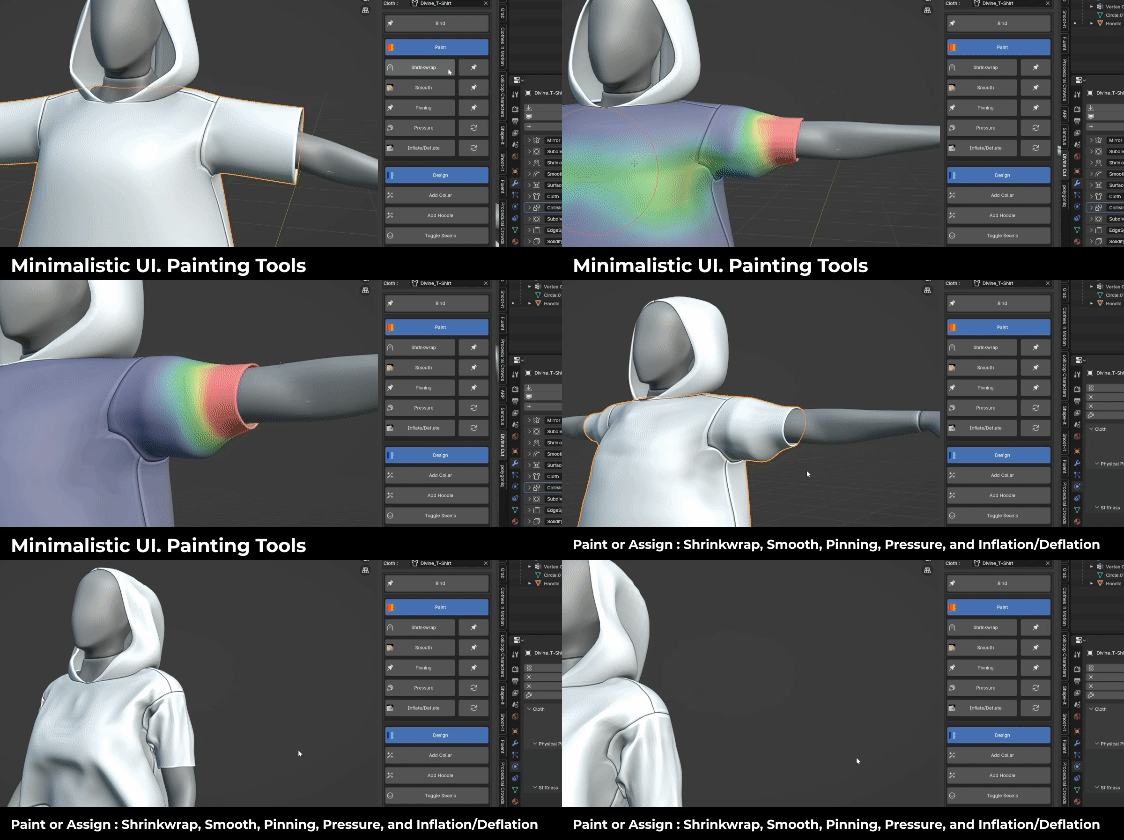
Painting tools let you shrinkwrap parts of the cloth onto your character. Smooth certain areas. Pin areas to your character. You can also paint which area’s you would like to add pressure, inflate, or deflate.
Divine Hoodies
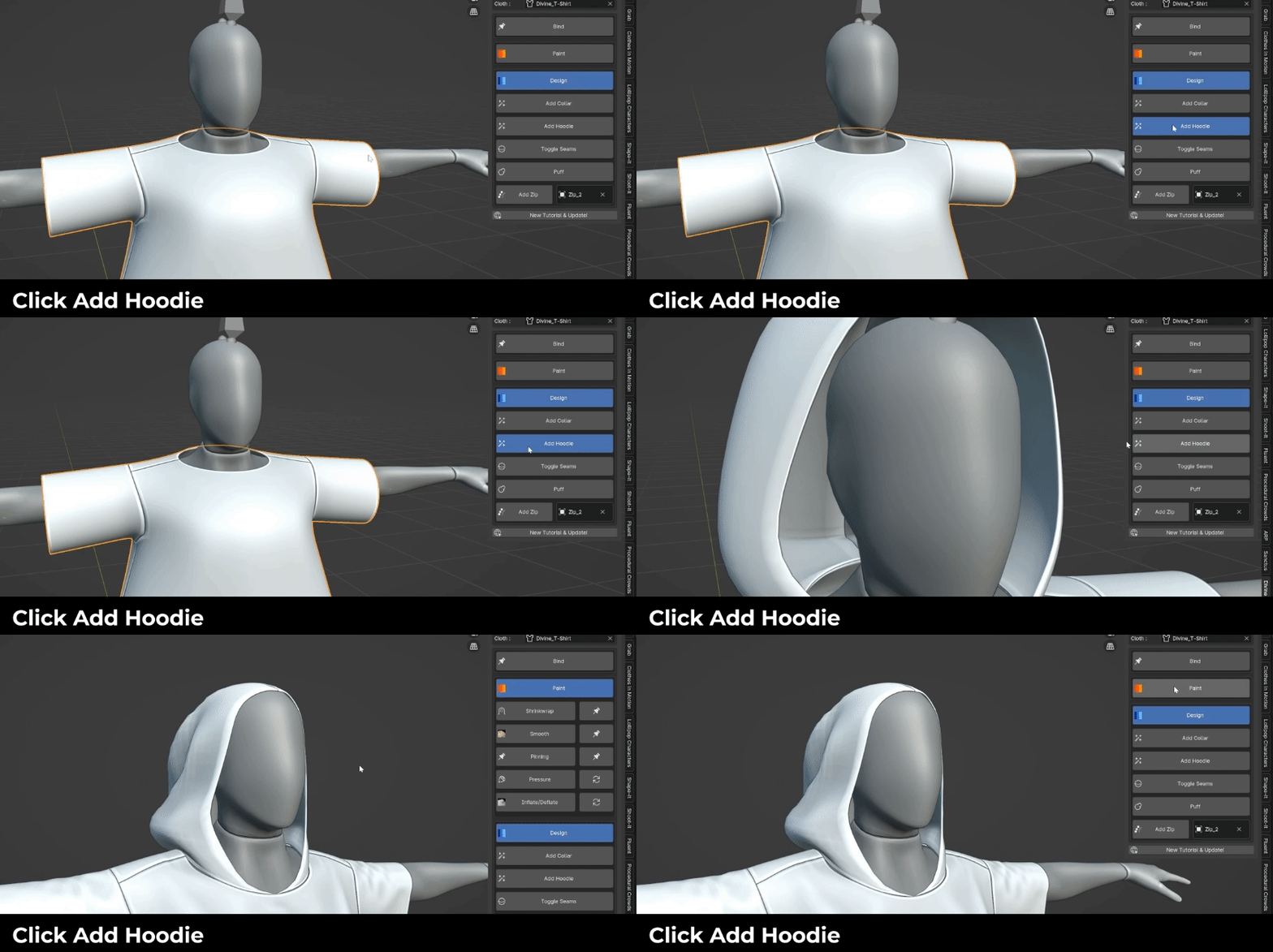
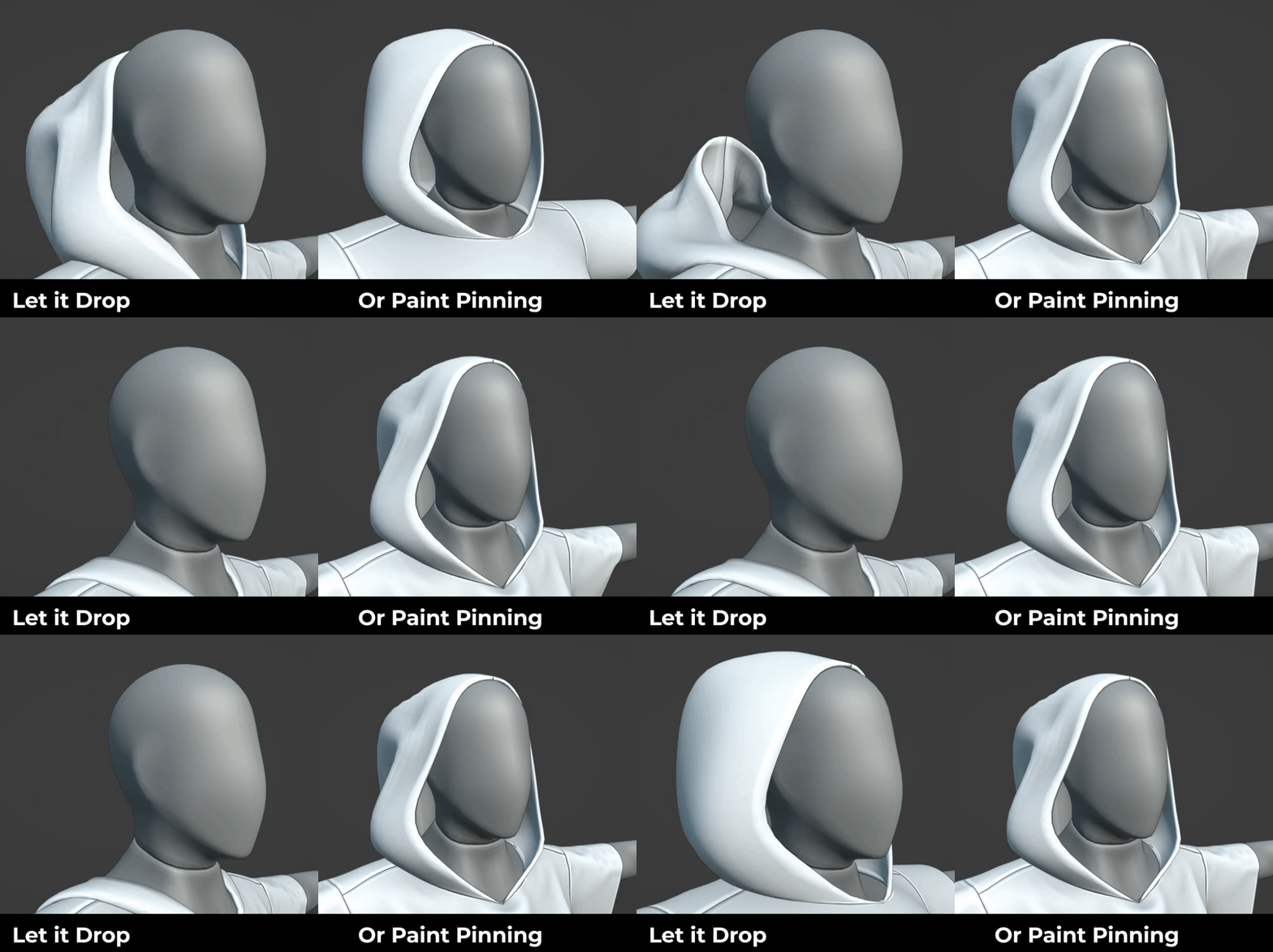
DivineCut lets you add a hoodie onto your cloth with a single click
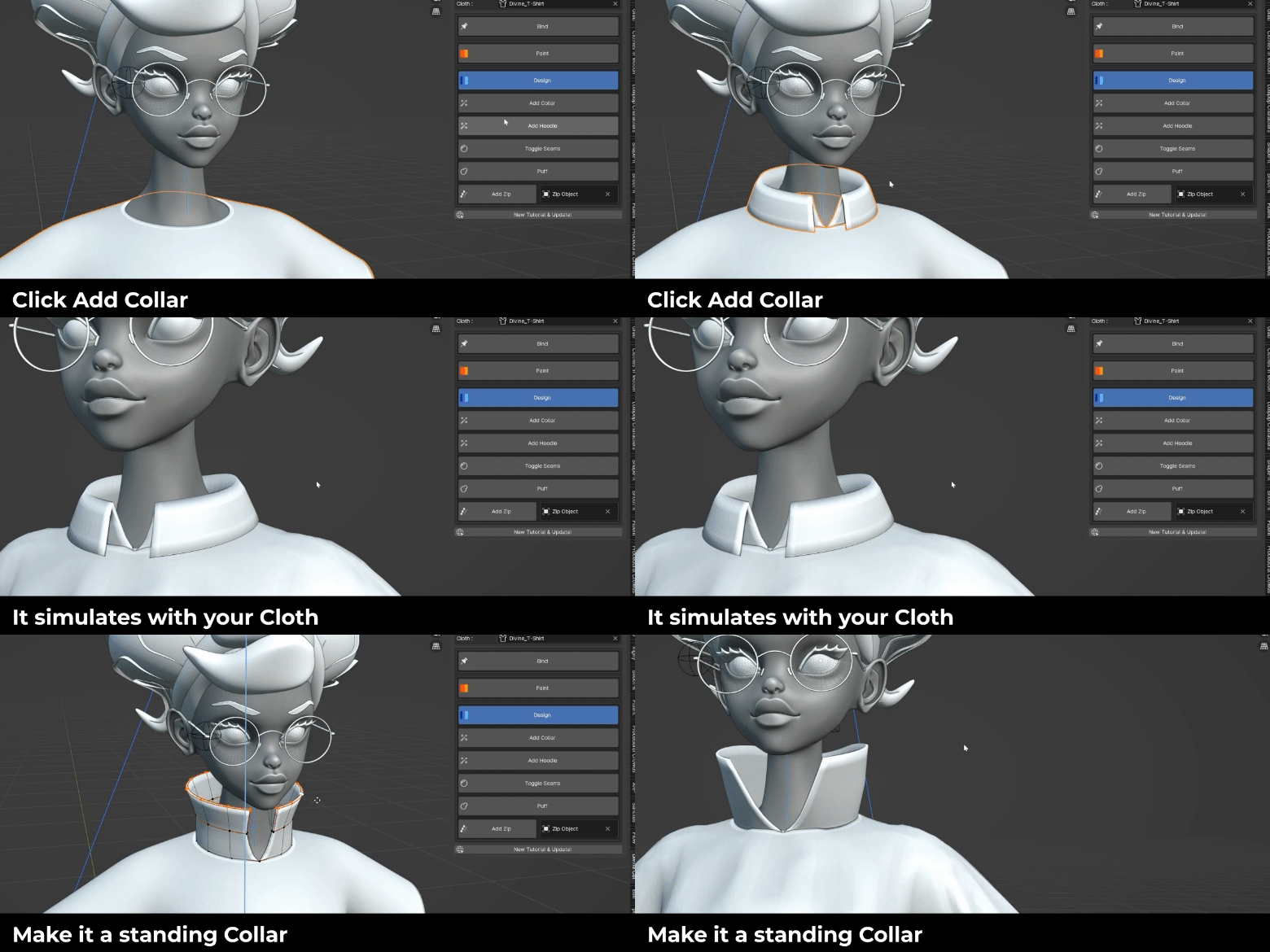
Divine Collars
Collars in Blender can be tricky due to their stiffness. With DivineCut you can now add a Collar onto your generated top with a single click
Puffer
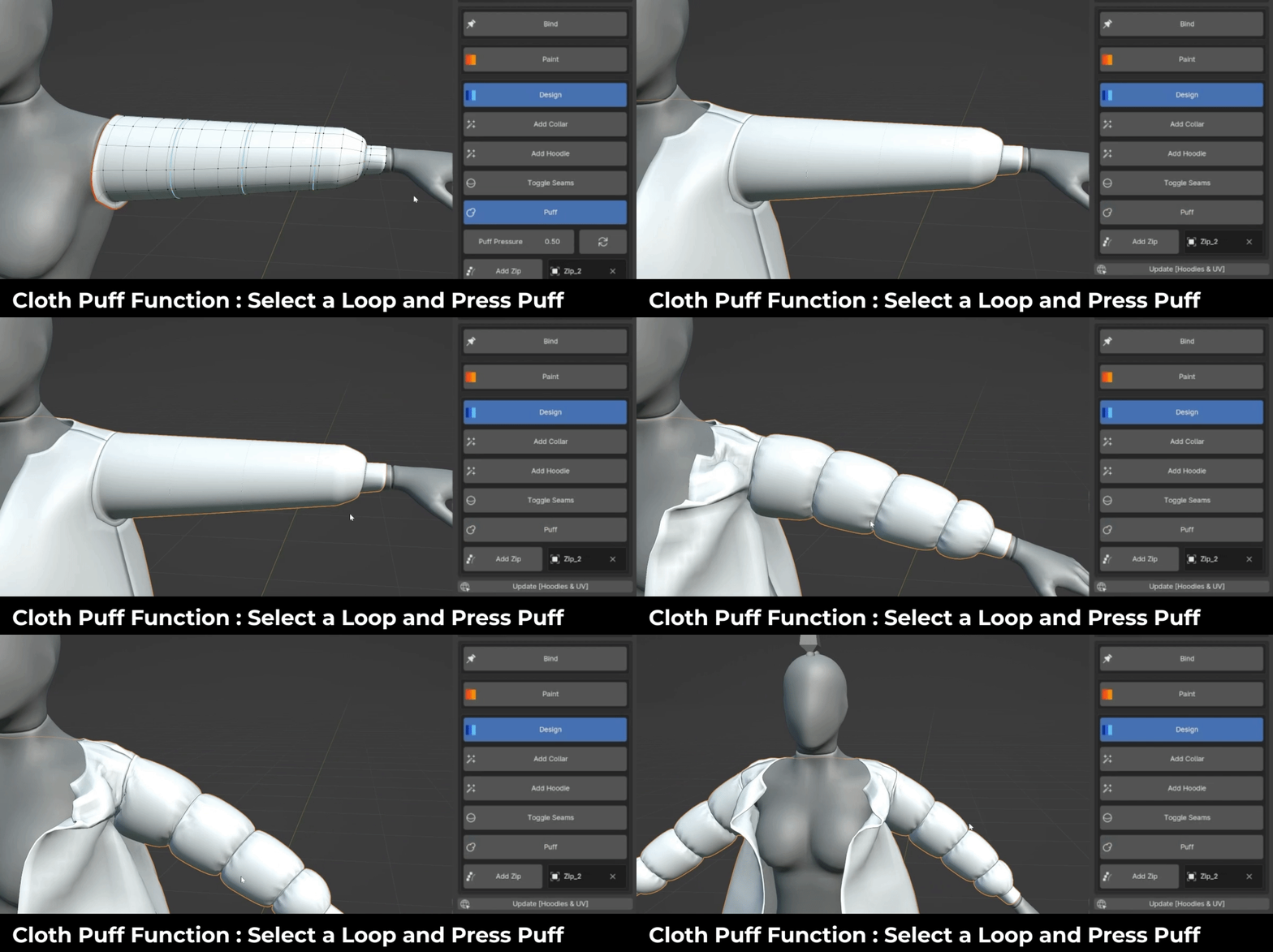
New Puffer Method : Select the vertices you don’t want to puffer and click Puff
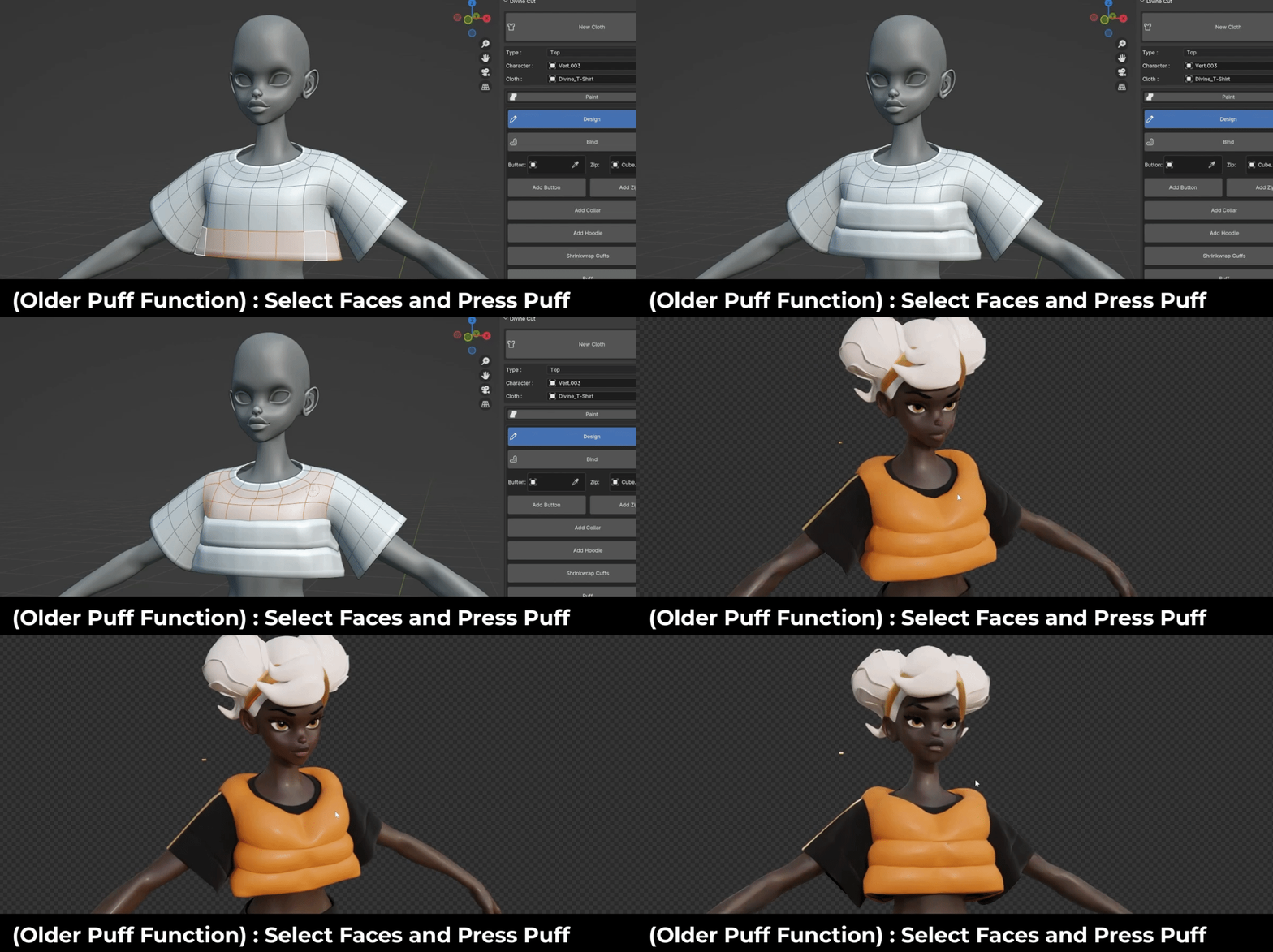
Old Puffer Method (still functioning) : Select faces you want to puffer and click Puff
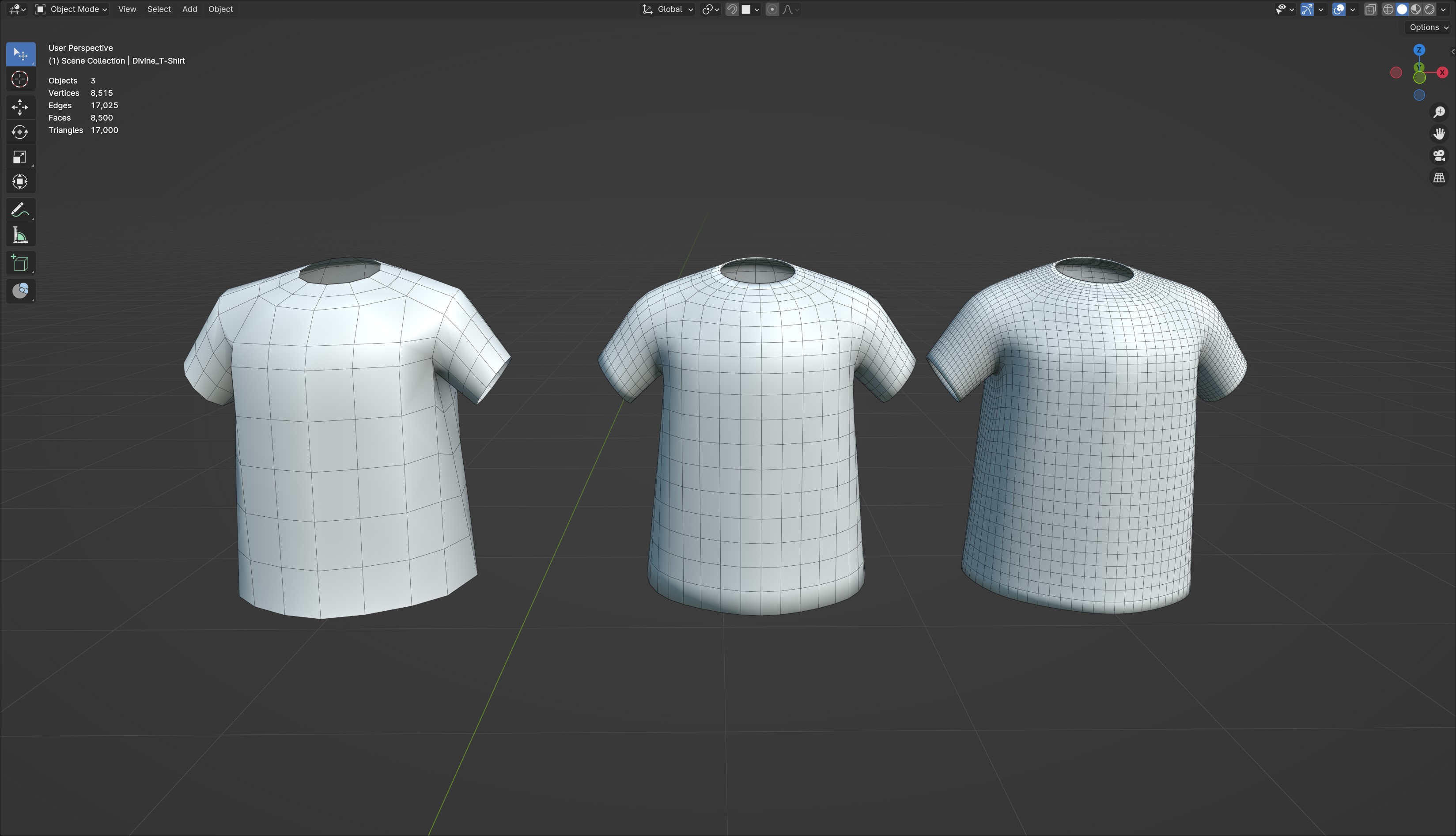
Simple Topology
Generated clothes are born with the neatest and least topology possible. Use the subdivision modifiers to control how much topology you want before and after the cloth modifier.
Divine Accessories
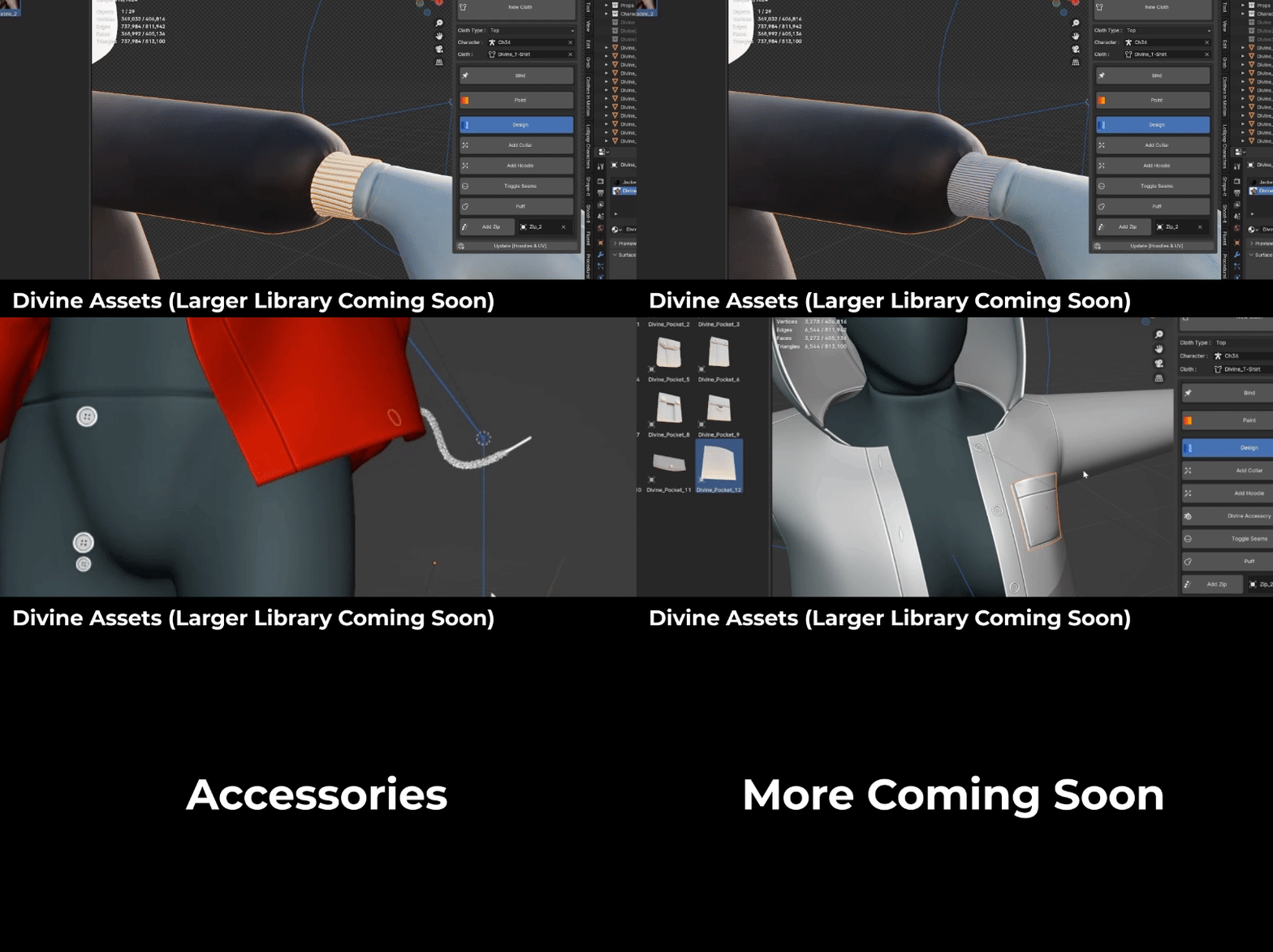
Divine accessories are not just assets. They are each special objects with different behaviours you can attach onto your cloth. When you pull a divine asset from the asset library, you will see a new button under the Design tab. Click it to register the Divine Object. Some technical stuff happen in the back end, but all you have to do is bind the object to the cloth and it will behave properly.
[Note : The lace currently has issues colliding with clothes which is a bummer, so for now we can label it experimental until i get that fixed. It works fine dangling off clothes though]
A Swiss Knife ~ powerful, yet simple
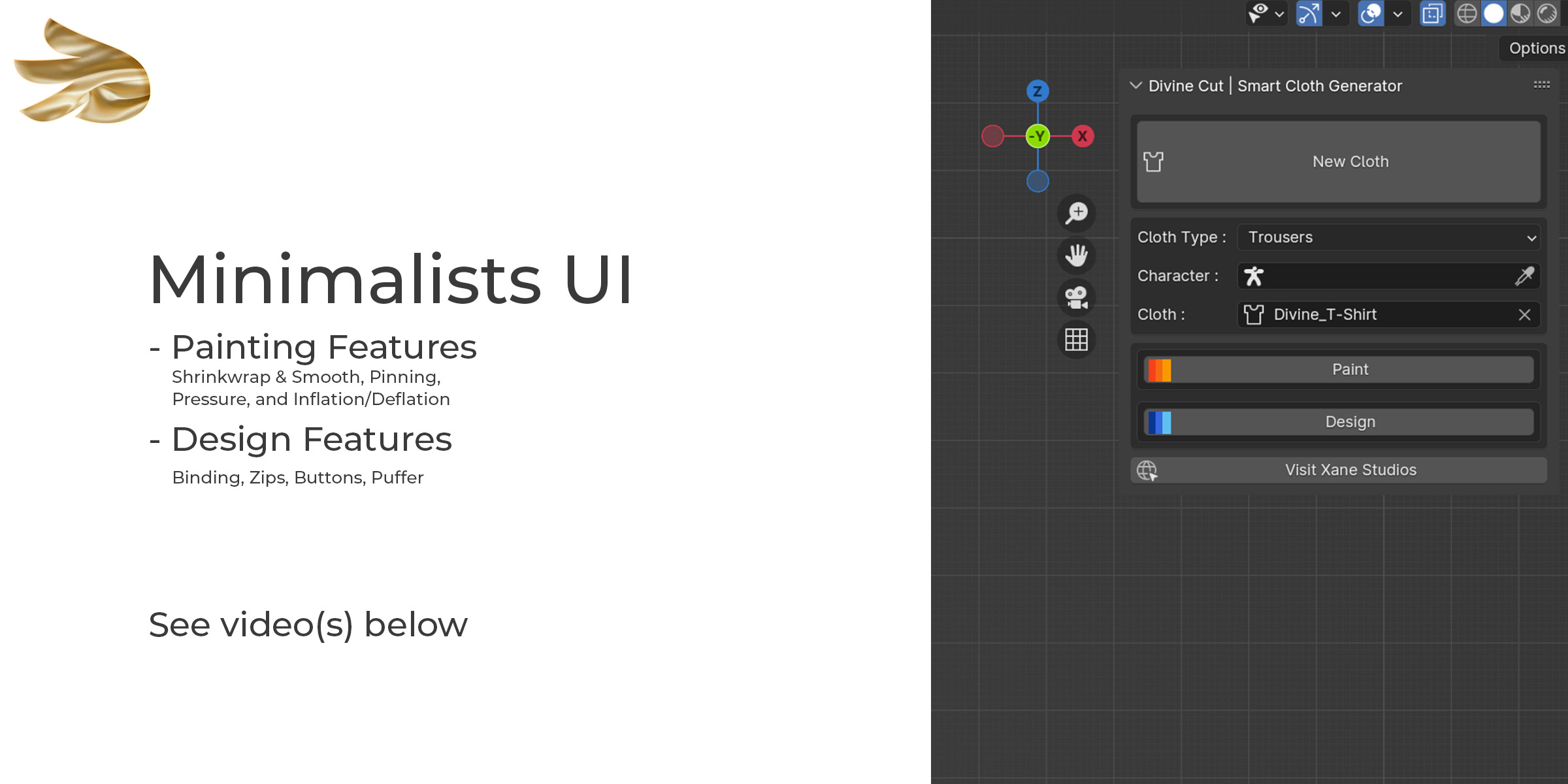
Features
1) Cloth Generation
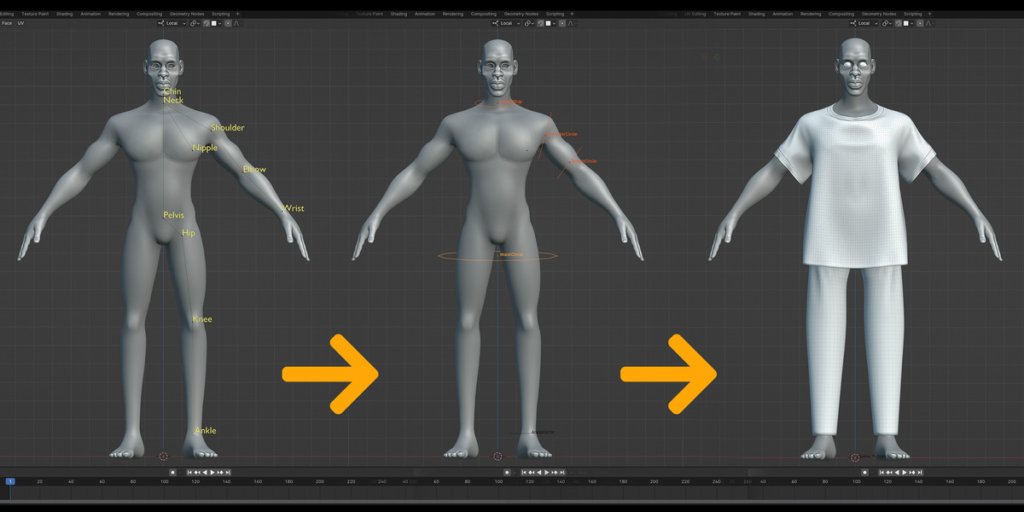
Map the body parts of your character as shown in the video above. After which you can customise the style of the garment : the neck size, sleeve length, and drop length (from a crop-top, to a gown)
For Trousers, you can set the width of the thighs and the ankles.
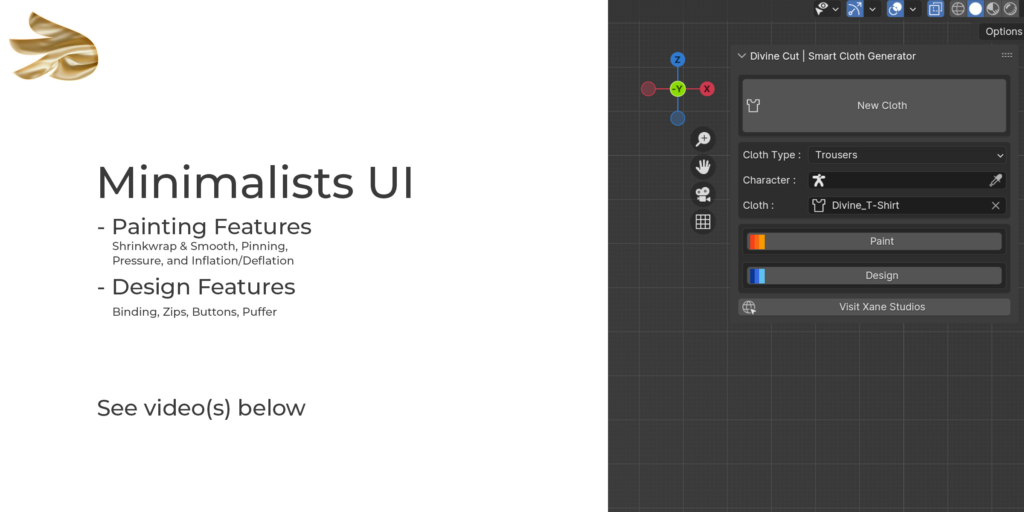
2) Painting Features
DivineCut comes with painting tools which allow you style the shape and behaviour of the cloth.
a. Shrinkwrap : Paint which parts of the cloth should shrinkwrap onto your character
b. Pinning : Paint which parts should bind to your character. They will be pinned onto the character and will not be simulated. This is great for the cuffs of the sleeve, the waist, or any other part which you want pinned onto your character during simulation
c. Bloat : Paint which parts of the cloth you want to expand or shrink.
d. Smooth : After shrinkwrapping for instance, some parts of the mesh may not be so smooth (such as the collar and armpit region). Paint wherever you would like to smoothen.
e. Pressure : Paint pressure onto your cloth. Great for areas you will like to retain structure and not fall to gravity
3) Design Features
DivineCut is launching with a few design features to help stylise your cloth even further
a. Bind : Clicking Bind on your cloth will bind the cloth to your character using the ‘Pinning’ group. So you can add vertices to this group or paint wherever you would like to bind.
b. Bind : Clicking Bind on any other object will bind it to your cloth automatically. This is great for Buttons, Zips, Lapels, Pockets, Thread, and any other mesh you would like to stick on
c. Zips (Improved significantly in v1.0.4 but still classed Experimental) : This will create a zip on the selected edges of your mesh
d. Puff : This will create a puffer on the selected faces of your cloth. This is great for making puffer jackets.
e. Add Collar (NEW) : This will add a special collar to your generated top.
f. Add Hoodie (NEW) : This will add a hoodie to your generated top.
4) Demo File
You can use the demo file to test out your animation. This comes with a character rig (from Lollipop Characters) and a collection of buttons and zipper objects. You can append this collection into your file or add the asset library package which will be available in version 1.0.1.
Supercharge your 3D creation workflow with premium selection of Blender Add-ons. Whether you are modeling intricate characters, sculpting realistic environments, or animating cinematic sequences, the right add-on can transform how you work inside Blender. Our curated collection includes powerful tools for UV unwrapping, procedural texture generation, rigging automation, rendering optimization, and more—each rigorously tested for compatibility with the latest Blender versions. Eliminate tedious manual processes and unlock advanced functionality that lets you focus on what matters most: bringing your creative vision to life. Explore our full range of professional Blender plugins today and take your 3D projects to the next level.
➡️ ➡️ For more Blender Plugins 😀 😀
Reviews
There are no reviews yet.