
Dot Matrix Shader for Blender
Dot Matrix Shader v1.0 for Blender – The Ultimate Retro-Tech & Data Visualization Material
Version: V1.0
File Size: 10 MB
Download Dot Matrix Shader v1.0 for Blender on Windows and Mac, a specialized procedural node group designed to replicate the aesthetic of vintage dot-matrix printers, LED display panels, and futuristic data grids. With fully adjustable dot size, spacing, glow intensity, and animation drivers, Dot Matrix Shader transforms how you create sci-fi interfaces, retro-tech props, and abstract motion graphics, eliminating the need for complex texture painting or manual instance scattering to achieve that perfect “pixelated” look.
Key Features of Dot Matrix Shader v1.0:
- Procedural Grid Generation: Creates a perfect array of circular dots entirely through math nodes, ensuring infinite resolution without tiling artifacts or pixelation regardless of camera distance.
- Animated Data Stream: Built-in time-based drivers allow dots to flicker, scroll, or pulse in sequences, simulating active data processing, loading bars, or scrolling text instantly.
- Glow & Bloom Control: Dedicated parameters for emissive strength and bloom radius, making the dots pop in both Eevee (with Bloom enabled) and Cycles for that authentic LED/OLED look.
- Variable Dot Size & Spacing: Sliders to adjust the diameter of individual dots and the gap between them, allowing you to switch from coarse, low-res displays to fine, high-density meshes.
- Color Gradient Mapping: Apply color ramps to the dot activation state, enabling multi-color displays where “active” dots can be one color and “inactive” dots another (e.g., green active, dark red inactive).
- Surface Conformity: Works on any UV-unwrapped mesh or procedural surface, wrapping the dot grid perfectly around curved objects like spheres, cylinders, or complex character armor.
- Noise & Imperfection: Optional noise inputs to randomize dot brightness or slightly offset positions, simulating old, worn-out hardware or signal interference for added realism.
- Alpha Transparency Support: Can drive alpha channels to make inactive dots completely transparent, creating floating holographic grid effects or perforated metal looks.
Perfect For:
- Sci-Fi Artists creating computer terminals, spaceship dashboards, and robot vision sensors.
- Motion Designers animating retro-style title sequences, logo reveals, and tech backgrounds.
- Game Developers designing UI elements, holographic maps, or interactive prop textures.
- Product Visualizers rendering electronics, speakers, or smart devices with LED indicator panels.
- Anyone looking to add a distinct retro-futuristic or cyberpunk aesthetic to their renders without heavy texture maps.
System Requirements:
- Blender: 3.6, 4.0, 4.1, 4.2, 4.3+ (Latest LTS recommended).
- OS: Windows 10/11 (64-bit) or macOS 10.15+.
- Render Engine: Cycles recommended for best glow/volumetric effects (Eevee supported with Bloom enabled).
- No external image textures required (100% procedural).
Installation:
- Download the Dot Matrix Shader v1.0
.zipfile. - Open Blender and go to Edit > Preferences > Add-ons.
- Click Install…, select the downloaded file, and enable the checkbox next to Shader: Dot Matrix Shader.
- Access via the Shader Editor Add Menu > Shader > Dot Matrix or the Asset Browser.
Note:
Version 1.0 includes a unique “Text Decoder” feature where you can input a simple string of text, and the shader will procedurally light up specific dots to form blocky, low-resolution letters directly on the surface, perfect for creating animated signage without needing geometry text objects.
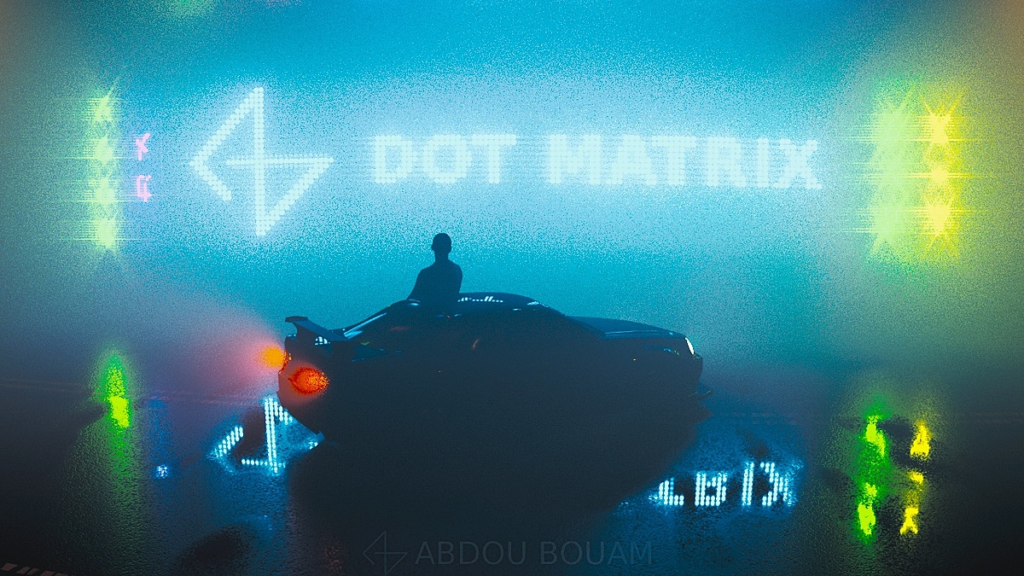
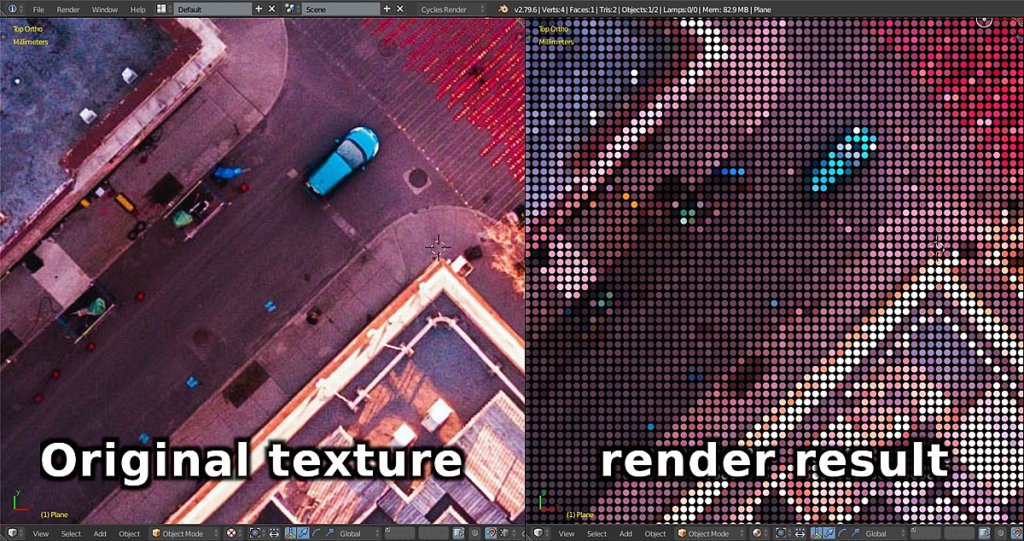
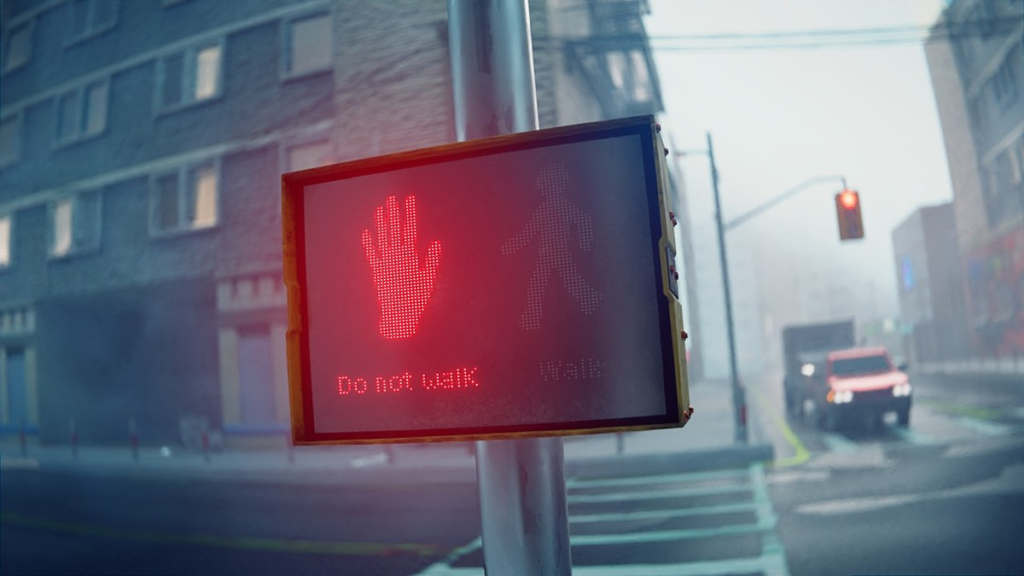

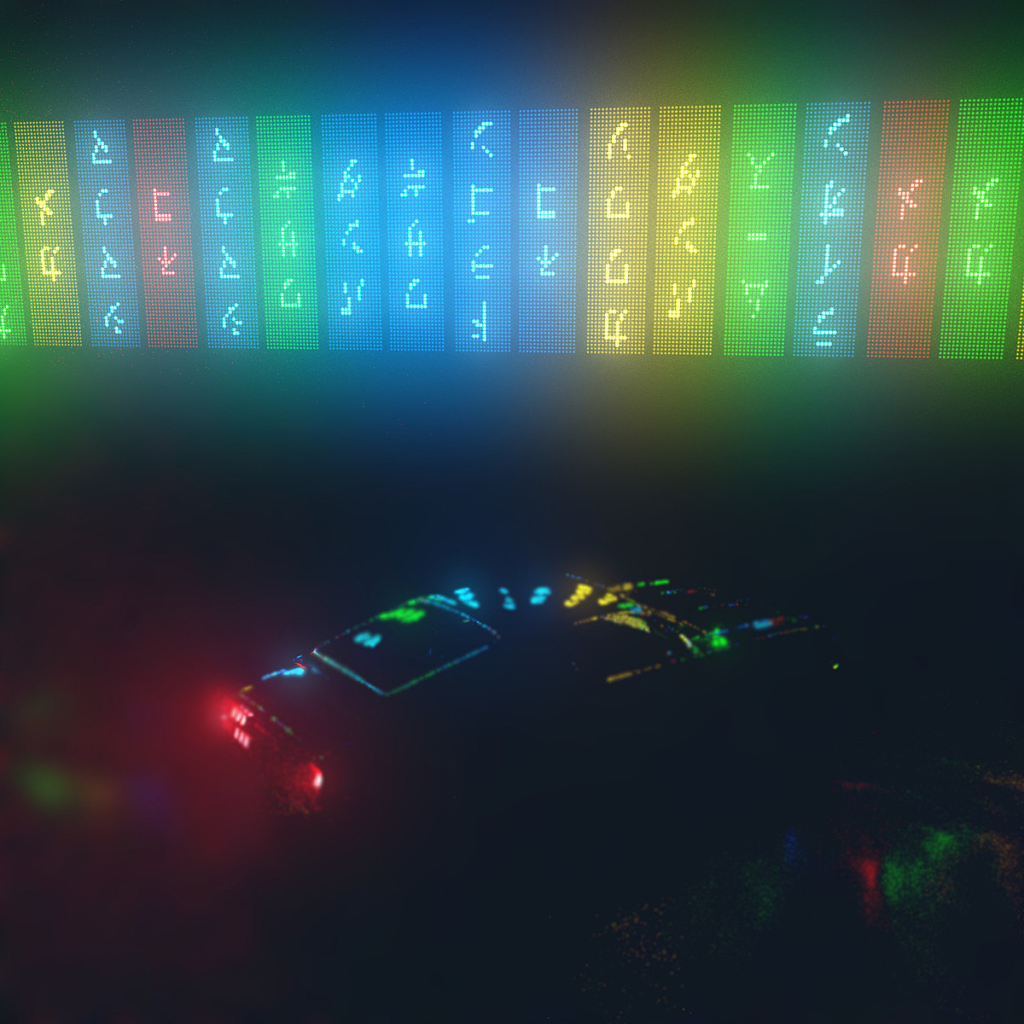
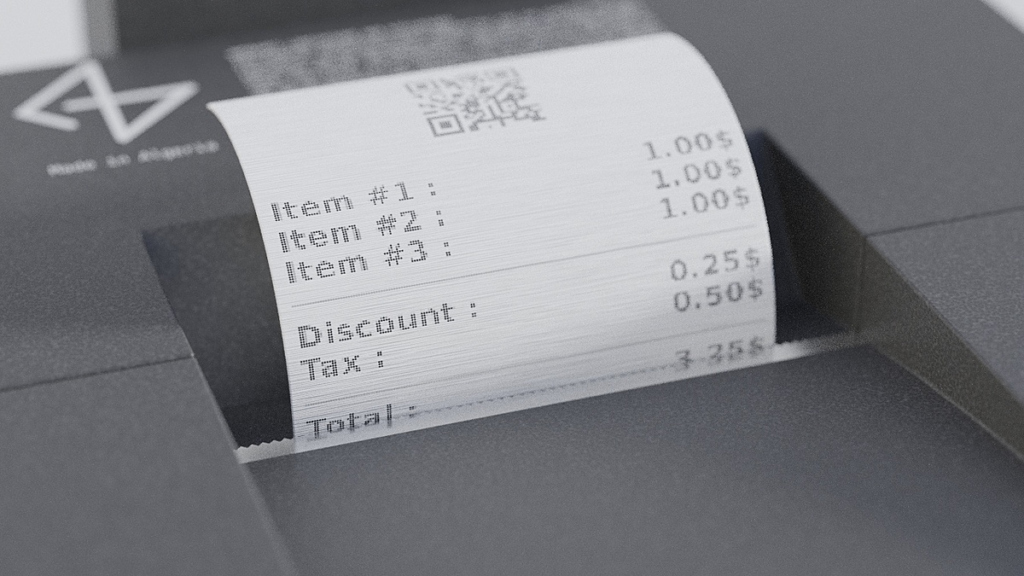
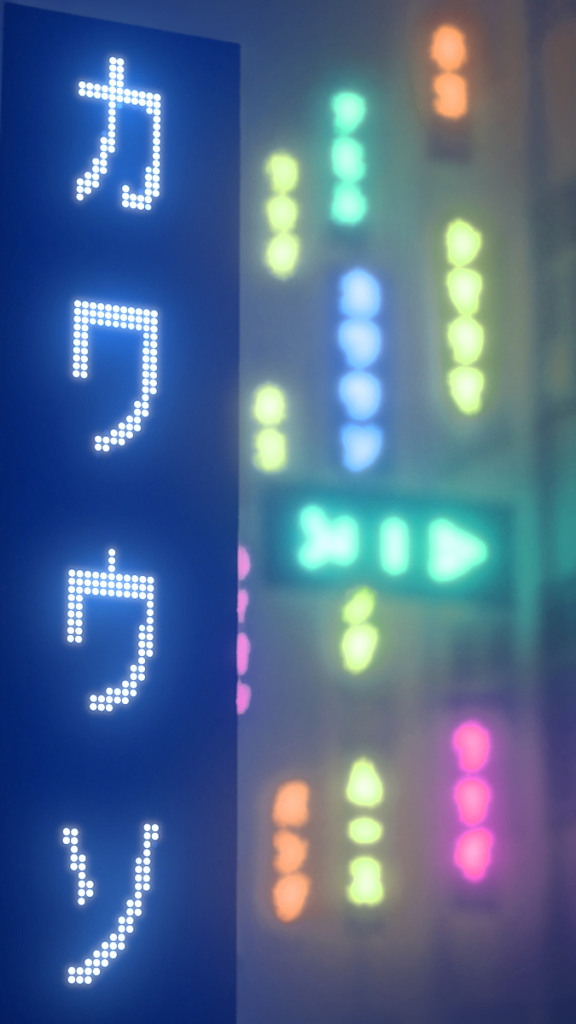
Dot Matrix Shader will take care of transforming your regular textures into a dot pattern used in dot matrix displays (in airports, festivals, stadiums, big signs and banners, monochrome displays…etc), and everything that has a regular dot pattern (receipts, old printers, expiration date…etc).
Features:
- Fully procedural: Not only your scene will not get polluted by additional image textures, but you will also get full control over some features that are hard or impossible to do with regular image textures. Not to mention that it takes no memory when rendering and it’s always sharp no matter how much you zoom in.
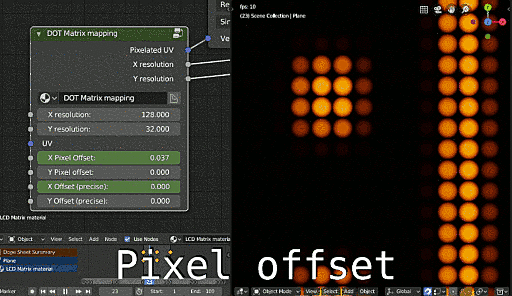
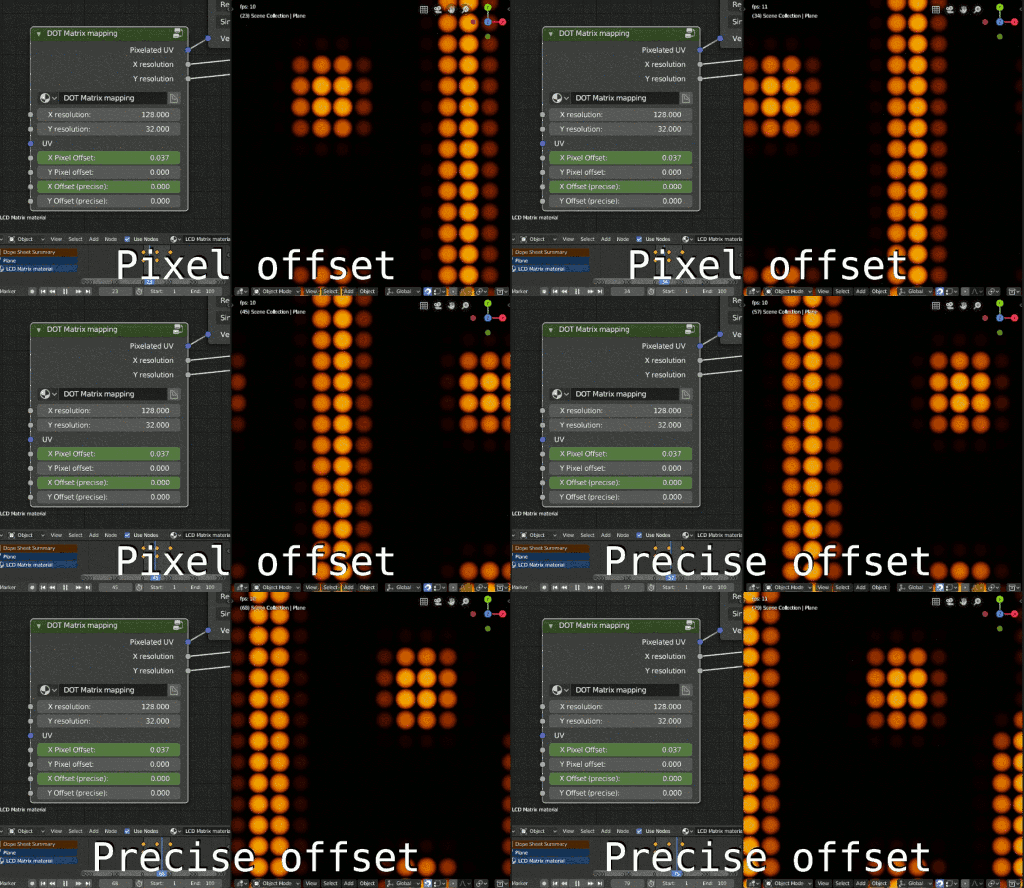
- Animateable : The shader was created with animation in mind. I have included 2 different ways to animate it depending on your needs (see image below).
– Pixel offset : scroll your image by increments of 1 pixel (dot) at a time, you don’t need to do the math, the shader takes care of it and only considers the integer part, discarding the fractional part (eg: both 1.000 or 1.514 are considered 1 and the texture is moved by 1 pixel). That way you only need to use 2 keyframes for any number of values and frames you want. This is suitable for old/retro or low-resolution displays.
– Precise offset : lets you scroll the image by a precise amount. The shader will interpolate and make the animation look smooth. You can use it to make small adjustments to display your images perfectly. it works best for modern and/or high-resolution displays.
You can use either method or both at the same time.
Alternatively you can use any 3D texture (noise, voronoi…etc) and move it on the Z axis to make it move, or use any video or image sequence like you normally do.
- Cycles and EEVEE support: The shaders have been tested with Cycles (blender 2.77, 2.78, 2.79, 2.80) and EEVEE and it works perfectly. It is more responsive in EEVEE than Cycles and the old OpenGL material preview.
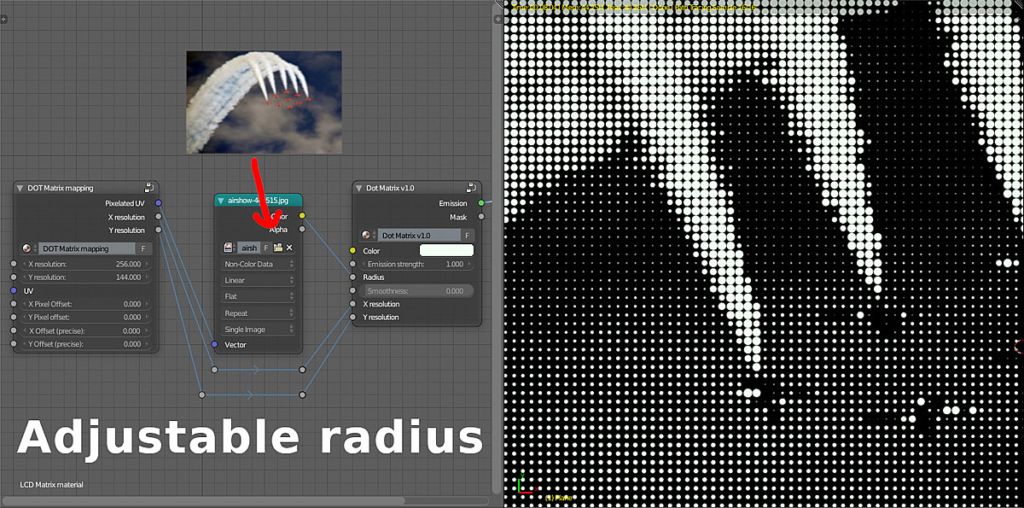
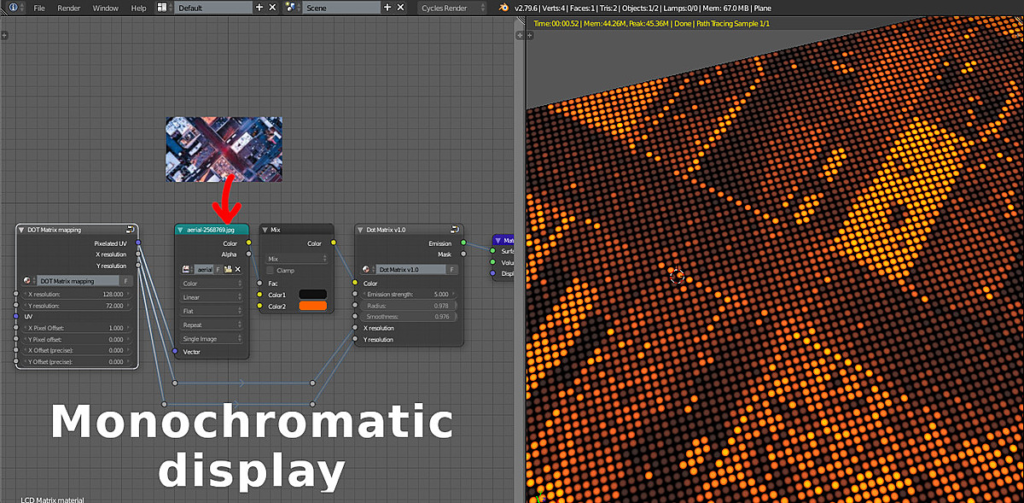
- Adjustable resolution : No need to worry about your image resolution, all you have to do is to set the X and Y resolution inside the shader and it will do everything for you (pixelation, aligning it with the dot pattern). You can for example use a 1920×1080 image and set the X and Y resolution to 128×72 and it will “scale down” and display correctly. Just make sure you maintain the aspect ratio to make the dots perfectly circular, unless if you have something else in mind, of course.
- Customizable: The benefit of procedural textures/shaders is the high degree of configurability and freedom. I made it possible to adjust as many useful parameters as possible.
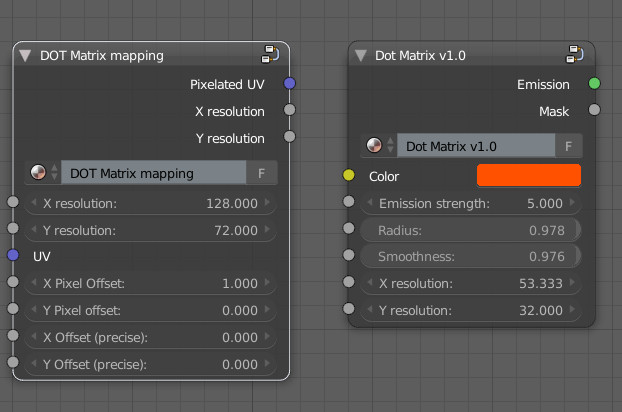
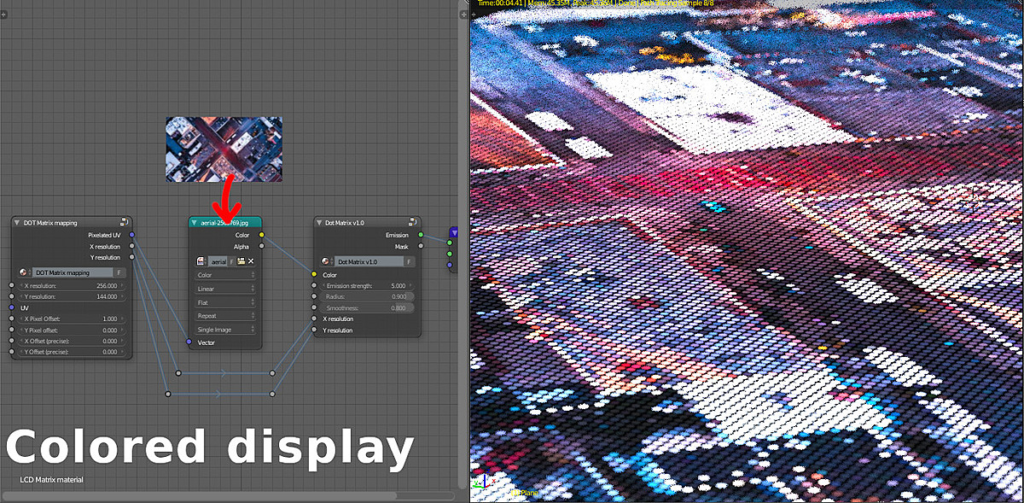
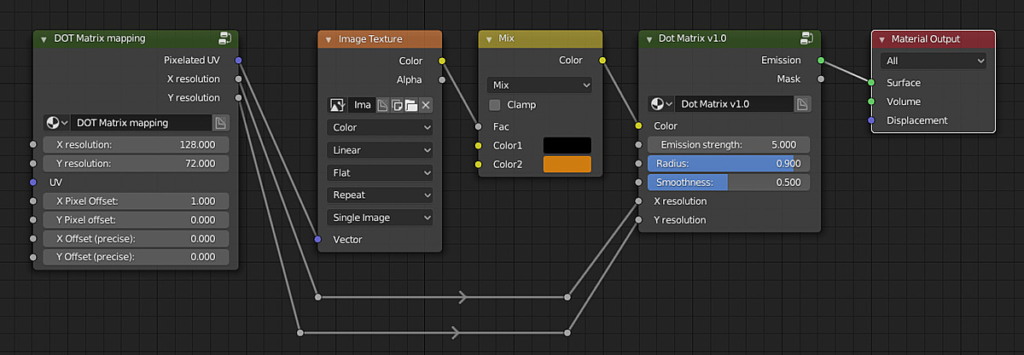
You can change the radius of the dots, either all of them at once, or one by one if you are using a texture (it is recommended to pixelate it with the included node, but it’s not necessary).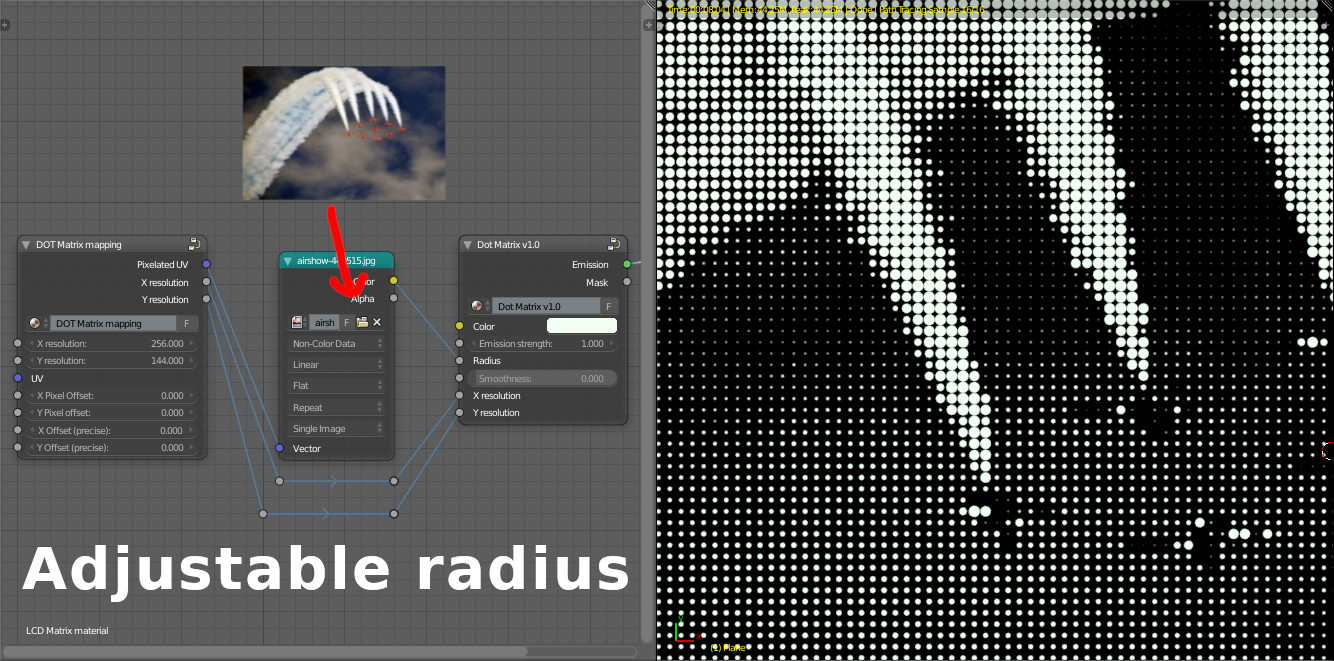 You can have either a colored display or a monochromatic one easily. Just have a look at the setups below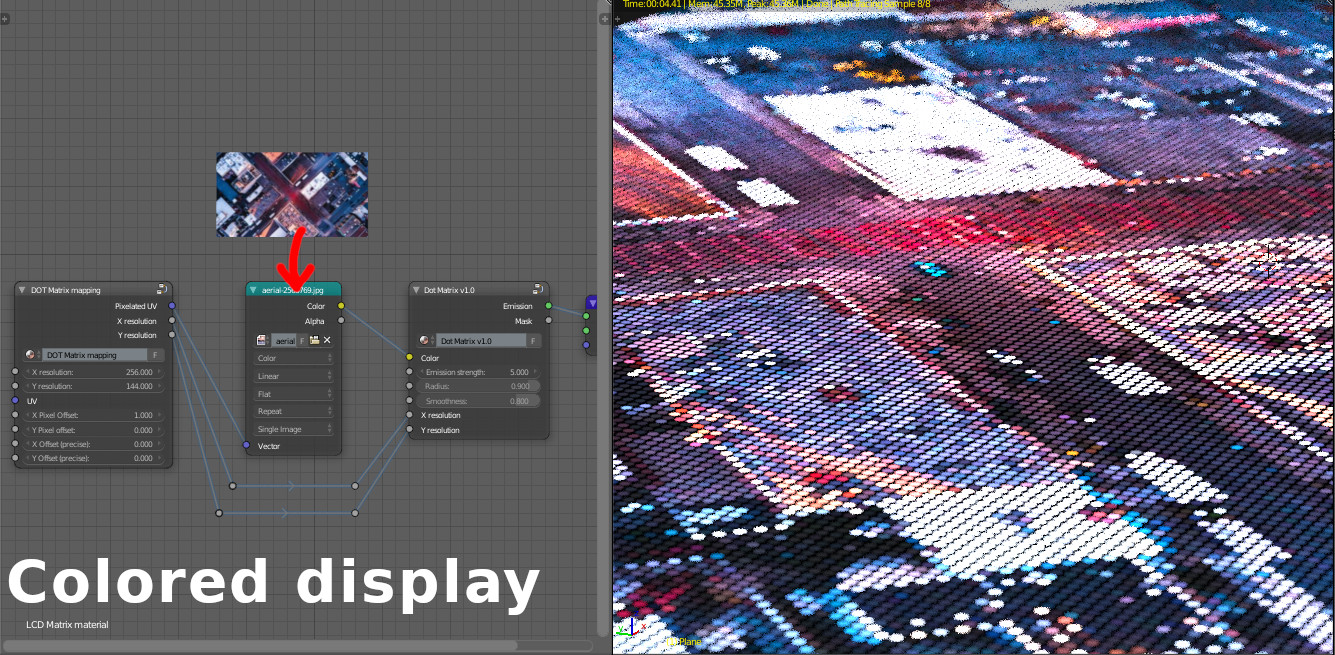
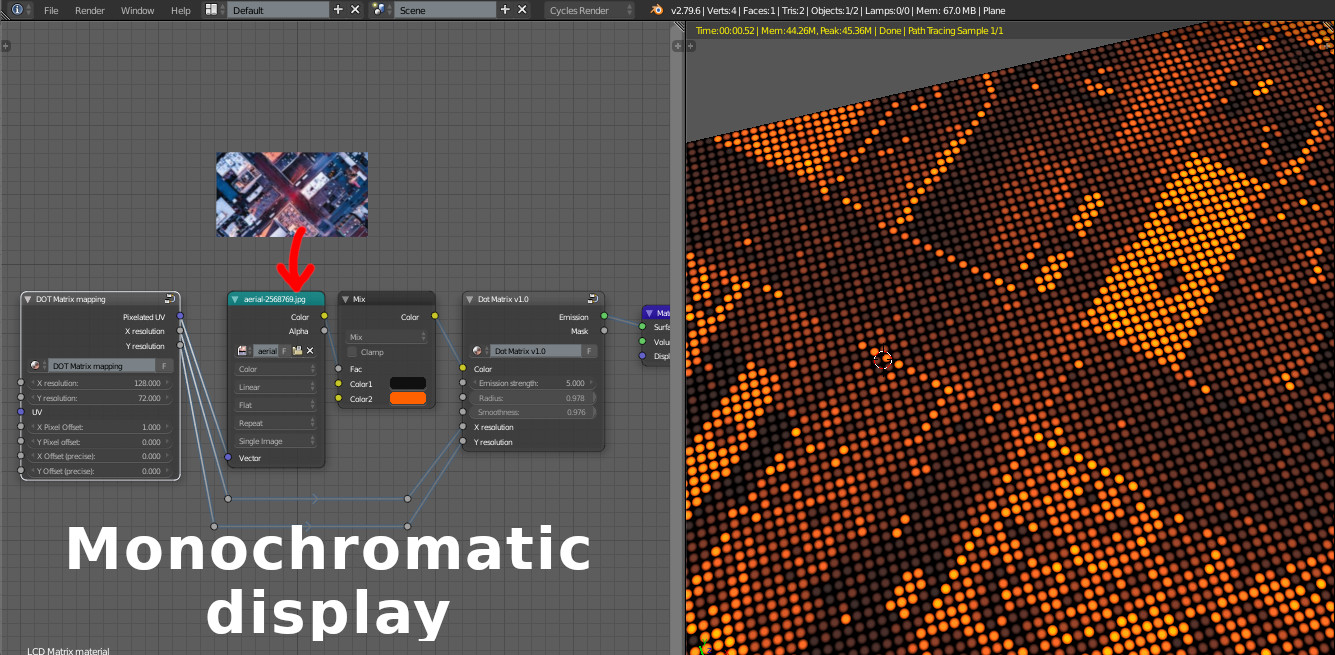 You can even use only the “Dot Matrix Mapping” node to have a pixelated image if you want to
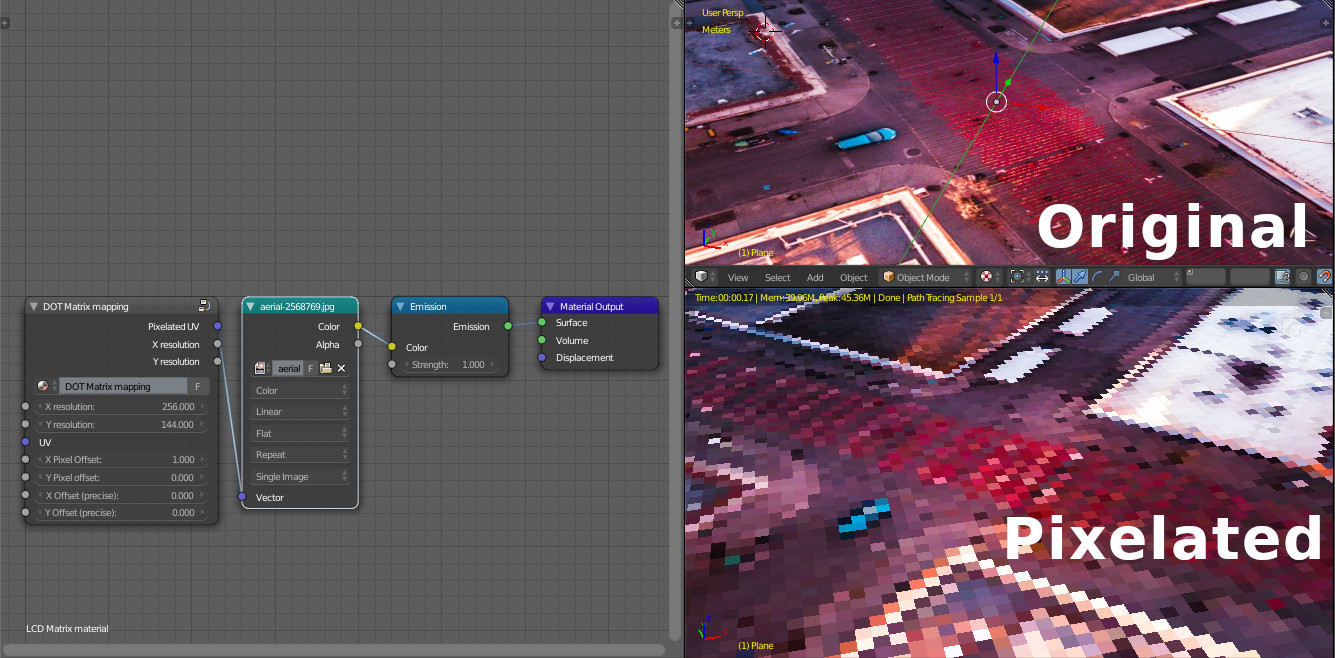 Check the documentation for more information.
Supercharge your 3D creation workflow with premium selection of Blender Add-ons. Whether you are modeling intricate characters, sculpting realistic environments, or animating cinematic sequences, the right add-on can transform how you work inside Blender. Our curated collection includes powerful tools for UV unwrapping, procedural texture generation, rigging automation, rendering optimization, and more—each rigorously tested for compatibility with the latest Blender versions. Eliminate tedious manual processes and unlock advanced functionality that lets you focus on what matters most: bringing your creative vision to life. Explore our full range of professional Blender plugins today and take your 3D projects to the next level.
➡️ ➡️ For more Blender Plugins 😀 😀
Reviews
There are no reviews yet.