
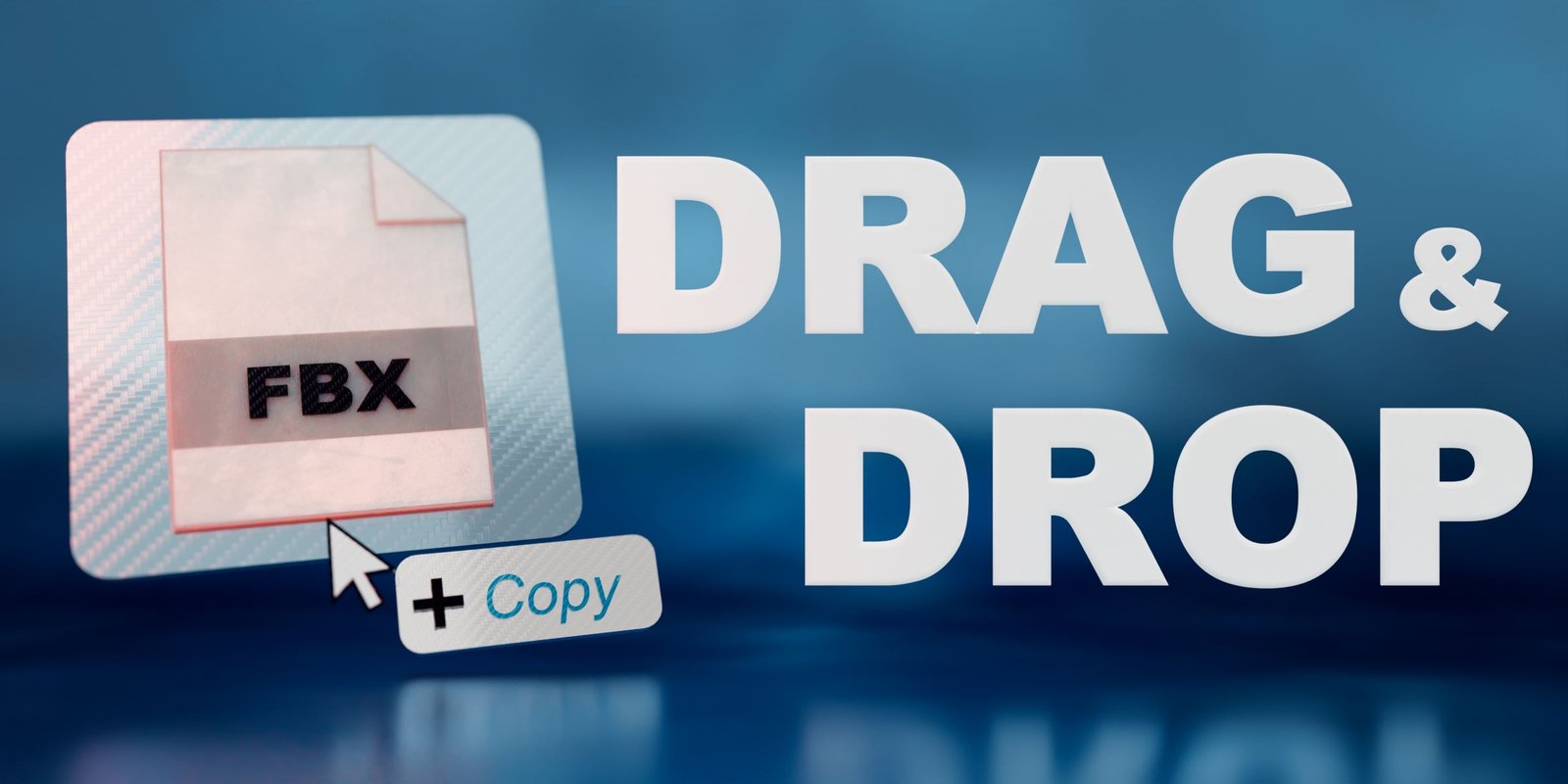
Drag Drop Import for Blender
Drag Drop Import v1.0.4 for Blender – The Ultimate Instant Asset Loader
Version : V1.0.4
File Size: 10 MB
Download Drag Drop Import v1.0.4 for Blender on Windows and Mac, a streamlined utility addon that revolutionizes how you bring external files into your scene. By enabling direct drag-and-drop functionality from your operating system’s file explorer directly into the 3D viewport, Drag Drop Import eliminates the tedious “File > Import > Browse” workflow, allowing you to instantly load FBX, OBJ, GLTF, STL, SVG, and image references with a single mouse gesture.
Key Features of Drag Drop Import v1.0.4:
- Universal File Support: Automatically detects and imports a wide range of formats including FBX, OBJ, GLTF/GLB, STL, DXF, SVG, and image files (JPG, PNG, EXR) for reference planes.
- Smart Format Detection: No need to select the importer manually; the addon identifies the file extension and triggers the correct native Blender import operator instantly.
- Viewport Placement: Drops objects directly at the 3D cursor location or at the point where you release the mouse in the viewport, ensuring precise placement without extra alignment steps.
- Batch Importing: Drag and drop multiple files simultaneously to import entire asset packs or scene components in one go, maintaining their relative organization.
- Image Reference Automation: When images are dropped, automatically creates a plane with the image loaded as an emissive shader or background reference, perfect for concept art and blueprints.
- SVG Curve Conversion: Instantly converts dropped SVG files into editable Bezier curves, ready for extrusion or geometry node manipulation.
- Customizable Settings: Options to toggle auto-smooth, apply scale, or merge vertices upon import, tailoring the behavior to your specific pipeline needs.
- Minimalist UI: Operates entirely in the background with no cluttered panels; just drag, drop, and create.
Perfect For:
- Concept Artists who need to rapidly pull in reference images and mood board assets.
- Game Developers iterating quickly by dragging updated character or prop exports from engine folders.
- Architectural Visualizers importing CAD data (DXF/DWG via conversion) or furniture blocks from library folders.
- Motion Designers bringing in vector logos (SVG) or animated sequences (GLTF) for quick composition.
- Anyone tired of navigating deep menu structures just to open a single file.
System Requirements:
- Blender: 3.6, 4.0, 4.1, 4.2, 4.3+ (Latest LTS recommended).
- OS: Windows 10/11 (64-bit) or macOS 10.15+.
- No external dependencies required.
Installation:
- Download the Drag Drop Import v1.0.4
.zipfile. - Open Blender and go to Edit > Preferences > Add-ons.
- Click Install…, select the downloaded file, and enable the checkbox next to Import-Export: Drag Drop Import.
- Usage: Simply open your OS file explorer, select one or more supported files, and drag them directly into the Blender 3D Viewport.
Note:
Version 1.0.4 includes critical fixes for macOS Sonoma/Ventura compatibility, ensuring smooth drag-and-drop behavior on newer Apple systems. It also adds improved handling for GLTF animations, automatically setting the timeline range to match the imported clip duration, saving an extra step for animators.
Drag & Drop Import
Optimize your workflow with Drag and Drop Import for Blender. Quickly and easily import files by dragging them from your file explorer and dropping them into Blender’s 3D Viewport or Outliner. No more navigating through menus or dialogs – just a seamless and efficient process!
*The current version works with Blender 4.0except for dropping images directly onto the Principled BSDF Shader node as the API is not yet updated for the new look of the node. This is soon coming out together with the version for MACs with an M chip!*
Windows and MacOS Intel (Beta)
Supported Types
Currently, Drag & Drop Import supports:
FBX, GLB, GLTF, OBJ, MTL, X3D, WRL, ABC, PLY, STL, BVH, SVG, PNG, JPG, JPEG, TIFF, VDB, USD, USDC, USDA, DAE, BLEND, MP4, MOV, BPM, PY, DXF, HDR, EXR, PSD, SKP
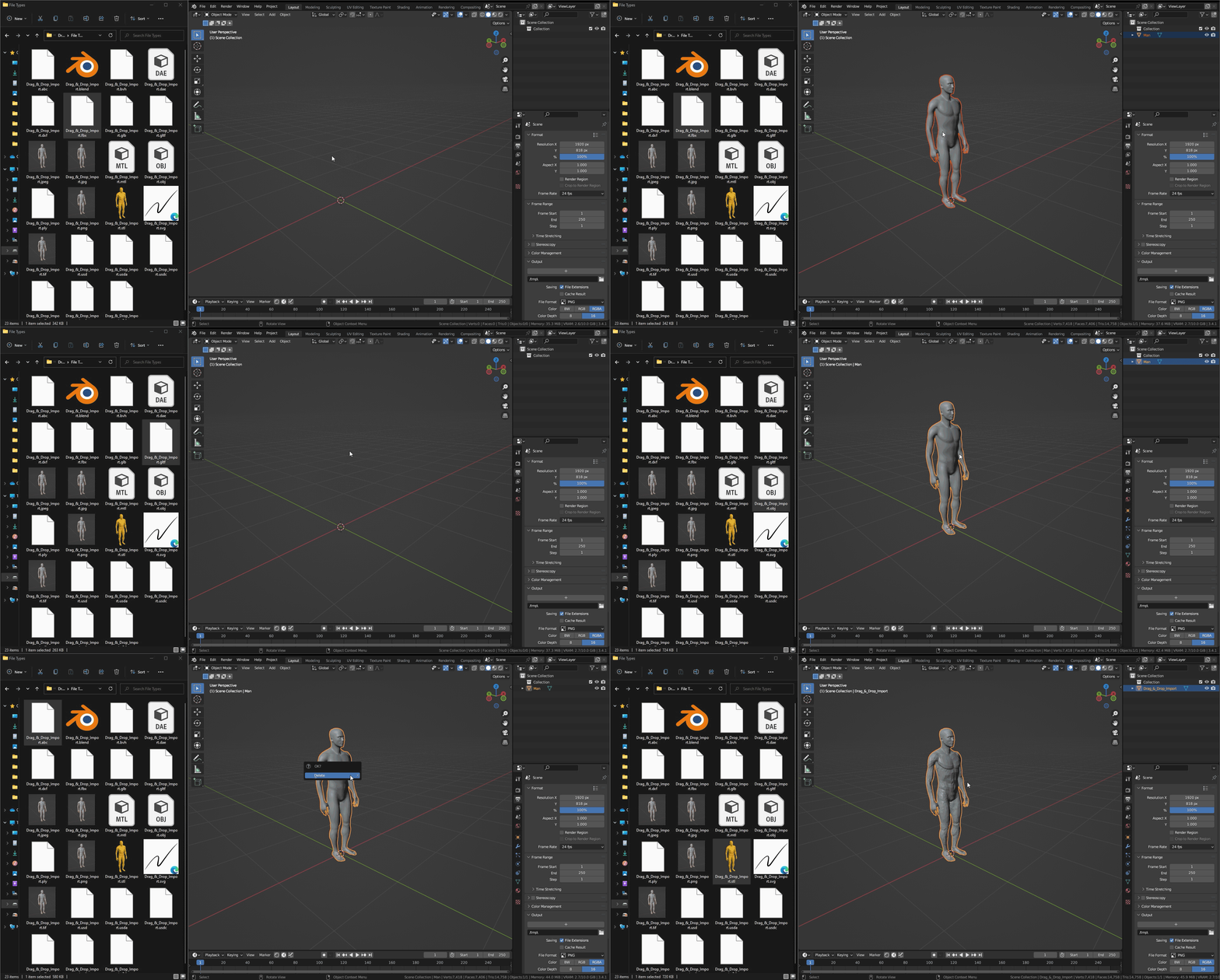
Basic Drag & Drop
When you drag a file using only the left-click button, the file will be imported with the default settings for that particular file type.
Change Settings
If you want to change the Import Options, you can either drag the file using the right-click button or hold down the Ctrl key while dragging the file using the left-click button.
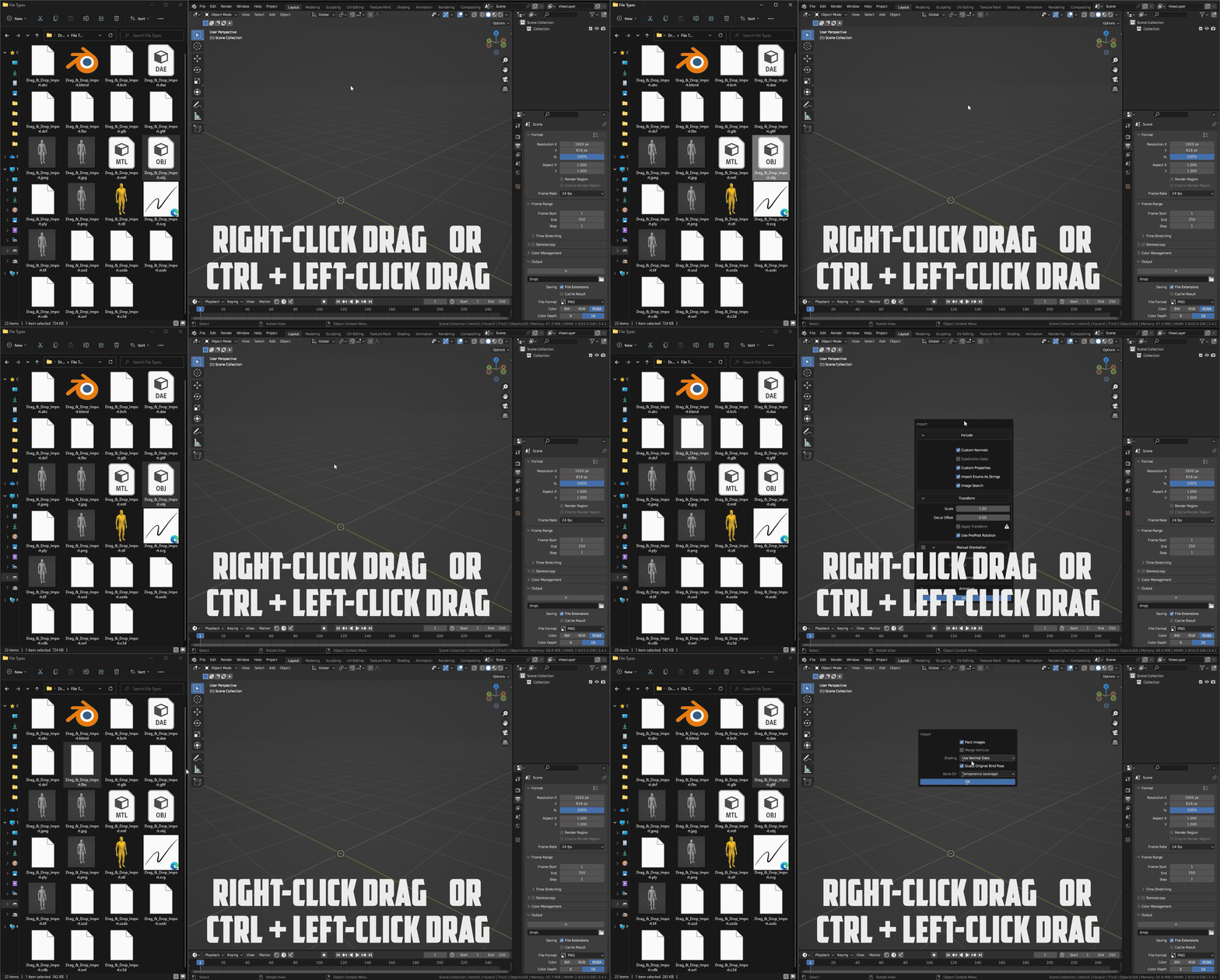
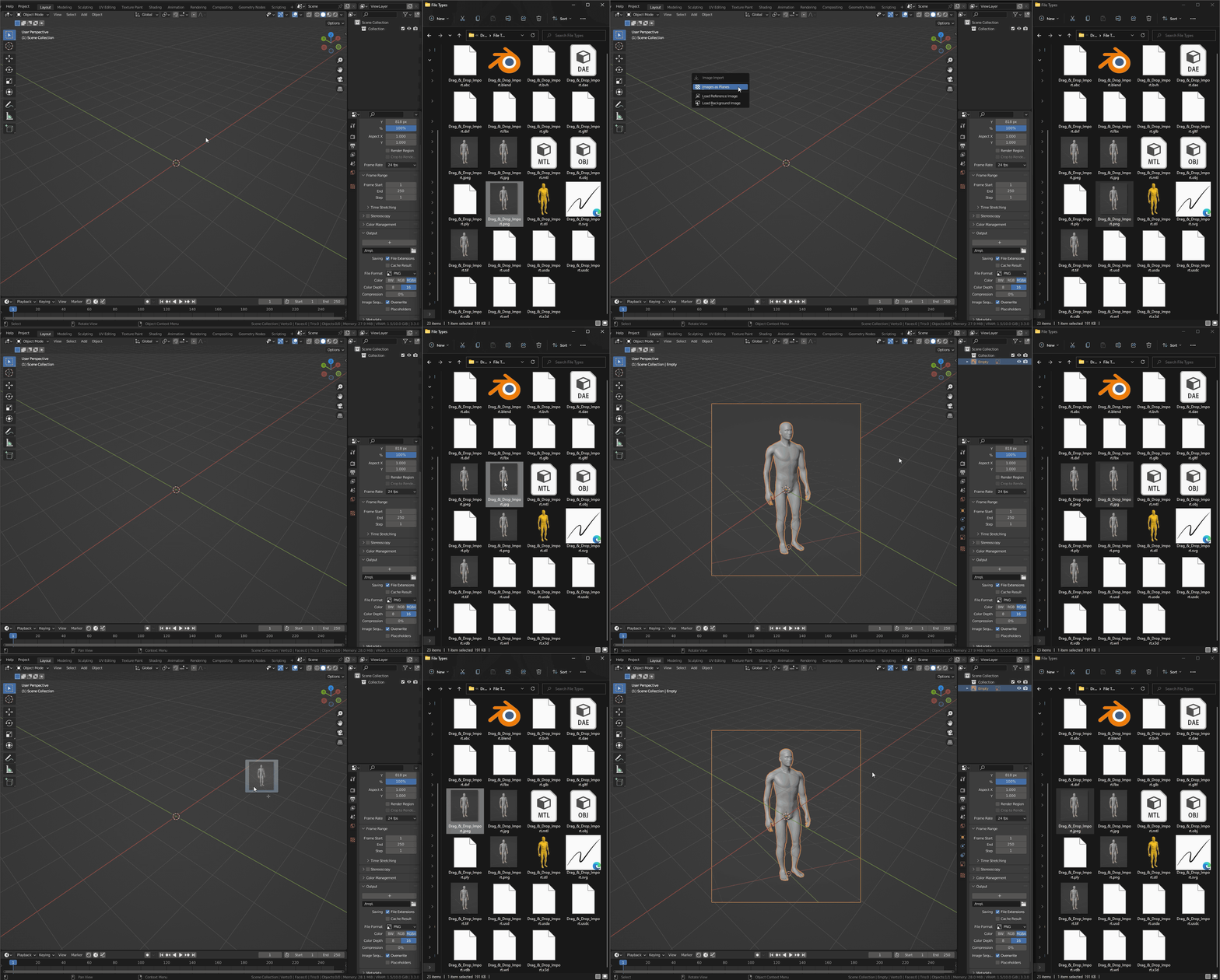
Image Importing
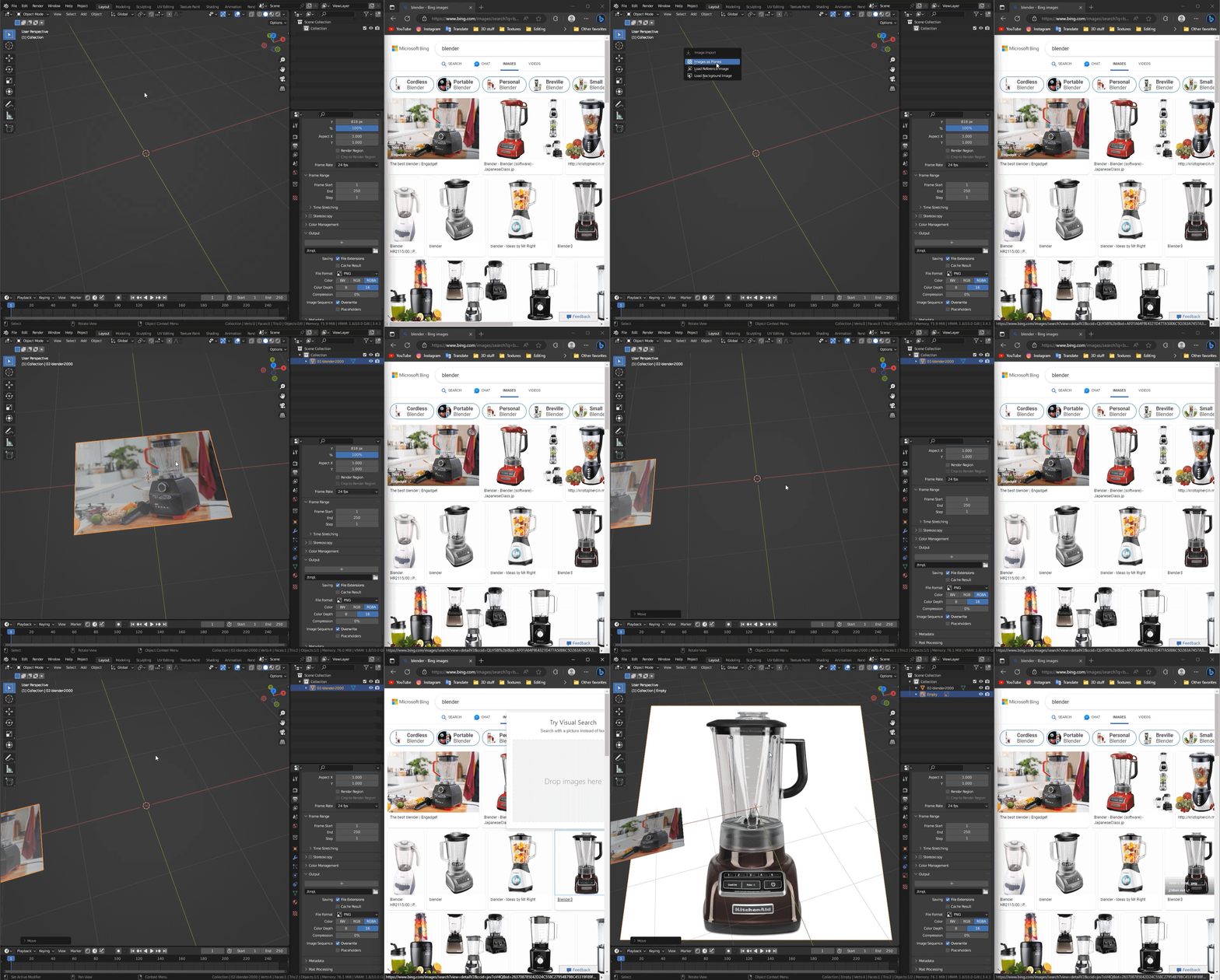
When you drop images, a menu will appear asking how you would like to import the image – as a Plane, as a Reference Image, or as a Background Image. To change the import settings, drag with the right-click or hold Ctrl while dragging.
You can also drag and drop images directly from a website or search engines without having to download the image. A small delay can happen while the image gets downloaded, typically less than a second. When dragging small previews from a search engine images section, the original high-quality image will be imported. Everything above still applies.
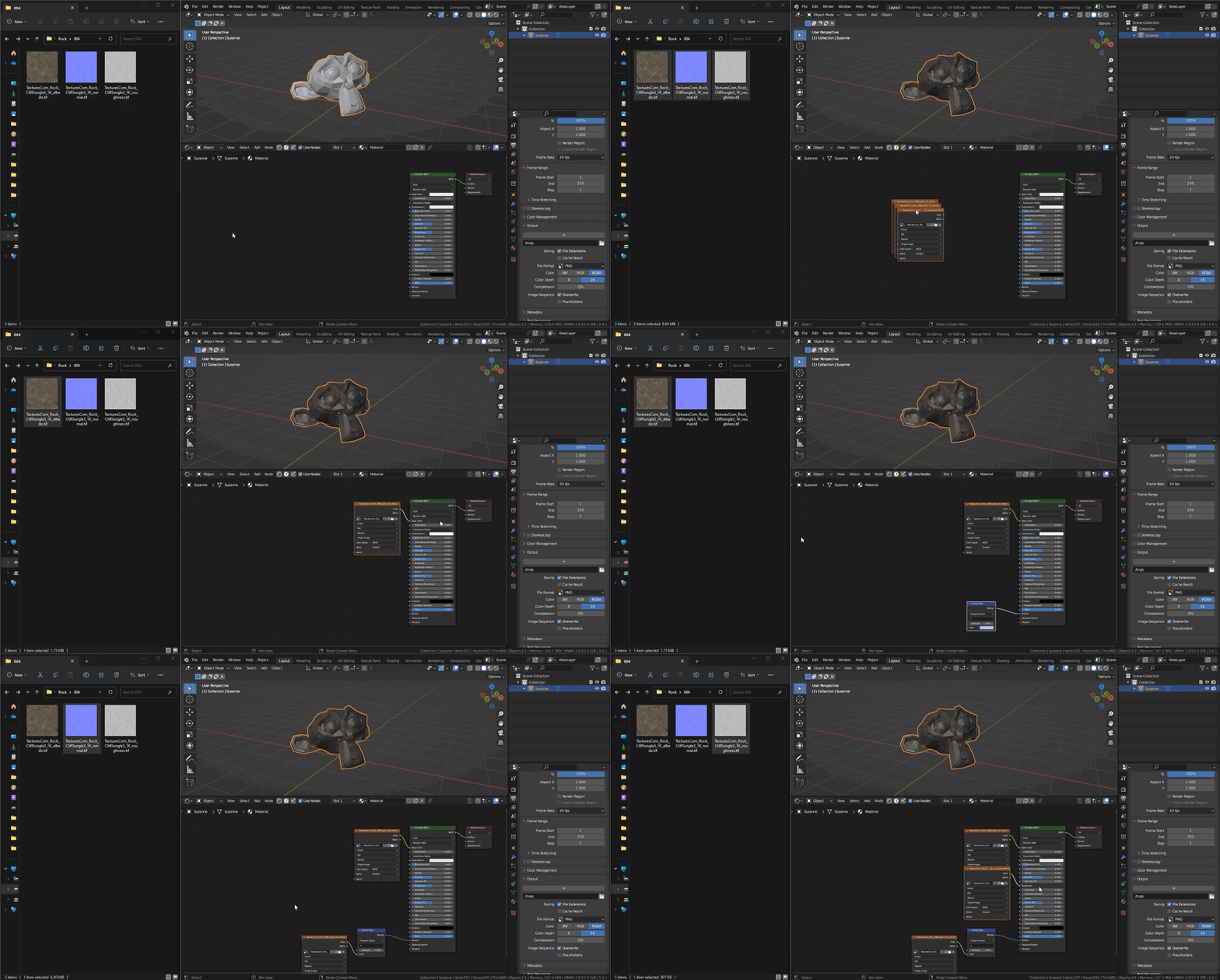
In addition, it is now possible to drag multiple images at once in the Shader Editor. You can now also drag an image to a desired node socket and it will automatically connect. This works for the images dropped from the web as well.
Multiple Files
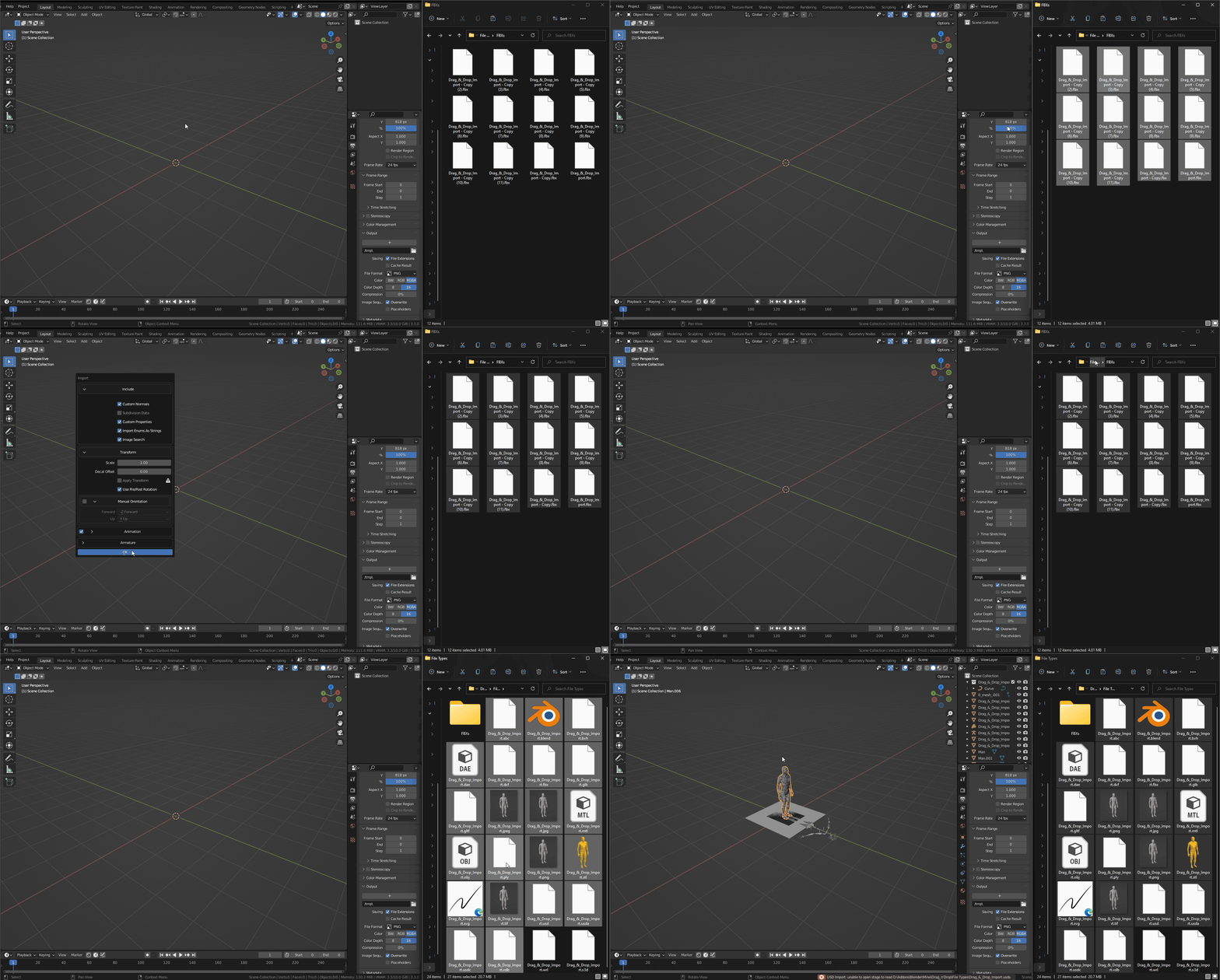
You can also select multiple files and drag them all at once. This will import all the selected files with the default settings for their respective file types. However, if all the files are of the same file type, you will be able to change the import settings before importing them.
Whole Folders
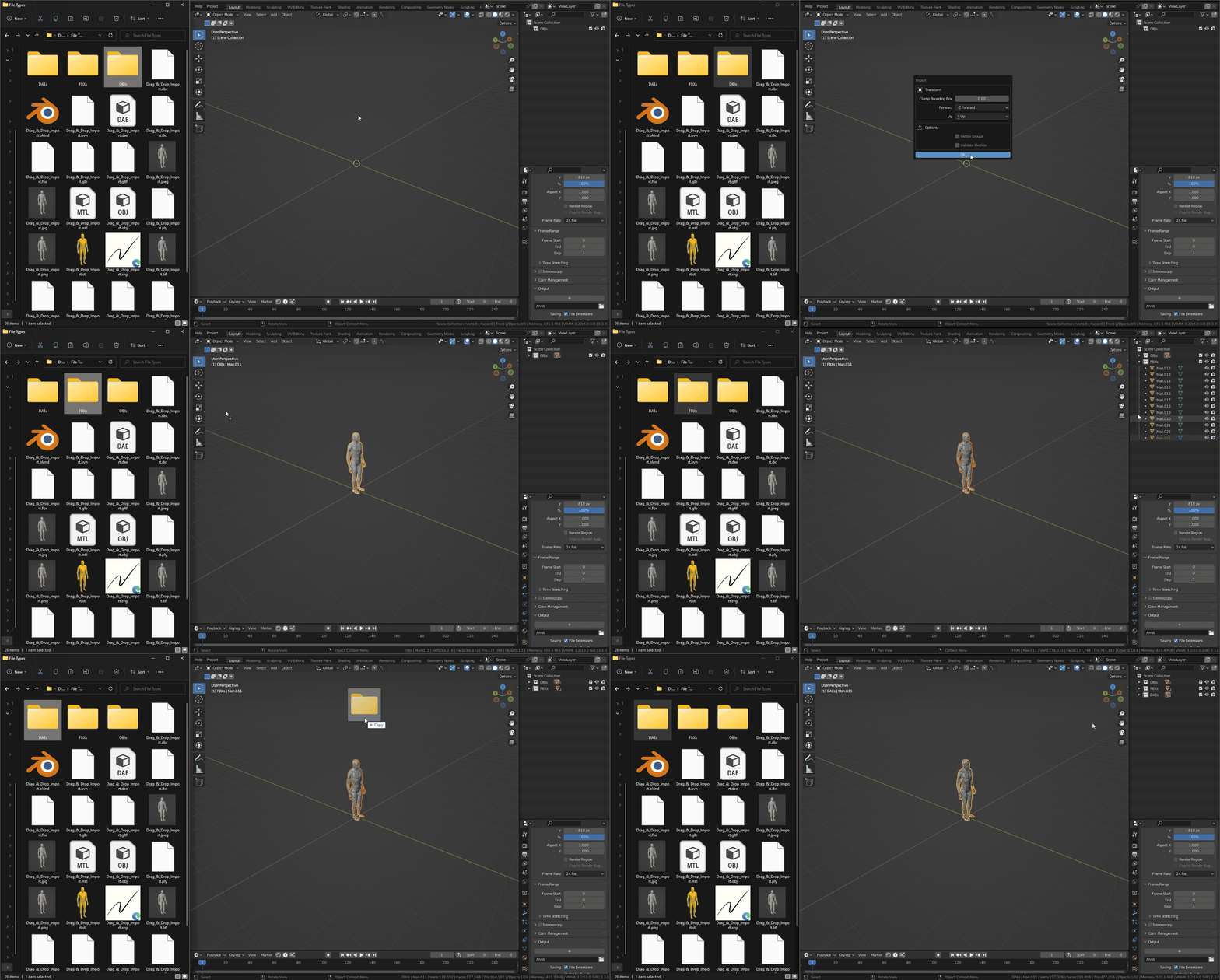
If you drag a folder, all of its contents will be imported. If all the files inside the folder are of the same file type, you will be able to change the import settings before importing them. Otherwise, the files will be imported with their default settings for their respective file types.
Folder Trees
If the dragged folder contains other folders, all of their contents will also be imported. The imported files will be organized by Collections.
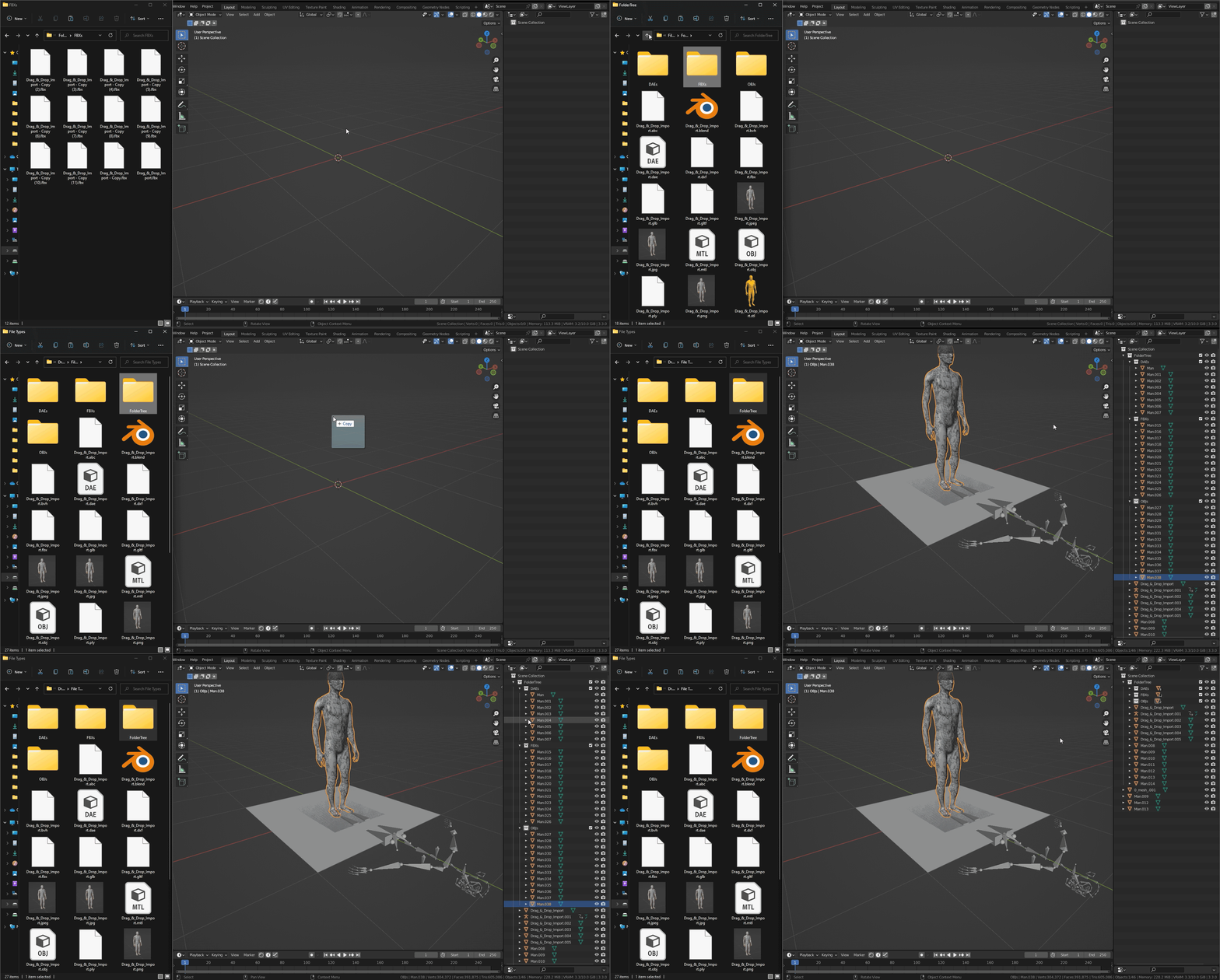
Additional Features
VDB sequences can be imported by dragging a sequence of VDB files or a tree of folders containing multiple VDBs.
By dragging HDR or EXR files, they will automatically be set up as a scene’s HDRI.
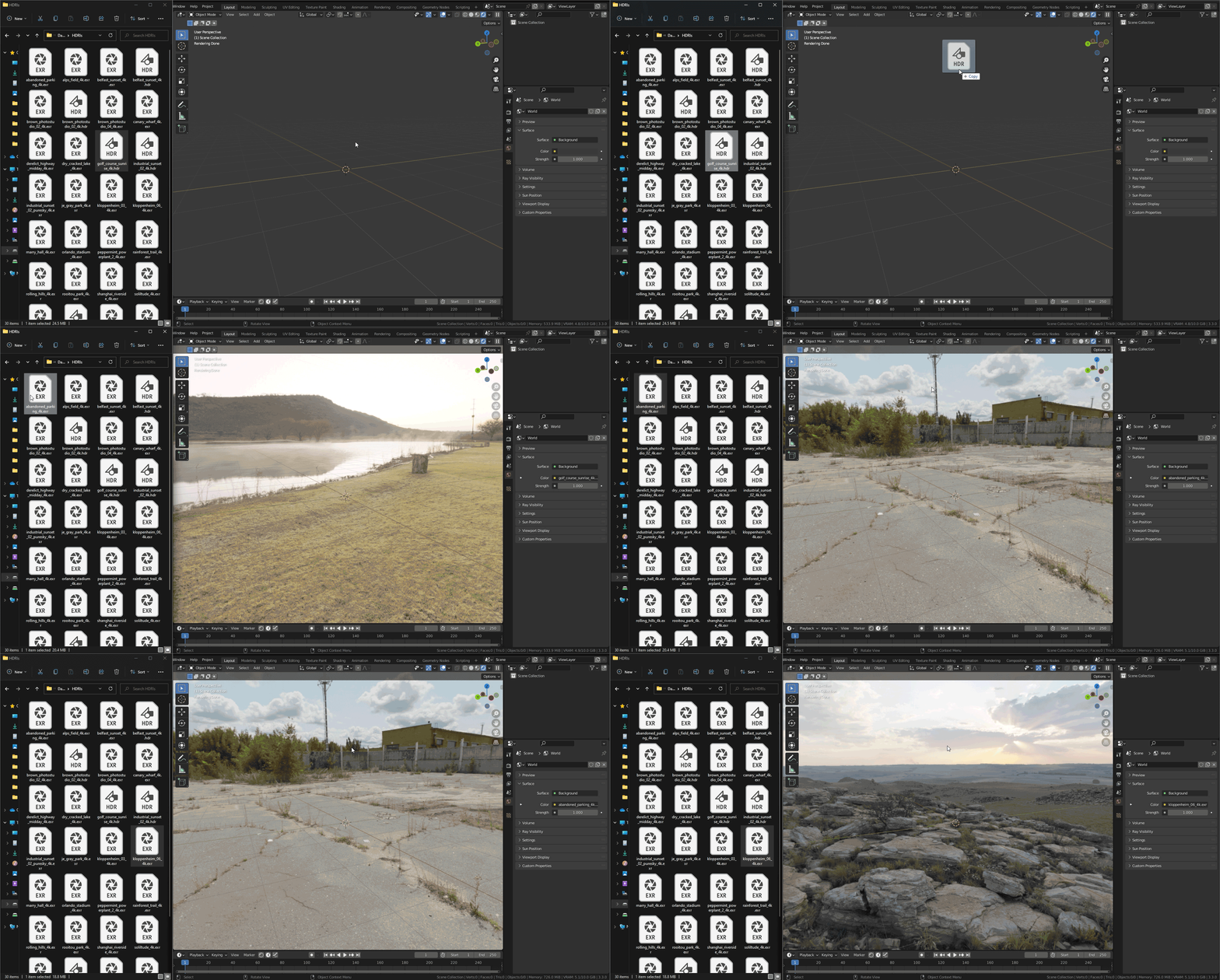
Contribute
Feel free to contact me at andrej@tetkic.com
Release log
v1.0.0 – First Release – Supports 31 different filetypes: FBX, GLB, GLTF, OBJ, MTL, X3D, WRL, ABC, PLY, STL, BVH, SVG, PNG, JPG, JPEG, TIFF, VDB, USD, USDC, USDA, DAE, BLEND, MP4, MOV, BPM, PY, DXF, HDR, EXR, PSD
v1.0.1 – Support multiple monitors with different resolutions
v1.0.2 – added SketchUp (SKP) File Support; “must run with blender-launcher.exe” issue is fixed; the Big circle appearing in some themes is gone; Blender 3.0.0 support.
v1.0.3 – Blender crashing when locking Windows is now fixed; Drag and Dropping Images from the web; Drop multiple images in Shader Editor; Drop images into node sockets to automatically connect to them
v1.0.4 – PLY import updated for Blender 4.0; Improved Web import; Multiple open shader editors bug fixed; Blender staying inactive after drop in Blender 4.0 issue fixed
v1.0.5 – Fixed all Image Importing for Blender 4.2
Supercharge your 3D creation workflow with premium selection of Blender Add-ons. Whether you are modeling intricate characters, sculpting realistic environments, or animating cinematic sequences, the right add-on can transform how you work inside Blender. Our curated collection includes powerful tools for UV unwrapping, procedural texture generation, rigging automation, rendering optimization, and more—each rigorously tested for compatibility with the latest Blender versions. Eliminate tedious manual processes and unlock advanced functionality that lets you focus on what matters most: bringing your creative vision to life. Explore our full range of professional Blender plugins today and take your 3D projects to the next level.
➡️ ➡️ For more Blender Plugins 😀 😀
Reviews
There are no reviews yet.