
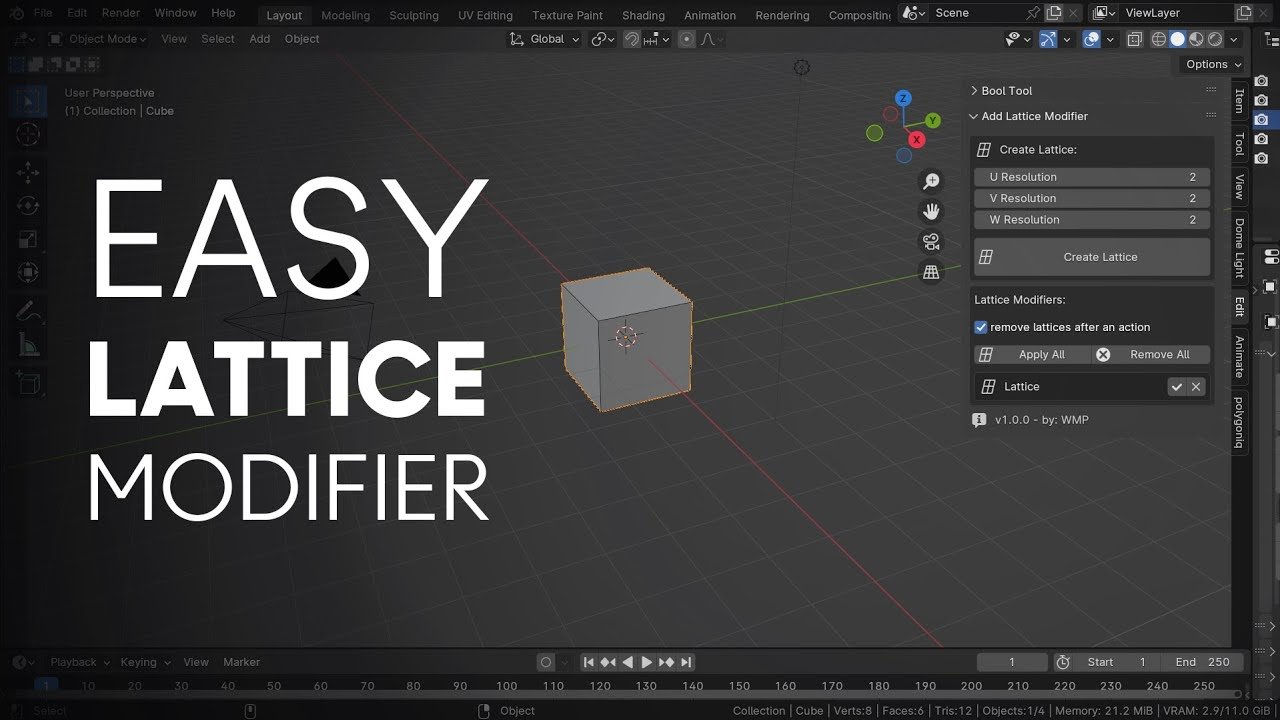
Easy Lattice Modifier v1.0.1 for Blender
Easy Lattice Modifier v1.0.1 for Blender – The Enhanced Non-Destructive Deformation Tool
Versions: v1.0.1
File Size: 10 KB
Download Easy Lattice Modifier v1.0.1 for Blender on Windows and Mac, the updated version of the streamlined utility designed to simplify the creation, setup, and manipulation of Lattice deformers. Building on the success of v1.0.0, this release introduces critical workflow improvements, better handling of complex selections, and enhanced visual feedback, making broad shape changes and bulk adjustments faster and more intuitive than ever.
Key Features of Easy Lattice Modifier v1.0.1:
- Smart Auto-Sizing: Improved algorithm that calculates the perfect bounding box for the lattice, adding a customizable padding margin to ensure control points never clip into the mesh surface automatically.
- One-Click Generation & Linking: Instantly creates a centered Lattice object, applies the modifier, and sets up the correct parenting relationship in a single step, eliminating manual node linking errors.
- Enhanced Resolution Presets: New “Ultra-Low” (2x2x2) and “Custom” input options alongside the standard Low/Medium/High presets, giving you precise control over the deformation grid density from the start.
- Instant Edit Mode Toggle: A dedicated button to immediately switch the Lattice object into Edit Mode with all control points selected, allowing you to start deforming the mesh without navigating the Outliner.
- Vertex Group Influence: Refined masking system that respects vertex groups more accurately, enabling localized deformations (like muscle bulges or specific pipe bends) without affecting the rest of the model.
- Multi-Object Logic Upgrade: Smarter handling when multiple objects are selected; now offers a choice to create a Single Shared Lattice (for deforming a group uniformly) or Individual Lattices for each object automatically.
- Visual Overlay Helpers: New optional wireframe overlay modes that make lattice points easier to see against complex backgrounds or dark meshes, reducing selection errors.
- “Reset & Rebind” Feature: A new utility button to reset lattice points to their default grid position or rebind the lattice to a modified base mesh without breaking the modifier link.
Perfect For:
- Character Artists making quick pose tweaks, body shape variations (fat/slim), or muscle flexing without sculpting.
- Hard Surface Modelers bending cables, pipes, and rails to fit specific paths while maintaining clean topology.
- Environment Artists deforming clusters of vegetation or terrain features to fit specific contours.
- Animators creating squash-and-stretch effects or simple prop deformations.
- Beginners who want to avoid the tedious manual setup of
Shift+A> Lattice > Scale > Parent > Add Modifier.
System Requirements:
- Blender: 3.6, 4.0, 4.1, 4.2, 4.3+ (Latest LTS recommended).
- OS: Windows 10/11 (64-bit) or macOS 10.15+.
- No external dependencies required.
Installation:
- Download the Easy Lattice Modifier v1.0.1
.zipfile. - Open Blender and go to Edit > Preferences > Add-ons.
- Click Install…, select the downloaded file, and enable the checkbox next to Object: Easy Lattice Modifier.
- Access via the Object Context Menu (Right-Click) > Easy Lattice or the dedicated panel in the 3D Viewport Sidebar (N-panel) under the Tool tab.
What’s New in v1.0.1?
- Fixed Bug: Resolved an issue where the lattice would occasionally misalign when applied to objects with non-uniform scale.
- New Feature: Added “Padding Slider” to control the distance between the mesh bounds and the lattice cage.
- Improvement: Enhanced the Multi-Object workflow to correctly name lattices based on the parent object (e.g., “Lattice_Pipe_01” instead of generic names).
- UI Polish: Cleaner interface layout with clearer icons for “Shared” vs. “Individual” lattice creation.
Note:
Version 1.0.1 maintains the core philosophy of simplicity while adding the robustness needed for production environments. The new “Rebind” feature is particularly useful for iterative workflows where the base mesh topology might change slightly after the lattice has already been set up, saving you from recreating the entire deformation rig.
Supercharge your 3D creation workflow with premium selection of Blender Add-ons. Whether you are modeling intricate characters, sculpting realistic environments, or animating cinematic sequences, the right add-on can transform how you work inside Blender. Our curated collection includes powerful tools for UV unwrapping, procedural texture generation, rigging automation, rendering optimization, and more—each rigorously tested for compatibility with the latest Blender versions. Eliminate tedious manual processes and unlock advanced functionality that lets you focus on what matters most: bringing your creative vision to life. Explore our full range of professional Blender plugins today and take your 3D projects to the next level.
➡️ ➡️ For more Blender Plugins 😀 😀
Reviews
There are no reviews yet.