

Empties To Bones for Blender
Empties To Bones v4.5 for Blender – The Ultimate Rigging Conversion Tool
Versoins: v4.5
File Size: 108 KB
Download Empties To Bones v4.5 for Blender on Windows and Mac, a specialized rigging utility designed to instantly convert hierarchies of Empty objects into a fully functional Bone Armature. With intelligent axis alignment, automatic constraint generation, and preservation of custom properties, Empties To Bones transforms how technical artists and animators build rigs, eliminating the tedious manual process of adding bones, parenting them, and copying transforms from placeholder empties.
Key Features of Empties To Bones v4.5:
- One-Click Hierarchy Conversion: Select a root Empty, and the addon automatically traverses the entire child hierarchy, creating a matching bone structure with correct parent-child relationships in seconds.
- Smart Axis Alignment: Analyzes the orientation of each Empty (or its children) to automatically set the correct Bone Roll and local axes, ensuring bones point in the logical direction for animation without manual rotation.
- Automatic Constraint Generation: Optionally creates Copy Location/Rotation/Scale constraints linking the new bones back to the original empties (or vice versa), perfect for hybrid rigs or motion capture cleanup workflows.
- Custom Property Migration: Transfers all custom properties (drivers, UI sliders, script variables) from the Empty objects directly to the corresponding bones, preserving complex rig logic intact.
- Bone Shape Preservation: If the Empties use custom display shapes (arrows, cubes, circles), the addon can attempt to map these to equivalent Bone Shapes or generate simple proxy meshes for visual clarity.
- Naming Convention Cleanup: Automatically cleans up bone names (removing “.001” duplicates or specific prefixes) to ensure a clean, animation-ready naming scheme.
- Roll Correction Tools: Includes advanced options to recalculate bone rolls based on “Active Bone,” “Global Y/Z,” or “Cursor” methods if the automatic detection needs tweaking.
- Non-Destructive Preview: Visualizes the proposed bone structure before final creation, allowing you to adjust settings like bone length, envelope size, and axis mapping.
Perfect For:
- Riggers who prefer blocking out joint positions with Empties before committing to an Armature.
- Motion Capture Artists cleaning up marker data (often imported as empties) and converting it to a skeletal rig for retargeting.
- Technical Artists building complex control rigs where Empties are used as intermediate controllers or math nodes.
- Animators converting legacy rigs or imported assets that use Empty-based hierarchies into standard Blender Armatures.
- Pipeline TDs automating the conversion of procedural setup tools into final character rigs.
System Requirements:
- Blender: 3.6, 4.0, 4.1, 4.2, 4.3+ (Latest LTS recommended).
- OS: Windows 10/11 (64-bit) or macOS 10.15+.
- No external dependencies required.
Installation:
- Download the Empties To Bones v4.5
.zipfile. - Open Blender and go to Edit > Preferences > Add-ons.
- Click Install…, select the downloaded file, and enable the checkbox next to Rigging: Empties To Bones.
- Access via the Object Context Menu (Right-Click on Root Empty) > Empties to Bones or the dedicated panel in the 3D Viewport Sidebar (N-panel) under the Rigging tab.
Note:
Version 4.5 introduces a revolutionary “Chain Detection” algorithm that intelligently groups linear chains of empties into single continuous bone chains (with multiple segments) rather than individual disconnected bones, significantly improving deformation quality for spines, tails, and limbs. It also adds a “Mirror & Symmetrize” feature post-conversion, allowing you to instantly create the opposite side of a character rig if only one side was blocked out with empties. This update also ensures full compatibility with Blender 4.x’s updated bone collection systems.
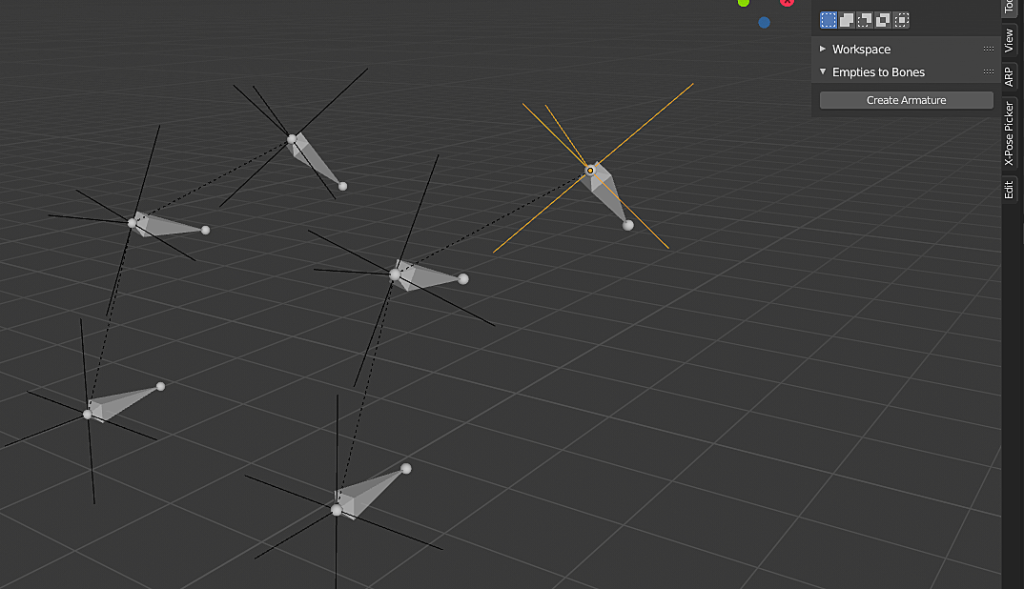
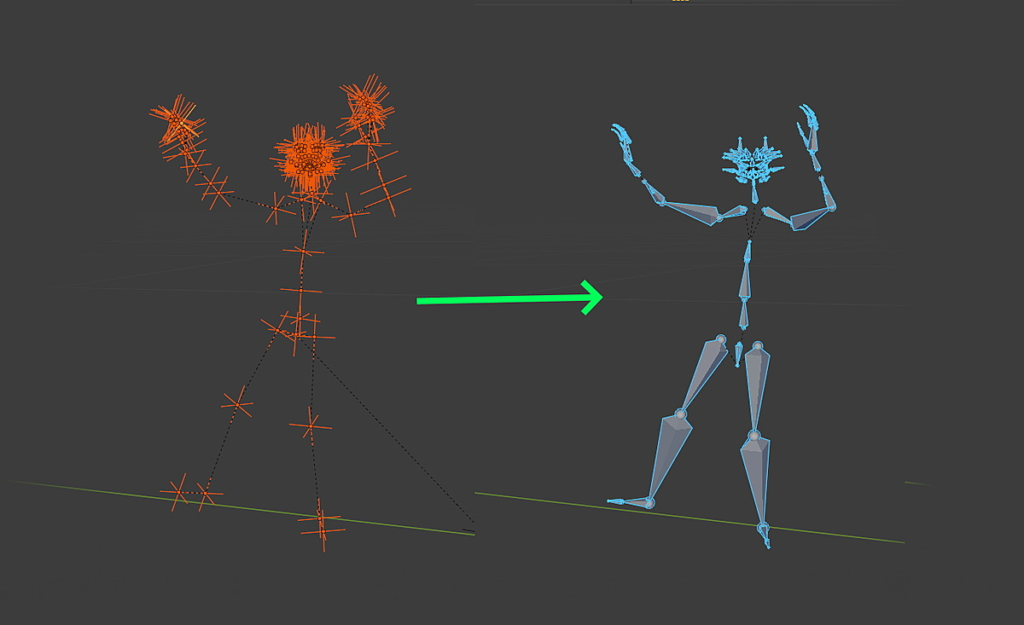
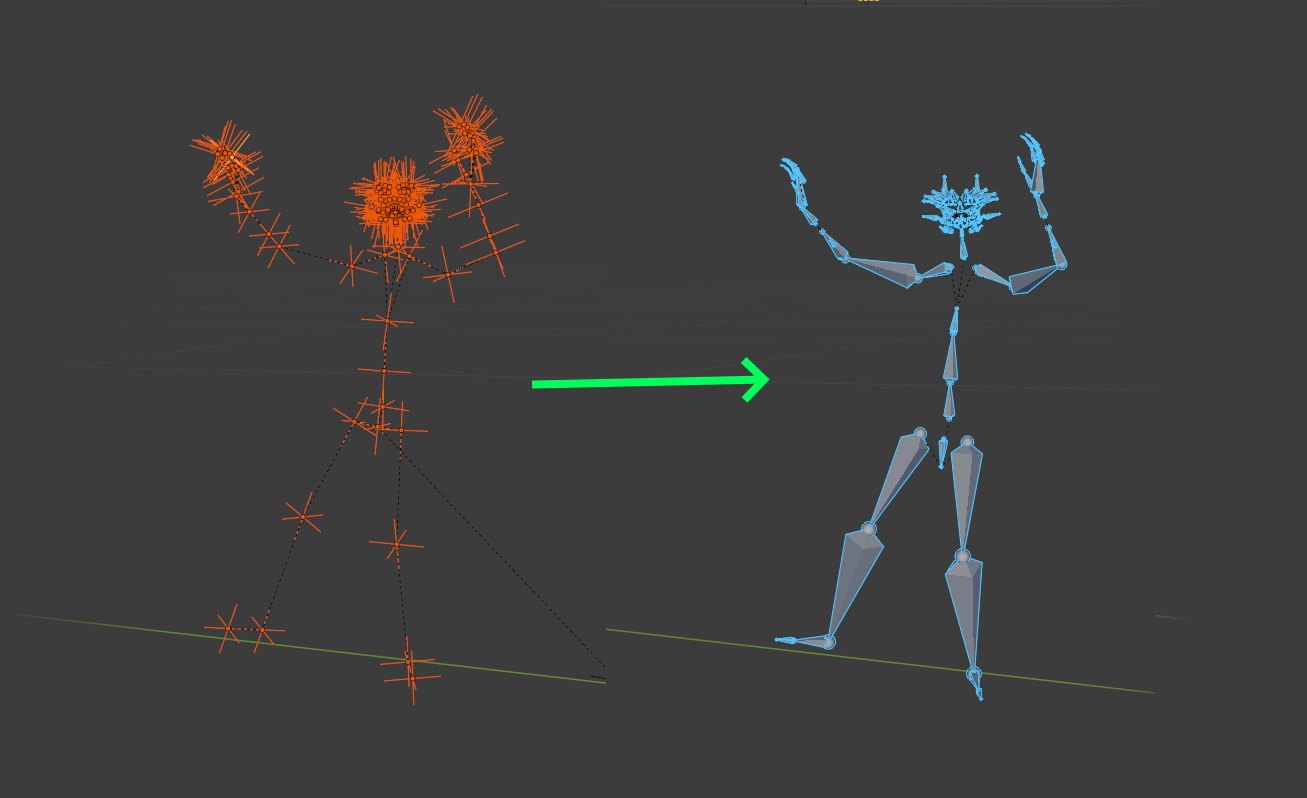
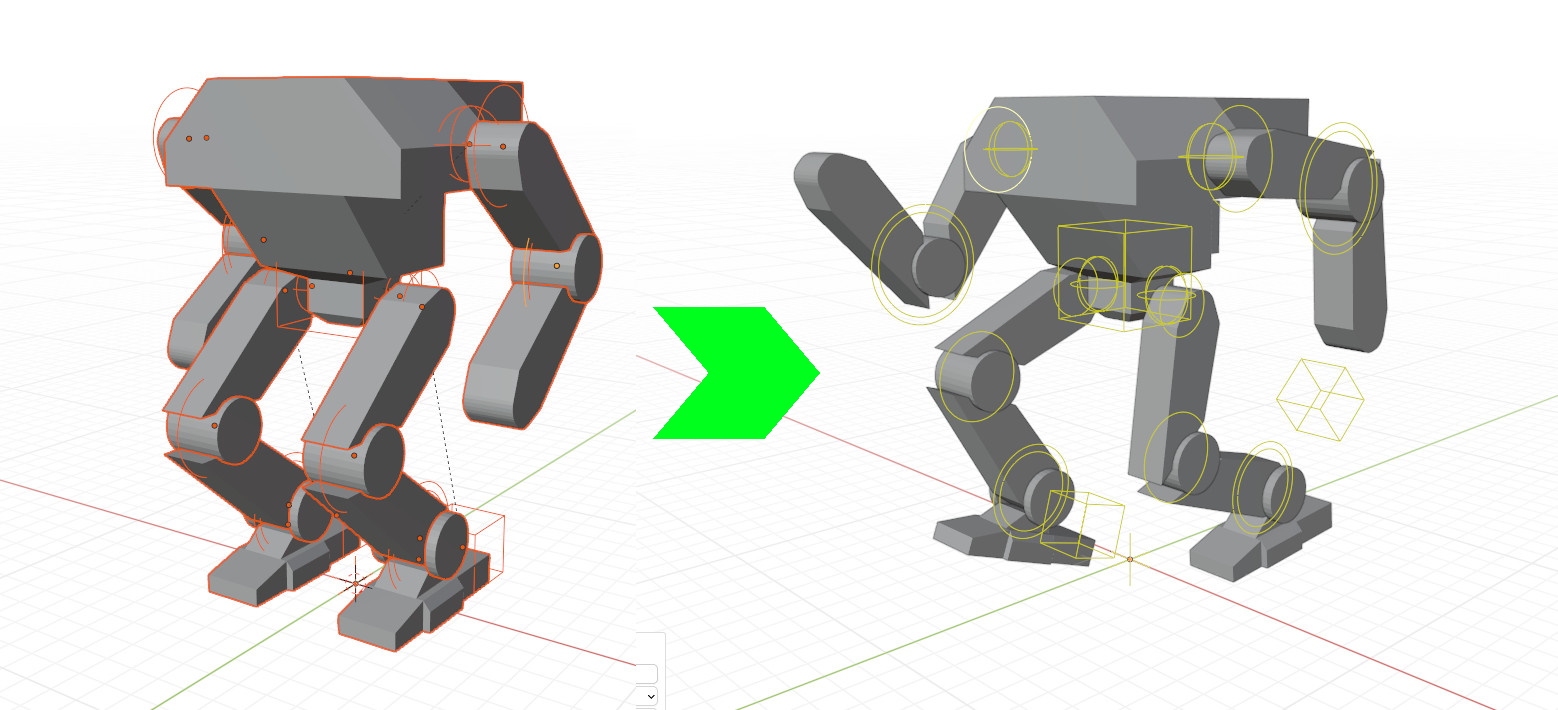
Need to convert a hierarchy made of empties objects to bones? Here comes Empties to Bones!
In one click, turn your animated or static empties chain into an armature made of bones, ready for many purposes such as animation retargetting, animation export…
This paid version comes with the following additions:
- Automatic bones orientation to generate instantly a proper armature with consistent axes, Blender armature compliant
- Orientation axes options
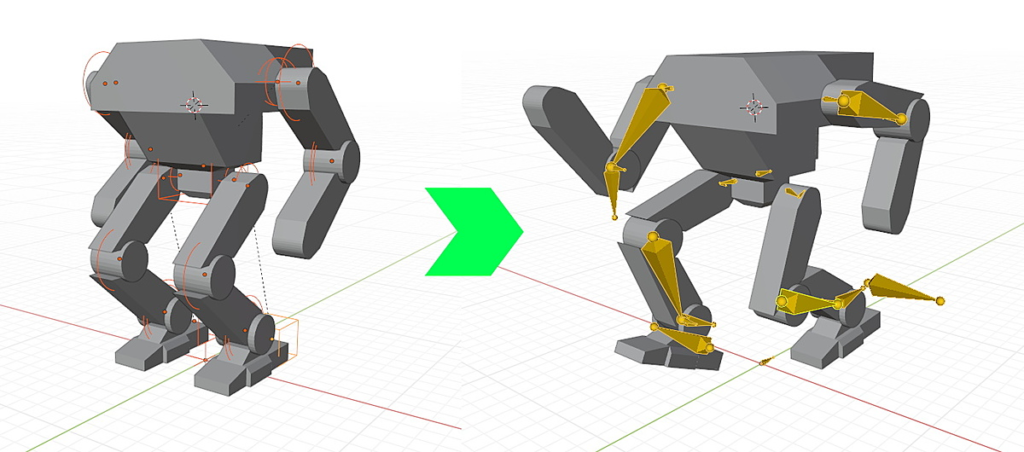
- Convert Empty shapes to custom bones shapes
- Re-parent meshes or skin with vertex groups from empties to bones automatically
- High performance animation baking to bake thousand of frames in a few seconds
- Support messages if you need help
- Maintenance and bug fixing to ensure compatibility with latest Blender versions
Empty shapes preservation as custom bones shapes:
Supercharge your 3D creation workflow with premium selection of Blender Add-ons. Whether you are modeling intricate characters, sculpting realistic environments, or animating cinematic sequences, the right add-on can transform how you work inside Blender. Our curated collection includes powerful tools for UV unwrapping, procedural texture generation, rigging automation, rendering optimization, and more—each rigorously tested for compatibility with the latest Blender versions. Eliminate tedious manual processes and unlock advanced functionality that lets you focus on what matters most: bringing your creative vision to life. Explore our full range of professional Blender plugins today and take your 3D projects to the next level.
➡️ ➡️ For more Blender Plugins 😀 😀
Reviews
There are no reviews yet.