
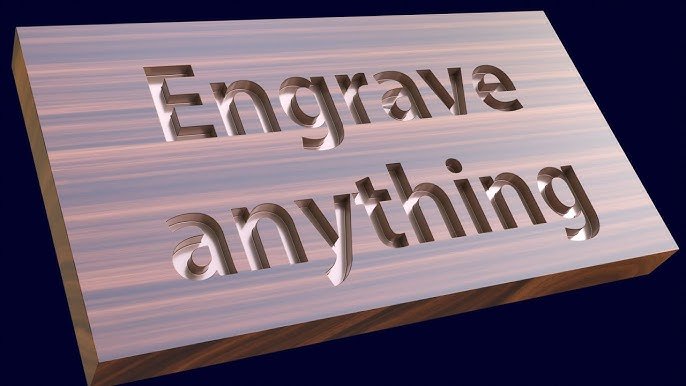
Engraver for Blender
Engraver for Blender – The Ultimate Procedural Surface Etching & Inscription Tool
Download Engraver for Blender on Windows and Mac, a specialized Geometry Nodes-based addon designed to instantly carve text, logos, patterns, and intricate designs directly onto any 3D surface with realistic depth and displacement. Whether you need to add serial numbers to hard-surface models, inscribe runes on fantasy weapons, or etch labels onto product packaging, Engraver transforms how artists apply surface details, eliminating the need for manual boolean operations, complex sculpting, or high-resolution texture baking for simple markings.
Key Features of Engraver:
- Instant Surface Carving: Projects vector paths, text objects, or image contours onto any mesh (flat, curved, or organic) and automatically displaces the geometry inward or outward to create true 3D engravings.
- Smart Curvature Adaptation: Unlike standard decals, Engraver respects the underlying topology, ensuring engraved lines follow the surface normals perfectly without stretching or floating, even on complex spheres or characters.
- Variable Depth Control: Use grayscale maps or vertex groups to control engraving depth dynamically, allowing for tapered edges, worn-out effects, or variable stroke thickness within a single operation.
- Bevel & Chamfer Automation: Automatically adds micro-bevels to the carved edges to catch light realistically, preventing the “sharp CGI” look and simulating the natural wear of cutting tools or lasers.
- Multi-Layer Support: Stack multiple engraving layers to create complex bas-reliefs, overlapping text, or nested patterns without destructive boolean conflicts.
- Procedural Pattern Library: Includes over 50+ built-in procedural patterns (hatching, cross-hatch, stippling, gears, circuitry) that can be scaled and rotated instantly without external images.
- Text & SVG Integration: Directly links to Blender’s Text objects and imported SVG curves, updating the engraving in real-time as you edit the source text or path.
- Material Slot Assignment: Automatically assigns a distinct material slot to the engraved faces (e.g., darkened metal inside a cut, or glowing ink), streamlining the shading workflow.
- Non-Destructive Workflow: Entirely procedural; change the text, swap the pattern, adjust the depth, or modify the target mesh at any time before final conversion to static geometry.
Perfect For:
- Hard-Surface Modelers adding panel lines, warning labels, serial numbers, and manufacturer logos to vehicles and robots.
- Fantasy Artists inscribing magical runes, ancient scripts, and decorative filigree on weapons, armor, and artifacts.
- Product Designers prototyping branded packaging, embossed buttons, and serialized industrial parts.
- Jewelry Designers creating intricate monograms and detailed relief work on rings and pendants.
- Anyone who needs crisp, geometric surface details that look better than normal maps but are faster than sculpting.
System Requirements:
- Blender: 3.6, 4.0, 4.1, 4.2, 4.3+ (Geometry Nodes required).
- OS: Windows 10/11 (64-bit) or macOS 10.15+.
- RAM: 8GB minimum (16GB+ recommended for high-density pattern carving).
- No external dependencies required.
Installation:
- Download the Engraver
.zipfile or.blendasset. - If an addon: Go to Edit > Preferences > Add-ons, click Install, select the file, and enable Geometry Nodes: Engraver.
- If a node group: Open the file, append the “Engraver” node group, and connect it to your target mesh in the Geometry Nodes editor.
- Access via the Modifier Properties panel or the Object Context Menu > Add Engraving.
Note:
The addon features a unique “Wear & Tear” module that automatically introduces random noise and edge chipping to the engraved lines, simulating age, corrosion, or imperfect manufacturing processes. It also includes a “Laser Burn” preset that darkens the surrounding area of the cut to simulate heat discoloration, adding immediate realism to metal and plastic engravings.
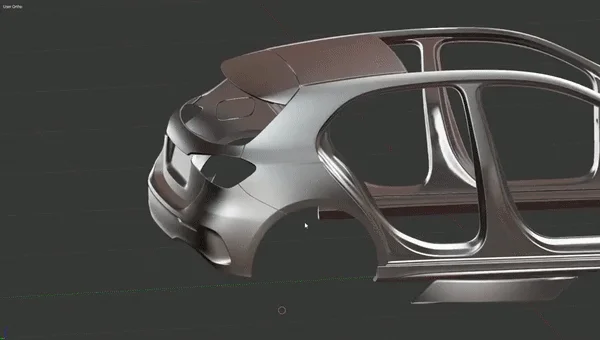
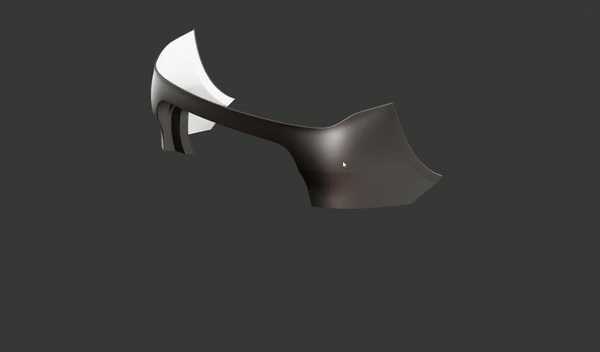
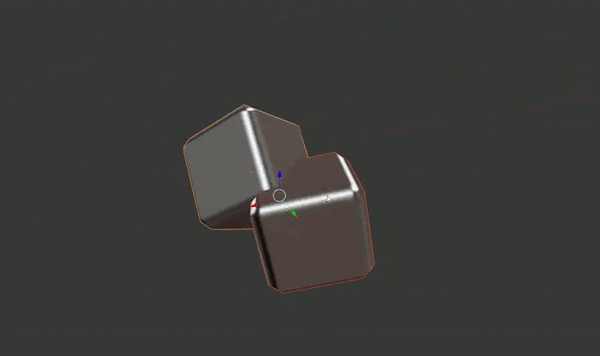
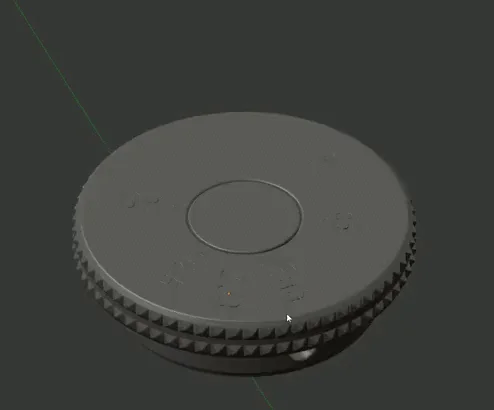
Engraver is an Blender addon with set of few tools designed to help carving decals in 3d models. This addon was designed to support modeling with custom normals workflow.
Engraver_v**.py – Addon for Blender 2.7*
Engraver_(2_8)_v**.py – Addon for Blender 2.8
How to use it:
Simply select your decal geometry, then select your surface geometry on which you want to place it, use ALT+Q shortcut and chose from available tools:
Tools description:
Engrave – Merges predefined geometry of your decal onto selected surface geometry.
Engrave flat (Experimental) – This tool is still under development. It allows to define simple convex or concave decal from flat geometry. Works similar way as Engrave tool but instead of predefined decal geometry you can use flat geometry. After running the tool you can modify it’s bevel by moving mouse and accept it by clicking LMB. After applying bevel width you’re able to define depth of decal the same way as with bevel: mouse movement+LMP for apply.
Cut – Cut a crevice according to border edges of your flat decal geomtery.
Booleans – Simple boolean tools which maintains custom normal information of your meshes.
Mirror – Mirror model with custom normals.
Supercharge your 3D creation workflow with premium selection of Blender Add-ons. Whether you are modeling intricate characters, sculpting realistic environments, or animating cinematic sequences, the right add-on can transform how you work inside Blender. Our curated collection includes powerful tools for UV unwrapping, procedural texture generation, rigging automation, rendering optimization, and more—each rigorously tested for compatibility with the latest Blender versions. Eliminate tedious manual processes and unlock advanced functionality that lets you focus on what matters most: bringing your creative vision to life. Explore our full range of professional Blender plugins today and take your 3D projects to the next level.
➡️ ➡️ For more Blender Plugins 😀 😀
Reviews
There are no reviews yet.