
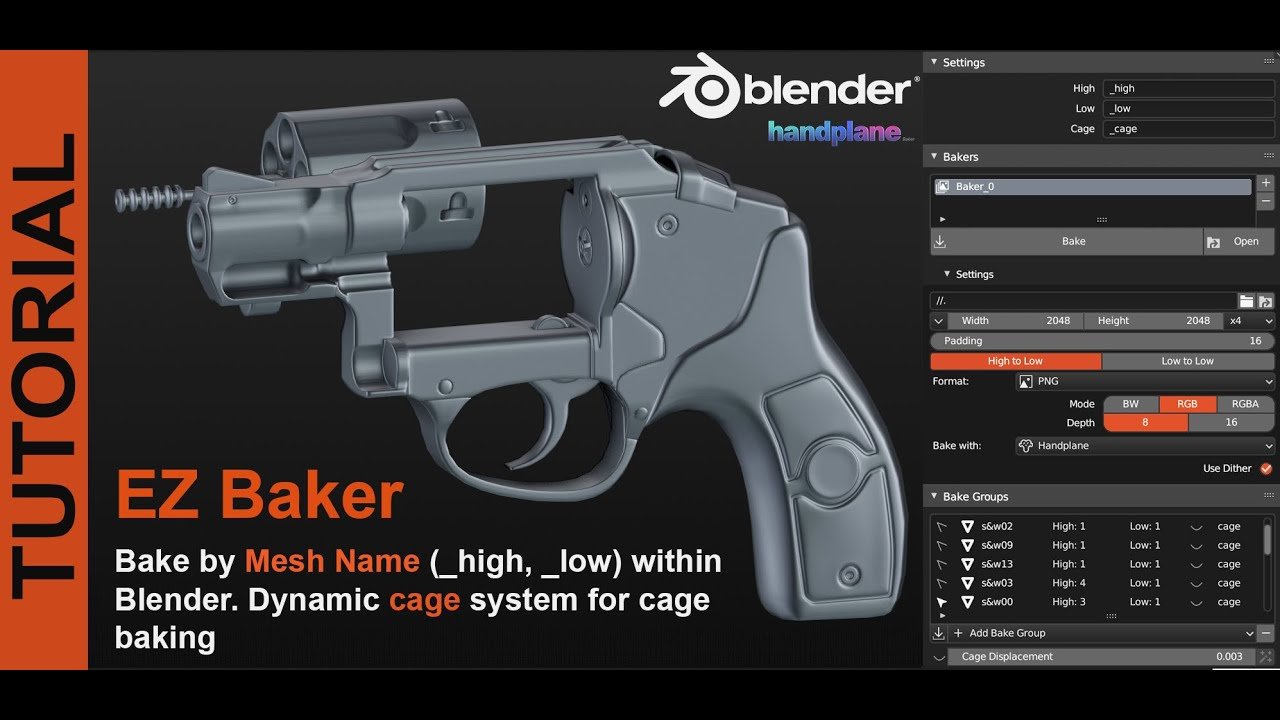
EZ Baker for Blender
EZ Baker v1.0.3 for Blender – The Ultimate One-Click Texture Baking Suite
Version: v1.0.3
File Size: 4 MB
Download EZ Baker v1.0.3 for Blender on Windows and Mac, a streamlined, user-friendly addon designed to demystify and automate the complex process of texture baking. By consolidating high-poly to low-poly baking, UV packing, and cage generation into a single intuitive interface, EZ Baker transforms how artists create game-ready assets and PBR materials, eliminating the common headaches of raycasting errors, black artifacts, and confusing node setups associated with native baking tools.
Key Features of EZ Baker v1.0.3:
- One-Click Multi-Map Baking: Simultaneously bake essential maps (Normal, Ambient Occlusion, Curvature, Position, Thickness, ID) in a single pass, automatically organizing them into a clean folder structure.
- Smart Cage Generation: Automatically creates an optimized explosion cage based on your high-poly mesh’s normals, with adjustable offset sliders to prevent raycasting leaks and ensure clean bakes on complex shapes.
- Automatic UV Packing: Includes a built-in UV packer that efficiently arranges low-poly UV islands to maximize texture space usage before baking begins, ensuring higher resolution details.
- Anti-Aliasing & Dilation: Built-in controls for supersampling (anti-aliasing) and edge dilation (padding) to ensure textures look crisp and tile correctly without manual post-processing in Photoshop.
- Batch Baking Mode: Select multiple low-poly/high-poly pairs and bake textures for an entire asset library sequentially, perfect for modular kits or character props.
- Error Visualization: Real-time viewport overlay highlights potential baking issues (like flipped normals or overlapping UVs) before you hit render, saving hours of troubleshooting.
- Custom Map Support: Beyond standard PBR maps, supports baking custom vertex colors, material IDs, and world-space normals for specialized shader workflows.
- Non-Destructive Workflow: Keeps original meshes intact; all baking operations are performed on temporary duplicates or via modifier stacks until you choose to apply the final textures.
Perfect For:
- Game Artists needing fast, clean normal and AO maps for Unity, Unreal, and Godot pipelines.
- Hard-Surface Modelers transferring sculpted details from high-poly ZBrush/Blender sculpts to game-ready low-poly meshes.
- Architectural Visualizers baking lighting and ambient occlusion into textures for real-time walkthroughs.
- Beginners who find the native “Render > Bake” panel overwhelming and prone to errors.
- Freelancers looking to speed up their delivery time by automating repetitive texturing tasks.
System Requirements:
- Blender: 3.6, 4.0, 4.1, 4.2, 4.3+ (Latest LTS recommended).
- OS: Windows 10/11 (64-bit) or macOS 10.15+.
- RAM: 8GB minimum (16GB+ recommended for high-resolution 4K/8K baking).
- GPU: CUDA/OptiX or HIP support recommended for accelerated baking speeds.
Installation:
- Download the EZ Baker v1.0.3
.zipfile. - Open Blender and go to Edit > Preferences > Add-ons.
- Click Install…, select the downloaded file, and enable the checkbox next to Render: EZ Baker.
- Access via the Render Properties panel or the dedicated EZ Baker tab in the 3D Viewport Sidebar (N-panel).
Note:
Version 1.0.3 introduces a critical “Leak Fixer” algorithm that automatically detects and seals small gaps in the low-poly mesh where baking rays often escape, causing black borders or artifacts. It also adds a “Preview Mode” that renders a low-res version of the bake in seconds, allowing you to verify cage settings and UV layout before committing to a full-resolution render. This update significantly improves compatibility with Blender 4.x‘s updated rendering engine and includes better support for UDIM workflows.
This addon was created to offer an easier alternative to blender’s default bake system.
It was designed to automatically match “low” and “high” objects and collections, and it offers a few more custom passes.
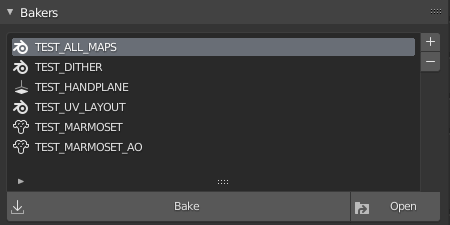
Bakers
Each baker stores the most basic bake options (texture size, output path, padding…).
Multiple bakers can be created to export with different settings.
Devices
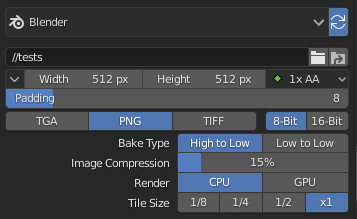
Each baker can be configured to bake with one of three supported devices:
- Blender: The bakes are done directly in blender using cycles. Although it’s the slowest of the three options, it’s the only one that works in both linux and windows and its useful for baking bevel shaders.
- Handplane 109: The bakes are done in Handplane, a free and fast baking tool.
- Marmoset Toolbag 41: The bakes are done in Marmoset Toolbag (Paid software). It’s fast and offers plenty of bake passes to choose from.
Each device has its own set of settings to configure.
Bake Groups
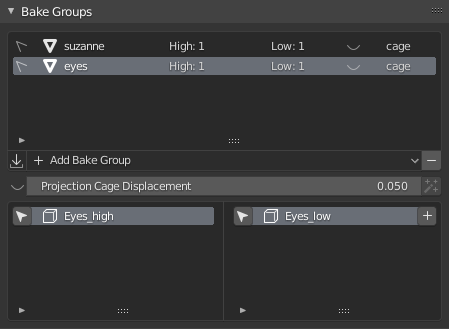
Bake groups are dynamically populated based on the objects or collections that are in the scene.
e.g. If you have two objects named “test_high” and “test_low”, the option to create the “test” bake group will appear.
Once the bake group is created, any new object that matches the naming conditions will automatically be added to it.
It’s used for baking objects that are close together without intersecting issues, or to specify different projection cage settings to each one.
Projection Cages
Projection cages represent the distance from which the rays are cast when baking. EZ Baker lets you edit the cage displacement value and at the same time shows a visual reprentation of the cage.
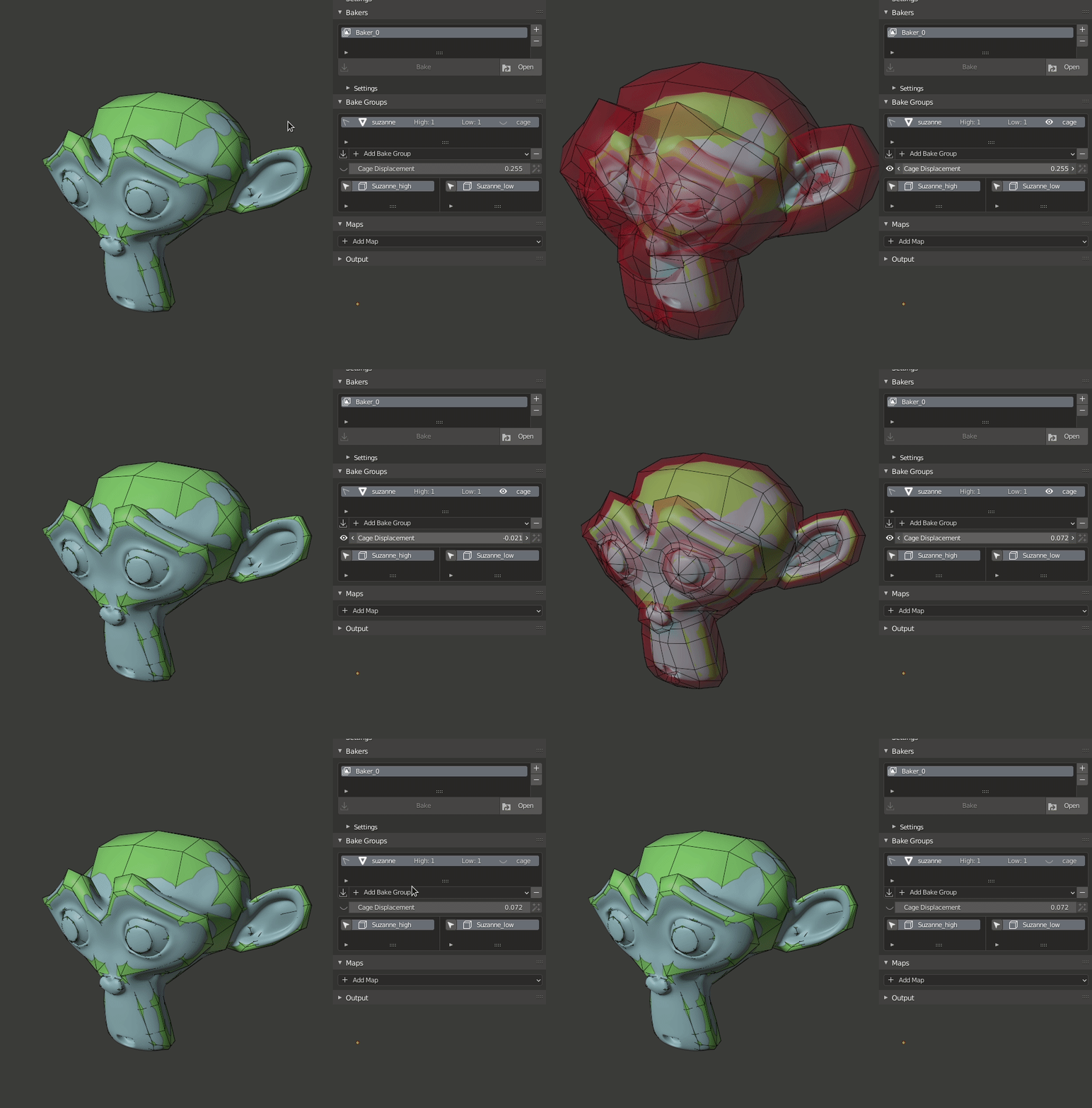
Custom Projection Cages
Custom cages are automatically found by their names.
To use a custom cage, make sure it has the same name as the low object but with “_cage” at the end of its name. e.g. “myobject_low_cage”
(Currently not supported for Marmoset Toolbag)
Maps
The desired output images are configured in this panel.
Each device (Blender/Handplane/Marmoset Toolbag) has its own set of maps to choose from.
For each map, you can specify the output image suffix and some specific bake options.
Blender: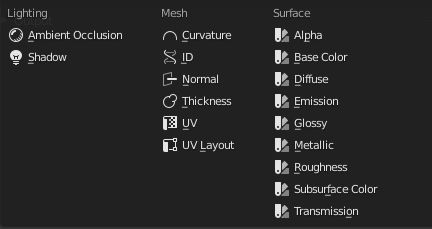
Handplane: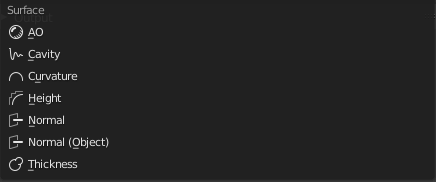
Marmoset: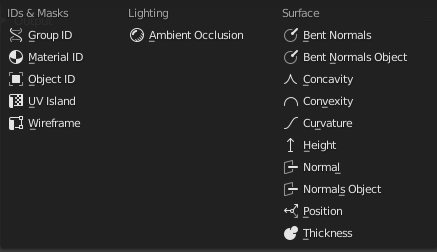
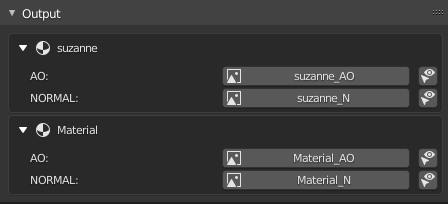
Outputs
Once the bake process finishes, all the generated images can be viewed in this panel
Supercharge your 3D creation workflow with premium selection of Blender Add-ons. Whether you are modeling intricate characters, sculpting realistic environments, or animating cinematic sequences, the right add-on can transform how you work inside Blender. Our curated collection includes powerful tools for UV unwrapping, procedural texture generation, rigging automation, rendering optimization, and more—each rigorously tested for compatibility with the latest Blender versions. Eliminate tedious manual processes and unlock advanced functionality that lets you focus on what matters most: bringing your creative vision to life. Explore our full range of professional Blender plugins today and take your 3D projects to the next level.
➡️ ➡️ For more Blender Plugins 😀 😀
Reviews
There are no reviews yet.