
Final LUT for Blender
Final LUT v1.0.5 for Blender – The Ultimate Color Grading & Look Management Suite
Versions: v1.0.5
File Size: 23 MB
Download Final LUT v1.0.5 for Blender on Windows and Mac, a professional-grade color grading addon designed to streamline the application, management, and customization of Look-Up Tables (LUTs) directly within Blender’s Compositor and View Transform system. With one-click LUT loading, real-time preview, and advanced blending controls, Final LUT transforms how artists achieve cinematic color grades, eliminate the need for external grading software round-trips, and maintain consistent looks across complex animation sequences or multi-shot projects.
Key Features of Final LUT v1.0.5:
- One-Click LUT Application: Instantly load industry-standard .cube, .3dl, .png, or .spi3d LUT files directly into the compositor with automatic colorspace detection and optimal node placement.
- Real-Time Viewport Preview: See LUT grades update instantly in the 3D viewport and Image Editor without rendering, allowing for rapid iteration and client feedback during look development.
- Advanced Blending & Masking: Control LUT intensity with opacity sliders, blend modes (Overlay, Soft Light, Multiply), and vertex group or texture-based masks to apply grades selectively to specific scene areas.
- LUT Stack & Layering: Stack multiple LUTs in a non-destructive node chain, each with independent strength and blending settings, enabling complex grade builds like “Base Film Stock + Creative Grade + Final Polish.”
- Automatic Colorspace Management: Intelligently converts between Linear, sRGB, ACES, and other colorspaces to ensure LUTs apply correctly regardless of your project’s color management settings.
- Preset Library & Quick Grades: Includes 30+ curated cinematic LUT presets (Kodak 2383, Fuji Eterna, Teal & Orange, B&W Noir, Vintage Fade) for instant stylization, plus user-save slots for custom looks.
- Animation & Keyframing Support: Animate LUT strength, blend mode, or even swap LUT files over time via keyframes, perfect for scene transitions, flashbacks, or dynamic mood shifts.
- Batch Render Integration: Apply consistent LUT grades across entire animation sequences or render layers automatically, ensuring color continuity without manual per-frame adjustment.
- Export & Sharing Tools: Bake graded renders with LUTs applied, or export your custom node setup as a reusable .blend asset or .cube file for team collaboration.
Perfect For:
- Cinematic Artists achieving filmic color grades for short films, animations, and VFX shots without leaving Blender.
- Architectural Visualizers applying consistent, client-approved looks to interior/exterior renders across multiple views.
- Motion Designers quickly stylizing logo reveals, title sequences, and abstract animations with professional color palettes.
- Game Developers baking final color grades into cinematic sequences or pre-rendered marketing assets.
- Colorists & DITs using Blender as a lightweight grading station for dailies or previz with LUT-based workflows.
- Beginners who want to elevate their renders with professional color grading without learning DaVinci Resolve or Photoshop.
System Requirements:
- Blender: 3.6, 4.0, 4.1, 4.2, 4.3+ (Latest LTS recommended; requires Compositor enabled).
- OS: Windows 10/11 (64-bit) or macOS 10.15+.
- Color Management: Filmic or AgX view transform recommended for best results with cinematic LUTs.
- GPU: Recommended for real-time viewport preview of high-resolution grades.
Installation:
- Download the Final LUT v1.0.5
.zipfile. - Open Blender and go to Edit > Preferences > Add-ons.
- Click Install…, select the downloaded file, and enable the checkbox next to Compositor: Final LUT.
- Access via the Compositor Workspace > Add Menu > Color > Final LUT, or the dedicated panel in the Render Properties tab.
Note:
Version 1.0.5 introduces a groundbreaking “LUT Analyzer” tool that visually displays the color transformation curve of any loaded LUT, helping you understand exactly how shadows, midtones, and highlights are being shifted. It also adds “Smart Match” functionality, which automatically suggests LUT presets from the library based on the dominant colors in your current render, speeding up the look-dev process. This update includes critical fixes for Blender 4.x color management changes and improved handling of 16-bit/32-bit EXR sequences to prevent banding in graded outputs.
Simplify Your Color Grading
in Blender
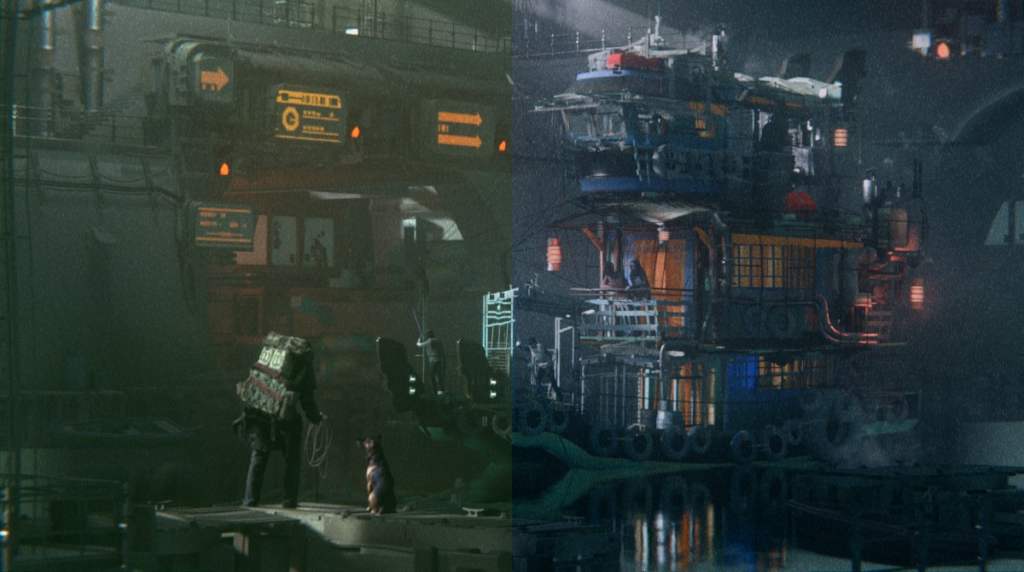
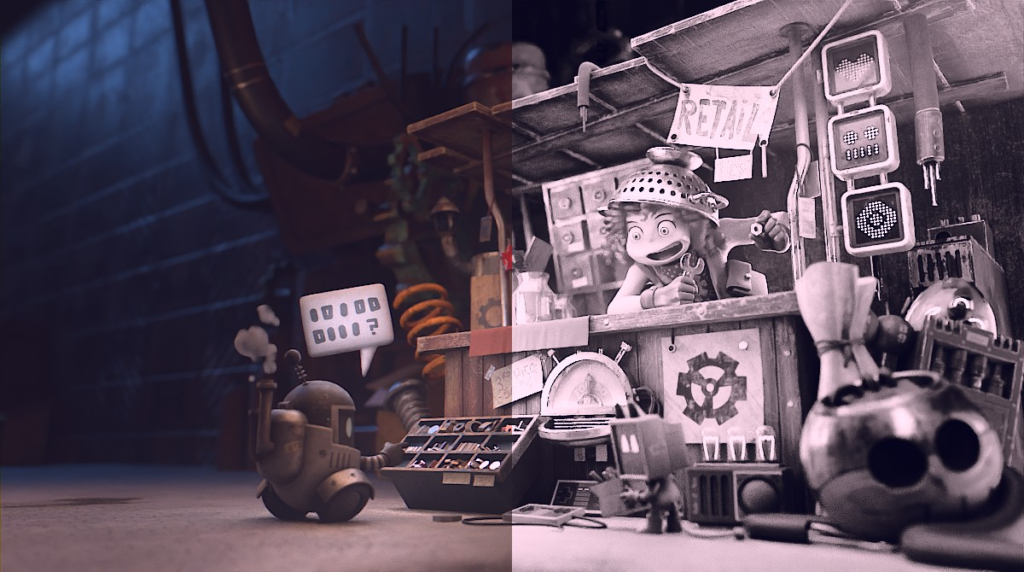
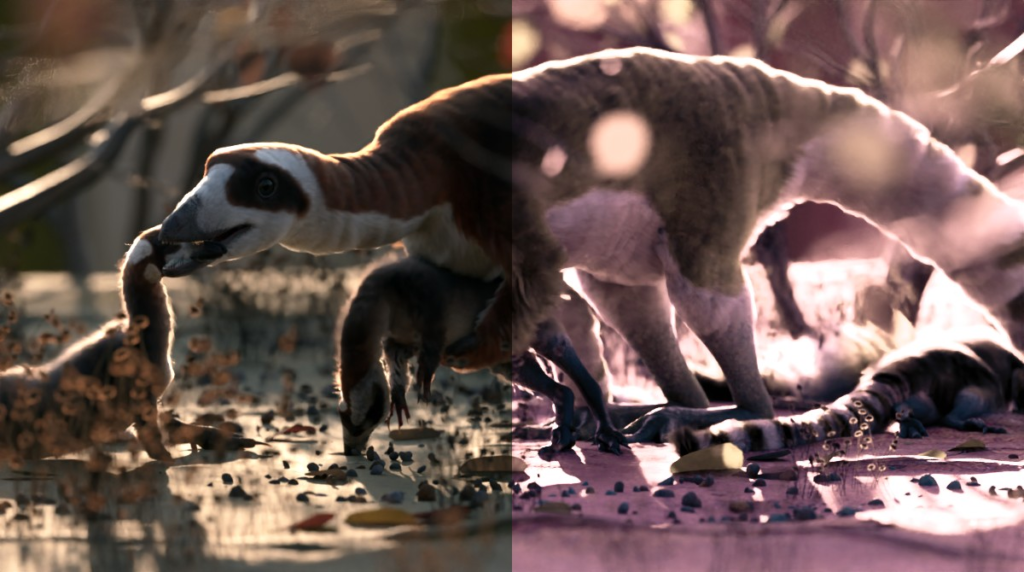
| Experience Real-Time Color MasteryUse LUTs in viewportUse your own LUT files |
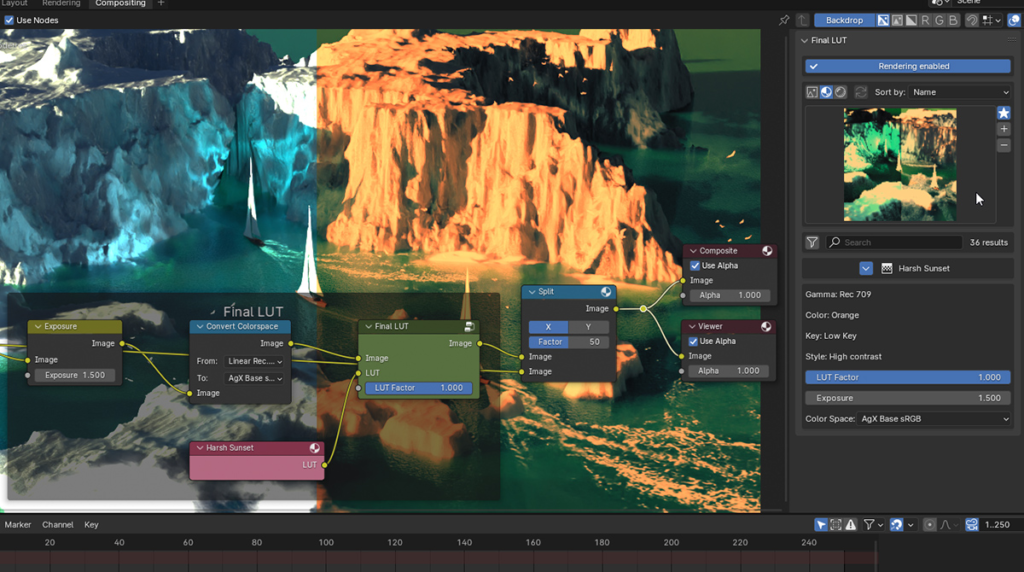
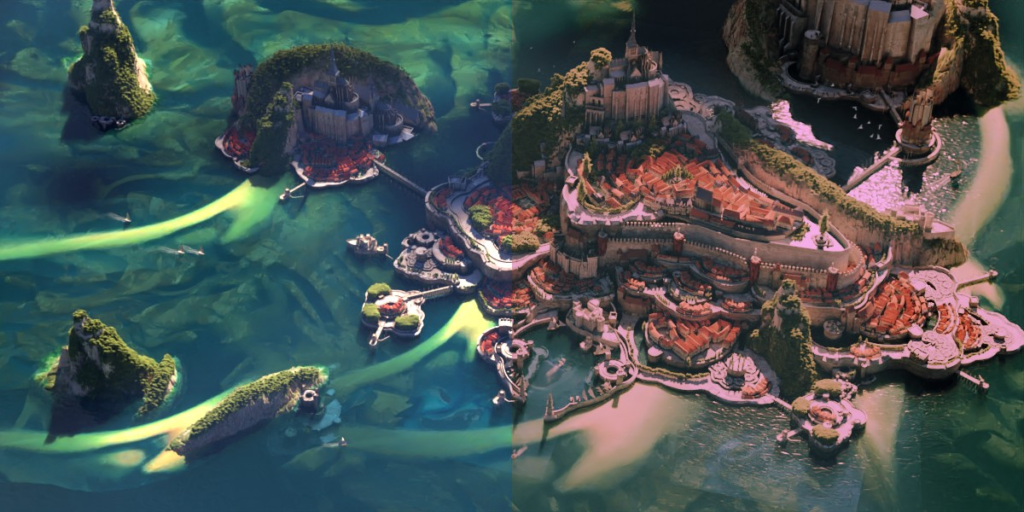
Final LUT is designed to enhance your creative workflow effortlessly. It introduces an authentic LUT (Look-Up Table) integration, enabling you to apply and preview LUTs in real-time within your viewport.
Ideal for both enthusiasts and professionals, Final LUT simplifies your color grading, allowing you to remain within Blender, avoiding the hassle of using additional software.
What is a LUT?
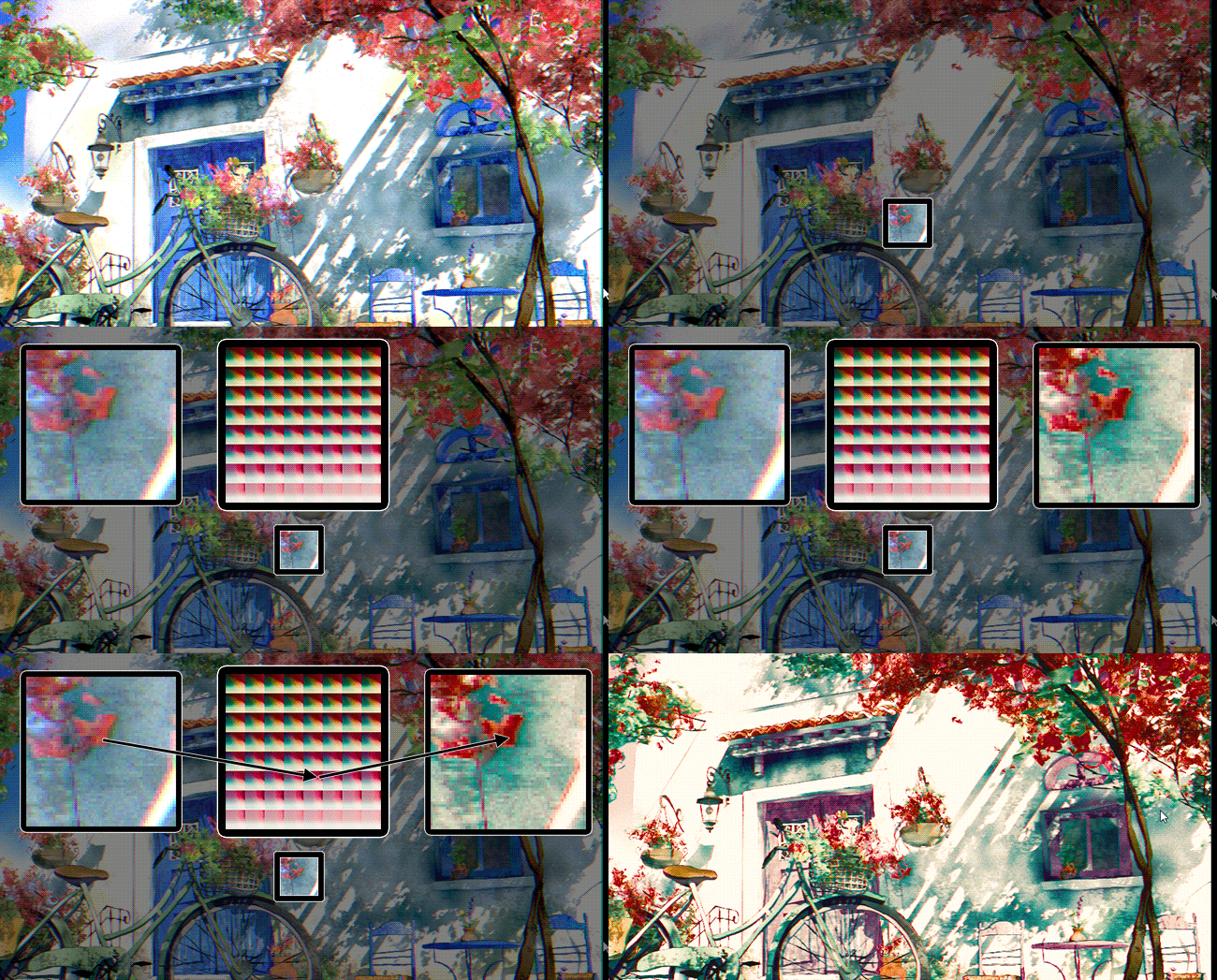
A LUT (Look-Up Table) in color grading is an industry-standard tool that maps one set of colors to another, enabling precise color adjustments and creative effects.
How does it work ?
Each R,G,B component of the original picture will be converted as coordinates to find the corresponding color in the LUT map.
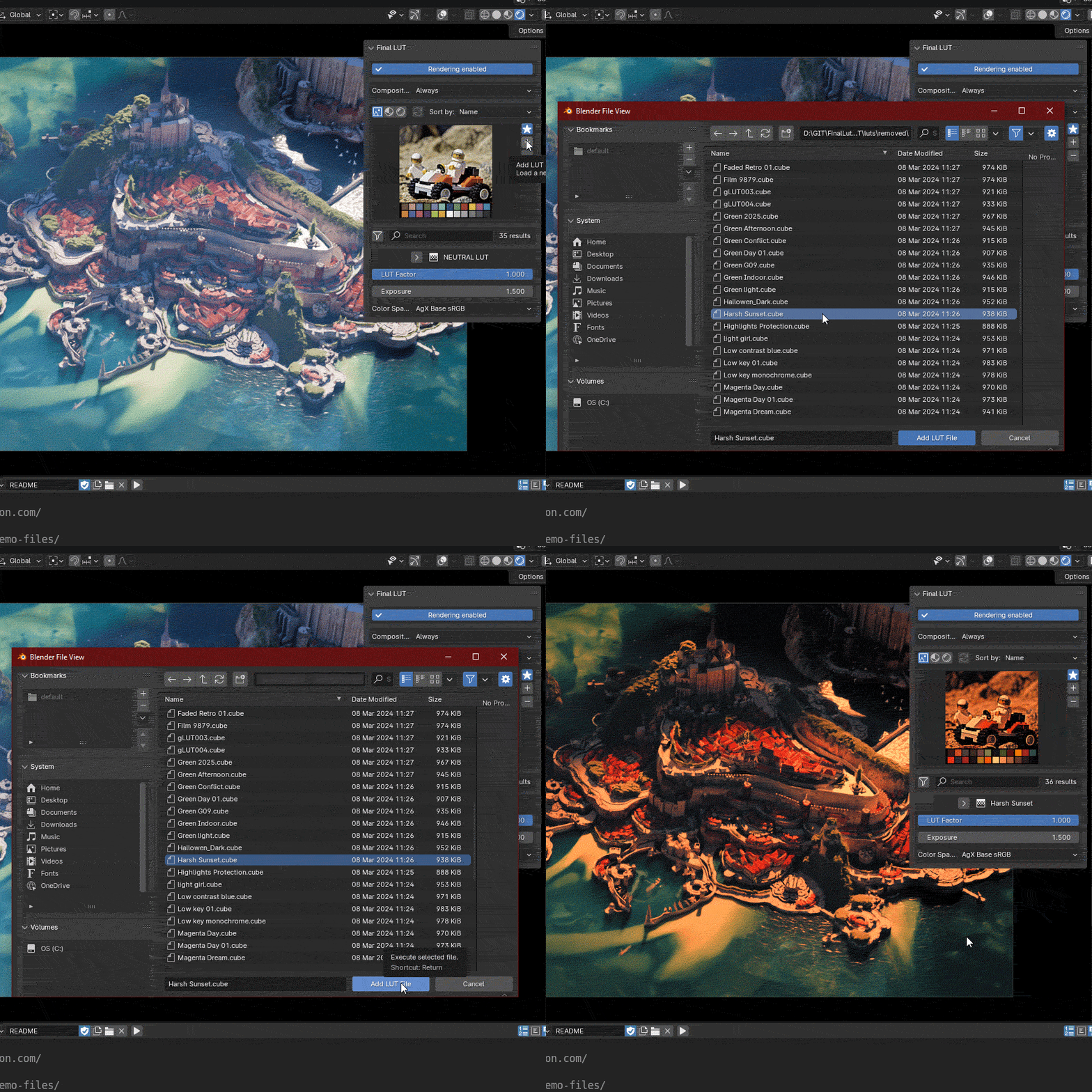
Add your own LUT files:
- Import any standard *.cube file
- All files will be stored in your library for future reuse
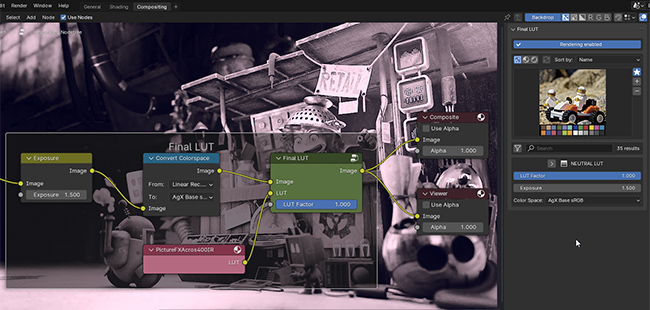
Simplified LUT Workflow:
Final LUT stands out as an add-on integrated into the Blender compositor.
Leave behind complex installation workarounds and embrace a streamlined color grading experience.
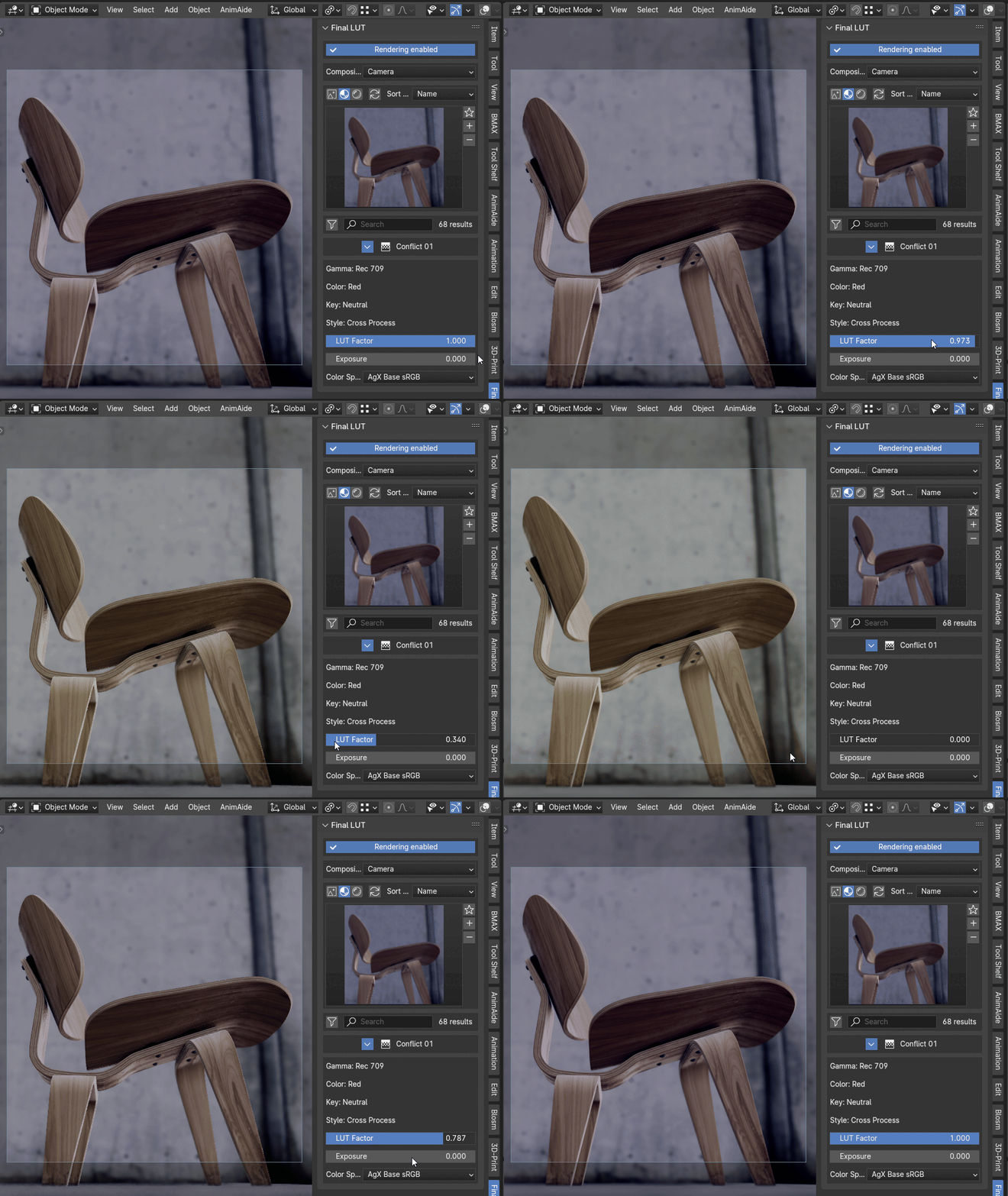
Color Management:
- Modulate the LUT effect without opening the compositor using the LUT Factor
- Choose you color space between Agx Base sRGB, Filmic sRGB or sRGB right inside the panel
(For now, other color spaces are not recommended)
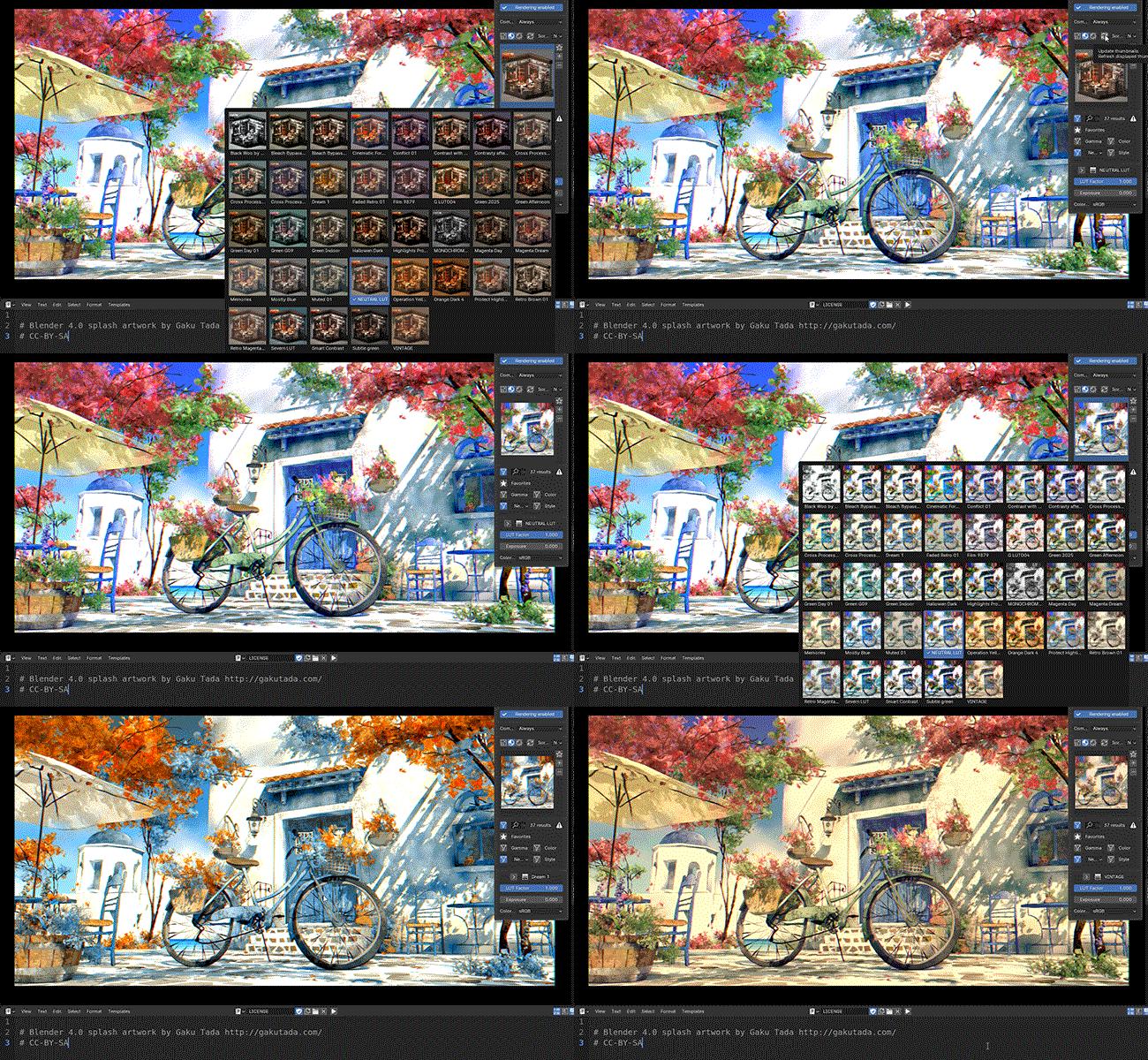
Custom thumbnails:
- Use your render or 3d view as thumbnails
- Viewport capture (EEVEE only)
- Last render capture
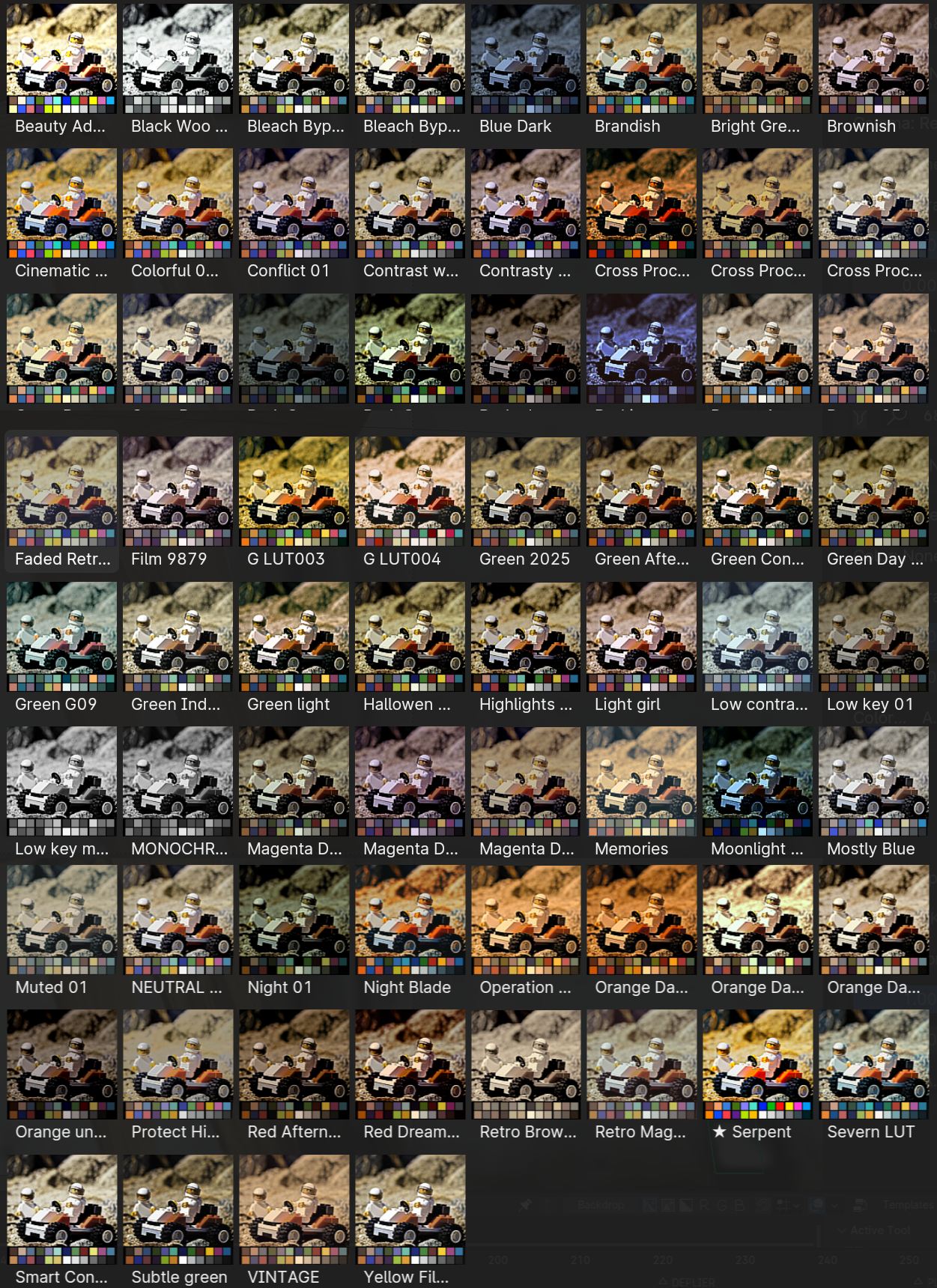
Compatibility: 

- Import any *.cube file generated from Davinci, Premiere, etc
- Download *.cube files from internet
LUT library management:
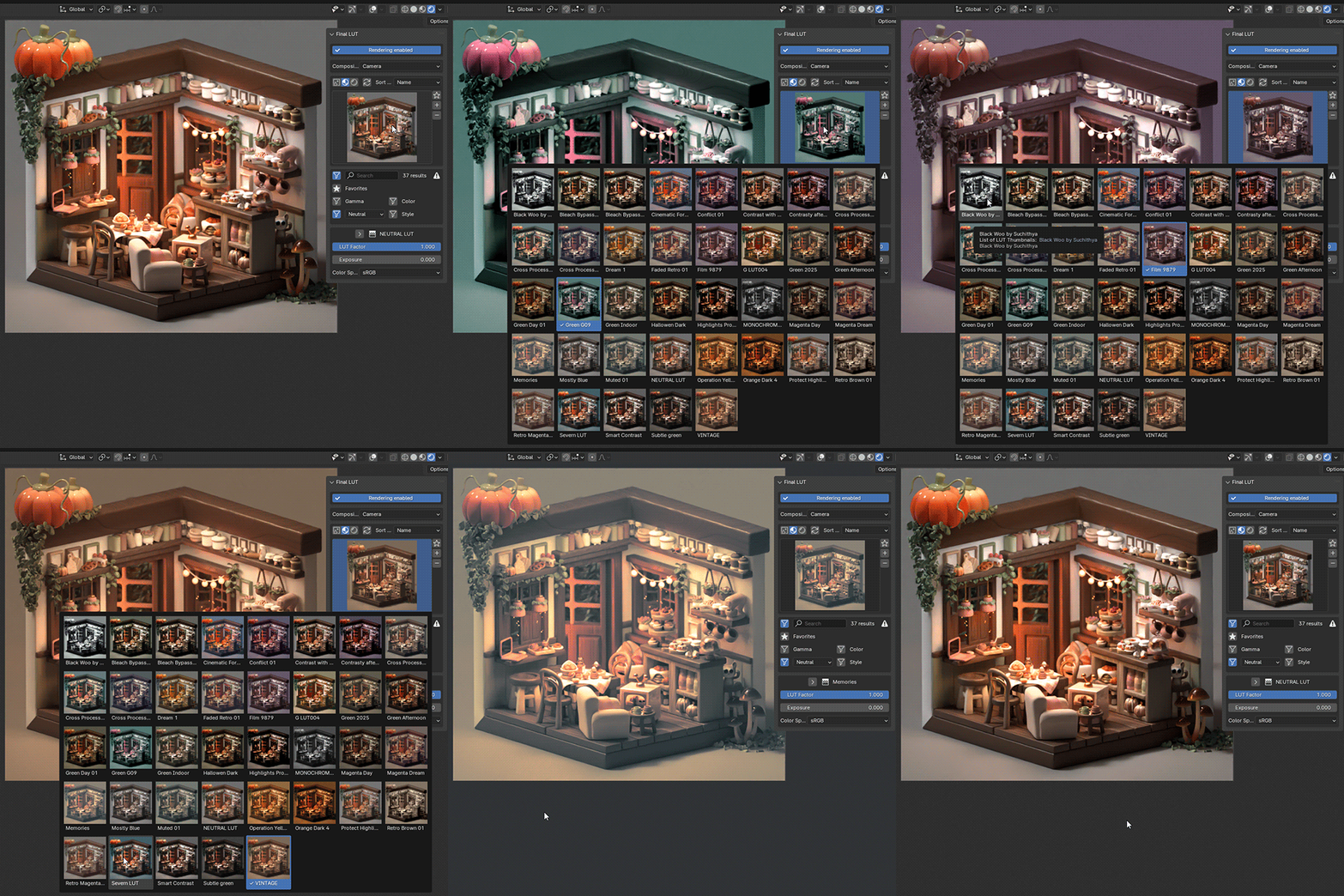
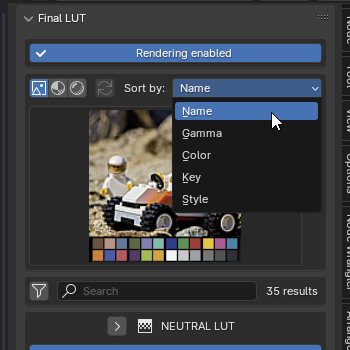 | Sort thumbnails by names or attributes. |
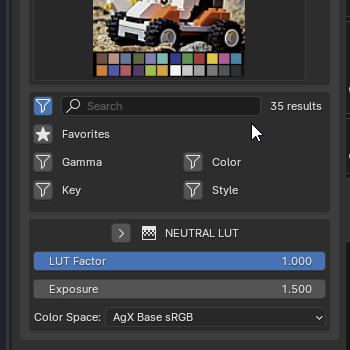 | Filter by: NamesFavoritePredefined attributes Gamma Color Key Style |
Main Features:
- Quick LUT installation (add and store your own LUT files)
- Easy to use
- Sort and filter features to quickly focus on relevant LUT
- Quick controls from the 3D viewport
- Dithering
- Split View
- Compatibility with custom OCIO setup
Known Limitations and useful informations:
- This addon is a bypass of the default Blender color management, some settings may be conflicting.
Improvements will be implemented in future versions. - The current color conversion uses trilinear interpolation,
Tetrahedral interpolation will come in a future update. - According to most LUT settings, the output color range will be in LDR (Low Dynamic Range)
So, the LUT setup should always be the last step before the Composite node output.
Future Features:
- Tetrahedral interpolation
- .cube files creation from compositor
- More LUT files formats support
- Better UI
- … and more
Contact us at finallut@gmail.com for any feature request.
Documentation
Supercharge your 3D creation workflow with premium selection of Blender Add-ons. Whether you are modeling intricate characters, sculpting realistic environments, or animating cinematic sequences, the right add-on can transform how you work inside Blender. Our curated collection includes powerful tools for UV unwrapping, procedural texture generation, rigging automation, rendering optimization, and more—each rigorously tested for compatibility with the latest Blender versions. Eliminate tedious manual processes and unlock advanced functionality that lets you focus on what matters most: bringing your creative vision to life. Explore our full range of professional Blender plugins today and take your 3D projects to the next level.
➡️ ➡️ For more Blender Plugins 😀 😀
Reviews
There are no reviews yet.