
final topology for Blender
final topology addon
Final Topology for Blender – Professional Mesh Cleanup & Topology Optimization Tool
Versions: v1.2.1
File Size: 38 KB
Download Final Topology for Blender on Windows, Mac, and Linux, a powerful mesh optimization add-on that cleans up triangulated geometry, removes Ngons, and converts messy topology into clean, animation-ready quad meshes. Perfect for game developers, 3D artists, and anyone preparing models for subdivision or export.
Key Features of Final Topology:
- Tri-to-Quad Conversion: Convert triangulated meshes back to clean quad topology
- NGon Removal: Automatically identify and fix Ngons by adding proper edge loops
- Edge Flow Correction: Improve edge flow for better subdivision and deformation
- Pole Management: Optimize vertices with too many or too few connecting edges
- Mesh Simplification: Reduce polygon count while preserving overall shape
- UV Preservation: Maintain UV maps during topology operations
- Batch Processing: Clean up multiple objects simultaneously
- Real-Time Preview: See topology changes update instantly in the viewport
Perfect For:
- Game developers preparing assets for real-time engines
- 3D artists cleaning up imported models
- Character artists optimizing topology for animation
- VFX professionals preparing models for subdivision
- Anyone needing clean, animation-ready topology in Blender
System Requirements:
- Blender 3.6, 4.0, 4.1, 4.2, 4.3
- Windows 10/11 (64-bit), macOS, or Linux
- 4GB RAM minimum (8GB+ recommended)
- 15MB available disk space
Installation:
- Download the add-on zip file
- In Blender, go to Edit > Preferences > Add-ons
- Click “Install” and select the downloaded zip file
- Enable the add-on by checking the box next to “Final Topology”
Note: Final Topology provides professional mesh cleanup and topology optimization for Blender, converting triangulated and messy geometry into clean, animation-ready quad meshes. The tri-to-quad conversion and edge flow correction make it essential for game developers, 3D artists, and anyone preparing models for subdivision or export. Designed for Blender 3.6 and above.
Blender 3D addon that introduces subdivision snapping, retopo and modeling tools from the 21st century.
This Blender 3D addon features many tools that were missing and also organizes some simple, but essential tools for polygonal modeling. Enhanced version adds extra tools for professional CAD and automotive industry modellers.
There are 2 versions – for artists, and for CAM professionals.
Features:
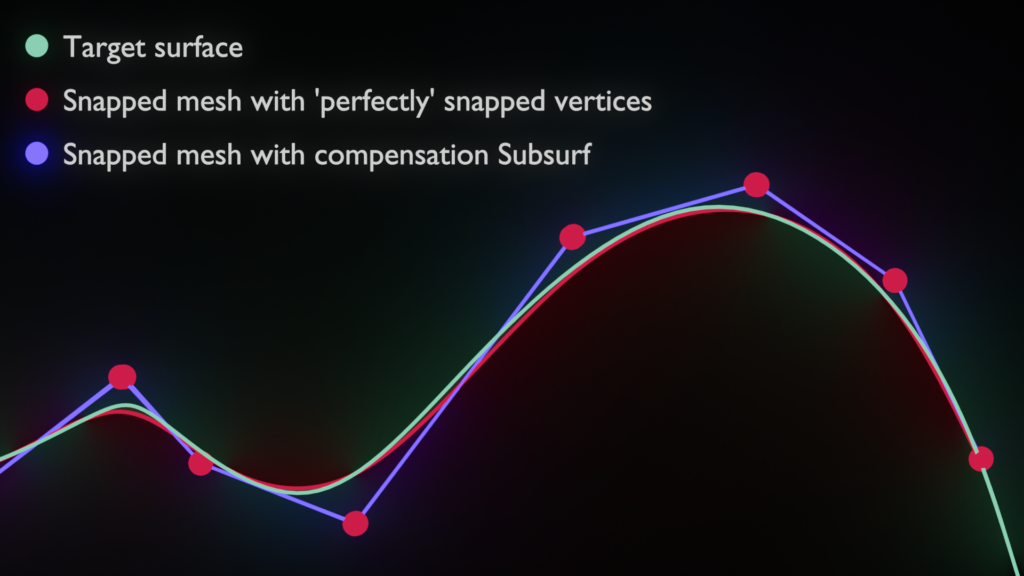
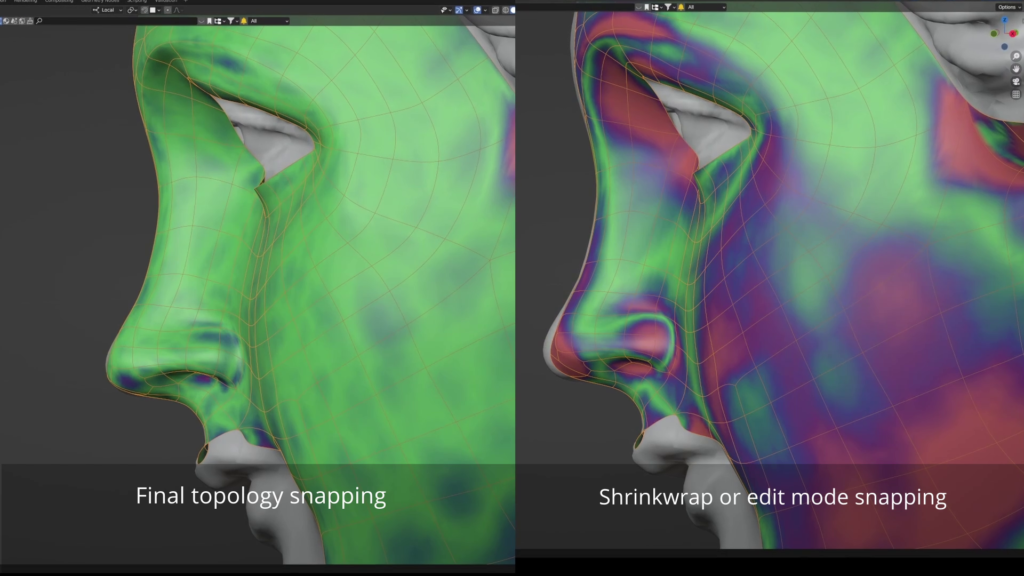
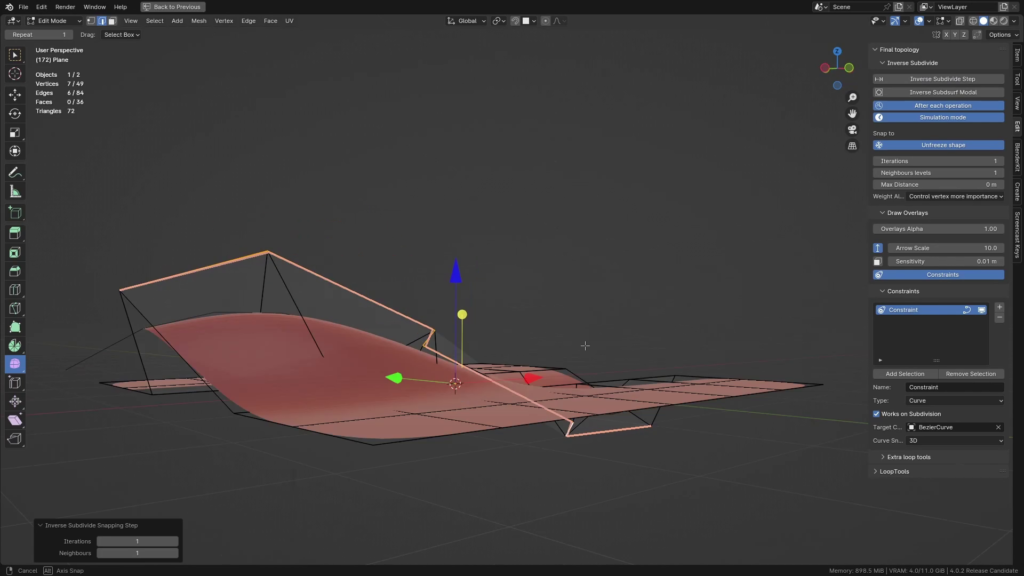
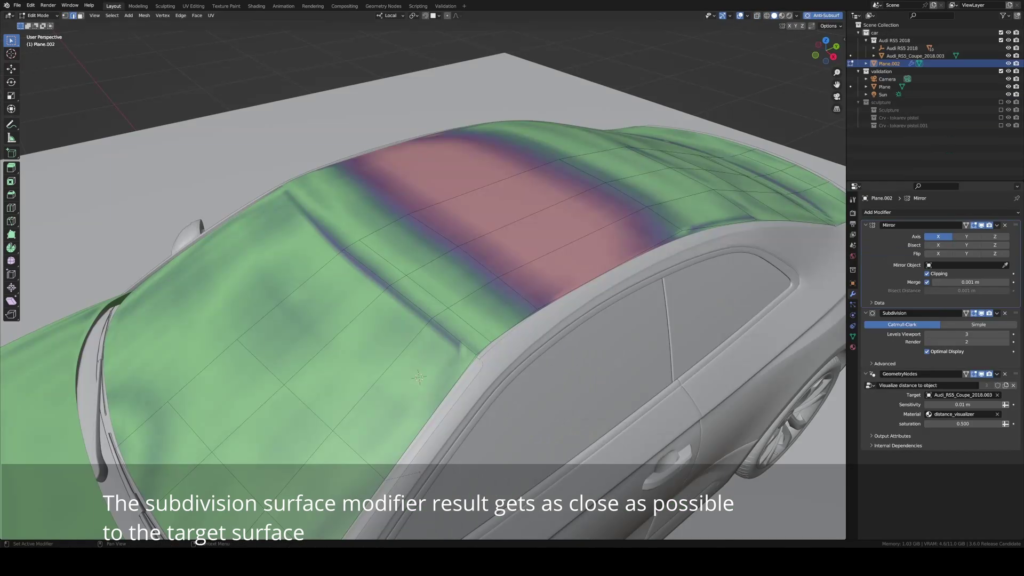
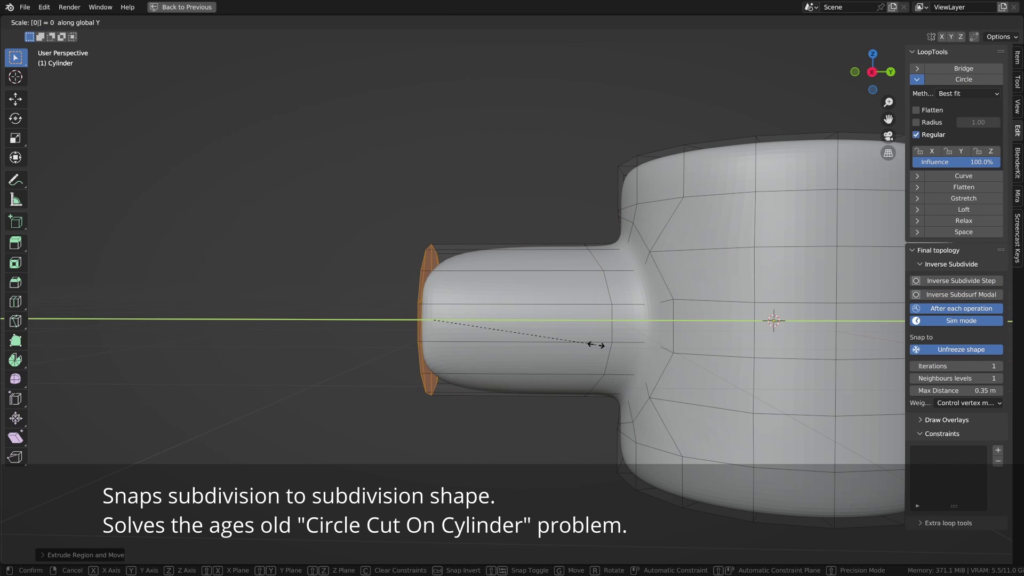
- Inverse subdivision snapping: snaps mesh vertices in edit mode so that if the subdivision modifier is used, the resulting surface is as close as possible to the surface.
- Live, or ‘Simulation’ mode of this tool, which works realtime during modeling
- Neighbours levels, Number of iteration settings
- Single step operator that can be called with a shortcut with arbitrary number of iterations.
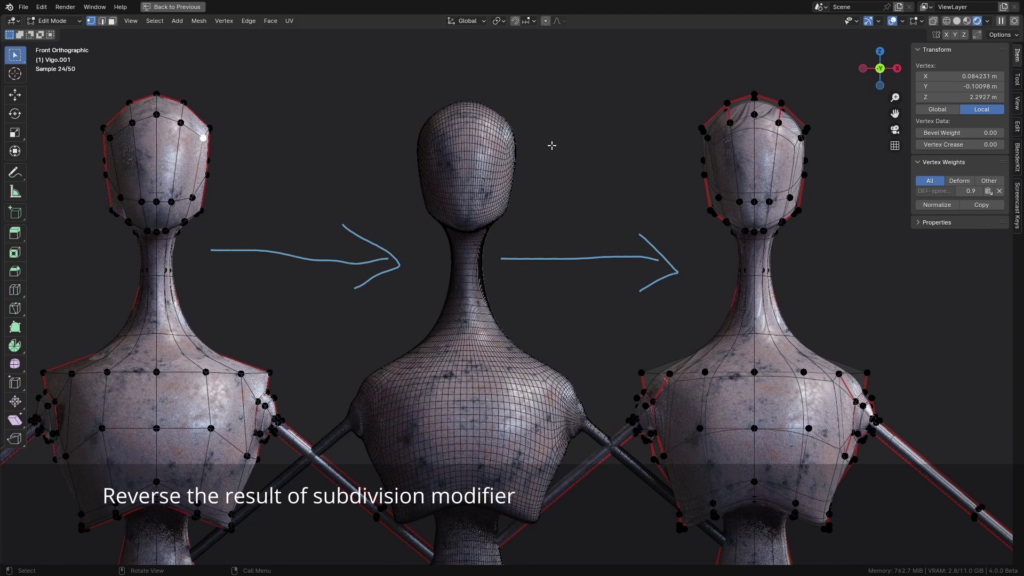
- Unsubdivide – takes a mesh that resulted from a subdivision modifier being applied (In blender or in any other application) and recreates the original low-resolution mesh. -has settings for number of subdivisions, number of iterations of the algorithm. Higher interation numbers yield precise results.
- Shape Freeze – Enables to change topology of Subdivision surface model while keeping the resulting shape as same as possible.
Advanced version features:
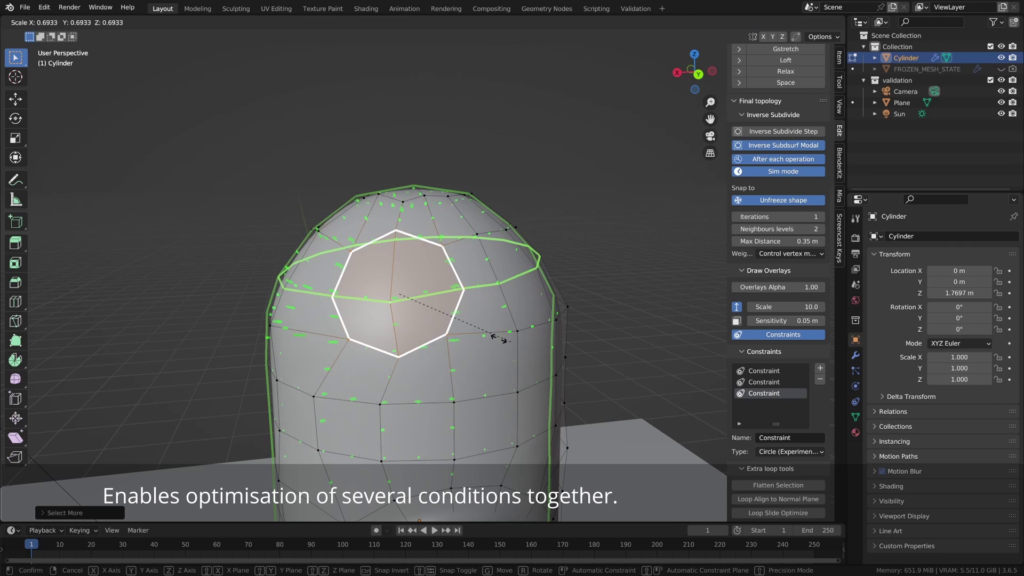
- Constraints – Edit mode constraints that work together with the subdivision surface snapping. By now snapping to plane. Main difference compared to various shrinwrap modifier tricks is that all constraints get evaluated in a loop together with the subdivision surface snapping, so all conditions get optimized.
- More settings – neighbour levels, iterations of the algorithm, and especially you can pick the weighting algorithm for different use cases.
- Loop align to normal plane – takes a loop and aligns it to a plane that is aligned with it’s normals directions.
- Loop slide optimize – balances angles that there are between edges of a loop
- Flatten selection – simple flatten to median plane operator (Similar to looptools)
Supercharge your 3D creation workflow with premium selection of Blender Add-ons. Whether you are modeling intricate characters, sculpting realistic environments, or animating cinematic sequences, the right add-on can transform how you work inside Blender. Our curated collection includes powerful tools for UV unwrapping, procedural texture generation, rigging automation, rendering optimization, and more—each rigorously tested for compatibility with the latest Blender versions. Eliminate tedious manual processes and unlock advanced functionality that lets you focus on what matters most: bringing your creative vision to life. Explore our full range of professional Blender plugins today and take your 3D projects to the next level.
➡️ ➡️ For more Blender Plugins 😀 😀
Reviews
There are no reviews yet.