
Flatterer for Blender
Flatterer v1.60 for Blender – The Ultimate 3D-to-2D Unfolding & Pattern Export Tool
Versions: v1.60
File Size: 1.62 MB
Download Flatterer v1.60 for Blender on Windows and Mac, a specialized UV unwrapping addon designed to intelligently flatten complex 3D meshes into accurate, cut-ready 2D patterns. Whether you’re creating papercraft models, fabric templates, cardboard prototypes, or laser-cut designs, Flatterer transforms how artists prepare meshes for physical fabrication, eliminating the need for manual seam marking, tedious UV editing, or external pattern-making software.
Key Features of Flatterer v1.60:
- One-Click Mesh Flattening: Automatically calculates optimal unfolding paths for any watertight mesh, generating a clean 2D layout with minimal distortion in seconds—no manual seam selection required.
- Distortion Visualization: Real-time heat map overlay shows stretch and compression across the flattened pattern, allowing you to adjust seams or relaxation settings before export for maximum accuracy.
- Smart Seam Suggestion: Analyzes mesh curvature and topology to propose logical cut lines that minimize visible seams in the final assembled object, with manual override for artistic control.
- Tab & Glue Flap Generator: Automatically adds customizable tabs, flaps, and registration marks to pattern edges for easy physical assembly, with options for fold lines, cut lines, and score marks.
- Multi-Material Support: Preserves material assignments across the flattened pattern, exporting separate SVG layers or color-coded PDF pages for multi-material projects like layered papercraft or fabric sewing.
- Scale & Unit Precision: Export patterns at real-world scale with accurate measurements in millimeters, inches, or custom units, essential for architectural models, cosplay props, and product prototyping.
- Universal Export Formats: Output flattened patterns to SVG, PDF, DXF, or PNG with vector-accurate lines ready for laser cutters, plotters, Cricut machines, or hand-cutting.
- Curved Surface Handling: Advanced relaxation algorithms handle complex doubly-curved surfaces (spheres, organic shapes) by intelligently introducing darts, gussets, or segmented panels to reduce distortion.
- Batch Unfolding: Process multiple objects or mesh parts simultaneously, perfect for exploding complex assemblies into individual cut-ready components.
- Non-Destructive Workflow: All unfolding parameters remain editable; adjust relaxation strength, seam placement, or tab size at any time before final export without reprocessing the entire mesh.
Perfect For:
- Papercraft Artists creating intricate 3D paper models from digital sculpts with precise, assembly-ready patterns.
- Cosplay & Costume Makers generating fabric patterns from character armor and prop designs for accurate physical construction.
- Architectural Modelers producing scale cardboard or foam-core building prototypes with clean, foldable nets.
- Product Designers prototyping packaging, enclosures, and wearable items with laser-cut or die-cut manufacturing in mind.
- Educators & Hobbyists teaching geometry, spatial reasoning, or craft techniques with tangible 3D-to-2D projects.
- Laser Cutting Enthusiasts preparing vector files for CNC fabrication without manual UV unwrapping headaches.
System Requirements:
- Blender: 2.80, 2.90, 3.0, 3.6, 4.0, 4.1, 4.2, 4.3+ (Wide compatibility across modern versions).
- OS: Windows 10/11 (64-bit) or macOS 10.15+.
- RAM: 4GB minimum (8GB+ recommended for high-poly mesh unfolding).
- No external dependencies required.
Installation:
- Download the Flatterer v1.60
.zipfile. - Open Blender and go to Edit > Preferences > Add-ons.
- Click Install…, select the downloaded file, and enable the checkbox next to Mesh: Flatterer.
- Access via the Object Context Menu (Right-Click) > Flatterer or the dedicated panel in the 3D Viewport Sidebar (N-panel) under the UV/Export tab.
Note:
Version 1.60 introduces a revolutionary “Dart Generator” that automatically inserts strategic darts and gussets into flattened patterns for highly curved surfaces, dramatically reducing distortion on organic shapes like helmets, masks, and character busts. It also adds a “Nesting Optimizer” that automatically arranges multiple pattern pieces within a defined sheet boundary (e.g., A4 paper or 12×24″ mat) to minimize material waste—a critical feature for cost-effective prototyping. This update also includes improved handling of non-manifold geometry and better compatibility with Blender 4.x‘s updated UV engine, ensuring reliable unfolding even on complex, scanned, or retopologized meshes. Flatterer remains the gold standard for anyone bridging the gap between digital 3D design and physical fabrication.
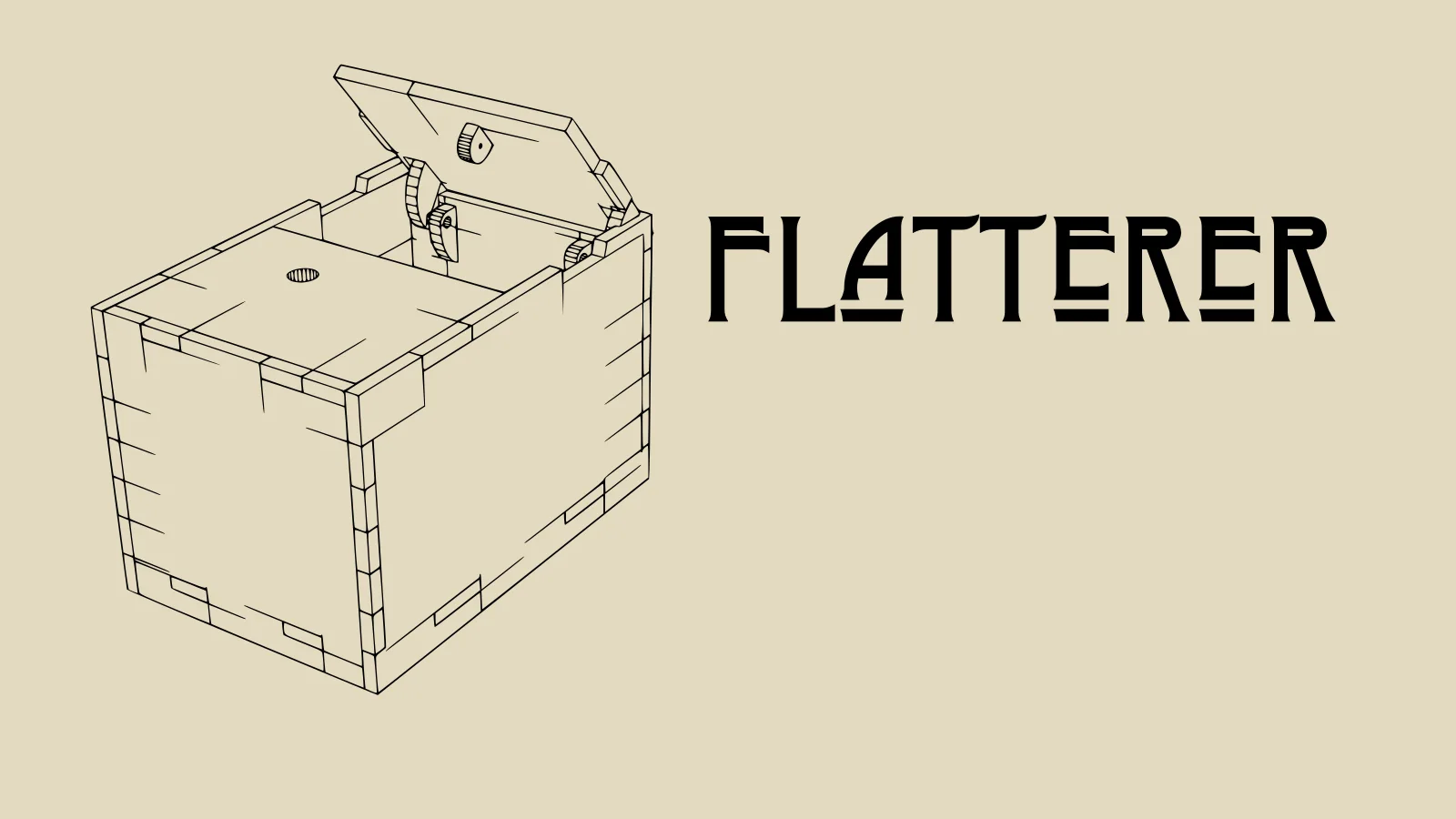
Flatterer turns a 3D model in Blender into a set of shapes suitable for laser cutting. It’s aimed at easily exporting boxes, enclosures, and other made-for-laser-cutting designs to SVG.
What’s New
- Add two “Boolean Cut” operators:
- Cut all selected objects out of the active object.
- Cut the active object out of all selected objects.
- Shape Table: include surface area (in m²) of each exported shape.
- Fix bug where the ‘Align to Local Axis’ would cause an error.
- Work around issue handling zero-length edges.
- Support “engrave” edges also when inside the mesh (before it was only working for wire edges).
Artistic freedom starts with Blender The Free and Open Source 3D Creation Suite
Supercharge your 3D creation workflow with premium selection of Blender Add-ons. Whether you are modeling intricate characters, sculpting realistic environments, or animating cinematic sequences, the right add-on can transform how you work inside Blender. Our curated collection includes powerful tools for UV unwrapping, procedural texture generation, rigging automation, rendering optimization, and more—each rigorously tested for compatibility with the latest Blender versions. Eliminate tedious manual processes and unlock advanced functionality that lets you focus on what matters most: bringing your creative vision to life. Explore our full range of professional Blender plugins today and take your 3D projects to the next level.
➡️ ➡️ For more Blender Plugins 😀 😀
Reviews
There are no reviews yet.