

Fluent 3 Stressless Modeling Tool for Blender
Fluent 3 – Stressless Modeling Tool v3.1.1 for Blender – The Ultimate Non-Destructive Hard-Surface Modeling Suite
Version: v 3.1.1
File Size: 5 MB
Other info: For Blender 2.93/3.0
Download Fluent 3 – Stressless Modeling Tool v3.1.1 for Blender on Windows and Mac, a professional-grade, non-destructive modeling addon designed to revolutionize hard-surface workflows by combining intuitive drawing tools, smart boolean operations, and procedural adjustments into a single streamlined interface. With its unique “edit everything at any time” philosophy, Fluent transforms how artists create mechanical props, architectural details, and complex industrial designs, eliminating the stress of destructive modeling and the fear of committing to irreversible changes [[11]].
Key Features of Fluent 3.1.1:
- Non-Destructive Boolean Workflow: All cuts, slices, and shape operations are applied via modifiers, allowing you to return and adjust any parameter—depth, angle, position—at any stage before final application [[11]].
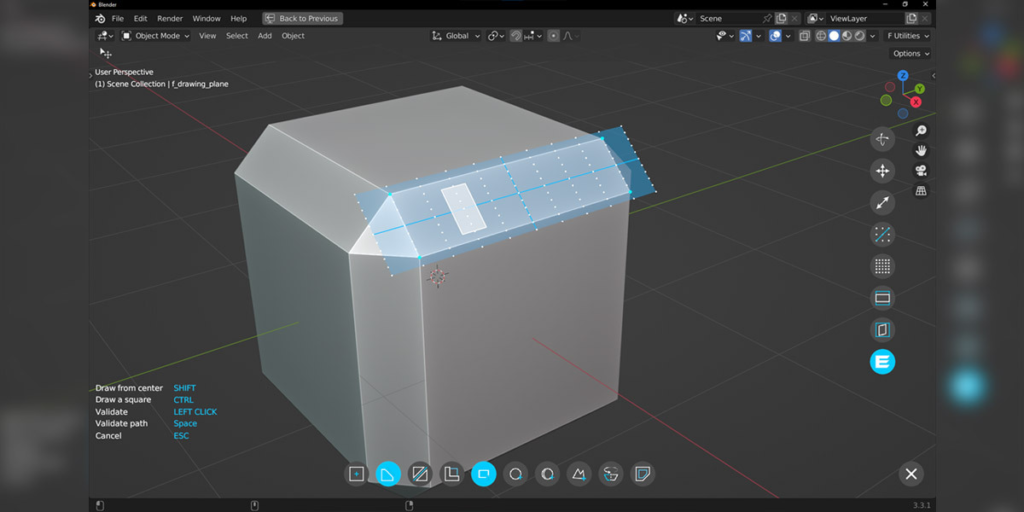
- Precision Drawing Tools: Create rectangles, circles, random shapes, and solids of revolution directly on any mesh face with snap-grid assistance for pixel-perfect alignment [[11]].
- Smart Snap Grid System: Displays an adjustable alignment grid on every face, with controls for resolution, scale, and rotation, plus edge-snapping to draw perfectly along existing geometry [[11]].
- Multi-Level Adjustments: Access three levels of bevels and two levels of solidify operations per cut, all independently adjustable and fully non-destructive [[16]].
- Power Trip Expansion (Included): Add ready-made plates, pipes, wires, grids, and fabric panels to any cut face with just two clicks, dramatically speeding up detailing workflows [[11]].
- Boolean Synchronization: Changes made to one duplicated object automatically propagate to all linked instances, ensuring consistency across modular kits or repeated details [[16]].
- Chain Tool (Geometry Nodes): Modernized chain/rope generator built on Geometry Nodes for flexible, editable cable and link creation (note: v3.1.1 Chain tool works on Blender 4.1+, not 4.0) [[16]].
- Auto-Complete & Slice Cleaner: One-click tools to apply modifiers for a finalized mesh, plus automatic removal of hidden internal faces to optimize geometry for export [[16]].
- Building Animation Feature: Automatically generates step-by-step construction animations of your Fluent model, perfect for tutorials, process reels, or client presentations [[16]].
- Global Control Panel: Adjust bevel resolution, auto-smooth settings, and boolean visibility for the entire model in one place, saving hours of manual tweaking [[11]].
Perfect For:
- Hard-Surface Modelers creating sci-fi weapons, vehicles, robots, and mechanical props with intricate panel details.
- Architectural Visualizers adding precise window frames, vents, railings, and facade elements to building models.
- Product Designers prototyping consumer electronics, tools, and industrial equipment with clean, manufacturable geometry.
- Game Artists generating modular, LOD-ready assets with non-destructive workflows that allow quick iteration.
- Beginners who want professional hard-surface results without mastering complex boolean troubleshooting or modifier stacks.
System Requirements:
- Blender: 2.93, 3.0, 3.1, 3.2, 3.3, 3.4, 3.5, 3.6, 4.0, 4.1+ (v3.1.1 specifically supports up to 4.1; Chain tool requires 4.1+) [[16]].
- OS: Windows 10/11 (64-bit) or macOS 10.15+.
- RAM: 8GB minimum (16GB+ recommended for complex multi-operation models).
- No external dependencies required.
Installation:
- Download the Fluent 3.1.1
.zipfile from Blender Market or authorized distributor. - Open Blender and go to Edit > Preferences > Add-ons.
- Click Install…, select the downloaded file, and enable the checkbox next to Mesh: Fluent.
- Access via the Fly Menu (F key) in the 3D Viewport or the dedicated Fluent panel in the N-panel Sidebar.
What’s New in v3.1.1?
- Critical Fix: Resolved Chain tool compatibility issue caused by Blender API changes—now fully functional on Blender 4.1+ (note: Chain tool no longer works on Blender 4.0 due to deprecated nodes) [[16]].
- Stability Improvements: Enhanced error handling for modifier stack interactions and geometry node evaluations.
- UI Polish: Refined icon visibility and menu responsiveness for smoother workflow on high-DPI displays.
Important Version Note:
Fluent 3.1.1 is part of the Fluent 3.x series, which is not backward compatible with models created in Fluent 2.x due to structural modernizations using Blender 4.x tools [[16]]. If you have legacy Fluent 2 projects, keep a separate Blender installation with Fluent 2.2.0 for editing those files. For new work, Fluent 3.1.1 offers significant performance and feature improvements, making it the recommended choice for Blender 3.6–4.1 users. The developer, Rudy Michau (CG Thoughts), actively maintains the addon with frequent updates—check the official Blender Market page for the latest version compatibility.




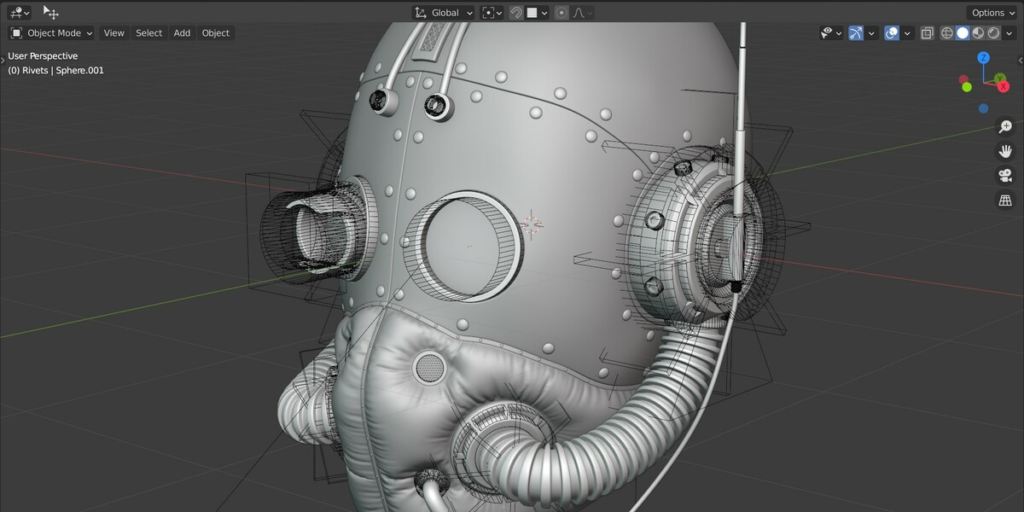
Complete hard surface tool suite
Fluent, supported by an active community, has been innovating for 6 years to push editable workflows even further.
Join the legion of 20,000 non-destructive users.
Some update trailers
Create by drawing, with extrusions and solids of revolution.

Cut and edit
All operations are non-destructive. Change your mind anytime!

Enhance
with plates, screws, wires, pipes, grids and cloth panels
for stunning results (PowerTrip version).
Add plates for instantly more detailed models.
Position screw heads along faces. Over 50 assets, fully quad-based or use your own.
Turn any face into a cloth panel.
Cover any cut with a grid. Fluent comes with 14 grid designs.
Place cables and wires in just two clicks and access a lot of customizations + gravity simulation.
Positioning pipes has never been easier.

Complete your model by fixing shader errors and get perfect results even on curved objects.

Why has Fluent become a must-have
in just a few months?


User-friendly
Clean, consistent, customisable and translated (7 languages) UI for all tools.


Easier start
Get started at your own pace with a step-by-step YouTube channel and a responsive Discord community.

Accurate drawing
The double snap system allows a fast and accurate work. Each modifier value can be typed manually.

Infinite adjustments
Don’t redo, adjust. From day one, Fluent has focused on a non-destructive modeling workflow.

A dedicated developer
Ask for help, suggest improvements and features to the developer who answers your questions.

Smart tool box
Save time with powerful tools to manage your entire model.
- Model resolution manager
- Auto bevel/cylinder resolution
- Adjustment reuse
- Cutter duplicator
- Cutter extractor
- Boolean synchronization
- Inner faces remover
- Automatic boolean support
- Seamless switching between fixed and non-destructive versions
- Smart object naming
- Automatic relationship system
Supercharge your 3D creation workflow with premium selection of Blender Add-ons. Whether you are modeling intricate characters, sculpting realistic environments, or animating cinematic sequences, the right add-on can transform how you work inside Blender. Our curated collection includes powerful tools for UV unwrapping, procedural texture generation, rigging automation, rendering optimization, and more—each rigorously tested for compatibility with the latest Blender versions. Eliminate tedious manual processes and unlock advanced functionality that lets you focus on what matters most: bringing your creative vision to life. Explore our full range of professional Blender plugins today and take your 3D projects to the next level.
➡️ ➡️ For more Blender Plugins 😀 😀
Reviews
There are no reviews yet.