
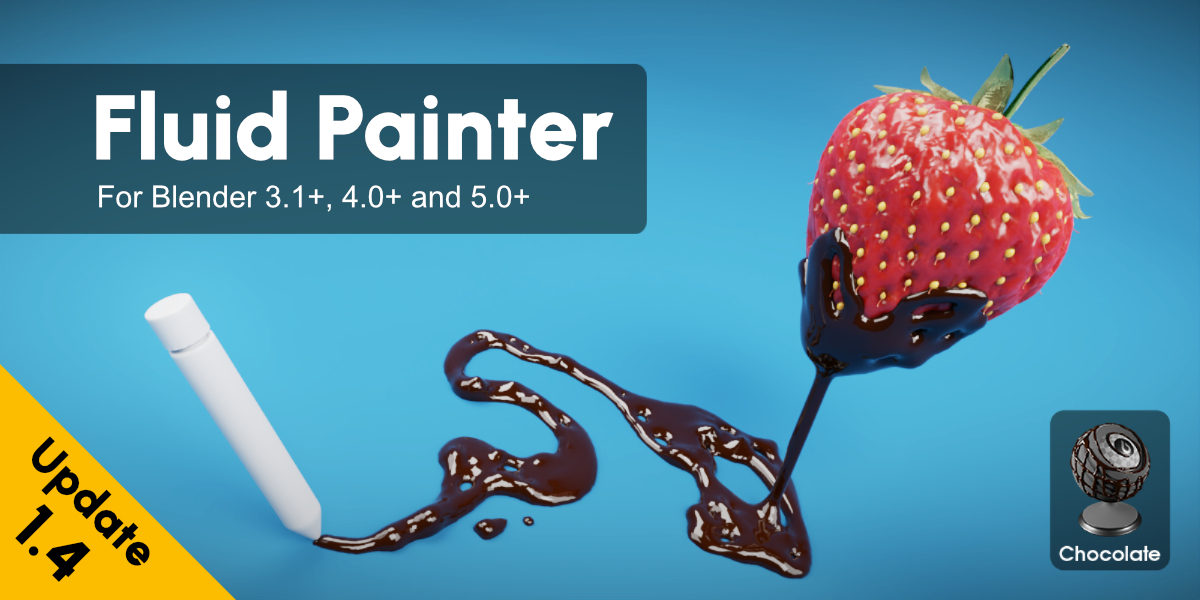
FluidPainter for Blender
FluidPainter for Blender
The Ultimate Fluid Brush Tool
Download the FluidPainter addon today. Therefore, you can paint dynamic fluid effects directly onto your meshes instantly. Because stylized materials and VFX require organic liquid motion, you need proper tools. However, manual fluid simulation and texture painting take many frustrating hours. Consequently, this powerful addon solves that problem completely. Furthermore, it provides a fast, brush-based workflow. Thus, you can create stunning fluid-painted surfaces in seconds.
Fast Fluid Stroke Generation
First, the core of this addon is organic motion. Specifically, it generates complex fluid-like brush strokes with realistic flow instantly. Furthermore, you can adjust viscosity, spread, and turbulence easily. Additionally, the tool applies animated displacement and color blending seamlessly. Thus, you can build endless liquid material variations quickly. Moreover, you can customize the fluid thickness and drip behavior perfectly. Consequently, your 3D surfaces will look highly professional and dynamic.
Advanced Brush and Simulation Features
Ultimately, realistic fluid painting requires advanced stroke control. Therefore, this addon includes smart fluid dynamics tools. Specifically, you get easy gravity, surface tension, and splash preset options. Furthermore, the algorithms preserve underlying mesh topology and UV mapping perfectly. Additionally, the tools simulate beautiful paint pooling, running, and drying effects. Consequently, your fluid-painted textures will look incredibly organic. Thus, the workflow reacts beautifully to your creative input.
Real-Time Optimization and Performance
However, heavy fluid brush data can slow down viewports. Therefore, the addon is perfectly optimized for performance. Specifically, it utilizes efficient native Blender image painting and shader systems. Consequently, you can process high-resolution fluid textures easily. Meanwhile, your viewport frame rate remains completely stable. Ultimately, this ensures a smooth and fast workflow.
Perfect for Texture and VFX Artists
Additionally, this addon is ideal for texture painters and concept artists. Furthermore, it suits stylized game developers and motion graphics creators perfectly. Moreover, VFX artists will love the rapid setup for liquid overlays and abstract backgrounds. Ultimately, it accelerates your entire 3D production pipeline.
System Requirements and Formats
Specifically, the addon requires Blender 3.6 or newer. Furthermore, it supports both Cycles and Eevee render engines. Additionally, you get regular free updates from the developer. Therefore, it works across all major operating systems. Moreover, you will need a standard workstation. Thus, 16GB of RAM is highly recommended. Consequently, a modern GPU ensures smooth viewport playback.
Installation and Usage Guide
First, download the zip file from your library. Next, open Blender and go to Edit Preferences. Then, select Add-ons and click Install. After that, enable the FluidPainter addon. Finally, select your mesh, enter Texture Paint mode, and choose a fluid brush. Thus, your dynamic painted surface will be ready quickly.
What is Included Inside?
Specifically, the pack contains multiple fluid brush presets. Furthermore, it includes smart viscosity and flow algorithms. Additionally, you get several watercolor, oil, lava, and ink variants. Moreover, there are detailed video tutorial guides. Ultimately, you receive everything for professional fluid texture creation.
Final Thoughts on the Addon
Ultimately, precise fluid brushwork evokes profound artistic quality. Therefore, this addon provides the ultimate creative foundation. Furthermore, you can build detailed organic surface materials. Alternatively, you can create complex abstract liquid art pieces. Consequently, your texturing vision becomes a stunning reality.


Fluid Painter 1.4.1 Update
Important Note!
Before installing the new Fluid Painter version it’s always recommended to uninstall the old one, close blender and reopen it to ensure a clean installation environment.A new Fluid Painter Update is out, bringing some new improvements and bug fixes!
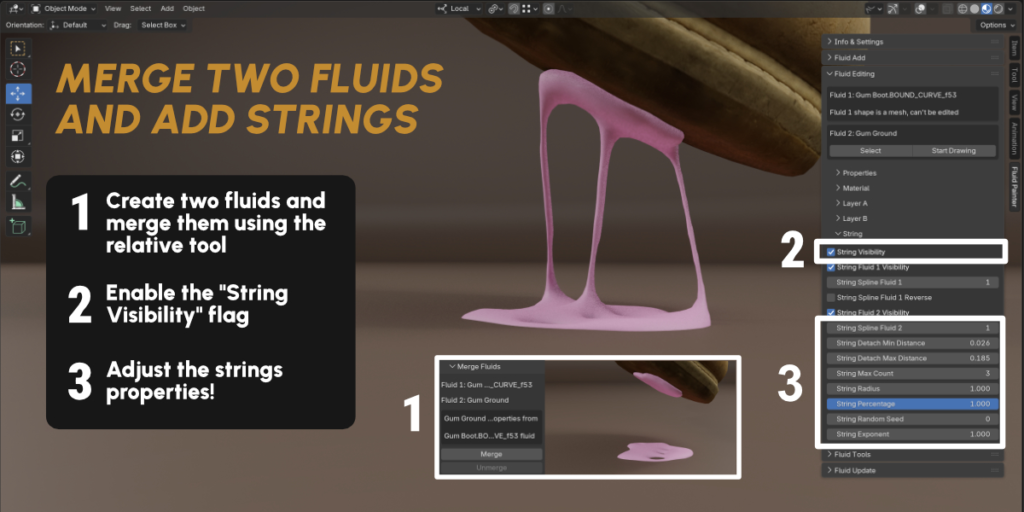
– The Fluid String feature now includes a new String Slack control.
– A new Drop Starting Spline parameter allows to choose from which spline the drops will be generated.
– New resolution settings now allow separating Viewport Resolution from Render Resolution.
But that’s not all! In the dedicated new video, in addition to explaining the new features, there’s also a new tutorial showing them in action!
Be sure to check the Fluid Painter – What’s New document for the detailed list of the new improvements and features!
What is Fluid Painter
Imagine effortlessly painting fluids over any surface in your 3D designs. No more tedious workarounds or clunky interfaces – just pure, seamless creativity. That’s the power of the Fluid Painter Add-on for Blender. As a 3D artist myself, I was frustrated by the limitations of existing methods. That’s why I set out to create a product that would make it easier to work with fluids in 3D design. I tested it myself, and with the help of other 3D professionals, to ensure it was easy to use, flexible, and powerful. And now, I’m excited to share it with you. With Fluid Painter, you’ll be able to turn your vision into reality and take your designs to the next level. So go ahead, unleash your creativity and make a splash with Fluid Painter!
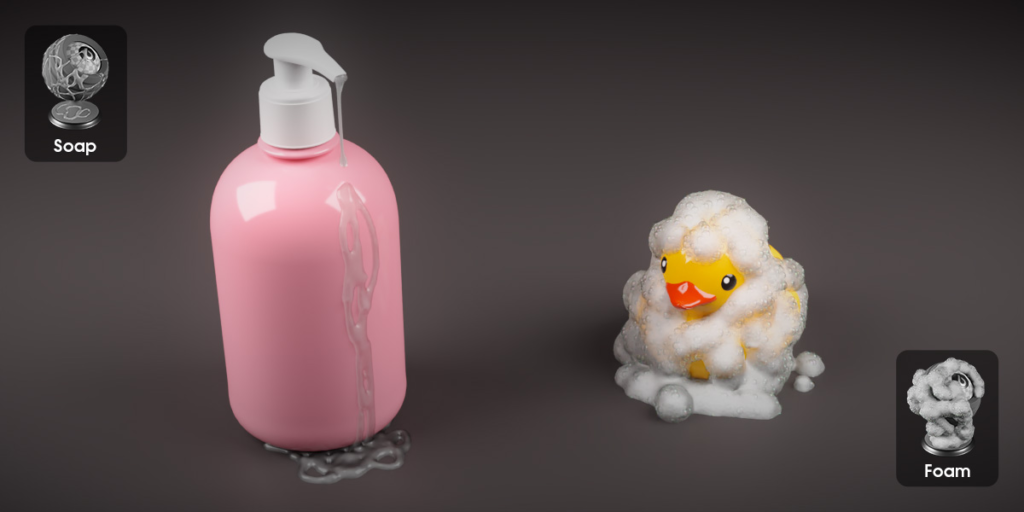
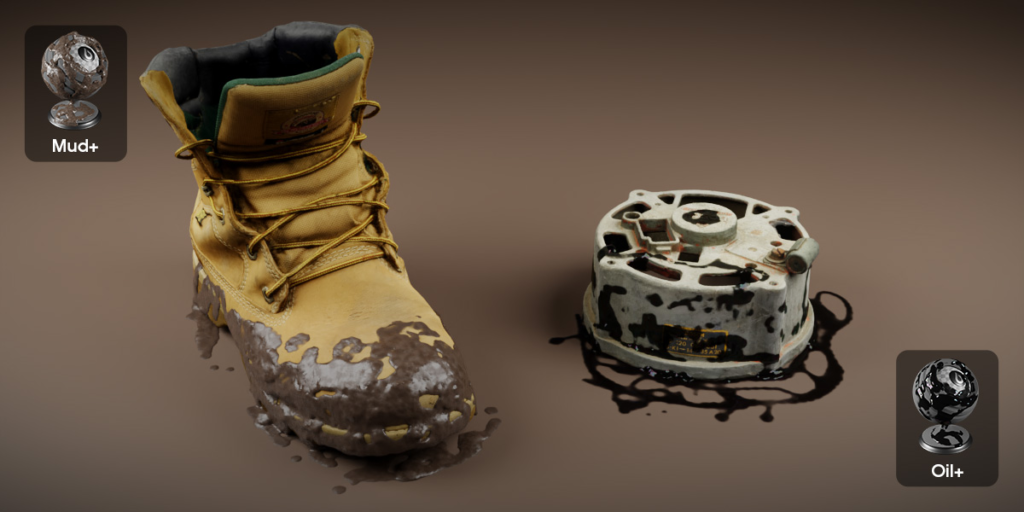
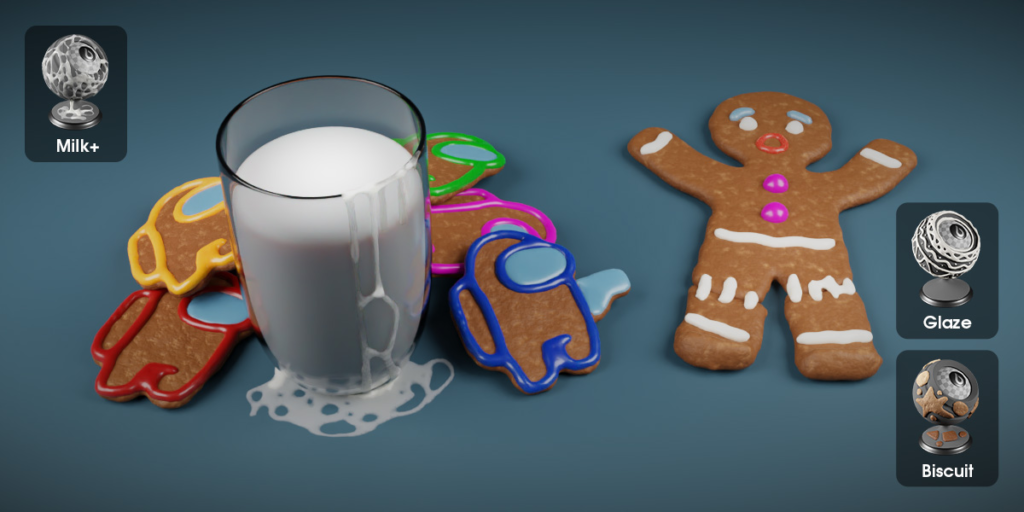
Fluid and Fluid+ presets
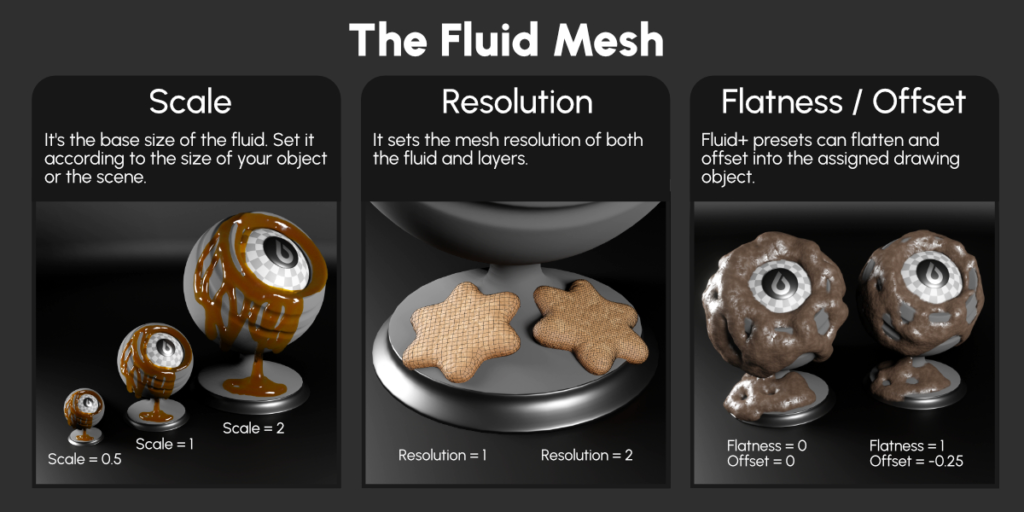
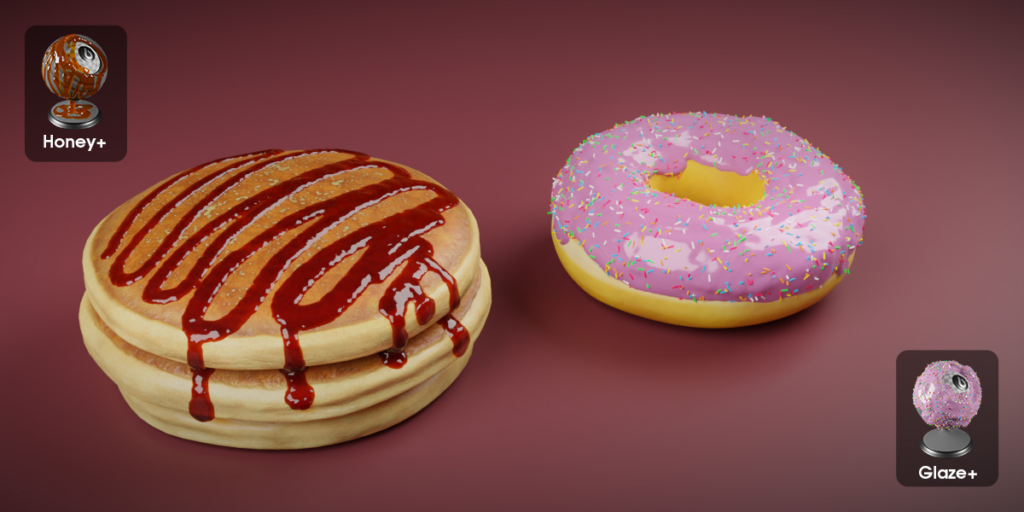
Fluid Painter provides two primary preset types: Fluid presets, which are great for general painting and recommended for creating fluid leaks. Fluid+ presets are more advanced, dynamically adjusting to the painting surface. However, they require an assigned drawing surface. This assignment is automatically performed by selecting one or more objects just before adding a Fluid+ preset.
| Fluid Preset | Fluid+ Preset | |
| Draws over any 3D surface | Yes | Yes |
| Recommended for leaking fluids | Yes | No |
| Flattens onto the drawing surface | No | Yes |
| Needs a drawing object assigned | No | Yes |
Features
Fluid Painter is a Blender tool that uses Geometry Nodes to let you easily paint fluids over any 3D surface using a curve. With base and advanced parameters, you can create custom fluids that fit your exact needs.
Easy to use!
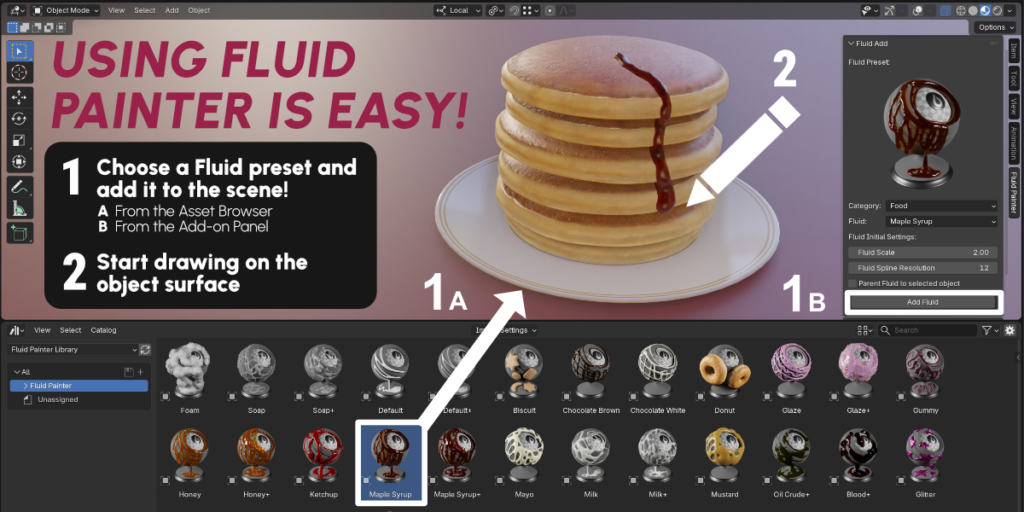
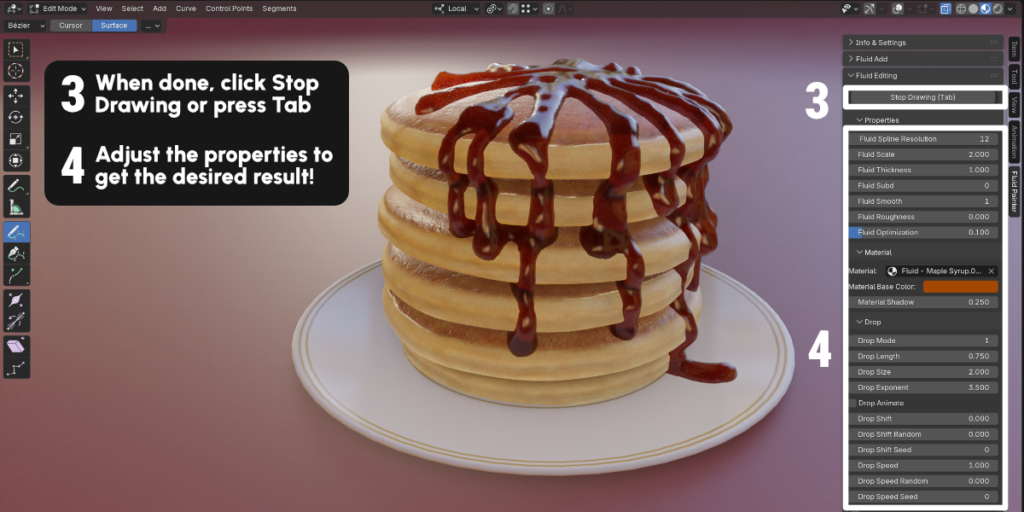
Simply add and draw one of the included presets to quickly create stunning fluid effects.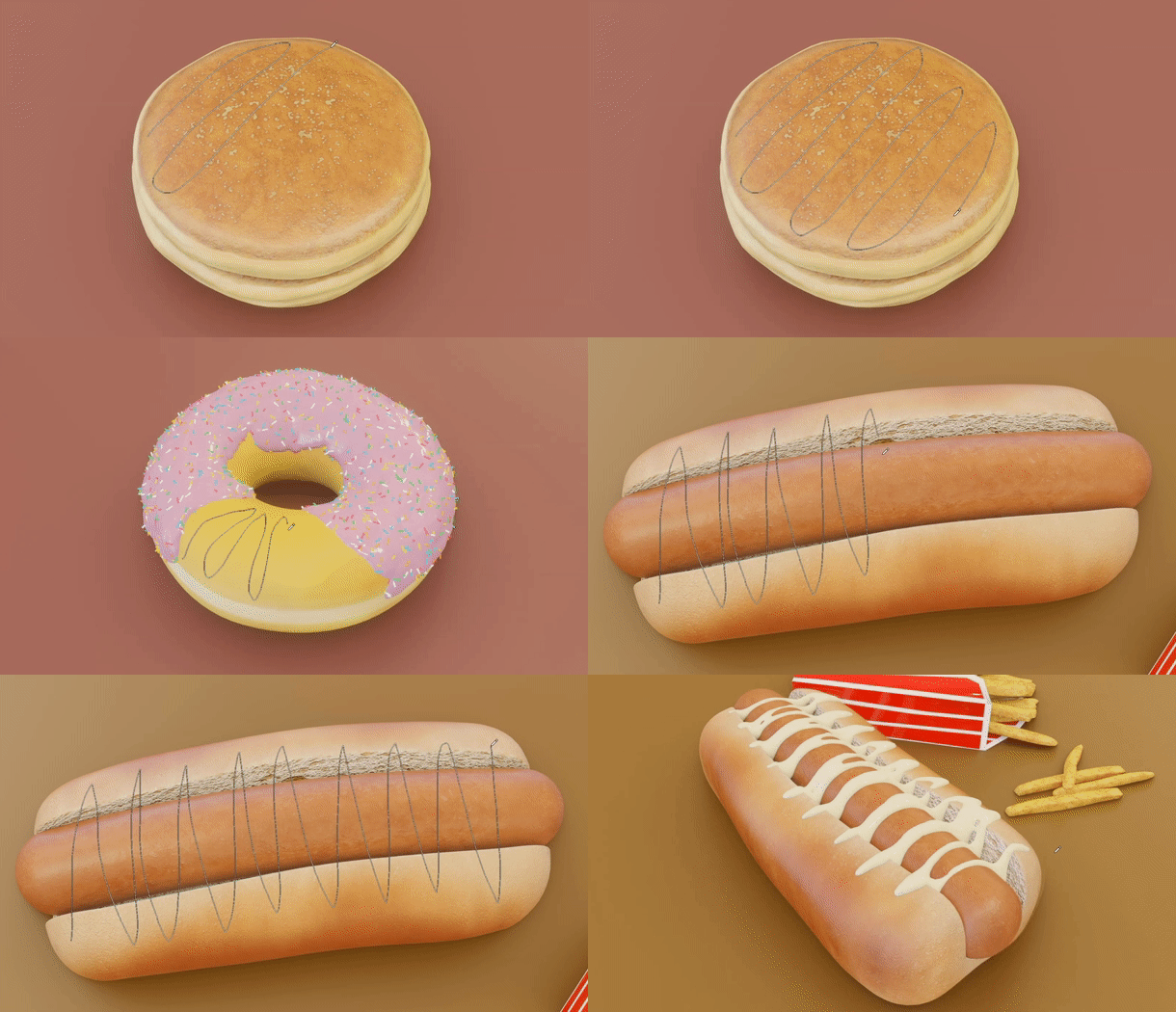
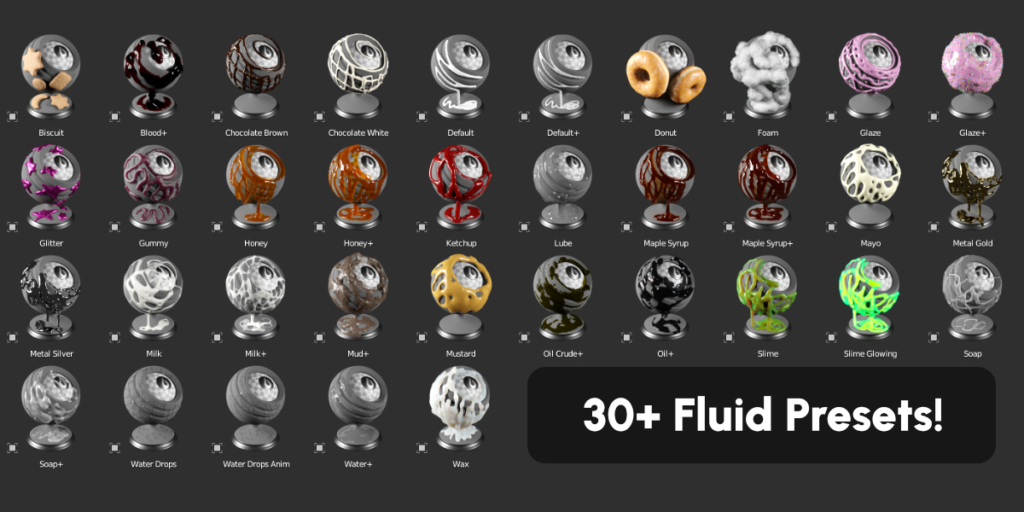
30+ Presets
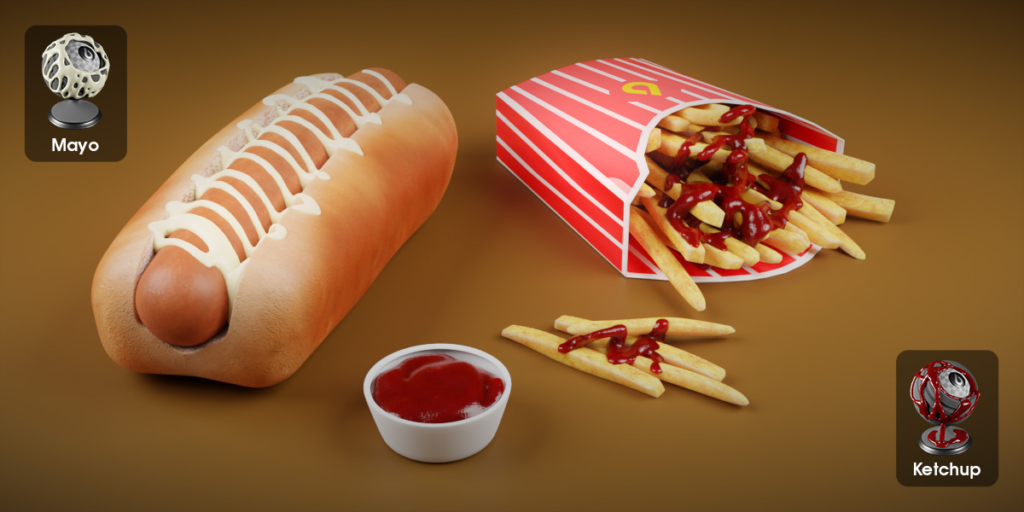
Using the included presets library compatible with both Eevee and Cycles, you can add fluids to your scene in seconds.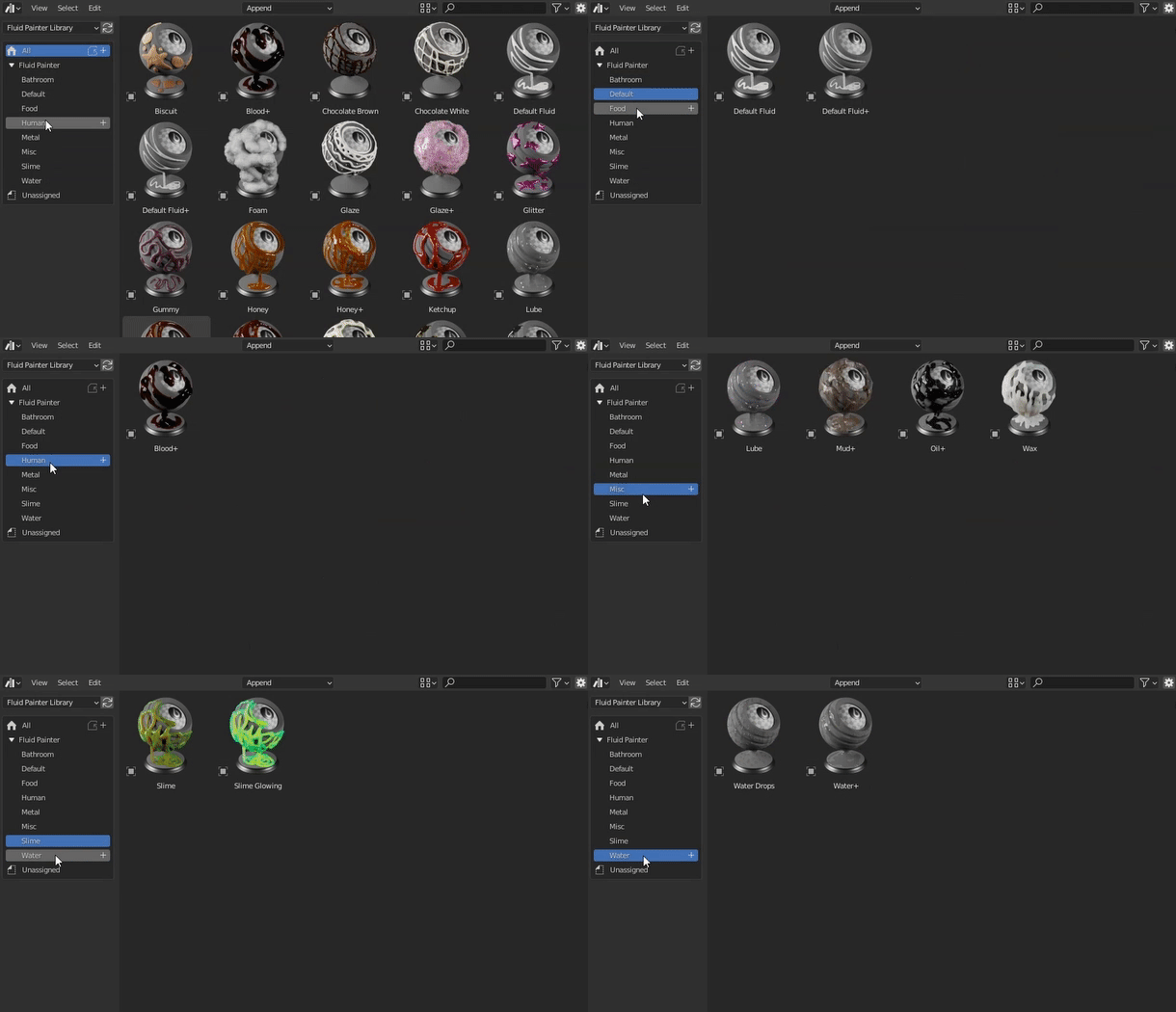
Drop System
Fluid Painter features an intuitive drop system that creates a drop at the end of each shape of the fluid curve. You can adjust the size, length, and curvature of the drops and move them along the splines to create a flow effect.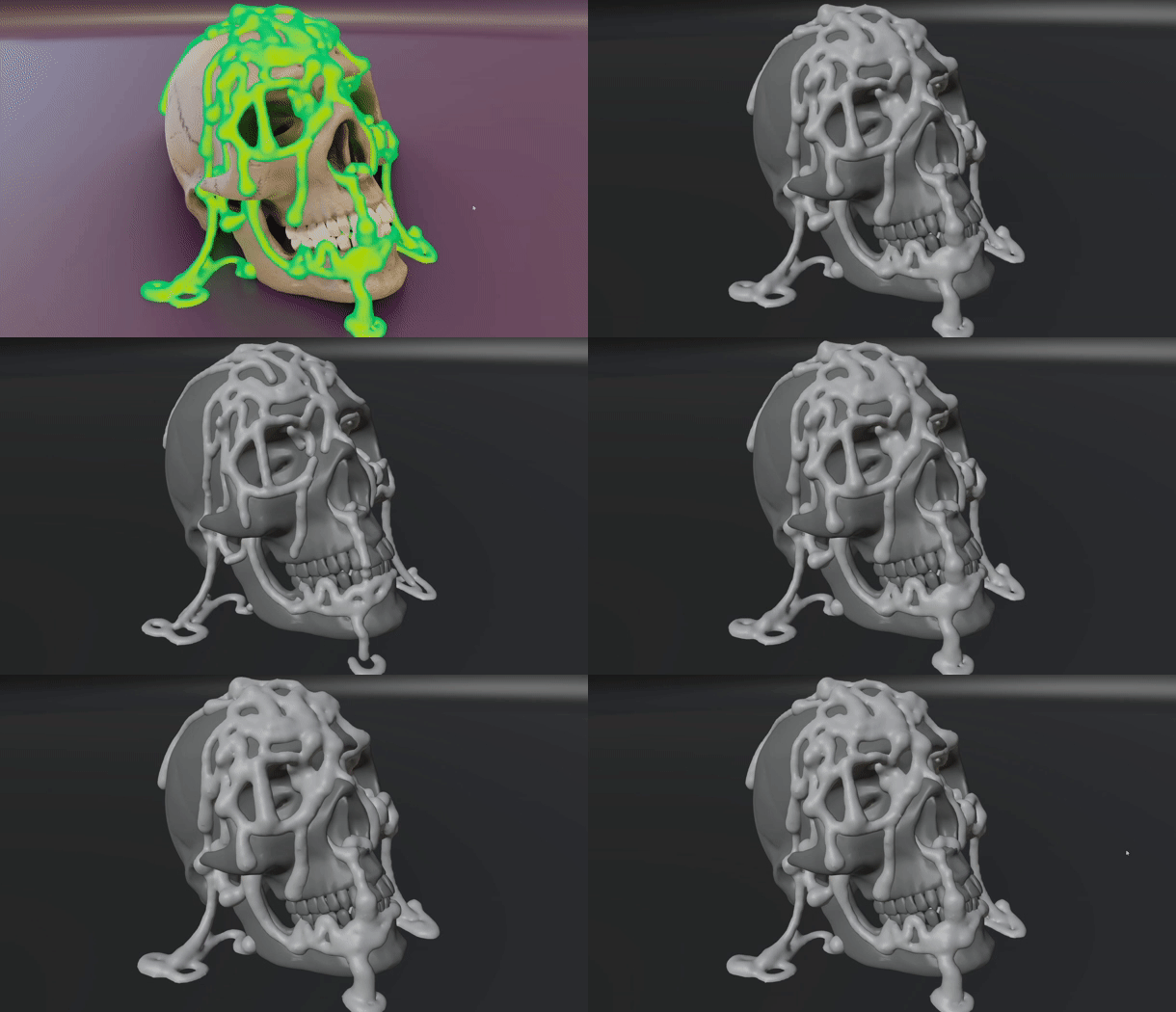
Drop System new features!
Create non-repetitive patterns using new randomization settings for movement and speed!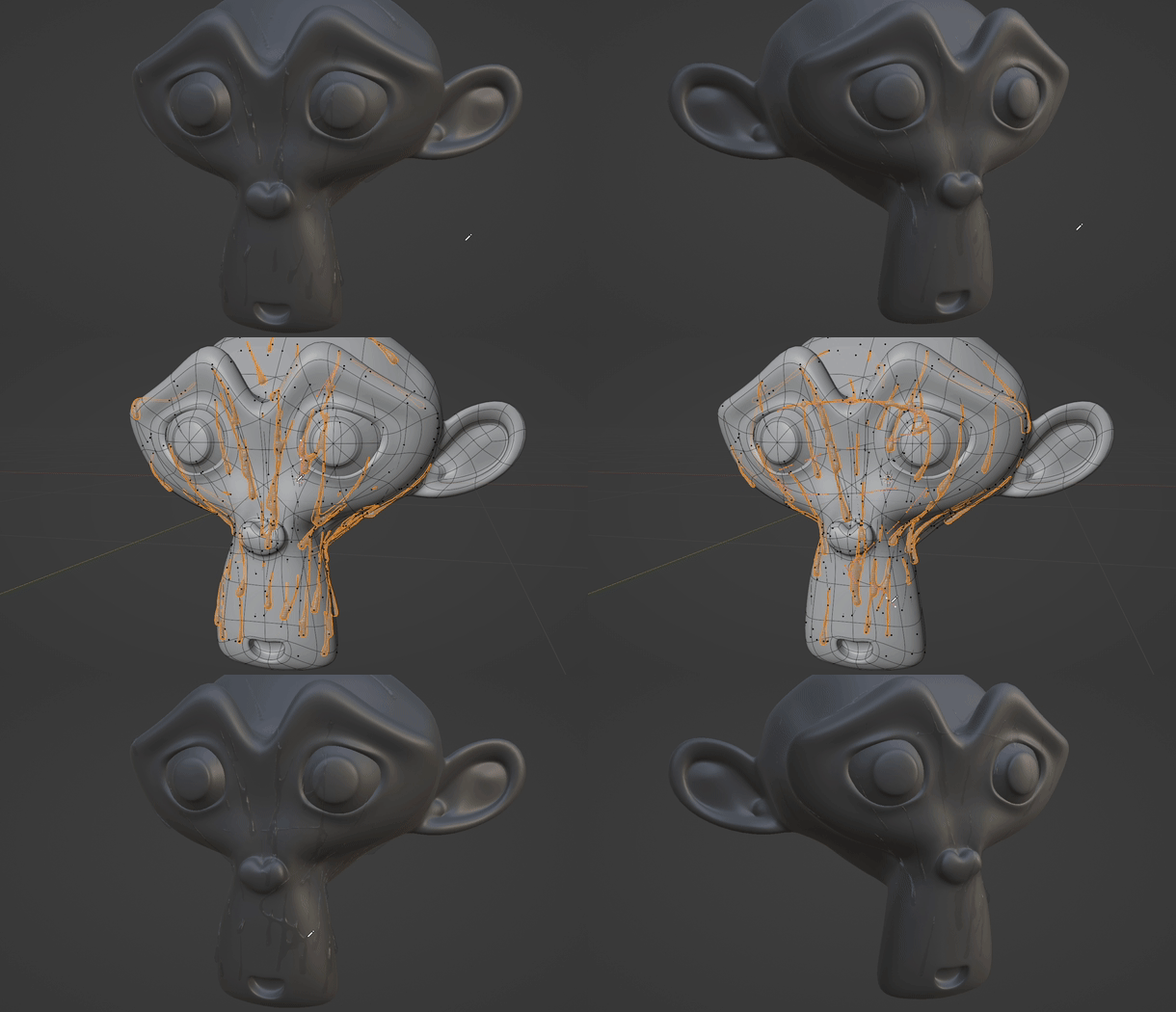
Drops Timeline Loop
Create seamless drop animations with the Drop Loop option!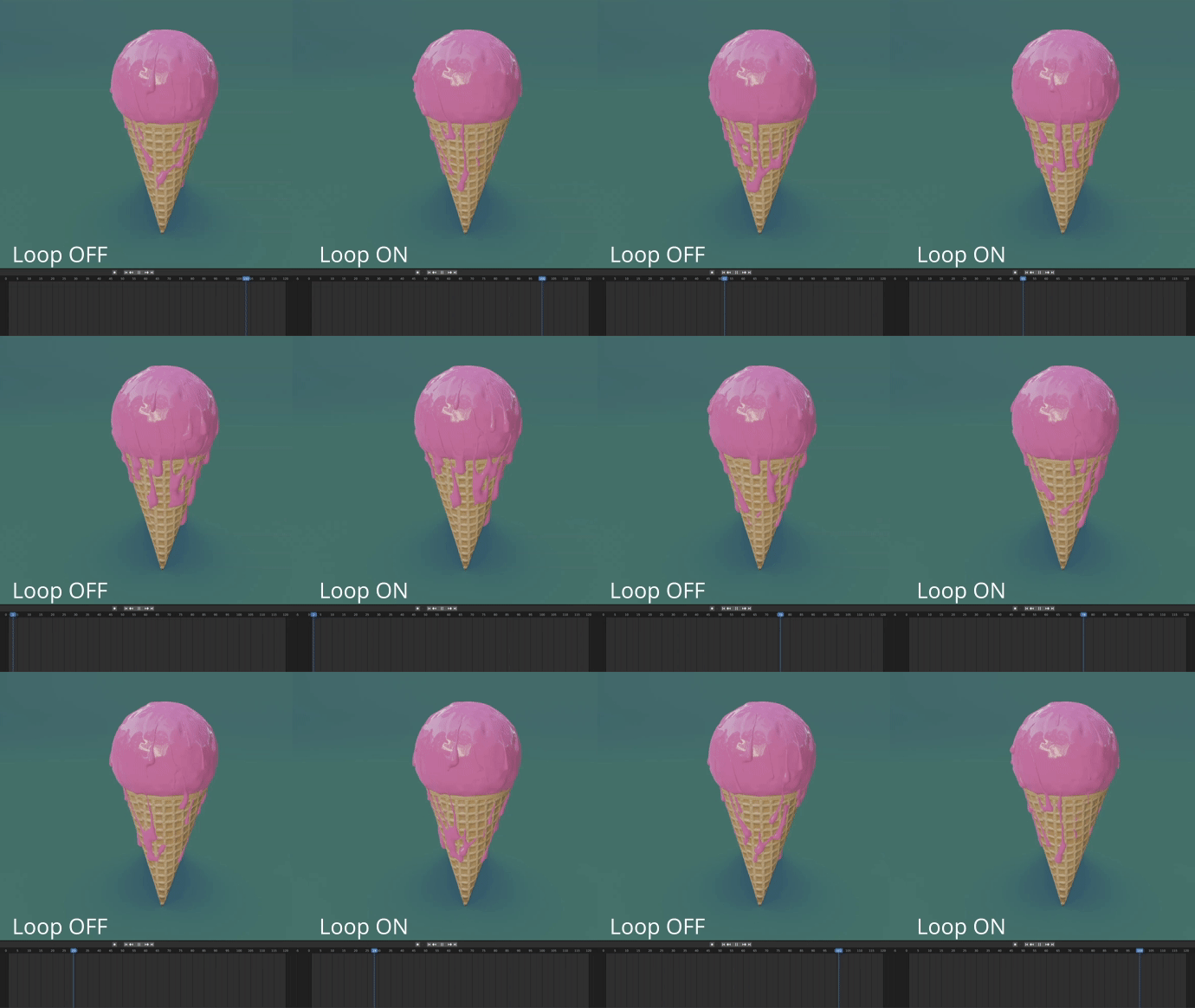
Drops Streaming Start/Stop
Control the start and stop of the fluid drops steaming!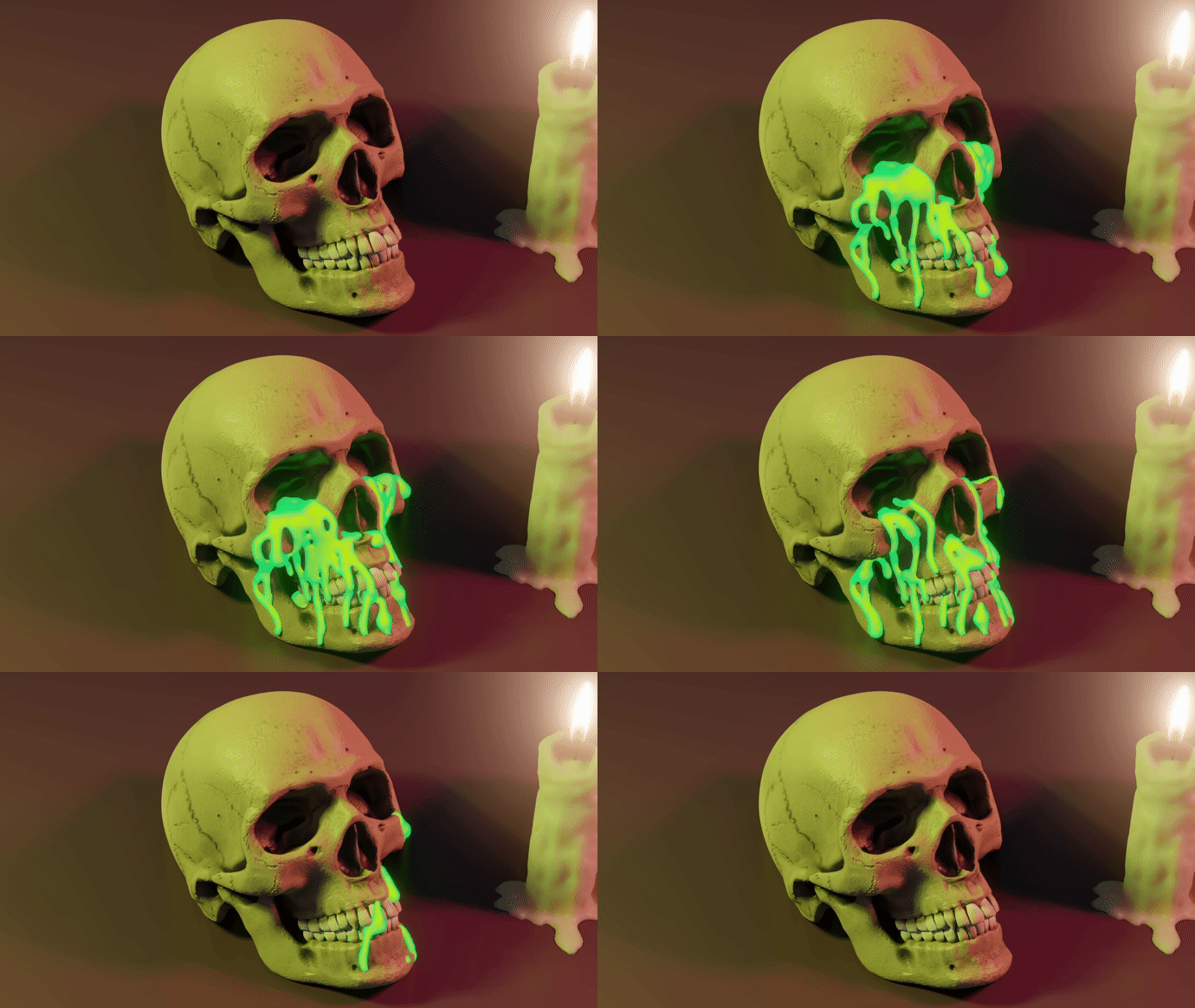
Scattering Objects
The tool also includes two layers of spheres or cylinders that can be added inside or over the surface of the fluid, to simulate for example air bubbles or sugary, adding even more realism to your scene.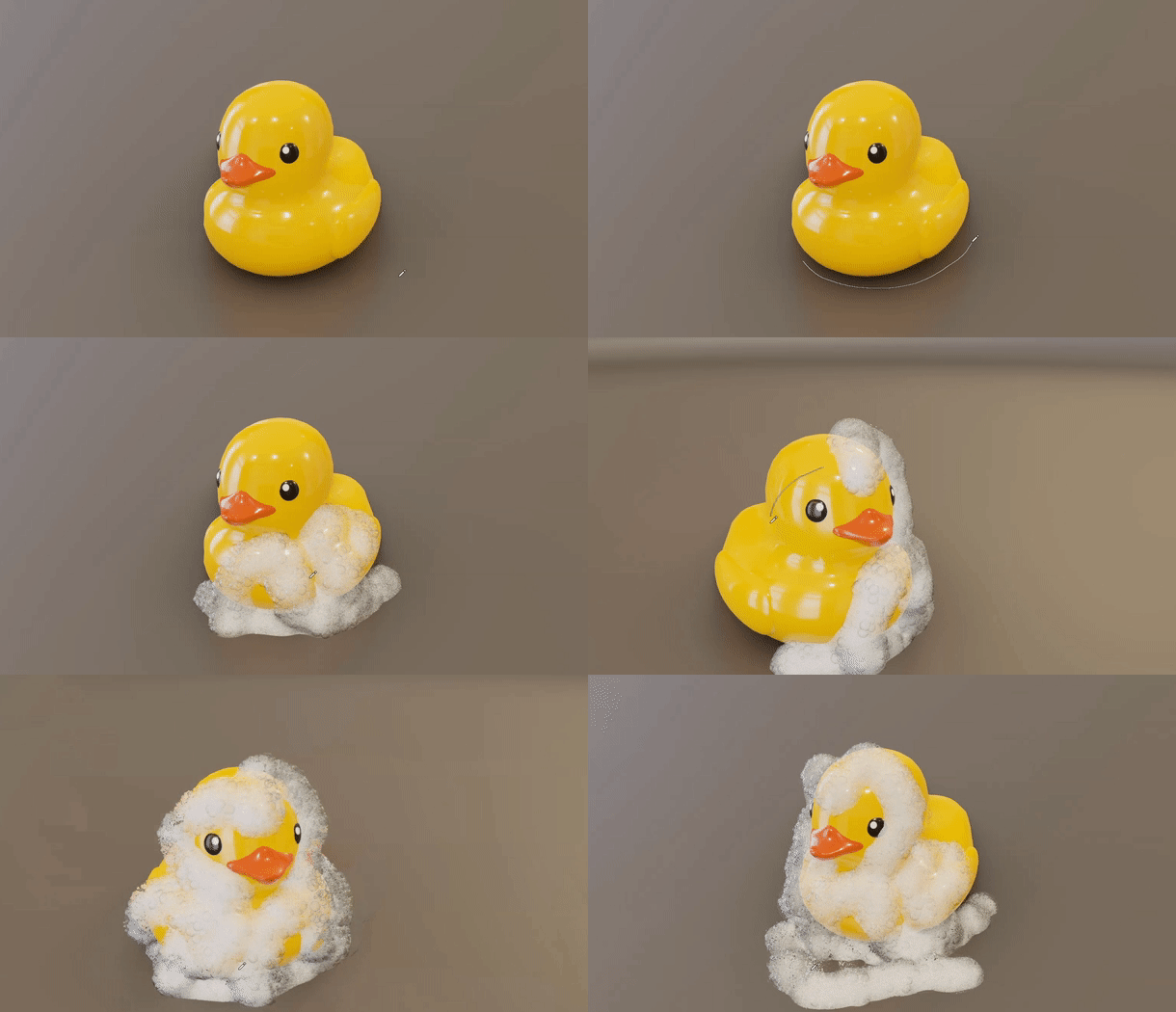
Advanced Parameters
Fluid+ presets offer a set of special settings that allow for the creation of flat fluids that better adapt to the drawing surface!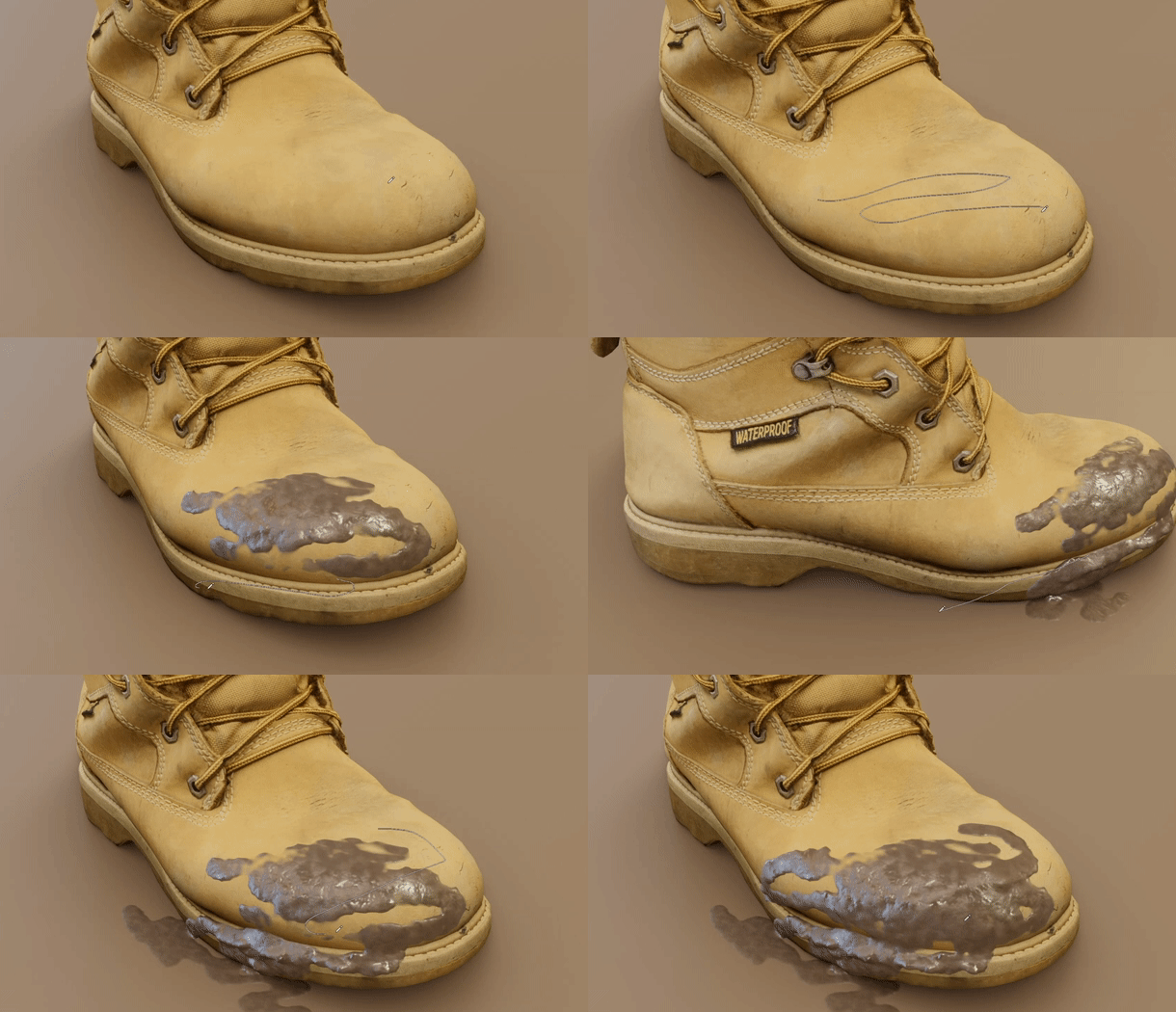
Stick Fluids over Animated Objects
Tool to stick fluids over animated objects like rigged and simulated objects!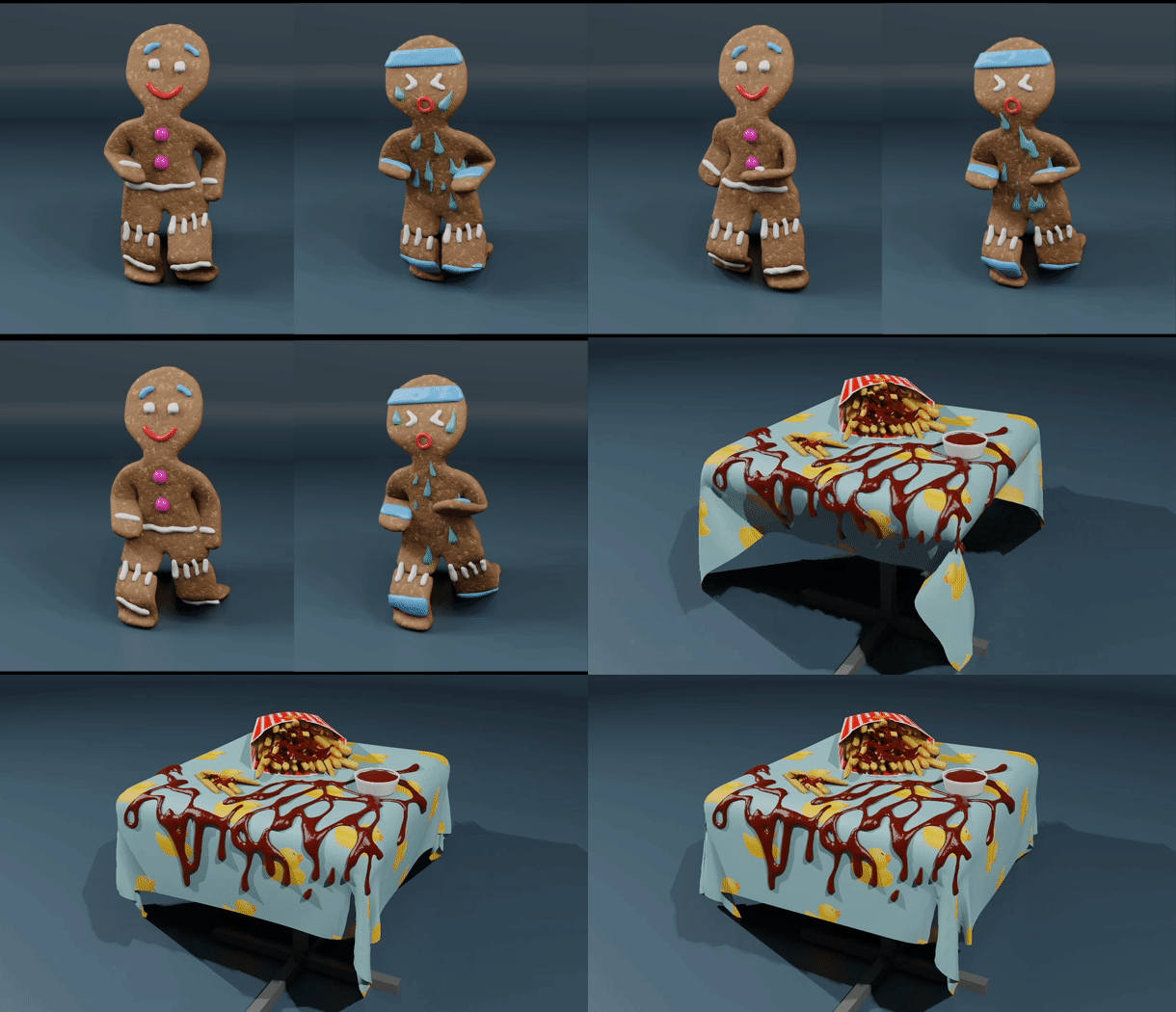
Export to any 3d software
Want to use the fluid you created outside Blender? It’s easy! Convert to mesh and export!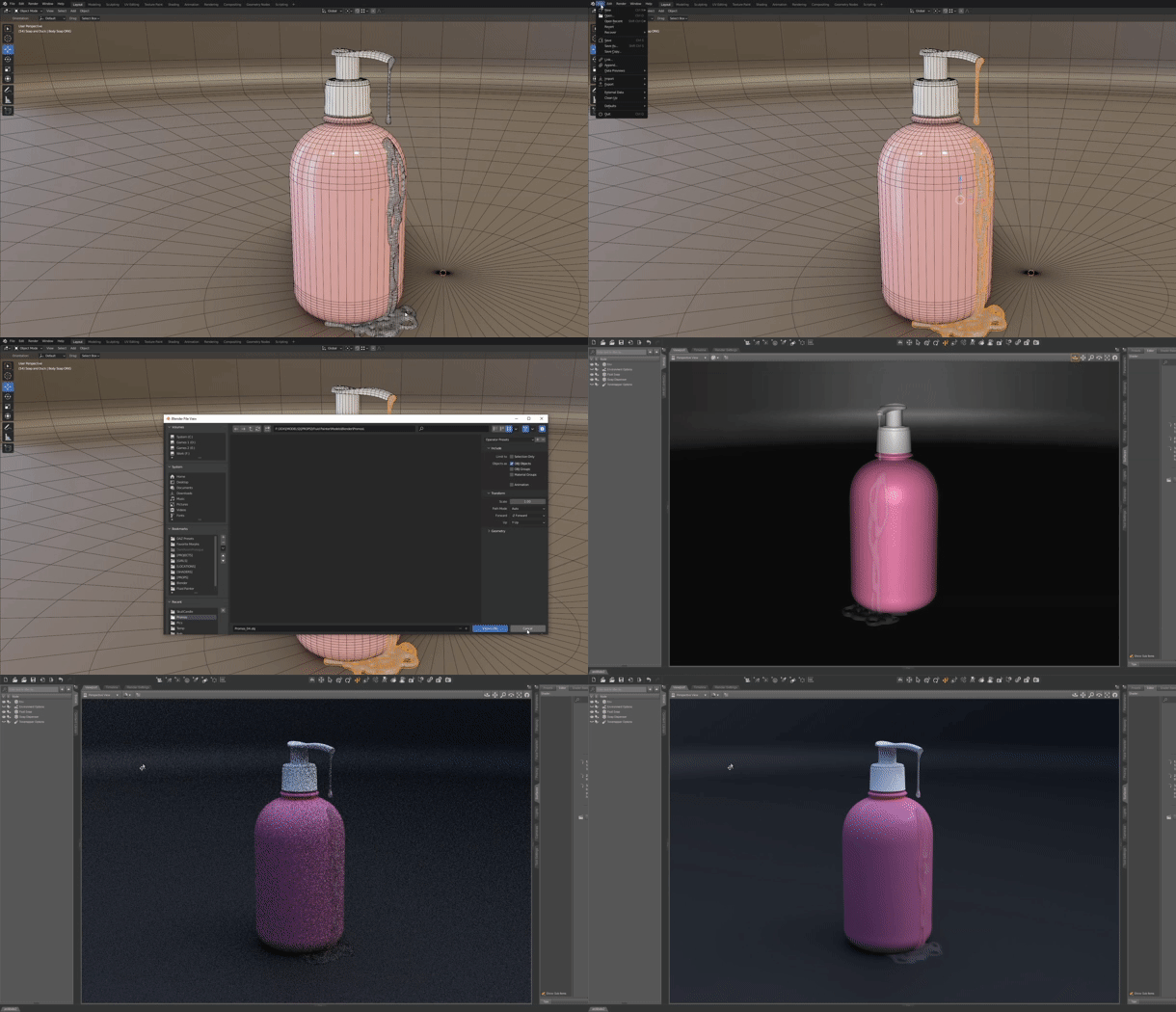
Make your own fluid
Build your fluid from scratch using the included default presets, the limit is just your fantasy!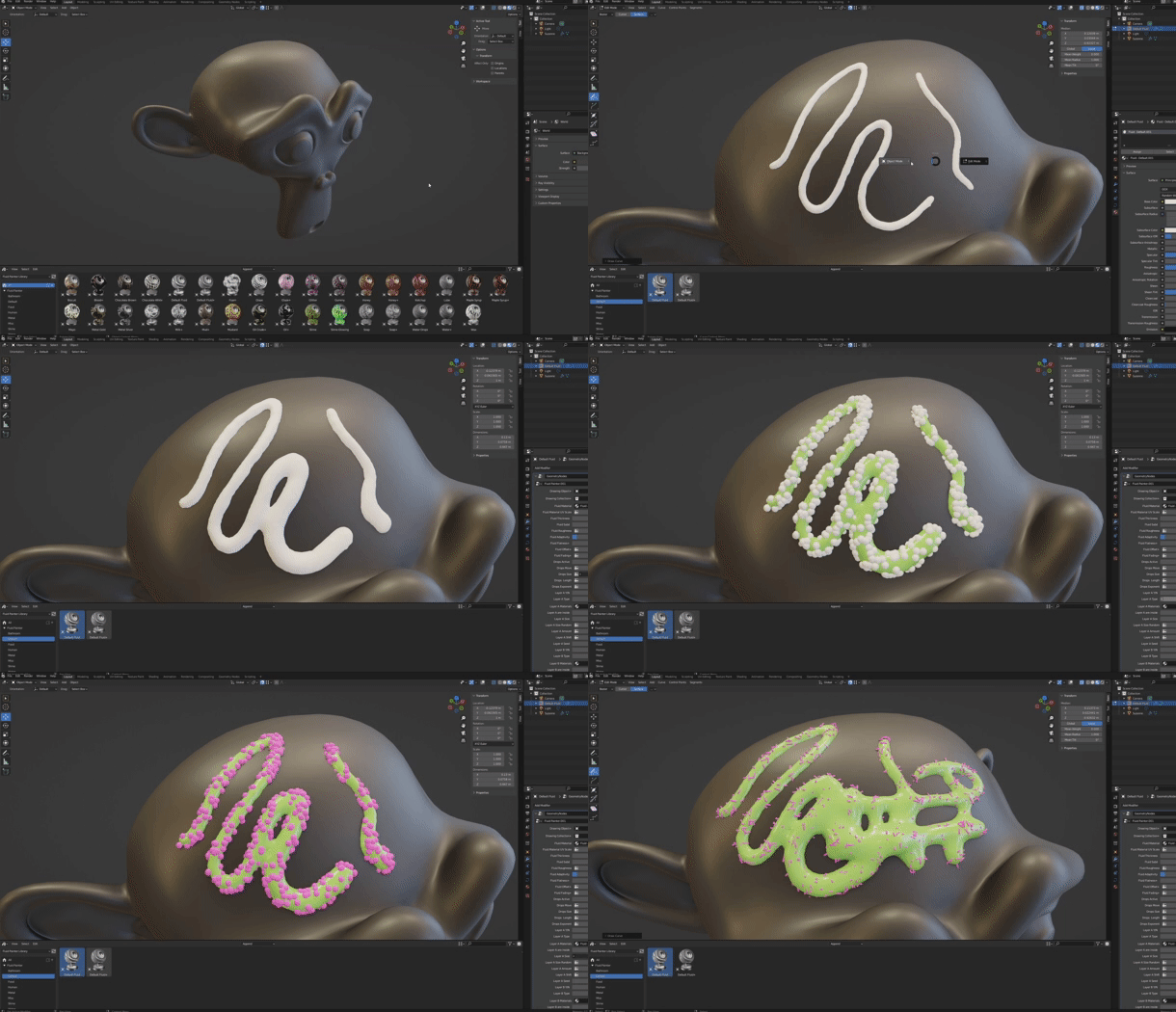
Presets List
- Biscuit
- Blood+
- Chocolate Brown
- Chocolate White
- Default Fluid
- Default Fluid+
- Donut
- Foam
- Glaze
- Glaze+
- Glitter
- Gummy
- Honey
- Honey+
- Ketchup
- Lube
- Maple Syrup
- Maple Syrup+
- Mayo
- Metal Gold
- Metal Silver
- Milk
- Milk+
- Mud+
- Mustard
- Oil Crude+
- Oil
- Slime
- Slime Glowing
- Soap
- Soap+
- Water Drops
- Water Drops Animated
- Water+
- Wax
Supercharge your 3D creation workflow with premium selection of Blender Add-ons. Whether you are modeling intricate characters, sculpting realistic environments, or animating cinematic sequences, the right add-on can transform how you work inside Blender. Our curated collection includes powerful tools for UV unwrapping, procedural texture generation, rigging automation, rendering optimization, and more—each rigorously tested for compatibility with the latest Blender versions. Eliminate tedious manual processes and unlock advanced functionality that lets you focus on what matters most: bringing your creative vision to life. Explore our full range of professional Blender plugins today and take your 3D projects to the next level.
➡️ ➡️ For more Blender Plugins 😀 😀
Reviews
There are no reviews yet.