
formatswap for Blender
formatswap addon
FormatSwap for Blender – Universal 3D File Format Converter
Versions: v2.0.2
File Size: 196 KB
Download FormatSwap for Blender on Windows, Mac, and Linux, a powerful file conversion add-on that imports and exports dozens of 3D file formats not natively supported by Blender. Convert between OBJ, FBX, STL, PLY, 3DS, DAE, GLTF, USD, X3D, and many more with batch processing and advanced options.
Key Features of FormatSwap:
- Universal Format Support: Import and export over 30 3D file formats including OBJ, FBX, STL, PLY, 3DS, DAE, GLTF, USD, ABC, X3D, STEP, and IGES
- Batch Conversion: Convert multiple files between formats with one operation
- Preset System: Save and load conversion settings for different applications
- Geometry Optimization: Clean up meshes during import/export
- Material Preservation: Maintain material assignments when possible
- Unit Conversion: Convert between different unit systems automatically
- Progress Tracking: Real-time progress indicators for large batch conversions
Perfect For:
- Game developers converting assets between formats
- 3D artists importing models from various sources
- CAD professionals converting engineering files
- VFX artists moving assets between software packages
- Anyone working with multiple 3D file formats
System Requirements:
- Blender 3.6, 4.0, 4.1, 4.2, 4.3
- Windows 10/11 (64-bit), macOS, or Linux
- 4GB RAM minimum (8GB+ recommended)
- 25MB available disk space
Installation:
- Download the add-on zip file
- In Blender, go to Edit > Preferences > Add-ons
- Click “Install” and select the downloaded zip file
- Enable the add-on by checking the box next to “FormatSwap”
Note: FormatSwap dramatically expands Blender’s file format compatibility, supporting over 30 3D formats for import and export with batch conversion and geometry optimization. Designed for Blender 3.6 and above.
FormatSwap V2
Faster, Better, Powerful
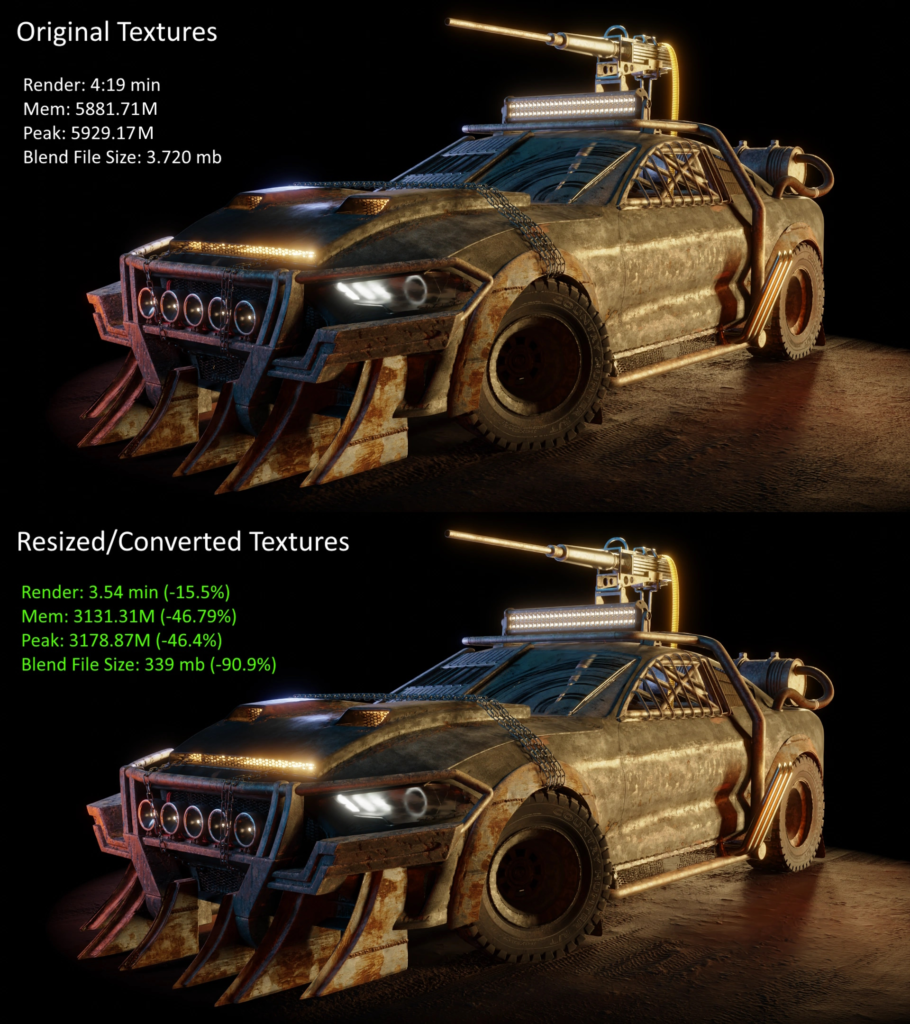
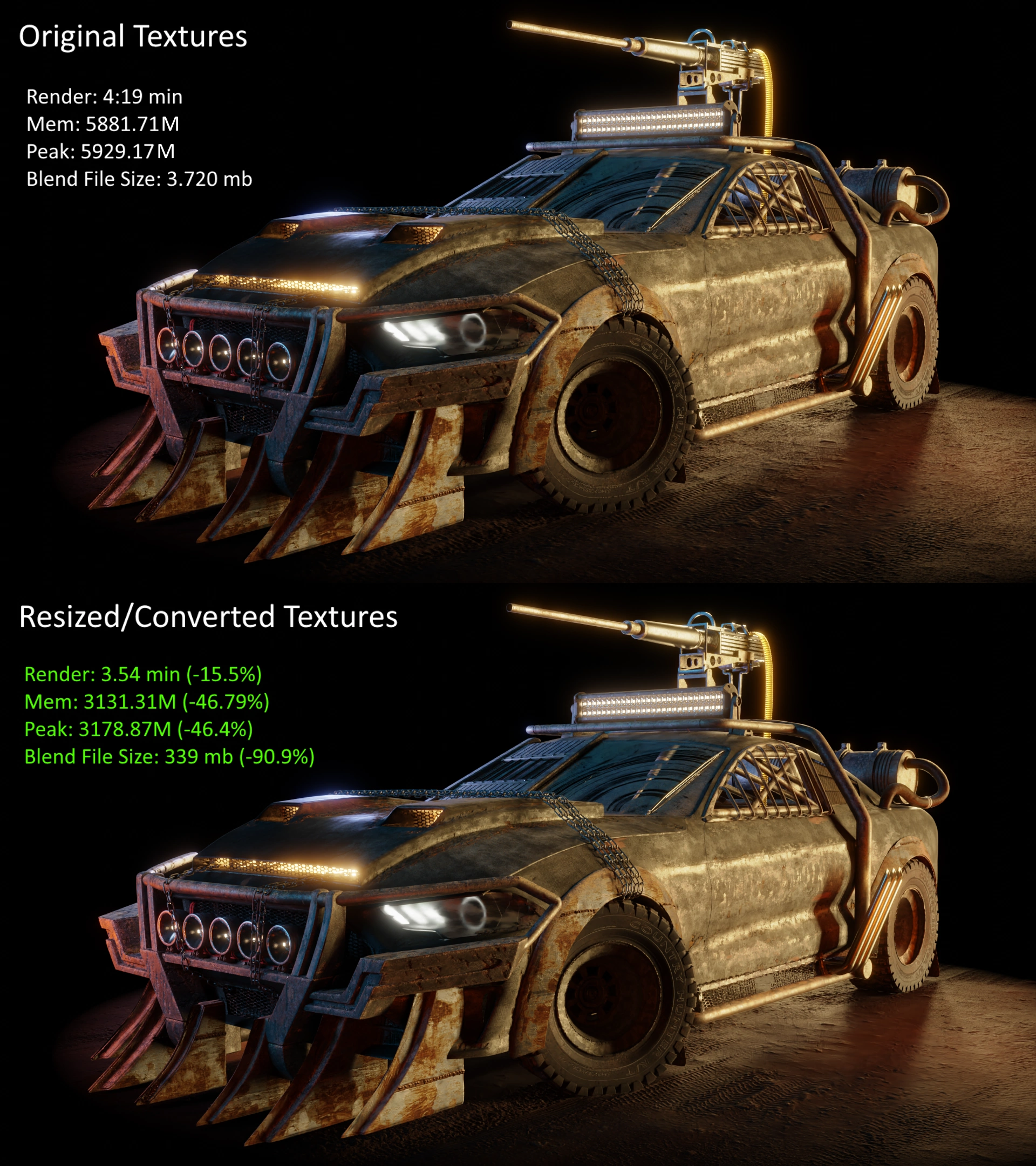
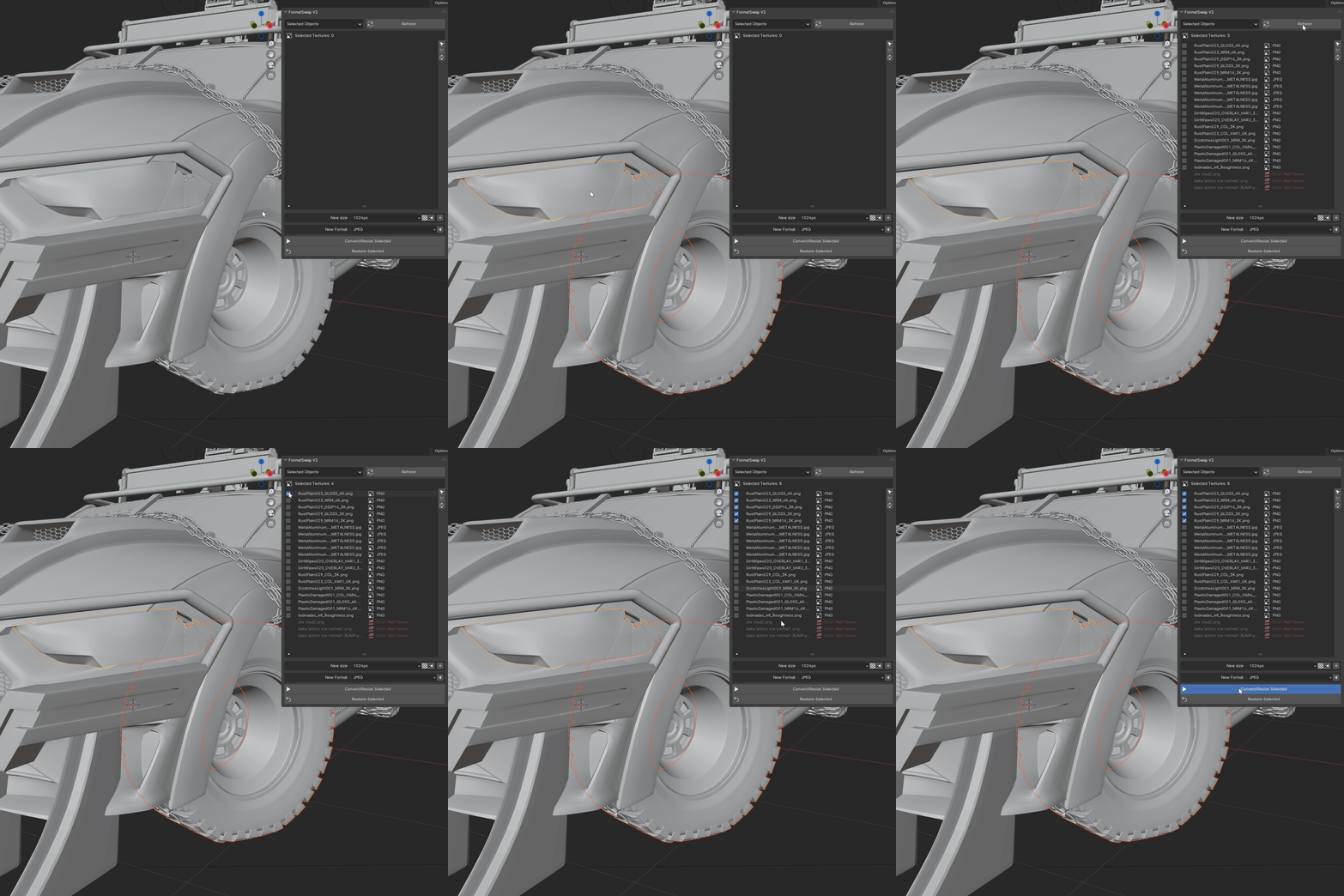
FormatSwap is a complete image converter/resizing tool. With just a few clicks, you can convert and resize images for individual objects or entire scenes. This not only reduces the blend file size but also cuts down on render time.
Why would you need to convert or resize textures? Check this page to learn more.
Features
- Resize and convert to any image format supported by blender
- Batch Resizing (Resize into multiple sizes at the same time)
- Auto Replace textures system
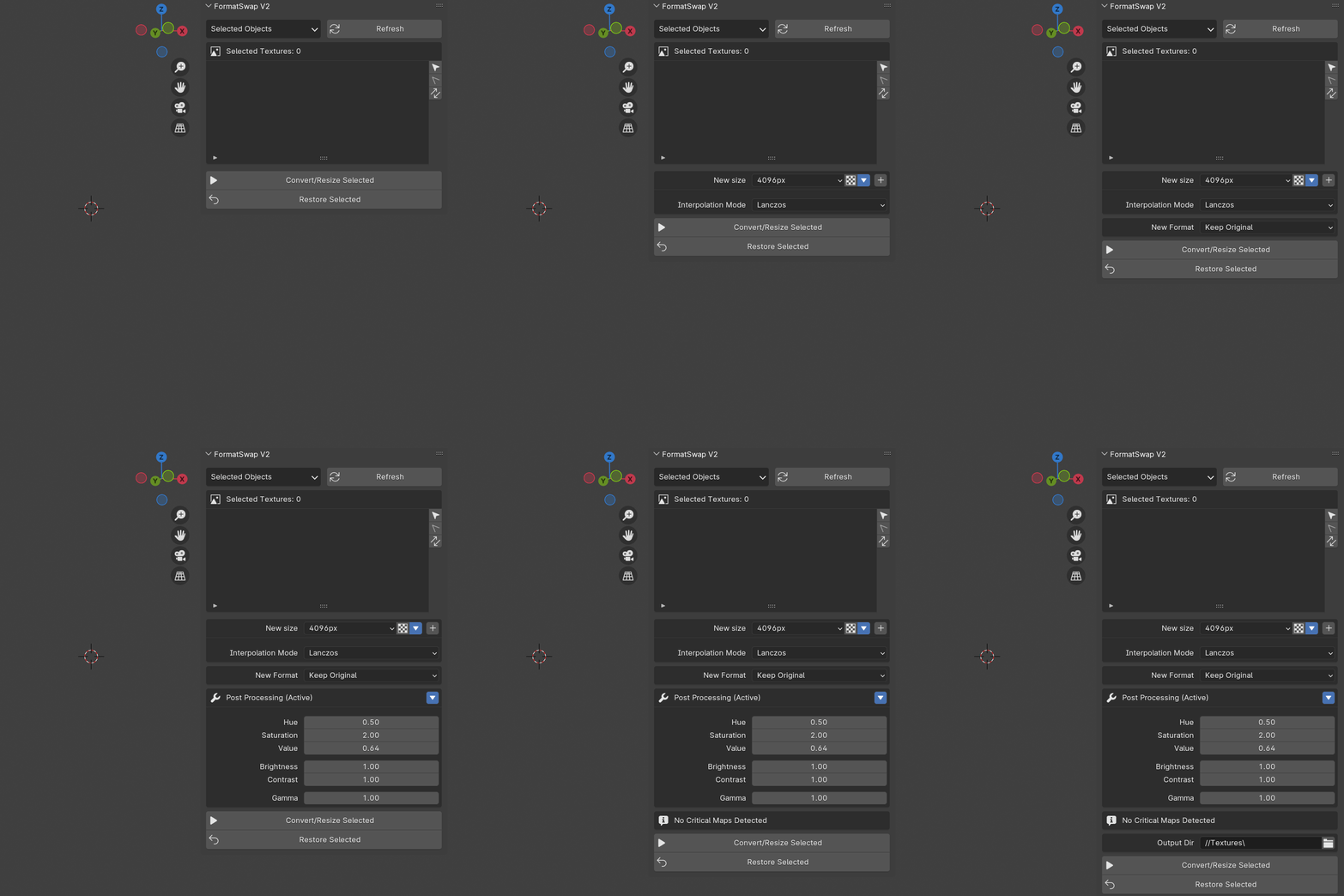
- Post Processing
- Restore Original Textures
- PBR Friendly
What is new in V2?
- Light Speed Performance (Up to 25x Faster)
- Industry standard resizing quality
- Cleaner and more intuitive UI
- New filtering system
- Packed textures support
- Brand new documentation page
Image Conversion and Resizing
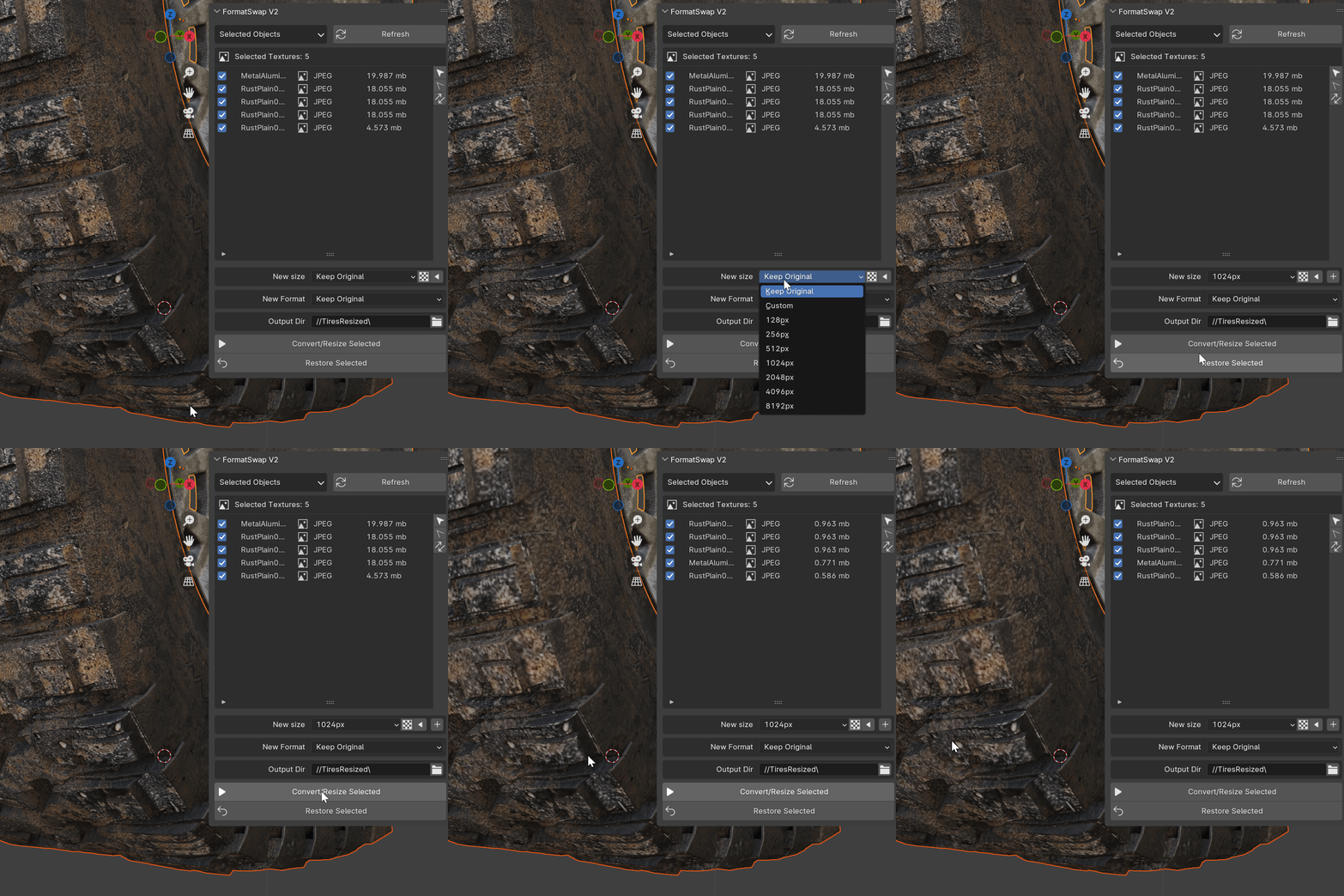
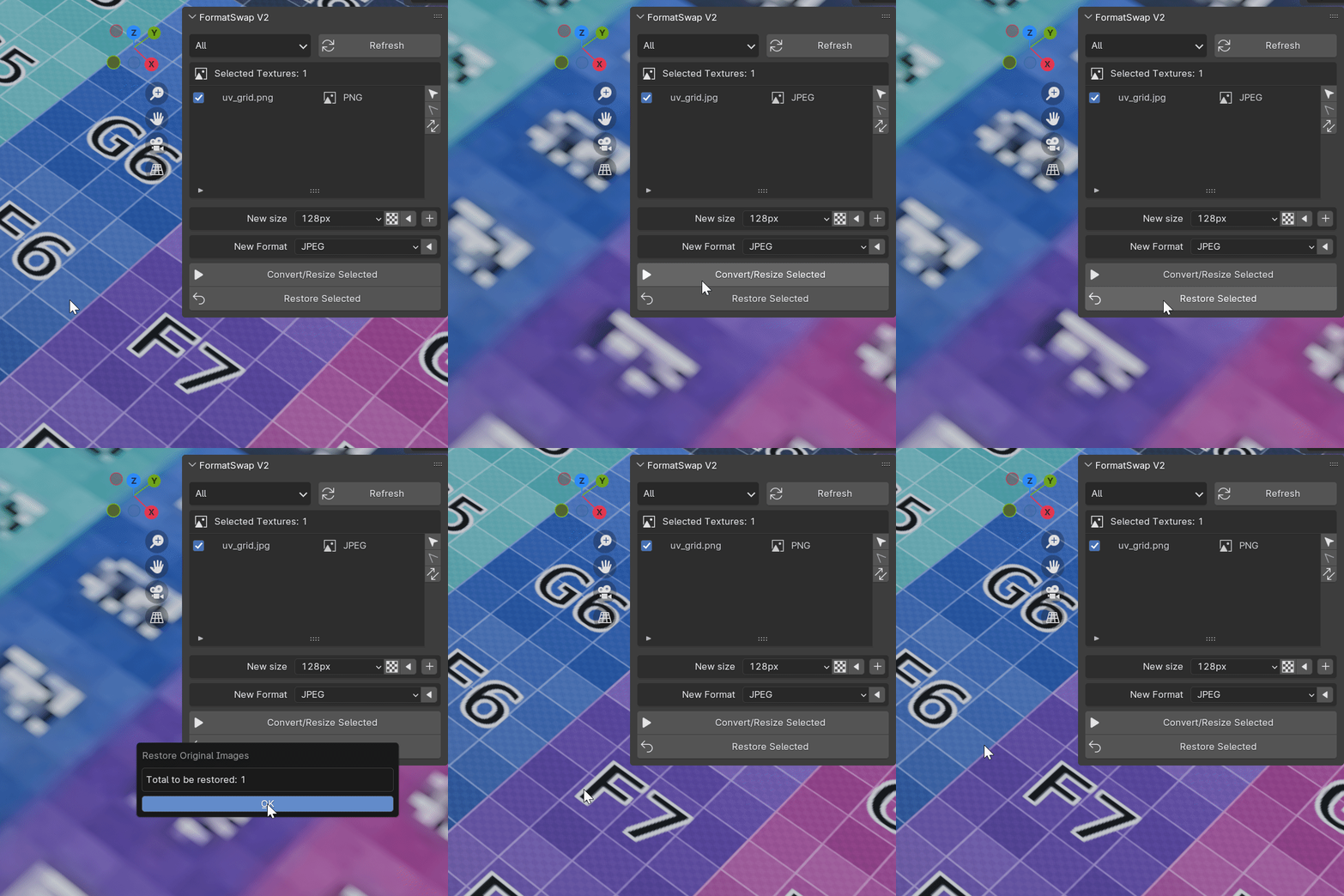
Never open another external software to convert or resize images. Formatswap supports all image formats that can be loaded in blender. And after processing them, the add-on will automatically replace the images in your scene.
Advanced Filtering
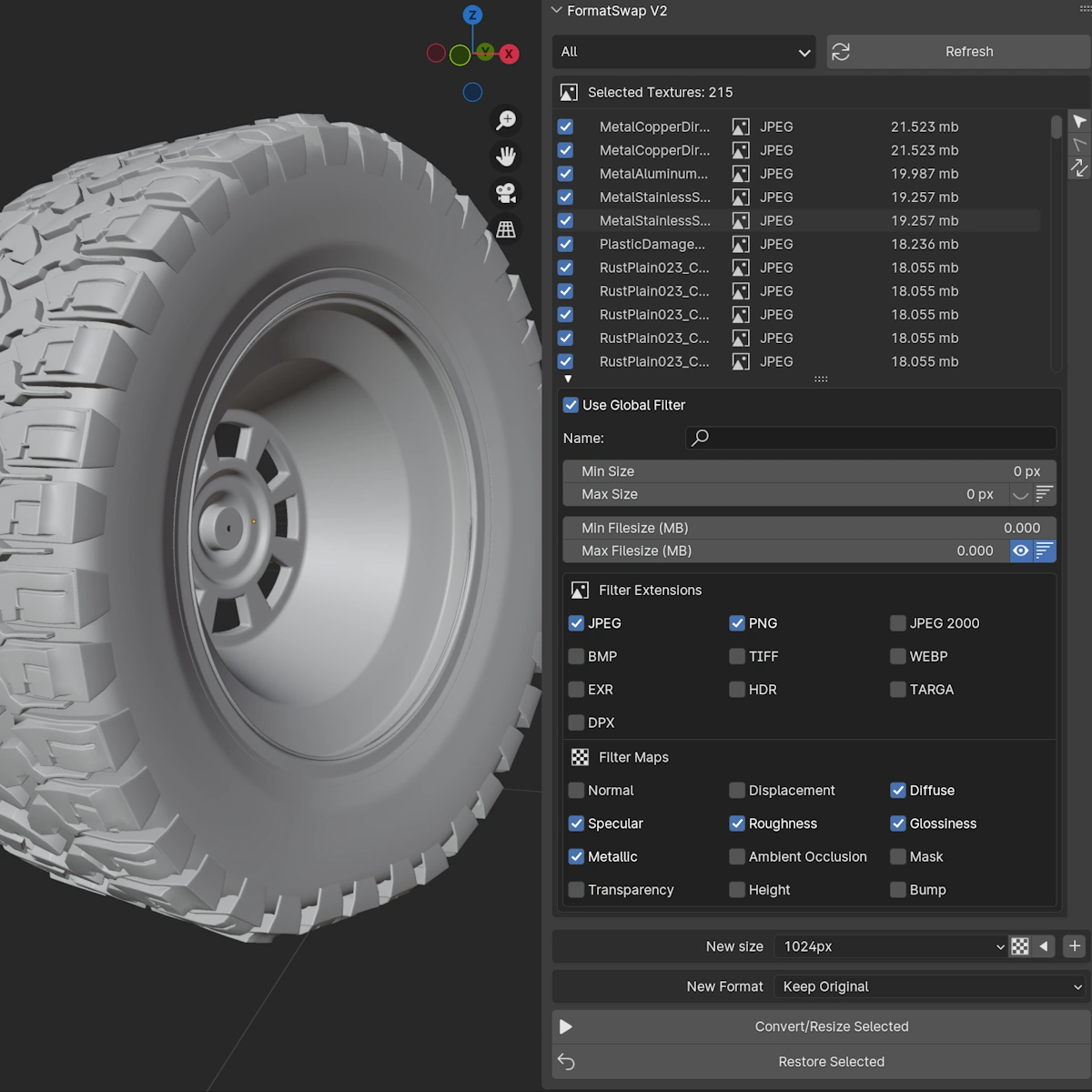
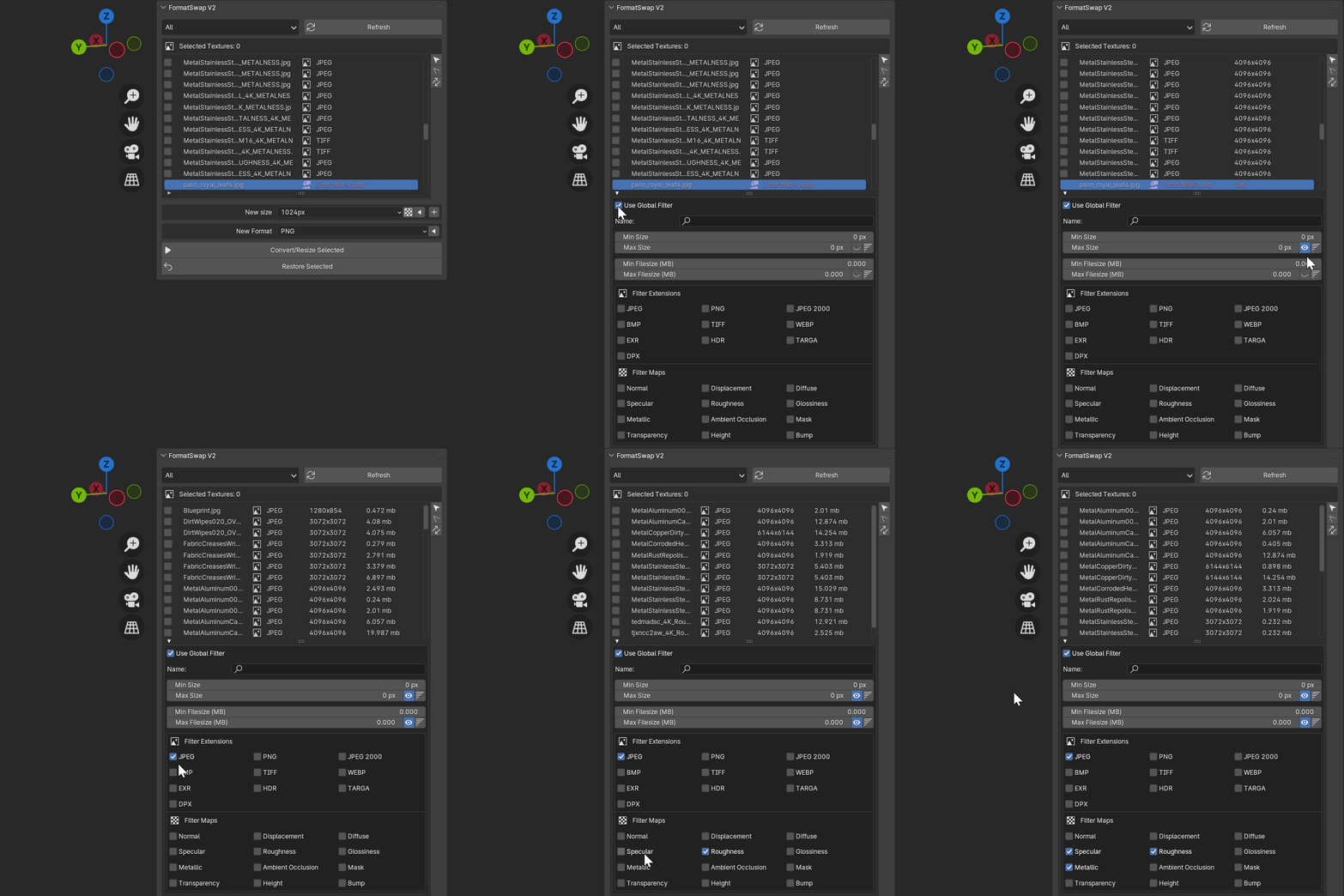
“With our updated filtering system, you’ll have precise control over the images you convert or resize. Easily filter by image dimensions, file size, format, and even PBR map type.”
PBR Friendly
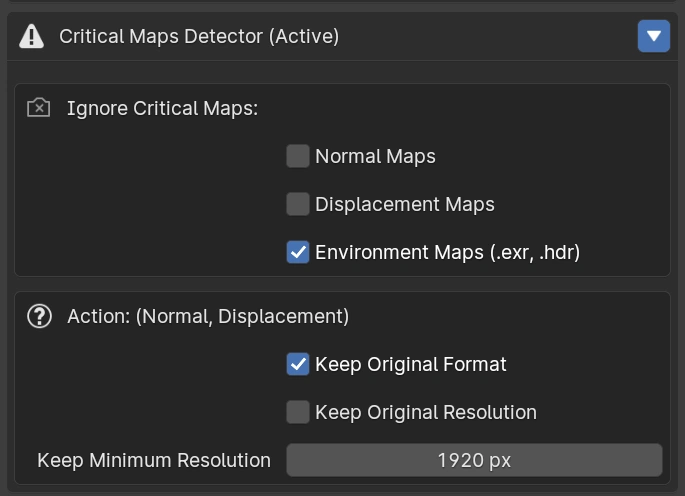
Imaging be able to resizing/convert all images in your scene with one click, without worrying about the loss of quality in environment, normal and displacement maps, I’m sure you don’t want these maps to be converted to .JPG.
With formatswap, you chose how to deal with them, and the add-on will do the rest for you.
Did you mess up? easily restore your original textures
With just one click, restore all original images, simple like that. Any converted or resized image can be restored.
Post Processing
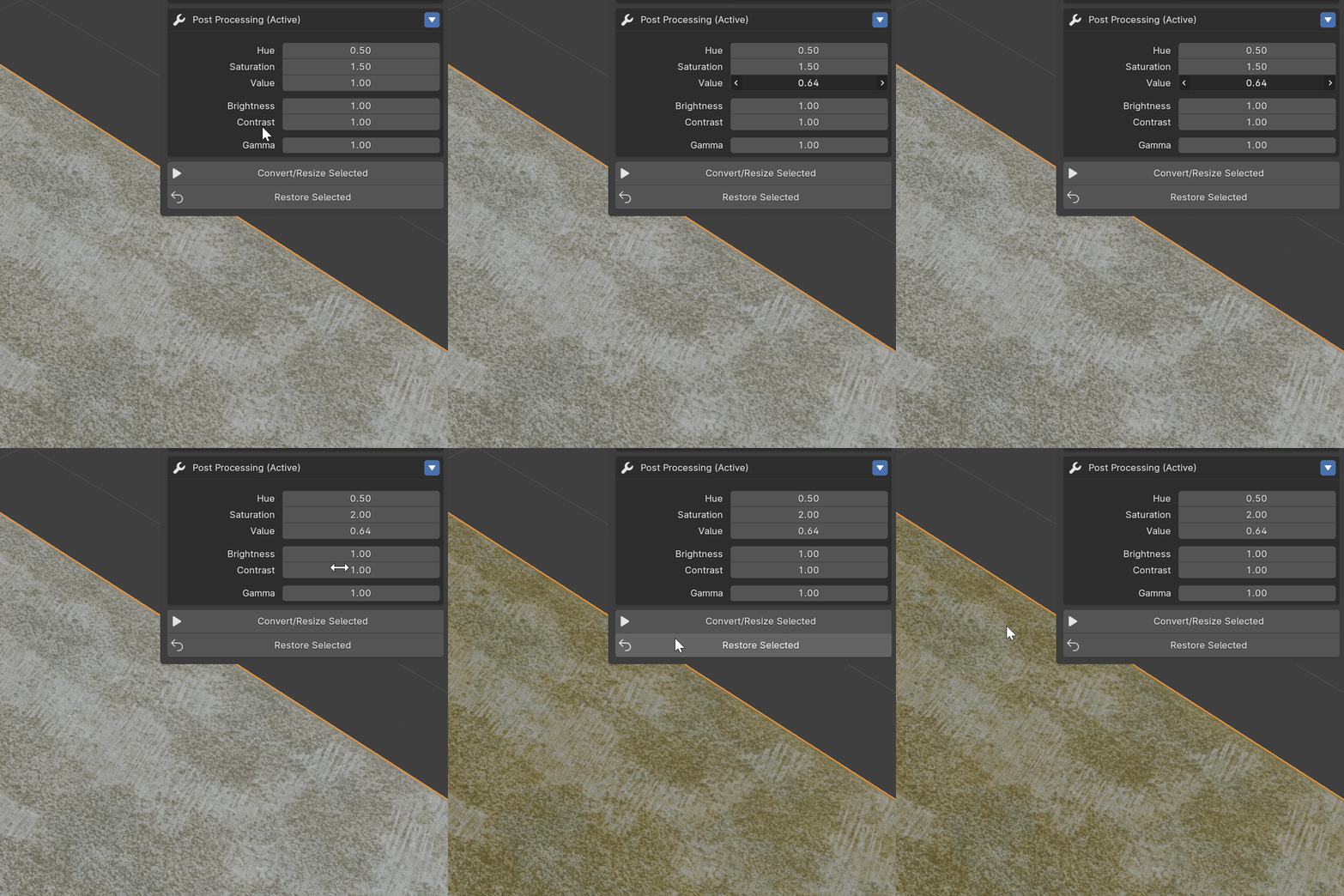
Need a quick post processing on your images? Formatswap got you covered, with a few clicks you can apply a quick post processing to your images.
Batch Resizing
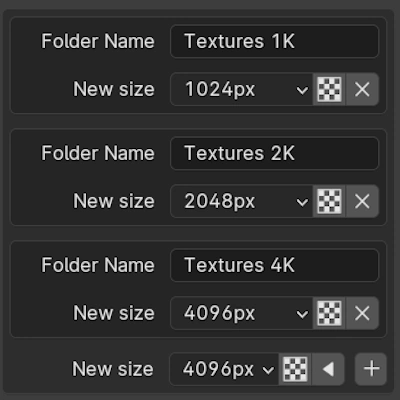
This is specially useful if you work selling 3D models, which usually is a good idea to provide the model with multiple texture sizes, so the user can choose the best size for his project.
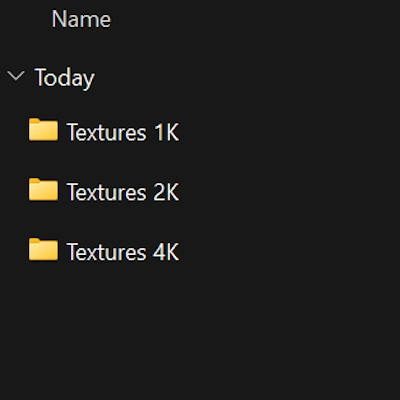
Formatswap will resize your images for each size you want, and will save them in a different folder, automatically.
New UI: See only what you need
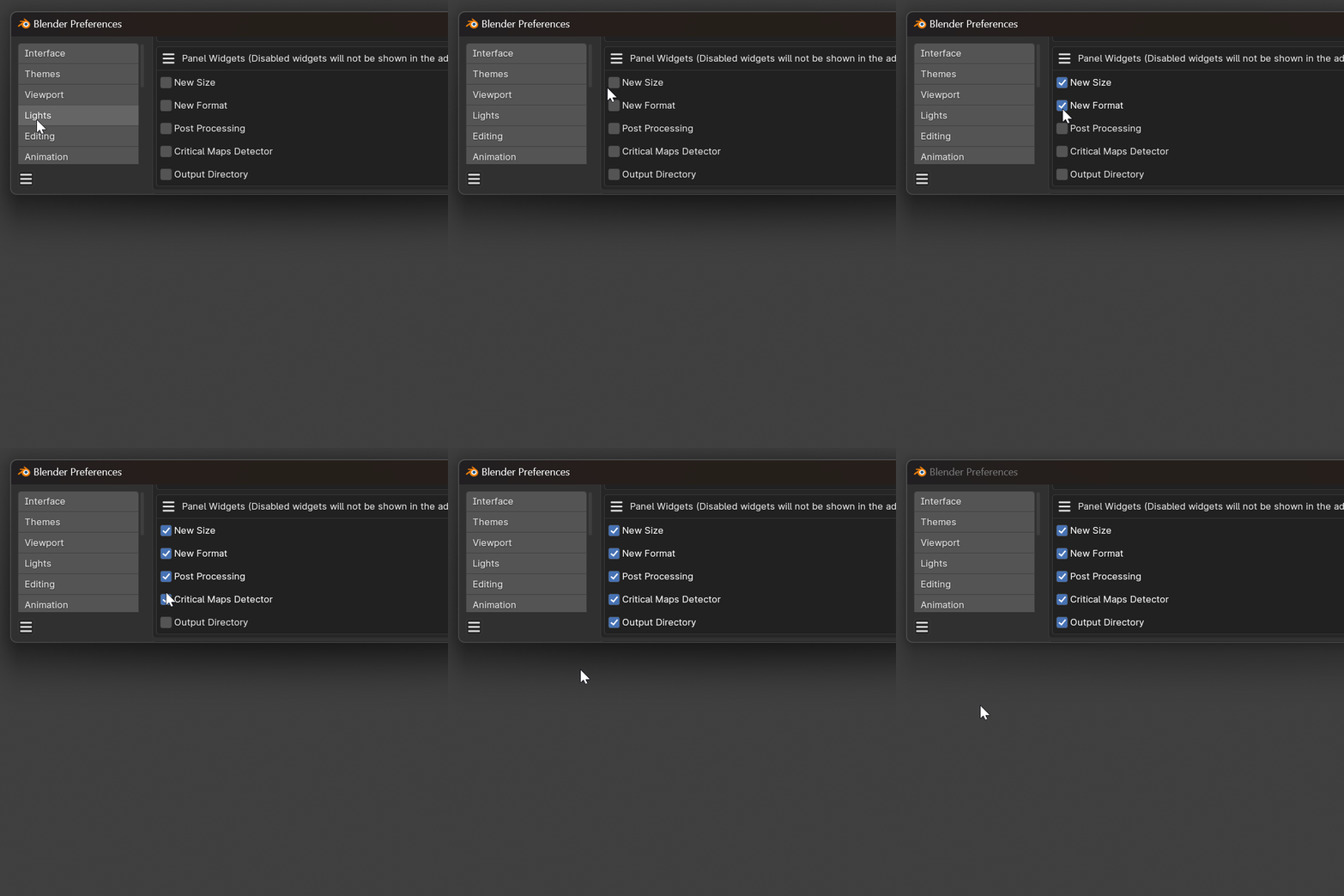
One of the big problems with the old version was the amount of features that you may not need, and the cluttered UI. The UI was completely redesigned, and now you can choose which features you want to to enable or disable.
Supercharge your 3D creation workflow with premium selection of Blender Add-ons. Whether you are modeling intricate characters, sculpting realistic environments, or animating cinematic sequences, the right add-on can transform how you work inside Blender. Our curated collection includes powerful tools for UV unwrapping, procedural texture generation, rigging automation, rendering optimization, and more—each rigorously tested for compatibility with the latest Blender versions. Eliminate tedious manual processes and unlock advanced functionality that lets you focus on what matters most: bringing your creative vision to life. Explore our full range of professional Blender plugins today and take your 3D projects to the next level.
➡️ ➡️ For more Blender Plugins 😀 😀
Reviews
There are no reviews yet.