
Game Asset Creation Toolset for Blender
Game Asset Creation Toolset for Blender – The Ultimate All-in-One Pipeline for Real-Time Art
Versions: v2025.2.1
File Size: 35 KBK
Download the Game Asset Creation Toolset for Blender on Windows and Mac, a comprehensive suite of specialized tools designed to bridge the gap between high-poly sculpting and game-ready low-poly production. By consolidating retopology aids, UV packing, baking utilities, LOD generation, and engine export presets into a single streamlined interface, this toolset transforms how indie developers and studio artists create assets, eliminating the need to juggle multiple disconnected addons or manual workflows for Unity, Unreal Engine, and Godot.
Key Features:
- Smart Retopology Suite:
- PolyDraw: Draw new topology directly over high-poly sculpts with automatic snapping to surface details.
- Quad Remesh Helper: Generate clean base meshes from organic sculpts with adjustable flow and density controls.
- Auto-Unwrap: Instantly generate non-overlapping UVs optimized for texture space usage.
- Advanced Baking Station:
- One-Click Multi-Map Bake: Simultaneously bake Normal, AO, Curvature, Position, Thickness, and ID maps with a single button.
- Smart Cage Generation: Automatically creates and adjusts explosion cages to prevent raycasting errors and black artifacts.
- Dilation & Anti-Aliasing: Built-in post-processing for baked textures to ensure crisp edges and seamless tiling.
- UV Packing & Optimization:
- Efficient Packer: Arranges UV islands with minimal wasted space, supporting multiple UDIMs and custom padding.
- Texel Density Checker: Visualize and equalize texture resolution across all assets in a scene to maintain consistent quality.
- Overlap Detector: Instantly highlights and fixes overlapping UVs before baking or export.
- LOD (Level of Detail) Generator:
- Automated Decimation: Create LOD0 through LOD5 meshes with configurable triangle reduction ratios.
- Normal Transfer: Automatically bakes high-res details from LOD0 to lower LODs to preserve visual fidelity at distance.
- Collision Mesh Creator: Generates simplified convex hulls named correctly for automatic recognition in Unity (
UBX_) and Unreal (UCX_).
- Engine-Specific Export Pipeline:
- Presets for Major Engines: Pre-configured export settings for Unity (FBX), Unreal Engine (FBX/USD), and Godot (glTF).
- Axis & Scale Correction: Automatically handles coordinate system conversions (Y-up vs. Z-up) and unit scaling.
- Animation Baking: Smartly bakes bone transforms and NLA strips for clean import into game engines.
- Material & Texture Prep:
- PBR Setup: Auto-generates Principled BSDF shaders connected to baked maps with correct color spaces.
- Texture Atlas Builder: Combines multiple materials into a single atlas for draw-call reduction.
- Batch Processing:
- Process entire folders of assets—retopologize, UV unwrap, bake, generate LODs, and export—overnight with zero manual intervention.
Perfect For:
- Indie Game Developers needing a fast, reliable pipeline to get assets from concept to engine.
- Environment Artists creating modular kits with consistent LODs, collisions, and UVs.
- Character Artists optimizing high-poly sculpts for real-time performance without losing detail.
- Technical Artists standardizing asset pipelines across teams with automated checks and exports.
- Freelancers looking to reduce turnaround time on game asset commissions.
- Beginners transitioning from rendering to real-time who need guidance on optimization standards.
System Requirements:
- Blender: 3.6, 4.0, 4.1, 4.2, 4.3+ (Latest LTS recommended).
- OS: Windows 10/11 (64-bit), macOS 10.15+, or Linux.
- RAM: 8GB minimum (16GB+ recommended for high-poly baking and LOD generation).
- GPU: CUDA/OptiX or HIP support recommended for accelerated baking.
Installation:
- Download the Game Asset Creation Toolset
.zipfile. - Open Blender and go to Edit > Preferences > Add-ons.
- Click Install…, select the downloaded file, and enable the checkbox next to Pipeline: Game Asset Toolset.
- Access via the dedicated Game Asset tab in the 3D Viewport Sidebar (N-panel) or the top menu bar.
Note:
This toolset is designed as a modular pipeline: you can use individual tools (like just the UV Packer or just the Baker) or run the full “One-Click Game Ready” workflow that processes an asset from high-poly sculpt to engine-importable file automatically. It includes a “Validation Report” feature that scans your asset against common engine requirements (triangle count, texture size, naming conventions) and highlights issues before export, saving hours of debugging in Unity or Unreal. Whether you are making a AAA prototype or a mobile game, this toolset ensures your assets are optimized, clean, and ready for real-time rendering.
ACT is Many Tools for Game Asset Creation (Batch Export FBXs/GLTF for Unity/UE/Godot, Origin Aligment Tool, Renaming, UV Tools, Low-Poly Art workflow tools, etc.) for Blender.
ACT contains next tools:
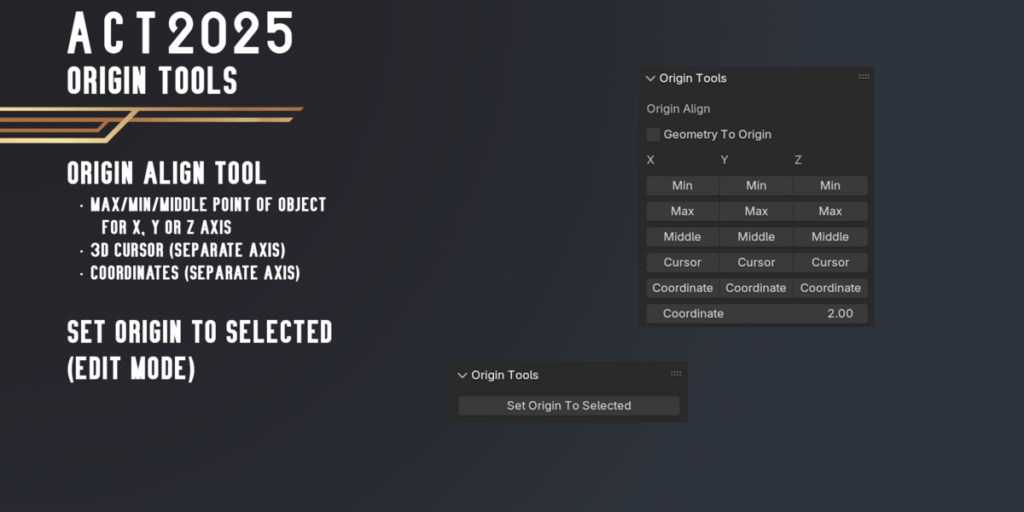
Origin Tools
- Align Origin To Max/Min/Middle point of object for X, Y or Z axis
- Align Origin To 3D Cursor(Separate Axis) or Selection (In Edit Mode)
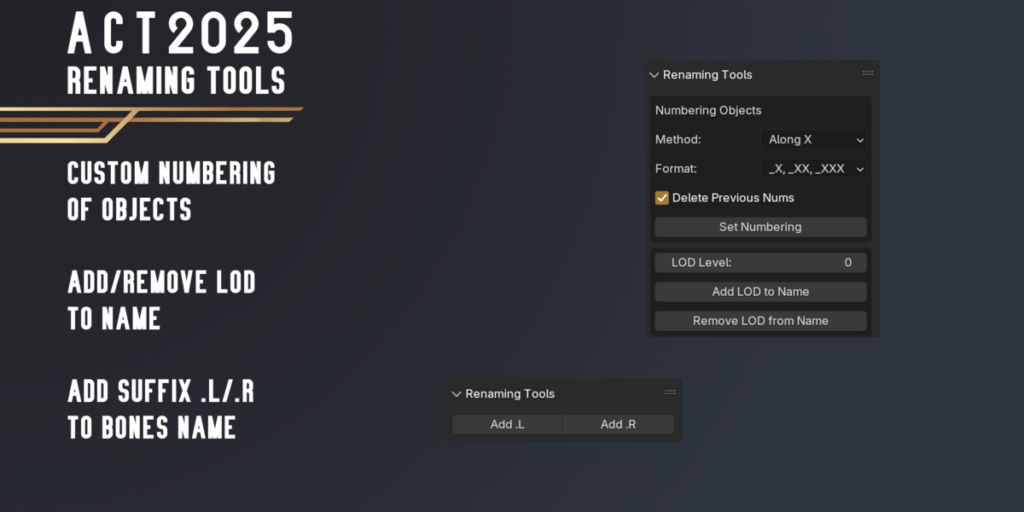
Renaming Tools
- Custom Objects Numbering by Axis/Outliner order
- Add/Remove LOD to Name
- Add .L or .R suffix to Bones
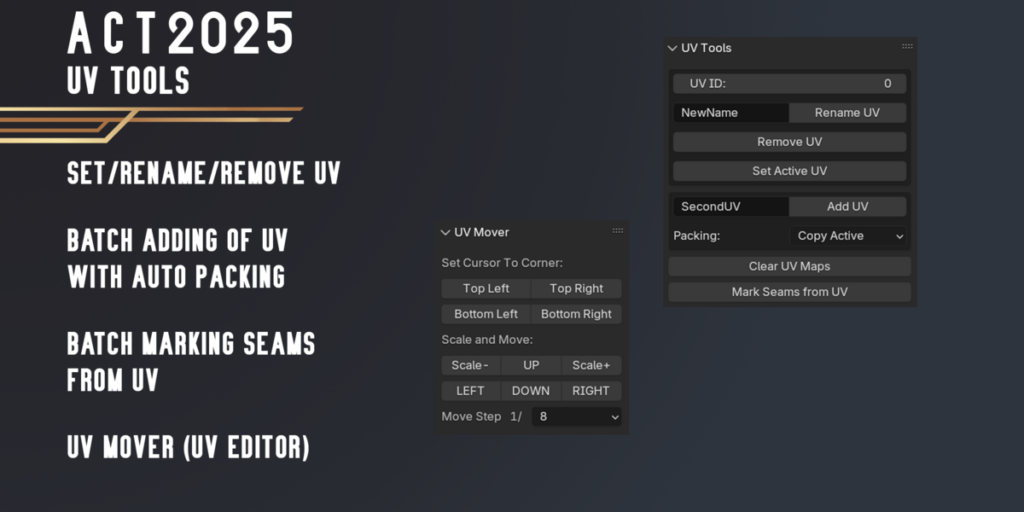
UV Tools
- Batch Renaming UV by Index (example, Lightmap – second uv channel)
- Batch Add UV with custom name (copy UV from active, smart projection or lightmap uv)
- Batch Remove UV by Index
- BatchAssign Seams from UV
- Set Active UV Layer for Selected Objects in 3D View and Image/UV Editor by UV Index
- Tool for easier Atlas Packing (Scale and Move UV with Steps)
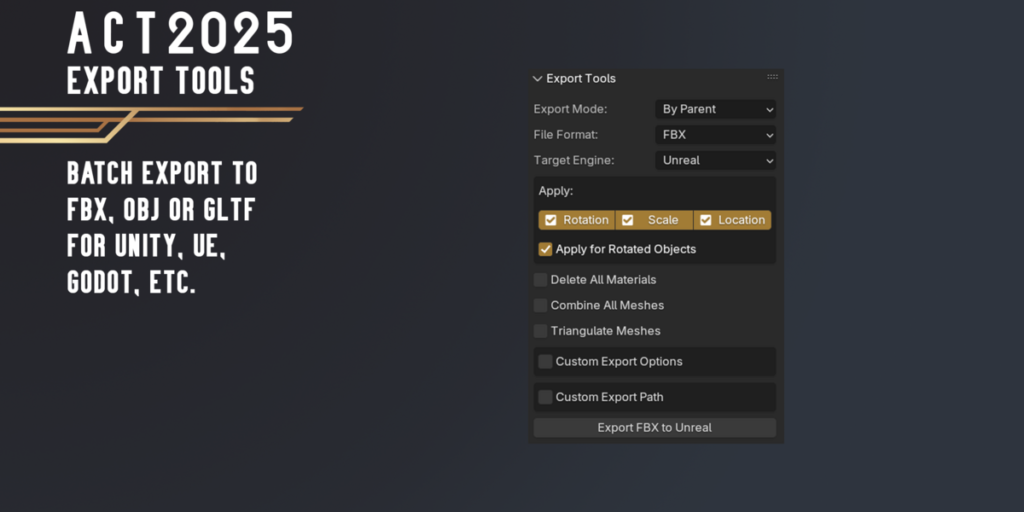
Export Tools
Batch Export Selected Objects for Unity, UE or Godot. Available some modes:
- Export All Selected Object into One file
- Export Each Object into Individual file
- Batch Objects by Parent
- Batch Objects by Collection
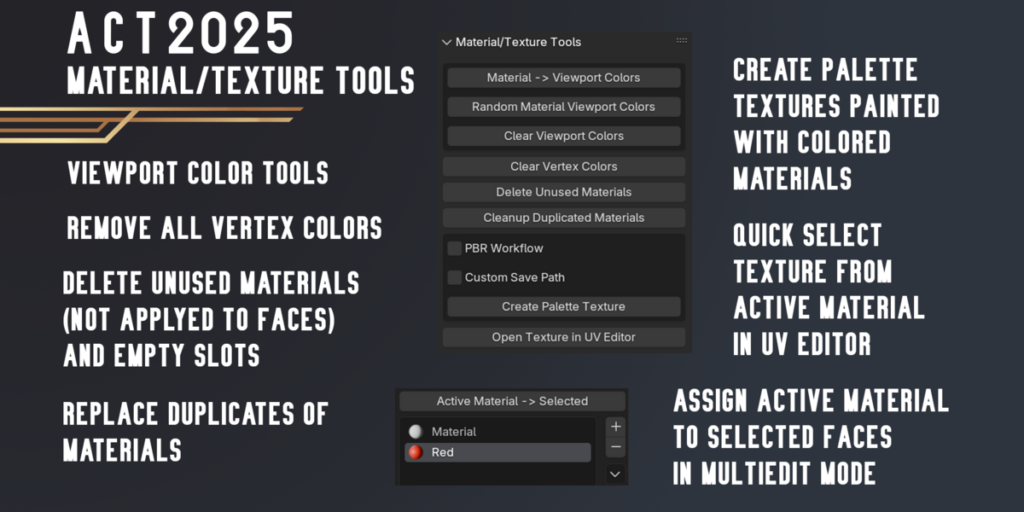
Material/Texture Tools
- Material -> Viewport Colors
- Random Material Viewport Colors
- Clear Viewport Colors
- Clear Vertex Colors
- Delete Unused Materials from Objects
- Cleanup Duplicated Materials
- Create Palette Texture (from colorful materials. For Low-Poly Art or Cartoon Pipeline)
- Open Texture from selelcted material in UV Editor (Object/Edit/UV Editor Mode)
- Assign Active Material To Selected Faces (in MultiEdit Mode)
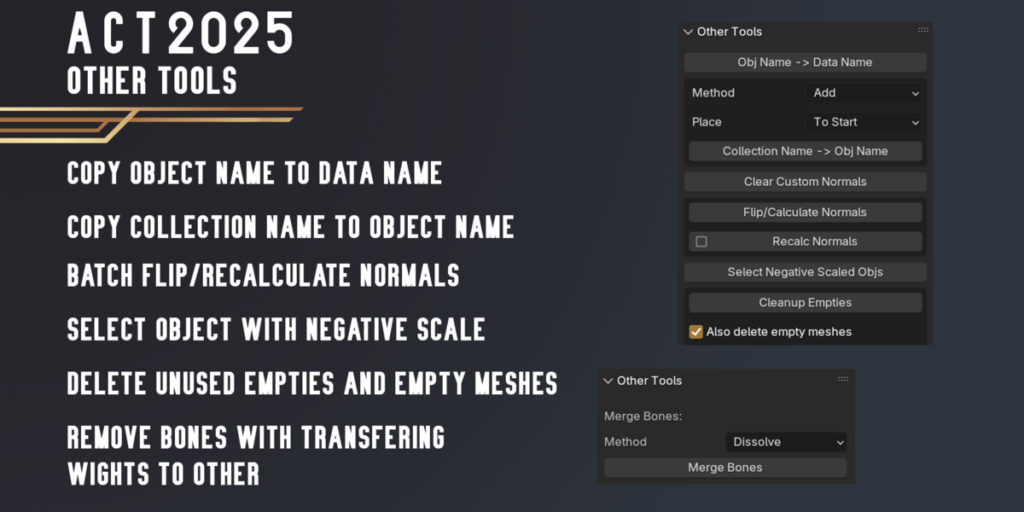
Other Tools
- Obj Name -> Data Name
- Collection Name -> Obj Name
- Clear Custom Normals
- Flip/Calculate Normals
- Select Objects with Negative Scale
- Cleanup Empties
- Merge Bones (Armature Edit Mode)
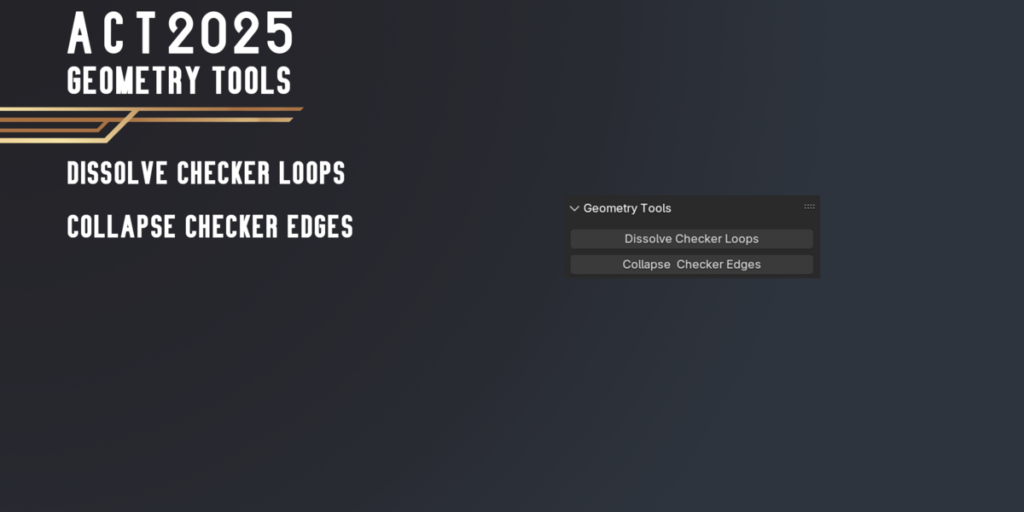
Geometry Tools
- Dissolve Checker Loops
- Collapse Checker Edges
Supercharge your 3D creation workflow with premium selection of Blender Add-ons. Whether you are modeling intricate characters, sculpting realistic environments, or animating cinematic sequences, the right add-on can transform how you work inside Blender. Our curated collection includes powerful tools for UV unwrapping, procedural texture generation, rigging automation, rendering optimization, and more—each rigorously tested for compatibility with the latest Blender versions. Eliminate tedious manual processes and unlock advanced functionality that lets you focus on what matters most: bringing your creative vision to life. Explore our full range of professional Blender plugins today and take your 3D projects to the next level.
➡️ ➡️ For more Blender Plugins 😀 😀
Reviews
There are no reviews yet.