
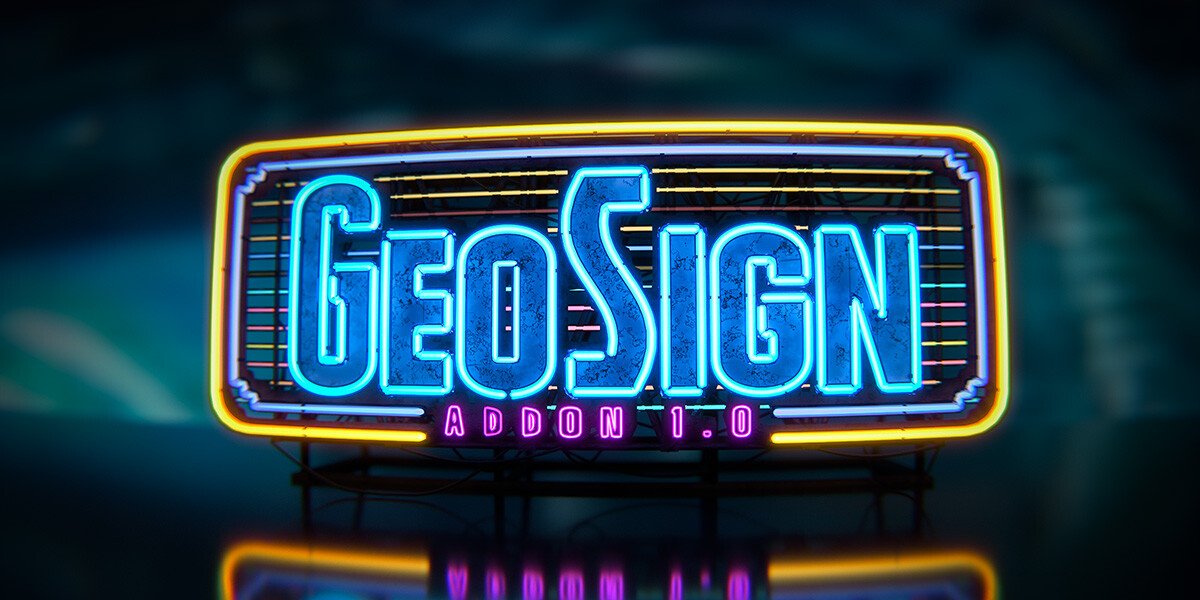
Geo Sign for Blender
Geo Sign v1.1.0 for Blender – The Ultimate Procedural Signage & Text Extrusion Tool
Versions: v1.1.0
File Size: 18 MB
Download Geo Sign v1.1.0 for Blender on Windows and Mac, a specialized Geometry Nodes-based addon designed to instantly generate realistic 3D signage, neon tubes, lightboxes, and architectural lettering. By automating the complex process of text extrusion, beveling, backing plate generation, and material assignment, Geo Sign transforms how artists create environmental details for cities, shops, and sci-fi interfaces, eliminating the need for manual mesh modeling or fragile boolean operations to achieve professional-grade signs.
Key Features of Geo Sign v1.1.0:
- Instant Text-to-3D Conversion: Type any text string and immediately generate a fully realized 3D sign with customizable depth, bevels, and corner rounding, all driven by non-destructive Geometry Nodes.
- Smart Backing Plates: Automatically generates mounting boards (metal, wood, plastic) behind the text with adjustable margins, thickness, and hole patterns for screws/bolts, ready for physical fabrication or realistic rendering.
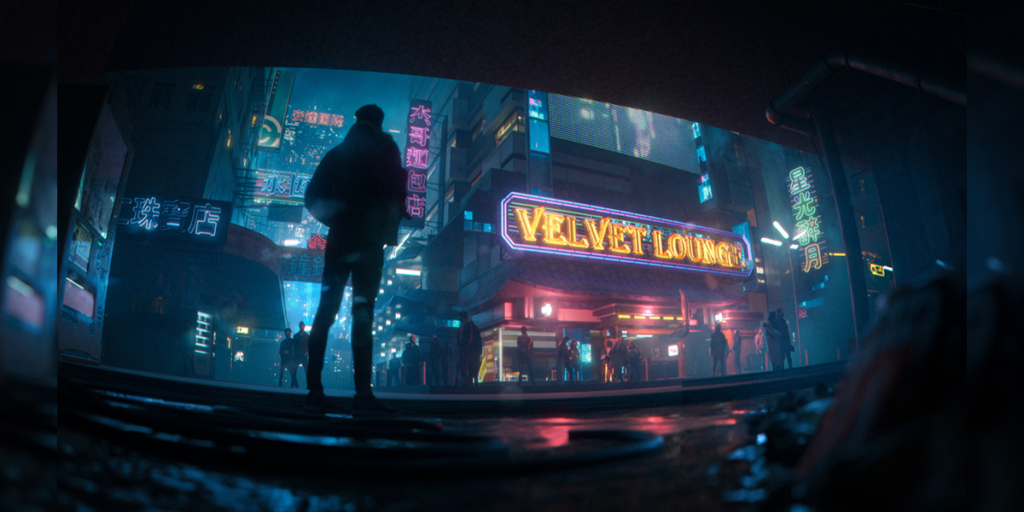
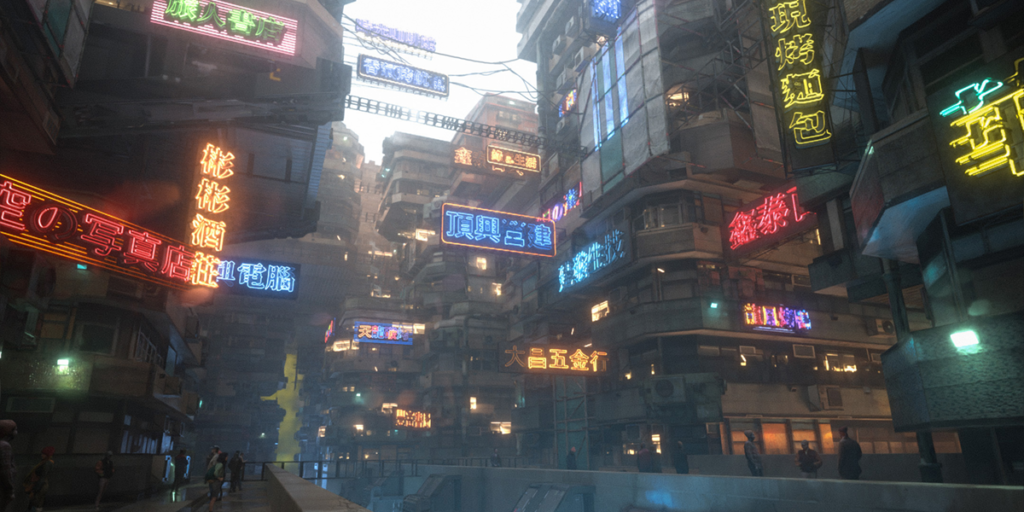
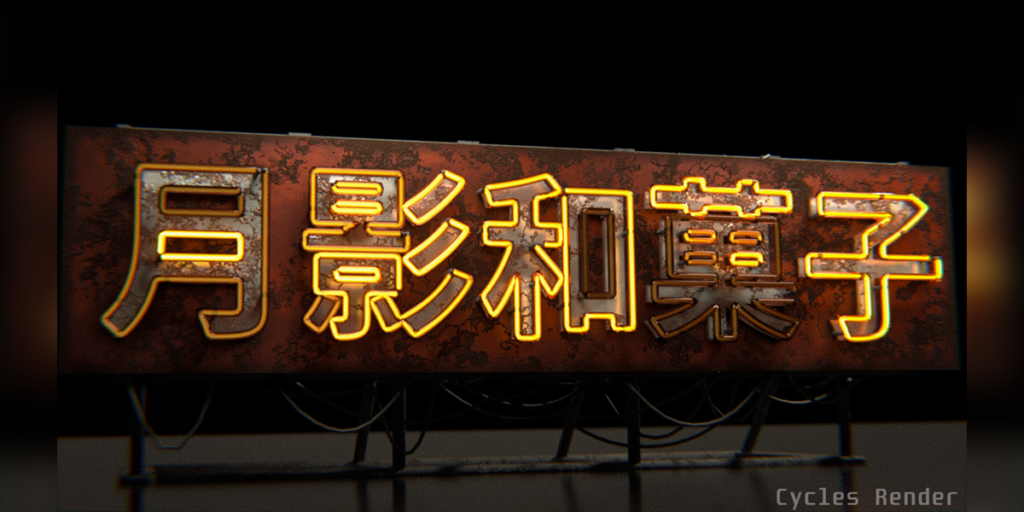
- Neon & Tube Light Modes: Specialized preset to convert text strokes into hollow glass tubes with internal emissive cores, perfect for creating glowing neon signs, cyberpunk aesthetics, or retro diner decor.
- Material Slot Automation: Automatically assigns distinct material slots for Face, Sides, Backing, Hardware (Screws), and Emission, streamlining the texturing workflow for complex multi-material signs.
- Font & Style Library: Includes quick-access controls for font weight, slant, and spacing, plus presets for common sign styles (Corporate Sans, Retro Script, Industrial Stencil).
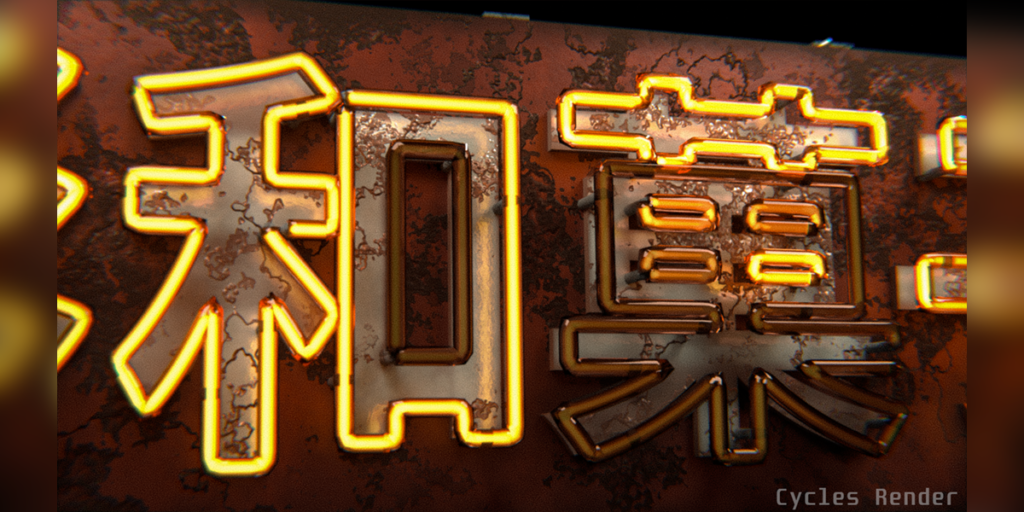
- Procedural Damage & Wear: Built-in noise drivers to add realistic imperfections like chipped paint, rust spots, flickering bulbs, or bent letters, adding instant storytelling and age to your assets.
- Mounting Hardware Generator: Optionally adds realistic screw heads, standoffs, or hanging chains to the backing plate, scaled correctly to the sign size.
- Curved Surface Adaptation: Projects signs onto curved surfaces (cylinders, spheres) while maintaining legible text geometry and consistent extrusion depth relative to the surface normal.
- Animation Ready: Parameters for flicker intensity, color shift, and “power on” sequences are keyframe-ready, allowing for dynamic animated signage without manual shader node tweaking.
- Optimized Topology: Generates clean, quad-dominant geometry optimized for subdivision surfaces and game engine export, avoiding ngons in critical visible areas.
Perfect For:
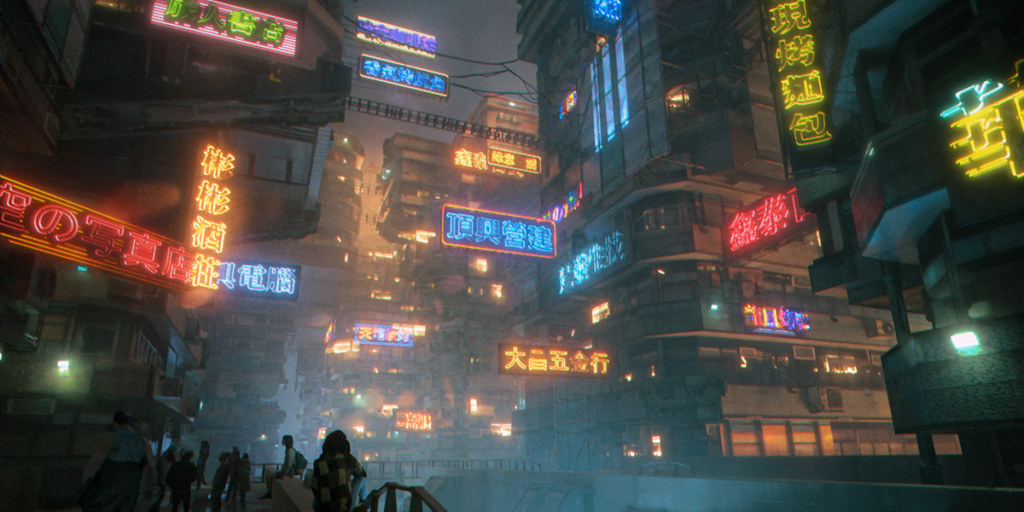
- Environment Artists populating city streets, shopping malls, and sci-fi corridors with diverse, readable signage.
- Architectural Visualizers adding realistic branding, room numbers, and safety signs to building interiors and facades.
- Game Developers creating modular sign assets with low-poly options and baked emission maps for real-time engines.
- Motion Designers animating logo reveals, title cards, and neon text effects for broadcast and social media.
- Product Designers prototyping packaging labels, device branding, and industrial nameplates.
- Anyone who needs high-quality 3D text signs faster than modeling them manually but with more control than standard Font objects.
System Requirements:
- Blender: 3.6, 4.0, 4.1, 4.2, 4.3+ (Geometry Nodes required).
- OS: Windows 10/11 (64-bit) or macOS 10.15+.
- RAM: 8GB minimum (16GB+ recommended for scenes with hundreds of procedural signs).
- Render Engine: Compatible with Cycles and Eevee (Bloom recommended for neon effects).
Installation:
- Download the Geo Sign v1.1.0
.zipfile or.blendasset library. - If an addon: Go to Edit > Preferences > Add-ons, click Install, select the file, and enable Geometry Nodes: Geo Sign.
- If an asset library: Add the folder to Blender’s Asset Browser preferences, then drag-and-drop sign presets directly into your scene.
- Access via the Add Menu > Curve/Text > Geo Sign or the dedicated panel in the 3D Viewport Sidebar (N-panel) under the Signage tab.
What’s New in v1.1.0?
- Neon Glass Thickness Control: New slider to adjust the wall thickness of neon tubes independently from the glow radius, allowing for more realistic refraction in Cycles.
- Screw Variety: Added three new screw head types (Phillips, Flathead, Hex) with randomization options for a more natural, less “CG-perfect” look.
- Flicker Presets: Included 5 new animation presets for broken neon signs (random stutter, rhythmic pulse, slow fade) accessible via a dropdown menu.
- Performance Boost: Optimized node tree evaluation for long text strings, reducing viewport lag by ~30% compared to v1.0.
- UV Unwrap Fix: Resolved UV stretching issues on curved backing plates, ensuring textures map correctly on cylindrical signs.
Note:
Geo Sign v1.1.0 is designed to be fully non-destructive. You can change the text content, swap fonts, adjust the backing material, or animate the flicker rate at any time before final baking. The addon also features a “Real-World Scale” mode that automatically sizes screws and bolts based on the actual dimensions of the sign, ensuring physical accuracy for architectural visualization and 3D printing workflows. Whether you need a subtle office door plaque or a massive, flickering cyberpunk billboard, Geo Sign provides the procedural flexibility to create it efficiently.
GeoSign?
- Create Various Signs Effortlessly, No Complex Steps Needed.
Key Features
ONE-CLICK ACCESS TO SIGN TEXT ASSETS
- Unlock a Library of 1000+ Sign Text Assets, Applied with a Click! Swiftly create countless sign variations within seconds.
(More assets coming soon!)
ANIMATED SIGNAGE MADE EASY
- The included Neon Shader supports animation effects.
MEDIA TO SCREEN
- Transform images/videos/GIFs into screen signs with animations in just one click.
TEXT TOOL
- Craft Custom Sign Text Within Seconds with Just a Few Clicks!
DRAW CURVE
- Swiftly Create Any Neon-Light Shape You Desire Through Drawing!
Compatibility
– This addon is compatible with Blender 3.4 and above, including 3.5 and 3.6.
– Shader can be used in both Cycles and Eevee, but it’s recommended to use Cycles for optimal results, as Eevee’s inherent limitations may hinder complete performance.
Here are some things you need to know
before making a purchase.
– Content showcased in the videos is rendered using Cycles.
– If you are using the Eevee renderer, some material effects might not be fully displayed, but other features are generally unaffected.
– Text assets in the Library are created using free Google fonts and converted into Curve Objects.
– Fonts used in showcased videos/images are not included with this product.
– When typing Chinese characters, if you encounter input issues, try typing elsewhere and then copying and pasting into Blender. (This is a limitation of Blender, not the addon.)
– Some procedural materials (ex.Metal_2 & Metal_3) can put a heavier load on Eevee, which might result in lagging. Computers with older hardware might struggle to run them. I’m actively searching for alternative
Supercharge your 3D creation workflow with premium selection of Blender Add-ons. Whether you are modeling intricate characters, sculpting realistic environments, or animating cinematic sequences, the right add-on can transform how you work inside Blender. Our curated collection includes powerful tools for UV unwrapping, procedural texture generation, rigging automation, rendering optimization, and more—each rigorously tested for compatibility with the latest Blender versions. Eliminate tedious manual processes and unlock advanced functionality that lets you focus on what matters most: bringing your creative vision to life. Explore our full range of professional Blender plugins today and take your 3D projects to the next level.
➡️ ➡️ For more Blender Plugins 😀 😀
Reviews
There are no reviews yet.