
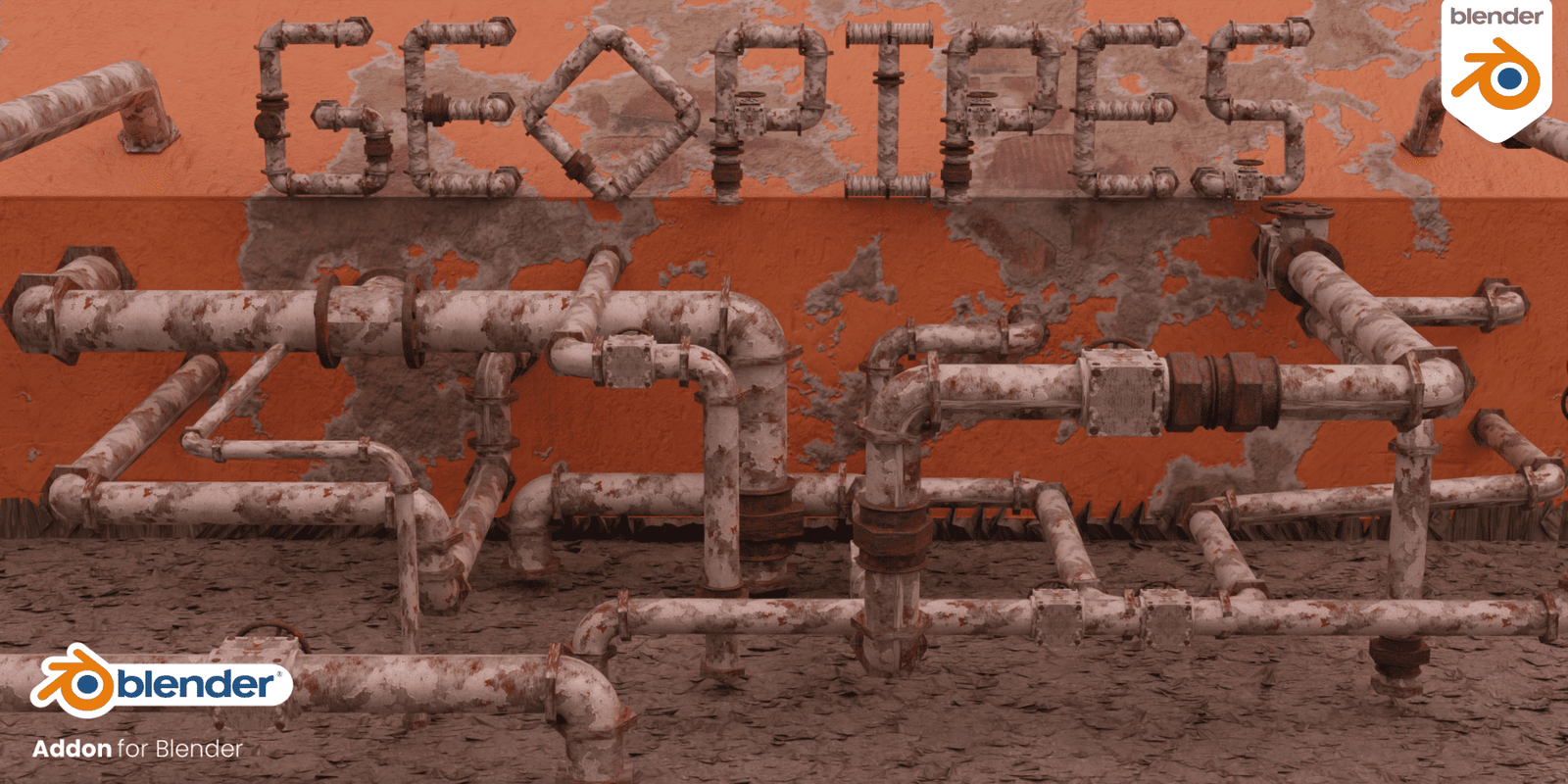
GeoPipes for Blender
GeoPipes v1.2.0 for Blender – The Ultimate Procedural Piping & Tubing System
Version: V1.2.2
File Size: 1 MB
Download GeoPipes v1.2.0 for Blender on Windows and Mac, the latest update to the industry-leading Geometry Nodes-based toolkit for creating complex industrial piping, hydraulic hoses, and cable conduits. Designed for hard-surface modelers and environment artists, GeoPipes automates the tedious process of routing tubes along paths, generating flanges, elbows, and valves, and applying realistic wear, allowing you to build intricate mechanical systems in seconds rather than hours.
Key Features of GeoPipes v1.2.0:
- Intelligent Path Routing: Draw a simple curve or select existing edges, and GeoPipes automatically generates a continuous pipe system that respects minimum bend radii, preventing impossible kinks and ensuring manufacturable geometry.
- Parametric Fitting Library: Instantly add over 50+ types of fittings including 90°/45° Elbows, Tees, Crosses, Reducers, Flanges, Unions, and Caps. All fittings are fully parametric—adjust diameter, thickness, and bolt counts instantly.
- Smart Valve & Component Generator: Add functional-looking components like Gate Valves, Ball Valves, Pressure Gauges, and Filters that automatically snap to the pipe diameter and align with the flow direction.
- Dynamic Insulation & Cladding: One-click toggle to wrap pipes in procedural insulation foam, metal cladding, or heat-tracing cables, complete with adjustable thickness and segmentation.
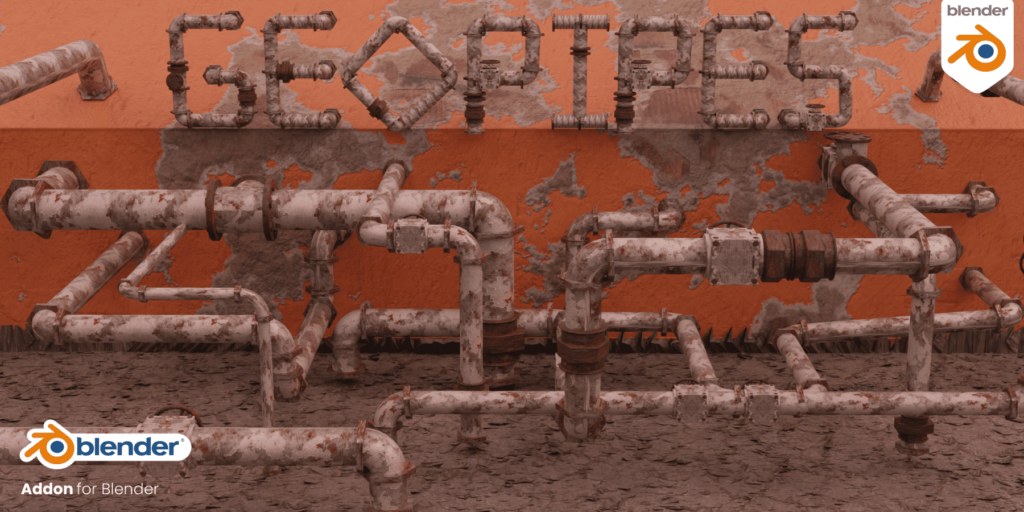
- Procedural Wear & Corrosion: New in v1.2.0: A dedicated “Age” slider that automatically generates rust streaks, peeling paint, dirt accumulation in crevices, and surface dents based on pipe orientation and proximity to joints.
- Auto-Support & Hanger System: Automatically generates pipe hangers, brackets, and support struts at regular intervals or at specific stress points, ensuring your piping looks structurally sound.
- Material Slot Automation: Assigns distinct material slots for Pipe Body, Fittings, Insulation, Rust, and Labels, streamlining the texturing workflow for complex industrial assets.
- Collision-Aware Routing: (New in v1.2) Pipes can now detect obstacle objects and automatically route around them or generate clearance warnings, reducing manual adjustment time.
- Animation Ready: Parameters for fluid flow visualization (animated texture offset), valve rotation, and pressure gauge needles are pre-rigged and ready for keyframing.
- Optimized Topology: Generates clean, quad-dominant geometry optimized for subdivision surfaces, 3D printing, and game engine LODs.
Perfect For:
- Hard-Surface Modelers creating sci-fi machinery, engine rooms, and robotic internals with dense piping networks.
- Industrial Designers prototyping plumbing systems, hydraulic rigs, and HVAC layouts for visualization.
- Environment Artists populating factories, power plants, ships, and underground facilities with realistic infrastructure.
- Architectural Visualizers adding detailed mechanical rooms, exposed ceiling pipes, and industrial loft aesthetics.
- Game Developers generating modular piping kits with low-poly options and baked normal maps for real-time engines.
- 3D Printing Enthusiasts designing functional or decorative pipe structures with watertight, manifold geometry.
System Requirements:
- Blender: 3.6, 4.0, 4.1, 4.2, 4.3, 4.4+ (Geometry Nodes required; optimized for Blender 4.x).
- OS: Windows 10/11 (64-bit) or macOS 10.15+.
- RAM: 8GB minimum (16GB+ recommended for massive industrial scenes).
- Render Engine: Fully compatible with Cycles and Eevee.
Installation:
- Download the GeoPipes v1.2.0
.zipfile. - Open Blender and go to Edit > Preferences > Add-ons.
- Click Install…, select the downloaded file, and enable the checkbox next to Geometry Nodes: GeoPipes.
- Access via the Add Menu > Curve > GeoPipes or the dedicated panel in the 3D Viewport Sidebar (N-panel) under the Piping tab.
What’s New in v1.2.0?
- Procedural Aging System: The new “Wear & Tear” module allows for granular control over rust, grime, and physical damage, making pipes look lived-in and realistic without manual texture painting.
- Obstacle Avoidance: Enhanced collision logic helps pipes navigate around complex geometry automatically, a highly requested feature from the community.
- Expanded Fitting Library: Added 15 new specialized fittings including sanitary tri-clamps, quick-connects, and flexible hose segments.
- Insulation Variants: New options for corrugated metal jacketing and fiberglass wrapping with customizable banding.
- Performance Optimization: Rewrote the core node group to reduce evaluation time by 35% when handling hundreds of pipe segments.
- Blender 4.4 Support: Full compatibility with the latest Geometry Nodes features and performance improvements in Blender 4.4.
Note:
GeoPipes v1.2.0 is designed to be completely non-destructive. You can change the path curve, swap fitting types, adjust diameters, or animate the fluid flow at any time before final baking. The addon also includes a “Real-World Scale” mode that ensures all fittings and bolts are sized correctly according to industrial standards (ANSI/ISO), making it a valuable tool for engineering visualization and technical illustration. Whether you need a simple water pipe or a complex chemical processing plant, GeoPipes provides the procedural power to build it efficiently.
Some of the new Features in the RanTools(and P-Cutter) Addon Include:
New HDRI Library, Fast Cutter Mode for P-Cutter , Better Cloth and Cable Simulations, and asset browser support for material Library.

For more details you can check it out here:
GeoPipes is a Blender Addon that allows you to generate procedural Pipes by using Geometry Nodes.
The core of the addon is Geometry Nodes but the addon makes it much more convenient by offering the ability to create pipes in the Object mode by simply clicking on surfaces.
Installation:
Go to Edit>Preferences>Addons>Install and select the zip file you downloaded.
Node Setup:
Inputs:
Usage:
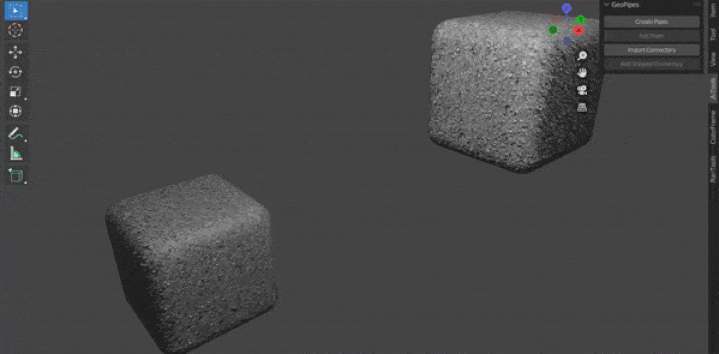
GeoPipes Panel is located under the ‘A-Tools’ section of the N-Panel
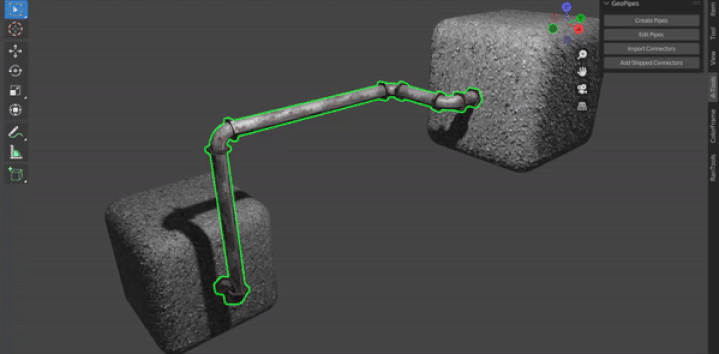
Click the ‘Create Pipes’ button to start the drawing mode.
Click on any face to place a point and keep clicking to add more points.
Hold down CTRL to snap the point to the center of the face.
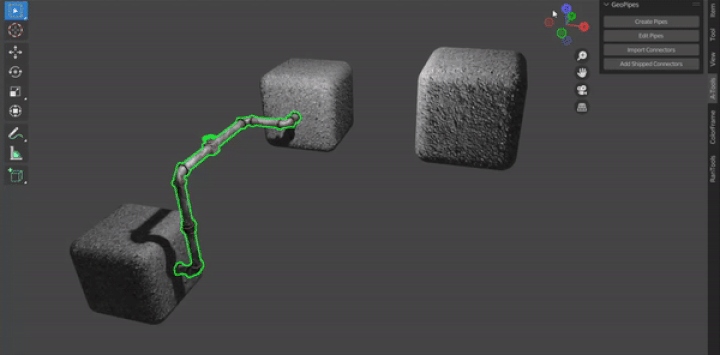
With any GeoPipe object selected click the Edit Pipe button to extend the pipe further while keeping the existing points intact.
With any GeoPipe object selected click ‘Add Shipped Connectors’ to add the 4 connectors shipped with the addon to your Pipe.
GeoPipes comes with these 4 Connectors.
For more controls, you can use the GeoPipes modifier which is added to all GeoPipe objects.
Requires Blender 3.0+
Supercharge your 3D creation workflow with premium selection of Blender Add-ons. Whether you are modeling intricate characters, sculpting realistic environments, or animating cinematic sequences, the right add-on can transform how you work inside Blender. Our curated collection includes powerful tools for UV unwrapping, procedural texture generation, rigging automation, rendering optimization, and more—each rigorously tested for compatibility with the latest Blender versions. Eliminate tedious manual processes and unlock advanced functionality that lets you focus on what matters most: bringing your creative vision to life. Explore our full range of professional Blender plugins today and take your 3D projects to the next level.
➡️ ➡️ For more Blender Plugins 😀 😀
Reviews
There are no reviews yet.