
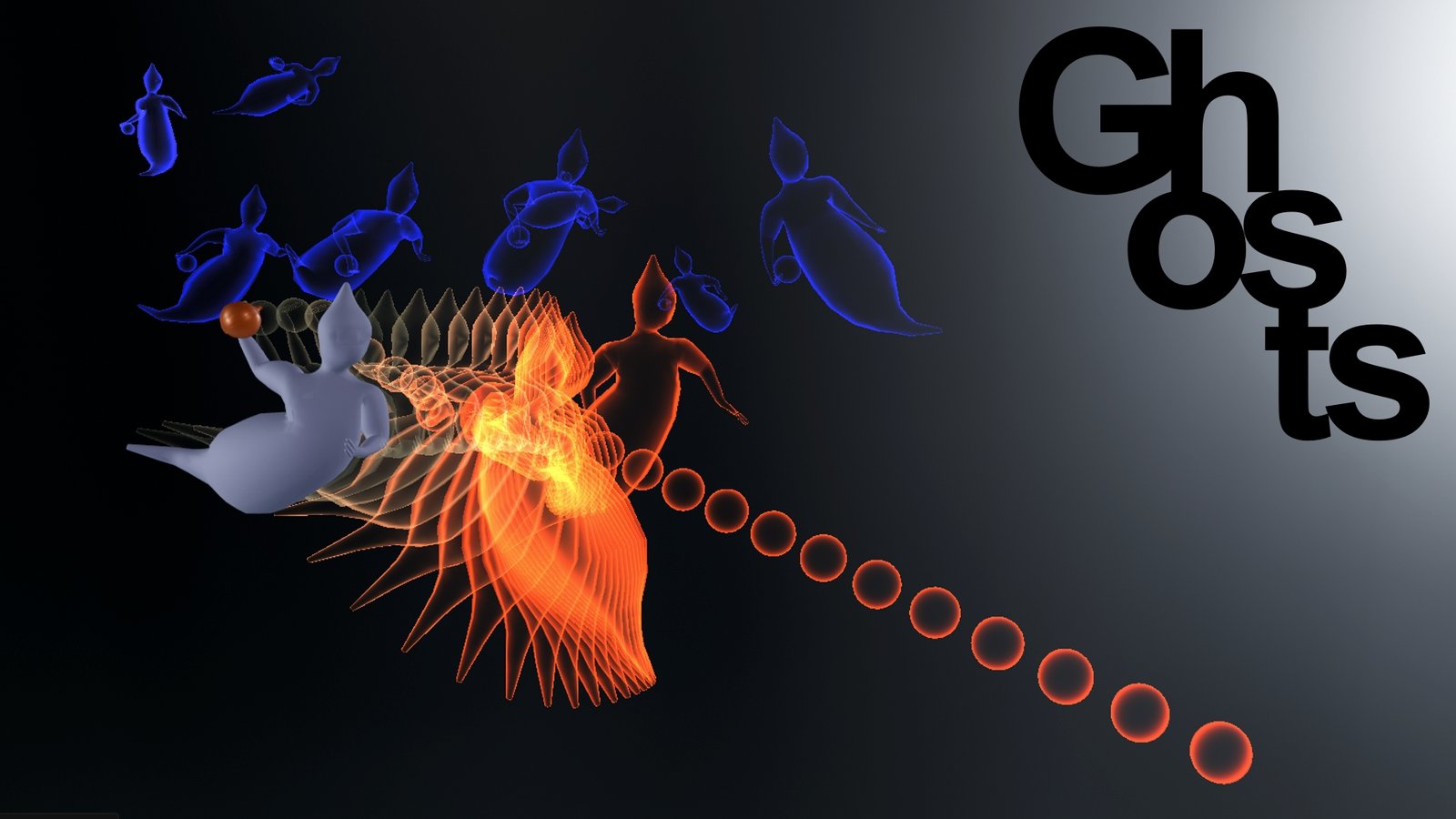
Ghosts fixed for Blender
Ghosts Fixed v1.0 for Blender – The Ultimate Onion Skinning & Animation Path Visualization Tool
Version: V1.0
File Size: 3 MB
Download Ghosts Fixed v1.0 for Blender on Windows and Mac, a streamlined Onion Skinning addon created by iwHiteRabbiT designed to help animators ensure consistency and continuity in their work by visualizing motion paths, keyframe positions, and frame-to-frame transitions directly in the 3D viewport [[14]]. By compiling the most essential onion skinning features into a simple, intuitive interface, Ghosts transforms how artists plan and refine animations, eliminating the tedious process of manually scrubbing timelines or switching to external 2D animation software to check motion flow [[15]].
Key Features of Ghosts Fixed v1.0:
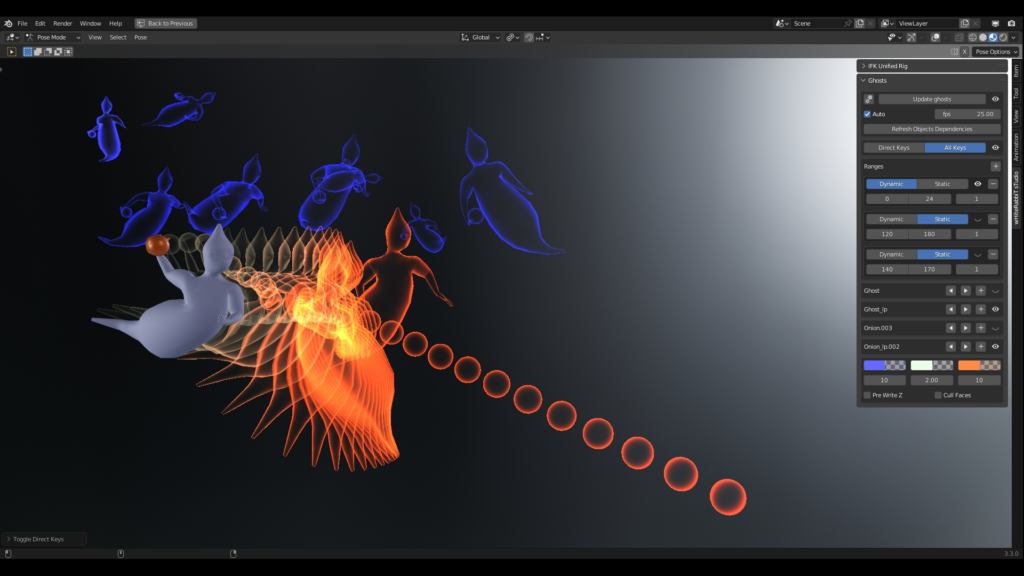
- Multiple Ghost Modes: Choose between All Keyframes (show every frame) or Direct Keyframes (show only immediate neighbors), plus Static Range (fixed frame window) or Dynamic Range (adjustable step-based preview) for flexible workflow adaptation [[14]].
- Object-Wise Control: Apply ghosting to specific objects only, jump between specific ghost frames, or use dependency detection to automatically include linked armatures, constraints, and child objects in the preview [[14]].
- Hidden Object Support: Force ghost visibility even when the source object is hidden or disabled in the viewport—perfect for comparing high-poly renders against low-poly animation proxies [[14]].
- Customizable Ghost Shaders: Adjust colors for frames before, current, and after the playhead; control color transition smoothness; and toggle between rim-light silhouette or solid fill styles for optimal visibility [[14]].
- Performance-Optimized Rendering: Uses direct BlenderGL drawing with cached ghost frames—no actual geometry is created, ensuring smooth viewport performance even with dense animation sequences [[14]].
- Auto-Update & Refresh: Ghosts automatically regenerate when keyframes are added, moved, or deleted, and refresh instantly when scrubbing the timeline, enabling real-time “playmode” preview of motion paths [[14]].
- Z-Write & Face Culling Options: Advanced toggles to control depth testing and backface culling for ghosts, preventing visual clutter when animating complex overlapping motions [[14]].
- Blender 4.x Compatible: The “fixed” v1.0 release includes critical updates for full compatibility with Blender 4.0, 4.1, and 4.2, resolving API changes that broke earlier versions [[14]].
Perfect For:
- Character Animators checking pose-to-pose flow, arc consistency, and timing without constant render previews.
- Motion Graphics Artists visualizing object trajectories, easing curves, and spatial relationships in abstract animations.
- Rigging Artists verifying deformation and constraint behavior across keyframes during rig testing.
- Game Animators ensuring looped cycles (walk, run, idle) have seamless transitions before export to engines.
- Beginners learning animation principles who need clear visual feedback on spacing, timing, and motion arcs.
- Anyone frustrated by Blender’s limited native onion skinning tools or the complexity of third-party alternatives.
System Requirements:
- Blender: 2.93, 3.0, 3.1, 3.2, 3.3, 3.4, 3.5, 3.6, 4.0, 4.1, 4.2+ (v1.0 fixed version supports modern releases) [[14]].
- OS: Windows 10/11 (64-bit) or macOS 10.15+.
- No external dependencies required.
Installation:
- Download the Ghosts Fixed v1.0
.zipfile from Superhive (formerly Blender Market) or Gumroad [[14]]. - Open Blender and go to Edit > Preferences > Add-ons.
- Click Install…, select the downloaded file, and enable the checkbox next to Animation: Ghosts.
- Access via the 3D Viewport Sidebar (N-panel) under the Ghosts tab, or use the shortcut panel in the Timeline editor.
What Does “Fixed” Mean?
The “Fixed” designation in v1.0 refers to critical stability updates that resolve compatibility issues introduced in Blender 4.0+, including:
- Fixed preferences panel loading errors [[14]].
- Improved circular dependency detection for complex rig hierarchies [[14]].
- Updated OpenGL drawing calls for modern Blender rendering pipelines [[14]].
Note:
The addon is intentionally lightweight and focused—rather than attempting to replace full 2D animation software, it solves one specific problem exceptionally well: visualizing 3D animation timing and spacing directly in Blender. As one user noted: “Very straight forward design. No idea why 3d onion skin isn’t a blender feature yet, it’s so essential” [[15]]. For animators who work frequently with keyframe refinement, Ghosts Fixed v1.0 provides the clarity and speed needed to iterate confidently without guesswork.
TLDR
Ghosts will help you to ensure Consistency and Continuity in your Animation by compiling all the most Onionskin relevant features while keeping it extremely simple.
What is it?
Ghosts is an Onion Skinning Blender addon which aims to compile all the most Onionskin relevant features while keeping it extremely simple.
While looking for such Blender functionality, I had this frustration of not being able to find anything regrouping all at once what I wanted to do.
We have several solutions out there but I thought I needed some sort of BestOf Onionskin addon, one to rule them all 🐨.
Why is Ghosts so useful?
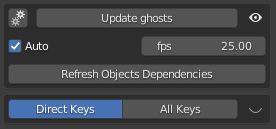
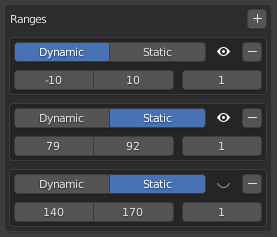
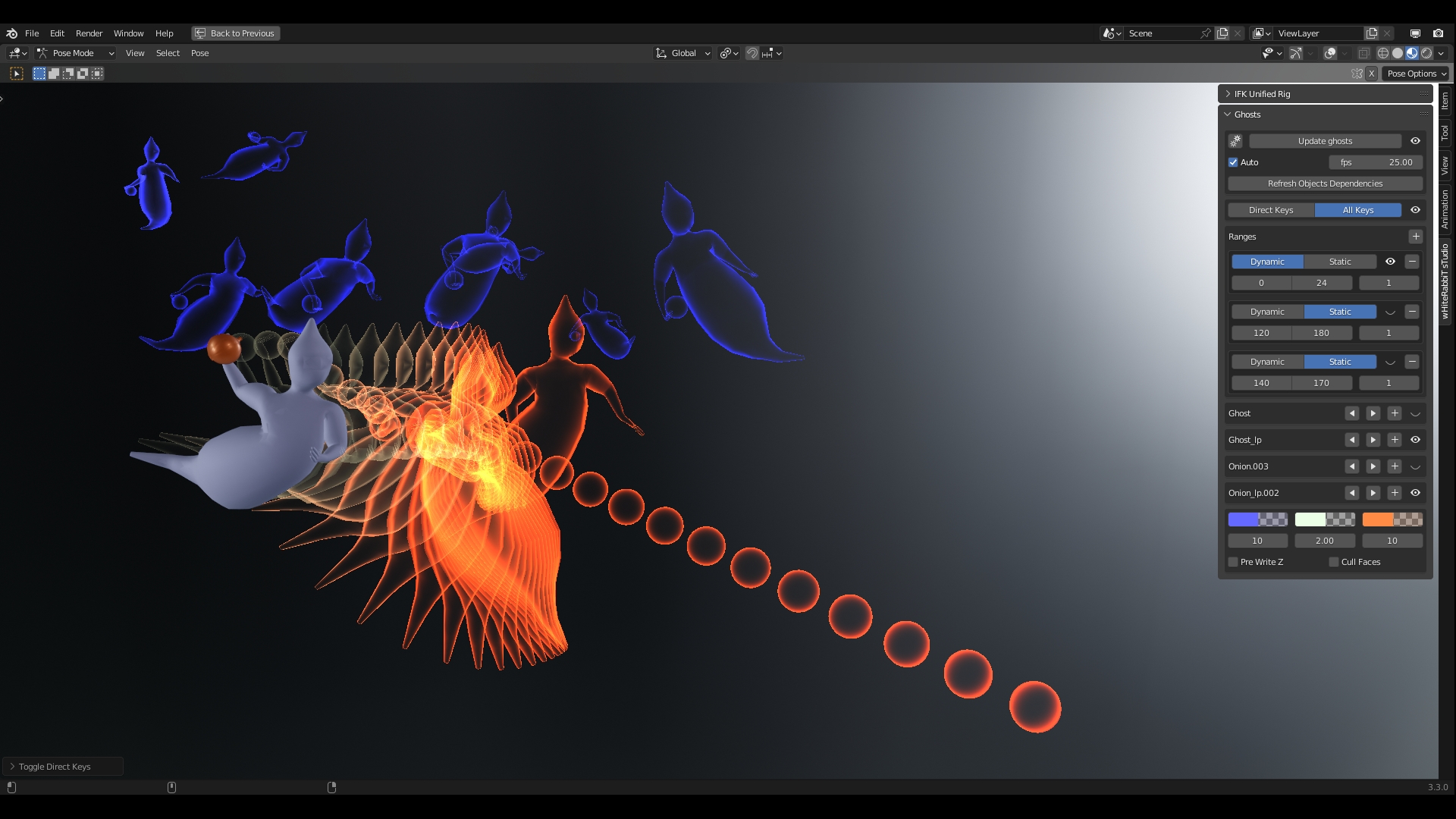
Ghost Modes
- All Keyframes, Direct Keyframes
- Static Range, Dynamic Range (with step)
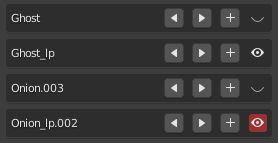
Object-wise
- Specific frames
- Jump between Specific ghost frames
- Find dependencies (ability to use ctrl armatures and constraints, children objects etc…)
- Force Ghost visibility when object is disabled or hidden (ability to use low/high poly)
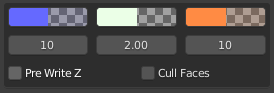
Ghost Shader Tweaking
- Change before / current / after colors
- Change color transition frame count
- Change look from rim to plain silhouette
- Option to pre write z or cull faces
Tech Specs
- No real object, direct BlenderGL
- Ghost are cached
- Auto Update when inserting / updating Keyframe
- Auto Refresh when changing current frame (making playmode available)
Supercharge your 3D creation workflow with premium selection of Blender Add-ons. Whether you are modeling intricate characters, sculpting realistic environments, or animating cinematic sequences, the right add-on can transform how you work inside Blender. Our curated collection includes powerful tools for UV unwrapping, procedural texture generation, rigging automation, rendering optimization, and more—each rigorously tested for compatibility with the latest Blender versions. Eliminate tedious manual processes and unlock advanced functionality that lets you focus on what matters most: bringing your creative vision to life. Explore our full range of professional Blender plugins today and take your 3D projects to the next level.
➡️ ➡️ For more Blender Plugins 😀 😀
Reviews
There are no reviews yet.