
Glared for Blender
Glared v1.2.1 for Blender – The Ultimate Anisotropic & Metallic Reflection Enhancer
Versions: v1.2.1
File Size: 7.53 MB
Download Glared v1.2.1 for Blender on Windows and Mac, a specialized shader and lighting utility addon designed to perfect the look of brushed metals, anisotropic surfaces, and high-gloss materials. By providing intuitive controls for reflection stretching, micro-surface roughness, and highlight intensity, Glared transforms how artists render cars, jewelry, appliances, and sci-fi props, eliminating the need for complex node setups or manual texture painting to achieve that crisp, “studio-quality” metallic sheen.
Key Features of Glared v1.2.1:
- Advanced Anisotropy Control: Precise sliders to stretch and rotate highlights along specific axes (U/V), perfectly simulating brushed aluminum, satin steel, and spun metal finishes without needing custom normal maps.
- Micro-Roughness Variation: Adds subtle, procedural noise to the roughness channel to break up uniform reflections, preventing the “plastic” look often found in default Principled BSDF settings on metals.
- Highlight Intensity Booster: A dedicated “Glare” factor that amplifies specular peaks beyond standard physical limits for stylized or hyper-real product renders, ensuring your subject pops against any background.
- Fresnel & IOR Presets: One-click application of accurate Index of Refraction (IOR) values for common materials like Gold, Copper, Chrome, Aluminum, and Titanium, ensuring physically correct reflection colors.
- Edge Wear & Dirt Masking: Automatically generates masks based on curvature and ambient occlusion to add realistic wear, fingerprints, or dust to edges and crevices, adding instant storytelling to clean models.
- HDRI Reaction Tuner: Specialized controls to adjust how the material reacts to environment lighting, allowing you to darken shadows or brighten reflections independently of the actual HDRI intensity.
- Clearcoat & Layering: Enhanced clearcoat parameters specifically tuned for metallic paints (like car finishes), allowing for distinct separation between the base metal color and the top glossy layer.
- Real-Time Preview Optimized: Lightweight node structure ensures smooth viewport performance in Eevee while maintaining full path-tracing accuracy in Cycles.
- Material Preset Library: Includes 25+ pre-configured materials ranging from “Brushed Steel” and “Polished Chrome” to “Oiled Bronze” and “Holographic Foil.”
- Non-Destructive Workflow: All effects are applied via modifier nodes or shader groups, allowing you to tweak the brush direction, roughness, or wear amount at any time before rendering.
Perfect For:
- Product Designers rendering consumer electronics, kitchen appliances, and tools with flawless metallic finishes.
- Automotive Visualizers creating realistic car paint, chrome rims, and interior trim details.
- Jewelry Artists simulating polished gold, silver, and platinum with accurate light interaction.
- Hard-Surface Modelers adding believable wear and tear to sci-fi armor, weapons, and robot skins.
- Architectural Visualizers detailing fixtures, railings, and modern facade elements with brushed or polished metals.
- Anyone struggling to make their metal materials look convincing and not like gray plastic.
System Requirements:
- Blender: 3.6, 4.0, 4.1, 4.2, 4.3+ (Latest LTS recommended).
- OS: Windows 10/11 (64-bit) or macOS 10.15+.
- Render Engine: Fully compatible with Cycles (recommended for accurate anisotropy) and Eevee (with Screen Space Reflections enabled).
- No external dependencies required.
Installation:
- Download the Glared v1.2.1
.zipfile. - Open Blender and go to Edit > Preferences > Add-ons.
- Click Install…, select the downloaded file, and enable the checkbox next to Shader: Glared.
- Access via the Shader Editor Add Menu > Shader > Glared or the dedicated panel in the 3D Viewport Sidebar (N-panel) under the Materials tab.
What’s New in v1.2.1?
- Anisotropy Rotation Fix: Resolved a bug where the anisotropic rotation angle would reset unexpectedly when switching between Object and Edit modes.
- New “Spun Metal” Preset: Added a specialized preset for circular brushed patterns (common on appliance knobs and speaker grilles) with adjustable ring density.
- Performance Boost: Optimized the noise calculation nodes, resulting in 15% faster viewport updates on complex scenes.
- Blender 4.x Color Space Update: Fully adapted to Blender 4.0+’s new Color Management system (AgX/Filmic) to ensure highlight clipping behaves correctly.
- UI Polish: Reorganized the sidebar panel for better workflow, grouping “Surface,” “Wear,” and “Lighting” controls into collapsible sections.
Note:
Glared v1.2.1 is particularly powerful when used with HDRI lighting. The addon includes a “Studio Light Matcher” feature that suggests optimal HDRI rotations based on your current camera angle to maximize the visibility of your anisotropic highlights. It also supports vertex color masking, allowing you to paint specific areas of your model to have different levels of polish or brushing direction directly in the viewport. Whether you need a subtle satin finish or a mirror-like chrome, Glared provides the precise control needed to achieve photorealistic results.
Glared2: Real-Time Light Effects for Blender
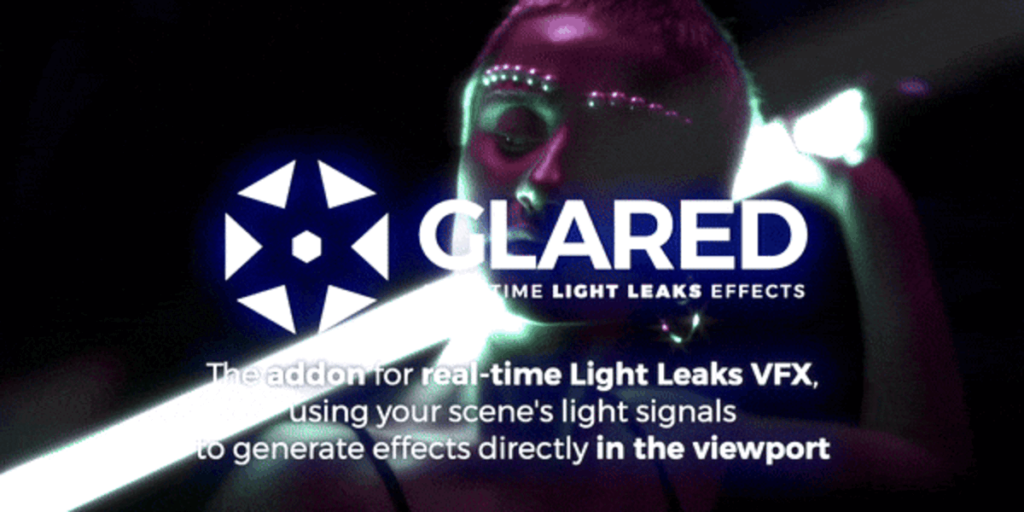
Glared2 is a real-time light-effects add-on for Blender.
It enhances any render — 3D scenes, animations, stills, images or video footage — by generating lens-based effects directly inside the Realtime Compositor.
Unlike physically-based glare nodes or traditional post-processing filters, Glared2 works in screen space, using the actual luminance values of your scene to generate dynamic, responsive effects that update instantly in the viewport.
It is designed to be simple for beginners and powerful for experienced artists, without requiring any compositor knowledge.


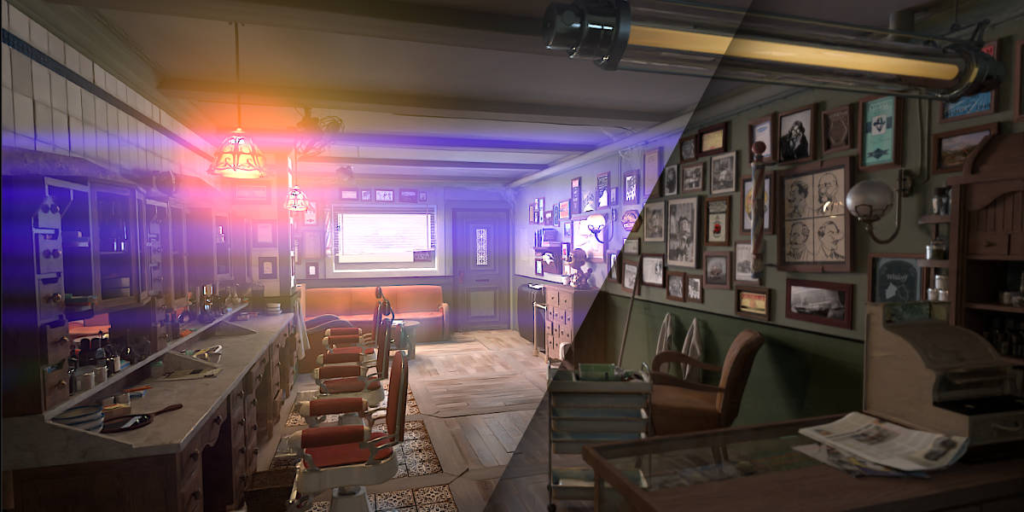
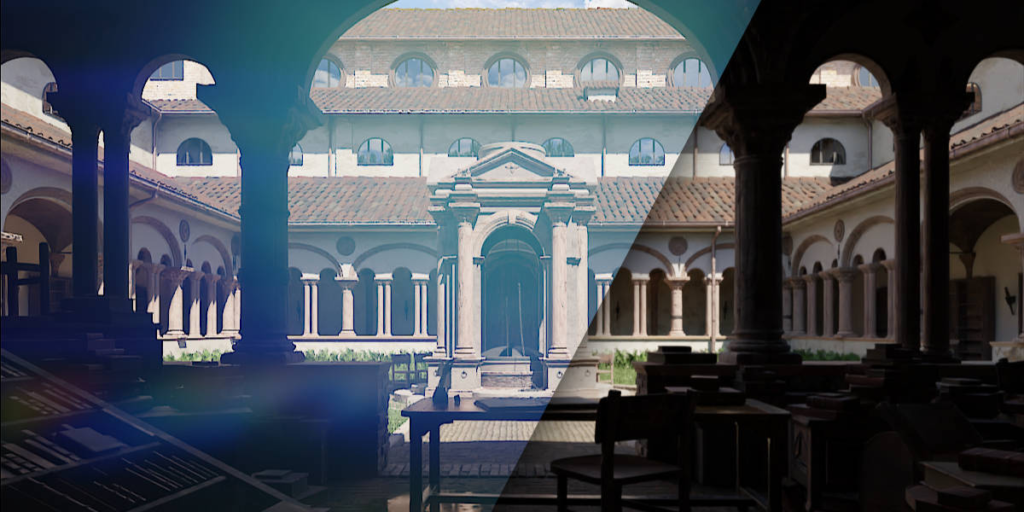
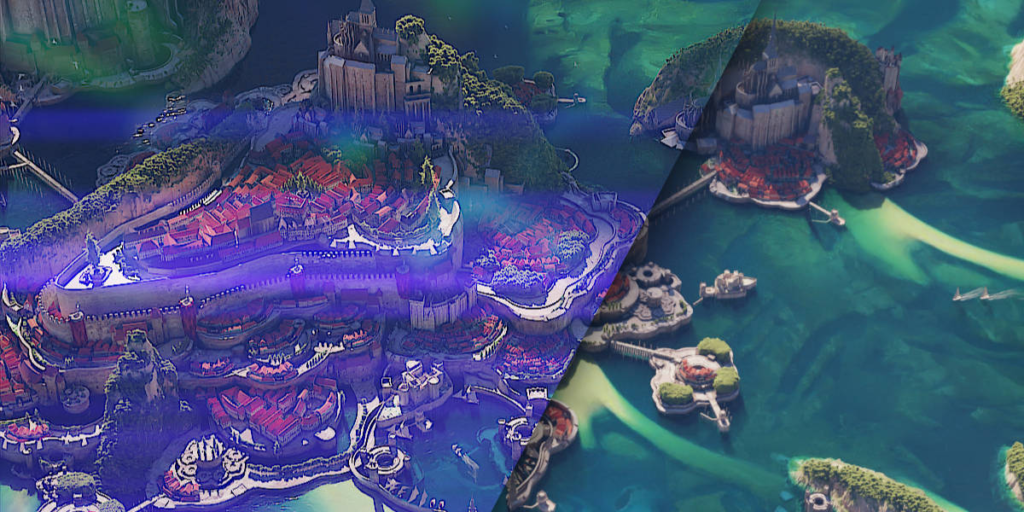
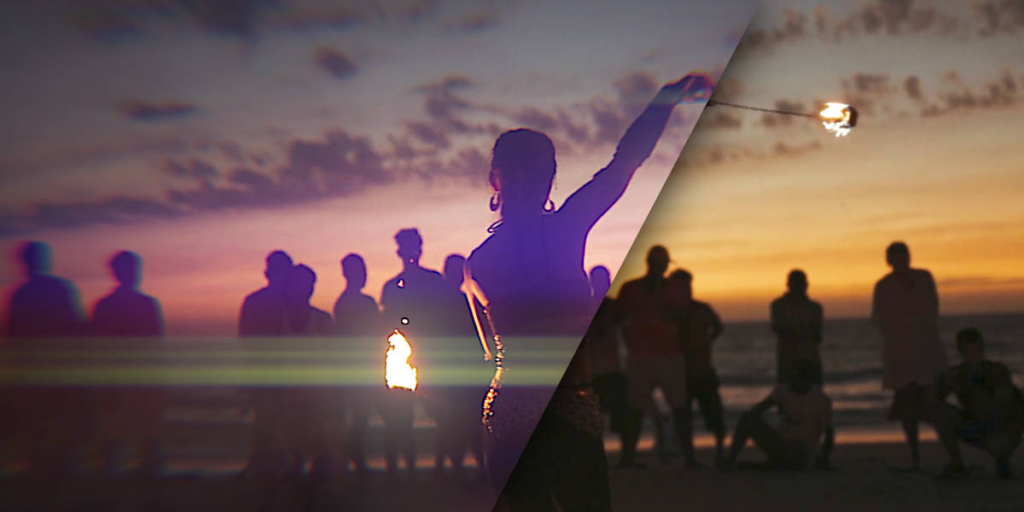
Glow and Ghosts


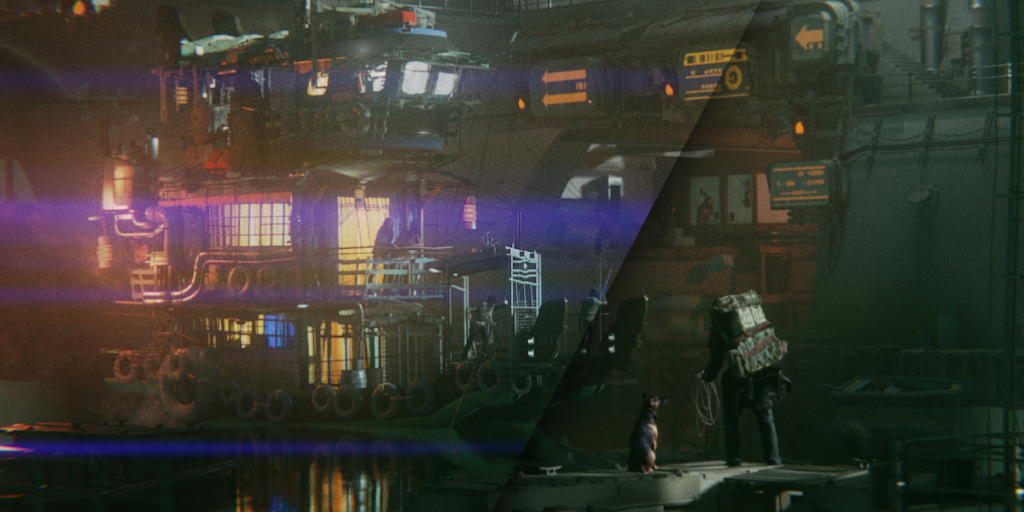
Streak and Supa Flare FX


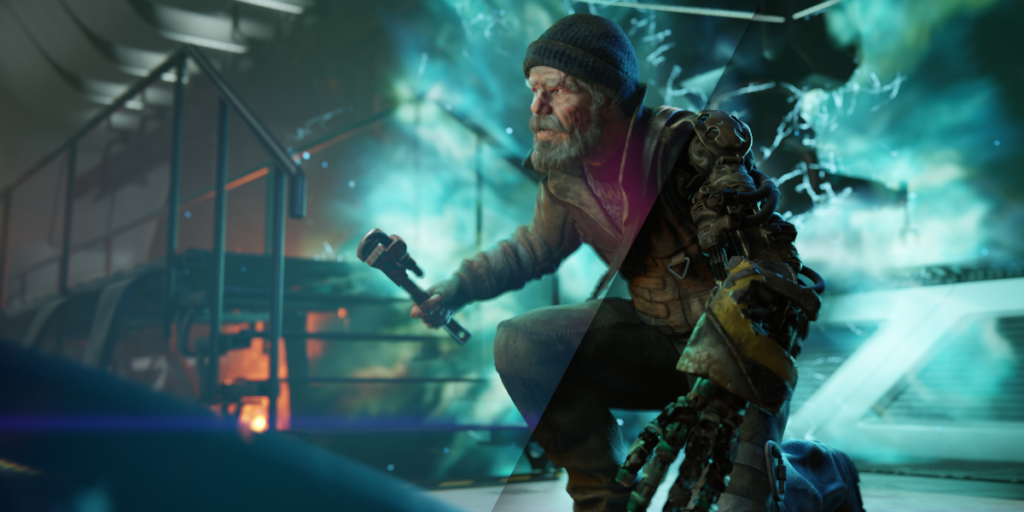
Unsharp Mask and Lens Dirt


Vignette and Chromatic Aberration

What Glared2 Does
Glared2 creates a wide range of lens- and light-based enhancements in real time:
- Bloom and glow
- Streaks and anamorphic streaks
- Ghosts and multi-reflection artifacts
- Light deformation and diffusion
- Chromatic aberration
- Lens dirt accumulation
- Vignette
- Unsharp mask / contrast shaping
- And more (continuously expanded with updates)
All effects react to the brightness of your render, so highlights naturally drive the intensity and distribution of the glares—no manual masking required.

How It Works
Glared2 runs through a single nodegroup placed automatically at the end of your compositor pipeline.
You don’t need to manage nodes: every control is exposed directly inside the add-on panel in Blender’s UI.
Key characteristics:
- Screen-space based
Effects are generated from the visible result of your scene, reacting instantly to lighting changes. - Realtime Feedback
Adjust parameters while you move objects, lights, or the camera—perfect for look-development. - Fully Keyframe-able
Every control can be animated for precise timing during shots. - Compatible with Eevee and Cycles
Works with both engines, since it operates inside the compositor. - Works on any input
3D scenes, image sequences, still images, video plates, VFX shots—anything Blender can load.

In Short
Glared2 is a simple, real-time, powerful light-effects toolkit for Blender artists who want fast visual enhancement without complicated node setups.
Whether you’re working on motion graphics, cinematics, VFX, product visualization, or stylized renders, Glared2 provides immediate, art-directable light behavior that feels natural and elevates the final image.

New in Version 2 (Nov 2025)
Glared2 introduces a major new capability:
Export All Light-Effect Passes Separately (EXR)
You can now output each effect as a dedicated render pass — either in a single multi-layer EXR or in multiple files — allowing you to fine-tune the look later in:
- DaVinci Resolve
- After Effects
- Fusion
- Nuke
- Or any external compositor
This makes Glared2 suitable for complex pipelines and professional post-production workflows.

Supercharge your 3D creation workflow with premium selection of Blender Add-ons. Whether you are modeling intricate characters, sculpting realistic environments, or animating cinematic sequences, the right add-on can transform how you work inside Blender. Our curated collection includes powerful tools for UV unwrapping, procedural texture generation, rigging automation, rendering optimization, and more—each rigorously tested for compatibility with the latest Blender versions. Eliminate tedious manual processes and unlock advanced functionality that lets you focus on what matters most: bringing your creative vision to life. Explore our full range of professional Blender plugins today and take your 3D projects to the next level.
➡️ ➡️ For more Blender Plugins 😀 😀
Reviews
There are no reviews yet.