
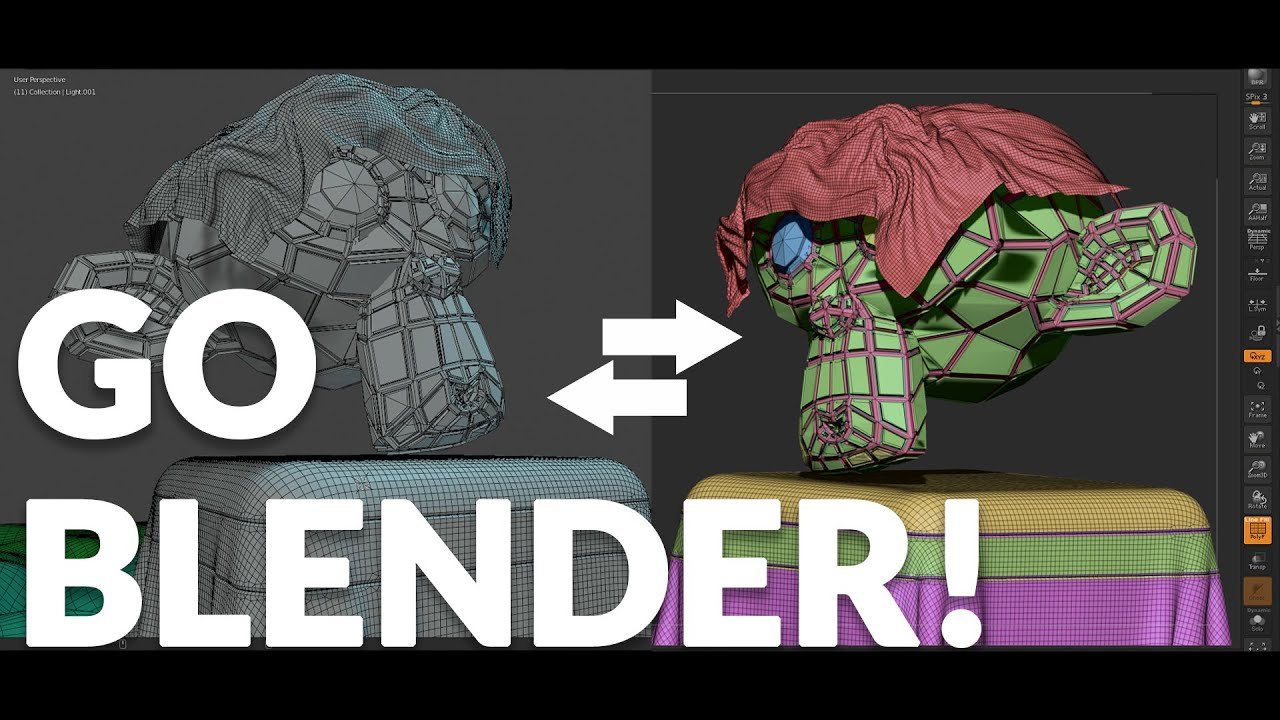
GoB for Blender
gob addon
GoB v4.0.3 for Blender – Seamless Blender to ZBrush Bridge & Sculpting Workflow Integration
Versions: v4.0.3
File Size: 1.5 MB
Download GoB v4.0.3 for Blender on Windows, Mac, and Linux, the essential bridge add-on that connects Blender with ZBrush, the industry-standard sculpting software. Transfer models seamlessly between applications, maintain sculpting detail, and preserve UV maps and vertex colors—all with one-click operations for a fluid, non-destructive sculpting workflow .
Key Features of GoB v4.0.3:
- One-Click Transfer: Send selected models from Blender to ZBrush with a single click—preserves mesh data, subdivision levels, and material assignments
- Seamless Return: Import sculpted models back into Blender after working in ZBrush—automatically updates geometry while preserving all Blender-specific data
- Subdivision Preservation: Maintains subdivision levels and sculpting detail when transferring between applications
- UV & Vertex Color Support: Preserves UV maps, vertex colors, and texture coordinates throughout the transfer process
- Multi-Object Transfer: Send multiple objects simultaneously for efficient sculpting of complex scenes
- Automatic Format Detection: Works with ZBrush’s native file format—no manual export/import steps required
- Real-Time Sync: Optional live sync for iterative sculpting workflow—make changes in ZBrush, see updates in Blender instantly
- Preset System: Save and load transfer settings for consistent workflow across projects
- v4.0.3 Updates: Enhanced compatibility with Blender 4.0+, improved transfer speed, and expanded ZBrush version support
Perfect For:
- Character artists combining Blender’s modeling tools with ZBrush’s sculpting capabilities
- Game developers creating high-detail assets with optimized workflows
- 3D sculptors who prefer Blender’s interface but need ZBrush’s sculpting power
- Studios integrating both applications into their production pipeline
- Anyone wanting to use the best tool for each stage of 3D creation
System Requirements:
- Blender 3.0, 3.1, 3.2, 3.3, 3.4, 3.5, 3.6, 4.0, 4.1, 4.2, 4.3
- ZBrush (2021, 2022, 2023, 2024, 2025) installed separately
- Windows 10/11 (64-bit), macOS, or Linux
- 4GB RAM minimum (8GB+ recommended)
- 10MB available disk space
Installation:
- Download the add-on zip file
- In Blender, go to Edit > Preferences > Add-ons
- Click “Install” and select the downloaded zip file
- Enable the add-on by checking the box next to “GoB”
- Configure the path to your ZBrush installation in the add-on preferences
Note: GoB is the industry-standard bridge for Blender and ZBrush workflows, enabling seamless transfer of models between the two applications . The one-click transfer and automatic format handling eliminate manual export/import steps, allowing you to focus on sculpting and modeling rather than file management . Perfect for character artists, game developers, and any 3D professional who uses both Blender and ZBrush . Version 4.0.3 includes full compatibility with Blender 4.0 and above and the latest ZBrush versions . Requires ZBrush installed separately .
This free add-on by JoseConseco establishes a direct link between Blender and Zbrush, making working in both tools at the same time almost seamless.
GoB will transfer:
- Objects (only meshes)
- Polypainting
- UVs
- Mask
- Polygroup
- Diffuse map
- Normal map
- Displacement map
Supercharge your 3D creation workflow with premium selection of Blender Add-ons. Whether you are modeling intricate characters, sculpting realistic environments, or animating cinematic sequences, the right add-on can transform how you work inside Blender. Our curated collection includes powerful tools for UV unwrapping, procedural texture generation, rigging automation, rendering optimization, and more—each rigorously tested for compatibility with the latest Blender versions. Eliminate tedious manual processes and unlock advanced functionality that lets you focus on what matters most: bringing your creative vision to life. Explore our full range of professional Blender plugins today and take your 3D projects to the next level.
➡️ ➡️ For more Blender Plugins 😀 😀
Reviews
There are no reviews yet.