
GovieTools for Blender
govietools addon
GovieTools v0.1.4 for Blender – Complete Architectural & Civil Engineering Toolset
Version : V0.1.4
File Size: 1 MB
Download GovieTools v0.1.4 for Blender on Windows, Mac, and Linux, a comprehensive add-on suite designed specifically for architects, civil engineers, and urban planners. This powerful toolkit streamlines architectural visualization, terrain modeling, and infrastructure design—bringing professional AEC (Architecture, Engineering, Construction) workflows directly into Blender .
What’s Included in GovieTools:
- Architectural Modeling: Intelligent tools for creating walls, floors, roofs, stairs, railings, windows, and doors with parametric controls and real-time updates
- Terrain & Landscape: Advanced terrain generation with contour lines, elevation data import, erosion simulation, and vegetation placement
- Civil Infrastructure: Road, bridge, and rail creation tools with adjustable parameters for realistic civil engineering visualization
- Urban Planning: City block generation, building arrays, street networks, and population density tools for large-scale urban projects
- Structural Elements: Beam, column, truss, and foundation generators with adjustable structural properties
- Building Information Modeling: Basic BIM capabilities including material quantities, floor area calculations, and project documentation
- Import/Export Tools: Support for DWG, DXF, IFC, and other industry-standard CAD formats
- Real-Time Terrain Editing: Interactive terrain sculpting with real-time elevation and slope visualization
Key Features:
- Parametric Architecture: All architectural elements are parametric—adjust wall heights, roof pitches, stair dimensions, and more after creation
- Terrain Analysis: Slope analysis, elevation mapping, and solar exposure visualization for site planning
- Section & Elevation Views: Automatic generation of building sections and elevation drawings
- Material Libraries: Extensive collection of architectural materials—brick, concrete, glass, wood, roofing, and more
- Lighting Presets: Daylight, interior, and exterior lighting setups for architectural visualization
- Real-Time Preview: See architectural changes update instantly in the viewport
- Batch Processing: Generate entire city blocks and building arrays with population density controls
- v0.1.4 Updates: Enhanced CAD import, improved terrain tools, and expanded compatibility with Blender 4.0+
Perfect For:
- Architects creating design concepts and presentation visuals
- Civil engineers visualizing infrastructure projects
- Urban planners developing master plans and city layouts
- Architectural visualization professionals producing client presentations
- Students in architecture, engineering, and urban planning programs
System Requirements:
- Blender 3.6, 4.0, 4.1, 4.2, 4.3
- Windows 10/11 (64-bit), macOS, or Linux
- 4GB RAM minimum (16GB+ recommended for large urban scenes)
- 100MB available disk space
Installation:
- Download the add-on zip file
- In Blender, go to Edit > Preferences > Add-ons
- Click “Install” and select the downloaded zip file
- Enable the add-on by checking the box next to “GovieTools”
Note: GovieTools brings professional architectural and civil engineering capabilities to Blender, making it a viable alternative to specialized AEC software . The parametric building tools, terrain generation, and CAD import/export features provide everything needed for architectural visualization and infrastructure design . Perfect for architects, engineers, urban planners, and students . Version 0.1.4 includes full compatibility with Blender 4.0 and above . Designed for Blender 3.6 and above .
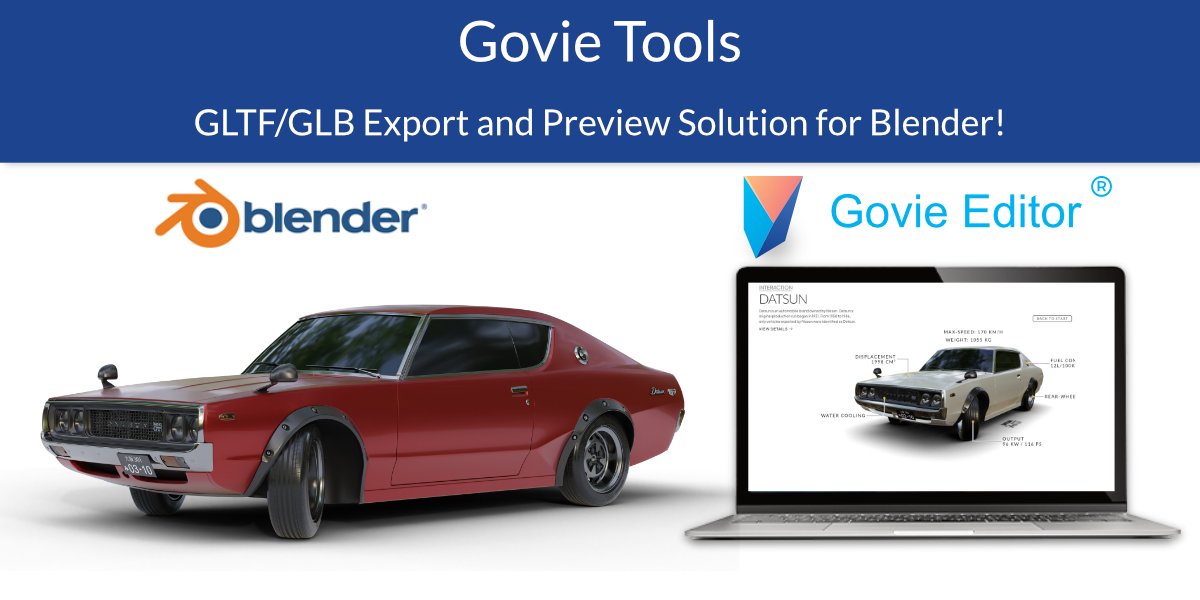
This add-on is best used in combination with the Govie Editor, but it can also be very useful for anyone working with GLTF, using Three.js or Babylon.js.
A full documentation can be found on: https://govie-editor.de/en/help/govie-tools/
Functions – Overview
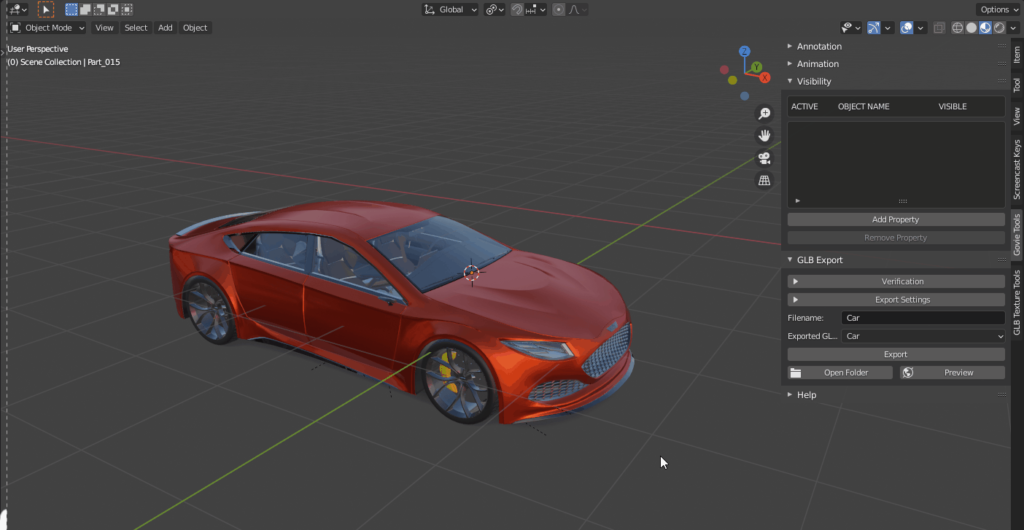
Live Preview
Experience live previews for GLB/GLTF exports, eliminating the need for repetitive uploads – simply click export and preview, and watch as your model instantly opens in your browser for seamless viewing.
Object Visibility Control
Define and manage the visibility of objects effortlessly, enhancing control over your scene.
Animation Overview and Organization
Efficiently name and organize animations with an intuitive overview, simplifying the workflow with just a few clicks.
Annotation Overview for Quick Text Editing
Quickly edit text annotations with an overview feature, speeding up the annotation process.
Particle System to Animation Conversion
Convert particle systems into animations seamlessly, optimizing your workflow.
Mesh Error Detection and Cleanup
Identify and clean up mesh errors in objects, ensuring a smooth modeling process.
Simplified Export Settings Access
Enjoy simplified access to export settings, making exporting tasks more streamlined and accessible.
UV/Texture Animation
Effortlessly generate UV animations for your model’s textures and seamlessly bring them to life on the web, enhancing visual appeal and realism.
Simplified Export Settings Access
Enjoy simplified access to export settings, making exporting tasks more streamlined and accessible.
Supercharge your 3D creation workflow with premium selection of Blender Add-ons. Whether you are modeling intricate characters, sculpting realistic environments, or animating cinematic sequences, the right add-on can transform how you work inside Blender. Our curated collection includes powerful tools for UV unwrapping, procedural texture generation, rigging automation, rendering optimization, and more—each rigorously tested for compatibility with the latest Blender versions. Eliminate tedious manual processes and unlock advanced functionality that lets you focus on what matters most: bringing your creative vision to life. Explore our full range of professional Blender plugins today and take your 3D projects to the next level.
➡️ ➡️ For more Blender Plugins 😀 😀
Reviews
There are no reviews yet.