
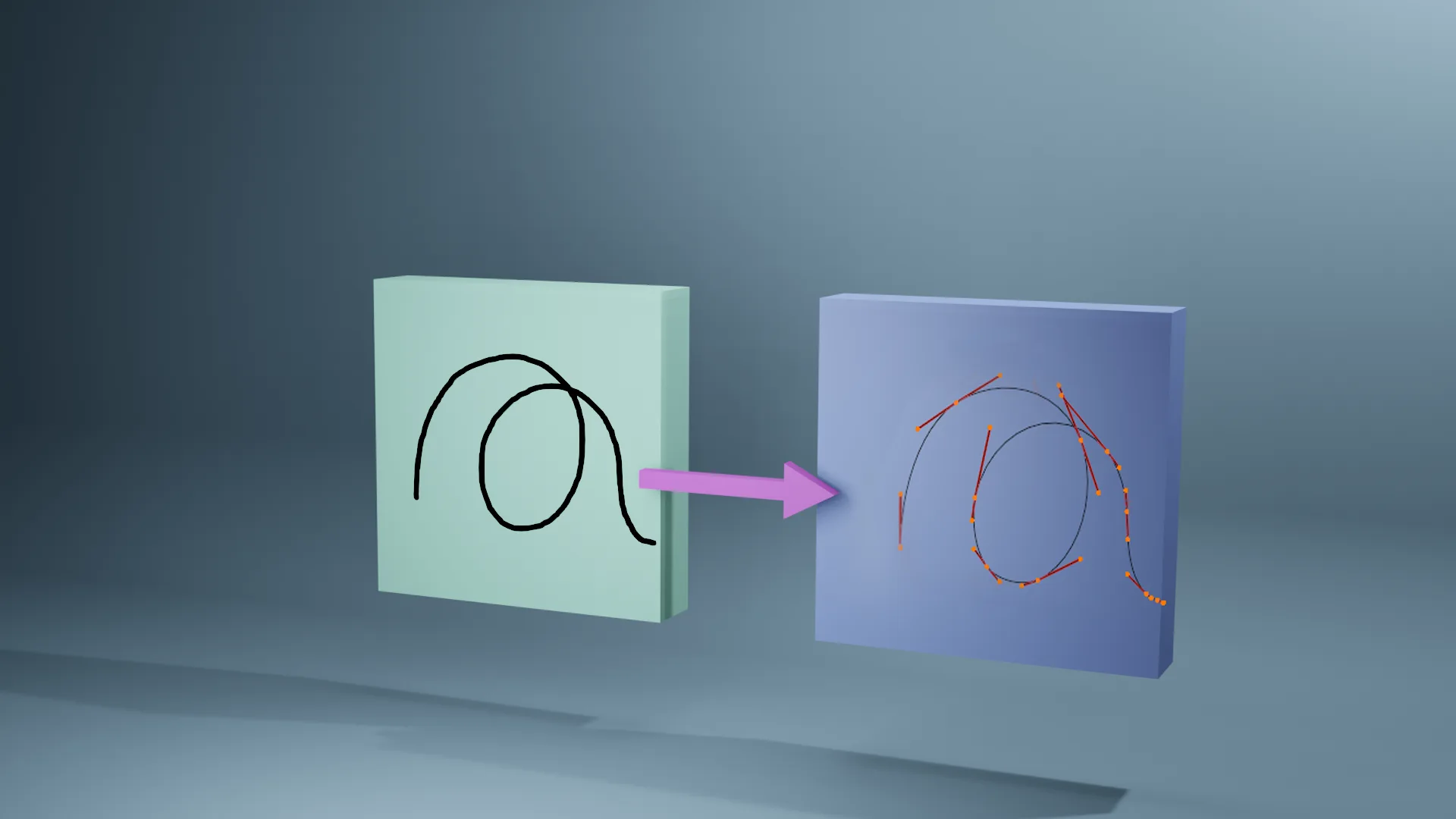
Grease Pencil to Curves for Blender
Grease Pencil to Curves v0.1.3 for Blender – The Ultimate 2D-to-3D Vector Conversion Tool
Versions: v0.1.3
File Size: 8 KB
Download Grease Pencil to Curves v0.1.3 for Blender on Windows and Mac, a specialized utility designed to bridge the gap between freehand sketching and precise vector modeling. This lightweight addon instantly converts Grease Pencil strokes into editable Bezier or NURBS curves, transforming rough concept sketches, hand-drawn logos, and 2D animations into clean, scalable 3D paths ready for extrusion, sweeping, and animation. By automating the vectorization process, it eliminates the tedious manual tracing required to turn artistic doodles into production-ready geometry.
Key Features of Grease Pencil to Curves v0.1.3:
- Instant Stroke Conversion: Select any Grease Pencil object or layer and convert all strokes into standard Blender Curve objects with a single click, preserving the original flow and timing.
- Smart Point Reduction: Advanced simplification algorithms automatically reduce excessive vertices from hand-drawn lines while maintaining shape fidelity, resulting in smooth, professional-grade Bezier handles.
- Handle Type Optimization: Intelligently assigns handle types (Auto, Vector, Aligned) based on stroke sharpness, ensuring corners remain crisp and organic curves stay fluid without manual adjustment.
- Layer & Color Separation: Automatically sorts converted curves into separate objects or collections based on the original Grease Pencil layers or stroke colors, streamlining the organization of complex drawings.
- Depth & 3D Position Preservation: Maintains the original Z-depth of 3D Grease Pencil strokes, allowing for immediate conversion of spatial sketches into 3D wireframes or tube structures.
- Animation Transfer: For animated Grease Pencil sequences, the addon can bake stroke movement into curve keyframes or shape keys, enabling 2D-style animation to drive 3D geometry deformation.
- Closed Shape Detection: Automatically identifies closed loops (like circles or filled shapes) and sets the curve resolution to “2D” for perfect filling, boolean operations, or solidification.
- Thickness to Radius Mapping: Optional feature to map Grease Pencil stroke pressure/thickness to the Curve’s radius attribute, creating variable-width tubes or ribbons directly from the drawing.
- Non-Destructive Preview: Visualize the simplified curve result in real-time before finalizing the conversion, allowing you to tweak the simplification factor to find the perfect balance between detail and smoothness.
- Batch Processing: Convert multiple Grease Pencil objects simultaneously, ideal for processing entire scenes of hand-drawn assets.
Perfect For:
- Concept Artists turning quick 3D sketches into clean CAD-ready paths for hard-surface modeling.
- Logo Designers converting hand-drawn lettering into scalable vector curves for 3D extrusion and branding.
- Motion Graphics Artists using 2D drawn paths to drive particle systems, text reveals, or camera moves.
- Jewelry Designers transforming organic sketches into precise metal wire paths for sweeping profiles.
- Architectural Illustrators cleaning up hand-drawn floor plans or elevation sketches into precise vector lines.
- Animators repurposing 2D animation strokes as 3D ribbon effects or energy trails.
System Requirements:
- Blender: 2.80, 2.90, 3.0, 3.6, 4.0, 4.1, 4.2, 4.3+ (Wide compatibility).
- OS: Windows 10/11 (64-bit) or macOS 10.15+.
- No external dependencies required.
Installation:
- Download the Grease Pencil to Curves v0.1.3
.zipfile. - Open Blender and go to Edit > Preferences > Add-ons.
- Click Install…, select the downloaded file, and enable the checkbox next to Curve: Grease Pencil to Curves.
- Access via the Object Context Menu (Right-Click on Grease Pencil) > Convert to Curves or the dedicated panel in the 3D Viewport Sidebar (N-panel) under the Convert tab.
What’s New in v0.1.3?
- Improved Smoothing Algorithm: Refined the Douglas-Peucker simplification logic to better handle shaky hand-drawn lines, resulting in fewer unnecessary control points.
- Pressure Radius Support: Added the ability to transfer Grease Pencil pressure sensitivity directly to the Curve’s radius data, enabling variable-thickness sweeps.
- Layer Handling Fix: Resolved an issue where strokes on hidden layers were occasionally skipped during batch conversion.
- Blender 4.x Compatibility: Updated API calls to ensure full stability with the latest Grease Pencil data structures in Blender 4.0+.
- UI Polish: Added a simple preview slider for “Simplification Factor” directly in the operator popup for faster iteration.
Note:
Grease Pencil to Curves v0.1.3 is an early-stage but highly effective tool designed to speed up the “Sketch to Model” workflow. While it excels at cleaning up organic lines, it works best when the original Grease Pencil strokes are relatively continuous. For fragmented sketches, consider using the “Join Strokes” feature in Grease Pencil edit mode before conversion. The resulting curves are fully native Blender objects, meaning they can be immediately used with Screw Modifiers, Array Modifiers, or Geometry Nodes for further procedural generation. This addon is essential for anyone who prefers drawing their ideas in 3D space before committing to hard-surface topology.
NOTE Works with Blender 4.5 and 5.01 (use v0.1.2 for Blender 4.2 and below)
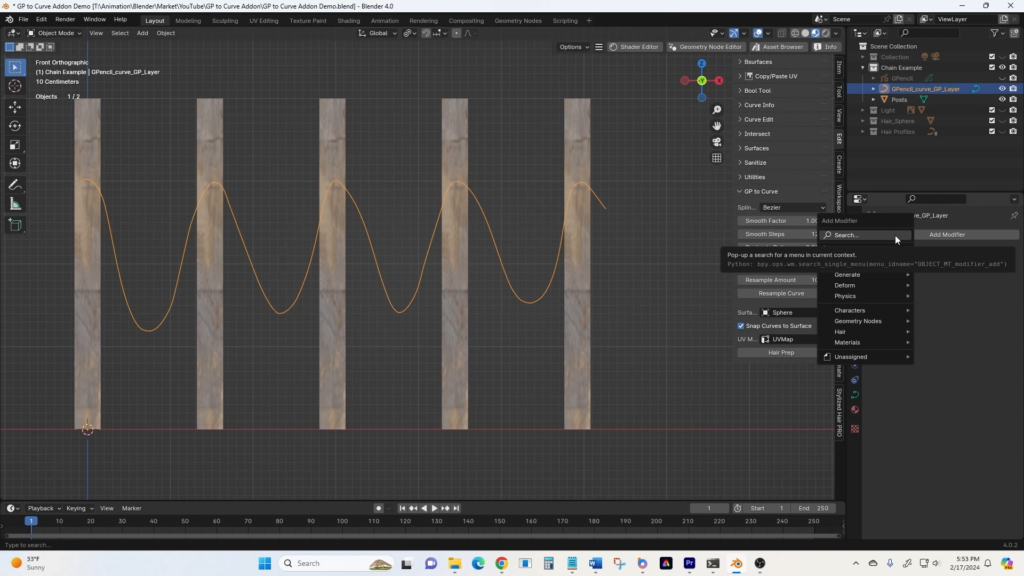
Grease Pencil to Curves add-on allows you to easily smooth the lines drawn with Grease Pencil in Blender, reduce the number of vertices, and convert to curves with one button. This eliminates a lot of work in shaping Bezier curves from scratch. You can also convert the resulting curve to a hair curve attached to a surface with a single click, allowing you to turn multiple grease pencil strokes into hair curves that are already aligned to the surface (giving you a head start in grooming). Each grease pencil layer creates a separate curve. You also have the option to resample generated curves to increase points. The add-on menu appears in the N-Panel within the “Edit” tab.
You can do all of this manually, but this addon does all the conversion, adjusting number of segments, smoothing, and attaching more easily in a single menu. In v0.4.3 of the addon, the smoothing menu was replaced with a button to invoke the Grease Pencil Smooth modifier. IMPORTANT: you need to ‘apply’ the smoothing modifier prior to converting to a curve since it’s a non-destructive modifier.
Supercharge your 3D creation workflow with premium selection of Blender Add-ons. Whether you are modeling intricate characters, sculpting realistic environments, or animating cinematic sequences, the right add-on can transform how you work inside Blender. Our curated collection includes powerful tools for UV unwrapping, procedural texture generation, rigging automation, rendering optimization, and more—each rigorously tested for compatibility with the latest Blender versions. Eliminate tedious manual processes and unlock advanced functionality that lets you focus on what matters most: bringing your creative vision to life. Explore our full range of professional Blender plugins today and take your 3D projects to the next level.
➡️ ➡️ For more Blender Plugins 😀 😀
Reviews
There are no reviews yet.