
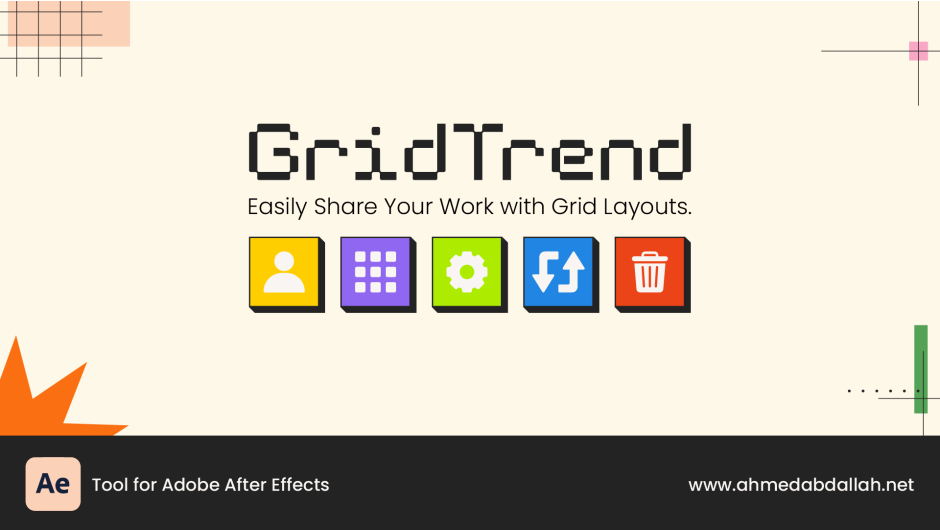
GridTrend for After Effects
Primary Keyphrase: grid layout generator
Description:
Download GridTrend v1.0.0 for After Effects, a powerful and intuitive tool that creates professional grid layouts from your media in just one second. Perfect for portfolios, social media content, showreels, and presentations—GridTrend automatically arranges your images and videos into perfectly structured grids with complete creative control .
GridTrend streamlines the entire grid creation workflow. Import your素材, define your grid dimensions, and let the script handle the rest—automatically generating compositions, organizing folders, and creating a central control layer for easy adjustments. Whether you need a clean portfolio showcase, a dynamic social media grid, or a structured presentation layout, GridTrend delivers professional results with minimal effort .
Key Features of GridTrend v1.0.0:
- One-Second Grid Generation: Select your media, click the Grid button, and instantly generate a perfectly arranged grid layout
- Auto-Centered Profile: Create grids with a centrally positioned profile picture by using odd-numbered rows and columns (3×3, 5×5, etc.) and clicking the Person button
- Instant Media Swapping: Use the Swap button to randomly rearrange media within your grid—perfect for finding the ideal layout without manual repositioning
- Full Grid Control: Complete command over rows, columns, composition settings (name, size, frame rate), and stroke properties (color, width)
- Central Control Layer: All stroke and layout adjustments are managed from a single control layer for effortless customization
- Smart Folder Organization: Automatically keeps your project tidy with organized folders for each generated grid
- Advanced Capabilities: Supports masks, backgrounds, guides, and works with any video, image, or vector file
- Preset Management: Save your favorite grid configurations for instant reuse across multiple projects
- Empty Grid Creation: Generate pre-composed empty grids as templates for future projects
- Safe Deletion: Delete the most recent grid and its folders without affecting older layouts, keeping your project organized
How It Works:
- Import your media (videos, images, profile pictures) into the Project panel
- Click Settings to configure composition name, size, frame rate, and grid dimensions
- For profile-centered grids: select your profile image, click Person, then select remaining media and click Grid
- For standard grids: select all media and click Grid
- Use the Swap button to rearrange items (profile picture remains locked when used)
- Customize strokes via the Control Layer
- Export your finished grid from the organized folder
Troubleshooting Tips:
- Person button requires odd-numbered rows/columns (3×3, 5×5) to create a center cell
- “Number of items doesn’t match” warning means selected files don’t equal grid cells (rows × columns); remember profile picture occupies one cell
- Delete button safely removes only the most recently created grid
Perfect For:
- Motion graphics artists creating portfolio showcases and demo reels
- Social media content producers building Instagram grids and Facebook layouts
- Presenters needing structured, professional slide layouts
- Anyone wanting to quickly arrange multiple images or videos into clean, organized compositions
System Requirements:
- Adobe After Effects 2025, 2024, 2023, 2022, 2021, 2020
- Windows 10/11 (64-bit) or macOS
- 4GB RAM minimum (8GB+ recommended)
- 50MB available disk space
Note: GridTrend is designed to work with any video, image, or vector file in your After Effects project. The trial version offers unlimited access to all features for testing . Price: $48.00 USD .
Easily Share Your Work with Grid Layouts.
Features

Create a professional grid in one second, with your profile auto-centered.
Instantly shuffle your media to find the perfect layout.
Get full control over rows, columns, and composition settings.
Add and customize strokes with full color and width control.
Keep your project tidy with automatic folder organization.
Build your grid using any video, image, or vector file.
Utilize advanced features like masks, backgrounds, and guides.
Save your favorite settings for instant reuse.
Create an empty grid to place your media in later.
Safely delete the last grid and its folders to keep your project organized.
Share Grid Work

Uses
Discover the main uses of this Tool.


1
Sharing Your Work in a Grid Layout
This is the primary purpose for which the Tool was designed. Create a grid of your work with a profile picture in the center.
2
Create a Grid Without a Profile Picture
Instantly generate a grid from your images or videos in the Project panel, without needing a central profile picture.
3
Create an Empty Grid for Later Use
Generate an empty grid with pre-comps ready for your media. This is perfect for creating templates to use later.
Sharing Your Work in a Grid Layout
Step 1: Import Media

Import all your media (videos, images, profile picture) into the After Effects Project panel.
Step 2: Open Settings

Click the Settings button to open the configuration window.
Step 3: Define Composition

Set composition name.
Define composition size.
Choose the frame rate.
Step 4: Define Grid Layout

Specify rows and columns.
Add optional strokes.
Save your settings.
Step 5: Set Profile Picture

Select your profile image and click the Person button to set it.
Step 6: Generate the Grid

Select your media, then click the Grid button to generate the layout.
Step 7: Arrange Media

Use the Swap button to rearrange media for the best look.
Step 8: Customize Strokes

Control stroke color and thickness from the Control Layer.
Step 9: Export & Share

Export the final grid from the organized folder and share your work.
Interface

Person Button.
Grid Button.
Settings Button.
Swap Button.
Delete Button.
Grid Setting Tab

Additional Options

UI Setting Tab

Notifications Options

Saving Settings

Resetting Settings

Preset Control
| Stroke Control Preset |
Control Stroke Color.
Easily change the stroke color to match your brand.
Control Stroke Thickness.
Adjust the stroke width from thin to thick for the perfect look.

Tutorial
UnlimitedPerson ButtonUse- UnlimitedOrganizeFeature
- UnlimitedGrid ButtonUse
- UnlimitedStrokes
- UnlimitedSwapping
- UnlimitedColor Labels
- UnlimitedDeleting
- UnlimitedBackgrounds
- CustomGrid Dimensions
- UnlimitedMasks
Elevate your motion graphics workflow with premium collection of After Effects plugins. Whether you are a seasoned professional or just starting your VFX journey, powerful tools designed to streamline complex tasks, unlock creative possibilities, and save you hours of rendering time. From stunning glitch effects and seamless transitions to advanced 3D extrusion and text animation tools, each plugin in our library is rigorously tested for compatibility with the latest versions of Adobe after Effects. Enhance your video production value today and download industry-leading plugins that help you create breathtaking visuals without the technical headaches. Browse our full range and find the perfect extension to supercharge your editing suite now.
➡️ ➡️ For more after effects Plugins 😀 😀
➡️ ➡️ System requirements AE
Reviews
There are no reviews yet.