

Handy Seamless Transitions For Premiere Pro
550 Various Transitions for Premier Pro from VideoHive | 1306 MB | PRPROJ format
This collection includes 550 transitions ready for the premiere of the video video, which is available on the site in PRPROJ format.
General specifications of this collection:
– Compatible with Premier CC.2018
– With the ability to change the size
– No need for plugins
– Includes Sound FX
– With the ability to work with any FPS
– Includes 550 different transitions
Handy Seamless Transitions For Premiere Pro




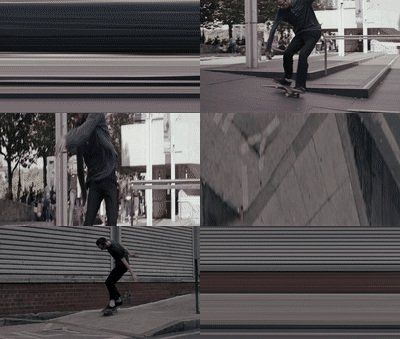
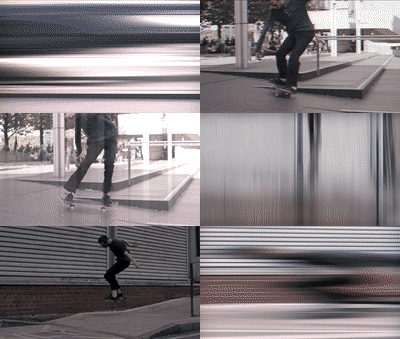



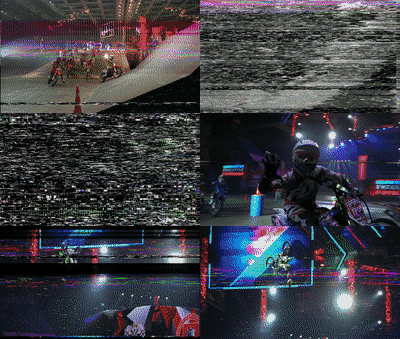

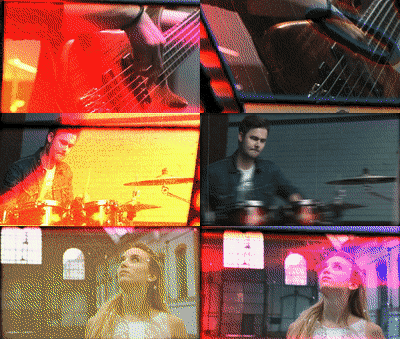
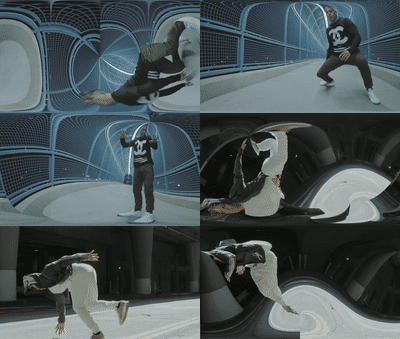
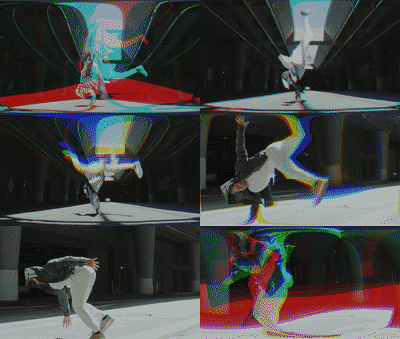





Original package of the most popular Seamless Transitions
Our Seamless Transitions was the first such product on the Envato market! Over 40,000 customers have received our products for After Effects and Premiere Pro! Tens of thousands of film makers, videographers, TV broadcasters and bloggers have already appreciated it and saved millions of hours on video production.
Just Drag-and-Drop
Our transitions are very easy to use – just choose a suitable transition and drag it into your sequence. For each transition, we made a prerender with previews, it was more convenient for you to choose a suitable transition. In addition, each transition includes a sound effect – which will make your video even more epic!
Resizable to any resolutions and aspect ratios
All transitions are fully optimized for video with any aspect ratio, including IGTV!
To change the default resolution of transitions, you only need a few clicks.
So, here is a short tutorial – change resolution for this sequence, and… that’s it!
The tutorial is over 
Thus, you can use all popular video resolution, includes the following:
- 4K 4096×3072
- DCI 4K 4096×2160
- 4K Academy 3656×2664
- 4K Flat 3996×2160
- 4K Scope 4096×1716
- UltraHD 3840×2160
- GoPro 2704×1520
- Scope 2048×858
- Flat 1998×1080
- FullHD 1920×1080
- Panavision 1920×698
- HD 1280×720
- IGTV 1080×1920
- Square 1080×1080
…and many others.
True Transitions Pack
No tricks and no garbage to increase the number of items in the title! We are honest with you. Our package includes over 1500 transitions and nothing else.
The current version of the package includes 10 different categories of transitions for every day. They are Zoom transitions, Pan transitions, Glitch, 3D Box, Shape, Warp, Light Leaks and much more. Preview all categories of transitions, you can see here.
Zoom Transitions
Simple |
Shake |
Hit |
Swinging |
Spin |
Optics |
Flight Pan Transitions
Pan and Offset Transitions
Simple |
Shake |
Hit |
Swinging |
Bounce |
Long |
Tilt |
Offset |
Warp |
Stretch Transitions
Pan |
Out In |
In |
Spin Transitions
Ease |
Shake |
Swinging |
Corner Ease |
Bounce |
Corner Swinging |
3D Slide |
3D Ease |
Twirl |
3D Box Transitions (NEW)
Ease – In Out |
Ease |
Swinging |
Diagonal |
Bounce |
VR Warp Transitions (NEW)
Zoom |
Stretch Blur |
Straight Pan |
Light Leaks |
Ray |
Bend Pan |
Shape Transitions (NEW)
Flatten |
Ease |
Scale |
Swinging |
Sharp |
Sweep |
Zoom |
Rounded Lines |
Three.gif |
Polygon and Blocks Transitions
Beveled 1 |
Beveled 2 |
Blocks 1 |
Blocks 2 |
Slide |
Slide Cross |
Shake Transitions
Simple |
Skew |
Horizontal |
Perspective Transitions
Simple |
Hit |
3D Pan |
Glitch Transitions
Satellite TV |
Monitor |
Cinematic Monitor |
Cinematic Bad Signal |
Roughly |
VHS |
Strobe Invert |
Simple Offset |
Turbulent Displace |
Blocks |
Shape Distortions
Figure |
Text |
Shape |
Light Leaks Transitions
Flares |
Soft |
Film |
Warp Transitions
Equidistant |
RGB |
|
3D Motion Presets
Offset 1 |
Offset 2 |
Orbit 1 |
Orbit 3 |
Offset 2 |
Orbit 1 |
Camera Shake Presets
Simple |
Optics |
3D |
Split Transitions
Simple |
Swinging |
Perspective |
Fade and Stylization Presets
Pixelation |
Blur |
Directorial Blur |
Color |
Glow |
Optics |
Target Zoom
Starting with the second version of the package, we added the ability to change the position of zoom point for some transitions. This option will add more expressiveness to your video.
Features
- Drag-and-Drop method of use (Adjustment Layer system)
- Ability to set any resolution and aspect ratio for transitions in a few clicks
- Sound FX included for each transition
- Fast Transitions preview
- Works with any FPS
- A Step-by-Step tutorial is included. You can watch it here
- Soundtrack used in Promo (not included): Uplifting Future Bass by 7_Keys
Technical Requirements
- Works in Premiere Pro CC 2018 in version 12.1.1 and higher.
After effects templates
Amazing clips to use and help you create your own unique projects from AE templates or to improve the design of your existing broadcasts.
We have a wide range of templates for you to choose from. You can find PowerPoint Video Templates, Motion Graphics Templates, and After Effects Logo Templates, Scripts, Promos, news, fashion, sports, social media, titles…
After Effects Templates, Wedding Templates as well, After Effects Intro Templates, Transitions, Products Promos, Instagram stories, Scripts, Call Titles, Elements 3D, Corporate , and many more.
With After Effects project files, or templates, your work with motion graphics and visual effects will get a lot easier. In short, they are customizable After Effect files, neatly organized and labelled. You can easily change colors, text and other design elements without having to spend time on creating timelines and effects. It’s all there-you just need to customize it to fit your project.
What you waiting for? Hurry up and download the best after effects templates
➡️ ➡️ For more Ready Project Files Templates 😀 😀
System Requirement For adobe after effects


Reviews
There are no reviews yet.