
HAS Paint Layers for Blender
has paint layers addon
HAS Paint Layers v0.2.9 for Blender – Advanced Layer-Based Texture Painting System
Versions: v0.2.9
File Size: 12 KB
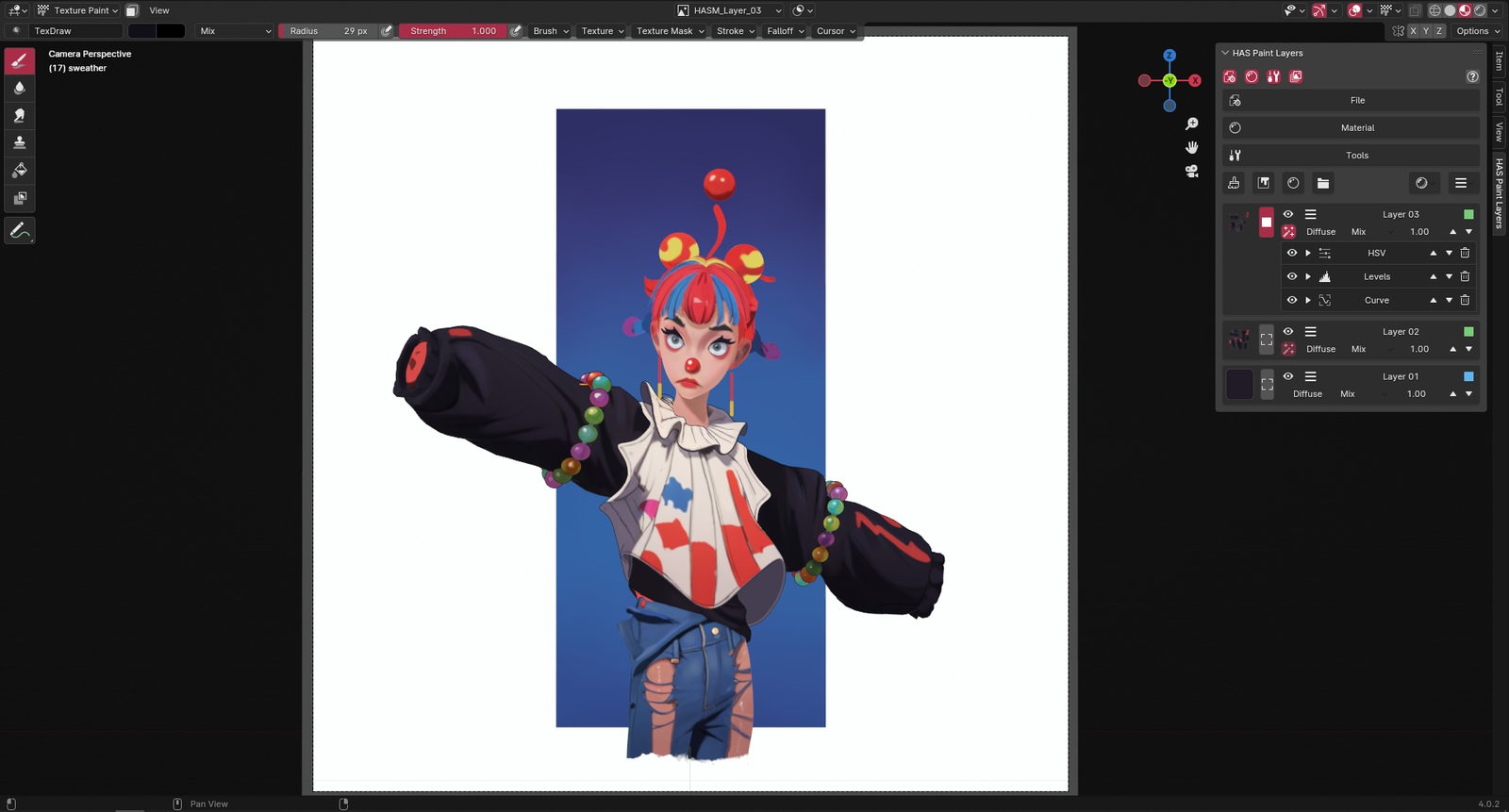
Download HAS Paint Layers v0.2.9 for Blender on Windows, Mac, and Linux, a revolutionary texture painting add-on that brings non-destructive, layer-based workflows to Blender’s painting system. Paint, blend, and organize textures using familiar layer controls—opacity, blend modes, masks, and layer groups—just like professional 2D painting applications .
Key Features of HAS Paint Layers v0.2.9:
- Layer-Based Painting: Work with multiple paint layers—each with independent opacity, blend modes, and visibility controls—for non-destructive texture creation
- Layer Masks: Add and edit layer masks with brush painting, gradients, and procedural generation for precise control over where paint is applied
- Layer Groups: Organize paint layers into groups with group-wide opacity and blend modes for complex, organized texture workflows
- Blend Modes: Full suite of blend modes including Multiply, Screen, Overlay, Soft Light, Hard Light, Difference, and more
- Adjustment Layers: Add non-destructive adjustments to your texture stack—Hue/Saturation, Levels, Curves, Color Balance
- Stamping & Patterns: Paint with custom stamps and seamless patterns for efficient texture detailing
- Real-Time Preview: See all layers, masks, and blend modes update instantly in the viewport
- High Resolution Support: Paint at high resolutions without performance degradation
- Export Options: Flatten layers for export or maintain layer structure for ongoing work
- v0.2.9 Updates: Enhanced performance, improved brush handling, and expanded compatibility with Blender 4.0+
Perfect For:
- Texture artists wanting non-destructive painting workflows
- Character artists painting detailed skin, fabric, and material textures
- Environment artists creating layered terrain and surface textures
- Game developers painting PBR textures with adjustable layers
- Anyone who wants professional, layer-based texture painting in Blender
System Requirements:
- Blender 3.0, 3.1, 3.2, 3.3, 3.4, 3.5, 3.6, 4.0, 4.1, 4.2, 4.3
- Windows 10/11 (64-bit), macOS, or Linux
- 4GB RAM minimum (8GB+ recommended)
- 20MB available disk space
- Graphics tablet recommended for optimal painting experience
Installation:
- Download the add-on zip file
- In Blender, go to Edit > Preferences > Add-ons
- Click “Install” and select the downloaded zip file
- Enable the add-on by checking the box next to “HAS Paint Layers”
Note: HAS Paint Layers transforms texture painting in Blender by introducing professional, layer-based workflows that have been missing from native painting tools . The non-destructive layer system, blend modes, and adjustment layers make it possible to iterate on textures without losing previous work . Perfect for texture artists, character painters, and anyone needing professional painting capabilities in Blender . Version 0.2.9 includes full compatibility with Blender 4.0 and above . Designed for Blender 3.0 and above . Graphics tablet recommended .
HAS Paint Layers is a Blender add-on for artists looking to streamline their texture painting process. This add-on allows you to create and manage multiple layers for paint textures, use filters, baking and other tools.
Supercharge your 3D creation workflow with premium selection of Blender Add-ons. Whether you are modeling intricate characters, sculpting realistic environments, or animating cinematic sequences, the right add-on can transform how you work inside Blender. Our curated collection includes powerful tools for UV unwrapping, procedural texture generation, rigging automation, rendering optimization, and more—each rigorously tested for compatibility with the latest Blender versions. Eliminate tedious manual processes and unlock advanced functionality that lets you focus on what matters most: bringing your creative vision to life. Explore our full range of professional Blender plugins today and take your 3D projects to the next level.
➡️ ➡️ For more Blender Plugins 😀 😀
Reviews
There are no reviews yet.