

Horizon Panels for Blender
Horizon Panels v1.19.0 for Blender – The Ultimate Sci-Fi Surface Detailing & Paneling System
Versions: v1.19.0
File Size: 20 KB
Download Horizon Panels v1.19.0 for Blender on Windows and Mac, the industry-standard procedural addon for generating complex hard-surface details, sci-fi paneling, and mechanical surface patterns instantly. By leveraging advanced Geometry Nodes and a vast library of modular components, Horizon Panels transforms how artists detail spaceships, robots, vehicles, and futuristic architecture, eliminating the tedious manual modeling of every bolt, seam, and vent while maintaining full non-destructive control over the design.
Key Features of Horizon Panels v1.19.0:
- Procedural Panel Generation: Instantly cover any mesh surface with intricate panel grids, randomized cutouts, and mechanical seams that adapt perfectly to curved and organic topology without UV distortion.
- Massive Component Library: Access over 500+ parametric hard-surface elements including vents, grilles, hatches, lights, pipes, bolts, rivets, warning stripes, and data ports, all fully customizable in size, depth, and rotation.
- Smart Surface Adaptation: Automatically detects surface curvature and normals to align panels and details correctly, ensuring clean geometry even on complex double-curved surfaces like spaceship hulls or character armor.
- Non-Destructive Workflow: Every parameter (panel count, bevel width, inset depth, randomization seed) remains editable at any time. Change the base mesh, and the details update automatically without breaking the setup.
- Advanced Randomization: Control variation in scale, rotation, position, and element selection using sophisticated noise drivers and seed controls to avoid repetitive “tiling” looks and create organic, lived-in machinery.
- Material Slot Automation: Automatically assigns distinct material slots for Base, Panel, Trim, Glow, Dirt, and Decals, streamlining the texturing process for complex multi-material assets.
- Animation Ready: Built-in drivers allow you to animate panels opening/closing, lights flickering, or details sliding along tracks, perfect for sci-fi sequences and mechanical transformations.
- LOD & Optimization: Generate high-poly hero assets for close-ups or simplified low-poly versions for background scattering and game engine export with a single slider.
- Decal & Stencil System: Integrated support for projecting decals, warning labels, and stencils directly onto the generated panels with automatic masking and alignment.
- Performance Optimized v1.19: Rewritten node structure for 40% faster evaluation times, improved memory management for dense detail fields, and better compatibility with Blender 4.x Geometry Nodes updates.
Perfect For:
- Sci-Fi Environment Artists creating detailed spaceship interiors, space stations, and futuristic cityscapes.
- Hard-Surface Modelers designing robots, mechs, vehicles, and weapons with intricate mechanical surface details.
- Concept Artists rapidly iterating on design variations and blocking out complex mechanical forms for pre-production.
- Game Developers generating modular, LOD-ready assets with baked normal maps for real-time engines.
- Architectural Visualizers adding parametric facade details, ventilation systems, and modern industrial aesthetics to buildings.
- Anyone who needs high-frequency surface detail faster than modeling manually but with more control than texture baking.
System Requirements:
- Blender: 3.6, 4.0, 4.1, 4.2, 4.3, 4.4+ (Geometry Nodes required; optimized for Blender 4.x).
- OS: Windows 10/11 (64-bit) or macOS 10.15+.
- RAM: 8GB minimum (16GB+ recommended for scenes with heavy procedural detail).
- Render Engine: Fully compatible with Cycles and Eevee.
Installation:
- Download the Horizon Panels v1.19.0
.zipfile. - Open Blender and go to Edit > Preferences > Add-ons.
- Click Install…, select the downloaded file, and enable the checkbox next to Geometry Nodes: Horizon Panels.
- Access via the Add Menu > Mesh > Horizon Panels or the dedicated panel in the 3D Viewport Sidebar (N-panel) under the Hard Surface tab.
What’s New in v1.19.0?
- New “Greeble” Generator: Added a dedicated module for generating random electronic boxes, wires, and small mechanical clutter on panel surfaces for extra realism.
- Enhanced Curve Support: Improved ability to project panels along custom curves, allowing for precise routing of details along specific paths on the mesh.
- Dynamic Wear & Tear: New procedural noise inputs to simulate rust, chipped paint, and oil leaks specifically around panel seams and moving parts.
- Light Strip Customization: Expanded options for emissive light strips, including color gradients, flicker patterns, and broken bulb simulation.
- Blender 4.4 Compatibility: Full support for the latest Geometry Nodes features and performance improvements in Blender 4.4.
- UI Overhaul: Reorganized sidebar panel for better workflow, grouping “Layout,” “Details,” “Materials,” and “Animation” controls into collapsible sections.
Note:
Horizon Panels v1.19.0 is designed to be the final word in procedural hard-surface detailing. Unlike simple array modifiers, it understands surface topology, allowing panels to flow naturally over complex shapes without manual adjustment. The addon includes a “Design Seed” system that lets you save and recall entire paneling styles, making it easy to maintain visual consistency across a fleet of ships or a army of robots. Whether you need a clean, sterile laboratory wall or a gritty, battle-worn mech suit, Horizon Panels provides the modular building blocks to create it efficiently.
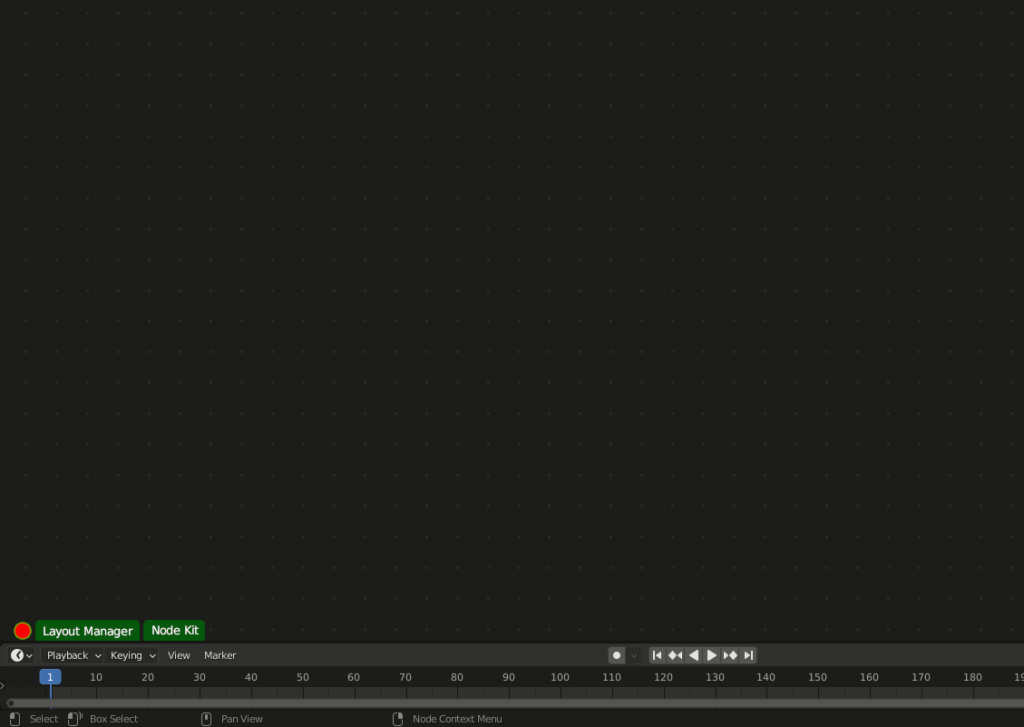
What’s Horizon Panels?
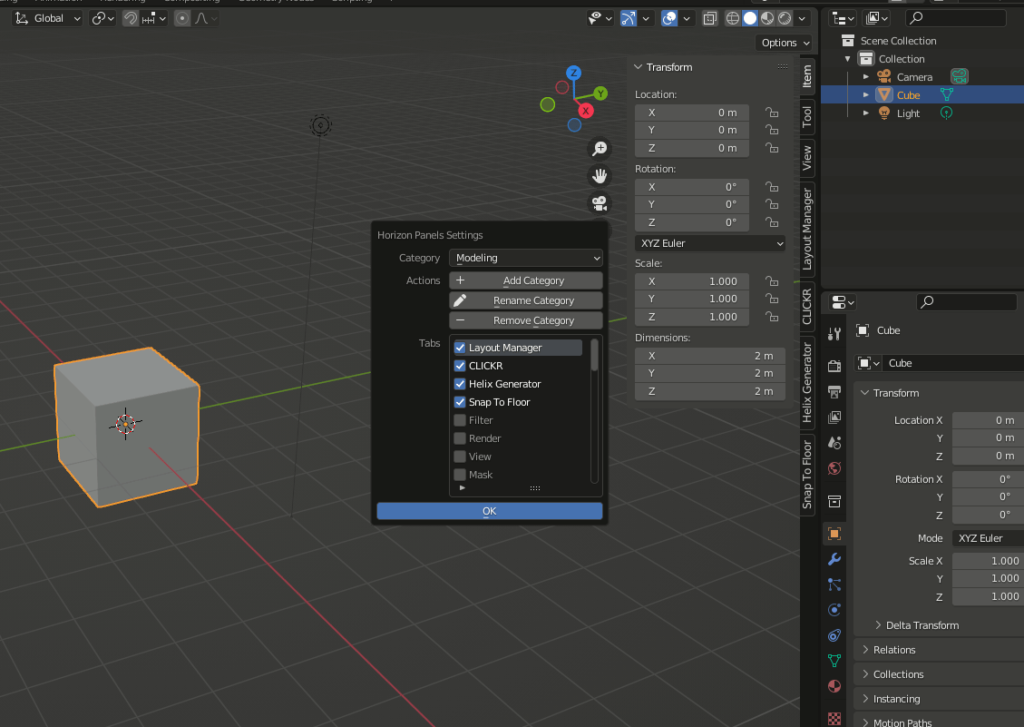
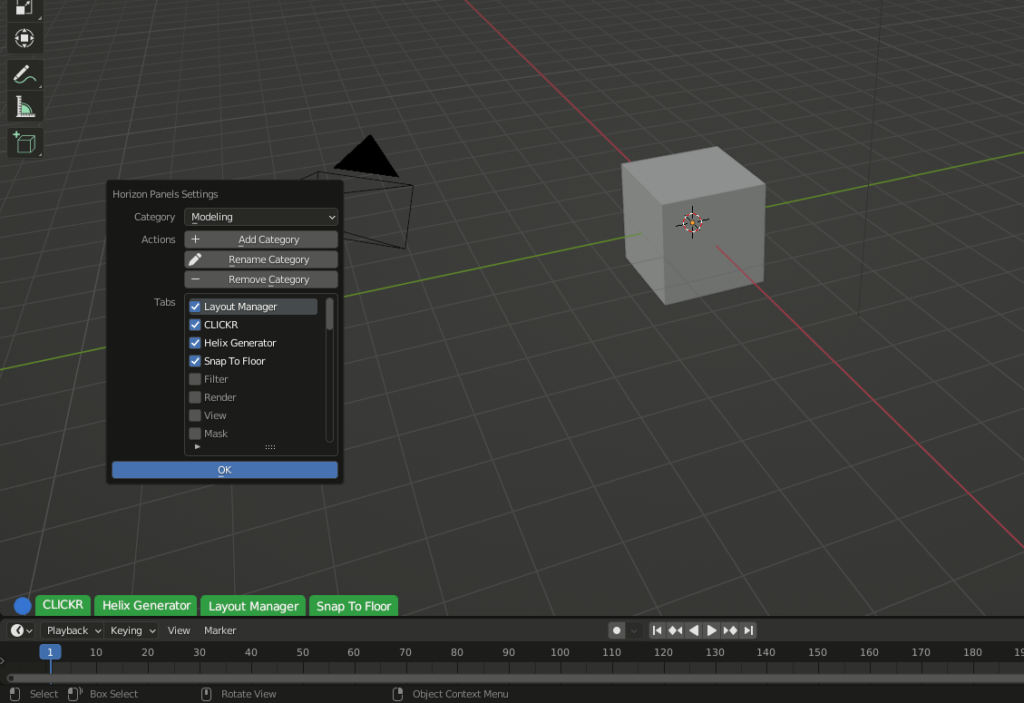
Horizon Panels is a Blender add-on to manage N-panels intuitively.
Why Horizon Panels?
We use add-on very day with Blender, and we use N-panels, but the initial design of N-panels has some design issues. Here are the main two of them:
- There is no enough space to show all tabs while the N-panels increase
- N-panels tabs are shown vertically, this make user hard to read them
So I made Horizon Panels, which solves this two main issues.
With Horizon Panels, you don’t need to remember any hotkeys, just use the
intuitive UI we provide.
Demo
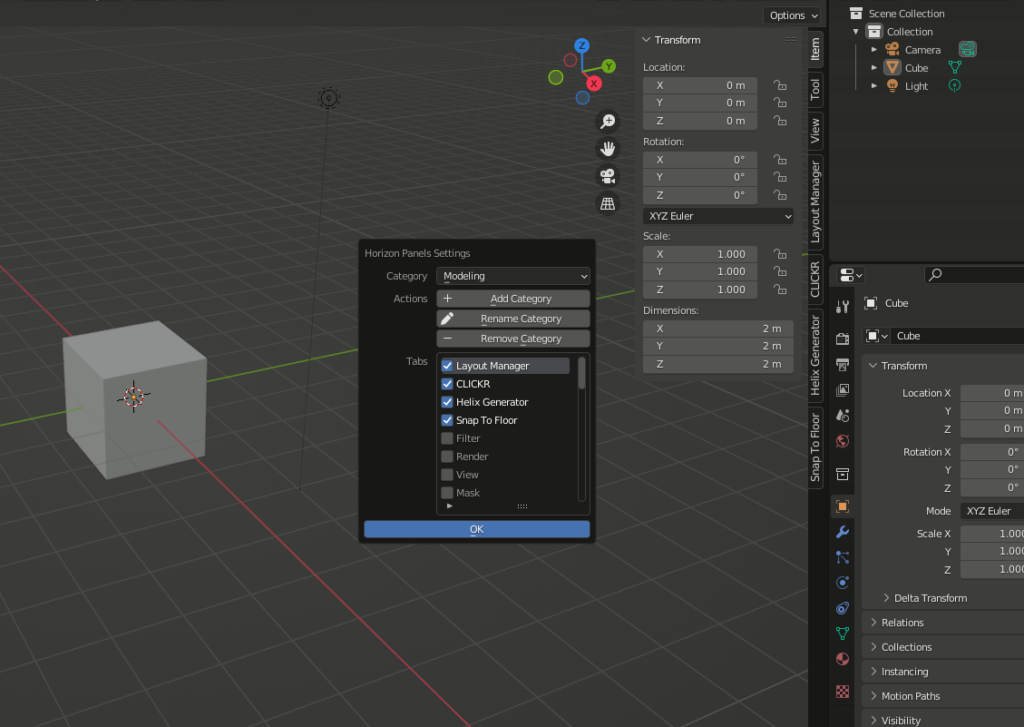
Organize Tabs in Category
No need to manage category in add-on preferences window, just in place.

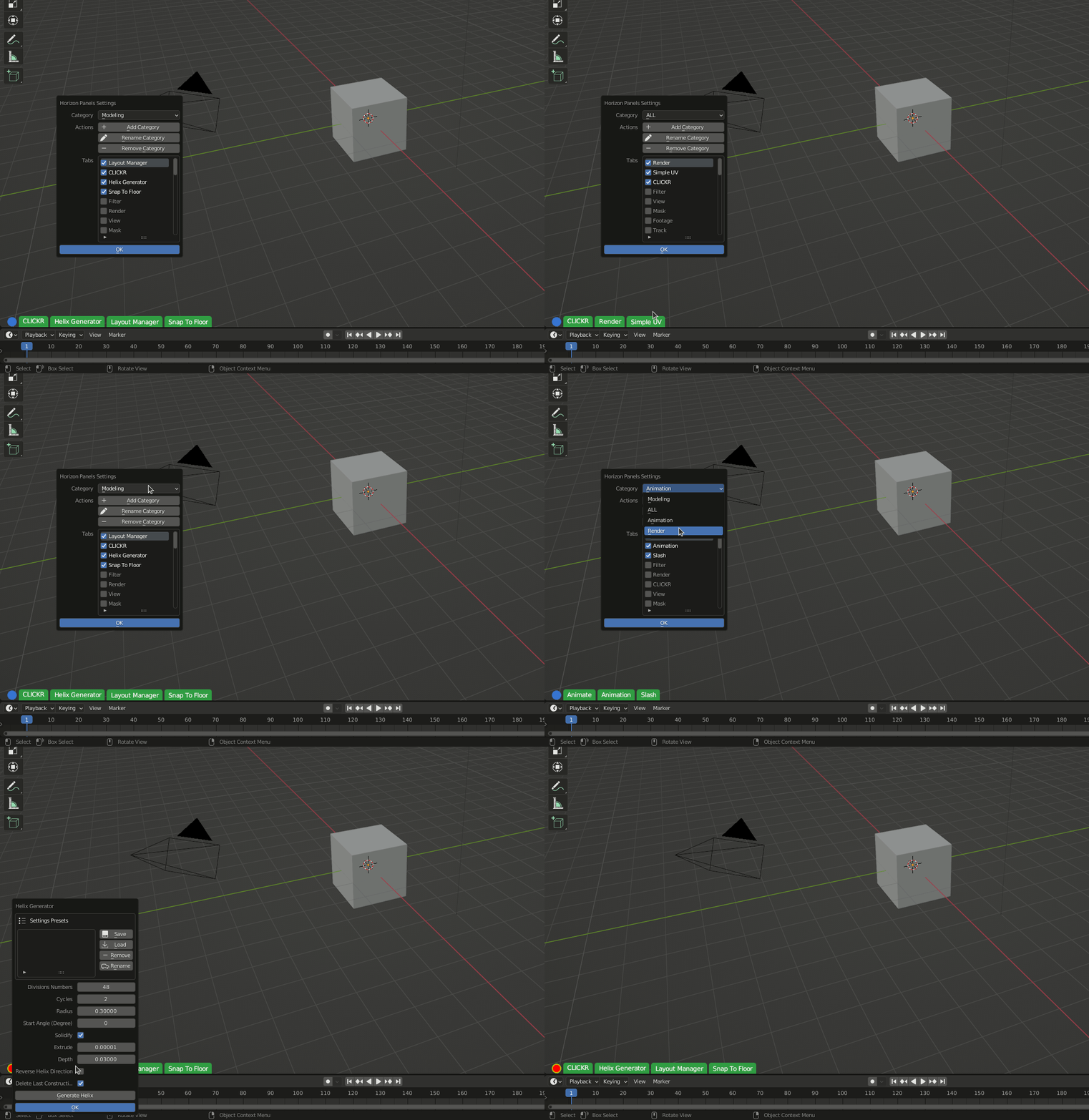
Manage Panels Tab In Category Is Easy
Toggle checkbox to add or remove panels in a category.
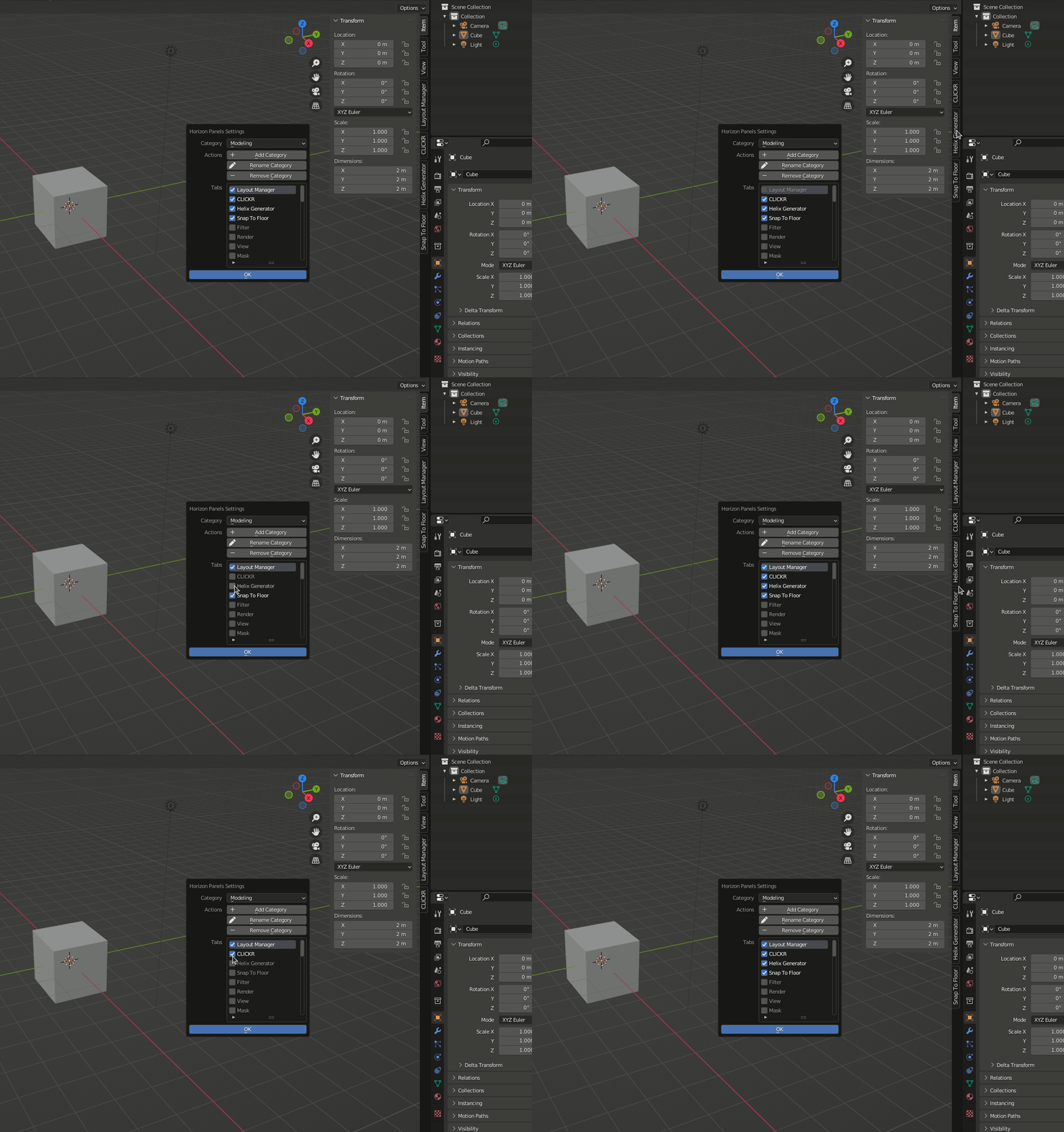

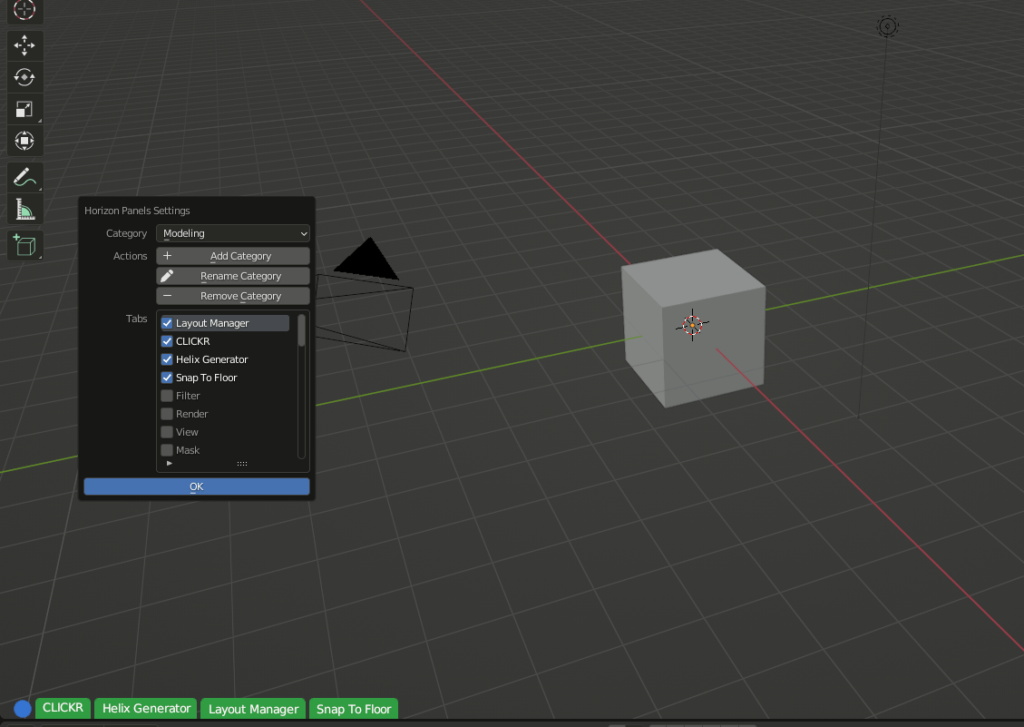
Multiple N-panels In Horizontal Tab
Some tabs have multiple N-panels, there is no problem to show multiple panels in horizontal tabs, you can choose which panel to show while clicking tabs.

All Categories Synced Between Multiple Versions of Blender
You don’t need to setup category per Blender version, the categories are automatically synced between multi Blender versions. It saves you a lot time.
Limitations
In 3D View port, the horizon tabs only response to mouse click in object mode, and edit mode, because other modes like paint mode, sculpt mode block mouse event form other add-ons.
But you still can use the original N-panels tabs in paint mode, sculpt mode etc.
Supercharge your 3D creation workflow with premium selection of Blender Add-ons. Whether you are modeling intricate characters, sculpting realistic environments, or animating cinematic sequences, the right add-on can transform how you work inside Blender. Our curated collection includes powerful tools for UV unwrapping, procedural texture generation, rigging automation, rendering optimization, and more—each rigorously tested for compatibility with the latest Blender versions. Eliminate tedious manual processes and unlock advanced functionality that lets you focus on what matters most: bringing your creative vision to life. Explore our full range of professional Blender plugins today and take your 3D projects to the next level.
➡️ ➡️ For more Blender Plugins 😀 😀
Reviews
There are no reviews yet.