
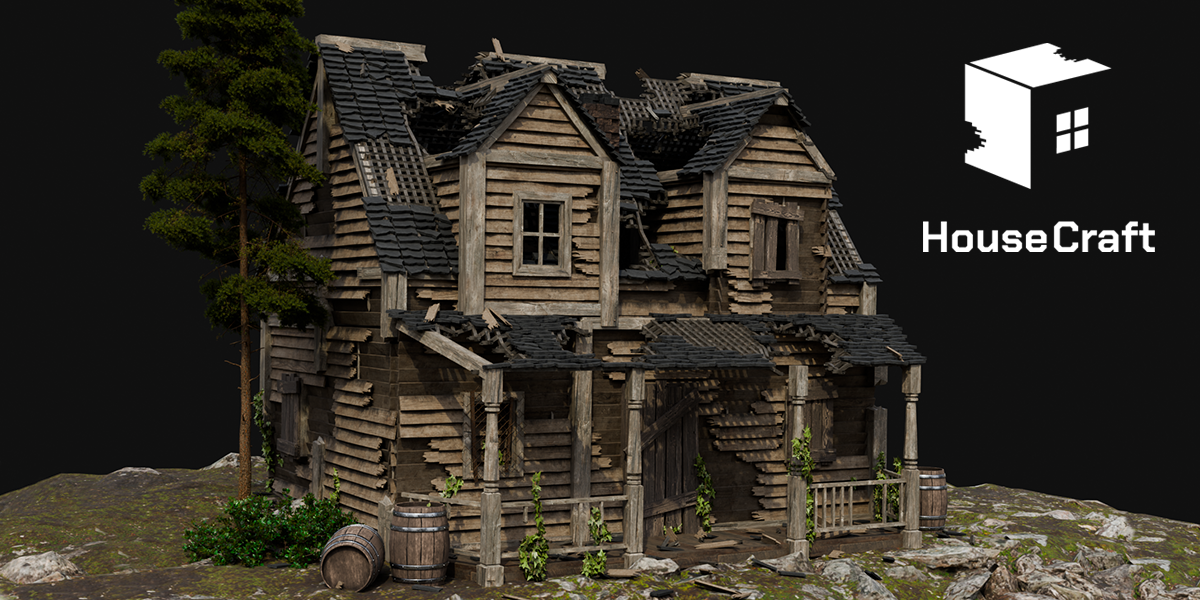
House Craft for Blender
House Craft for Blender – The Ultimate Procedural Building & Architecture Generator
Versions: v1.0
File Size: 187 MB
Download House Craft for Blender on Windows and Mac, a powerful Geometry Nodes-based addon designed to instantly generate fully customizable 3D houses, from quaint cottages and modern villas to towering skyscrapers and fantasy structures. By combining procedural modeling with intuitive artistic controls, House Craft transforms how environment artists and architects build worlds, eliminating the need to model every wall, window, and roof tile manually while maintaining complete creative freedom over the final design.
Key Features of House Craft:
- One-Click House Generation: Instantly create a complete building structure with foundation, walls, floors, roof, doors, and windows using a single node setup or panel interface.
- Modular Component System: Mix and match architectural elements including gabled roofs, flat roofs, dormers, bay windows, porches, balconies, chimneys, and garages, all parametrically adjustable.
- Style Presets: Choose from diverse architectural styles such as Modern, Victorian, Colonial, Rural Farmhouse, Cyberpunk, and Fantasy, with automatic adjustment of proportions, materials, and details to match the theme.
- Procedural Window & Door Distribution: Smart algorithms automatically place windows and doors based on wall length and room logic, with controls for spacing, size variation, and frame styles (wood, metal, arched, rectangular).
- Dynamic Roof Generation: Automatically calculates complex roof geometries (hip, gable, mansard) that adapt to the building footprint, with adjustable pitch, overhang, and tile patterns.
- Material Slot Automation: Assigns distinct material slots for Brick, Wood, Concrete, Glass, Roof Tiles, and Trim, streamlining the texturing workflow for realistic or stylized renders.
- Interior Layout Options: (Advanced) Generate basic interior room divisions, staircases, and floor plans that align with the exterior structure, perfect for architectural visualization.
- Environment Integration: Automatically adds surrounding elements like fences, pathways, lawns, trees, and streetlights to contextualize the house within a scene.
- Animation Ready: Parameters for construction growth (walls rising, roof assembling) are keyframe-ready, allowing for dynamic “building assembly” animations without manual rigging.
- LOD & Optimization: Generate high-poly detailed models for close-ups or simplified low-poly versions for background cityscapes and game engine export.
Perfect For:
- Environment Artists populating towns, villages, and cities with diverse, non-repetitive architecture for games and films.
- Architectural Visualizers rapidly prototyping house designs, testing variations, and creating context models for client presentations.
- Game Developers creating modular housing kits for RPGs, simulators, and strategy games with optimized geometry.
- Concept Artists blocking out neighborhood layouts and exploring architectural styles in pre-production.
- Educators teaching architecture, urban planning, or procedural generation techniques with interactive examples.
- Anyone who needs to build credible structures faster than modeling from scratch but with more control than random generators.
System Requirements:
- Blender: 3.6, 4.0, 4.1, 4.2, 4.3, 4.4+ (Geometry Nodes required; optimized for Blender 4.x).
- OS: Windows 10/11 (64-bit) or macOS 10.15+.
- RAM: 8GB minimum (16GB+ recommended for large neighborhoods with many instances).
- Render Engine: Fully compatible with Cycles and Eevee.
Installation:
- Download the House Craft
.zipfile or.blendasset library. - If an addon: Go to Edit > Preferences > Add-ons, click Install, select the file, and enable Geometry Nodes: House Craft.
- If an asset library: Add the folder to Blender’s Asset Browser preferences, then drag-and-drop house presets directly into your scene.
- Access via the Add Menu > Mesh > House Craft or the dedicated panel in the 3D Viewport Sidebar (N-panel) under the Architecture tab.
Note:
House Craft is designed to be completely non-destructive. You can change the building footprint, swap roof styles, adjust window counts, or modify materials at any time before final baking. The addon features a “Random Seed” system that allows you to generate infinite variations of a house type simply by changing a number, making it incredibly efficient for creating diverse neighborhoods without manual effort. It also includes a “Real-World Scale” mode that ensures all dimensions (door heights, room sizes) adhere to standard architectural measurements, making it suitable for both artistic and technical workflows. Whether you need a single hero house or an entire procedurally generated city, House Craft provides the tools to build it efficiently.

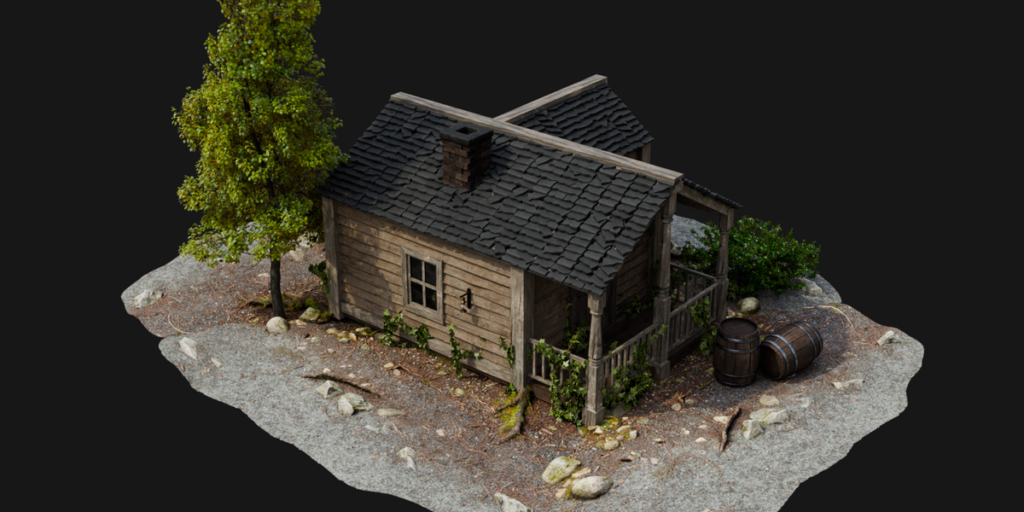
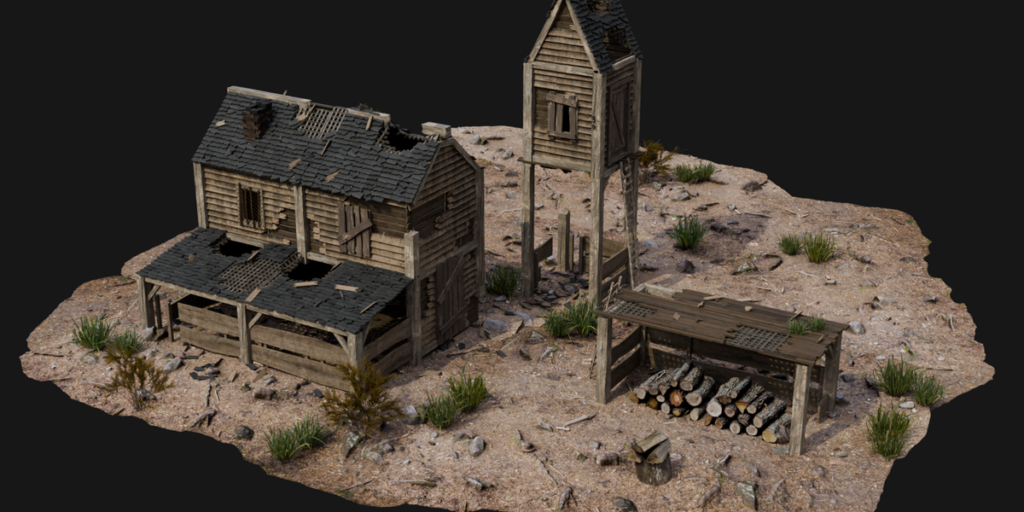
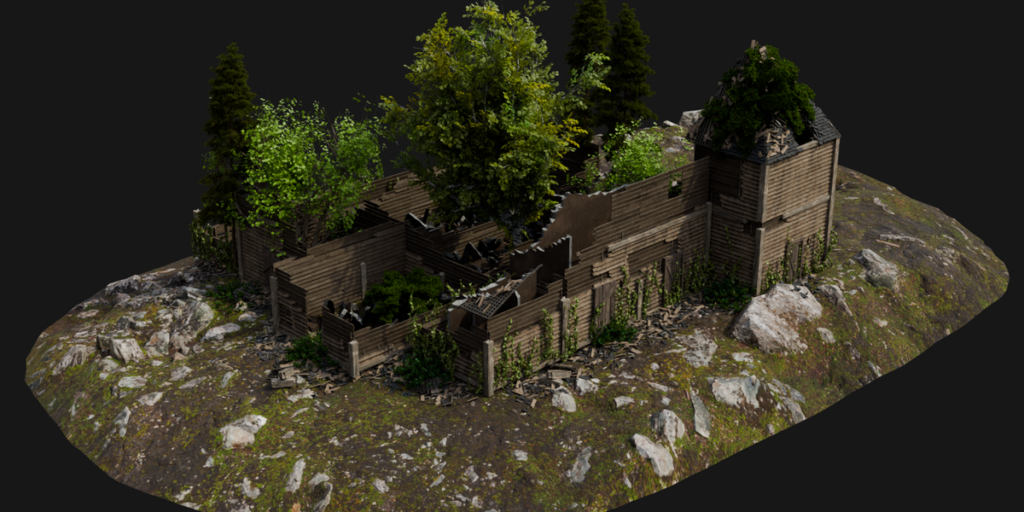
HouseCraft 1.4.1
Create realistic buildings and destructions in Blender! HouseCraft provides intuitive tools and customizable settings to create detailed houses, structures and even entire villages. It also allows you to simulate realistic destruction effects easily. Perfect for architectural visualizations, VFX and other creative projects.
The HouseCraft includes a library of assets designed to speed up house creation while keeping buildings detailed and customizable. The assets are provided as modifiers with preconfigured settings, allowing you to apply ready-made setups to your buildings quickly. Each asset contains prepared modifier settings for different architectural elements and house styles, making it easy to switch between variations and customize buildings within a fully procedural workflow.
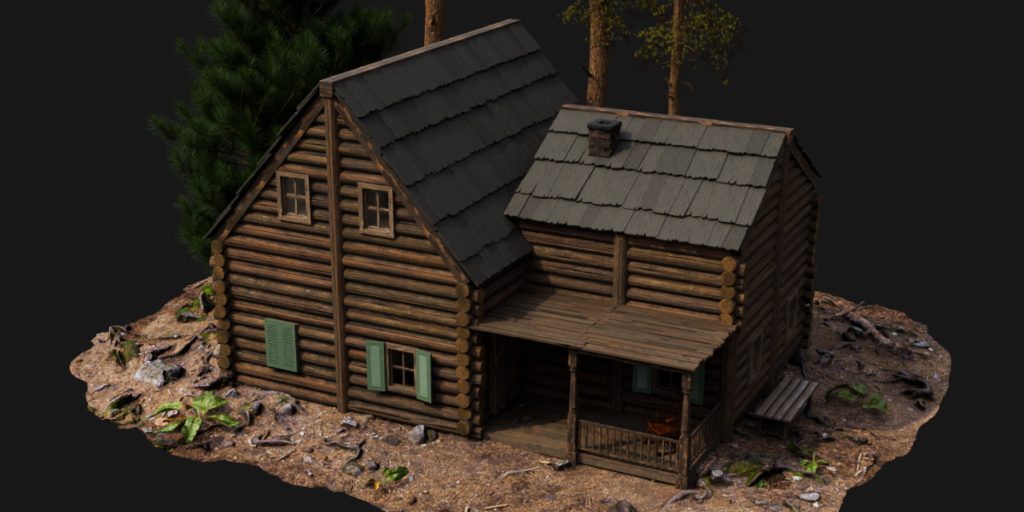
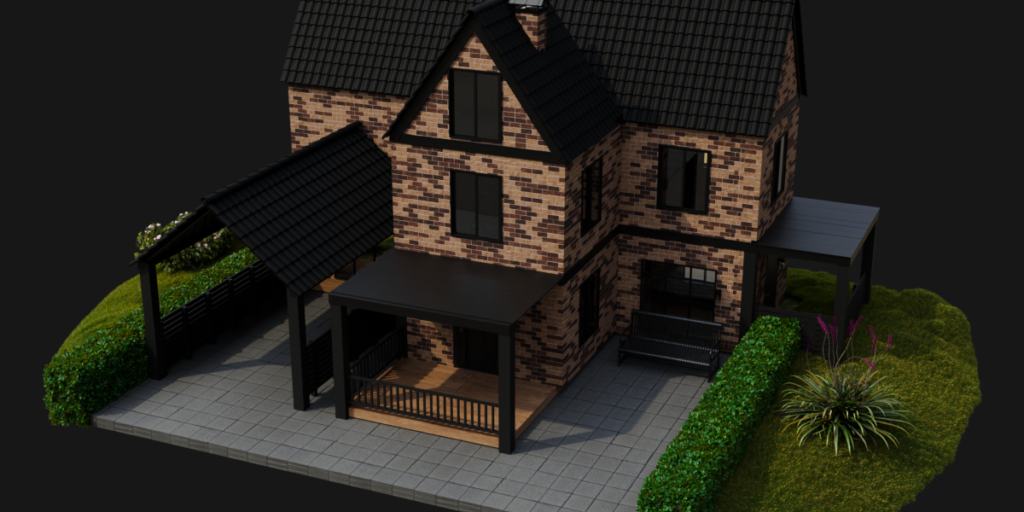
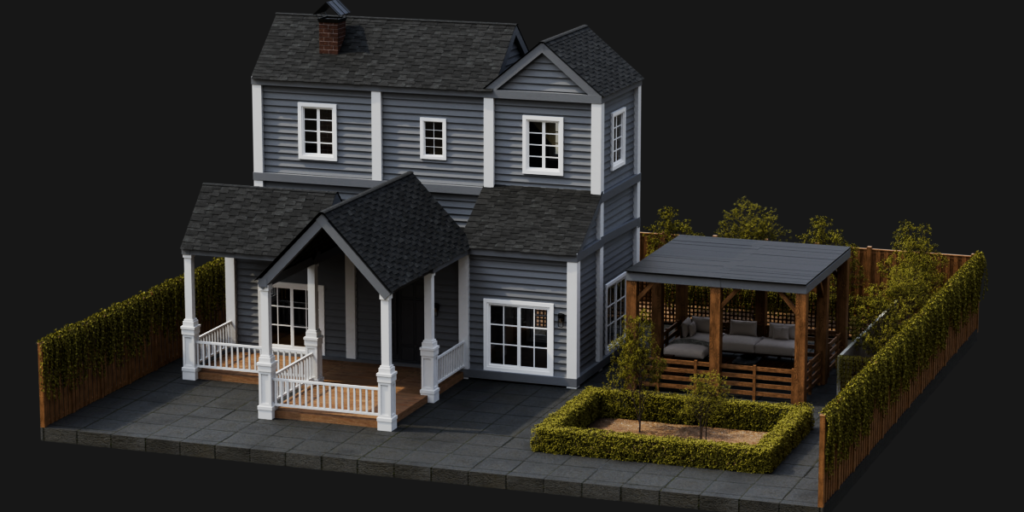
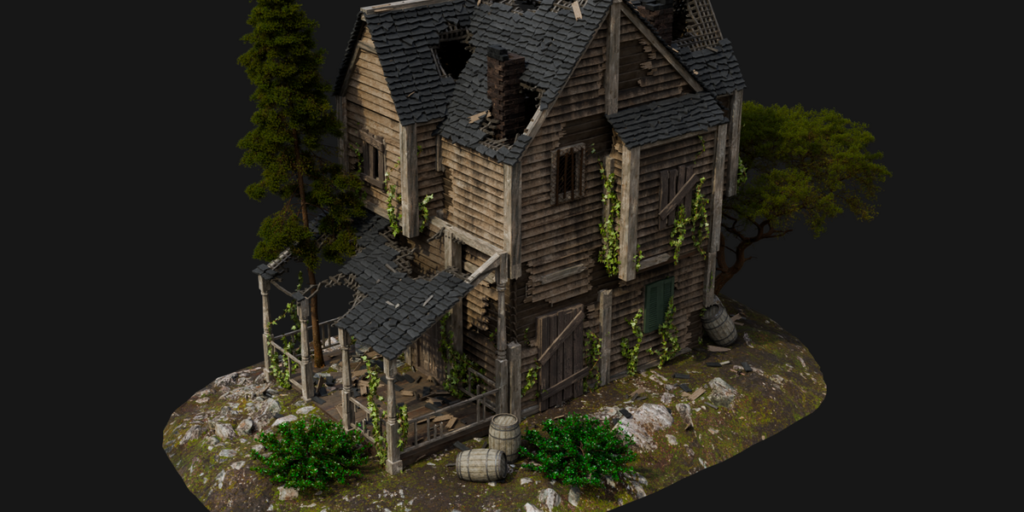
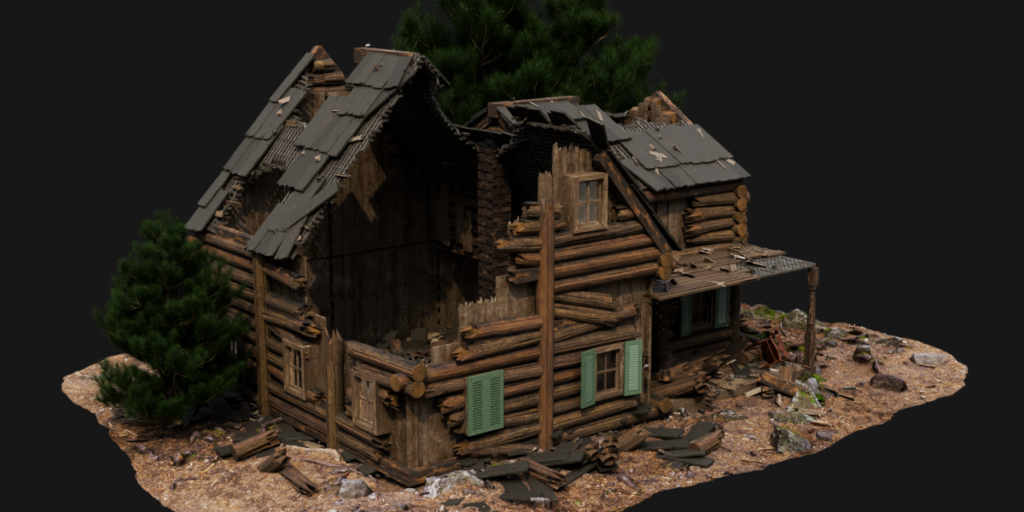
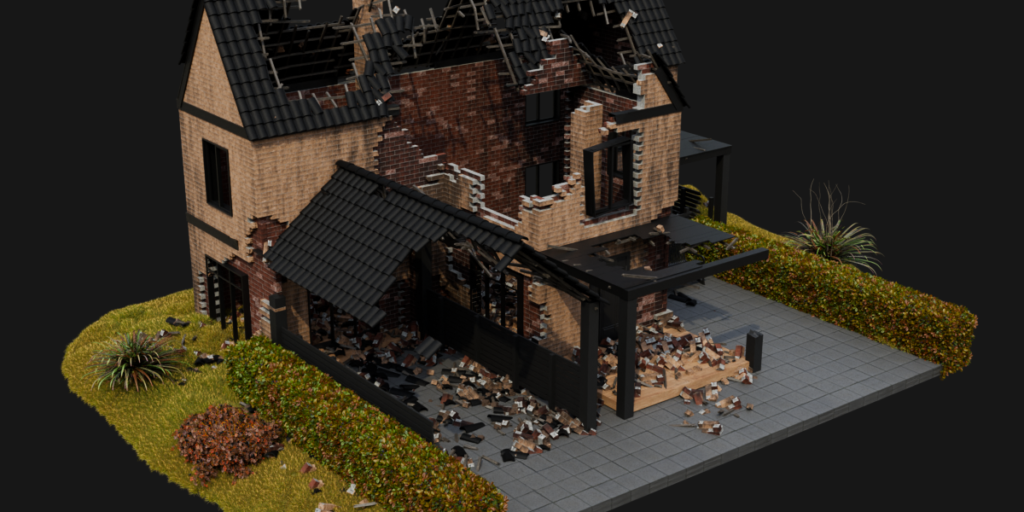
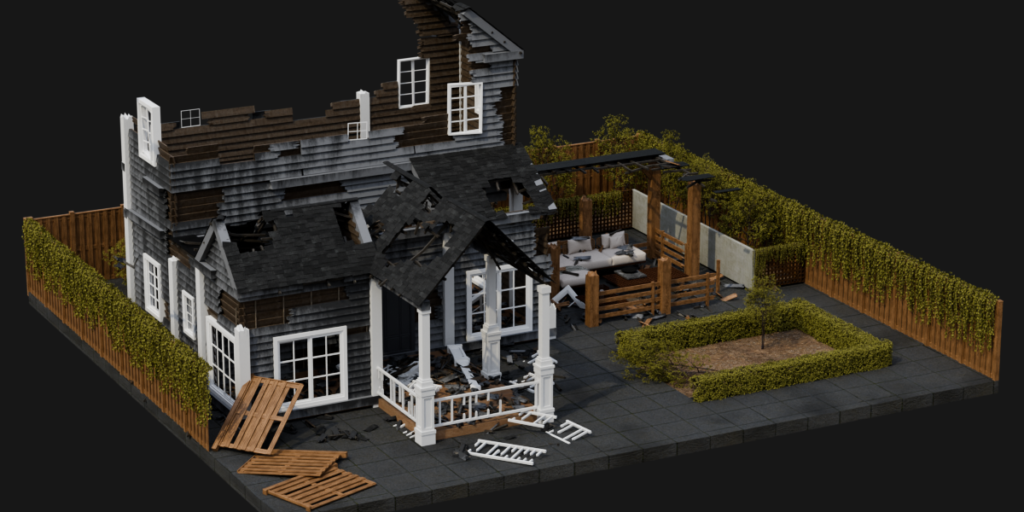
The HouseCraft currently features four unique Wall and Angled Roof types, giving you the tools to create detailed and atmospheric buildings. You can construct houses with classic wooden plank walls — perfect for rustic cabins and countryside homes — or use sturdy log walls for a more traditional, timber-built look inspired by log cabins. And with the newly added Brick and Modern Plank house types, you can now create realistic contemporary homes with a clean, urban look.
Wall and Roof types can be freely combined, allowing you to mix materials and styles to create unique and personalized architecture. Whether you’re building cozy cottages, hunting lodges, or entire villages, HouseCraft gives you the flexibility and creative freedom to bring your architectural visions to life.
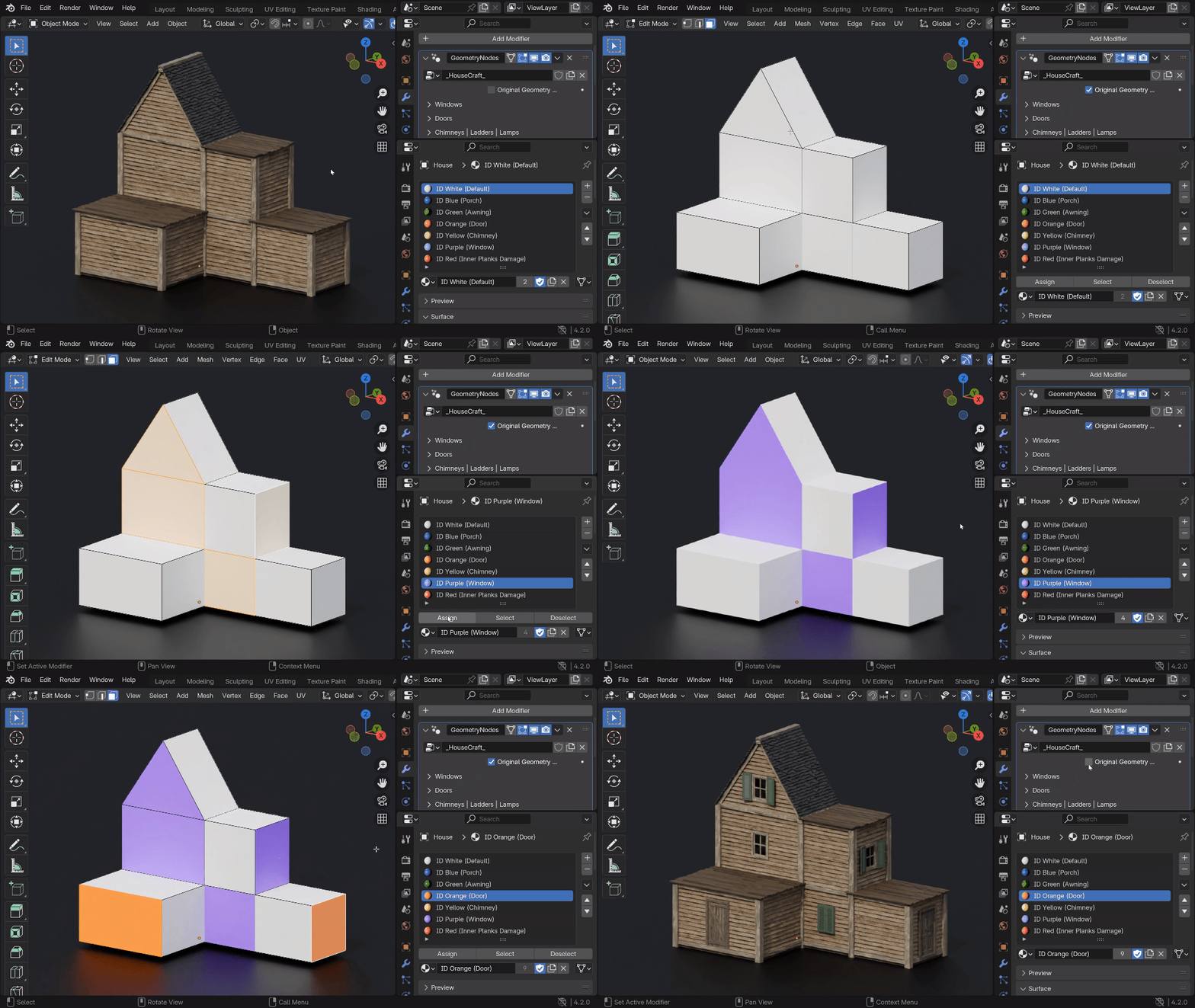
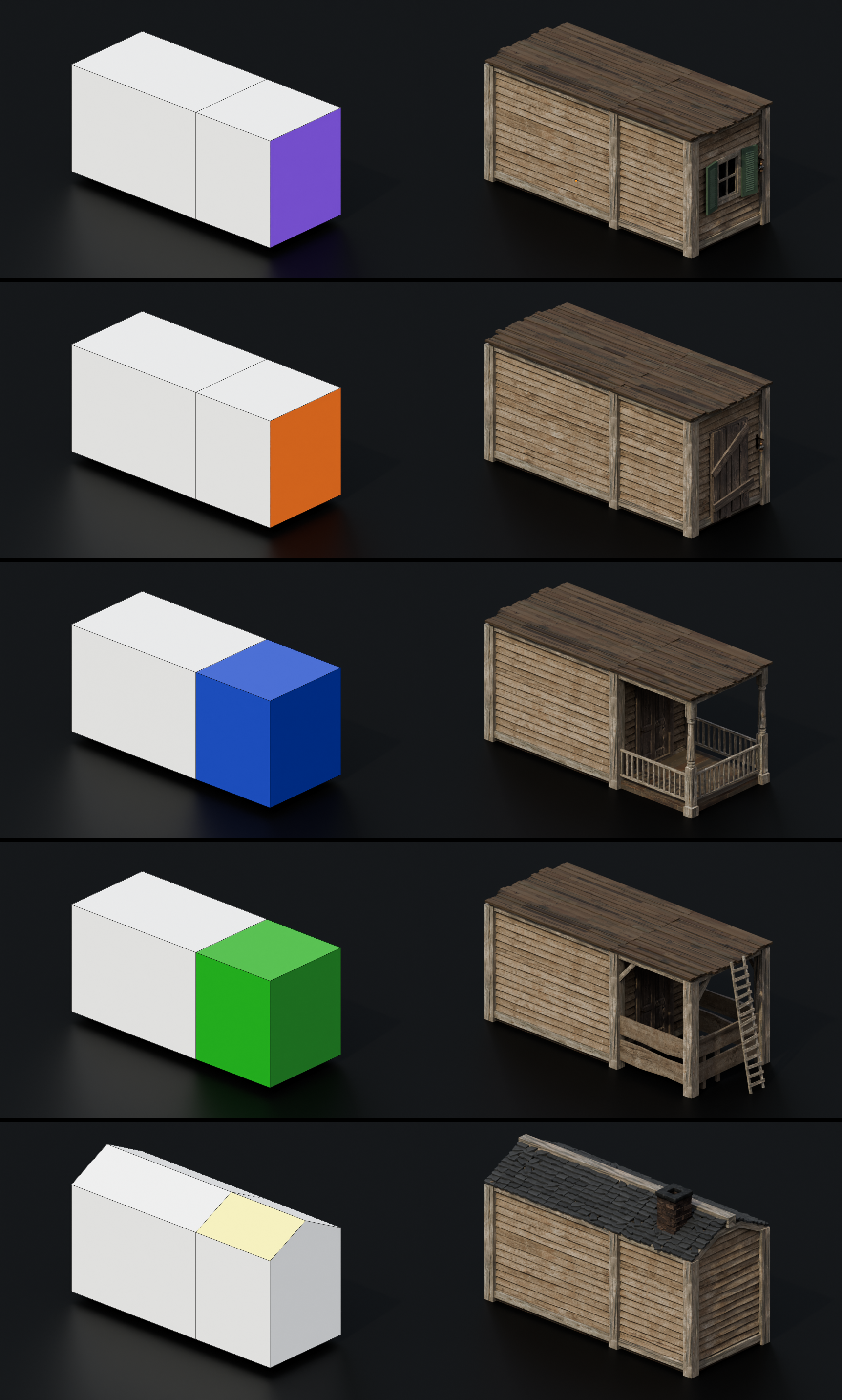
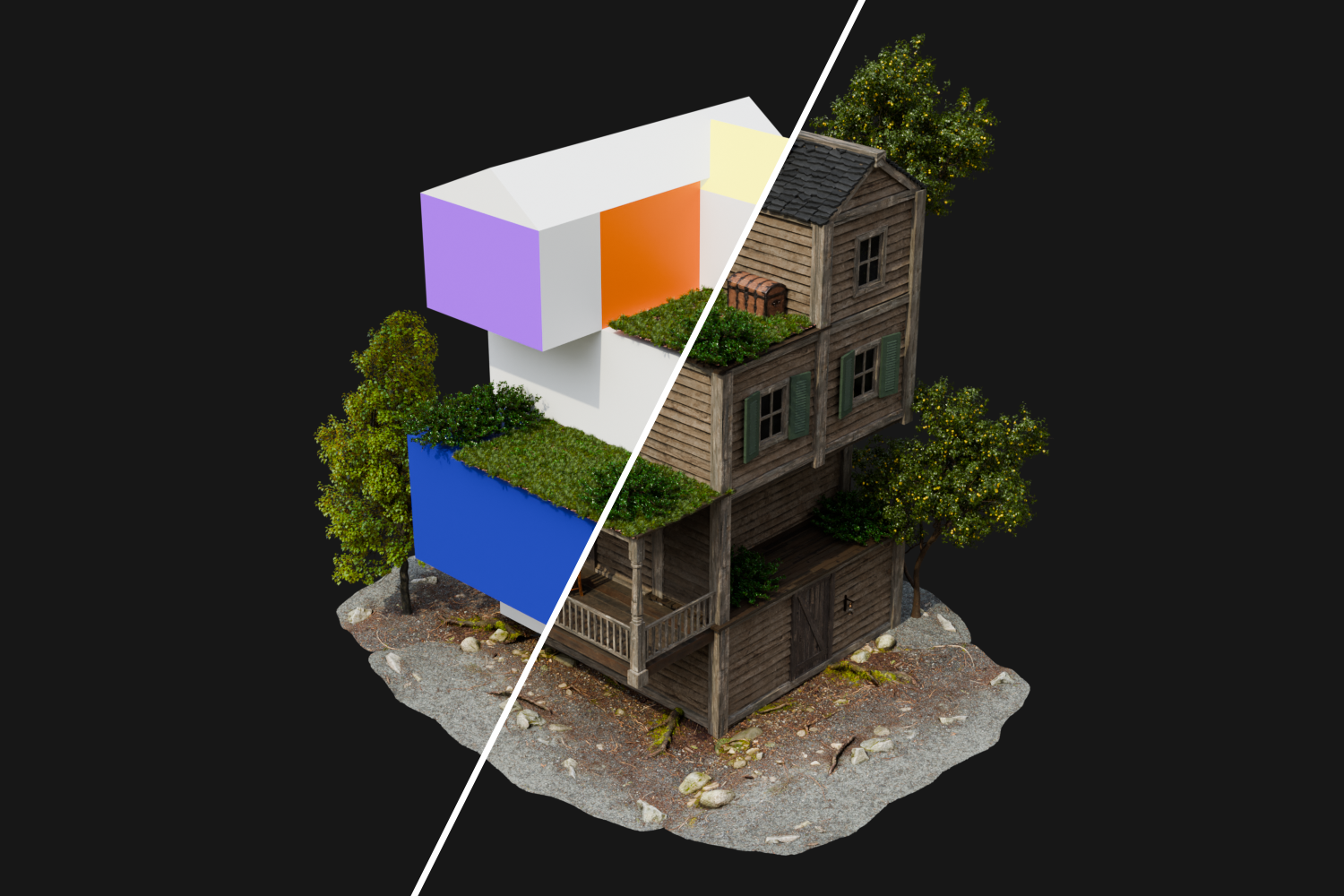
By default, the Windows are distributed in a random order which you can customize. But if you need to indicate a specific location of the Windows, you can do this by assigning a Purple color (ID Purple ) to the Face. You can also customize the random Windows Type. In standard mode, there are 3 types of Windows, and in destruction mode, there are 8 types. The Сhimney also has a random distribution setting and a specific location can be indicated with a color (ID Yellow). You can specify the location of the Doors by assigning the Orange color to the Face (ID Orange). You can also select the Doors Type, from a total of 3.
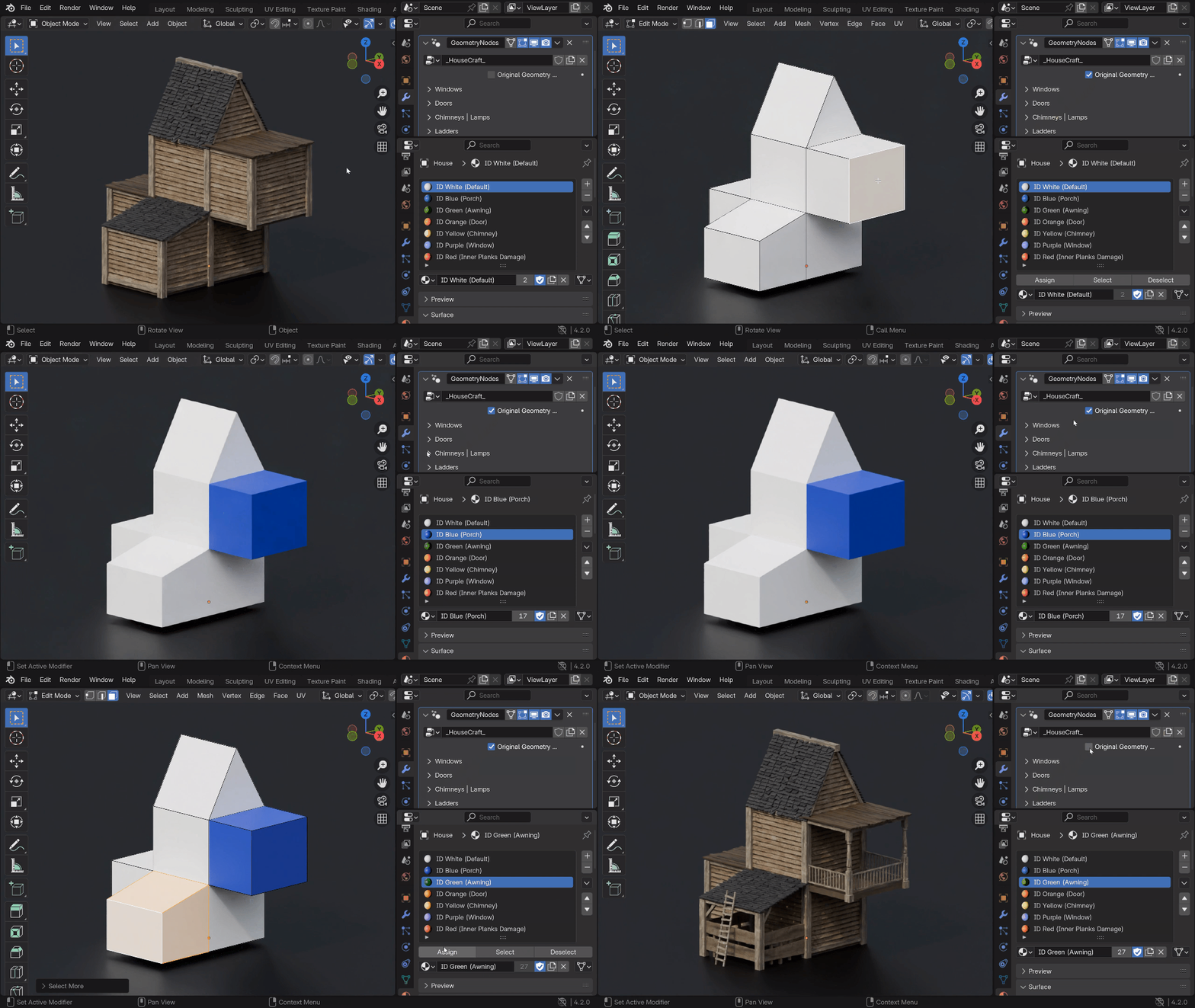
You can easily and quickly create more complex structures like the Porch and Awning by simply assigning a specific color to the block. Use ID Blue for the Porch, and ID Green for the Awning.
Add Ivy to your scene to create a natural and cozy feel. Also, use it for scenes where you want to show a post-apocalyptic atmosphere. You can set up a random Ivy distribution, Density and Height.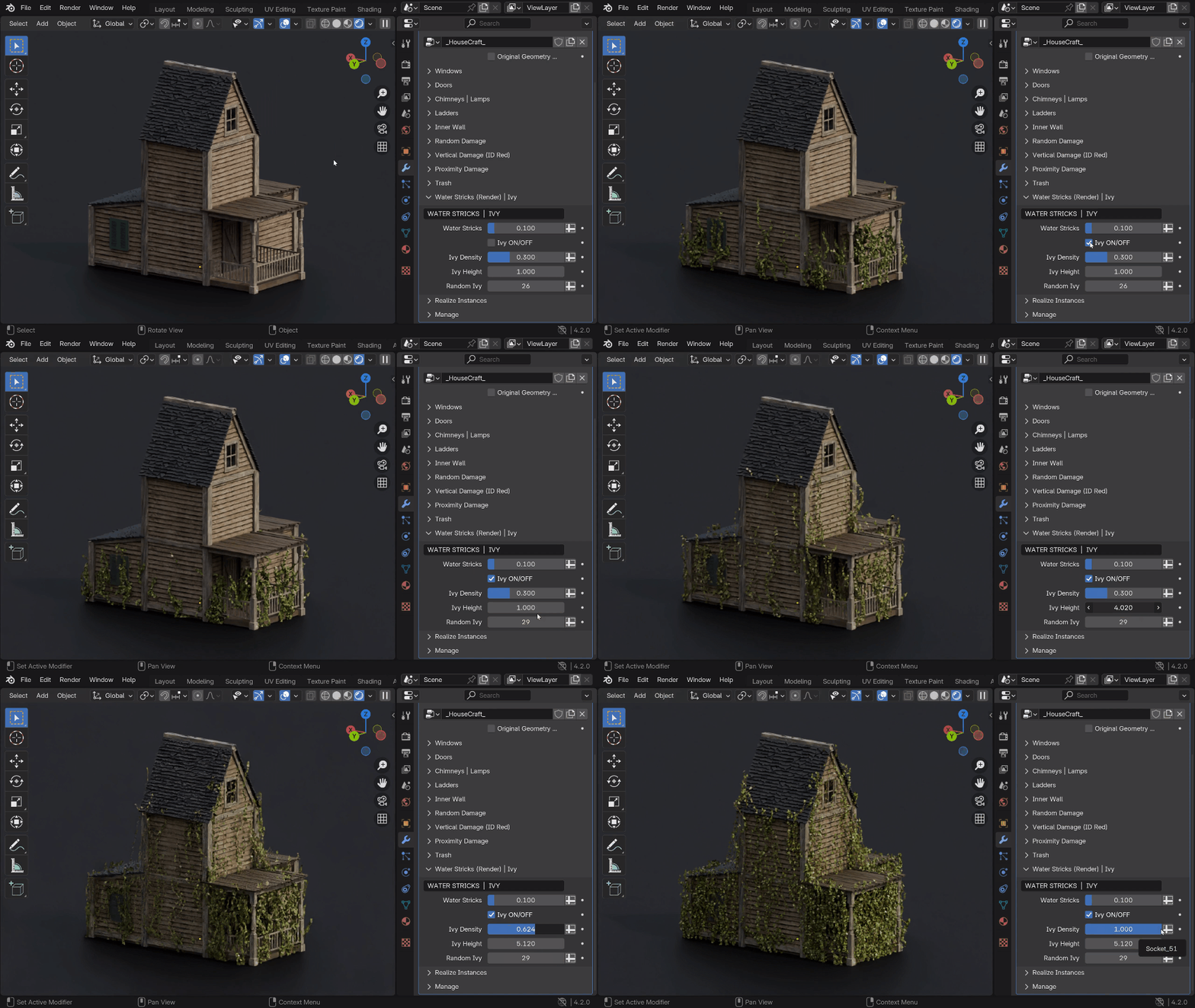
You have the ability to add destruction to your buildings of 3 different Damage Types which will allow you to adjust the damage from light chips to completely destroyed houses. You can use them separately as well as use different combinations of them. Random Damage allows you to give the house “a slight antiquity” and “destruction over time”. Vertical Damage will allow you to destroy the house starting from the roof to floor.
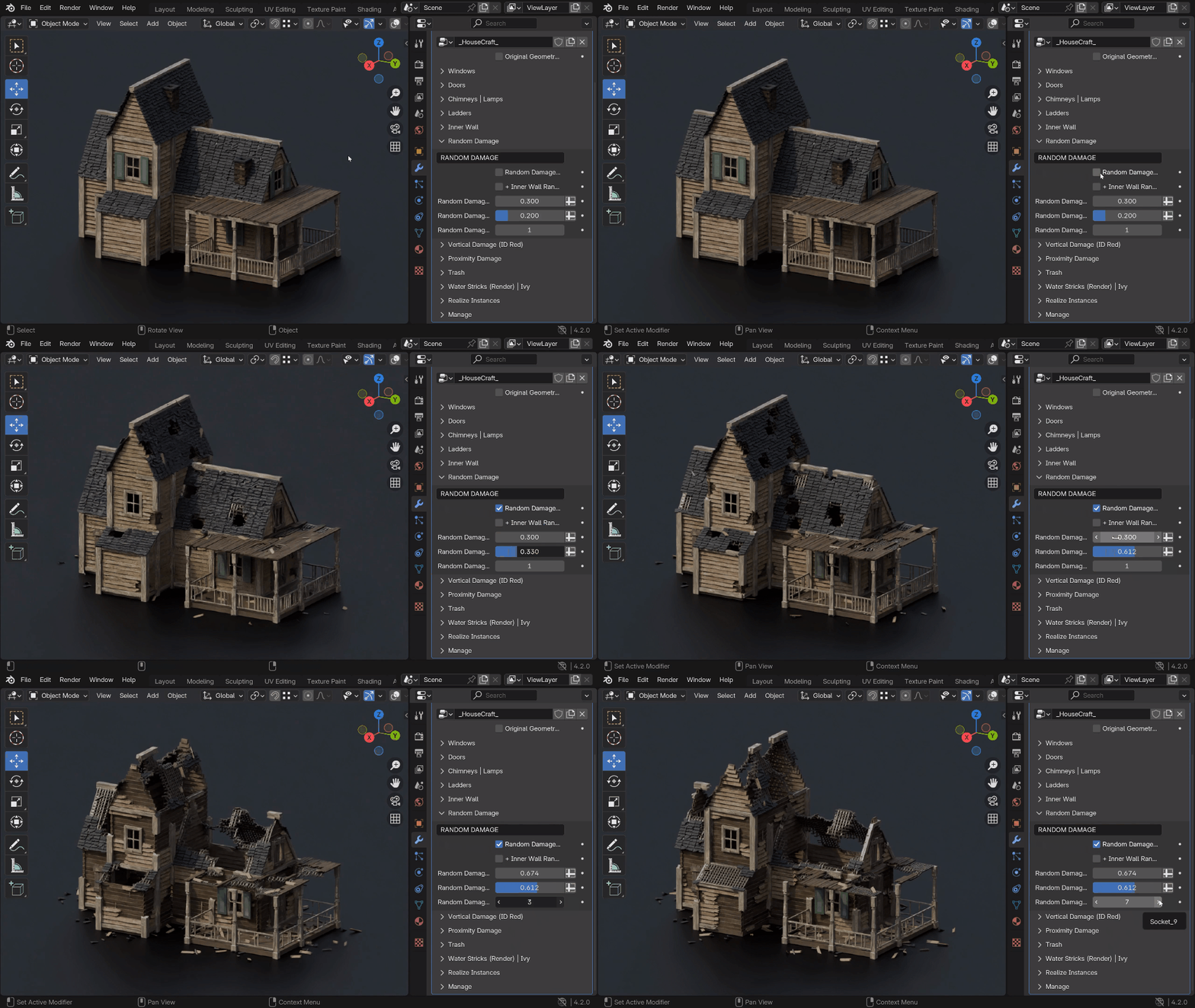
The 3rd type of destruction is Proximity Damage where you have the ability to use the Empty object (up to 3). With it you can control the damage and assign it locally where you need it.
How to use HouseCraft for creation:
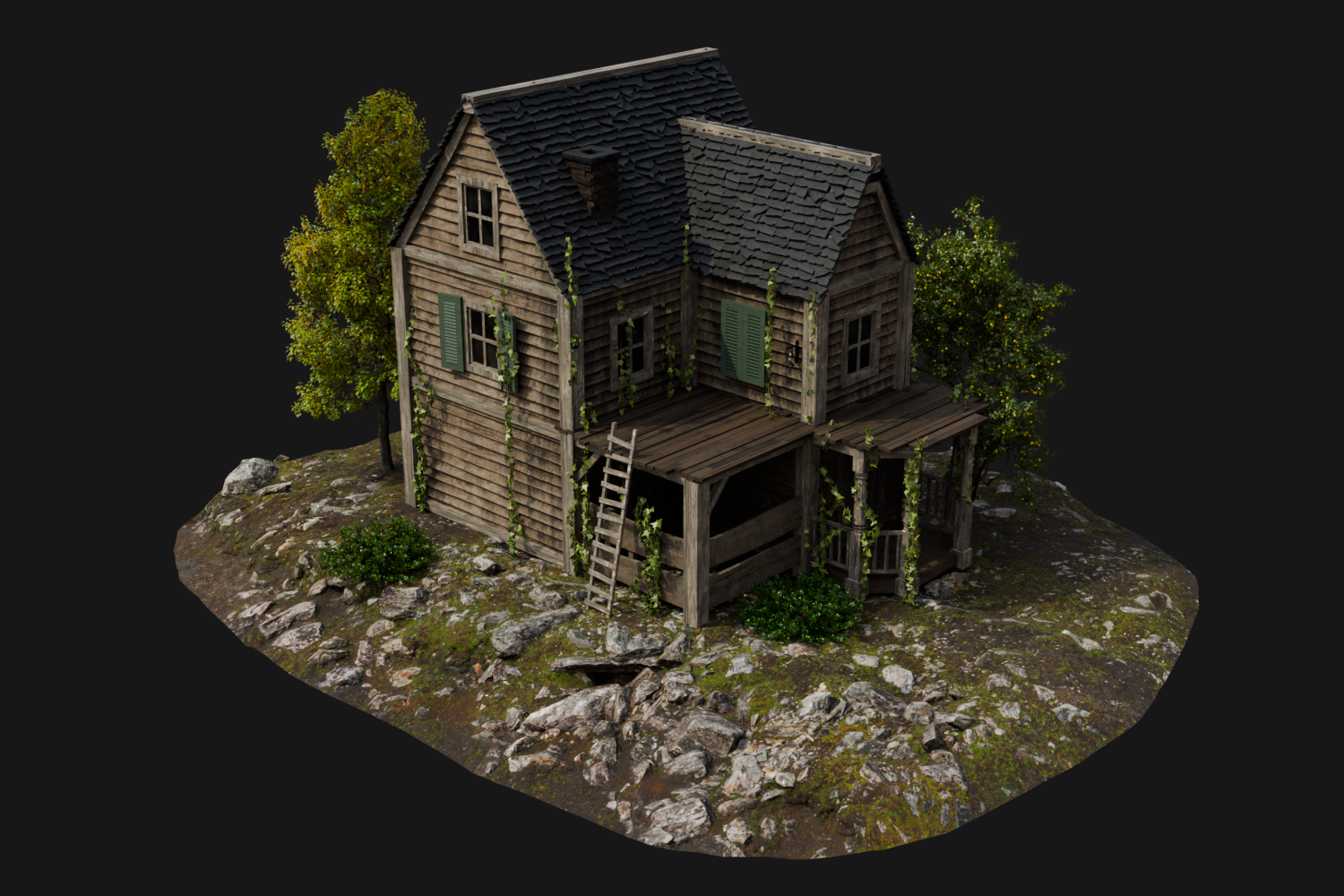
An example of a scene with a created house:


Elements of the house:
How to use HouseCraft for destruction:
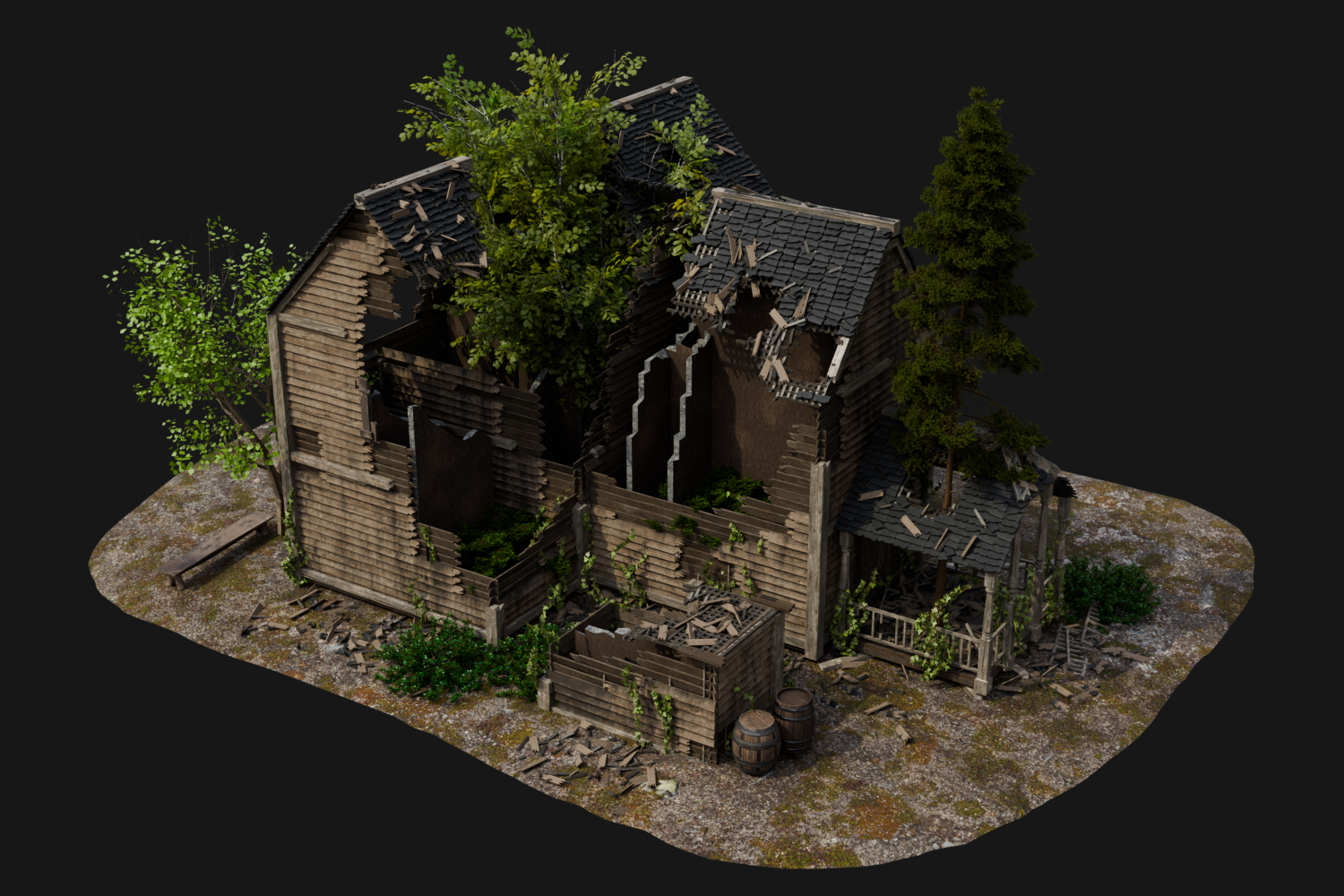
An example of a scene with a destroyed house:


You can see more examples of building construction and destruction on the YouTube channel:
https://www.youtube.com/@GN_Box/videos
Below you can clearly see how the object looks before and after applying the HouseCraft modifier. You can get a finished structure with many different elements in several minutes by creating only the base.
You have the ability to export generated buildings with textures in FBX format to game engines and continue working on your projects there. Supported in Unreal Engine, Unity, Godot, Sketchfab, Marmoset…
How to export HouseCraft buildings to FBX
P.S. Tag your works on social networks X and Bluesky with the hashtag #housecraft_geo. I will be very interested to see the buildings that you have created 🙂
Supercharge your 3D creation workflow with premium selection of Blender Add-ons. Whether you are modeling intricate characters, sculpting realistic environments, or animating cinematic sequences, the right add-on can transform how you work inside Blender. Our curated collection includes powerful tools for UV unwrapping, procedural texture generation, rigging automation, rendering optimization, and more—each rigorously tested for compatibility with the latest Blender versions. Eliminate tedious manual processes and unlock advanced functionality that lets you focus on what matters most: bringing your creative vision to life. Explore our full range of professional Blender plugins today and take your 3D projects to the next level.
➡️ ➡️ For more Blender Plugins 😀 😀
Reviews
There are no reviews yet.