
Insect Swarm for Blender
Insect Swarm v4.2 for Blender – The Ultimate Procedural Bug & Particle Colony Simulator
Versions: vv4.2
File Size: 134 MB
Download Insect Swarm v4.2 for Blender on Windows and Mac, a high-performance Geometry Nodes-based addon designed to generate realistic, dynamic swarms of insects, birds, bats, or abstract particles. By combining advanced flocking algorithms (Boids), collision avoidance, and procedural animation, Insect Swarm transforms how artists create atmospheric horror scenes, nature documentaries, and sci-fi infestations, eliminating the need for slow, cache-heavy particle simulations or manual keyframing of thousands of individual entities.
Key Features of Insect Swarm v4.2:
- Advanced Boids Physics: Implements sophisticated separation, alignment, and cohesion rules to create natural-looking flocking behavior that reacts dynamically to obstacles and targets in real-time.
- Procedural Animation Engine: Generates unique flight cycles, wing flaps, and body undulations for every instance based on speed and direction, ensuring no two insects move exactly alike without heavy mesh deformation costs.
- Smart Collision Avoidance: Swarms automatically detect and flow around complex geometry (walls, trees, characters) and self-collide to prevent inter-penetration, creating realistic “cloud” shapes that split and reform.
- Multi-Species Library: Includes optimized models and behaviors for Bees, Wasps, Flies, Mosquitoes, Moths, Locusts, Bats, and Birds, plus abstract “nanobot” or “spirit” modes for sci-fi/fantasy use.
- Attraction & Repulsion Zones: Place empty objects to act as food sources, lights, or repellents; the swarm will intelligently converge on or flee from these points with adjustable intensity and radius.
- Density & LOD Control: Manage millions of instances efficiently with Level-of-Detail (LOD) systems that switch to simple sprites or dots at a distance, maintaining high viewport FPS even in massive infestations.
- Wind & Turbulence Integration: Built-in noise drivers simulate wind gusts, thermal updrafts, and chaotic turbulence, adding organic unpredictability to the flight paths.
- Material Variation: Automatically randomizes color, scale, and transparency across the swarm to break up uniformity, with support for emissive wings (glowing moths) or metallic sheens (mechanical bugs).
- Sound Sync Ready: Parameters can be driven by audio amplitude to make swarms pulse, expand, or contract in rhythm with music or sound effects.
- Export & Baking: Options to bake the simulation to static mesh or Alembic (.abc) for game engine export or rendering on render farms without needing the addon installed.
Perfect For:
- VFX Artists creating locust plagues, bat caves, zombie fly hordes, and atmospheric background life for film and TV.
- Horror Game Developers designing unsettling infestation mechanics, dark cave environments, and dynamic enemy swarms.
- Nature Documentarians simulating bee colonies, bird migrations, and aquatic schools for educational content.
- Sci-Fi Designers visualizing nanobot clouds, drone swarms, and alien biological entities.
- Environment Artists adding ambient life to forests, gardens, and ruins to increase scene realism.
- Motion Designers using abstract particle swarms for logo reveals, transitions, and data visualization.
System Requirements:
- Blender: 3.6, 4.0, 4.1, 4.2, 4.3, 4.4+ (Geometry Nodes required; optimized for Blender 4.x).
- OS: Windows 10/11 (64-bit) or macOS 10.15+.
- RAM: 8GB minimum (16GB+ recommended for swarms over 50,000 instances).
- Render Engine: Fully compatible with Cycles and Eevee (with Instancing enabled).
Installation:
- Download the Insect Swarm v4.2
.zipfile. - Open Blender and go to Edit > Preferences > Add-ons.
- Click Install…, select the downloaded file, and enable the checkbox next to Geometry Nodes: Insect Swarm.
- Access via the Add Menu > Curve/Mesh > Insect Swarm or the dedicated panel in the 3D Viewport Sidebar (N-panel) under the Simulation tab.
What’s New in v4.2?
- “Predator” Mode: Added a new behavior where the swarm actively flees from a designated “predator” object, creating panic dispersion effects ideal for action sequences.
- Wing Flutter Optimization: Rewritten wing animation logic reduces CPU load by 40%, allowing for significantly larger swarms without viewport lag.
- Surface Crawling: New mode allows insects to land and crawl on surfaces (walls, ground) before taking off again, adding behavioral depth beyond just flying.
- Seasonal Color Shifts: Automatic material variation based on a “time of day” or “season” parameter (e.g., bees become darker/slower in “winter” mode).
- Blender 4.4 Support: Full compatibility with the latest Geometry Nodes features and performance improvements in Blender 4.4.
- Improved Spawn Logic: Better control over spawn rates and initial distribution, preventing clumping at the start of the simulation.
Note:
Insect Swarm v4.2 is designed to be non-destructive and real-time. Unlike traditional particle caches that require baking and take up gigabytes of disk space, this system calculates movement on the fly (or bakes only when needed), allowing for instant iteration on flock density, speed, and behavior. The addon includes a “Silhouette Generator” feature that can instantly swap detailed insect models for simple black silhouettes, perfect for creating dramatic backlit scenes or stylized 2D-looking animations. Whether you need a gentle breeze of butterflies or a terrifying cloud of locusts, Insect Swarm provides the procedural power to simulate it efficiently.
Insect Swarm – Procedural Insect Systems
Let them swarm your scene with these procedural, easy to use geometry nodes systems!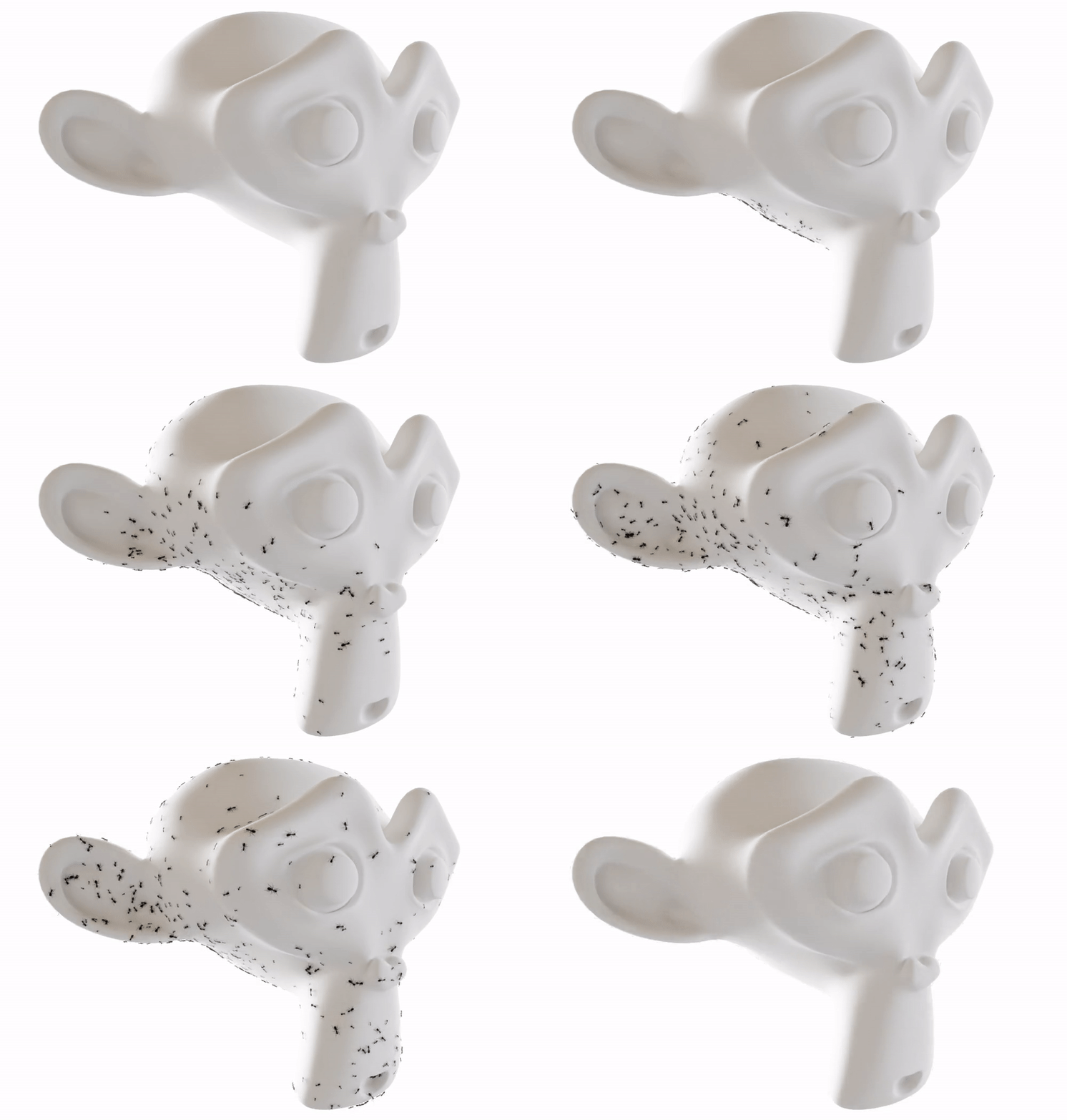
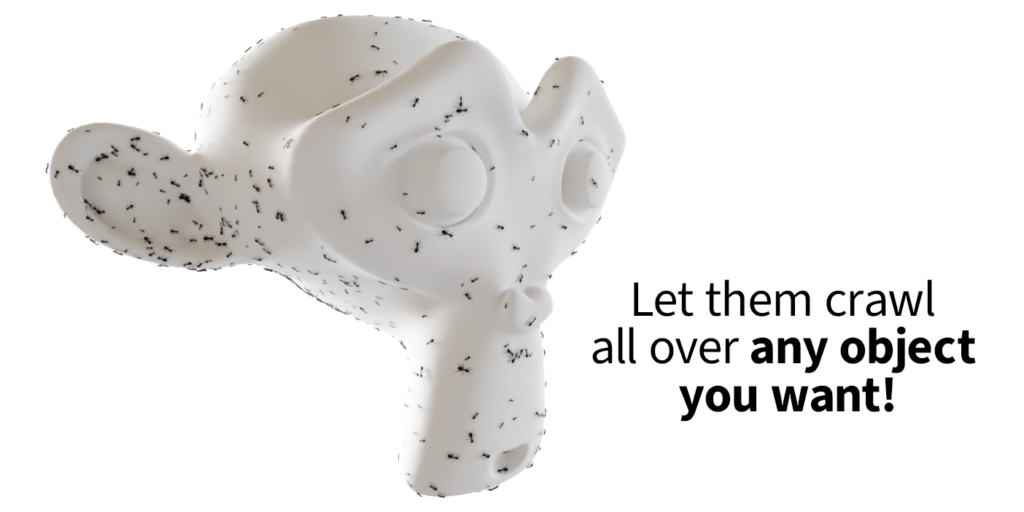
| What you getWhether it’s for an old attic, a dark cave or just a colorful nature scene – Insect Swarm systems can help you breathe life into your scene in no time. You want crawling insects, flying swarms or even centipedes? These simulation node systems contain everything you need.With just a few clicks, the insects move autonomously or guided over the surface you choose or fly through the air! You can also determine which objects the insects are attracted to and which they avoid. If you need them to go somewhere specific, you can use curves to tell them where to go! Each insect gets simulated individually! Plus, with the purchase of this system, you’ll get 21 different animated low-poly insects that have been optimized for the systems, so you can have thousands of insects running and flying around your scene at once!That’s not all! The systems as well as the insects are packed into one organized asset file, that lets you drag and drop whatever you need at any time into any project!The system is not limited to insects! With these systems you could also animate bats, birds, rats, fish, or any other swarm you can think of! |
See what’s possible
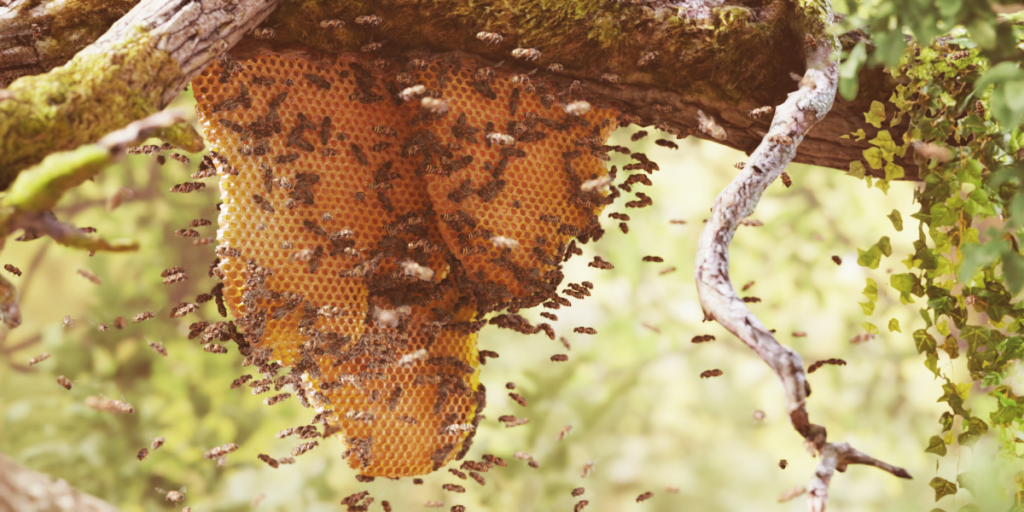
This short scene combines the crawling insect system with the flying insect system while also using avoidance, so they don’t fly through the tree and attraction to stay at the honey comb:
You could even give your dark scenes some life by making some crawling insects avoid light:

Centipedes
Not only insect swarms are possible after buying this product! You can also generate centipedes, that crawl around randomly or use a curve to guide them, just like the insect swarms! You can even insert your own centipede geometry!
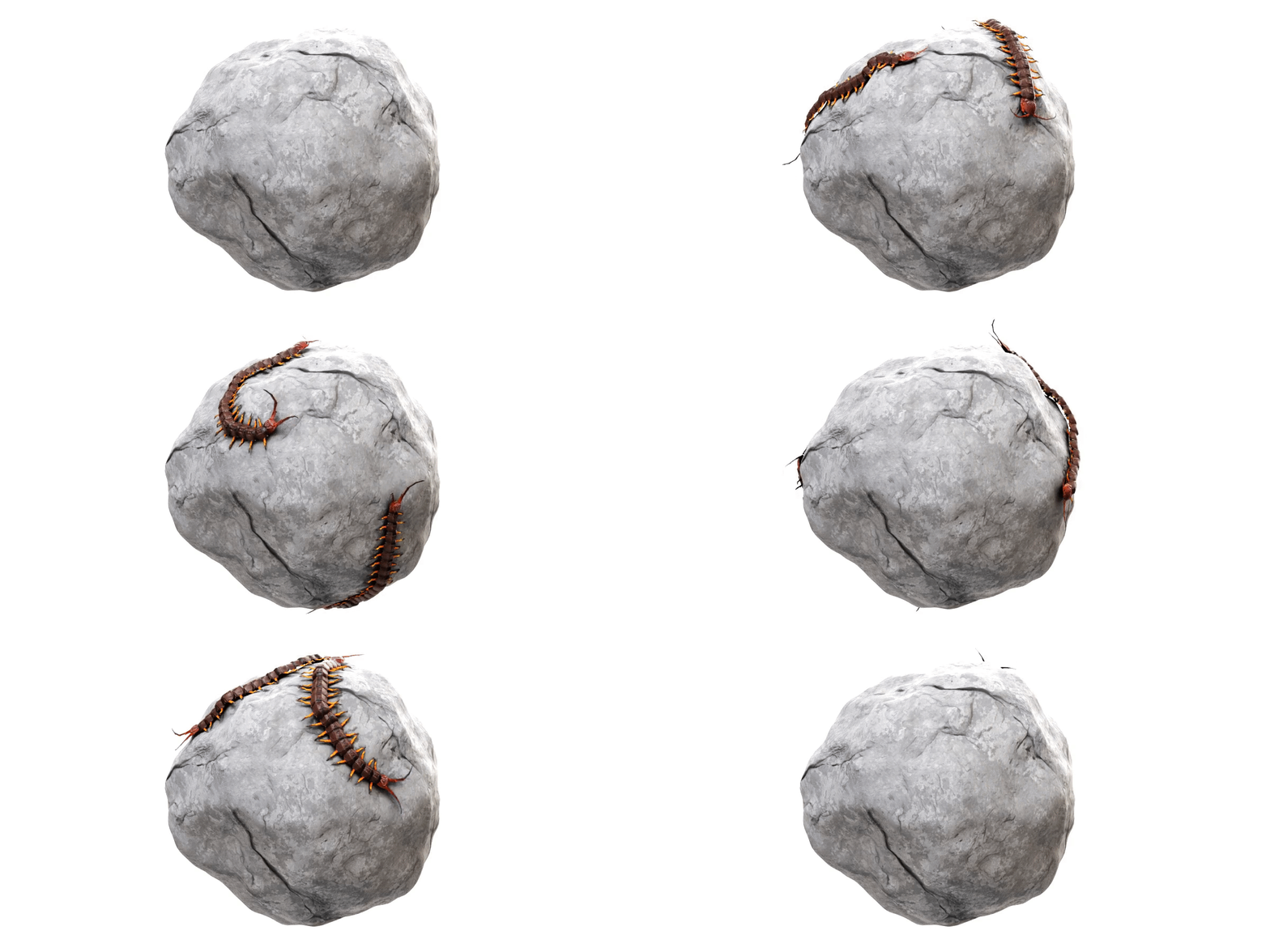
Attraction & Avoidance
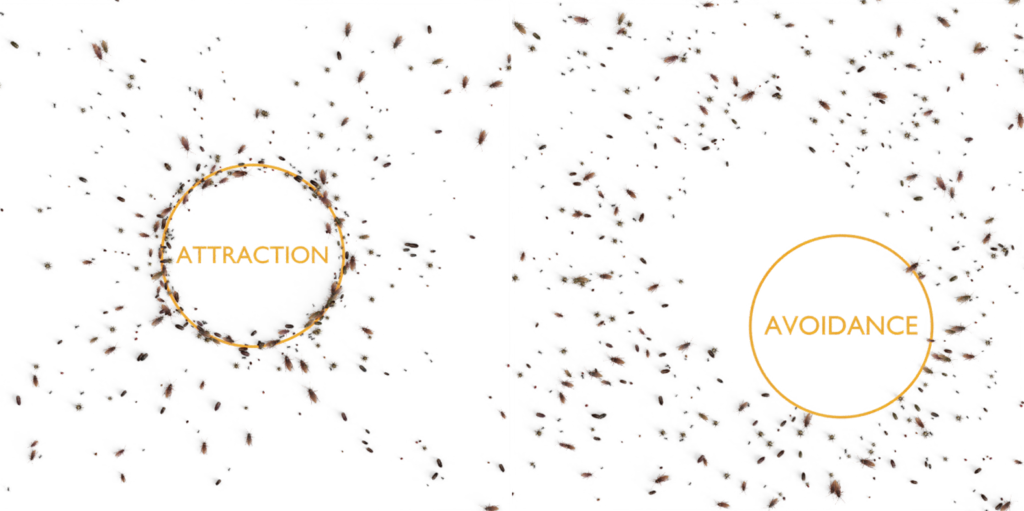
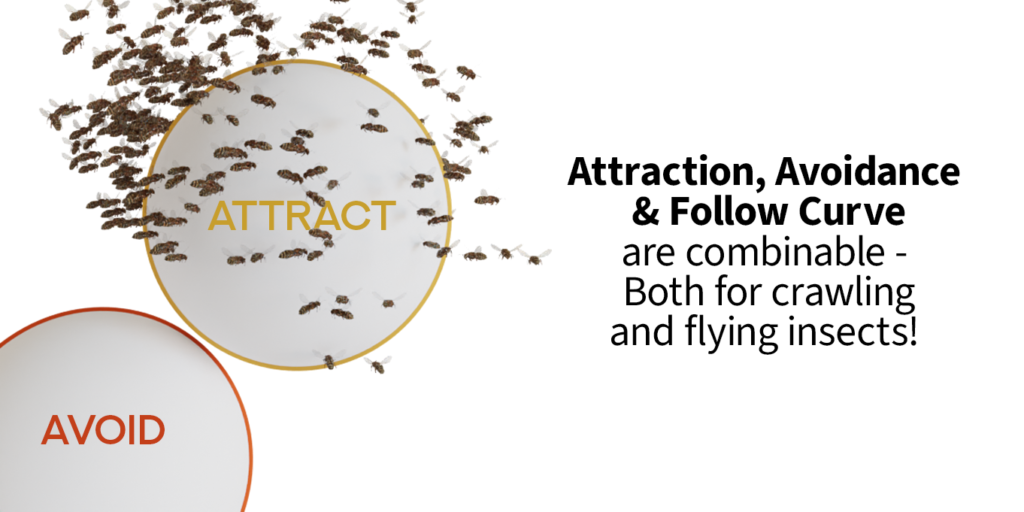
It’s the details that take your animations to the next level! With the attraction and avoidance settings you can give your insects an extra level of realism by making them chase or avoid multiple objects.
 | Attraction:You can set a whole collection to attract insects to, the speed at which the insects run towards it, the influence distance and the distance they keep to the objects surface when arrived at the target. |
| Avoidance: Just like the attraction, you can set a whole collection to avoid, the speed at which the insects run away and the influence distance. Just like in real life, they run away depending on the distance to the object’s surface. |  |
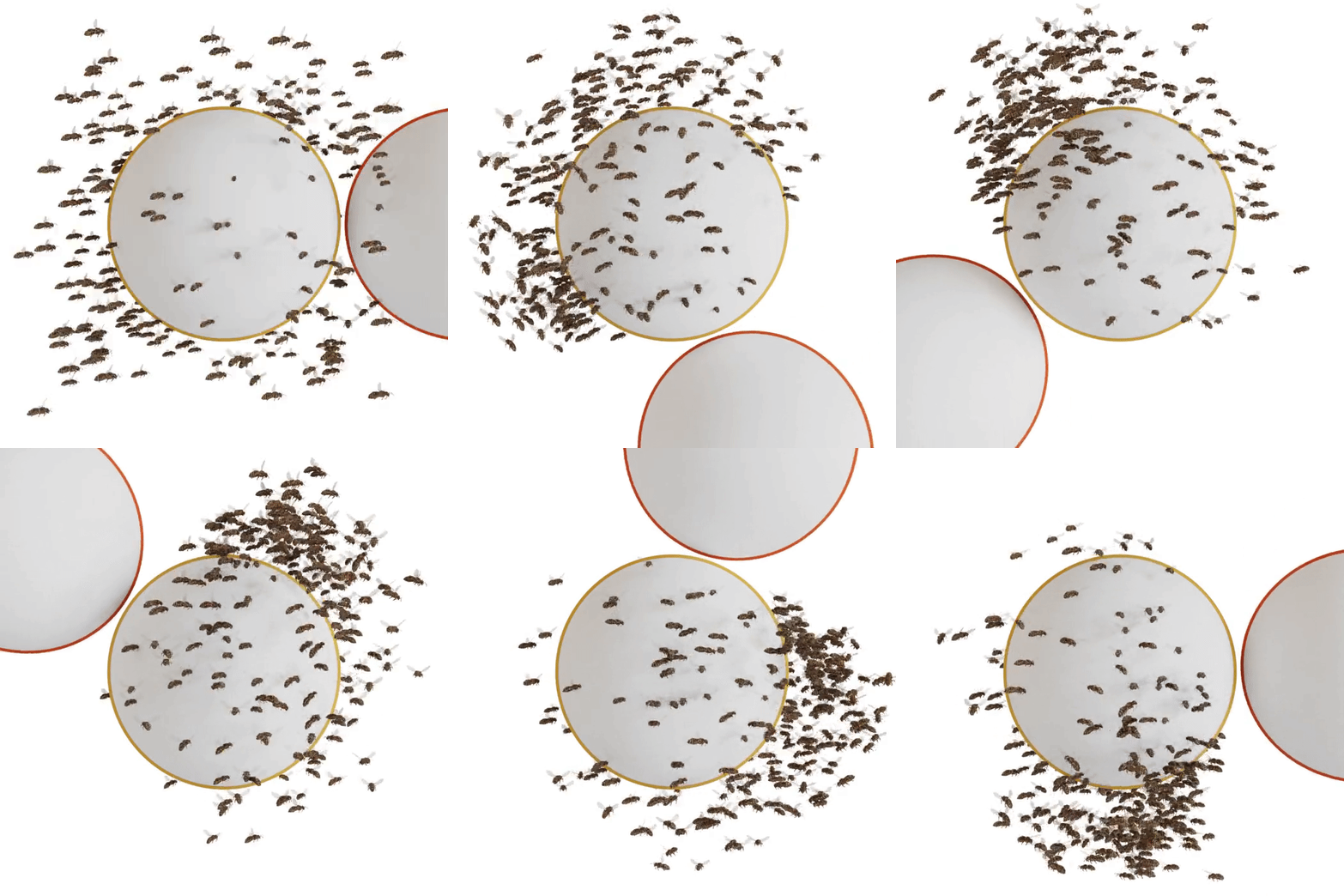 | Also for flying swarms:Of course what you saw above is also possible with the flying swarm. On the left you can see how you can combine attraction & avoidance! |
Follow Path
You don’t want random movement? Show the insects where to go! You can set how accurately they follow the path and how big the radius of influence of the path is, so that only nearby insects follow the path.
Of course, follow path, avoidance and attraction are combinable to make the swarm look even more intelligent and lifelike!
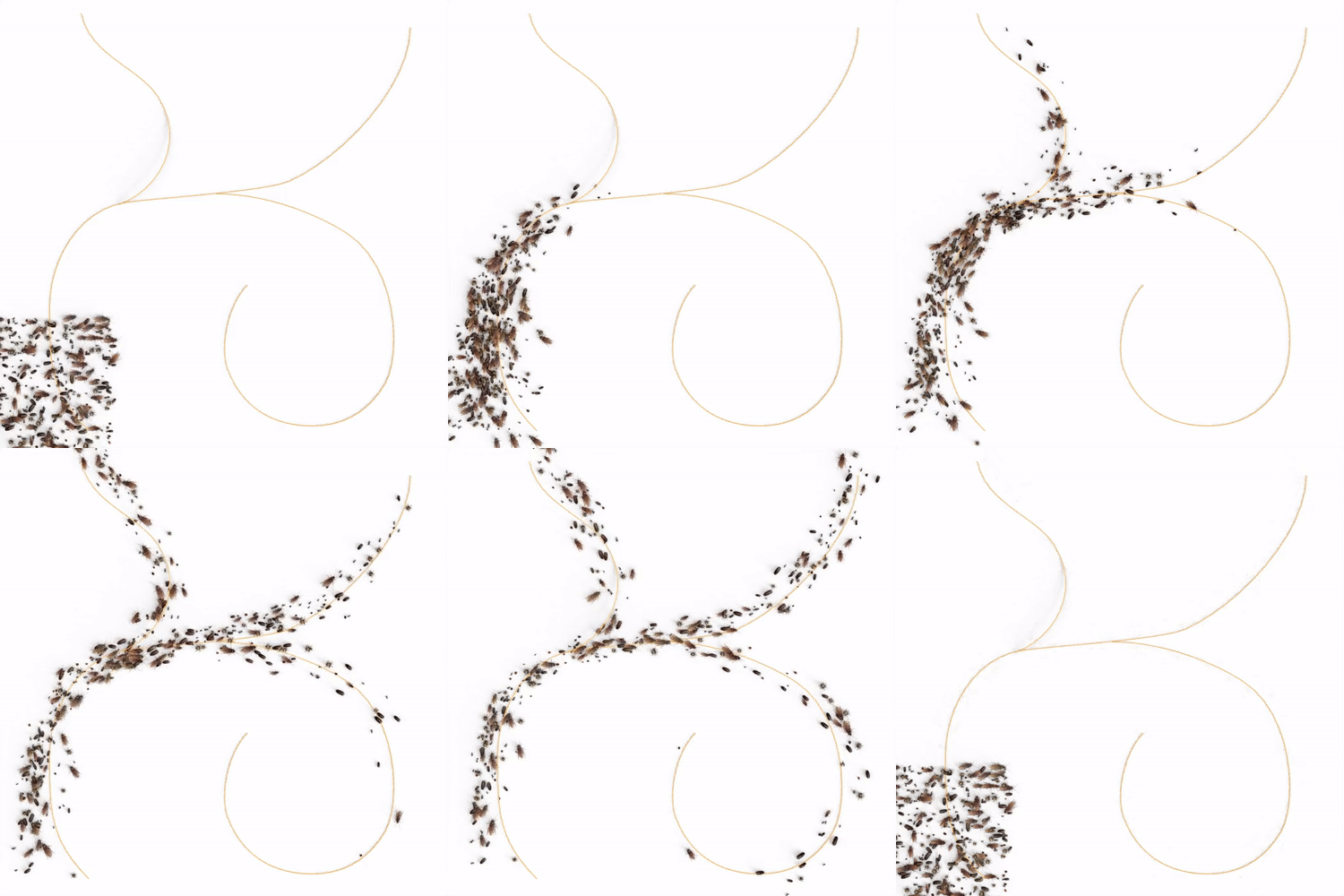 | CrawlingDraw a path on the ground with the curve pen tool (like I did here) or just fiddle around with the bezier curve handles until they crawl exactly where you want them to! |
| Flying Using the same principle as for the crawling insects, you can define a curve the flying insects will follow. | 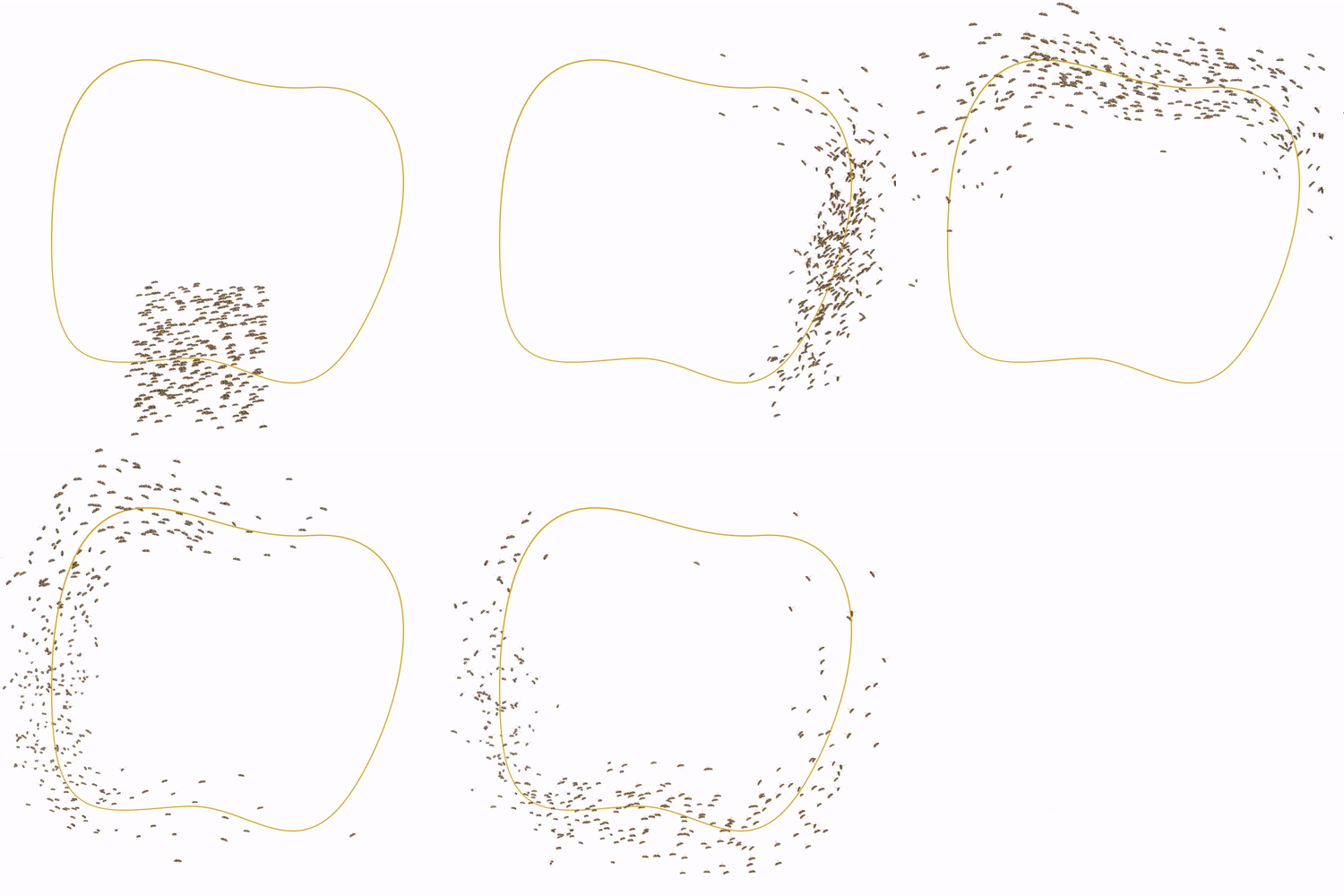 |
Realistic Movement
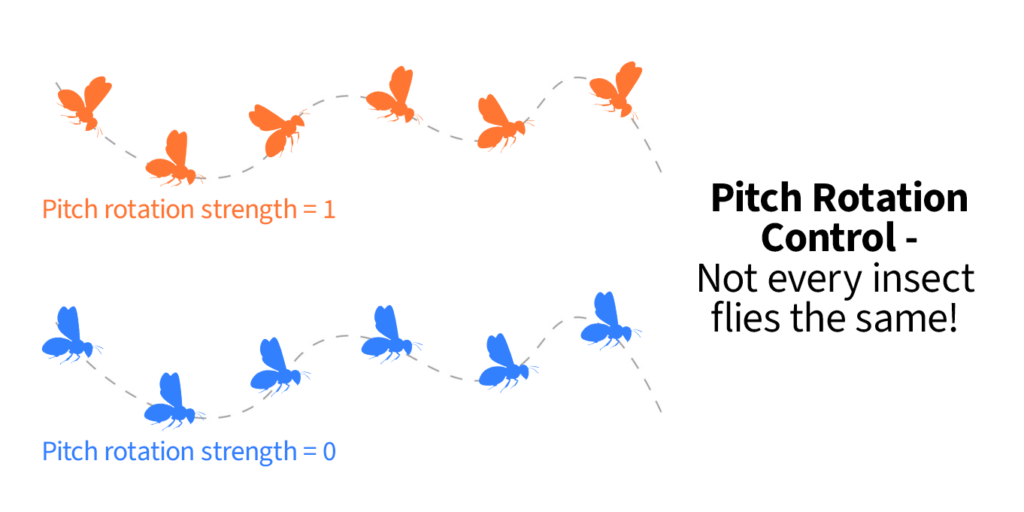
In addition to avoiding and being attracted by objects, you can set a random movement speed, make the insects move irregularly or change the frequency of direction changes. This way you can achieve realistic movement for any type of insect.

Animated Insects
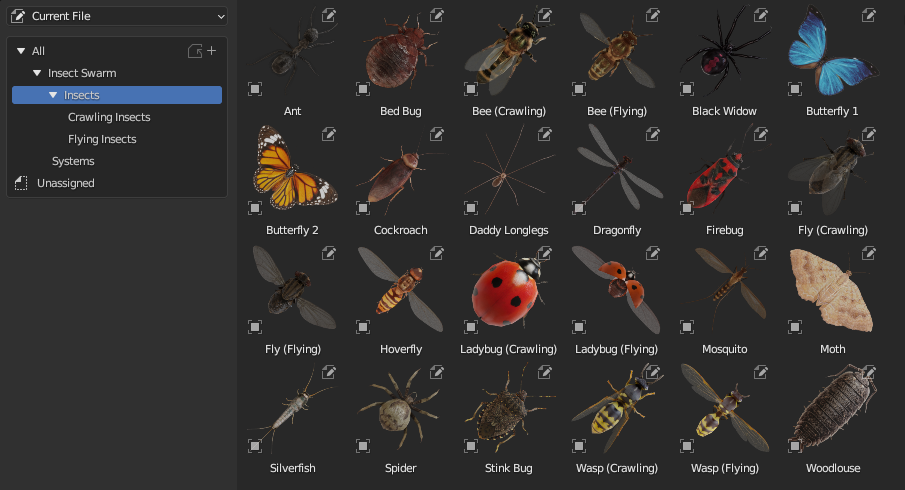
All low poly insects included in this product are fully animated. Custom object properties were set up for you to control the animation speed and time offset of every insect.
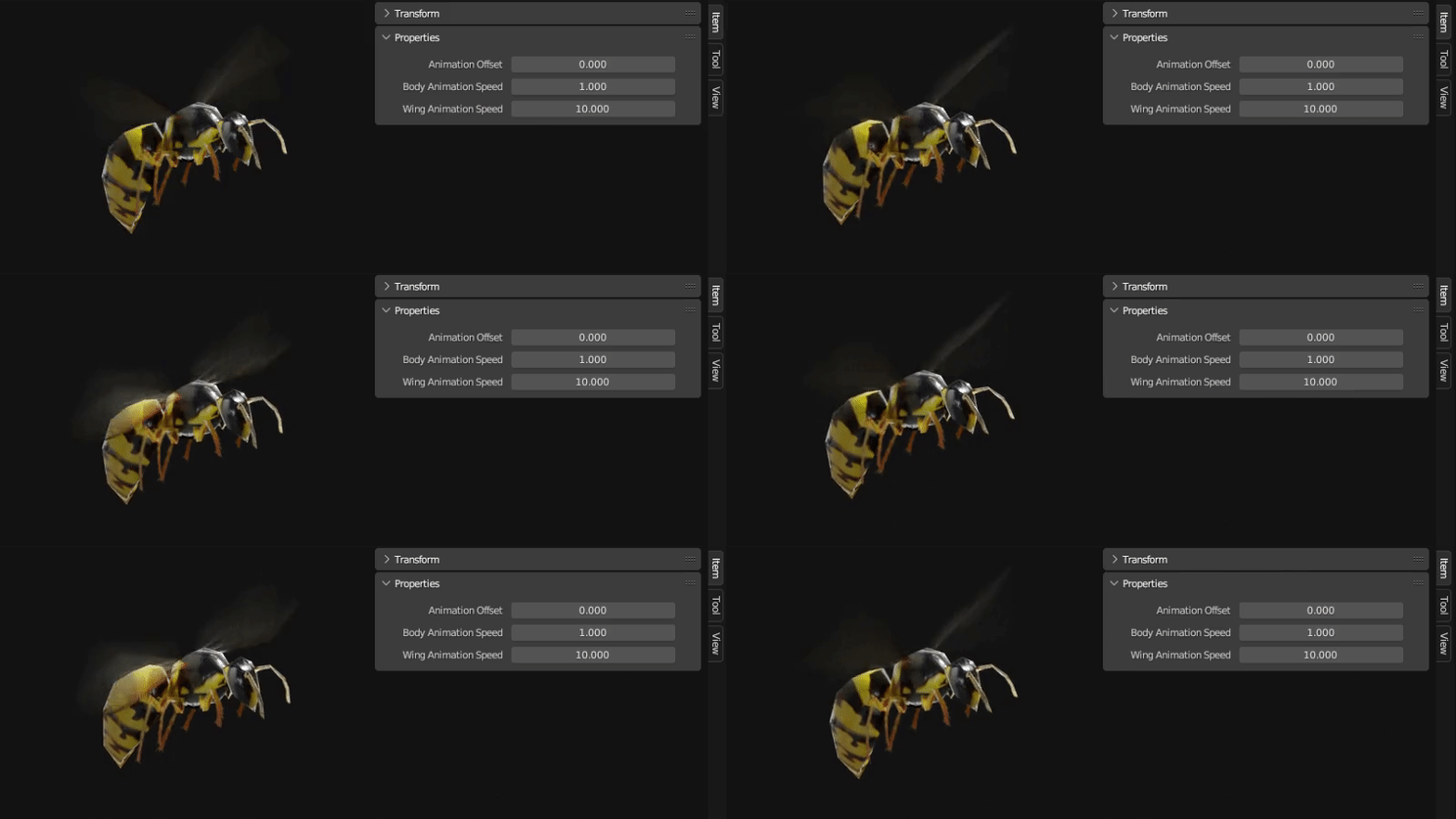
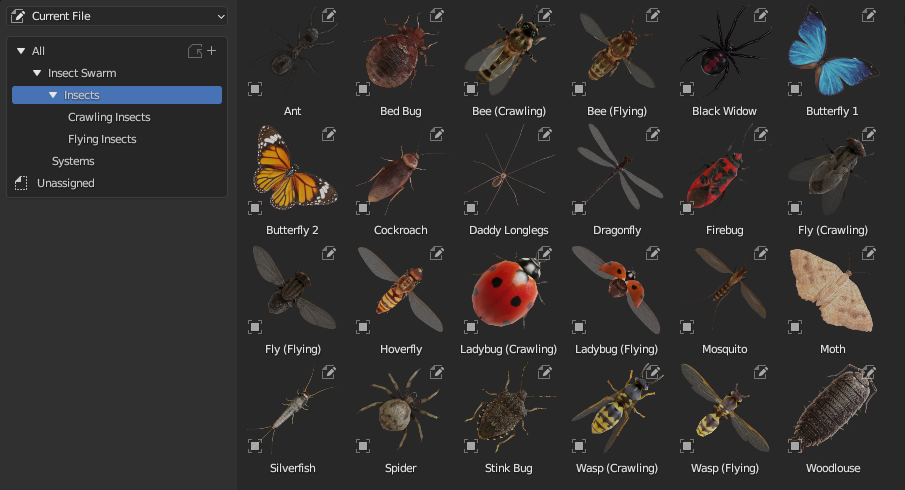
Following 21 insects are included:
| Flying | Crawling |
| BeeWaspFlyHoverflyMothButterfly 1Butterfly 2DragonflyLadybugMosquito | AntBed BugBeeBlack Widow CockroachDaddy LonglegsFirebugFlyLadybugSilverfishSmall SpiderStink BugWaspWoodlouseCentipede |
Settings
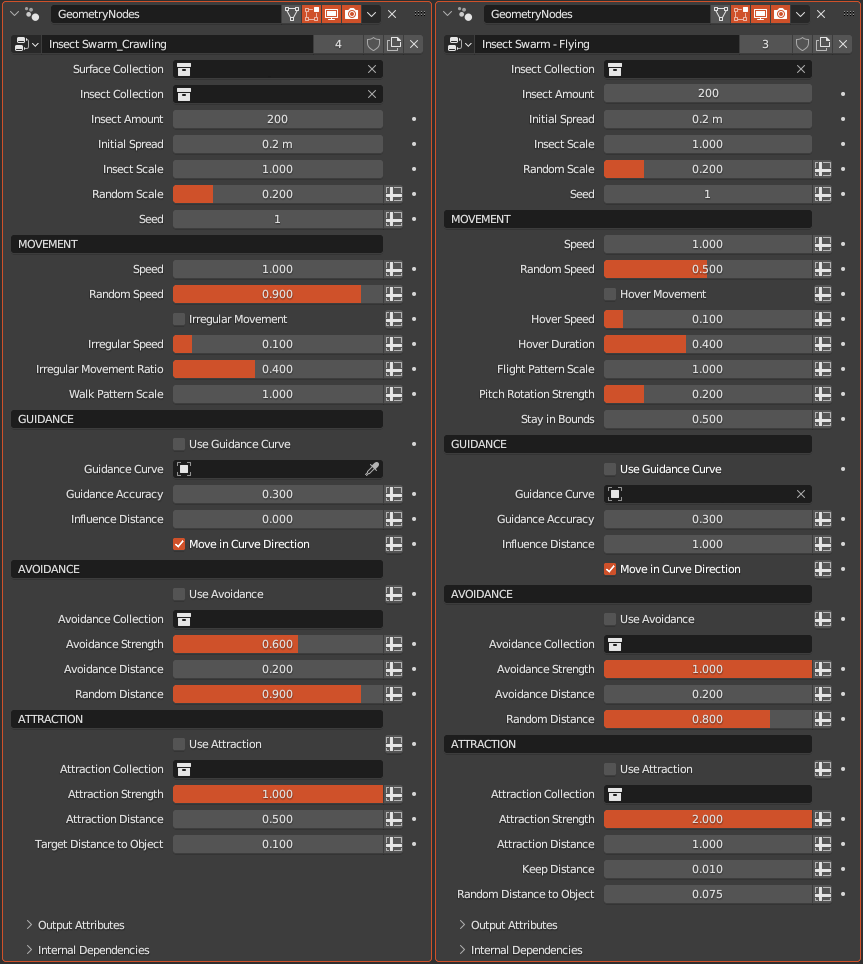
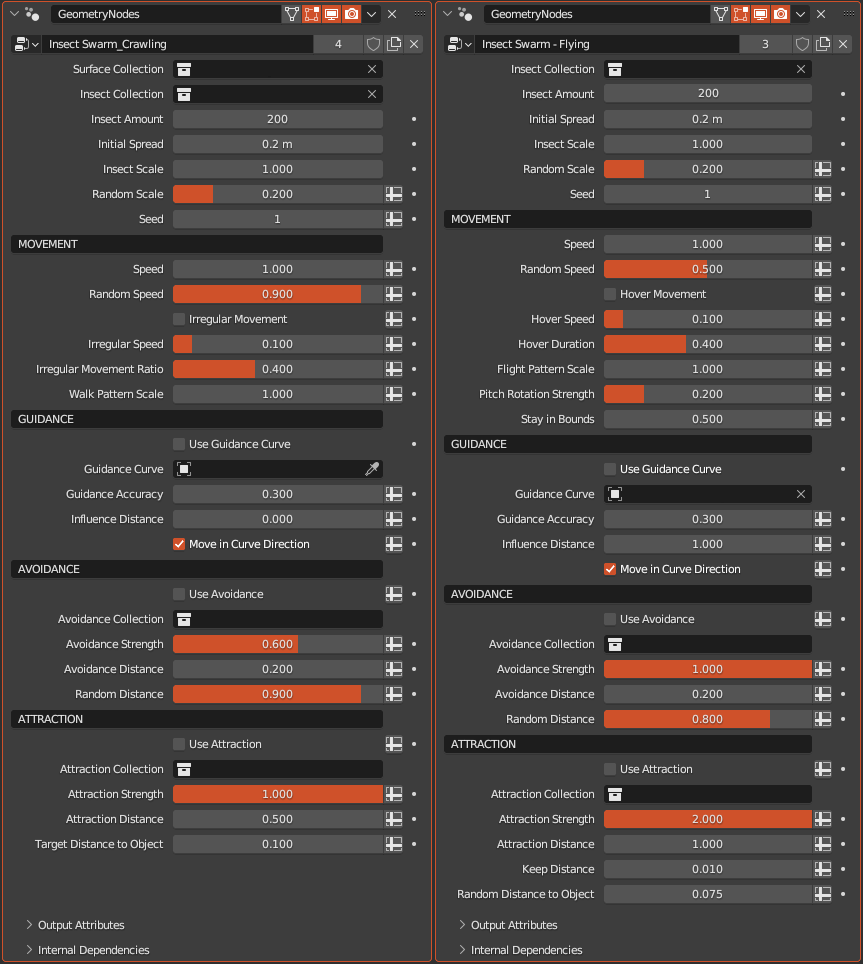
A lot of settings can be intimidating, right? So, to give you full control over the system while maintaining clarity, the settings are sorted. In addition, default values have been set for all values. If you want the default back, hover with the mouse over the value and press backspace.
On the left you see the settings for the crawling swarm system and on the right the settings for the flying swarm system:
Ready To Go Assets
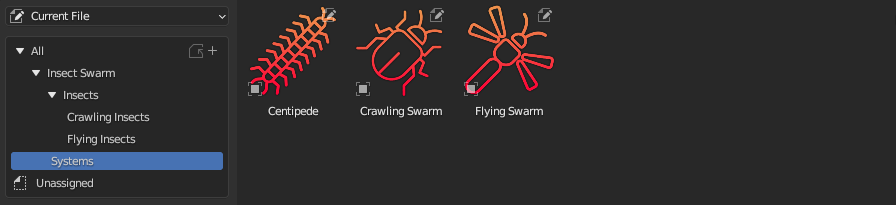
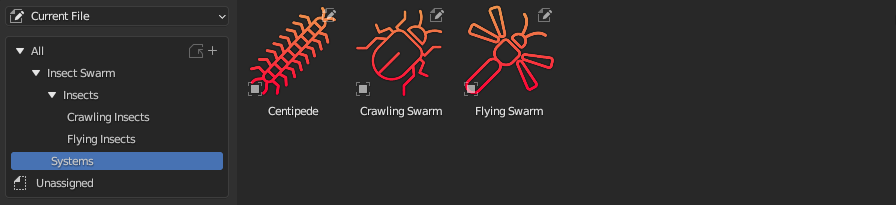
No need to append the systems everytime. Just install the provided “Insect Swarm Assets” .blend file and drag and drop it into your scene whenever you need it.
Not sure if you should buy it?
✅ Completely procedural
✅ Fully customizable
✅ Realistic results
✅ 21 Low poly insects
✅ Easy to use
✅ Example files with instructions
✅ Always gets updated to the next blender version
✅ Free lifelong updates
The Download Files
The download includes 3 files with each Insect Swarm geometry node system:
- Crawling Insect Swarm Generator
- Flying Insect Swarm Generator
- Centipede Generator
As well as some examples and instructions.
There is a fourth file which includes all the systems and insects as assets, so you can add them to your asset browser with ease.
Also, a separate folder with all the textures is included but you should not need them since they will be packed into the assets file.
Only for Blender version 3.6 and up! The system requires the simulation nodes to work!
Supercharge your 3D creation workflow with premium selection of Blender Add-ons. Whether you are modeling intricate characters, sculpting realistic environments, or animating cinematic sequences, the right add-on can transform how you work inside Blender. Our curated collection includes powerful tools for UV unwrapping, procedural texture generation, rigging automation, rendering optimization, and more—each rigorously tested for compatibility with the latest Blender versions. Eliminate tedious manual processes and unlock advanced functionality that lets you focus on what matters most: bringing your creative vision to life. Explore our full range of professional Blender plugins today and take your 3D projects to the next level.
➡️ ➡️ For more Blender Plugins 😀 😀
Reviews
There are no reviews yet.