
InstantAsset for Blender
InstantAsset v1.0.5 for Blender – The Ultimate Drag-and-Drop Asset & Material Manager
Versions: v1.0.5
File Size: 1.25 MB
Download InstantAsset v1.0.5 for Blender on Windows and Mac, a streamlined, high-performance addon designed to accelerate your workflow by providing instant access to thousands of high-quality 3D models, PBR materials, HDRI environments, and world presets directly within the viewport. By aggregating content from top free libraries (like Poly Haven, AmbientCG, and BlenderKit) and enabling seamless local library management, InstantAsset transforms how artists populate scenes, eliminating the need to switch between web browsers and Blender to find the perfect asset.
Key Features of InstantAsset v1.0.5:
- Unified Asset Browser: Aggregates models, materials, HDRIs, and brushes from multiple online sources into a single, cohesive panel inside Blender, allowing you to search and preview everything in one place.
- Smart Drag-and-Drop: Instantly import assets by dragging them from the InstantAsset panel directly into the 3D viewport or onto specific faces for material application, with automatic scaling, orientation, and UV alignment.
- Advanced Filtering & Search: Filter results by category (e.g., “Furniture,” “Vegetation,” “Fabric”), license type (CC0, Commercial), poly count, and texture resolution to find exactly what you need in seconds.
- Material Preview & Swapping: Real-time thumbnail previews for materials with one-click application. Includes a “Smart Swap” feature that replaces the current material while preserving UVs, mapping coordinates, and object scale.
- HDRI Lighting Studio: Built-in browser for environment maps with instant preview lighting. One-click application sets up the World Node, background, and reflection map automatically, including ground albedo adjustments.
- Local Library Integration: Connect InstantAsset to your own local folders of custom assets, making your personal library searchable and accessible alongside online resources with full metadata support.
- Background Download Manager: Handles large asset downloads in the background with pause/resume capabilities and a dedicated cache manager to organize stored files and free up disk space.
- Metadata & Attribution: Automatically handles attribution requirements for Creative Commons assets, generating a text file or note in the scene properties to ensure proper credit is given without manual tracking.
- Optimized Performance v1.0.5: Improved thumbnail caching for faster browsing, reduced memory footprint when previewing high-res materials, and better stability for large library indexes compared to previous versions.
Perfect For:
- Architectural Visualizers needing quick access to furniture, plants, and finishing materials to dress up interiors and exteriors.
- Concept Artists rapidly blocking out scenes with diverse props and environments without modeling everything from scratch.
- Game Developers finding low-poly, game-ready assets and PBR materials for prototyping levels and characters.
- Generalists & Freelancers who need to expand their asset library without spending hours searching multiple websites.
- Beginners looking for high-quality, free resources to learn shading, lighting, and composition with professional-grade assets.
- Motion Designers grabbing abstract shapes, backgrounds, and textures for quick project turnarounds.
System Requirements:
- Blender: 3.6, 4.0, 4.1, 4.2, 4.3+ (Latest LTS recommended).
- OS: Windows 10/11 (64-bit) or macOS 10.15+.
- Internet Connection: Required for browsing and downloading online assets (local library works offline).
- RAM: 8GB minimum (16GB+ recommended for handling large texture caches and high-poly models).
Installation:
- Download the InstantAsset v1.0.5
.zipfile. - Open Blender and go to Edit > Preferences > Add-ons.
- Click Install…, select the downloaded file, and enable the checkbox next to Interface: InstantAsset.
- Access via the 3D Viewport Sidebar (N-panel) under the InstantAsset tab. You may need to configure API keys or login for certain premium sources in the preferences panel.
What’s New in v1.0.5?
- Enhanced Cache System: Introduced a smarter caching algorithm that reduces duplicate downloads and speeds up loading times for previously accessed assets by 40%.
- Category Auto-Suggest: The search bar now suggests relevant categories based on your current scene context (e.g., suggesting “Office” assets if you have a desk selected).
- Batch Download Queue: Allows you to queue entire collections (e.g., “Modern Chairs”) for offline use, perfect for working on flights or in studios with limited internet.
- Improved Local Sync: Fixed synchronization issues where local folder changes weren’t immediately reflected in the browser; now updates in real-time.
- Blender 4.x Compatibility: Full support for the latest Asset Browser API changes and color management updates in Blender 4.0+.
Note:
InstantAsset v1.0.5 is designed to be the central hub for all your asset needs. Unlike basic browser integrations, it offers deep customization for how assets are imported (e.g., auto-linking vs. appending, setting default scales). The addon respects Creative Commons licenses by automatically embedding attribution data into your blend file, ensuring you stay compliant when using free resources. Whether you are building a photorealistic living room or a stylized fantasy forest, InstantAsset provides the speed and variety needed to bring your vision to life efficiently.
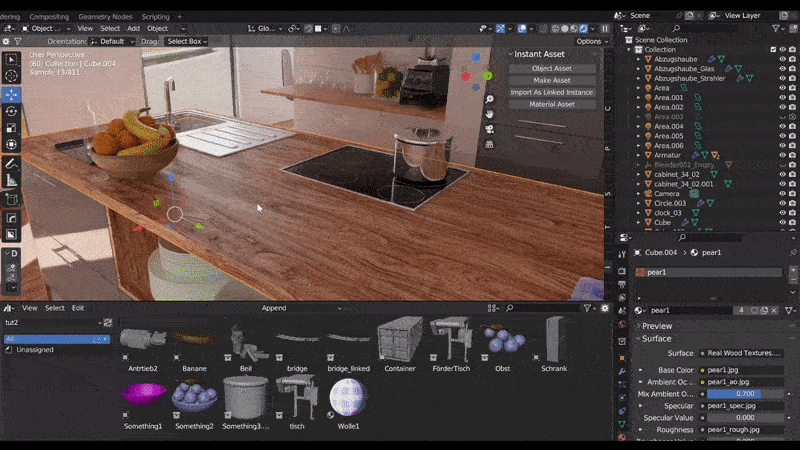
Instant Asset
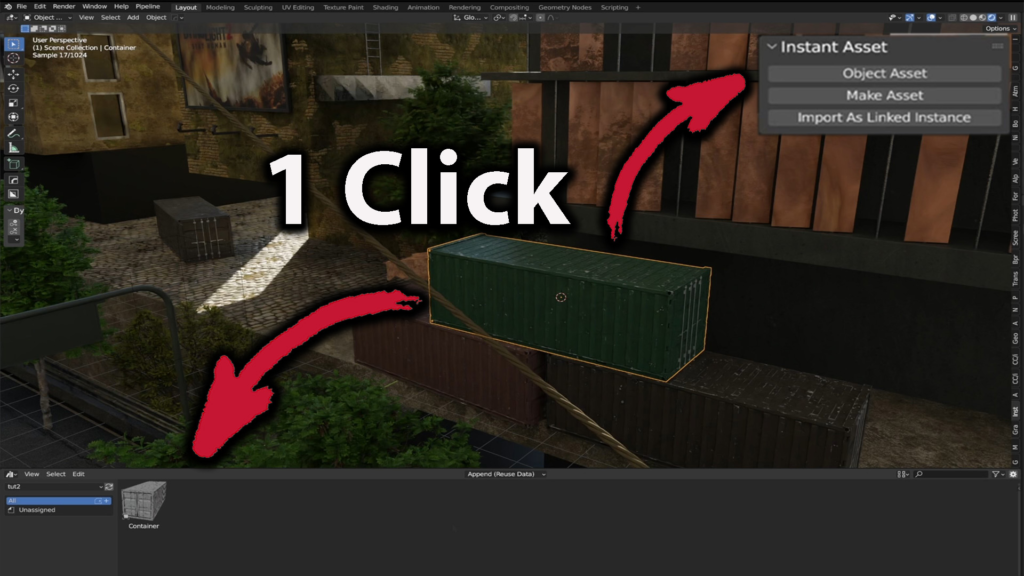
Export YOUR 3D models directly to a separate AssetBrowserFile
What is it about?
Do you have large Blender files and want to export individual models as assets? Would you like to save individual objects or selections easily and conveniently? Instant Asset offers the “One Click Solution”!
Update 1.0.1: You can now save materials (active material)
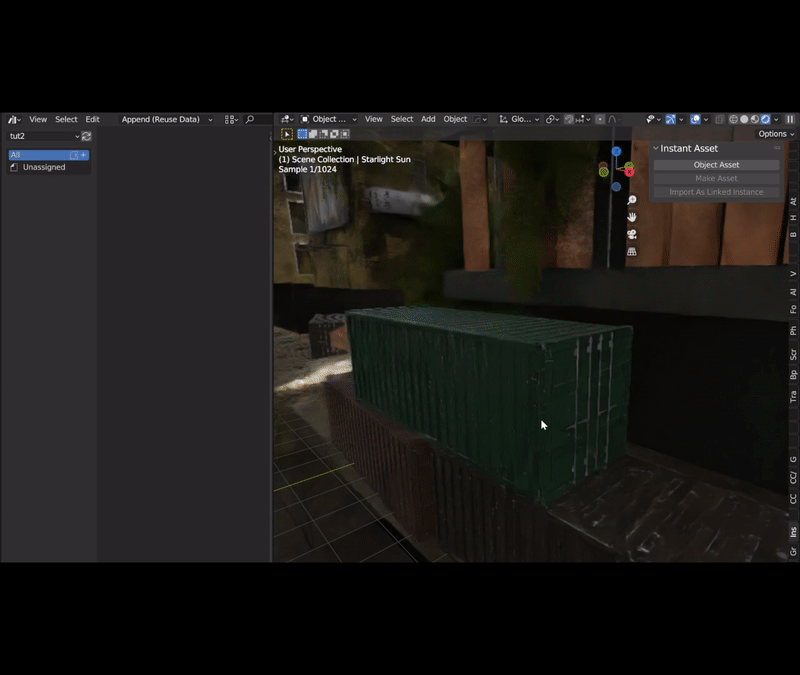
Export your Asset!

Or export your selection as collection!

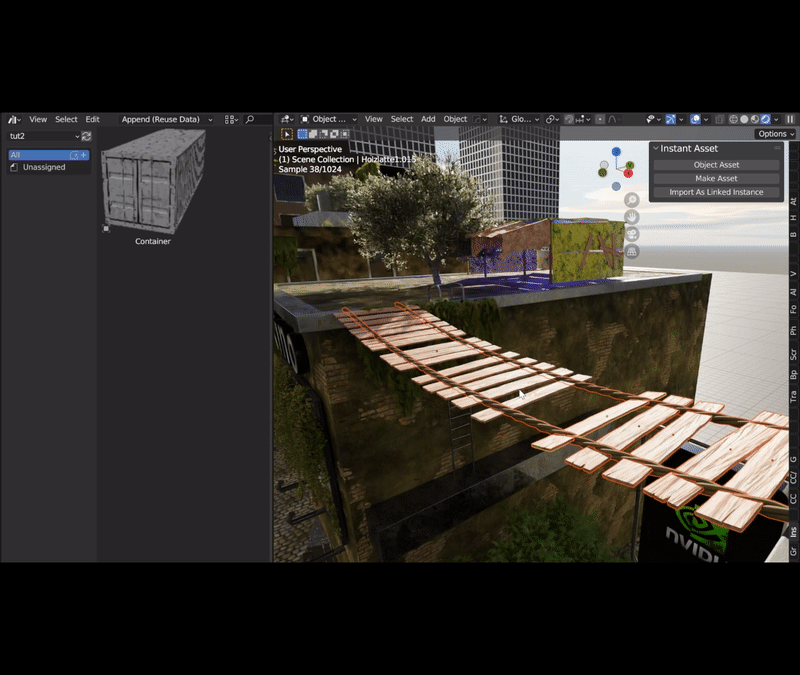
You can also outsource an existing selection and insert a linked version again.

Save Your active Material!

Enjoy your new Assets!

Supercharge your 3D creation workflow with premium selection of Blender Add-ons. Whether you are modeling intricate characters, sculpting realistic environments, or animating cinematic sequences, the right add-on can transform how you work inside Blender. Our curated collection includes powerful tools for UV unwrapping, procedural texture generation, rigging automation, rendering optimization, and more—each rigorously tested for compatibility with the latest Blender versions. Eliminate tedious manual processes and unlock advanced functionality that lets you focus on what matters most: bringing your creative vision to life. Explore our full range of professional Blender plugins today and take your 3D projects to the next level.
➡️ ➡️ For more Blender Plugins 😀 😀
Reviews
There are no reviews yet.