
Jack for After Effects
Jack v1.0.0 for After Effects
The Ultimate Project Lifting and Version Migration Tool for After Effects
Download Jack v1.0.0 today. Consequently, you can effortlessly lift entire projects from older versions of After Effects into the latest release, preserving every composition, layer, effect, and setting along the way. Because professional motion designers and studios frequently maintain legacy projects that need to be updated for modern workflows, having access to a reliable project migration tool is absolutely essential. Nevertheless, manually rebuilding or upgrading older projects often results in broken expressions, missing effects, and lost keyframe data. Fortunately, Jack eliminates this bottleneck completely. Moreover, it intelligently analyzes your project structure and ensures that every element translates correctly to the new version. In short, you can modernize your entire project library with unprecedented speed and confidence.
Intelligent Project Lifting and Version Migration
The core of this script lies in its ability to safely transfer projects across After Effects versions. For instance, Jack scans your project files and identifies all compositions, precomps, and nested structures, ensuring nothing is overlooked during migration. Furthermore, it handles expressions, essential graphics, and master properties, adapting them as needed to remain functional in the newer version. Since the tool is designed to preserve the original integrity of your work, you can migrate even complex, multi-layered projects without fear of data loss. Consequently, you can extend the life of your existing project library indefinitely.
Comprehensive Compatibility Handling and Fixes
Different After Effects versions introduce changes that can break older projects. Therefore, Jack includes intelligent compatibility fixes that address these issues automatically. For example, deprecated effects are mapped to their modern equivalents where possible, and outdated expression syntax is updated to current standards. Additionally, missing fonts and footage are identified with clear warnings, allowing you to relink assets before they cause problems. Furthermore, the script generates a detailed migration report summarizing every change made, giving you complete transparency and control. Thus, you can trust that your migrated projects will function exactly as intended.
Batch Processing and Project Library Management
Professional studios often need to migrate entire libraries of projects, not just single files. Accordingly, Jack supports batch processing, allowing you to queue multiple project files and migrate them all in one operation. For example, you can select an entire folder of legacy projects and have Jack process them sequentially, saving hours of manual work. Additionally, the script organizes migrated projects into a clean folder structure, preserving your original files while creating updated copies. Since the entire process is non-destructive, you can always return to your original files if needed. Consequently, you can modernize your entire project archive efficiently and safely.
Perfect for Motion Designers, Studios, and Post-Production Teams
This script is particularly well-suited for motion designers who maintain personal project archives spanning multiple After Effects versions. Similarly, studios and post-production teams will appreciate the ability to migrate legacy client projects for new campaigns and updates. Additionally, freelancers who receive old project files from clients will find Jack invaluable for ensuring those files open and function correctly in their current workflow. Ultimately, Jack v1.0.0 accelerates your entire project management and post-production pipeline.
System Requirements and Compatibility
Jack v1.0.0 supports After Effects versions spanning from older releases up to the latest 2026 version, on both Windows and macOS operating systems. The script is available as a standard JSX file for easy installation. You will need a standard workstation with at least 8GB of RAM.
Installation and Usage Guide
To install, first download the script file from your library. Next, close Adobe After Effects if it is running. Then, copy the script file to your After Effects Scripts folder. After installation, ensure “Allow Scripts to Write Files and Access Network” is enabled in After Effects Preferences under Edit > Preferences > Scripting & Expressions. Finally, launch After Effects, navigate to File > Scripts > Jack, select the project file or folder you wish to migrate, and click Process to begin the migration. Thus, your professional project migration workflow will be ready instantly.
What is Included Inside?
The pack contains the complete Jack v1.0.0 script for After Effects. Furthermore, it includes the intelligent project lifting engine, comprehensive compatibility fixes, batch processing capabilities, and detailed migration reporting. Ultimately, you receive everything needed for professional project version migration.
Final Thoughts on the Script
Effortless project migration evokes profound creative freedom. Therefore, this script provides the ultimate foundation for your project management workflows. You can update legacy projects with unprecedented speed and confidence. Consequently, your migration vision becomes a stunning reality.
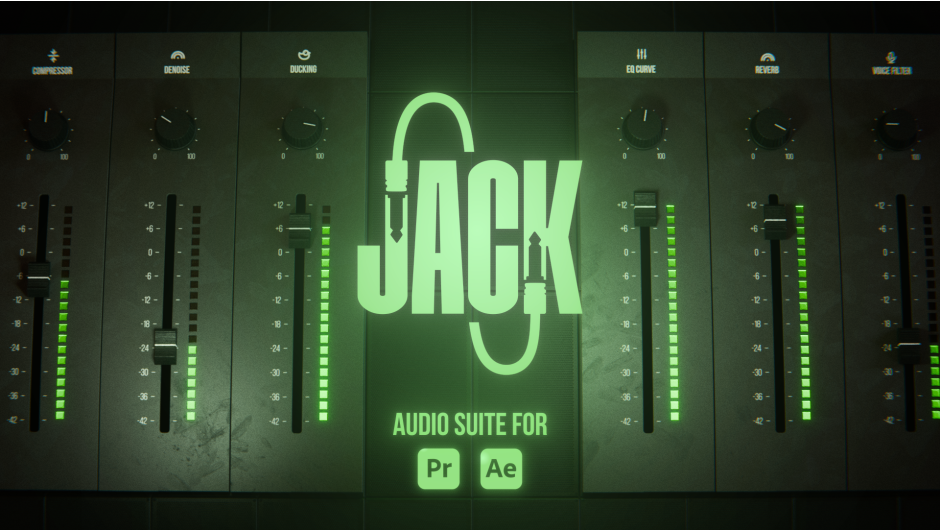
Professional audio shouldn’t require a complicated workflow. JACK brings six essential audio tools together in one intuitive suite, helping you clean, enhance, and transform your sound directly inside Premiere Pro and After Effects.

NATIVE AUDIO SUITE
FOR AFTER EFFECTS & PREMIERE PRO
Six professional audio effects, built right into your timeline. Clean up, shape, and mix your audio without leaving Premiere Pro or After Effects.

CLEAN DIALOGUE WITH
DENOISE
Real-time noise reduction designed to clean up recordings while keeping voices clear and natural.

SHAPE YOUR MIX WITH
EQ CURVE
A powerful EQ curve for precise frequency shaping. Quickly balance, enhance, or correct your audio.

CONTROL DYNAMICS WITH
COMPRESSOR
Shape your dynamics with intuitive controls for attack, release, knee, and makeup gain.

ADD SPACE WITH
REVERB
Add depth and space to your audio with a natural-sounding reverb that is easy to dial in.

ADAPT SOUNDS WITH
VOICE FILTER
Phone, 8-bit, walkie-talkie or chipmunk. Versatile voice presets in one click.

MIX MUSIC WITH
DUCK
Keep speech clear by automatically reducing music and background audio when needed.

CLEAN ECHO WITH
DEREVERB
With 1.1.0 version, remove unwanted room reverberation and recover a cleaner voice.

FULLY NATIVE
Built for speed and efficiency.

ONE PANEL
SIX TOOLS
Apply and fine-tune every effect from a single dockable panel.

AE AND
PREMIERE PRO
One suite for both apps, on Windows and macOS.

MADE FOR
CREATORS
Created with motion designers and editors in mind.
- 00:00 Intro
- 00:30 Denoise
- 01:15 EQ curve
- 02:23 Compressor
- 02:57 Reverb
- 03:53 Voice Filter
- 05:12 Ducking
- 07:11 Remove all effects
Elevate your motion graphics workflow with premium collection of After Effects plugins. Whether you are a seasoned professional or just starting your VFX journey, powerful tools designed to streamline complex tasks, unlock creative possibilities, and save you hours of rendering time. From stunning glitch effects and seamless transitions to advanced 3D extrusion and text animation tools, each plugin in our library is rigorously tested for compatibility with the latest versions of Adobe after Effects. Enhance your video production value today and download industry-leading plugins that help you create breathtaking visuals without the technical headaches. Browse our full range and find the perfect extension to supercharge your editing suite now.
➡️ ➡️ For more after effects Plugins 😀 😀
➡️ ➡️ System requirements AE
Reviews
There are no reviews yet.