

KEYboard for After Effects
Primary Keyphrase: keyboard shortcut script
Description:
Download KEYboard v1.2.7 for After Effects on Windows and Mac, a powerful script that puts keyframe control directly under your fingertips through customizable keyboard shortcuts. Control keyframes is an animator’s daily routine—setting keyframe ease, cloning keys, mirroring keys, shifting keys, or randomizing keys. With KEYboard, you can do all these through keyboard shortcuts, working faster and avoiding interruption from repetitive tasks .
Beyond core keyframe control, KEYboard provides helpful tools like FoolParent (set parent directly from comp viewer), QuickVal (change property values with arrow or WASD keys), and FoolPaste (arrange layer order from comp viewer) .
Version 1.2.7 Key Features:
- Customizable Keyboard Shortcuts: Assign your own shortcuts to every KEYboard function through the Visual Keyboard Shortcut Editor (CC2018+)
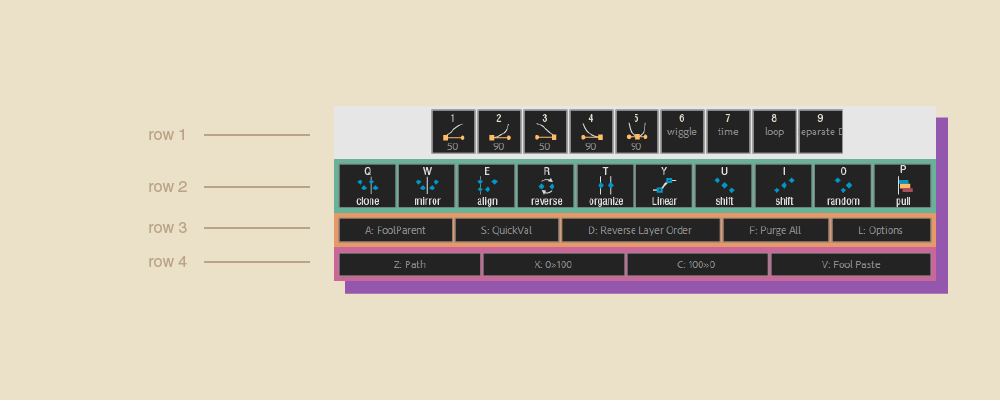
- Keyframe Control Tools: Clone Keys, Mirror Keys, Align Keys, Reverse Keys, Organize Keys, Shift Keys, Random Keys, Linear Spatial Interpolation
- Easing Presets: One-click ease presets (50%, 90%, In/Out/InOut) accessible via number keys
- Expression Shortcuts: Quick insert of wiggle, time, loopOut(“cycle”) expressions
- QuickVal: Change property values using arrow keys or W/A/S/D—no more typing numbers
- FoolParent: Set parenting relationships directly from composition viewer without hunting in timeline
- FoolPaste: Arrange layer order visually from composition viewer
- Add Keyframe Tools: Add Path Keys, create 0→100 or 100→0 keyframe pairs instantly
- v1.2.7 Update (Jul 25, 2020): Updated licensing framework; specifically addresses macOS 10.15 Catalina licensing issues
Perfect For:
- Motion graphics artists who want to speed up keyframe workflows with keyboard shortcuts
- Animators tired of repetitive mouse operations for common keyframe tasks
- Anyone wanting to clone, mirror, shift, or randomize keyframes without complex menus
- Designers who prefer keyboard-driven workflows for efficiency
System Requirements:
- Adobe After Effects 2023, 2022, 2021, 2020, CC 2019, CC 2018, CC 2017, CC 2015.3, CC 2015, CC 2014
- Windows 10/11 (64-bit) or macOS
- 4GB RAM minimum (8GB+ recommended)
- 23MB available disk space
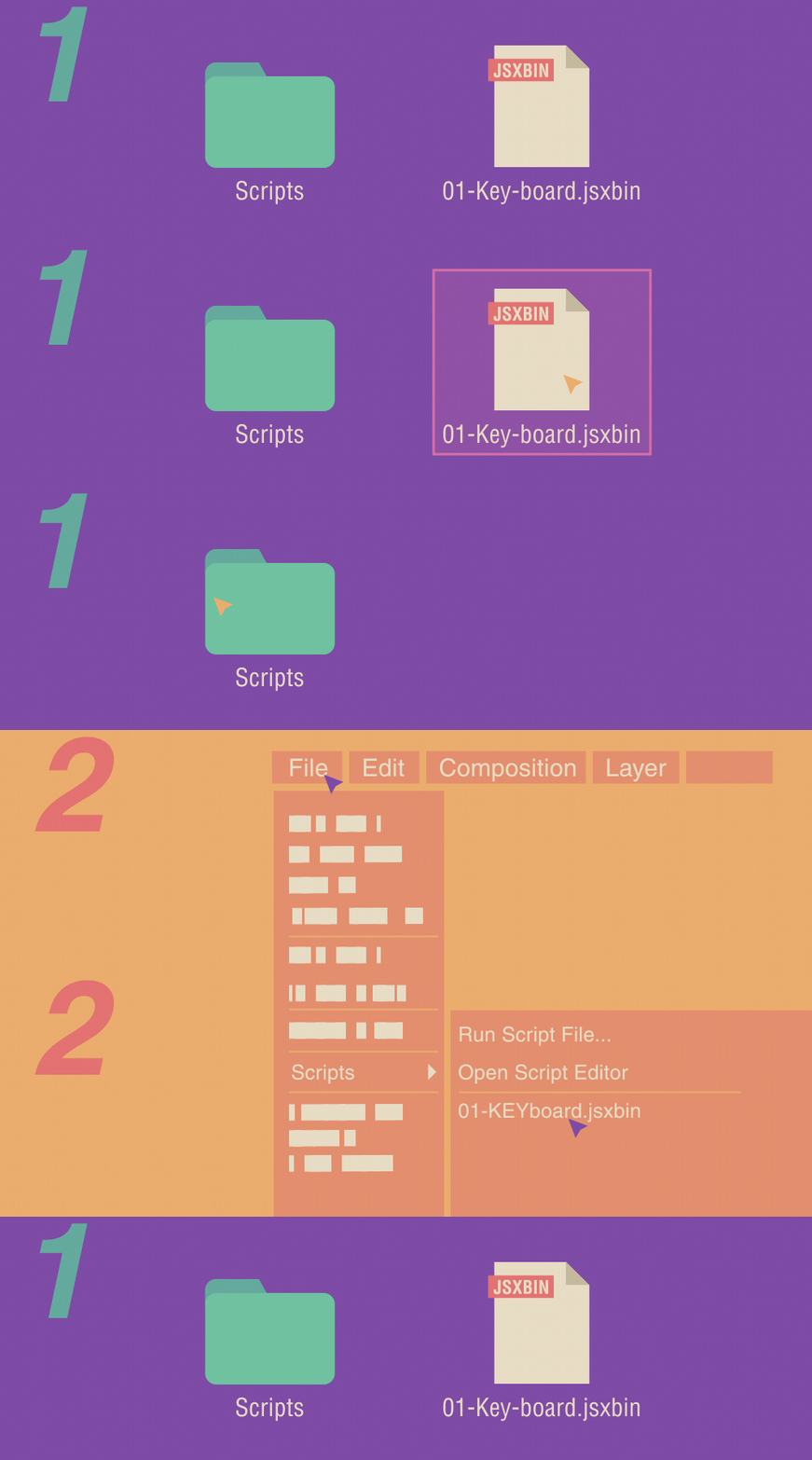
Installation Note: For CC2018 and newer, drag script file to Scripts folder and set shortcuts via Visual Keyboard Shortcut Editor. For older versions, ensure KEYboard is first alphabetically and run once to set shortcuts .
macOS 10.15 Catalina Users: Download v1.2.7 specifically to resolve licensing issues .
Control keyframes with your keyboard.
After Effects 17.7 Legacy UI Issue:
If you have preference error after updated to After Effects 17.7,please check the link above to fix it.
macOS 10.15 Catalina Notice:
If you have an issue with licensing after updated to macOS 10.15 Catalina,please download the latest version of KEYboard. (v1.2.7)
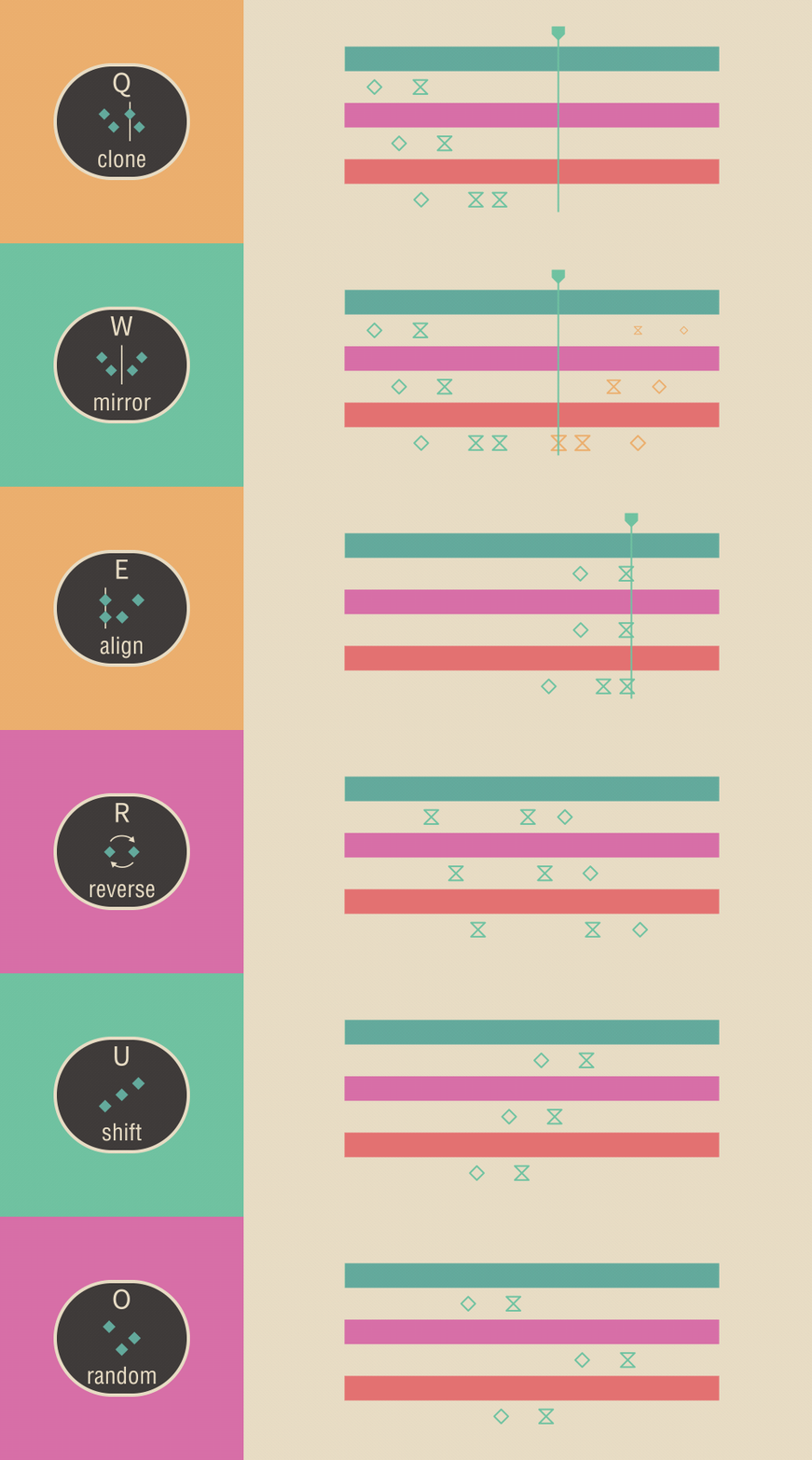
KEYboard provides a series of function for keyframes in After Effects. Those functions are small but can be used frequently, such as setting keyframe Ease, cloning keys, mirroring keys, shifting keys or randomizing keys. The most important is you can do those through keyboard shortcuts.
With KEYboard, animators can do things more quickly and would not be interrupted by those repetitive tasks.
For more information about all features, please see the guide /中文使用說明
new feature: KEYboard window will appear in the last closed position


The installation method of KEYboard is a bit different from the general script.
Elevate your motion graphics workflow with premium collection of After Effects plugins. Whether you are a seasoned professional or just starting your VFX journey, powerful tools designed to streamline complex tasks, unlock creative possibilities, and save you hours of rendering time. From stunning glitch effects and seamless transitions to advanced 3D extrusion and text animation tools, each plugin in our library is rigorously tested for compatibility with the latest versions of Adobe after Effects. Enhance your video production value today and download industry-leading plugins that help you create breathtaking visuals without the technical headaches. Browse our full range and find the perfect extension to supercharge your editing suite now.
➡️ ➡️ For more after effects Plugins 😀 😀
➡️ ➡️ System requirements AE
Reviews
There are no reviews yet.