
KeyFast for After Effects
KeyFast v1.2 for After Effects
The Ultimate Keyframe Navigation and Timeline Speed Tool for After Effects
Download KeyFast v1.2 today. Consequently, you can navigate between keyframes instantly and dramatically speed up your animation workflow with a comprehensive suite of keyboard-driven shortcuts. Because professional animators spend countless hours jumping between keyframes, selecting properties, and adjusting timing, having access to a dedicated navigation tool is absolutely essential. Nevertheless, After Effects’ native keyframe navigation is limited, often forcing you to click through the timeline manually or use awkward multi-key shortcuts. Fortunately, KeyFast eliminates this bottleneck completely. Moreover, it provides a full set of intuitive hotkeys for jumping to the next or previous keyframe, selecting keyframes across layers, and navigating complex animations without ever touching the mouse. In short, you can work faster, stay focused, and keep your hands on the keyboard where they belong.
Instant Keyframe Navigation and Selection
The core of this script lies in its powerful, keyboard-first approach to timeline navigation. For instance, you can jump to the next or previous keyframe on a selected property with a single keystroke, eliminating the need for tedious timeline scrubbing. Furthermore, the script allows you to select all keyframes at the current time across multiple layers, making it easy to make synchronized adjustments. Additionally, you can navigate between keyframes on different properties without losing your selection. Since the entire system is designed around speed, you can move through even the most complex animations with fluid, uninterrupted precision. Consequently, your animation workflow becomes significantly faster and more intuitive.
Advanced Multi-Layer Keyframe Management
Professional animations often involve dozens of layers and hundreds of keyframes. Therefore, KeyFast includes powerful tools for managing keyframes across multiple layers simultaneously. For example, you can jump to the next keyframe across all selected layers, ensuring you never miss a timing cue. Furthermore, you can select keyframes on specific properties across multiple layers, making it easy to adjust timing consistently throughout a composition. Additionally, the script supports navigating keyframes in precompositions, allowing you to work seamlessly within nested structures. Thus, you maintain complete control over even the most complex animation timelines.
Customizable Hotkeys and Workflow Integration
Every animator works differently, and KeyFast respects your personal preferences. Accordingly, the script includes a comprehensive hotkey customization system. For instance, you can assign your own keyboard shortcuts to any KeyFast function, ensuring the tool adapts to your existing workflow rather than forcing you to learn new commands. Furthermore, you can create multiple hotkey profiles for different types of projects or tasks. Additionally, the script integrates seamlessly with After Effects’ native keyboard shortcuts, so you can use both without conflict. Consequently, KeyFast becomes a natural extension of your existing animation process.
Perfect for Character Animators, Motion Designers, and VFX Artists
This script is particularly well-suited for character animators who need to navigate complex rigs and keyframe-heavy performances. Similarly, motion designers working on kinetic typography and multi-layer compositions will appreciate the speed and precision KeyFast provides. Additionally, VFX artists and compositors can use the tool to quickly navigate animated elements within complex shots. Ultimately, KeyFast v1.2 accelerates your entire animation and post-production pipeline.
System Requirements and Compatibility
KeyFast v1.2 supports After Effects versions 2022, 2023, 2024, 2025, and 2026 on both Windows and macOS operating systems. The script is available as a standard JSX file for easy installation. You will need a standard workstation with at least 8GB of RAM.
Installation and Usage Guide
To install, first download the script file from your library. Next, close Adobe After Effects if it is running. Then, copy the script file to your After Effects Scripts folder. After installation, ensure “Allow Scripts to Write Files and Access Network” is enabled in After Effects Preferences under Edit > Preferences > Scripting & Expressions. Finally, launch After Effects, navigate to File > Scripts > KeyFast, and use the default shortcuts or customize them to match your preferences. Thus, your professional keyframe navigation workflow will be ready instantly.
What is Included Inside?
The pack contains the complete KeyFast v1.2 script for After Effects. Furthermore, it includes instant keyframe navigation, multi-layer keyframe management, customizable hotkeys, and full integration with After Effects’ native shortcuts. Ultimately, you receive everything needed for professional keyframe navigation and animation efficiency.
Final Thoughts on the Script
Effortless keyframe navigation evokes profound creative freedom. Therefore, this script provides the ultimate foundation for your animation workflows. You can move through timelines and manage keyframes with unprecedented speed and precision. Consequently, your animation vision becomes a stunning reality.
How it works:
   |
Animate an entire scene with a few clicks!
(no easing or graph editor needed)
Introducing KeyFast
- A game-changing script loaded with customizable 1 click animations.
- Packed with shortcuts, and intuitive controls to help you animate faster.
- KeyFast does all the repetitive stuff, leaving more time to animate the fun stuff.
KeyFast helps you with:
- Common animations
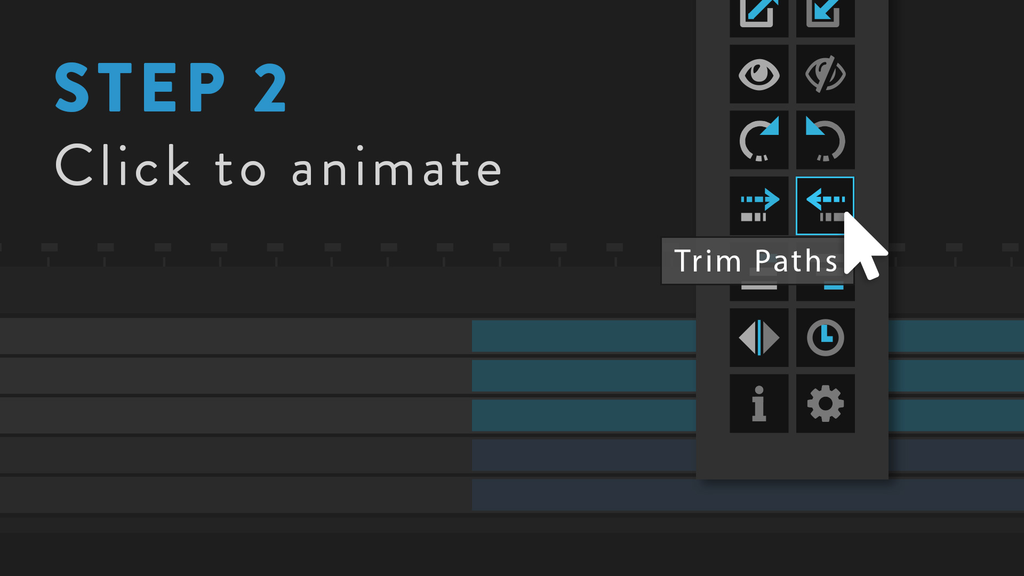
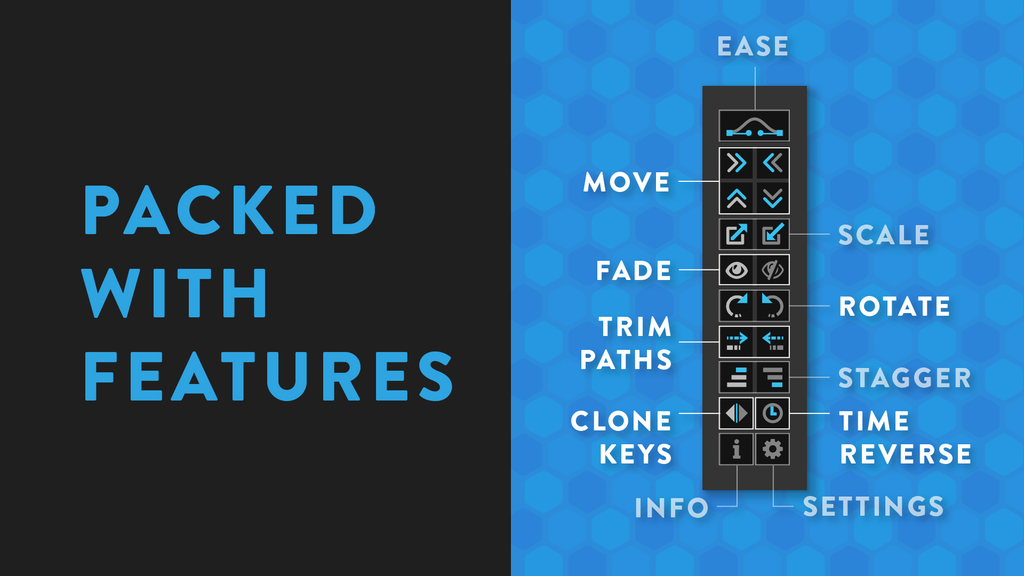
Trim Paths, slide, scale, rotate, fade.
Apply animations like these in 1 click (with easing).
- Animating many layers
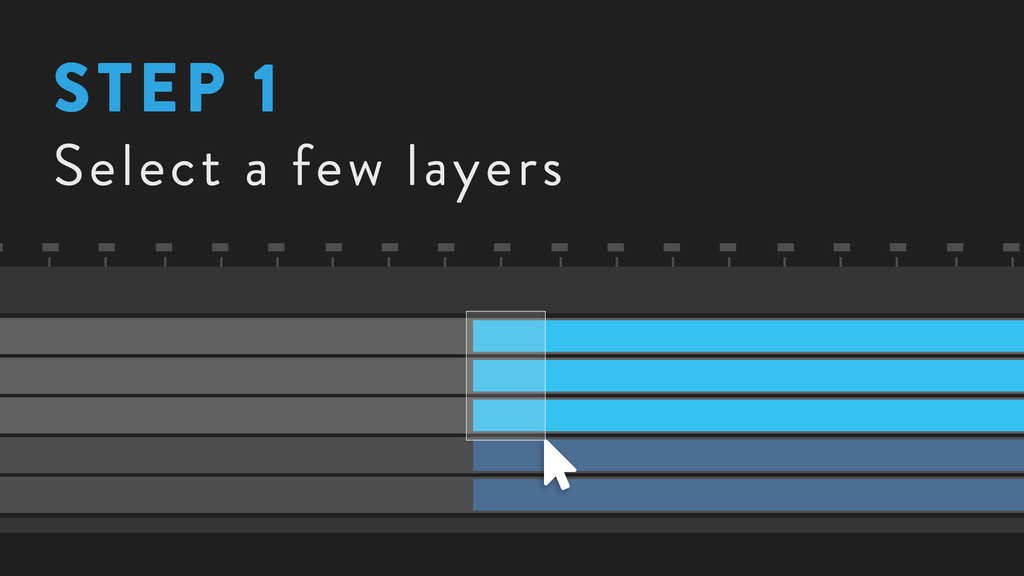
Select all your layers and click!
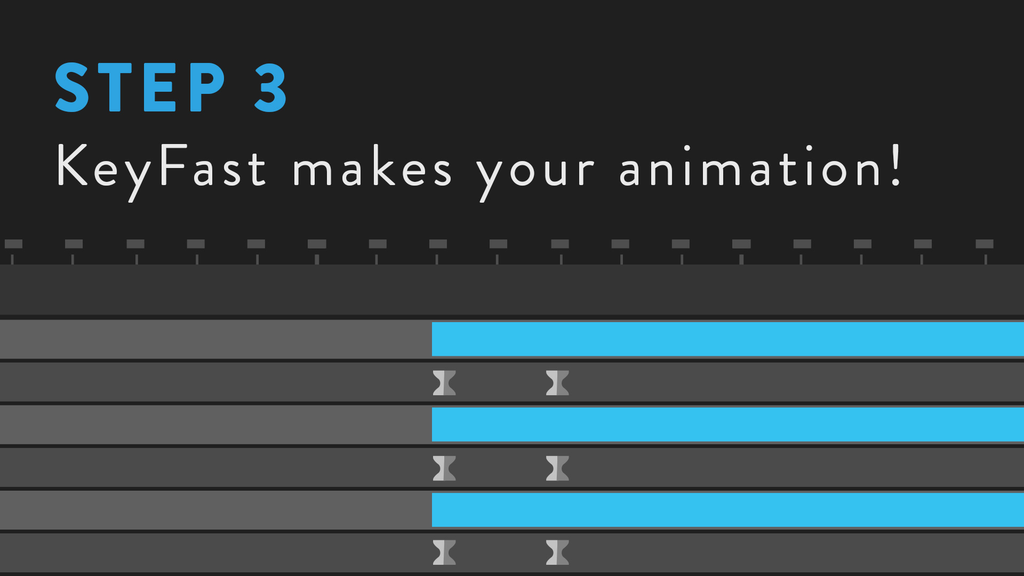
Keyframes placed, easing done.
- Staggering
Quickly stagger layers or keyframes.
- Easing
KeyFast applies animations with easing applied by default.
- Aligning Keyframes
Select keyframes across several layers.
Then click to align keyframes to your playhead. - Overshoot animations
Add overshoot to rotation, position, scale.
- Staying in flow
Keyfast helps you flow through tedious parts of animation.
Allowing you to focus on the important bits only.
Keep scrolling to see more features.

Watch a live demo of KeyFast:
Feature breakdown:
| Main features:Trim Paths on and off (on multiple layers)Stagger layers up or downStagger keyframes up or downAlign keyframes (on multiple layers)Copy/paste keyframes (on multiple layers)Ease specific keyframes (or all of them) with 1 clickSlide layers in any direction (with automatic easing)Rotate layers left or right (with automatic easing)Ease all keyframes on selected layersFade layers on and offAdd overshoot to any KeyFast button | Additional features:Time reverse keyframesChange trim path directionCenter anchor points before rotatingCenter anchor points before scalingEliminate those annoying path handles with linear keyframe easingAnd more! |
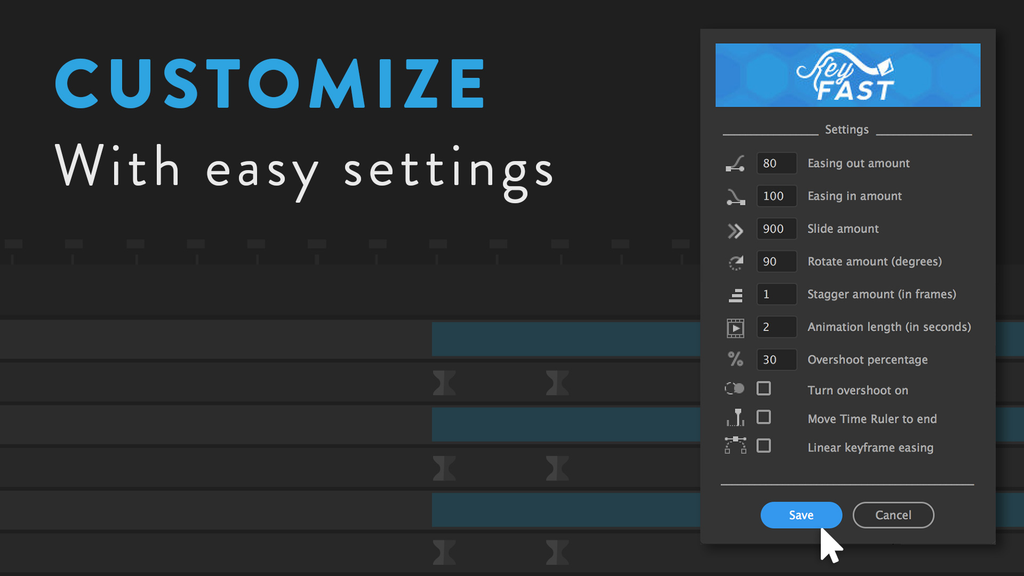
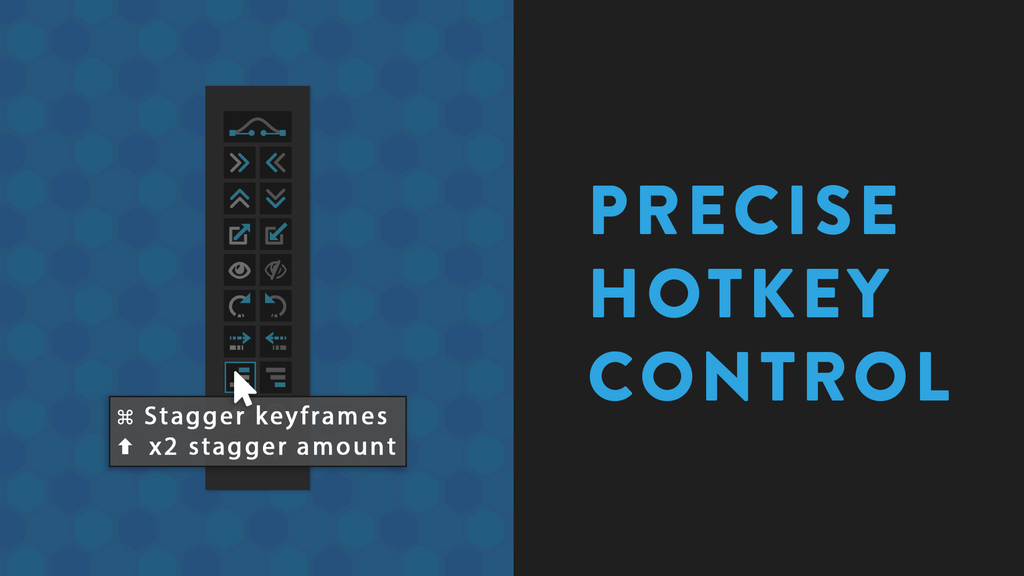
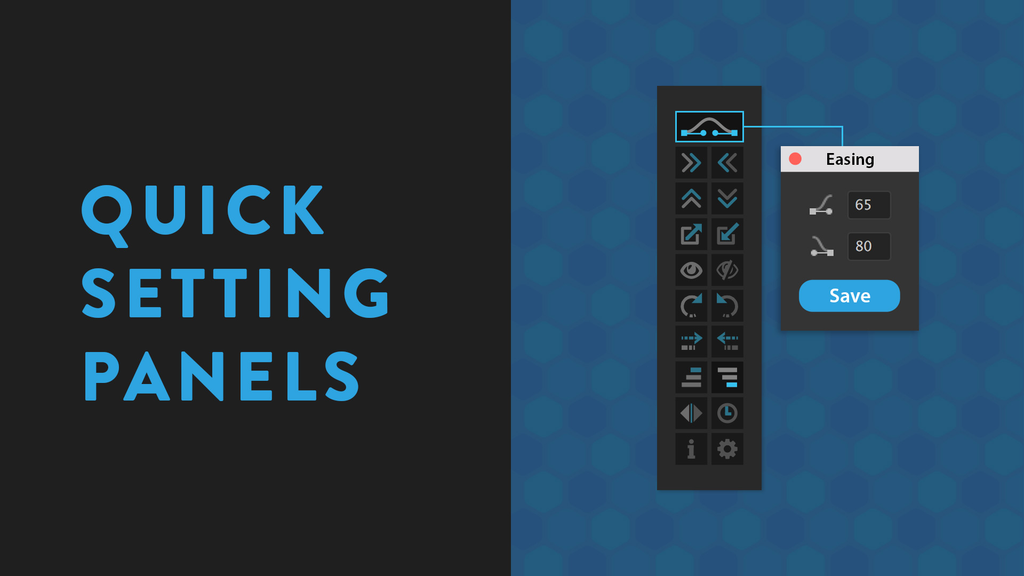
| Intuitive control:Hover over any button to see what it doesCustomizable settings (like ease, overshoot, and sliding values)Quick popup panels (to adjust settings in a second)Command and shift hotkeys (for precise control)A quick start guide (that will walk you through your first time using KeyFast)Adjustable button layout (horizontal or vertical)A compact panel (that fits in tight workspaces)And more |
Tutorials


Elevate your motion graphics workflow with premium collection of After Effects plugins. Whether you are a seasoned professional or just starting your VFX journey, powerful tools designed to streamline complex tasks, unlock creative possibilities, and save you hours of rendering time. From stunning glitch effects and seamless transitions to advanced 3D extrusion and text animation tools, each plugin in our library is rigorously tested for compatibility with the latest versions of Adobe after Effects. Enhance your video production value today and download industry-leading plugins that help you create breathtaking visuals without the technical headaches. Browse our full range and find the perfect extension to supercharge your editing suite now.
➡️ ➡️ For more after effects Plugins 😀 😀
➡️ ➡️ System requirements AE
Reviews
There are no reviews yet.