
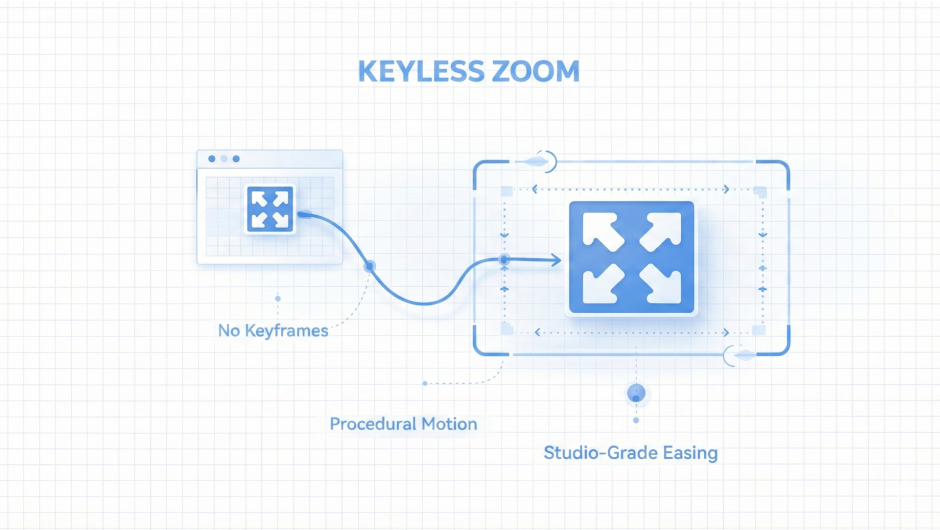
keyless for After Effects
Primary Keyphrase: no‑keyframe animation script
Description:
Download Keyless v1.0 for After Effects on Windows and Mac, a revolutionary script that lets you animate any property without manually setting a single keyframe. Ideal for Motion Graphics Template (MOGRT) creation, Keyless automatically applies Penner easing and generates intuitive controls – giving editors complete mastery over start/end values, timing, and easing directly inside Premiere Pro .
Eliminate the busywork—skip the keyframes and skip the easing tweaks. Get fast, accurate zooms and ideal Zoom-to-Fit framing through a precise overscan slider, enhanced by four premium easing styles that bring character to every movement.
Keyless works by detecting the type of property you select (slider, angle, point, colour, etc.) and adding the appropriate animation controls. When you add these controllers to the Essential Graphics panel, editors gain full creative freedom without ever touching a keyframe .
Version 1.0 Key Features:
- Zero‑Keyframe Workflow: Animate position, scale, rotation, opacity, effects, and any other property without placing keyframes
- Smart Property Detection: Automatically adds sliders, angle controls, point controls, 3D point controls, colour controls, and more based on the property type
- Penner Easing Integration: Applies professional Penner easing curves automatically for smooth, natural motion
- Essential Graphics Ready: Add controllers to the Essential Graphics panel – editors can then adjust start/end values, timing, and easing directly in Premiere Pro
- Intro / Outro Options: Built‑in controls for creating polished intro and outro animations
- MOGRT Creator’s Dream: Perfect for building templates where clients or team members need to customise animation parameters without entering After Effects
- Broad Compatibility: Works with After Effects 2025 down through CC 2019 on both Windows and Mac
- Tutorial Included: Comes with video tutorial to help you master the workflow
Perfect For:
- Motion graphics artists building MOGRT templates for Premiere Pro
- Template creators who want to give editors intuitive animation controls
- Anyone tired of manually applying
linear()functions and complex expressions - Designers who need quick, repeatable animations without keyframe clutter
- Teams collaborating between After Effects and Premiere Pro
System Requirements:
- Adobe After Effects 2025, 2024, 2023, 2022, 2021, 2020, CC 2019
- Windows 10/11 (64‑bit) or macOS
- 4GB RAM minimum (8GB+ recommended)
- 25MB available disk space
- Enable “Allow Scripts to Write Files and Access Network” in Preferences > Scripting & Expressions
Installation:
- Copy the
Keyless v1.0.jsxbinfile to your After Effects ScriptUI Panels folder:
- Windows:
Adobe After Effects [version]\Support Files\Scripts\ScriptUI Panels\ - Mac:
/Applications/Adobe After Effects [version]/Scripts/ScriptUI Panels/
- Enable scripting access in Preferences
- Restart After Effects and access via Window menu > Keyless v1.0
Note: Chinese‑language versions of After Effects may cause expression errors; the English version is recommended for optimal performance . Version 1.1.0 (Oct 2025) adds path property support and linear easing .
Keyless Zoom · Procedural Camera System for After Effects
Direct the shot.
Forget the keyframes.
Ditch the keys · Keep the flow
Keyless Zoom is a procedural camera engine for After Effects. Instead of sculpting dozens of keyframes, you build clean, modular camera moves that live together inside one unified system.
You choose where a move begins, where it lands, and how long it takes. Keyless Zoom handles the easing, precision math, and every technical detail — keeping your workflow focused, smooth, and creative.
4
Hand-Tuned Easings
1 min
vs. 30 min manual
0
Keyframes Required
What it feels like
- A workflow that keeps you in creative flow, not technical struggle.
- Zooms that land exactly where you intend.
- A timeline that stays clean, even deep into a project.
Overview & Walkthrough
Pixel-perfect framing.
Instantly.
Framing that removes frustration, not control
Keyless Zoom’s Intelligent Zoom to Fit places the camera exactly where it needs to be to frame a 3D layer cleanly and reliably. It understands how your layer is positioned in 3D space — whether it’s rotated, oriented, scaled, or parented through multiple linked nulls — and calculates the correct ending point automatically. No nudging. No manual end position. No guesswork.
Why It Matters
When a layer is heavily rotated or sitting at an awkward angle, manually framing it is slow and frustrating. Zoom to Fit turns 20–30 minutes of work into a single minute.
You move the camera position, correct the angle, adjust the distance — that’s easily 10–15 minutes gone. Then shaping a high-quality easing curve adds another 10–15 on top.
The integrated Overscan slider gives precise finishing power. At Overscan 1.0 the layer fits exactly to its bounding box. Lowering it moves the camera closer — especially useful for circles or rounded shapes that naturally leave empty space at the sides. The framing updates live as you drag.Show less▾
Context-Aware Camera Roll
Keyless Zoom automatically understands whether your layer was rotated for graphic alignment or cinematic intention — and adapts the camera roll accordingly.
Scenario 1 — The Graphic Shot (Auto-Align)
Your Action: You rotate the layer using Rotation.
The System: Recognizes a motion-graphics setup and aligns camera roll to match the layer’s angle.
Result: A clean, locked-on graphic framing.
Scenario 2 — The Cinematic Shot (Preserve Angle)
Your Action: You tilt the layer using Orientation.
The System: Detects this as a deliberate cinematic angle and preserves your artistic roll.
Result: The camera frames the layer perfectly without overriding your composition.
Simple rule: Use Rotation for clean aligned framing. Use Orientation to preserve your artistic angle.
The feel of motion.
Perfected.
Control the feel · Not the beziers
Built from the ground up — not from presets, not from generic Easy Ease, but from hand-tuned motion curves shaped specifically for camera work. Non-linear timing, natural asymmetry, and distance-aware behavior create movement that feels intentional, expressive, and consistently premium.
Smooth
Natural, soft, controlled. Accelerates gently and settles with a soft landing. Perfect for explainer videos and professional layouts.
Snappy
Fast, energetic forward punch. Strong initial momentum into a decisive stop. Built for social edits and dynamic UI animations.
Cinematic
Sweeping, expressive, high-end. Wide arcs with controlled deceleration. Dramatic reveals, title sequences, brand films.
BounceBack
Refined overshoot — never elastic or cartoonish. A dedicated Overshoot slider controls the exact intensity of the rebound.
Easing Controls — Precision Without the Graph Editor
Every move connects to a single hold keyframe. Change one number — Easing Strength — and the entire segment’s feel updates instantly. No redrawing, no tweaking.How it works▾
What it feels like
- Each move carries a clear, intentional emotional tone.
- You choose the vibe, not the curves.
- You can refine the feel long after the move is built.
Motion Preview · Zoom-To-Fit & Four Custom Easings
Smooth
Snappy
Zoom to Fit — Cinematic
Cinematic
BounceBack
Feature · Zoom In & Out — Shot Builder
Design the zoom shot.
Effortlessly.
Design the shot · Not the process
Zoom-in and zoom-out shots are the bread and butter of motion design — but building a good one in After Effects is rarely simple. You find a start frame, set a keyframe, move the playhead, park the camera, tweak the easing, nudge the timing, repeat until it finally feels right.
What It Does
Keyless Zoom turns that process into a focused shot builder. Set both camera positions, see a live preview at every step, then execute.Read more▾
What It Delivers
- No scrubbing the playhead or juggling multiple keyframes.
- Clean, consistent zoom shots — pushing in or pulling back.
- Perfect spacing and motion driven by Keyless Zoom’s handcrafted easing engine.
What it feels like
- Zooms that land exactly where your eye expects them to.
- Clear start and end previews that remove every guess.
- A workflow that keeps you directing — not fixing.
Feature · Bake — Smart Expression Baking
Your motion.
Baked clean.
Preserve the shot · Not the code
Once a shot is approved, you may want a version that behaves like a normal hand-animated camera — expression-free, portable, and ready for final tweaks. Bake gives you that production-ready snapshot without changing the move you already designed.
How It Bakes
Bake converts your expression-driven animation into standard After Effects keyframes — but only where animation actually exists, leaving zero clutter everywhere else.See exactly how▾
What It Delivers
- Segment-perfect baking with no unnecessary keyframes.
- A fully keyframed camera with no procedural dependencies.
- Identical motion preserved frame-for-frame, clean and editable.
- The easing-control null is automatically removed for a cleaner timeline.
What it feels like
- The shot stays exactly as you built it — nothing shifts or drifts.
- Your camera becomes light, clean, and easy to adjust.
- No clutter, no noise — only the frames that matter.
- A final step that feels invisible but makes everything smoother.
Interaction · Live Interactive Control
Instant feedback.
Every single tweak.
Position & Rotation
Whenever you adjust the Start position or rotation, the camera immediately moves there — a live preview of the opening frame. Change the End position or rotation, and the camera does the same. An instant preview of exactly where the shot will land.
No scrubbing the playhead. No jumping back and forth. Just drag the values, and the camera updates in real time — you see both ends of the move before you commit to anything.
Overscan
When you choose Zoom to Fit, the Overscan slider gives you real-time control over framing tightness — the camera updates instantly with every drag.Full details▾
What it feels like
- The UI feels alive — always reacting to your input.
- Both ends of the move are visible before you commit.
- Framing adjustments feel instant and intuitive.
Workflow · Smart Status Bar & Locking System
The workflow leads you.
The status bar confirms you.
Locking System
Keyless Zoom unlocks controls only when they’re ready to be used — keeping the workflow clean and impossible to misuse.How it works▾
Smart Status Bar
The Smart Status Bar keeps you oriented with instant reactions — confirming what’s ready, highlighting what’s missing. No camera detected? It tells you. Zoom type needs a target? It reminds you. Value is invalid? It explains exactly what to fix.
Once everything is set, it confirms the shot is ready to execute. A quiet assistant: guiding when needed, warning when something’s off, confirming when everything is in place.
What it feels like
- No confusion — every control appears exactly when it should.
- The UI feels safe, predictable, and impossible to break.
- Status messages keep you oriented at every step.
Motion Preview · Live Control, Status Bar & Locking
Live Sliders
Live Overscan
Locking System
Smart Status Bar
Quick Start Guide
Your first professional
camera zoom in minutes.
1
Set Up Your Camera
Create Camera — adds a new camera to your scene. Auto-Detect Camera — use if a camera already exists in your comp.
2
Choose Your Zoom Type
Select Zoom In, Zoom Out, or Zoom to Fit. For Zoom to Fit, select your 3D layer before clicking Execute.
3
Define Start Position & Rotation
The script auto-fills with your camera’s current position. Edit freely — the camera updates live in the viewport for instant visual feedback.
4
Define End Position & Rotation
Type your X, Y, Z values. For Zoom to Fit, skip this — the script calculates the perfect End values automatically. Also previews live.
5
Set the Timing
Enter the animation’s Start Time and End Time in frames.
6
Select an Easing Style
Choose one of the four presets — Smooth, Snappy, Cinematic, or BounceBack — to define the feel of your camera’s motion.
7
🚀 Execute
Press Execute. For Zoom to Fit, an Overscan dialog appears — adjust the slider for a live framing preview, then click OK. Overscan 1.0 = perfect bounding-box fit. Lower values push in to remove gaps.
8
🌟 (Optional) Bake to Keyframes
Press Bake to convert into standard, editable keyframes.
That’s it — you’ve created a professional camera animation.
Elevate your motion graphics workflow with premium collection of After Effects plugins. Whether you are a seasoned professional or just starting your VFX journey, powerful tools designed to streamline complex tasks, unlock creative possibilities, and save you hours of rendering time. From stunning glitch effects and seamless transitions to advanced 3D extrusion and text animation tools, each plugin in our library is rigorously tested for compatibility with the latest versions of Adobe after Effects. Enhance your video production value today and download industry-leading plugins that help you create breathtaking visuals without the technical headaches. Browse our full range and find the perfect extension to supercharge your editing suite now.
➡️ ➡️ For more after effects Plugins 😀 😀
➡️ ➡️ System requirements AE
Reviews
There are no reviews yet.