
KO BandFillBasic for After Effects
KO BandFillBasic v1.0.0 for After Effects
The Ultimate Banded Gradient and Retro Fill Effect for After Effects
Download KO BandFillBasic v1.0.0 today. Consequently, you can instantly create stylized, banded gradient fills that capture the nostalgic aesthetic of retro graphics, vintage posters, and limited-color printing techniques. Because motion designers and illustrators frequently need distinctive, non-photorealistic fills for stylized projects, having access to a dedicated banded gradient tool is absolutely essential. Nevertheless, achieving authentic stepped-color banding in After Effects requires stacking multiple effects and manual adjustments that consume valuable time. Fortunately, KO BandFillBasic eliminates this bottleneck completely. Moreover, it provides a streamlined, single-plugin solution for generating clean, posterized gradient bands across any layer. In short, you can create striking, retro-inspired fills with unprecedented speed and simplicity.
Instant Banded Gradient Generation
The core of this plugin lies in its ability to convert smooth gradients into distinct, stepped color bands. For instance, you can apply the effect to any layer and immediately see your gradient transform into a series of flat, posterized bands. Furthermore, you can control the number of bands, their spacing, and the direction of the gradient, giving you complete flexibility over the final look. Additionally, the effect works with any source layer, including solids, shapes, text, and footage, making it a versatile addition to any project. Consequently, you can achieve authentic retro banding without complex manual setups.
Comprehensive Color and Band Controls
Professional results demand precise control over every visual element. Therefore, KO BandFillBasic includes a comprehensive suite of parameters for fine-tuning your banded fills. For example, you can adjust the number of bands to control the granularity of the effect, from a subtle few steps to a dense, almost painterly banding pattern. Furthermore, you can control the gradient direction, offset, and scaling to position the bands exactly where you want them. Additionally, the plugin supports custom color ramps, allowing you to define the exact color progression for your bands. Thus, you maintain complete creative control over every aspect of the effect.
Versatile Applications for Stylized Design
KO BandFillBasic is designed to support a wide range of creative applications. For instance, motion designers can use it to create retro-themed title sequences, vintage-inspired backgrounds, and stylized transitions. Furthermore, illustrators and graphic designers can leverage the plugin to achieve authentic screen-print and risograph aesthetics in their animations. Additionally, content creators and social media producers can add a distinctive, eye-catching look to their videos with minimal effort. Consequently, the plugin opens up a world of creative possibilities for retro and stylized design.
Perfect for Motion Designers, Illustrators, and Content Creators
This plugin is particularly well-suited for motion designers creating retro or vintage-inspired graphics for branding, advertising, and broadcast. Similarly, illustrators and digital artists will appreciate the ability to achieve authentic banded fills for their animated artwork. Additionally, content creators and social media producers can use KO BandFillBasic to add a premium, stylized touch to their edits with minimal setup. Ultimately, KO BandFillBasic v1.0.0 accelerates your entire motion design and post-production pipeline.
System Requirements and Compatibility
KO BandFillBasic v1.0.0 supports After Effects versions 2022, 2023, 2024, 2025, and 2026 on both Windows and macOS operating systems. The plugin is fully GPU-accelerated, ensuring real-time performance and smooth playback. You will need a standard workstation with at least 8GB of RAM.
Installation and Usage Guide
To install, first download the plugin installer from your library. Next, close Adobe After Effects if it is running. Then, install the plugin following the standard aescripts + aeplugins installation process using the Manager App. After installation, launch After Effects and locate KO BandFillBasic in the Effects & Presets panel. Finally, apply the effect to your layer, adjust the number of bands, direction, and color ramp to achieve your desired look, and watch as smooth gradients transform into striking retro bands. Thus, your professional banded gradient workflow will be ready instantly.
What is Included Inside?
The pack contains the complete KO BandFillBasic v1.0.0 plugin for After Effects. Furthermore, it includes the instant banded gradient generation engine, comprehensive color and band controls, and full GPU-accelerated real-time performance. Ultimately, you receive everything needed for professional retro banded gradient effects.
Final Thoughts on the Plugin
Effortless banded gradient creation evokes profound creative freedom. Therefore, this plugin provides the ultimate foundation for your stylized and retro design workflows. You can achieve authentic banded fills with unprecedented speed and simplicity. Consequently, your creative vision becomes a stunning reality.
KO BandFill is a native After Effects plugin for procedural band patterns. Fast, parametric, all from one control set. Backgrounds, transitions, gradients, and shapes from a single effect. 20 geometries on shared logic, plus Variation and Distortion for endless looks.
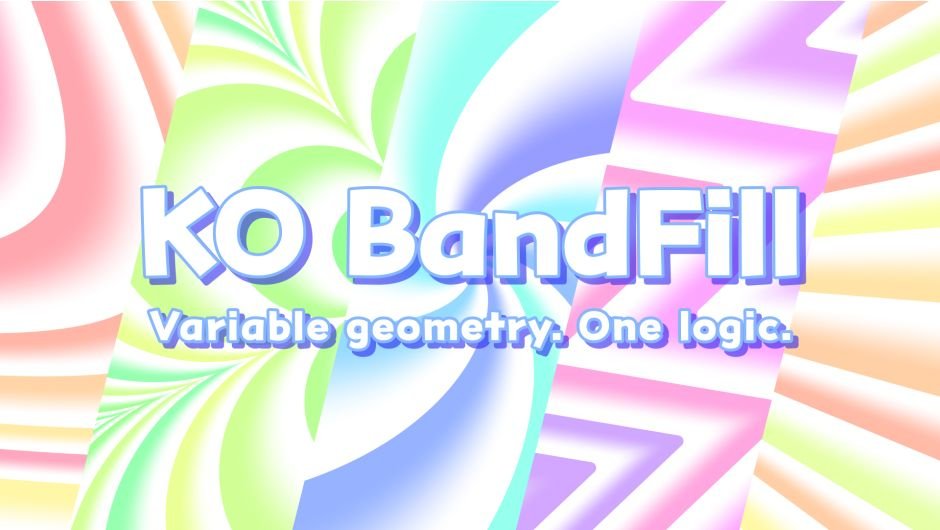
KO BandFill fills layers with band-shaped patterns across 20 geometries — linear, wave, radial, spiral, and more. Every shape shares the same parameter set, so switching geometry never breaks your animation.
The free KO BandFillBasic runs on the same core logic — 5 shapes, the full core parameter set, enough to do real work.It’s offered here as the “Trial” download, but it’s free forever — no license needed, no expiration, no watermark. When you want to go further, the Standard version is there.
One Effect. Many Uses.
Despite the geometric appearance, the range of applications is broad: wipes, graphic patterns, transitions, organic textures — and even single shapes or gradients. One effect covers a lot of ground.
Fast and Stable.
CPU-based, no GPU — and fast anyway, because each pixel is a light, direct calculation rather than heavy sampling. Multi-frame rendering, 32-bit float. Windows & macOS, Apple Silicon native. Built to be depended on.
Not Flashy, Just Essential.
We set out to make an honest tool. KO BandFill fills a quieter gap After Effects leaves underserved: precise fills, clean gradients, repeatable geometry. What you make of it is up to you.
As Intended.
However far you push shape, motion, or feather, the result stays easy to predict. Every control maps directly to what it does. No hidden behavior, no black box — just geometry doing what geometry does.
Where Ideas Spark.
Variation and Distortion are where it opens up — staggered timing, shifting color, drifting opacity, edges pushed into motion. Move one slider and something sparks. The combinations run deep — you’ll keep finding new ones.
Pure Math.
Band edges come straight from geometry, rendered analytically rather than approximated from pixels. Anti-aliasing is exact, and edges stay clean at any resolution, full or half. Feathered and distorted edges too — the precision carries through.

Free Version Available.
The download labeled “Trial” is actually the fully free KO BandFillBasic — not a time-limited demo. It has no watermark and no expiration. You get 5 geometries on the same core logic and the full core parameter set, free forever. Use it as much as you like; upgrade to the Standard version when you want all 20 geometries plus Variation and Distortion.
Examples
All made with KO BandFill alone, on a single layer.
Tutorial
- 0:00 Overview
- 0:31 Band Group
- 2:09 Fill Group
- 3:07 Range Group
- 3:33 Feather Group
- 3:59 Variation Group
- 5:10 Distortion Group
- 5:50 Rendering Group
- 6:29 Basic Version
- 6:51 In Closing
Geometry List


Elevate your motion graphics workflow with premium collection of After Effects plugins. Whether you are a seasoned professional or just starting your VFX journey, powerful tools designed to streamline complex tasks, unlock creative possibilities, and save you hours of rendering time. From stunning glitch effects and seamless transitions to advanced 3D extrusion and text animation tools, each plugin in our library is rigorously tested for compatibility with the latest versions of Adobe after Effects. Enhance your video production value today and download industry-leading plugins that help you create breathtaking visuals without the technical headaches. Browse our full range and find the perfect extension to supercharge your editing suite now.
➡️ ➡️ For more after effects Plugins 😀 😀
➡️ ➡️ System requirements AE
Reviews
There are no reviews yet.