
Kritz Cam Pro for Blender
Kritz Cam Pro v1.3.1 for Blender – The Ultimate Hand-Drawn & Sketchy Camera Toolkit
Versions: v1.3.1
File Size: 26 KB
Download Kritz Cam Pro v1.3.1 for Blender on Windows and Mac, a specialized camera and post-processing addon designed to transform your 3D renders into authentic, hand-drawn animations and storyboards. By combining procedural camera shake, organic lens distortion, and real-time sketch filters, Kritz Cam Pro bridges the gap between precise 3D geometry and the chaotic charm of 2D animation, eliminating the need for complex compositing in external software to achieve a “rough animatic” or “storyboard” aesthetic.
Key Features of Kritz Cam Pro v1.3.1:
- Procedural Hand-Held Shake: Generates realistic, non-repetitive camera movement that mimics the subtle imperfections of a human operator holding a physical camera or drawing tablet, with adjustable intensity, frequency, and axis locking.
- Organic Lens Distortion: Simulates the wobbly, imperfect optics of hand-drawn backgrounds, including variable focal length breathing, chromatic aberration, and vignette that shifts slightly over time.
- Real-Time Sketch Filter: Applies a live viewport overlay that converts 3D geometry into pencil, ink, or charcoal strokes directly in the camera view, perfect for rapid pre-visualization and style frames.
- Frame Rate Emulation: Easily switch between smooth 60fps playback and stylized lower frame rates (12fps, 24fps) with customizable motion blur settings to match traditional animation timing.
- Dynamic Focus Pulls: Automates rack focus transitions with a “hand-drawn” feel, where the focus plane drifts slightly rather than locking perfectly, adding to the organic aesthetic.
- Storyboard Mode: Instantly adds aspect ratio masks, safe zones, and annotation layers (arrows, text notes) to the viewport, turning Blender into a powerful digital storyboard tool.
- Noise & Grain Overlay: Built-in film grain and paper texture generators that react to lighting conditions, simulating the look of rough animation paper or old film stock.
- Camera Path Smoothing: Tools to take a jagged, manually keyframed camera path and smooth it out while retaining the “human” element, preventing robotic, computer-generated movement.
- Export Ready: Renders directly to video or image sequences with all effects baked in, or exports camera data (with shake applied) for use in other software like After Effects or Toon Boom.
- Non-Destructive Workflow: All effects are applied via modifiers or compositor nodes, allowing you to tweak shake intensity, filter style, or frame rate at any time before final output.
Perfect For:
- Animators creating rough animatics, storyboards, and pitch reels directly in 3D without losing the 2D charm.
- Indie Game Developers prototyping cutscenes and camera behaviors with a distinct hand-crafted visual style.
- Concept Artists rapidly generating mood boards and cinematic sketches from 3D block-outs.
- Motion Designers adding organic, imperfect camera moves to otherwise sterile 3D motion graphics.
- Educators teaching animation principles by demonstrating camera staging and timing in a familiar sketch-like environment.
- Anyone looking to break the “perfect CG” look and add soulful imperfection to their renders.
System Requirements:
- Blender: 3.6, 4.0, 4.1, 4.2, 4.3, 4.4+ (Latest LTS recommended).
- OS: Windows 10/11 (64-bit) or macOS 10.15+.
- RAM: 8GB minimum (16GB+ recommended for heavy real-time sketch filtering).
- Render Engine: Works primarily in the Viewport for preview and Compositor for final render; compatible with Eevee and Cycles.
Installation:
- Download the Kritz Cam Pro v1.3.1
.zipfile. - Open Blender and go to Edit > Preferences > Add-ons.
- Click Install…, select the downloaded file, and enable the checkbox next to Camera: Kritz Cam Pro.
- Access via the Camera Properties panel > Kritz Cam tab, or the dedicated overlay in the 3D Viewport Sidebar (N-panel).
What’s New in v1.3.1?
- Improved Shake Algorithm: Refined the noise generation for camera shake to eliminate unnatural rhythmic patterns, resulting in more convincing handheld movement.
- New “Charcoal” Filter: Added a high-contrast, textured sketch preset that mimics charcoal on rough paper, ideal for noir or dramatic storyboards.
- Variable Frame Rate per Shot: Now allows different frame rates for different camera cuts within the same scene, facilitating complex animatic editing.
- Lens Breathing Fix: Resolved an issue where lens breathing artifacts appeared incorrectly on wide-angle lenses in Blender 4.2+.
- Performance Boost: Optimized the real-time sketch filter to run 30% faster in the viewport, enabling smoother playback on mid-range hardware.
- Blender 4.4 Support: Full compatibility with the latest camera API and compositor updates.
Note:
Kritz Cam Pro v1.3.1 is unique in its focus on imperfection as a feature. Unlike standard camera tools that strive for mathematical precision, Kritz Cam intentionally introduces controlled chaos to make 3D scenes feel alive and hand-crafted. The addon includes a “Director’s View” mode that overlays framing guides, rule-of-thirds grids, and action arrows directly onto the sketch filter, making it an invaluable tool for planning complex shots before committing to final animation. Whether you are pitching a film idea or creating a stylized music video, Kritz Cam Pro gives your 3D work the heart of 2D animation.
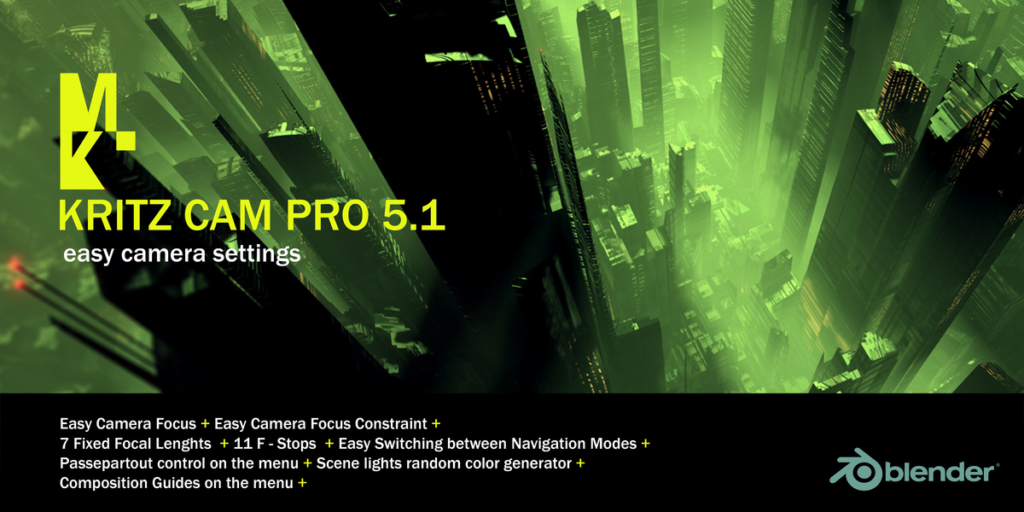
KRITZ CAM PRO 5.1 Update (2026)
Blender 5.1 Ready
KRITZ CAM PRO 1.3.1 Update
Added: Menu design renewed.
Added: Passepartout control on the menu.
Added: Scene lights random color generator.
Added: Composition Guides on the menu.
WHAT is it?
KRITZ CAM PRO is a new addon for Blender 3d that allows you to add cameras to a scene along with its focus control and constraints.
It also allows you to change focal lengths and F-STOPS in a simple way.
Who is KRITZ CAM PRO for?
KRITZ CAM PRO is for all users who do not want to waste time creating cameras and setting constraints, also to be able to make changes on the fly in regards to F-STOPS and focal lengths.
KRITZ CAM PRO
Easy Camera focus
Easy Camera focus Constraint
7 Fixed focal lenghts
11 F-Stops
Easy switching between navigation modes
Focal lengths pie menu
Composition Guides Menu
SHORTCUTS
Kritz Cam Pro menu: Shift + Home
Focal Lenghts pie menu: Control + Home
Supercharge your 3D creation workflow with premium selection of Blender Add-ons. Whether you are modeling intricate characters, sculpting realistic environments, or animating cinematic sequences, the right add-on can transform how you work inside Blender. Our curated collection includes powerful tools for UV unwrapping, procedural texture generation, rigging automation, rendering optimization, and more—each rigorously tested for compatibility with the latest Blender versions. Eliminate tedious manual processes and unlock advanced functionality that lets you focus on what matters most: bringing your creative vision to life. Explore our full range of professional Blender plugins today and take your 3D projects to the next level.
➡️ ➡️ For more Blender Plugins 😀 😀
Reviews
There are no reviews yet.