
LaPath for After Effects
LaPath V1.1.0 for After Effects
The Ultimate Procedural Path Animation and Shape Generation Tool for After Effects
Download LaPath V1.1.0 today. Consequently, you can generate, animate, and control complex procedural paths and shapes with unprecedented precision, opening up new creative possibilities for motion design and visual effects. Because modern motion graphics increasingly demand dynamic, organic line work and generative shapes, having access to a dedicated procedural path tool is absolutely essential. Nevertheless, creating sophisticated path animations in After Effects typically involves manual keyframing, complex expressions, or external scripting. Fortunately, LaPath eliminates this bottleneck completely. Moreover, it provides an intuitive system for generating and animating paths procedurally, allowing you to create flowing line work, intricate geometric patterns, and organic motion with just a few parameter adjustments. In short, you can achieve complex path-based animations with unprecedented speed and creative control.
Procedural Path Generation Engine
The core of this script lies in its ability to generate paths procedurally from mathematical parameters. For instance, you can create a wide variety of path shapes—from simple curves and spirals to complex, multi-segment networks—by adjusting a handful of intuitive controls. Furthermore, the generated paths are fully editable and animatable, allowing you to refine their shape and motion over time. Additionally, you can combine multiple path generators to create layered, interwoven line systems. Since the entire process is procedural, you can experiment freely and iterate rapidly without manual rebuilding. Consequently, your path-based designs become both complex and effortlessly manageable.
Advanced Animation and Motion Controls
Professional path work demands precise control over how lines move and evolve. Therefore, LaPath provides a comprehensive suite of animation parameters. For example, you can animate the drawing of paths using trim paths, control the speed and easing of line growth, and offset the timing of multiple paths for cascading effects. Furthermore, you can add noise and turbulence to create organic, hand-drawn motion, or keep your paths perfectly smooth for clean, technical designs. Additionally, the plugin supports full keyframing, so you can choreograph intricate path performances. Thus, you can achieve everything from elegant flowing transitions to chaotic generative art.
Customizable Appearance and Styling Options
Beyond motion, the visual appearance of your paths is equally important. Accordingly, LaPath offers extensive styling controls. For instance, you can adjust stroke width, color, opacity, and blending modes to match your project’s aesthetic. Furthermore, you can apply gradients, dashes, and caps to create distinctive line styles. Additionally, the plugin supports multiple paths on a single layer, each with independent styling, giving you complete flexibility over your compositions. Consequently, you can create rich, detailed line work that enhances any motion design project.
Perfect for Motion Designers, VFX Artists, and Content Creators
This script is particularly well-suited for motion designers creating dynamic line animations, HUD elements, and abstract backgrounds. Similarly, VFX artists and compositors will appreciate the ability to generate organic path-based effects and transitions. Additionally, content creators and social media producers can use LaPath to add sophisticated, eye-catching line work to their videos with minimal effort. Ultimately, LaPath V1.1.0 accelerates your entire motion design and post-production pipeline.
System Requirements and Compatibility
LaPath V1.1.0 supports After Effects versions 2022, 2023, 2024, 2025, and 2026 on both Windows and macOS operating systems. The script is available as a standard JSX file or CEP extension for easy installation. You will need a standard workstation with at least 8GB of RAM.
Installation and Usage Guide
To install, first download the script files from your library. Next, close Adobe After Effects if it is running. Then, copy the script files to your After Effects Scripts folder or install the CEP extension following the standard aescripts + aeplugins process. After installation, ensure “Allow Scripts to Write Files and Access Network” is enabled in After Effects Preferences under Edit > Preferences > Scripting & Expressions. Finally, launch After Effects, navigate to Window > LaPath, and begin generating and animating your procedural paths. Thus, your professional path animation workflow will be ready instantly.
What is Included Inside?
The pack contains the complete LaPath V1.1.0 script for After Effects. Furthermore, it includes the procedural path generation engine, advanced animation controls, customizable appearance and styling options, and full integration with After Effects’ native animation system. Ultimately, you receive everything needed for professional procedural path animation.
Final Thoughts on the Script
Effortless procedural path animation evokes profound creative freedom. Therefore, this script provides the ultimate foundation for your motion design and VFX workflows. You can generate and animate complex paths with unprecedented speed and simplicity. Consequently, your path animation vision becomes a stunning reality.
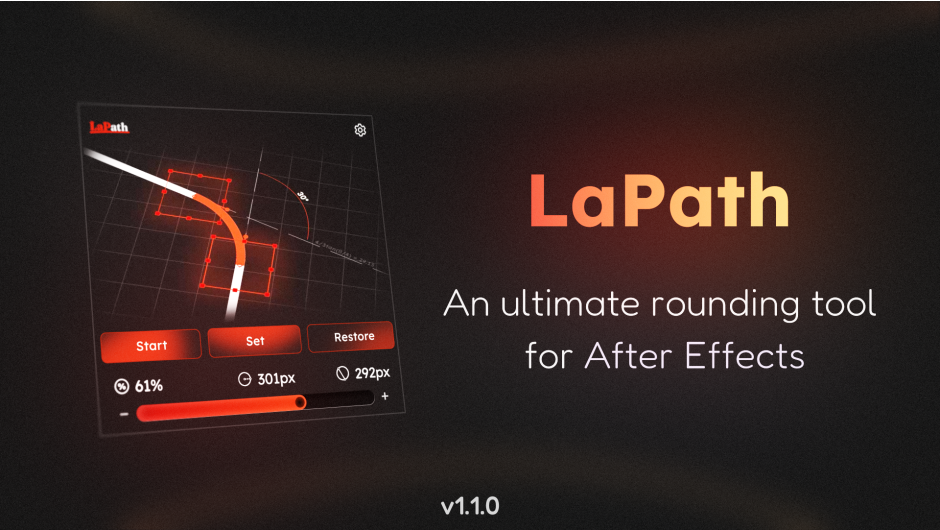
The ultimate corner rounding tool for After Effects.
Effortlessly apply and control rounding on any shape or mask path with surgical precision.
After Effects has a major limitation: you cannot round individual corners of a shape layer. Even worse, if you draw a mask path with rounded corners, the rounding is baked and locked forever the moment you release your mouse. LaPath completely solves this. It gives you a simple slider to round any specific point on your shape path or mask at any time.
LaPath analyzes your path geometry to keep it clean. If your selected points already form a curve, the script detects it. Instead of blindly splitting vertices, it automatically calculates whether to split a sharp corner or simply adjust the radius of an already existing arc. This intelligent processing extends seamlessly across your timeline, correctly handling point splitting across multiple animation keyframes at once to ensure your topology remains perfectly intact throughout the animation.
With LaPath, getting rounded corners takes only 4 simple steps:
Key features:
- Intelligent arc-recognition algorithm identifies existing curves, enabling seamless radius adjustments for corners that have already been rounded before.
- The real-time slider engine delivers instantaneous interactive feedback, allowing you to refine path geometry with zero lag during adjustments.
- One-click restoration utilizes stealth metadata to revert paths while perfectly preserving all original animation keyframes and complex speed graphs.
- Simultaneously generate organized controller rigs for multiple path properties, managing complex setups efficiently within a single shape or mask layer.
It gives you the precise yet simple control over your corners that should have been there from the start – turning a tedious, destructive chore into a one-click adjustment.
Reviews
There are no reviews yet.