
LightSweepPro for After Effects
LightSweepPro V1.3.2 for After Effects
The Ultimate Animated Light Sweep and Shine Effect Plugin for After Effects
Download LightSweepPro V1.3.2 today. Consequently, you can instantly add eye-catching, animated light sweeps and shine effects to your text, logos, and graphics with just a few clicks. Because motion designers and content creators constantly need to draw attention to key visual elements, having access to a professional light sweep tool is absolutely essential. Nevertheless, creating convincing animated shines manually requires complex masking, precise keyframing, and blending techniques that consume valuable production time. Fortunately, LightSweepPro eliminates this bottleneck completely. Moreover, it provides a comprehensive suite of customizable sweep effects that can be applied instantly to any layer, transforming static designs into dynamic, premium visuals. In short, you can achieve polished, broadcast-quality light sweeps with unprecedented speed and creative control.
Instant Light Sweep Generation
The core of this plugin lies in its ability to generate beautiful, animated light sweeps effortlessly. For instance, you can apply a sweep to any text, logo, or shape layer with a single click, and the effect is immediately ready for animation. Furthermore, the plugin includes multiple sweep styles—from subtle, elegant glints to bold, dramatic passes—allowing you to match any aesthetic. Additionally, the sweep automatically conforms to the shape and contours of your layer, ensuring that the light interacts correctly with text characters and logo details. Since the entire process is streamlined, you can achieve professional results without technical overhead. Consequently, you can enhance your projects with premium light effects in moments.
Comprehensive Customization and Controls
Professional results demand precise control over every aspect of the effect. Therefore, LightSweepPro provides a comprehensive suite of parameters. For example, you can adjust the sweep width, intensity, and angle to control the character of the light. Furthermore, you can fine-tune the speed and easing of the animation, ensuring the sweep moves with exactly the right timing for your project. Additionally, you can customize the sweep color, opacity, and blend mode, allowing you to integrate the effect seamlessly with your existing design. Since all parameters are fully keyframable, you can create complex, evolving light animations. Thus, you maintain complete creative authority over the final look.
Versatile Application Across Text, Logos, and Graphics
LightSweepPro is designed to enhance a wide range of visual elements. For instance, motion designers can use it to create dynamic title sequences, lower-thirds, and broadcast graphics that command attention. Furthermore, content creators and social media producers can use the plugin to add a premium, polished feel to their videos with minimal effort. Additionally, logo designers and brand managers can leverage the tool to create animated logo reveals and brand identifications that feel modern and high-end. Consequently, the plugin opens up a world of creative possibilities for any project requiring a touch of shine.
Perfect for Motion Designers, Title Artists, and Content Creators
This plugin is particularly well-suited for motion designers creating promotional videos, commercial advertisements, and cinematic intros. Similarly, title artists and broadcast professionals will appreciate the speed and quality of the light sweep effects. Additionally, content creators and social media producers can use LightSweepPro to elevate their content with professional-looking animations. Ultimately, LightSweepPro V1.3.2 accelerates your entire motion design and post-production pipeline.
System Requirements and Compatibility
LightSweepPro V1.3.2 supports After Effects versions 2022, 2023, 2024, 2025, and 2026 on both Windows and macOS operating systems. The plugin is fully GPU-accelerated, ensuring real-time performance and smooth playback. You will need a standard workstation with at least 8GB of RAM.
Installation and Usage Guide
To install, first download the plugin installer from your library. Next, close Adobe After Effects if it is running. Then, install the plugin following the standard aescripts + aeplugins installation process using the Manager App. After installation, launch After Effects and locate LightSweepPro in the Effects & Presets panel. Finally, apply the effect to your text, logo, or shape layer, choose your desired sweep style, adjust the width, speed, and color to match your project, and keyframe the animation to create your dynamic light sweep. Thus, your professional light sweep workflow will be ready instantly.
What is Included Inside?
The pack contains the complete LightSweepPro V1.3.2 plugin for After Effects. Furthermore, it includes multiple sweep styles, comprehensive customization controls, and full GPU-accelerated real-time performance. Ultimately, you receive everything needed for professional animated light sweep and shine effects.
Final Thoughts on the Plugin
Effortless light sweep creation evokes profound creative freedom. Therefore, this plugin provides the ultimate foundation for your motion design and title workflows. You can add premium, dynamic shines to any element with unprecedented speed and simplicity. Consequently, your creative vision becomes a stunning reality.
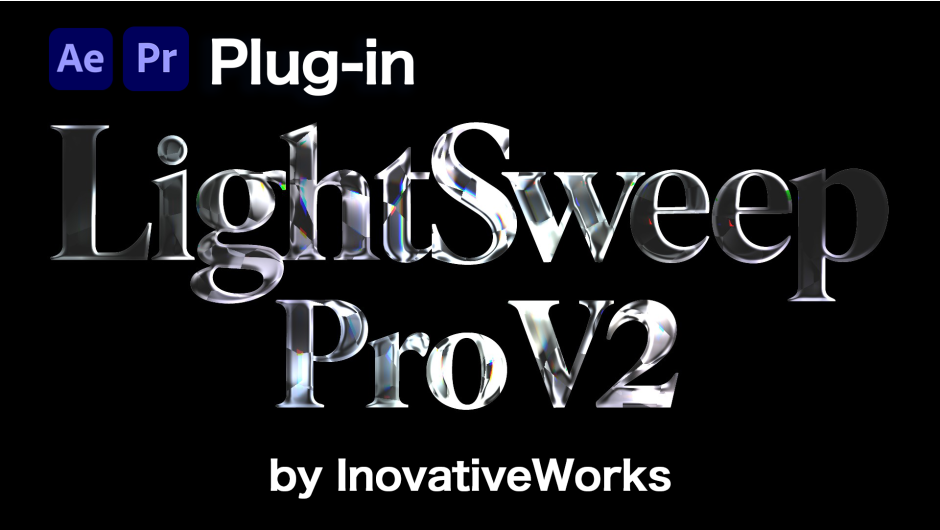
Physics-based bevel and light sweep plugin for After Effects. 7 presets, chromatic aberration, surface texture, auto-animate. One layer, no precompose.
LightSweep Pro
Cinematic light. One click.
Light that travels through depth. Materials that read as solid gem. Now in Premiere Pro.
New in v2
Six things it could not do before.
Depth (Z) Sweep
Give it a depth pass and the beam becomes a plane moving from near to far through your scene.
Shape Scan
The same travelling beam on a flat logo, with no depth map — it reads the outline instead.
Glass & Crystal
The shape fills in — cut gem, frosted glass, jade, ice — instead of reading as a chrome shell.
Environment Reflection
Chrome, Gold, Iridescent and Studio are built in, so a reflective look is one dropdown away.
Gradient
A five-stop color ramp that flows along the beam on its own, with no keyframes.
Premiere Pro
Same effect, same presets, same license — now running on a Premiere clip.
Depth (Z) Sweep
Light that moves through the shot.
Keyframe Depth Position and the beam passes the foreground, then the mid-ground, then the background. Auto Range reads your pass on arrival, so an untouched EXR usually needs nothing set by hand.Auto RangeNear / Far PointsLuma / R / G / B / AlphaInvertEdge GuardDiagnostic Preview
Shape Scan
For everything flat.
Shape Scan exists because Depth (Z) did nothing on a logo, and it was right to: a flat graphic has no depth to read. So the beam runs on the outline instead, and letters fill from their edges inward.No Map RequiredBuilt for TypeWorks on Logos
Material & Reflection
A shell, or something filled.
Internal Glow traps light inside the body and Translucency lets it through, so the shape stops reading as a chrome skin. Crystal cuts gemstone facets, and four environments are built in — ten presets need no footage.Internal GlowTranslucencyCrystal FacetsGlass RefractionChrome / Gold / Iridescent / StudioEnvironment Tint
Gradient
Color that travels.
Up to five stops on the highlight, the surface, or both, with Flow Speed moving them for you. Even bands look synthetic, so Distortion bends the ramp with animated noise.5 StopsSweep / H / V / RadialFlow SpeedNoise Distortion
Compositing
Still one layer. No precompose.
Reveal Original leaves the layer untouched outside the beam, so “effect only where the light hits” needs no track matte. Output Matte drops dark areas to transparent, and Blend Mode settles the result into colored logos.Reveal OriginalOutput Matte8 Blend ModesNo Track Matte
Premiere Pro
Without the round trip.
One copy in Adobe’s shared plug-in folder serves both hosts, and one activation covers both. Layer inputs point at other video tracks, so Depth (Z) and the custom maps work on a Premiere timeline too.PPro 2025 / 2026One LicenseTrack References
Still here
Everything v1 did, plus six bevel profiles and a Surface Source that can run off a single color channel.SDF Bevel Engine6 Bevel Profiles7 Sweep ModesEdge GlowChromatic AberrationSurface NoiseSparkleRelative ScalingSpin + Jitter
Technical
Built for professionals.
🎯
AE 2024+
Officially supported
🎬
Premiere Pro
2025 / 2026
🎨
Deep Color
8 / 16 / 32 bpc
⚡
Multi-Frame
MFR rendering
💻
Win + Mac
Universal Binary
🎛️
18 Presets
Built into the effect
- 12:12 Lighting Modes の章で紹介しています)。
- 0:00 イントロ
- 0:28 Scale Mode(Relative)
- 1:01 Sweep Mode
- 1:56 新機能:Depth (Z) と Shape Scan
- 4:30 プリセット
- 8:09 Edge Glow+
- 9:52 Sparkle
- 12:12 Lighting Modes
- 16:20 Crystal モード
- 18:05 Iridescence
- 18:41 Reflection(MatCap)
- 22:02 Glass Distortion
- 25:04 Surface Darken
- 26:24 Output Matte / Reveal Original / Blend Mode
- 30:27 Material(Solid Glass)
- 32:59 Depth Sweep
- 36:04 Shape Scan
- 37:24 Gradient
- 40:54 Premiere Pro での使い方
- 43:18 まとめ
Elevate your motion graphics workflow with premium collection of After Effects plugins. Whether you are a seasoned professional or just starting your VFX journey, powerful tools designed to streamline complex tasks, unlock creative possibilities, and save you hours of rendering time. From stunning glitch effects and seamless transitions to advanced 3D extrusion and text animation tools, each plugin in our library is rigorously tested for compatibility with the latest versions of Adobe after Effects. Enhance your video production value today and download industry-leading plugins that help you create breathtaking visuals without the technical headaches. Browse our full range and find the perfect extension to supercharge your editing suite now.
➡️ ➡️ For more after effects Plugins 😀 😀
➡️ ➡️ System requirements AE
Reviews
There are no reviews yet.