
Limber
Limber 1.7.1 script, animating or animating characters for After Effects
Aftereffect Limber script is an IK-based character animation tool for using shape layers as organs for motion characters in Aftereffect. This script has professional controls for editing shapes and colors. You can change the shape of the body as you wish. You can edit various settings to change the shape and appearance of the shape layers. You can create borders or gradients for the shape layers of the limb and have separate layers for each limb of the character.
Limber
What is Limber?
Limber is an add-on for After Effects that makes animating 2D characters quicker and easier. Our limbs are shape layers that can be generated in just a couple of clicks. You can dedicate time to customizing and rigging them, or be animating in a few seconds.
- Limbs are infinitely scalable
- They can be duplicated in seconds
- They can be stretchy (or not)
- They rotate seamlessly around the joint
- They can be foreshortened
- They can easily be copied and pasted to another limb
- They can rotate hand and feet layers along with the limb (or not)
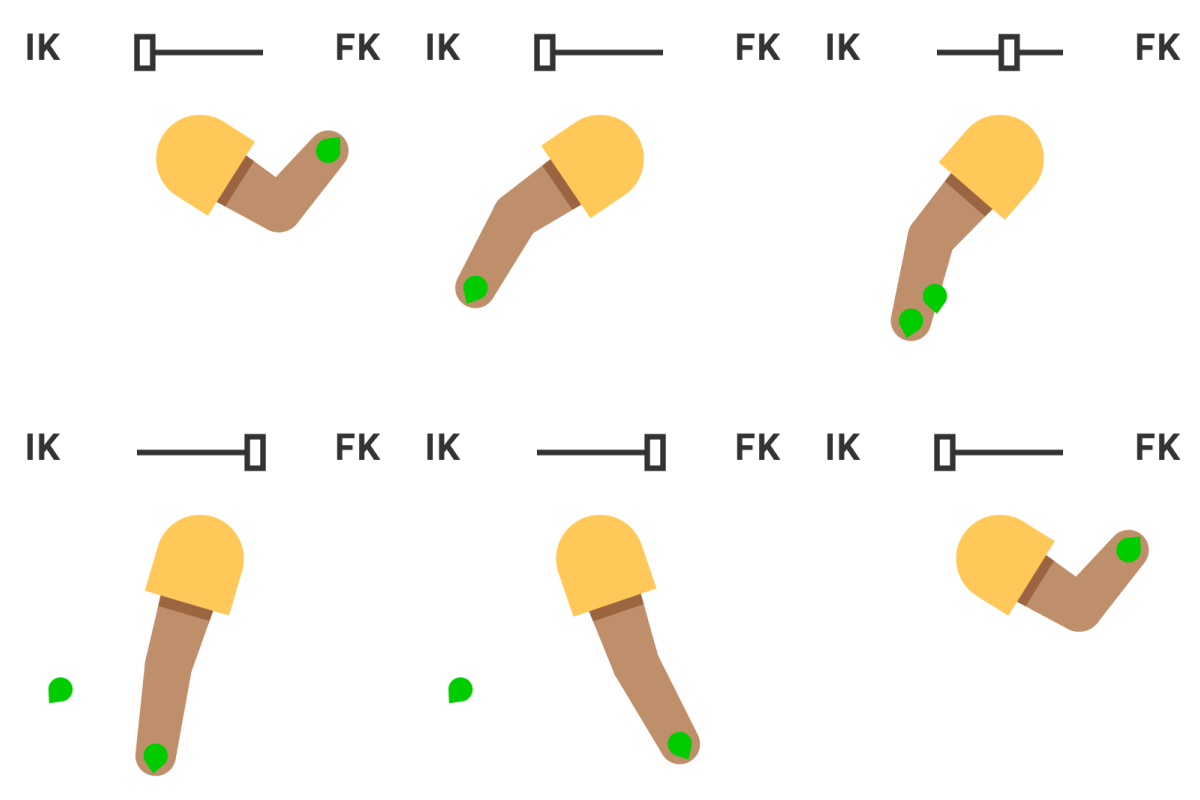
Once you’re animating, the dynamic controls for posing and movement are in a class of their own. FK to IK, hand and foot rotation, which direction the limb bends… can all be smoothly animated from one state to another. Limber also has an anti-pop property to dynamically smooth out pops and blips and make animating walk cycles quicker and easier.
From day one, Limber has been made by animators, for animators. We believe that animation should be fun, and that the tools should make it easier, not more complicated. Limber focuses on doing one thing really well – limbs for character animation.
How does it work?
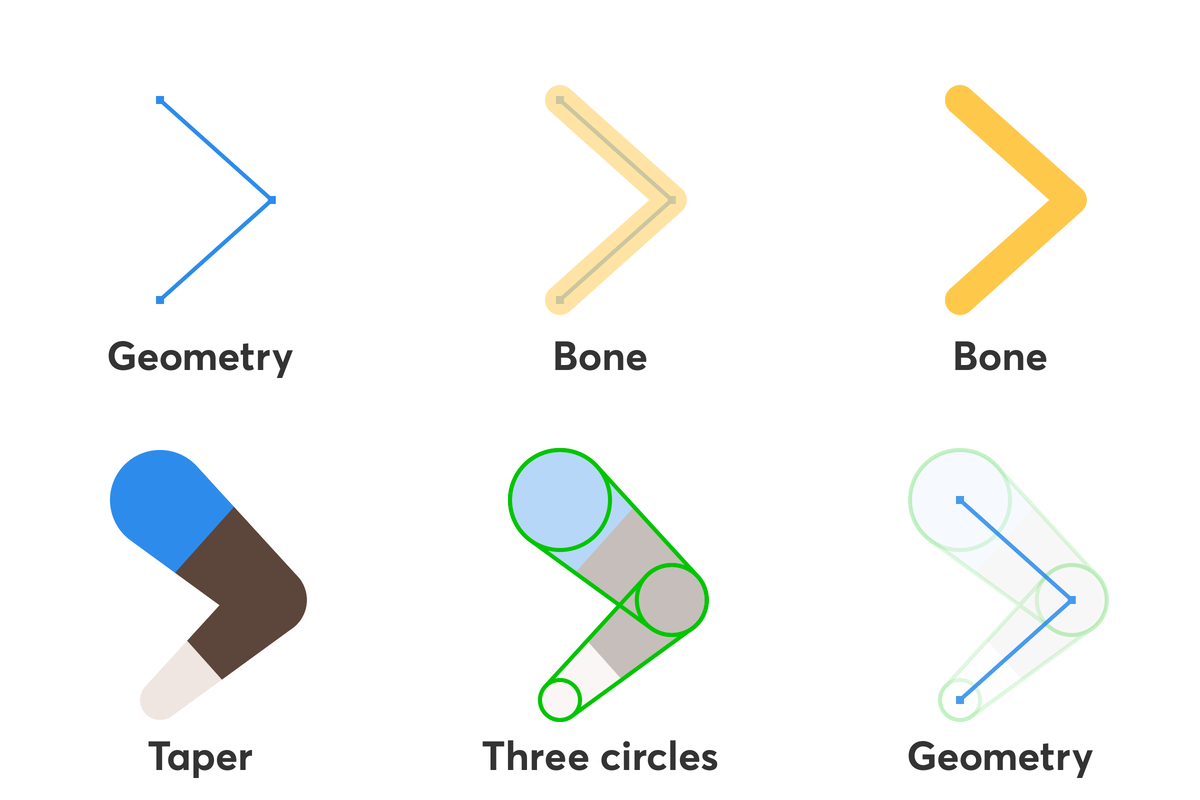
Limber can generate two types of limb by default – tapers and bones. Tapers are… tapered, and based around three circles. They can have up to three colors which are split along the limb with straight lines, and can be rounded to give the impression of volume. Bones are fast, path-based limbs which can curve around the joint. You style bones manually using traditional shape layer properties.
Choose which type you want, how you want it to be named, and click New. Bones can also be made by just drawing a path with three points and clicking the Path to Bone button. Each new limb is made of three layers: the rendering limb layer, and two controller layers. Parent the hip controller to your character’s body layer, then parent a foot layer to the foot controller, and animate it’s position. It’s as simple as that.
On this controller layer is an effect for controlling the limb’s appearance. Once you have it looking how you want, hit the Duplicate button to instantly generate another, identical limb with it’s own controllers. The Copy and Paste buttons will copy one limb’s attributes over to another limb, including anything that’s been changed in the limb layer. This is how you can access all the alternative limbs that we’ve designed for you in the Limb Library – a constantly updated range of advanced limbs with extra features and style capabilities.

How do I use my own designs with Limber?
 To rig your own artwork to a limb, it needs to be in a single shape layer for each section of the limb (upper and lower), placed and aligned as you want them to end up looking. We recommend designing in Adobe Illustrator, importing with layers, and then using the Layer>Create>Create Shapes from Vector Layer command. Select your limb and art layers and click Rig & Pose. Check how your layers are assigned in the options panel, and click OK. Limber will copy the contents of your shape layers over to the limb, inside special groups that will move and stretch with it.
The pose function takes three circle layers, eg from Adobe Illustrator, and sets the pose and appearance of a limb based on them. You can use use the pose function at the same time as rigging art layers, making for an extremely streamlined character design workflow.
3D Plugins are a way to extend the functionality of your video editing software. They can be used for anything from color correction to 3D animation and compositing…
3D Plugins are a set of utilities for after effects, premiere, cinema 4D.., created specifically for the professional needs of video Editors artists.
➡️ ➡️ For more 3D Pluggins 😀 😀
System Requirement For adobe after effects


Reviews
There are no reviews yet.