
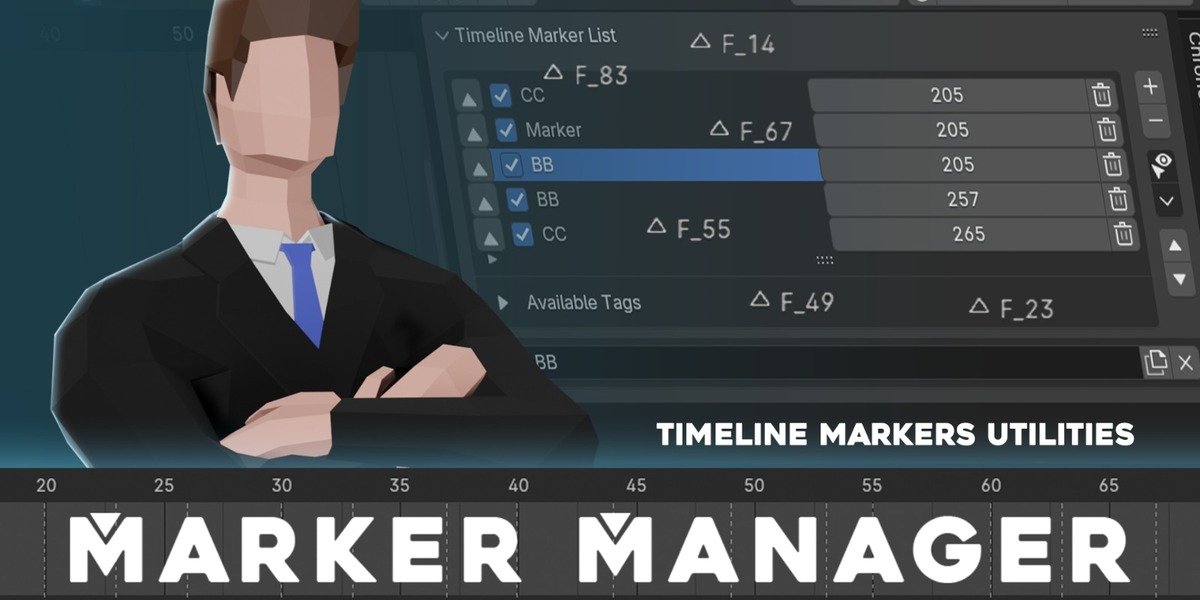
Marker Manager for Blender
Marker Manager v1.0.0 for Blender – The Ultimate Timeline Organization & Annotation Suite
Versions: v1.0.0
File Size: 45 KB
Download Marker Manager v1.0.0 for Blender on Windows and Mac, a specialized utility designed to revolutionize how artists organize, navigate, and annotate their animation timelines and video sequences. By transforming Blender’s native marker system into a powerful project management tool, Marker Manager eliminates the chaos of scattered keyframes and unlabelled beats, allowing animators, editors, and directors to structure complex scenes, create shot lists, and communicate feedback directly within the Timeline and Dope Sheet.
Key Features of Marker Manager v1.0.0:
- Advanced Marker Creation: Instantly add markers with custom names, colors, and categories (e.g., “Key Pose,” “Camera Cut,” “Audio Sync,” “Note”) via a streamlined popup or hotkey, far surpassing the basic
Mkey functionality. - Visual Timeline Grouping: Automatically color-codes and groups markers on the timeline based on their category, creating a clear visual roadmap of your animation structure, shot changes, and important events.
- Smart Navigation & Scrubbing: Jump instantly between specific marker types (e.g., “Skip to next Key Pose” or “Go to previous Camera Cut”) using customizable hotkeys or a dedicated navigation panel, speeding up review and editing.
- Detailed Note System: Attach rich text notes, checklists, or reference image links to any marker. These notes are accessible in a sidebar panel, perfect for storing director feedback, technical reminders, or asset links without cluttering the 3D viewport.
- Batch Operations: Select multiple markers to rename, recolor, delete, or shift them in bulk. Essential for re-timing entire sequences or updating shot naming conventions across a whole project.
- Shot List Generator: Automatically converts timeline markers into a structured shot list or storyboard view, exportable as PDF, CSV, or HTML for client presentations and production tracking.
- Audio Sync Tools: Visual waveform integration (when audio is present) helps place markers precisely on beats, phonemes, or sound effects, streamlining the lip-sync and rhythm editing process.
- Timeline Bookmarks: Create named “Bookmarks” that save your current viewport camera angle, frame range, and collection visibility alongside a timeline marker, allowing one-click restoration of complex scene states.
- Import/Export Markers: Share marker data between different
.blendfiles or team members by exporting marker sets to JSON/XML and importing them into other projects, ensuring consistency across a pipeline. - Non-Destructive Workflow: All markers and notes are stored within the Blender file metadata; they do not affect rendering or animation data unless explicitly used to drive properties.
Perfect For:
- Animators structuring key poses, breakdowns, and timing beats for complex character performances.
- Video Editors using Blender’s Video Sequence Editor (VSE) to mark cuts, transitions, and audio cues.
- Directors & Supervisors leaving timestamped feedback and notes directly on the timeline for artists to address.
- Storyboard Artists converting timeline markers into a digital shot list for pre-visualization.
- Technical Directors documenting specific frames where scripts or simulations need adjustment.
- Teams collaborating on large projects who need a centralized way to track progress and comments.
System Requirements:
- Blender: 3.6, 4.0, 4.1, 4.2, 4.3, 4.4+ (Latest LTS recommended).
- OS: Windows 10/11 (64-bit) or macOS 10.15+.
- RAM: 4GB minimum (8GB+ recommended for large projects with hundreds of markers).
- No external dependencies required.
Installation:
- Download the Marker Manager v1.0.0
.zipfile. - Open Blender and go to Edit > Preferences > Add-ons.
- Click Install…, select the downloaded file, and enable the checkbox next to Interface: Marker Manager.
- Access via the Timeline Header (new icon added), the Dope Sheet Sidebar (N-panel) under the Markers tab, or via custom hotkeys (configurable in preferences).
Note:
Marker Manager v1.0.0 fills a critical gap in Blender’s native workflow. While Blender has basic markers, it lacks the organizational depth needed for professional production pipelines. This addon introduces categorization, rich notes, and batch tools that make the timeline a true production hub. It features a “Review Mode” that cycles through markers with attached notes, acting as a built-in playblast reviewer for solo artists or small teams. Whether you are cutting a film in the VSE or animating a 5-minute short in the Graph Editor, Marker Manager keeps your project structured, documented, and easy to navigate.
Marker Manager
Marker Manager is a Blender addon that provides and extend timeline markers capabilities with extra features
The Timeline Marker in Blender is very basic, it has so much more potential and it’s this addon’s wish to expand its possibilities to make it more useful.
The markers in the timeline can be used to mark a frame or multiple frames that you can jump to later.
With the help of this addon, it extend the markers so that it has more functions that are useful and serves you better.
Highlighted Features
Marker Manager present your scene’s timeline markers in a “List Form”, allowing you to have a better overview of the markers.
It also comes with other useful utilities, such as Import Timeline Markers so that you can bring your markers to a different blend file, as well as an organization feature such as marker tagging and many more.
Timeline Markers Panel
The list present markers in a list form, making it easier to have an overview of the markers and much easier to manage.
The list also comes with Search & Filtering and tag system, allowing you to find your markers much easier.
With markers presented as a List, and the tagging filtering system, it allows you to quickly find the marker you want and jump to the frame much faster
Check out: List Panel
Import and Export Timeline Markers
You can import or export your markers into a file and import it into a different Blend file.
While the extension name is .marker, it is just a json file, that means, it can easily be ported to other software as it is a very commonly used file format.
Check out: Import Timeline Markers
Render At Marker
With a click of a button, you can render the frame at a specific marker, quickly previewing what the frame will look likes
Check out: Render at Marker
Bind Camera to Marker By Name
If you create a marker that has the name that matches the camera’s name, you can quickly setup your camera in a scene.
Check out: Bind Camera to Marker By Name
Supercharge your 3D creation workflow with premium selection of Blender Add-ons. Whether you are modeling intricate characters, sculpting realistic environments, or animating cinematic sequences, the right add-on can transform how you work inside Blender. Our curated collection includes powerful tools for UV unwrapping, procedural texture generation, rigging automation, rendering optimization, and more—each rigorously tested for compatibility with the latest Blender versions. Eliminate tedious manual processes and unlock advanced functionality that lets you focus on what matters most: bringing your creative vision to life. Explore our full range of professional Blender plugins today and take your 3D projects to the next level.
➡️ ➡️ For more Blender Plugins 😀 😀
Reviews
There are no reviews yet.