
MaskPin for After Effects
MaskPin V1.0.1 for After Effects
The Ultimate Mask-Based Pinning and Attachment Tool for After Effects
Download MaskPin V1.0.1 today. Consequently, you can instantly attach layers, effects, and properties to specific points along any mask path, creating dynamic relationships that update automatically as your masks evolve. Because motion designers and compositors frequently need elements to follow precise contours—whether for tracking graphics to footage, attaching labels to moving objects, or driving effects along complex shapes—having access to a dedicated mask pinning tool is absolutely essential. Nevertheless, achieving this behavior manually requires complex expressions, tedious keyframe matching, and constant readjustment whenever the mask shape changes. Fortunately, MaskPin eliminates this bottleneck completely. Moreover, it establishes a live, procedural link between your mask paths and your target elements, ensuring that any change to the mask instantly propagates through your entire composition. In short, you can attach anything to any point on any mask with unprecedented ease.
Precise Point-Based Mask Attachment
The core of this script lies in its ability to pin elements to exact locations along a mask path. For instance, you can attach a layer’s position to a specific point on a mask, and the layer will follow that point precisely as the mask animates or is reshaped. Furthermore, you can pin multiple elements to different points on the same mask, creating coordinated motion across an entire group of objects. Additionally, MaskPin supports both percentage-based positioning and vertex-specific attachment, giving you complete flexibility in how you define your relationships. Since the connection is fully procedural, you can adjust the mask at any time and watch your pinned elements update instantly. Consequently, your compositions become truly dynamic and responsive to your creative changes.
Live Updates and Non-Destructive Workflow
Professional workflows demand flexibility, and MaskPin delivers with a completely non-destructive approach. For example, you can modify the mask shape, add or remove vertices, or animate the path itself, and every pinned element will update automatically without any manual intervention. Furthermore, you can temporarily disable or re-enable pins without losing your configuration, making it easy to experiment with different setups. Additionally, the script preserves all original layer properties, so you can always return to a manual state if needed. Since nothing is baked or permanently altered, you can iterate freely and explore creative directions without fear. Thus, your mask-driven relationships remain fluid and adaptable throughout the production process.
Comprehensive Offset and Orientation Controls
Natural, polished motion often requires more than simple attachment. Therefore, MaskPin includes a rich set of controls for refining how pinned elements behave. For instance, you can apply positional offsets to place elements slightly away from the mask point while still following its motion. Furthermore, you can control the orientation of pinned elements, allowing them to rotate automatically to align with the mask path’s direction. Additionally, the script supports scale and rotation offsets, enabling complex, layered behaviors within a single pin. Consequently, you can achieve sophisticated, organic motion that feels natural and intentional.
Perfect for Motion Designers, Compositors, and VFX Artists
This script is particularly well-suited for motion designers creating graphics that follow footage, animated labels, and shape-driven motion graphics. Similarly, compositors and VFX artists will appreciate the ability to attach elements precisely to moving objects and tracked features using masks. Additionally, content creators and social media producers can use MaskPin to add sophisticated, responsive motion to their projects with minimal effort. Ultimately, MaskPin V1.0.1 accelerates your entire motion design and post-production pipeline.
System Requirements and Compatibility
MaskPin V1.0.1 supports After Effects versions 2022, 2023, 2024, 2025, and 2026 on both Windows and macOS operating systems. The script is available as a standard JSX file or CEP extension for easy installation. You will need a standard workstation with at least 8GB of RAM.
Installation and Usage Guide
To install, first download the script files from your library. Next, close Adobe After Effects if it is running. Then, copy the script files to your After Effects Scripts folder or install the CEP extension following the standard aescripts + aeplugins process. After installation, ensure “Allow Scripts to Write Files and Access Network” is enabled in After Effects Preferences under Edit > Preferences > Scripting & Expressions. Finally, launch After Effects, navigate to Window > MaskPin, select your target layer and driving mask, choose the attachment point, and configure your offset and orientation settings. Thus, your professional mask pinning workflow will be ready instantly.
What is Included Inside?
The pack contains the complete MaskPin V1.0.1 script for After Effects. Furthermore, it includes precise point-based mask attachment, live updates and non-destructive workflow, and comprehensive offset and orientation controls. Ultimately, you receive everything needed for professional mask-based pinning and attachment.
Final Thoughts on the Script
Effortless mask pinning evokes profound creative freedom. Therefore, this script provides the ultimate foundation for your motion design and compositing workflows. You can attach any element to any mask point with unprecedented speed and precision. Consequently, your creative vision becomes a stunning reality.
MaskPin is a lightweight native After Effects effect for mask-based perspective pinning.
Instead of starting from the full comp or layer bounds, MaskPin fits four perspective pins directly to your mask area in one click.
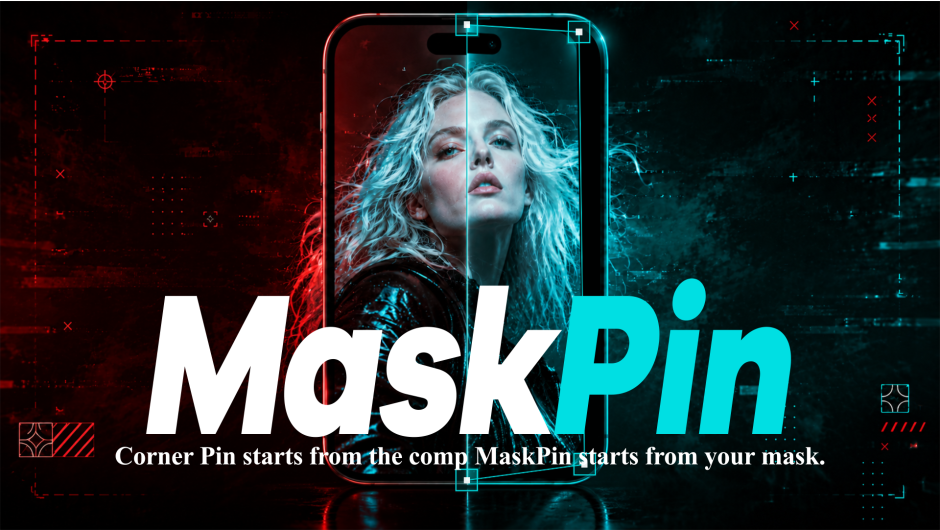
Corner Pin starts from the comp. MaskPin starts from your mask.
MASKPIN
Mask-Based Perspective Pinning for After Effects
Draw a mask. Select it. Start pinning.
Corner Pin starts from the comp. MaskPin starts from your mask.
New in v1.2.0
Mask Selection &
Renderable Guides
Select the mask you want to use, and MaskPin automatically fits the pins to that selected mask. You can also render the mask outline, vertices, corner pins, and connecting frame directly into the final output.
Major Update
MaskPin v1.2.0 — Update Overview
What’s New
MaskPin v1.2.0
The new update adds mask selection for multi-mask layers and a complete renderable-guide system for creating technical overlays, breakdown graphics, HUD visuals, and tutorial-style outputs.
Select a Mask. Pins Fit Automatically.
On layers containing multiple masks, select the mask you want MaskPin to use. As soon as you choose it, MaskPin automatically fits the corner pins to that mask — no extra Fit Pins To Mask click is required.
Render Guides in the Final Output
Render the selected mask outline, original mask vertices, corner pins, and connecting frame directly into your final image or animation.
Customize Guide Color, Width, and Opacity
Match the rendered guides to your design with independent Guide Color, Guide Width, and Guide Opacity controls.
Independent Pin Size and Five Render Shapes
Adjust the interactive Pin Size separately from Render Pin Size, then choose Square, Circle, Triangle, Plus, or X for the rendered pins.
| Mask SelectionChoose one mask from layers containing multiple masks. | Automatic Selected-Mask FittingSelecting a mask automatically fits the corner pins to it. |
| Renderable GuidesRender mask outlines, vertices, corner pins, and the connecting frame. | Guide AppearanceControl guide color, width, and opacity independently. |
| Interactive Pin SizeAdjust the size of the handles used while editing. | Render Pin Size & ShapesUse an independent render size with Square, Circle, Triangle, Plus, or X. |
Stop dragging corner pins from the comp edges.
Traditional corner pin workflows usually start from the full layer or composition bounds — even when your real target is a smaller masked area.
That means manually dragging each corner into place, matching the mask by eye, and repeating the setup when the mask changes.
MaskPin removes that setup step by fitting the pins directly to the mask area.
Three focused tools. One clean workflow.
| Fit pins directly to your mask. | Use the actual 4-point mask vertices. | Drag pins directly in the Composition viewer. |
Fit Pins To Mask
Apply MaskPin, click Fit Pins To Mask, and the four perspective pins are placed directly around your mask area.
Use 4-Point Mask
Perfect for angled screens, phones, laptops, posters, signs, billboards, and perspective surfaces.
Composition Viewer Handles
Fine-tune the result visually by dragging the custom handles directly in the After Effects Composition viewer.
Native effect. No panel. No precomp workaround.
MaskPin is a lightweight native After Effects plugin. No CEP panel, no external script, and no required precomp workflow. Everything runs directly inside the effect.
| Native PluginBuilt for After Effects. | No CEP PanelSimple and direct. | No Precomp RequiredWork directly on your layer. |
Best for
- Screen replacement
- Phone and tablet UI mockups
- Laptop screen placement
- Poster and sign replacement
- Billboard mockups
- Angled surface pinning
- Perspective layout and alignment
- Fast masked-region setup inside larger compositions
- Motion design mockups
- UI walkthrough compositing
Built for setup — not tracking.
MaskPin is not a full tracking or match-moving system and does not replace Mocha or planar tracking tools.
It is built for one specific workflow: fitting perspective pins to a mask area so you do not have to start from the comp or layer edges.
Compatibility
- Adobe After Effects 2022 or later recommended
- Windows: MaskPin.aex
- macOS: MaskPin.plugin — Intel x86_64 + Apple Silicon arm64
- SmartFX render path
- Multi-Frame Rendering ready
- 8 bpc, 16 bpc, 32 bpc support
Elevate your motion graphics workflow with premium collection of After Effects plugins. Whether you are a seasoned professional or just starting your VFX journey, powerful tools designed to streamline complex tasks, unlock creative possibilities, and save you hours of rendering time. From stunning glitch effects and seamless transitions to advanced 3D extrusion and text animation tools, each plugin in our library is rigorously tested for compatibility with the latest versions of Adobe after Effects. Enhance your video production value today and download industry-leading plugins that help you create breathtaking visuals without the technical headaches. Browse our full range and find the perfect extension to supercharge your editing suite now.
➡️ ➡️ For more after effects Plugins 😀 😀
➡️ ➡️ System requirements AE
Reviews
There are no reviews yet.