
Masks To Cropped Layers V1.0 Script For After Effect
Masks To Cropped Layers V1.0 script for After Effects
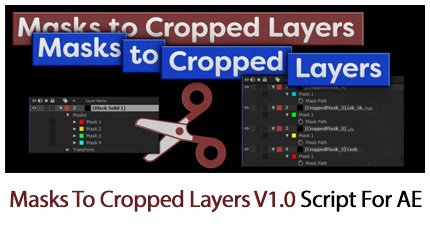
Masks to Cropped Layers II is a utility for layers that have multiple masks.
Each mask on the layer is used to create a new layer with only 1 mask on it. The new layers can be either solids or pre-comps.
When creating the new solid / pre-comp, the size of the mask is calculated and the new layer is cropped to that size.
Masks to cropped layers has two main purposes: as a tool for animating vector artwork, especially artwork pasted from Illustrator, but also as a tool to improve performance for VFX work. In both cases, the goal is to improve performance in After Effects by creating layers / precomps that are only as big as they need to be. By cropping layers down in size to remove unused areas, After Effects isn’t wasting time processing pixels that aren’t used.
If you are animating vector artwork, then the script separates multiple masks on a single layers to individual solids. Each new layer can then have the stroke / fill effect applied, and animated like any other conventional After Effects layer.
If you are doing VFX work such as rotoscoping, clean-ups, tracking, or anything that’s confined to a small area of the plate, then you can mask the area you’re working on and the script will make new pre-comps, cropped to the mask size. Using these pre-comps as the source for your effects work will be faster, and give you longer RAM previews.
- Masks to Cropped Layers II now allows you to calculate mask sizes using either basic rectangles (fast) or bezier paths (slower but pixel-accurate).
- You can calculate the mask size from a single frame, the composition work area, or the layer’s duration.
- If no masks are selected, then all masks on the layer are used. If you manually select some masks, then only they are used to create new layers.
- The script panel includes two buttons to quickly select all open, or all closed masks.
- New layers can have their size padded out, and position values can be rounded to integers for sharper results.
After effects templates
Amazing clips to use and help you create your own unique projects from AE templates or to improve the design of your existing broadcasts.
We have a wide range of templates for you to choose from. You can find PowerPoint Video Templates, Motion Graphics Templates, and After Effects Logo Templates, Scripts, Promos, news, fashion, sports, social media, titles…
After Effects Templates, Wedding Templates as well, After Effects Intro Templates, Transitions, Products Promos, Instagram stories, Scripts, Call Titles, Elements 3D, Corporate , and many more.
With After Effects project files, or templates, your work with motion graphics and visual effects will get a lot easier. In short, they are customizable After Effect files, neatly organized and labelled. You can easily change colors, text and other design elements without having to spend time on creating timelines and effects. It’s all there-you just need to customize it to fit your project.
What you waiting for? Hurry up and download the best after effects templates
➡️ ➡️ For more Ready Project Files Templates 😀 😀


Reviews
There are no reviews yet.