
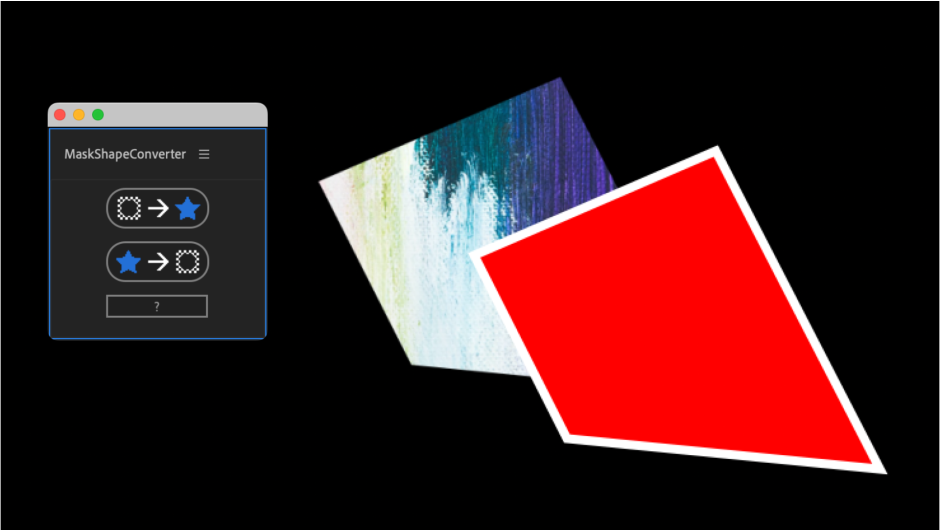
MaskShapeConverter for After Effects
MaskShapeConverter V1.4 for After Effects
The Ultimate Mask-to-Shape-Layer Conversion and Workflow Tool for After Effects
Download MaskShapeConverter V1.4 today. Consequently, you can instantly convert masks into shape layers—and shape layers back into masks—while preserving all keyframes, animation data, and path integrity. Because motion designers and compositors frequently need to move between masks and shape layers for different tasks, having access to a reliable conversion tool is absolutely essential. Nevertheless, After Effects offers no native way to convert masks to shapes without losing critical animation data, forcing artists to manually recreate paths or rely on fragile workarounds. Fortunately, MaskShapeConverter eliminates this bottleneck completely. Moreover, it intelligently transfers every keyframe, vertex position, and timing value during conversion, ensuring that your animation remains completely intact. In short, you can move freely between masks and shapes with unprecedented speed and confidence.
Seamless Mask-to-Shape Conversion with Animation Preservation
The core of this script lies in its ability to convert masks into fully functional shape layers without sacrificing animation. For instance, you can take an animated mask—complete with multiple keyframes, varying vertex counts, and complex motion—and convert it into a shape layer where every keyframe is faithfully reproduced. Furthermore, the conversion preserves the exact timing, easing, and interpolation of your original animation, so the result looks identical to the source. Additionally, you can convert multiple masks simultaneously, with each mask becoming its own independent shape layer. Since the process is non-destructive to your original masks, you can keep both versions if needed. Consequently, you gain the flexibility of shape layers without losing any of your existing animation work.
Reverse Conversion: Shape Layers to Masks
Professional workflows require bidirectional flexibility, and MaskShapeConverter delivers. For example, you can convert shape layers back into masks, enabling you to use mask-based operations like masking effects, track mattes, and alpha channels on artwork originally created as shapes. Furthermore, the reverse conversion preserves all path keyframes, ensuring that animated shapes remain fully animated after becoming masks. Additionally, you can convert multiple shape layers at once, streamlining complex organizational tasks. Since the script handles both directions with equal fidelity, you can choose the format that best suits each stage of your project. Thus, you are never locked into a single workflow.
Batch Processing and Multi-Layer Support
Complex compositions often contain dozens of masks and shapes that need conversion. Therefore, MaskShapeConverter includes robust batch processing capabilities. For instance, you can select multiple masks across multiple layers and convert them all in a single operation. Furthermore, the script intelligently names the resulting shape layers based on their source masks, maintaining organization in your timeline. Additionally, you can convert entire groups of shapes back into masks on a single layer, consolidating your project structure. Since the script handles all the technical details automatically, you can restructure your compositions quickly and efficiently. Consequently, your project organization remains clean and manageable.
Perfect for Motion Designers, Compositors, and VFX Artists
This script is particularly well-suited for motion designers who need to move animated paths between masks and shapes for different creative purposes. Similarly, compositors and VFX artists will appreciate the ability to convert tracked masks into shape layers for stylization, or convert animated shapes into masks for use as track mattes and alpha channels. Additionally, content creators and social media producers can use MaskShapeConverter to simplify complex projects and maintain flexible workflows. Ultimately, MaskShapeConverter V1.4 accelerates your entire motion design and post-production pipeline.
System Requirements and Compatibility
MaskShapeConverter V1.4 supports After Effects versions 2022, 2023, 2024, 2025, and 2026 on both Windows and macOS operating systems. The script is available as a standard JSX file or CEP extension for easy installation. You will need a standard workstation with at least 8GB of RAM.
Installation and Usage Guide
To install, first download the script files from your library. Next, close Adobe After Effects if it is running. Then, copy the script files to your After Effects Scripts folder or install the CEP extension following the standard aescripts + aeplugins process. After installation, ensure “Allow Scripts to Write Files and Access Network” is enabled in After Effects Preferences under Edit > Preferences > Scripting & Expressions. Finally, launch After Effects, navigate to Window > MaskShapeConverter, select your masks or shape layers, choose your conversion direction, and click Convert. Thus, your professional mask and shape conversion workflow will be ready instantly.
What is Included Inside?
The pack contains the complete MaskShapeConverter V1.4 script for After Effects. Furthermore, it includes seamless mask-to-shape conversion with animation preservation, reverse shape-to-mask conversion, batch processing and multi-layer support, and intelligent naming conventions. Ultimately, you receive everything needed for professional mask and shape layer conversion.
Final Thoughts on the Script
Effortless mask and shape conversion evokes profound creative freedom. Therefore, this script provides the ultimate foundation for your motion design and compositing workflows. You can move between masks and shapes with unprecedented speed and reliability. Consequently, your creative vision becomes a stunning reality.
Convert masks to shapes and shapes to masks in After Effects


Workflow
Mask to Shape
- Select the masked layer
- Run
Shape to Mask
- Select the shape layer
- Run “Convert to Bezier Path”
- Select the layer you want to mask last with the shape layer selected
- Run
Tutorial
roadmap
- Fix problem of misalignment when changing properties such as rotate and scale
Elevate your motion graphics workflow with premium collection of After Effects plugins. Whether you are a seasoned professional or just starting your VFX journey, powerful tools designed to streamline complex tasks, unlock creative possibilities, and save you hours of rendering time. From stunning glitch effects and seamless transitions to advanced 3D extrusion and text animation tools, each plugin in our library is rigorously tested for compatibility with the latest versions of Adobe after Effects. Enhance your video production value today and download industry-leading plugins that help you create breathtaking visuals without the technical headaches. Browse our full range and find the perfect extension to supercharge your editing suite now.
➡️ ➡️ For more after effects Plugins 😀 😀
➡️ ➡️ System requirements AE
Reviews
There are no reviews yet.