
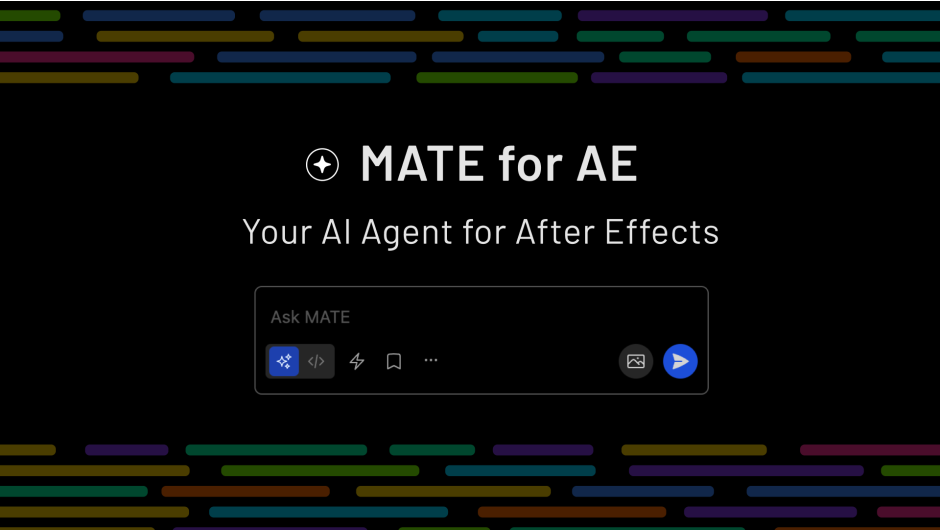
MATE for AE for After Effects
MATE for AE v2.1.0 for After Effects
The Ultimate Multi-Tool Animation and Expression Assistant for After Effects
Download MATE for AE v2.1.0 today. Consequently, you can dramatically accelerate your After Effects workflow with a comprehensive collection of automation tools, time-savers, and expression utilities all consolidated into a single, intuitive panel. Because professional motion designers and animators constantly perform repetitive setup tasks—creating controllers, rigging layers, writing expressions, and organizing timelines—having access to a unified productivity toolkit is absolutely essential. Nevertheless, juggling dozens of individual scripts and remembering their shortcuts fragments your focus and slows you down. Fortunately, MATE for AE eliminates this bottleneck completely. Moreover, it brings together the most commonly needed animation tools into one cohesive interface, allowing you to work faster without constantly switching between scripts. In short, you can streamline your entire animation process with a single, powerful panel.
Comprehensive Animation and Rigging Tools
The core of this extension lies in its extensive collection of animation utilities. For instance, MATE provides one-click controller creation, letting you generate null-based rigs for any layer or property instantly. Furthermore, it includes tools for parenting and unparenting layers while maintaining their visual transforms, eliminating the tedious repositioning that normally follows. Additionally, the extension offers keyframe utilities such as offsetting, reversing, and smoothing, all accessible with a single click. Since these tools are designed to work together, you can build complex animations with far fewer manual steps. Consequently, your animation workflow becomes significantly faster and more fluid.
Powerful Expression and Automation Utilities
Writing expressions from scratch is one of the most time-consuming aspects of advanced After Effects work. Therefore, MATE includes a robust library of expression generators and automation tools. For example, you can instantly create wiggle, loop, bounce, and overshoot expressions without typing a single line of code. Furthermore, the extension supports expression copying and pasting between properties, with intelligent handling of property paths. Additionally, you can automate repetitive tasks like layer staggering, sequence generation, and time remapping. Thus, you can harness the power of expressions without needing to master JavaScript.
Time-Saving Organization and Layer Management
Professional projects demand clean, organized timelines, and MATE delivers powerful tools for maintaining order. For instance, the extension includes batch renaming, color coding, and layer sorting utilities that keep your compositions tidy. Furthermore, you can quickly group layers, create precomps with proper naming, and manage your project structure with minimal clicks. Additionally, MATE offers tools for aligning, distributing, and spacing layers precisely, ensuring your designs remain pixel-perfect. Since all these features live in one panel, you can maintain a clean workspace without hunting through menus. Consequently, you can focus on creativity rather than administrative overhead.
Regular Updates and Active Development
MATE for AE is a continuously evolving tool, with version 2.1.0 representing the latest iteration of ongoing development. For example, recent updates have added new expression presets, improved UI responsiveness, and expanded compatibility with the newest After Effects features. Furthermore, the developer actively incorporates user feedback, meaning the tool grows to meet the real needs of working professionals. Additionally, the extension is designed to remain compatible with future After Effects releases, protecting your investment over time. Thus, you can rely on MATE as a long-term cornerstone of your animation toolkit.
Perfect for Motion Designers, Animators, and VFX Artists
This extension is particularly well-suited for motion designers who need to work quickly across multiple projects and styles. Similarly, character animators will appreciate the rigging and keyframe utilities that streamline their daily workflow. Additionally, VFX artists and compositors can use MATE’s automation tools to handle repetitive technical tasks, freeing them to focus on creative problem-solving. Ultimately, MATE for AE v2.1.0 accelerates your entire motion design and post-production pipeline.
System Requirements and Compatibility
MATE for AE v2.1.0 supports After Effects versions 2022, 2023, 2024, 2025, and 2026 on both Windows and macOS operating systems. The extension is available as a standard CEP or JSX panel for easy installation. You will need a standard workstation with at least 8GB of RAM.
Installation and Usage Guide
To install, first download the extension files from your library. Next, close Adobe After Effects if it is running. Then, install the extension following the standard aescripts + aeplugins installation process or copy the script to your ScriptUI Panels folder. After installation, ensure “Allow Scripts to Write Files and Access Network” is enabled in After Effects Preferences under Edit > Preferences > Scripting & Expressions. Finally, launch After Effects, navigate to Window > MATE for AE, and begin exploring the comprehensive toolkit. Thus, your professional animation workflow will be ready instantly.
What is Included Inside?
The pack contains the complete MATE for AE v2.1.0 extension for After Effects. Furthermore, it includes the comprehensive animation and rigging tools, powerful expression and automation utilities, time-saving organization and layer management features, and regular updates from the developer. Ultimately, you receive everything needed for professional animation and workflow acceleration.
Final Thoughts on the Extension
Effortless animation automation evokes profound creative freedom. Therefore, this extension provides the ultimate foundation for your motion design and post-production workflows. You can streamline every aspect of your animation process with unprecedented speed and convenience. Consequently, your creative vision becomes a stunning reality.
Your AI Agent for After Effects. Automate simple and complex tasks with natural language: stagger and reorganize layers, replace text, add animations. Ask MATE to generate scripts and expressions, and manage your render queue. Powered by OpenAI GPT, Claude, Gemini, or Mistral.
Your AI Agent for automation,
scripting, and expressions
MATE helps you automate After Effects with plain language. Reorder layers, replace text, write scripts and expressions, add animations, and manage your render queue.
Key Features
Agent Mode
Ask MATE to do the work for you. Great for repeated tasks and longer step-by-step jobs.
Script Mode
Need an expression or script? Describe it, and MATE writes it for you right away.
AI Usage
OpenAI GPT 5.4 mini and Claude Haiku 4.5 are included. Use your own API key for higher-tier models.
MCP
Bring in text and data from other services like Notion without copy and paste.
Best AI Models. Base Models Included.
OpenAI GPT 5.4 mini and Claude Haiku 4.5 are included. No API key needed for these amazing base models.
For higher-tier models, connect your own API key. See the guide here.
- OpenAI GPT 5.4 mini
- Claude Haiku 4.5
In “Agent Mode”, MATE does the work
It’s a new way to automate and batch-process tasks. Tell it “stagger layers” or “show only the translated text layers and add to render queue” and it handles the layer logic, order, and render. No complex UI needed.
Stagger Layers
Ask MATE to stagger selected layers by frames or seconds. Adjusted exactly how you need it.

Repetitive Tasks, Gone
MATE handles repetitive actions for you. Apply changes across layers, comps, or entire projects in one go. Fade-ins, font changes, layer adjustments, just describe it once.

Chain Multiple Steps
Show/hide content by language, add to render queue, start the queue. One instruction. Done.

Script Mode
Scripts & Expressions,
Written for You
Turn on Script Mode to generate scripts, create custom expressions, and build reusable tools without leaving After Effects.
Generate Scripts
Tell MATE what you need and it writes proper ExtendScript. Import existing scripts and ask MATE to fix or extend them.

Expressions on Demand
Need a wiggle? A loop? A conditional? Just ask. MATE generates a custom expression for your exact need. You apply it with one click.

Build Your Script Library
Save scripts and expressions, reuse them offline with one click. Drag to reorder, share with your team. No AI needed to run saved scripts.

Libraries
Everything Organized.
Always Within Reach.
Save what works. Reuse it. Share it.
One Click to Run
Run a saved script or start a new chat from a prompt instantly.
Inline Picker
Add saved scripts and prompts from the inline picker.
Export & Share
Export and share scripts and expressions with your team.
Stay Organized
Organize everything with stars and drag-and-drop sorting.
Auto Metadata
Auto-title and auto-description generation keeps your library tidy for you.

Import Existing Scripts
Drop in existing scripts, then adjust and improve them with MATE.
MCP — Model Context Protocol
Connect to the World
MCP is an open standard — like an API, but built for AI. It lets MATE connect to external services and pull data directly into your After Effects workflow.
Bring in Content from Anywhere
Pull copy from Notion, pull assets from CI HUB, track tasks from Linear — and use them directly inside After Effects. No copy-pasting between tools.
Popular use case: fetch content from a Notion doc and populate text layers automatically. One command. Done.

Elevate your motion graphics workflow with premium collection of After Effects plugins. Whether you are a seasoned professional or just starting your VFX journey, powerful tools designed to streamline complex tasks, unlock creative possibilities, and save you hours of rendering time. From stunning glitch effects and seamless transitions to advanced 3D extrusion and text animation tools, each plugin in our library is rigorously tested for compatibility with the latest versions of Adobe after Effects. Enhance your video production value today and download industry-leading plugins that help you create breathtaking visuals without the technical headaches. Browse our full range and find the perfect extension to supercharge your editing suite now.
➡️ ➡️ For more after effects Plugins 😀 😀
➡️ ➡️ System requirements AE
Reviews
There are no reviews yet.