
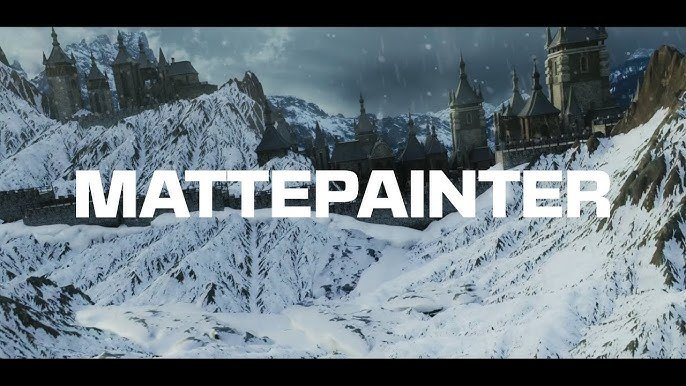
mattepainter for Blender
mattepainter addon
MattePainter v1.0.3 for Blender – Professional Matte Painting & Environment Creation Toolkit
Download MattePainter v1.0.3 for Blender on Windows, Mac, and Linux, a powerful add-on designed specifically for digital matte painters and environment artists. Paint, project, and blend images directly onto 3D geometry, create camera projection setups, and build detailed environment scenes with intuitive tools—perfect for film, visualization, and concept art workflows .
Key Features of MattePainter v1.0.3:
- Projection Painting: Paint directly onto 3D models using image projections—perfect for texturing complex organic shapes and environments
- Camera Projection Setup: One-click camera projection rigs for projecting 2D images onto 3D geometry with proper perspective matching
- Image Stamping: Stamp images onto surfaces with adjustable scale, rotation, and blending—build up complex textures from photo references
- Layer-Based Painting: Non-destructive painting layers with adjustable opacity, blend modes, and layer masking
- Texture Blending: Seamlessly blend multiple projected images across surface boundaries
- Photo Reference Tools: Load, organize, and project photo references directly onto your models
- Edge Blending: Soften seams between projected patches for seamless texture transitions
- Real-Time Preview: See painting and projection updates instantly in the viewport
- Baking Tools: Bake projected textures to high-resolution UV maps for final rendering
- v1.0.3 Updates: Enhanced projection accuracy, improved painting tools, and expanded compatibility with Blender 4.0+
Perfect For:
- Digital matte painters creating environment backgrounds for film
- VFX artists projecting photo textures onto 3D geometry
- Environment artists building detailed scenes from photo references
- Concept artists combining 3D and 2D workflows
- Anyone needing professional projection painting tools in Blender
System Requirements:
- Blender 3.6, 4.0, 4.1, 4.2, 4.3
- Windows 10/11 (64-bit), macOS, or Linux
- 4GB RAM minimum (8GB+ recommended)
- 50MB available disk space
Installation:
- Download the add-on zip file
- In Blender, go to Edit > Preferences > Add-ons
- Click “Install” and select the downloaded zip file
- Enable the add-on by checking the box next to “MattePainter”
Note: MattePainter brings professional matte painting and projection painting tools to Blender, making it possible to build detailed environment scenes from photo references . The intuitive projection painting and camera setup tools make it essential for film VFX, concept art, and environment design workflows . Version 1.0.3 includes full compatibility with Blender 4.0 and above . Designed for Blender 3.6 and above . Perfect for digital matte painters, VFX artists, and environment artists . Essential for projection painting and environment creation .
Supercharge your 3D creation workflow with premium selection of Blender Add-ons. Whether you are modeling intricate characters, sculpting realistic environments, or animating cinematic sequences, the right add-on can transform how you work inside Blender. Our curated collection includes powerful tools for UV unwrapping, procedural texture generation, rigging automation, rendering optimization, and more—each rigorously tested for compatibility with the latest Blender versions. Eliminate tedious manual processes and unlock advanced functionality that lets you focus on what matters most: bringing your creative vision to life. Explore our full range of professional Blender plugins today and take your 3D projects to the next level.
➡️ ➡️ For more Blender Plugins 😀 😀
Reviews
There are no reviews yet.