
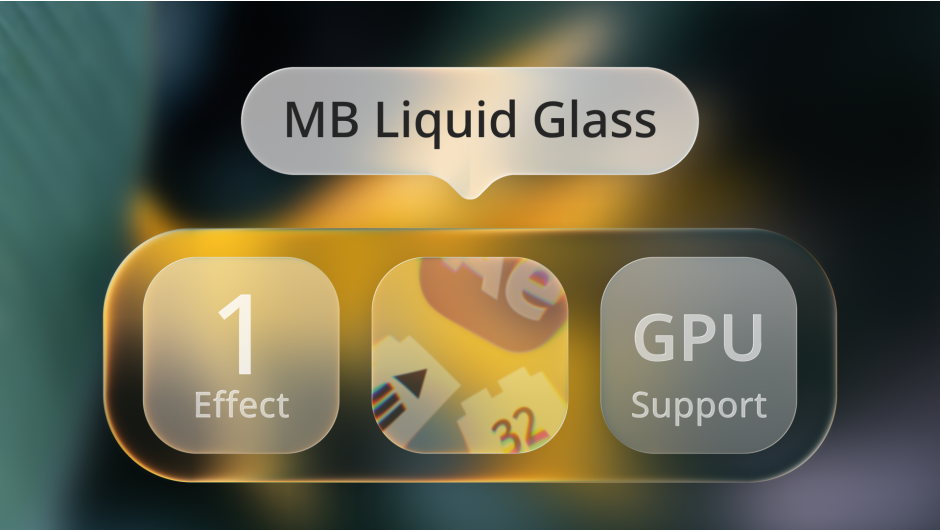
MB Liquid Glass for After Effects
MB Liquid Glass V1.2.0 for After Effects
The Ultimate Realistic Liquid Glass and Refractive Distortion Plugin for After Effects
Download MB Liquid Glass V1.2.0 today. Consequently, you can instantly transform any layer, text, logo, or footage into stunning, realistic liquid glass with authentic refraction, depth, and chromatic dispersion. Because modern UI design and motion graphics increasingly demand premium glassmorphism aesthetics and fluid glass effects, having access to a dedicated liquid glass tool is absolutely essential. Nevertheless, achieving convincing glass refraction manually requires complex displacement maps, layered blurs, and hours of painstaking parameter tuning. Fortunately, MB Liquid Glass eliminates this bottleneck completely. Moreover, it simulates the optical properties of real glass—bending light, separating color, and creating natural edge highlights—all in real-time with GPU acceleration. In short, you can produce stunning, photorealistic liquid glass effects with unprecedented speed and creative control.
Authentic Refraction and Optical Simulation
The core of this plugin lies in its sophisticated simulation of real glass optics. For instance, MB Liquid Glass analyzes your layer’s alpha channel to generate authentic thickness, meaning the glass bends light differently at its edges compared to its center, just like real glass. Furthermore, the plugin simulates chromatic dispersion, separating light into subtle color fringes that mimic the prismatic effect seen in thick glass and crystal. Additionally, natural rim highlights appear automatically at the edges of your glass, adding dimension and realism that would otherwise require manual layer stacking. Since the simulation is based on real optical principles, your results will always appear believable and dimensional. Consequently, your glass effects will exhibit the depth and material presence of genuine glass.
Comprehensive Material and Distortion Controls
Professional glass work demands precise control over every material property. Therefore, MB Liquid Glass provides a comprehensive suite of parameters. For example, you can adjust the refraction strength to control how much the background bends through the glass, from subtle warping to dramatic distortion. Furthermore, the dispersion slider lets you dial in the amount of chromatic separation, from clean, pure glass to richly colored prismatic effects. Additionally, you can control the glass thickness, surface roughness, and edge falloff, giving you the ability to create everything from flawless crystal to frosted, textured glass. Thus, you have complete command over the final appearance of your glass.
Real-Time GPU Acceleration and Instant Feedback
Creative exploration demands immediate visual feedback, and MB Liquid Glass delivers on this front. The plugin is fully GPU-accelerated, ensuring that every parameter adjustment updates in real-time within your composition. Furthermore, this responsiveness lets you experiment freely with different glass configurations without waiting for renders. Additionally, you can keyframe any parameter to create dynamic, evolving glass effects that shift and morph over time. Since the entire workflow is interactive, your creative momentum never breaks. Consequently, you can iterate faster and achieve polished results in a fraction of the time.
Perfect for UI Designers, Motion Designers, and Content Creators
This plugin is particularly well-suited for UI and app designers creating modern glassmorphism interfaces, buttons, and panels. Similarly, motion designers and title artists will appreciate the ability to create premium liquid glass text, logo reveals, and lower-thirds with realistic depth. Additionally, content creators and social media producers can use MB Liquid Glass to add an eye-catching, premium touch to their videos with minimal effort. Ultimately, MB Liquid Glass V1.2.0 accelerates your entire motion design and post-production pipeline.
System Requirements and Compatibility
MB Liquid Glass V1.2.0 supports After Effects versions 2023, 2024, 2025, and 2026 on both Windows and macOS operating systems. The plugin is fully GPU-accelerated and requires a modern graphics card for optimal performance. You will need a standard workstation with at least 8GB of RAM.
Installation and Usage Guide
To install, first download the plugin installer from your library. Next, close Adobe After Effects if it is running. Then, install the plugin following the standard aescripts + aeplugins installation process using the Manager App. After installation, launch After Effects and locate MB Liquid Glass in the Effects & Presets panel. Finally, apply the effect to your text, shape, logo, or footage layer, adjust the refraction, dispersion, and thickness parameters to achieve your desired look, and keyframe as needed for dynamic glass animation. Thus, your professional liquid glass workflow will be ready instantly.
What is Included Inside?
The pack contains the complete MB Liquid Glass V1.2.0 plugin for After Effects. Furthermore, it includes the authentic refraction and optical simulation engine, comprehensive material and distortion controls, and full GPU-accelerated real-time performance. Ultimately, you receive everything needed for professional liquid glass and refractive distortion effects.
Final Thoughts on the Plugin
Effortless liquid glass creation evokes profound creative freedom. Therefore, this plugin provides the ultimate foundation for your motion design and UI workflows. You can produce stunning, realistic glass effects with unprecedented speed and control. Consequently, your glassmorphism vision becomes a stunning reality.
GPU accelerated, Liquid Glass like effect for After Effects, with fully adjustable glass refraction, magnification, blur, highlight and shadow, multiple ways to use.
Native liquid-glass refraction plugin for After Effects
MB Liquid Glass is a native Adobe After Effects effect plug-in for creating editable glass-style refraction directly inside your composition.
Use it to add soft lens distortion, background blur, spectral color separation, highlights, tint, and shadow to shape layers, matte sources, or built-in rounded rectangles in After Effects.

MB Liquid Glass

Glass on any shape / text

Glossy Toggle
4 types of glass silhouettes

Built-in Rounded Rectangle

Self Layer

Matte Layer

Shape List
Visual Effects

Glass Optics

Pre-blur and Post-blur

Fresnel

Glare

Tint

Shadow
- 00:00 Introduction
- 00:07 Built-in Rounded Rectangle
- 00:32 Shape List
- 01:05 Matte Layer
- 02:03 Self Layer
- 02:43 End
Elevate your motion graphics workflow with premium collection of After Effects plugins. Whether you are a seasoned professional or just starting your VFX journey, powerful tools designed to streamline complex tasks, unlock creative possibilities, and save you hours of rendering time. From stunning glitch effects and seamless transitions to advanced 3D extrusion and text animation tools, each plugin in our library is rigorously tested for compatibility with the latest versions of Adobe after Effects. Enhance your video production value today and download industry-leading plugins that help you create breathtaking visuals without the technical headaches. Browse our full range and find the perfect extension to supercharge your editing suite now.
➡️ ➡️ For more after effects Plugins 😀 😀
➡️ ➡️ System requirements AE
Reviews
There are no reviews yet.