
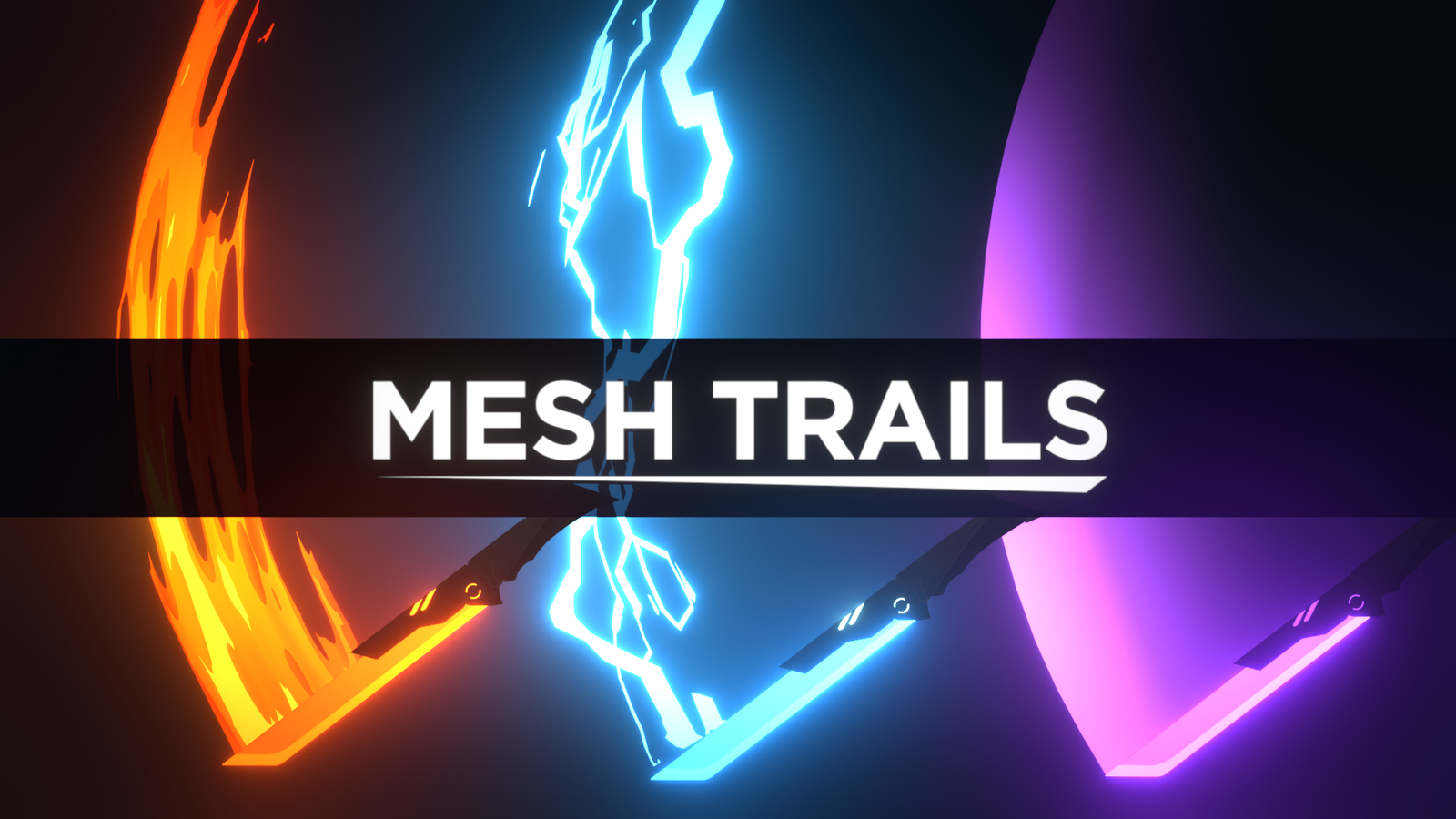
Mesh Trails for Blender
mesh trails addon
Mesh Trails v1.3.3 for Blender – Dynamic Particle Trail & Motion Path Generator
Version: V1.3.3
File Size:25 MB
Download Mesh Trails v1.3.3 for Blender on Windows, Mac, and Linux, a powerful add-on that generates dynamic 3D trails and motion paths from animated objects. Perfect for motion graphics, VFX, and scientific visualization—create energy trails, light ribbons, particle streams, and motion path visualizations that follow any animated object with complete control over shape, color, and behavior .
Key Features of Mesh Trails v1.3.3:
- Dynamic Trail Generation: Generate real-time 3D meshes that follow animated objects—particle trails, light ribbons, energy streams, and motion paths
- Path Recording: Record object motion paths and convert them to editable 3D curves or meshes for precise control
- Trail Shape Controls: Adjust trail thickness, taper, twisting, and cross-section shape—create ribbons, tubes, or custom profiles
- Material & Color Animation: Trails automatically inherit or animate colors based on speed, time, or custom gradients
- Decay & Fade Options: Control trail length, fade-out behavior, and decay over time for realistic trailing effects
- Multiple Trail Types: Choose from constant trails, decaying trails, or event-triggered trails
- Performance Optimized: Efficient mesh generation for smooth viewport interaction
- Real-Time Preview: See trails update instantly as objects animate
- Bake to Keyframes: Convert dynamic trails to static meshes or keyframed geometry for final rendering
- v1.3.3 Updates: Enhanced trail algorithms, improved performance, and expanded compatibility with Blender 4.0+
Perfect For:
- Motion graphics artists creating energy trails and light ribbons
- VFX designers generating particle streams and motion paths
- Scientific visualization professionals tracking object trajectories
- Game developers prototyping trail effects for characters and projectiles
- Anyone needing dynamic 3D trails and motion path visualization
System Requirements:
- Blender 3.6, 4.0, 4.1, 4.2, 4.3
- Windows 10/11 (64-bit), macOS, or Linux
- 4GB RAM minimum (8GB+ recommended)
- 30MB available disk space
Installation:
- Download the add-on zip file
- In Blender, go to Edit > Preferences > Add-ons
- Click “Install” and select the downloaded zip file
- Enable the add-on by checking the box next to “Mesh Trails”
Note: Mesh Trails brings professional trail and motion path generation to Blender, making it easy to create dynamic particle trails, energy ribbons, and motion visualizations . The real-time generation and adjustable trail controls make it essential for motion graphics, VFX, and scientific visualization . Version 1.3.3 includes full compatibility with Blender 4.0 and above . Designed for Blender 3.6 and above . Perfect for creating stunning trail effects for animations, games, and visual effects . Essential for any motion path or trail generation workflow .


What is Mesh Trails?
Have you ever wanted to add VFX trails to your animation, but never had the time or energy to manually animate it? Have you ever tried making trails with particles but could never get the look you want? The Mesh Trails add-on is a tool that helps you automatically generate clean, fully customizable, mesh-based trails with the click of a button. Mesh Trails has been in development for over two years, with a large focus on integrating it with studio pipelines for stylized (or non-stylized) VFX, but can be applied to almost any project with a need for trails. It is seamlessly integrated into Blender and is designed to be very easy to jump into. But beyond its base use case, there are endless possibilities thanks to its compatibility with Blender’s already impressive shader, modifier, and geometry node systems depending on your level of expertise. We wanted an automated trail generator that could fit our style of animation, but we couldn’t find one. So we made one. And now it’s yours, as well.
| Animatable Trail Emitters Mesh Trails can use any Bezier or Poly curve as the emitter for a trail. This even includes cyclic curves. The curve can be parented, animated, or rigged using hook modifiers, allowing for a fully animatable emitter that can morph based on any character or prop deformation–no matter what shape, size, or movement they have. | 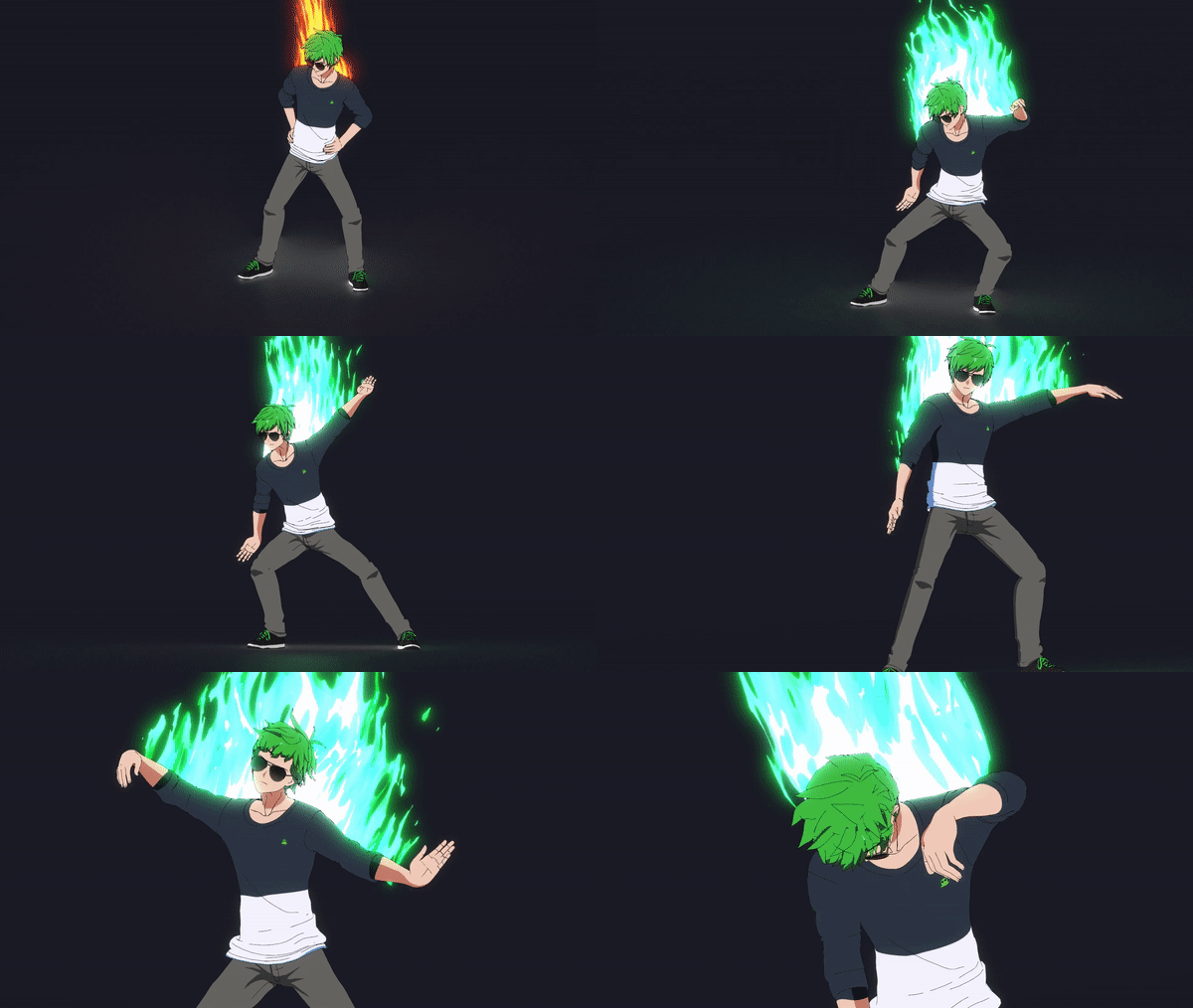 |
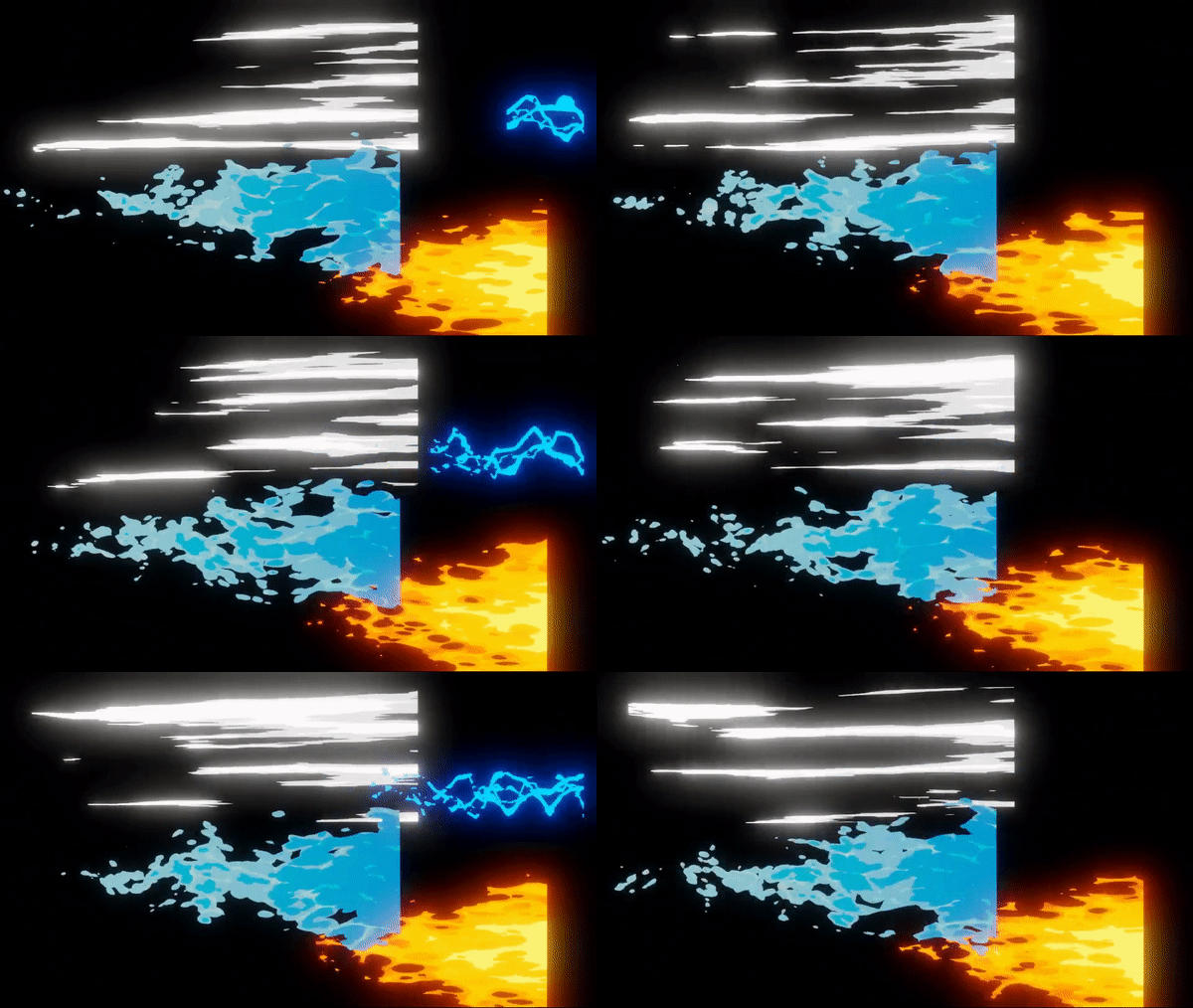 | Use Any Shader Instead of using particles or curves like most trail generators, Mesh Trails specifically uses a UV unwrapped mesh to generate the trail, which allows for the full flexibility of using custom shaders to achieve a desired look. This unlocks previously untappable possibilities. |
| Modifier Support Thanks to Mesh Trails being mesh based, this also opens up the possibility of using Blender’s already amazing modifier stack. This can add an extra dimension of complexity that no other trail generator can give you. This also includes the vast potential of Geometry Nodes. |  |
Why use Mesh Trails?
Manually creating trails for your animation can be tedious, intimidating, and frustrating work. The current methods that exist in the industry revolve around manually offsetting keyframes, duplicating empties, rotoscoping or motion tracking in post, or using incredibly expensive tools that often don’t even allow for mesh manipulation. On top of that, there are very few, if any, tools that exist for stylized VFX. For the longest time, we at DillonGoo Studios avoided trail effects because of how much time it would take to feasibly make it look good, especially considering our NPR (non-photorealistic rendering) style. However, we believed it could be automated and set out to create a tool that would make trails feasible for our productions. And after two years, we’re finally ready to share it with the public. Mesh Trails far exceeded our expectations of what it was capable of.
In addition to its incredible potential as a VFX tool, we also prioritized its usability–to make sure anyone on the team could pick it up and contribute to the VFX of any project, regardless of their skillset. This is a testament of its ease of use for any proficiency level. Our goal is to share this technology with the world so everyone can add beautiful stylized VFX to their projects. And we also added several features that were important to us for production that we hope you’ll find useful, as well.
“We wanted an automated trail generator that could fit our style of animation, but we couldn’t find one. So we made one. And now it’s yours, as well.”
| Realtime Accuracy Mesh Trails was designed to be FUN to use. This means being able to drag your cursor around and see the mesh trails moving in real time as if they were animated. This allows artists to quickly preview their effects without the need for setting any key frames. | 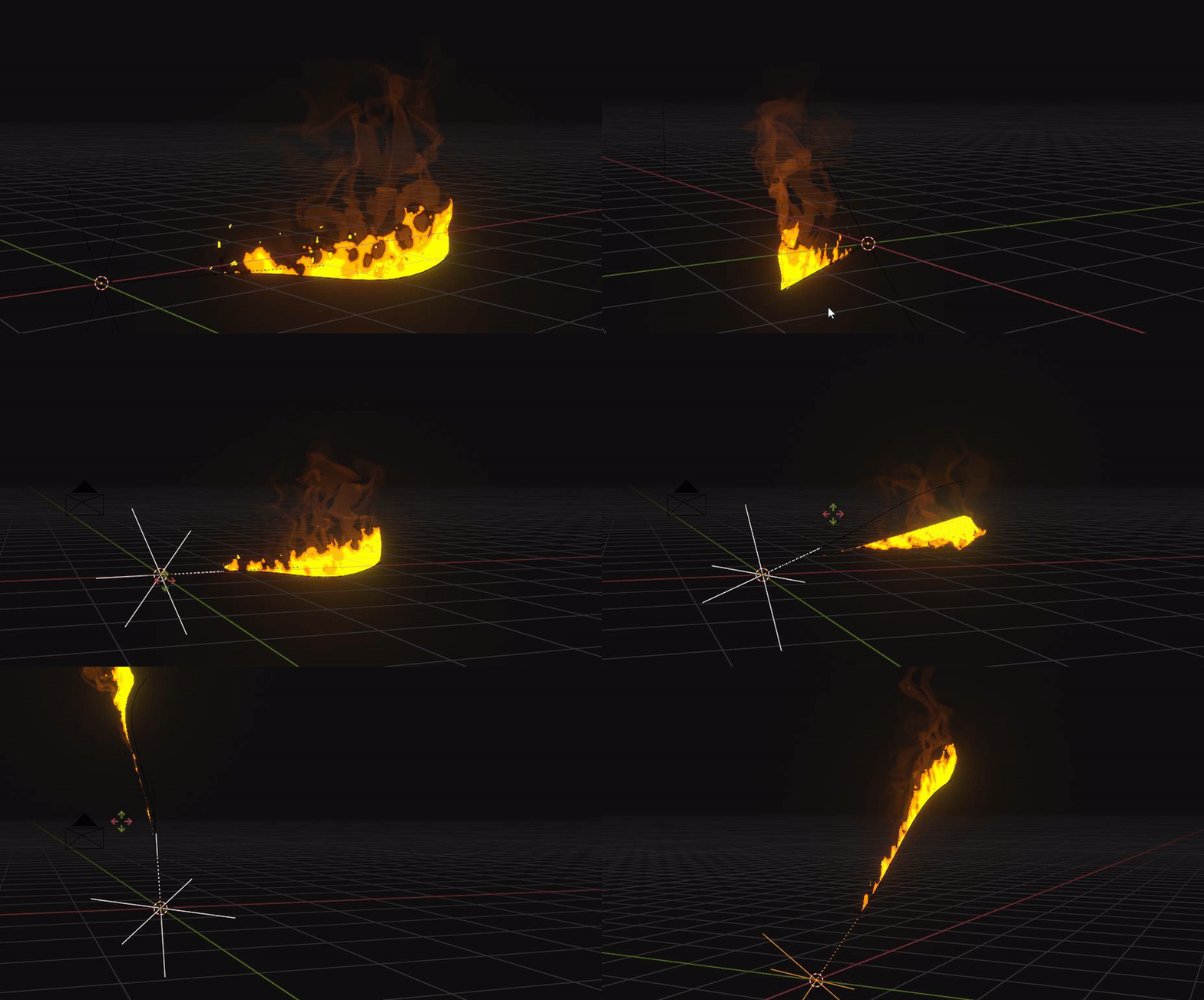 |
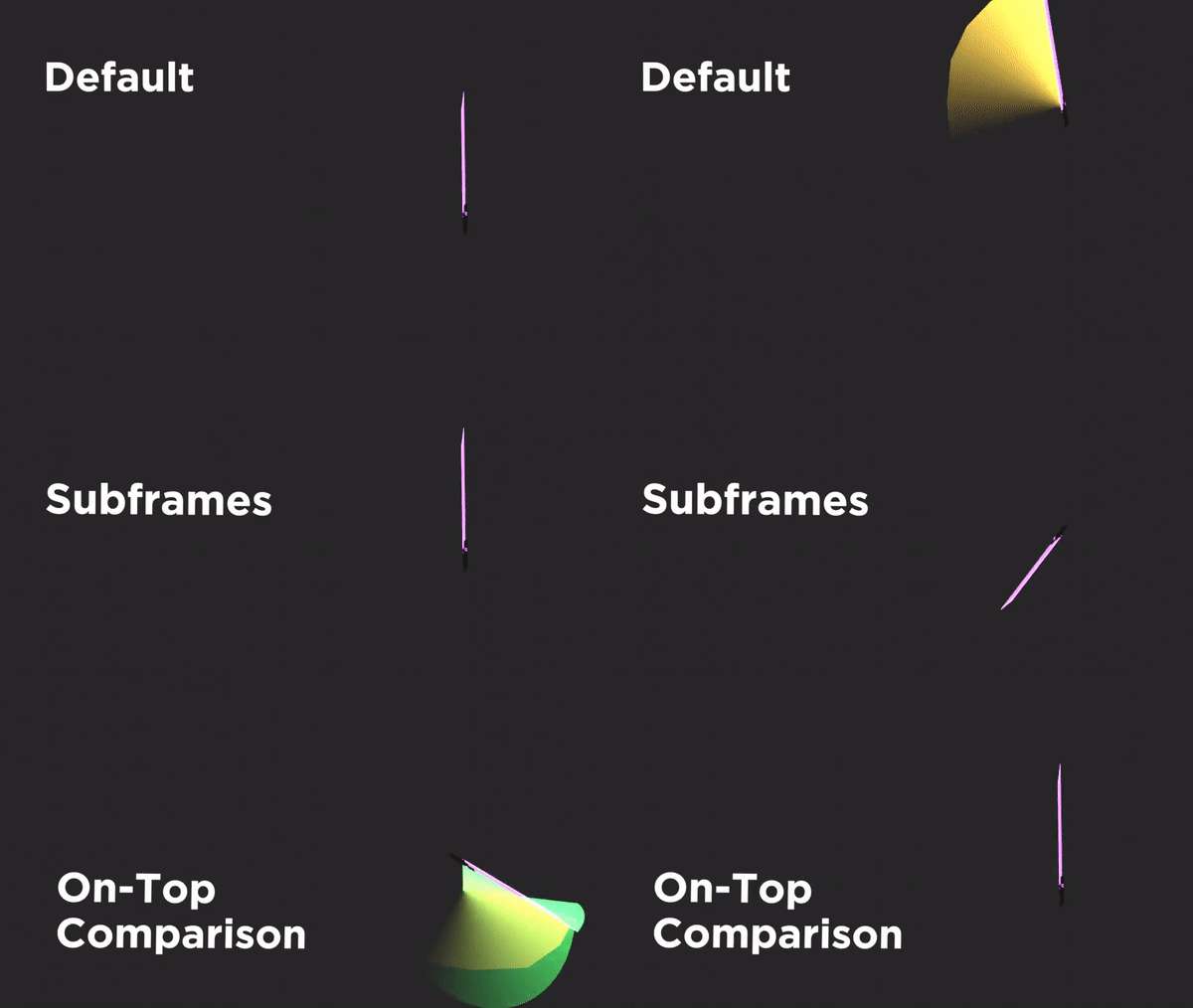 | Baking Subframes Mesh Trails can also bake its simulation into a cache for final render accuracy. However, it also allows baking to include subframes, giving an even higher level of accuracy to trail shape. Even if one were to tediously create trails by hand without Mesh Trails, there would be no way to easily simulate the accuracy between frames. Mesh Trails does this with the click of a button. |
| Wind Vectors Ever wanted to simulate a dynamic jet thruster? Or maybe your background is moving past your characters, but your character isn’t moving? Wind Vectors let you do this. By adding imaginary movement to the trail calculation, you can get dynamic effects without moving your emitter in world space. | 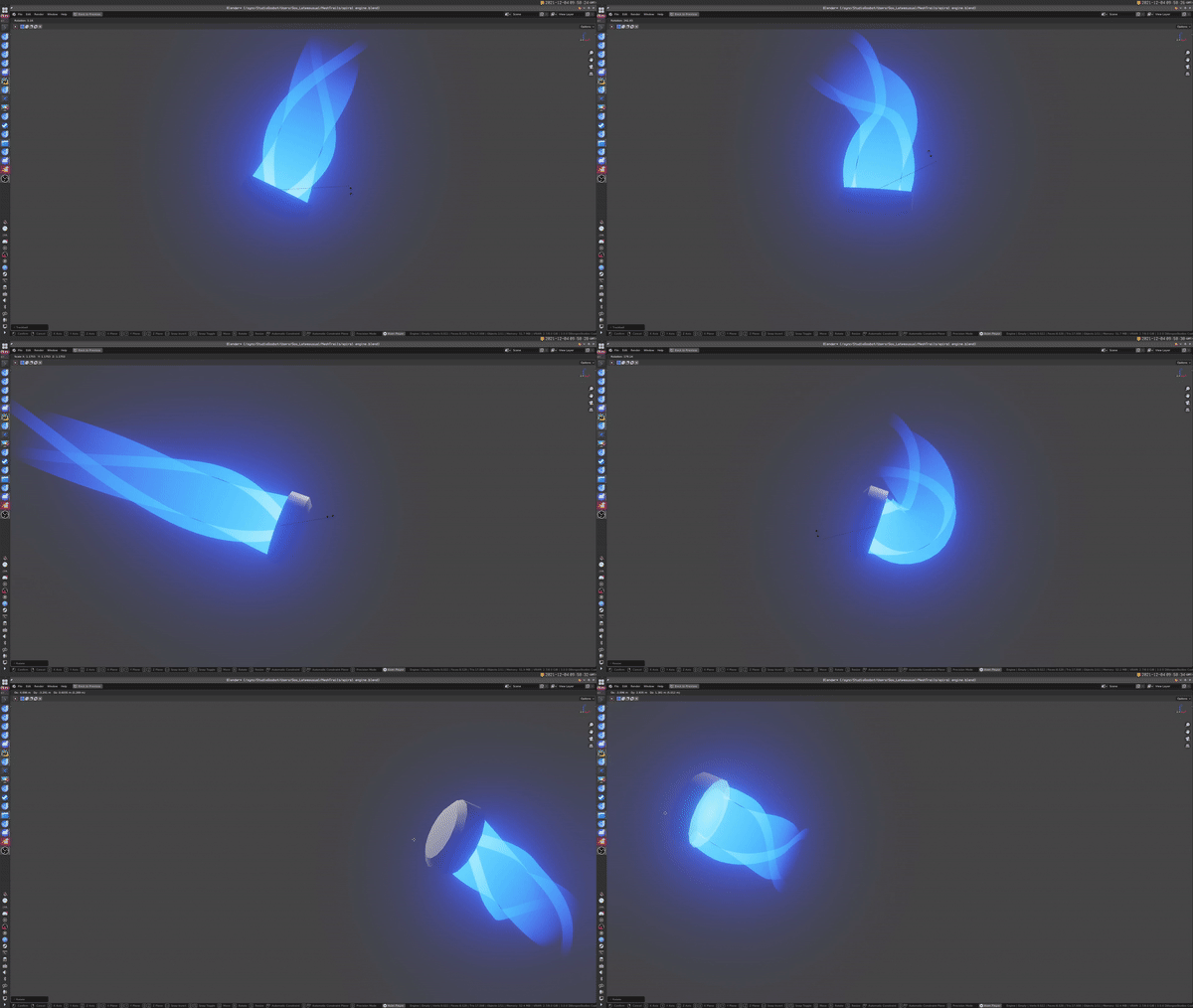 |
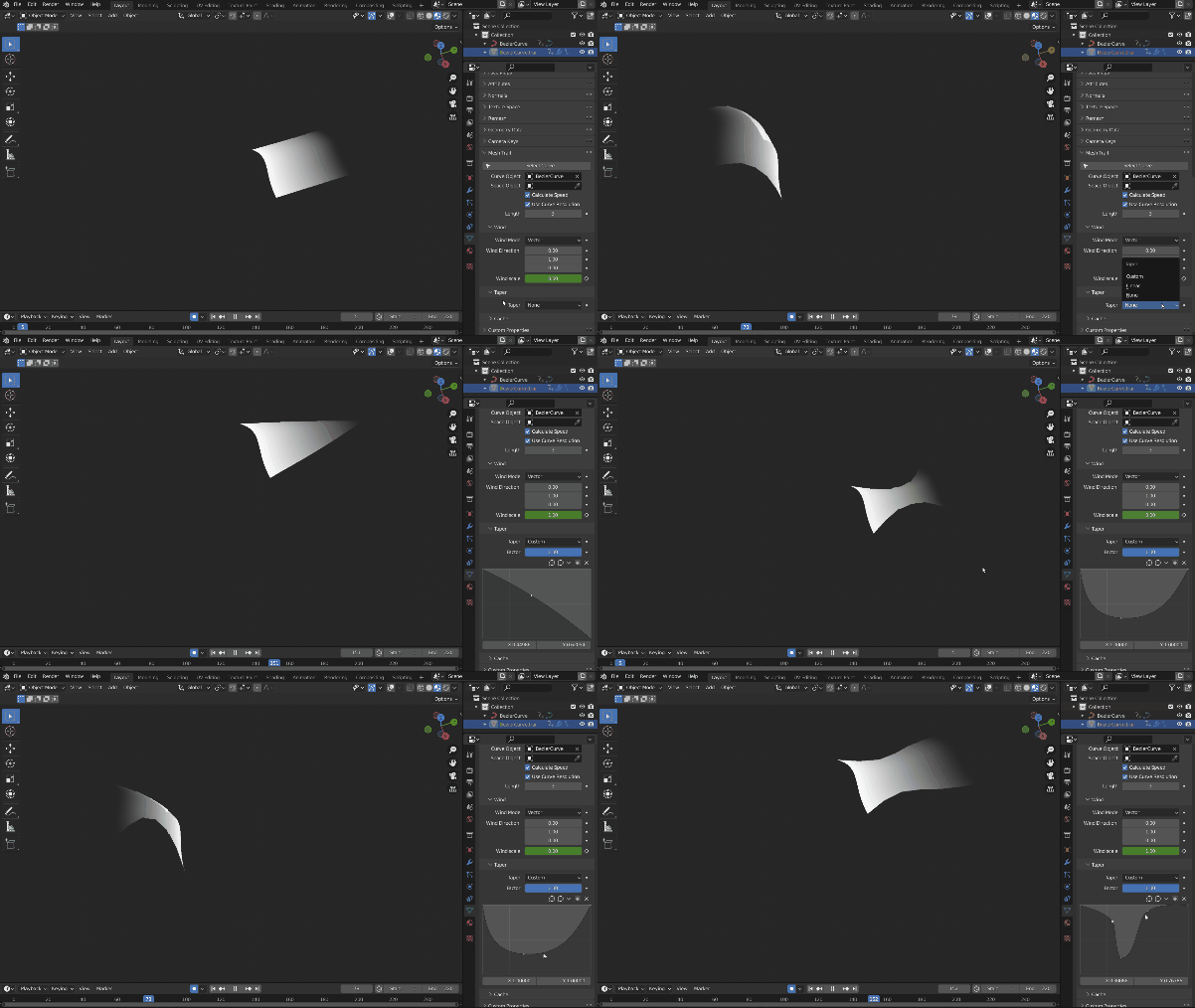 | Customizable Taper Shape While Mesh Trails comes with a default rectangle shape which does the trick for most things, it’s also entirely possible to customize the shape of the trail. A custom curve allows you to give unique shapes to the trail without the need for any shader knowledge. |
| Camera Space Sometimes world space movement isn’t what you want, and we recognize that. So we added the ability to calculate trails based on the object space of any object. The most common use for this is to calculate trails based on Camera Space. This simulates a low shutter speed effect common with light trails that move relative to screen space. | 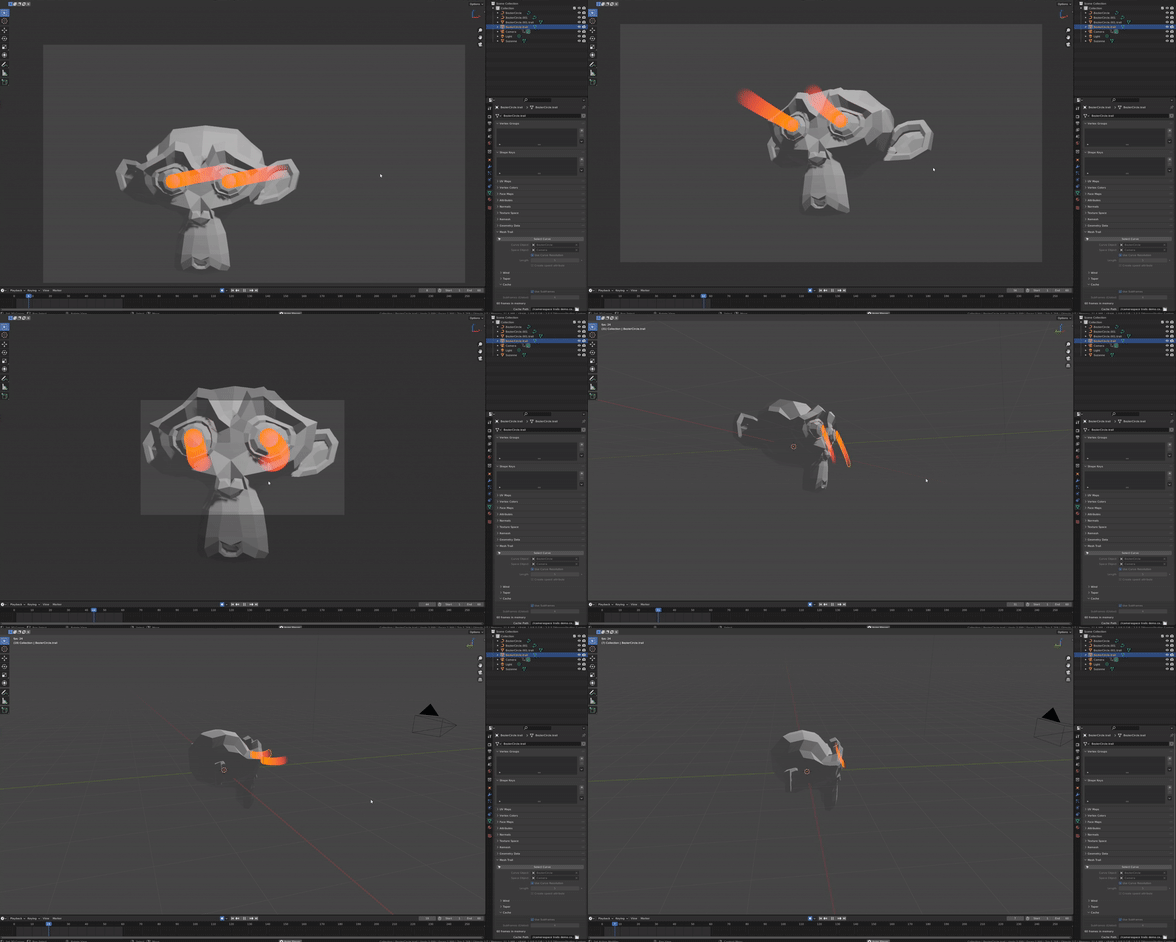 |
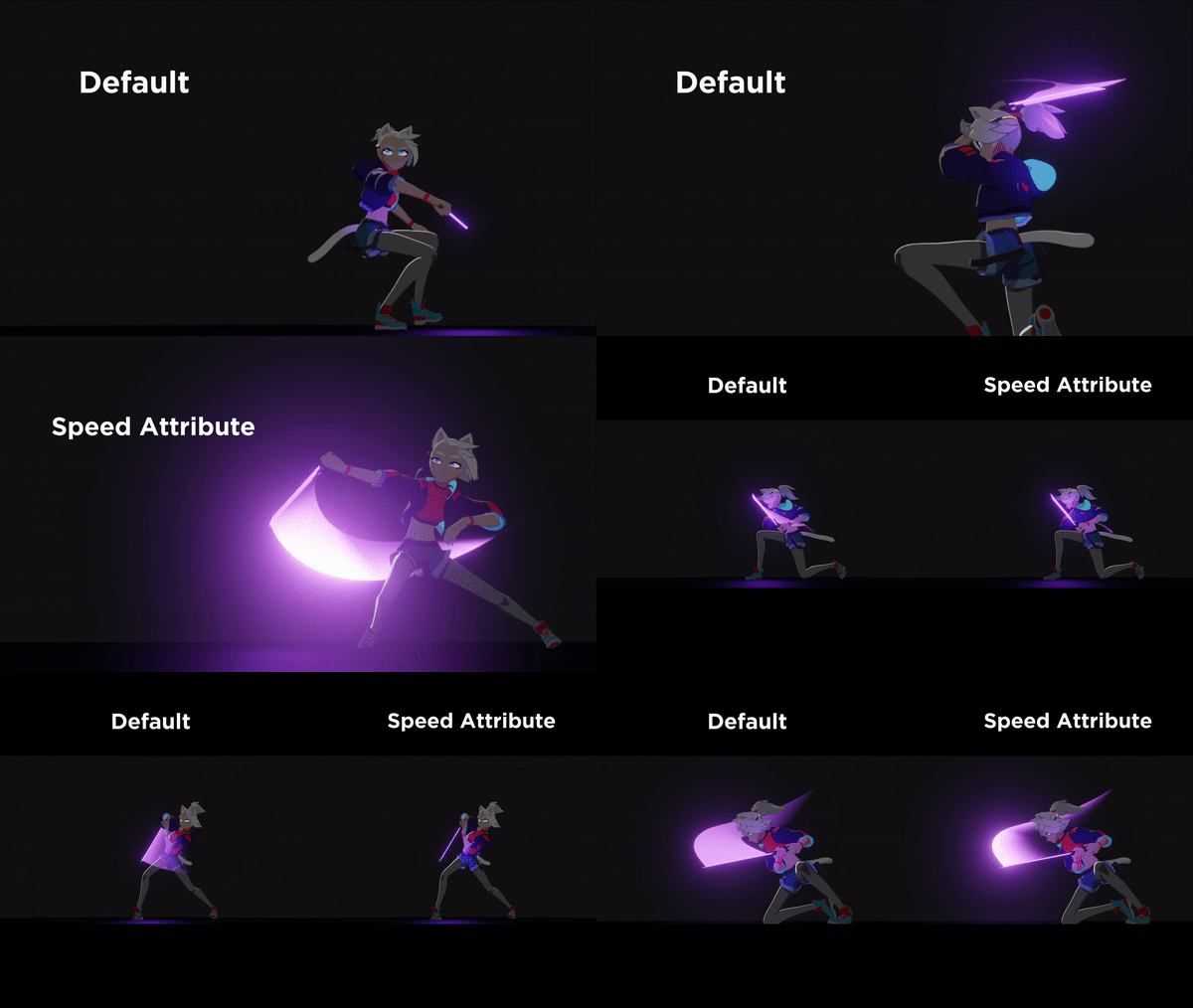 | Speed Calculation Thanks to new updates to Blender 3.0, Mesh Trails can now dynamically calculate the speed that which the emitter is traveling, which is accessible in any shader. This gives an incredible amount of power to the artist to make shaders that react organically to movement. |
| Beginner Friendly We developed Mesh Trails with the UI in mind, making it as easy as possible to add your VFX no matter your proficiency level. It only takes two clicks to create a Mesh Trail from any curve emitter. And the tutorial provided also walks you through this process. | 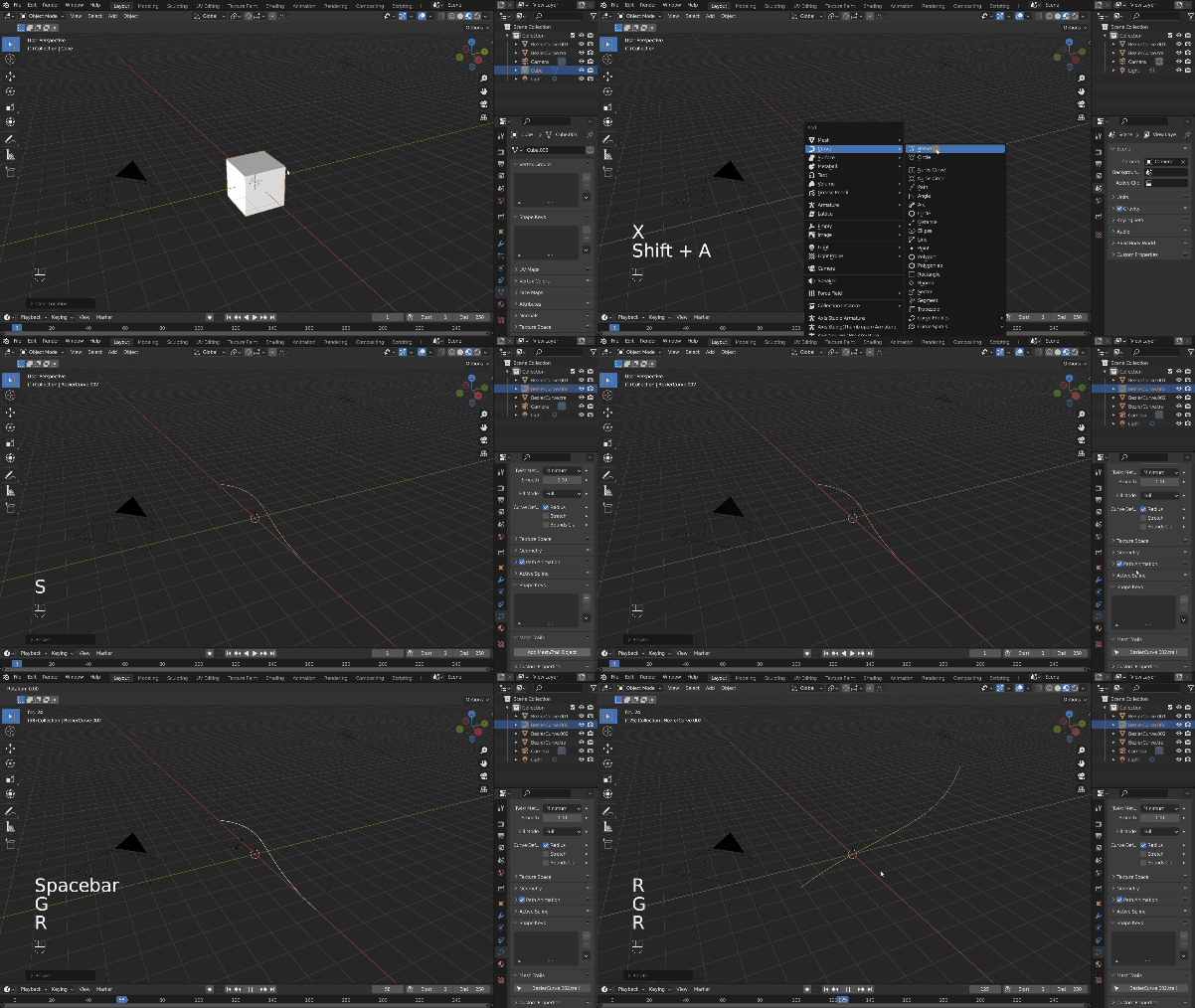 |
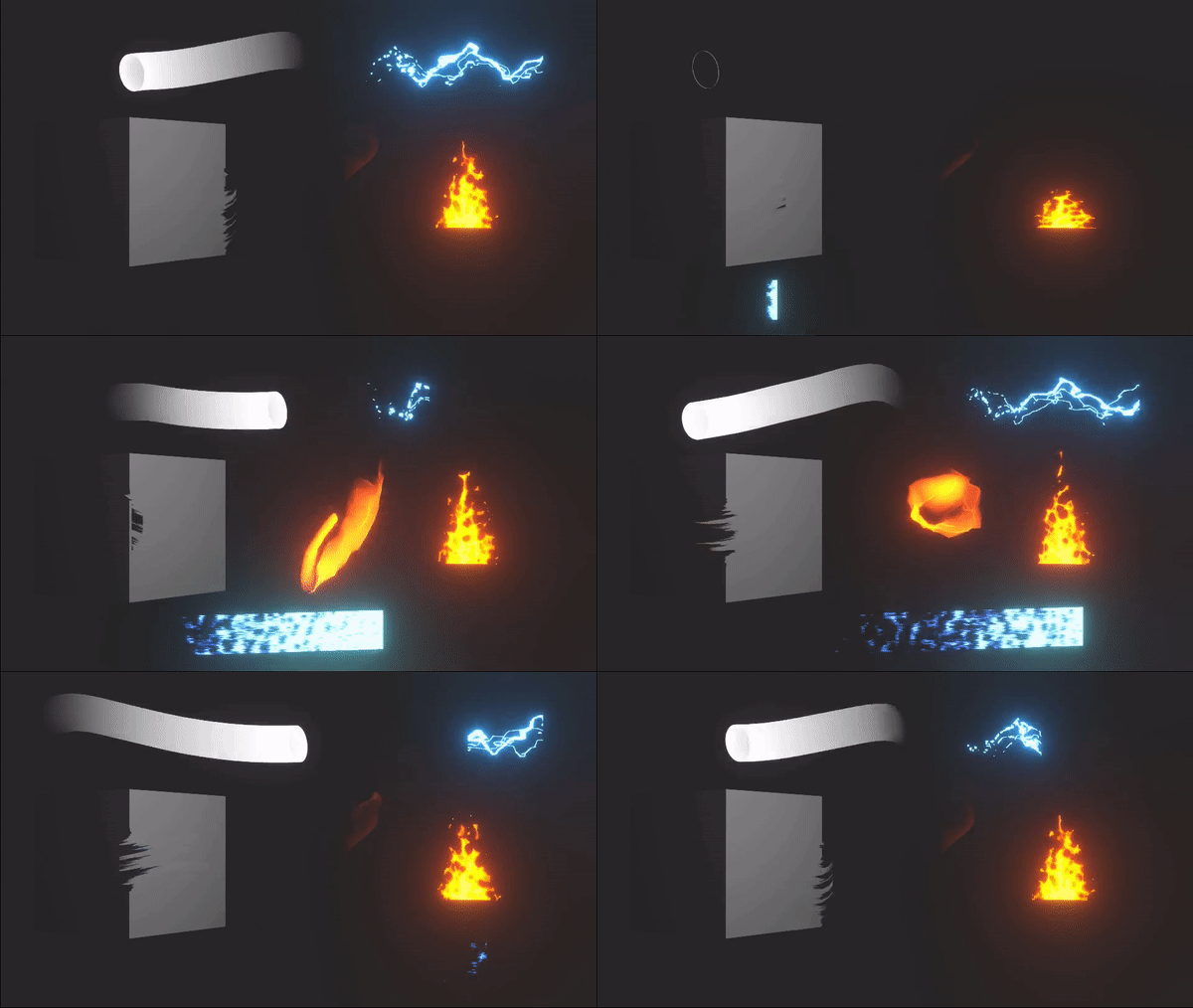 | Asset Pack Due to the wide range of possibilities Mesh Trails offers in Blender, we know it can seem a bit intimidating to figure out what you can do with it. So we’ve decided to provide some demo files with shader and geometry node examples to help you get started. |
| Studio Compatible Because Mesh Trails was created for use at DillonGoo Studios, the tool was built from the ground up with studio pipelines in mind. The baked cache allows trails to be predictable at render time, and the cache file is separate and easily maneuverable. And we always have a support email available to contact if needed. | 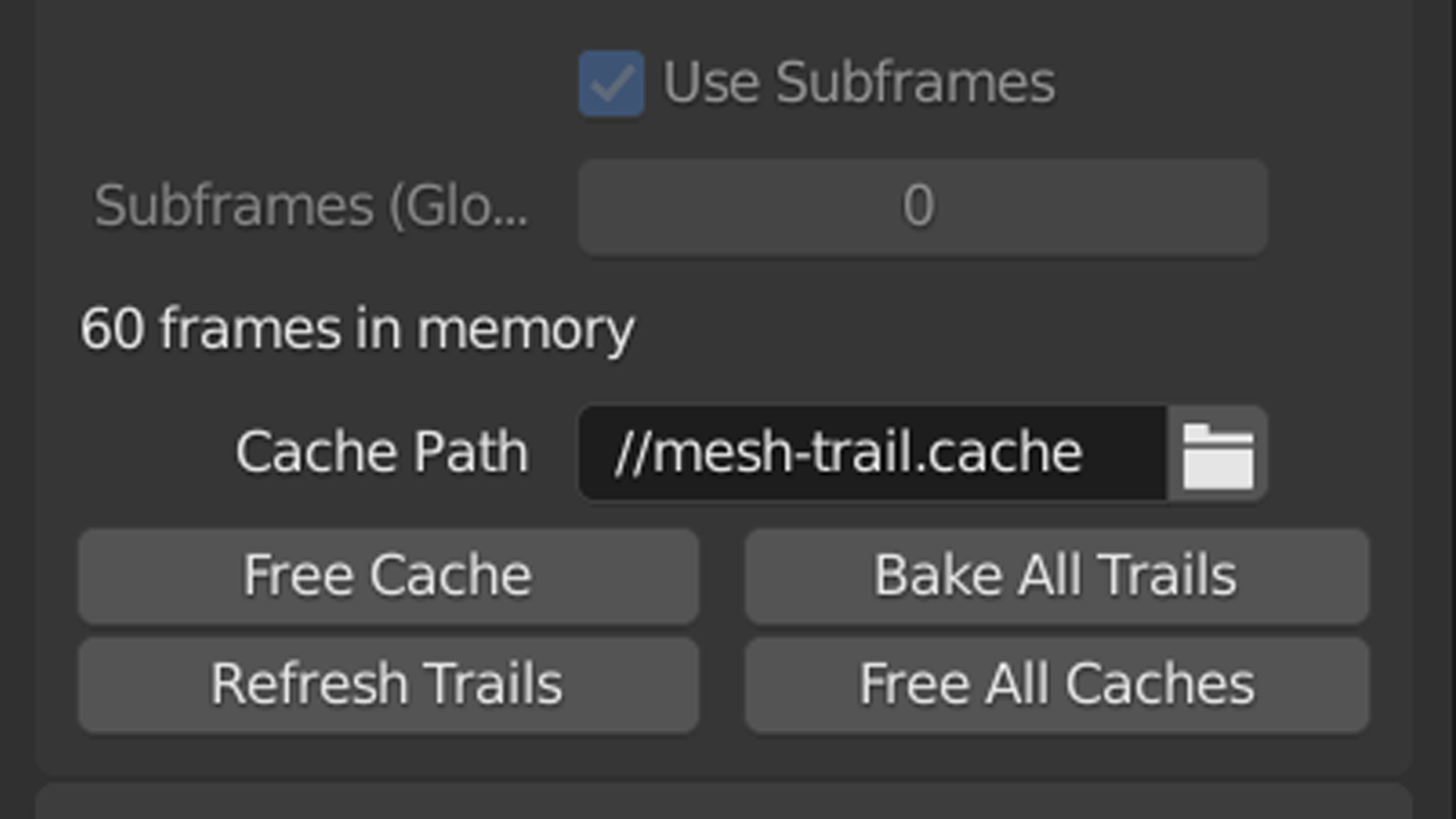 |
Who can use Mesh Trails?
Because Blender is completely free, Mesh Trails is available to everyone. The Mesh Trails add-on is great for quickly adding trails to any animation animated in or imported into Blender. It excels at providing the flexibility required for recreating stylized hand-drawn effects, but using shader nodes, it’s completely possible to create realistic-style effects, as well, sometimes even faster and cheaper than standard simulation methods. However, Mesh Trails will not be able to create fully convincing realistic simulations. To understand if you need Mesh Trails, look no further than the alternative method of what you want to do. For most, the only alternative is to animate a trail by hand, or by method of offsetting pre-baked keyframes manually, which can be inflexible and doesn’t allow for a carefree creative process. Particle based trails do exist, but don’t have nearly the same amount of shader flexibility as Mesh Trails. However, if visual flexibility or time saved is not important to you, there are other options.It may come as a surprise–but thanks to Blender’s impressive motion tracking and rendering capabilities, Mesh Trails can also be added to any Live Action or 2D animation production pipeline if desired. Importing an image sequence or movie file into Blender’s viewport, motion tracking the animation or hand keying the motion, and generating an automatic mesh trail with a fully customizable look can be rendered out as an image sequence to use in any 2D production. Not only that, but Mesh Trails also has a “camera space” option to only generate trails based on the motion the camera sees in screen space, which more accurately simulates an exposure-based light trail, if desired.After a recent patch, Mesh Trails can NOW be exported out of Blender! This means you can export the animated geometry as an alembic mesh cache. I hope this helps those who need export capabilities!
Affordable Industry Technology
The only other mesh-based trail generator in the industry right now is 100 USD, and is only available for a software that costs 2000 USD per year. Mesh Trails is incredibly affordable in comparison, especially being made for the free open-source software, Blender. We believe in making this technology accessible to more people for the first time to help elevate people’s art without breaking the bank.For a one-time purchase of 56 USD, you will gain access to the full Mesh Trails product which includes all future updates and customer support. Not only that, but every purchase also supports the team behind this add-on and supports further development for more tools and assets like this. Industry-grade tools for stylized rendering are few and far between, and we believe we can contribute a lot to the NPR community if people are interested enough in what we do.What you get:The Mesh Trails addon installation file8 Demo files with shaders and geometry node setupsTutorial videoTool supportAccess to all future updates and new features
System Requirements
Windows, MacOS, or Linux operating systemBlender 2.9+ or 3.0
Supercharge your 3D creation workflow with premium selection of Blender Add-ons. Whether you are modeling intricate characters, sculpting realistic environments, or animating cinematic sequences, the right add-on can transform how you work inside Blender. Our curated collection includes powerful tools for UV unwrapping, procedural texture generation, rigging automation, rendering optimization, and more—each rigorously tested for compatibility with the latest Blender versions. Eliminate tedious manual processes and unlock advanced functionality that lets you focus on what matters most: bringing your creative vision to life. Explore our full range of professional Blender plugins today and take your 3D projects to the next level.
➡️ ➡️ For more Blender Plugins 😀 😀
Reviews
There are no reviews yet.