
Modular Workspaces for Blender
Modular Workspaces for Blender
The Ultimate UI Management Tool
Download the Modular Workspaces addon today. Therefore, you can manage and switch between custom UI layouts instantly. Because complex 3D pipelines require specialized interface setups, you need proper tools. However, manually rearranging panels and saving default workspaces takes many frustrating hours. Consequently, this powerful addon solves that problem completely. Furthermore, it provides a fast, modular workflow. Thus, you can organize your perfect interface in seconds.
Fast Workspace Generation
First, the core of this addon is interface efficiency. Specifically, it generates and saves complex UI panel arrangements instantly. Furthermore, you can adjust panel visibility, editor types, and screen layouts easily. Additionally, the tool applies quick-switching and modular grouping seamlessly. Thus, you can build endless workspace variations quickly. Moreover, you can customize the UI for modeling, sculpting, or rendering perfectly. Consequently, your 3D workflow will remain highly professional and uncluttered.
Advanced Layout Management Features
Ultimately, complex projects require advanced UI control. Therefore, this addon includes smart workspace tools. Specifically, you get easy batch saving and task-specific layout features. Furthermore, the algorithms preserve your custom hotkeys and panel states perfectly. Additionally, the tools simulate realistic studio pipeline organization and screen real estate optimization. Consequently, your Blender interface will look incredibly clean. Thus, the workflow reacts beautifully to your input.
Real-Time Optimization and Performance
However, heavy UI data and multiple saved layouts can sometimes slow down startup. Therefore, the addon is perfectly optimized for performance. Specifically, it utilizes efficient native Blender window management and Python systems. Consequently, you can switch between dozens of workspaces easily. Meanwhile, your Blender interface remains completely responsive. Ultimately, this ensures a smooth and fast workflow.
Perfect for Technical Artists and Generalists
Additionally, this addon is ideal for technical artists and pipeline TDs. Furthermore, it suits 3D generalists and studio coordinators perfectly. Moreover, users who heavily customize their UI will love the rapid layout switching. Ultimately, it accelerates your entire 3D production pipeline.
System Requirements and Formats
Specifically, the addon requires Blender 3.6 or newer. Furthermore, it supports all standard UI and editor workflows. Additionally, you get regular free updates from the developer. Therefore, it works across all major operating systems. Moreover, you will need a standard workstation. Thus, 16GB of RAM is highly recommended. Consequently, a modern GPU ensures smooth viewport playback.
Installation and Usage Guide
First, download the zip file from your library. Next, open Blender and go to Edit Preferences. Then, select Add-ons and click Install. After that, enable the Modular Workspaces addon. Finally, open the addon panel in the sidebar, arrange your UI, and click Save. Thus, your optimized workspace will be ready quickly.
What is Included Inside?
Specifically, the pack contains multiple workspace and UI presets. Furthermore, it includes smart panel management and layout algorithms. Additionally, you get several modeling, animation, and rendering variants. Moreover, there are detailed video tutorial guides. Ultimately, you receive everything for professional interface management.
Final Thoughts on the Addon
Ultimately, precise UI management evokes profound professional quality. Therefore, this addon provides the ultimate creative foundation. Furthermore, you can build detailed task-specific workspaces. Alternatively, you can create complex studio-wide layout standards. Consequently, your organizational vision becomes a stunning reality.
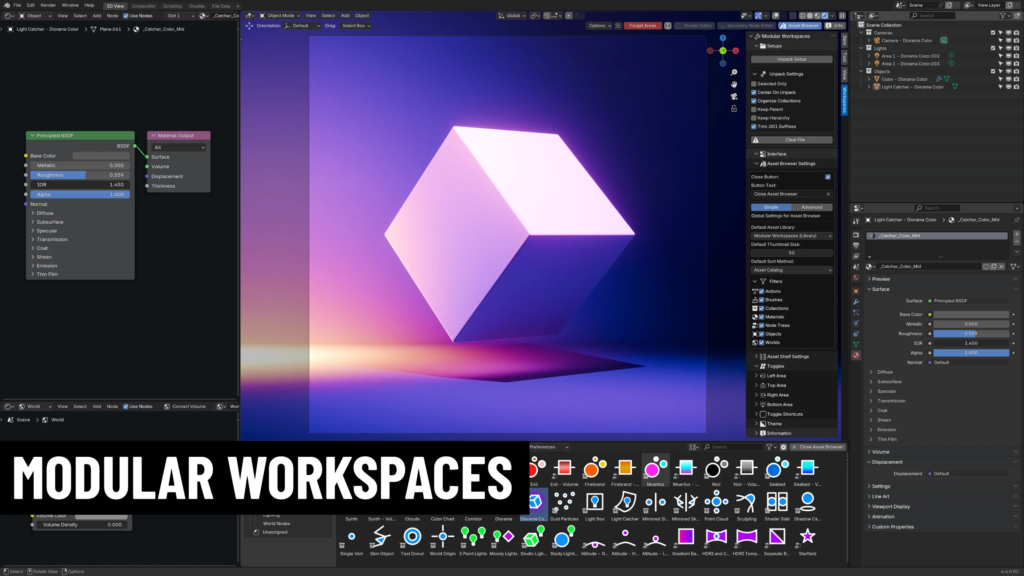
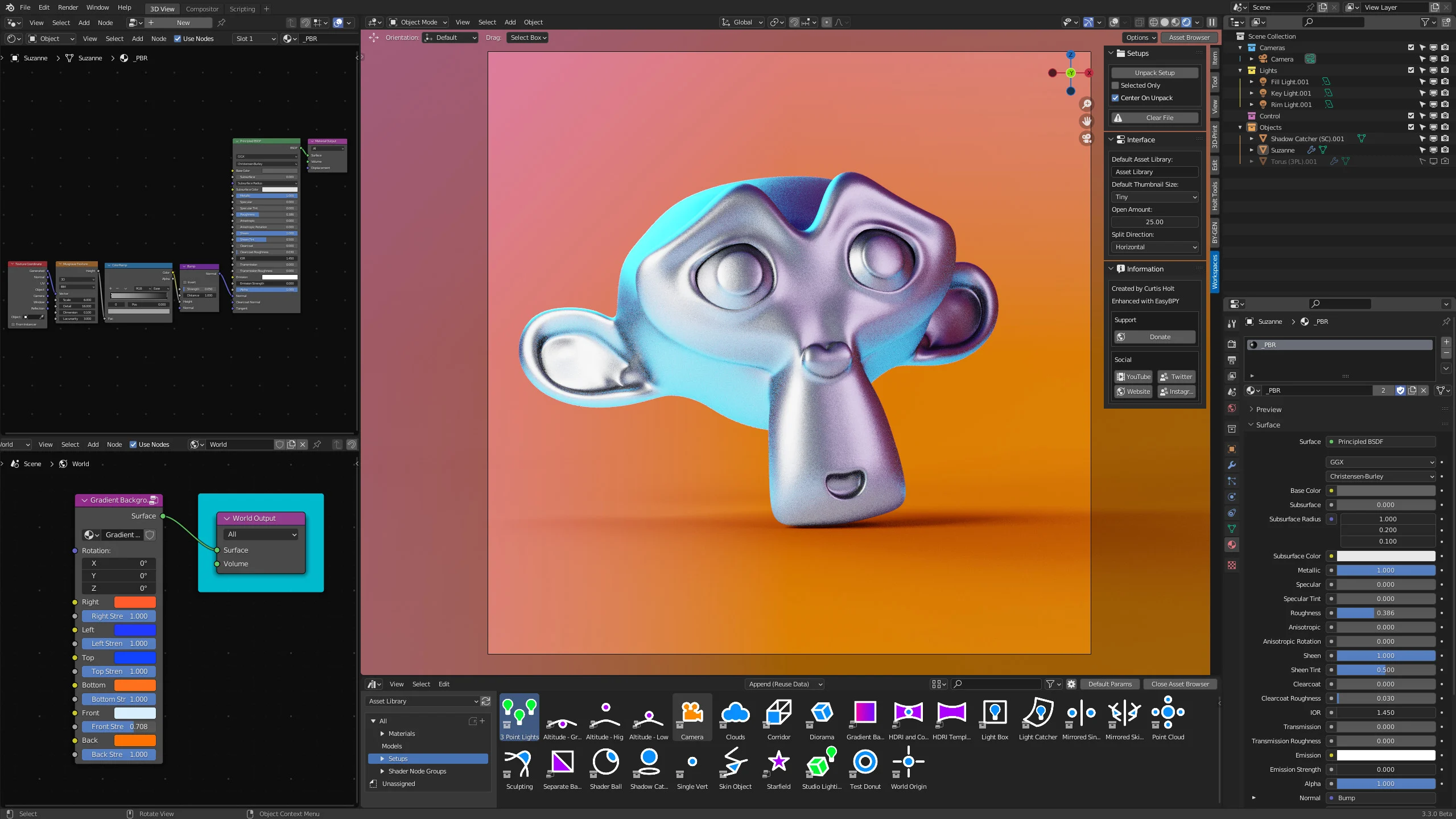
Modular Workspaces expands the features of the Blender interface, allowing you to use customize editor toggle buttons in the 3D view, and also streamlines the process of unpacking collection assets by helping to center them in the world, separate the content, and organize it into collections automatically. An accompanying asset library is also included, with presets that will give you a head-start in your projects.
Watch the most recent update video to learn more about the project and familiarize yourself with the features.
Taking this further, the toggle buttons are highly customizable, allow you to create shortcuts in the 3D view to access any of your favorite editors. This includes the ability to rename the buttons, set them to display with an icon only, and choose different icons for each one, giving you the option to keep the functionality while having a minimal visual impact on the interface.
Per-Workspace Customization and Asset Filters
With version 1.9, we have also added the option to customize your default asset browser settings for each workspace, allowing you to set up a variety of interface workflows across your file. This also includes the ability to pre-select the filters for asset browser content, so if you are working with a very large asset library in multiple places within the same file, you can set it to automatically filter different asset types for each workspace.
Pie Menu
Version 1.6+ introduced a pie menu that allows you to quick-access the toggleable editors with the flick of the mouse. The pie menu shortcut can also be easily edited from the Modular Workspaces interface panel, allowing you to easily modify the key-mapping.
Asset Library File
The asset library file is completely optional and 100% customizable – just open the blend file and start modifying the pre-existing collections and node groups however you like. You can even add more presets or create your own asset libraries from scratch (see the Blender documentation to learn more about the asset browser / library system). The unpacking functionality of Modular Workspaces will work with collection assets from any asset library.
Drag and drop collections from the asset library into your scene and unpack with the press of a button! Various settings are available to let you change the unpacking functionality, including whether to center the collection assets in the world, maintain parent-child hierarchies, trim the names of objects, and more.
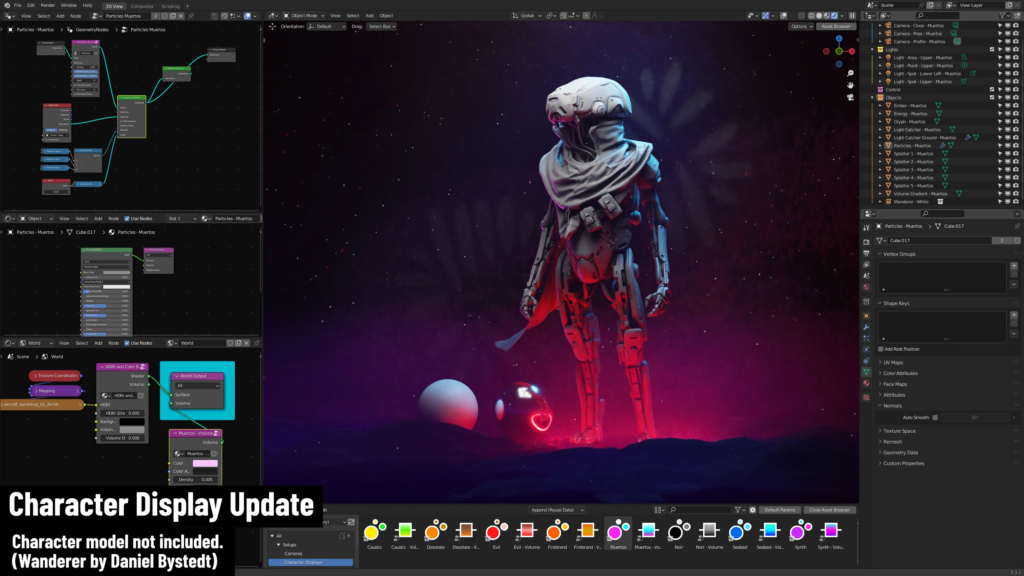
Character Display Update
A variety of lighting templates have been added to the optional asset library, giving you customizable starting points for getting great-looking character renders. Watch the update video hereto learn more about these additions.
Supercharge your 3D creation workflow with premium selection of Blender Add-ons. Whether you are modeling intricate characters, sculpting realistic environments, or animating cinematic sequences, the right add-on can transform how you work inside Blender. Our curated collection includes powerful tools for UV unwrapping, procedural texture generation, rigging automation, rendering optimization, and more—each rigorously tested for compatibility with the latest Blender versions. Eliminate tedious manual processes and unlock advanced functionality that lets you focus on what matters most: bringing your creative vision to life. Explore our full range of professional Blender plugins today and take your 3D projects to the next level.
➡️ ➡️ For more Blender Plugins 😀 😀
Reviews
There are no reviews yet.